PhoneLynx BT215 A - Smartwatch COBRA - Free user manual and instructions
Find the device manual for free PhoneLynx BT215 A COBRA in PDF.

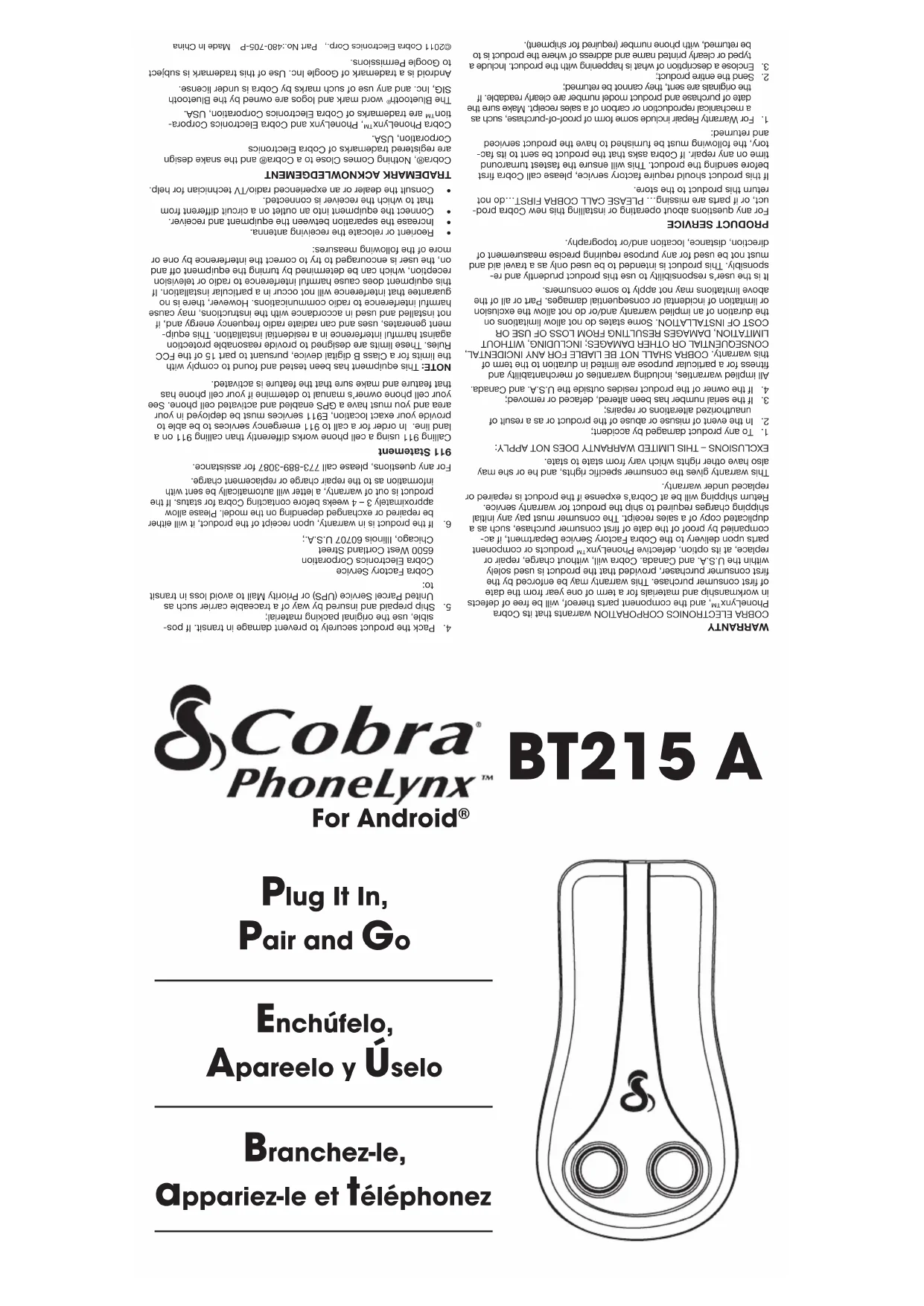


| Product Type | Smartwatch (Bluetooth phone adapter) |
| Brand | Cobra |
| Model | PhoneLynx BT215 A |
| Power Supply | AC adapter 110/120 V, 50/60 Hz |
| Connection | Bluetooth® (serial port and hands-free) |
| Bluetooth Range | Approximately 10 meters (varies with environment) |
| LED Indicators | Red (no phone paired), Flashing blue (discovery mode), Solid blue (call in progress) |
| Phone Compatibility | Residential or office phone (RJ11 line) |
| Cellular Compatibility | Bluetooth® phones (Android, iOS, others) |
| Main Features | Make and receive cellular calls via landline phone, call waiting, dual cell phone |
| Installation | Plug into landline phone (not wall jack), pair via Bluetooth |
| Wall Mounting | Possible with built-in hook (screws not included) |
| Operating Temperature | 0°C to 40°C |
| Operating Humidity | 20% to 80% non-condensing |
| Weight | Approximately 200 g (estimated) |
| Dimensions (approx.) | 15 x 10 x 5 cm |
| Standards | FCC Part 15, Class B |
| Warranty | 1 year (parts and labor) |
| Care | Clean with a soft, dry cloth. Do not use abrasive products. |
| Included Accessories | AC adapter, RJ11 telephone cable, rubber pad |
Frequently Asked Questions - PhoneLynx BT215 A COBRA
User questions about PhoneLynx BT215 A COBRA
0 question about this device. Answer the ones you know or ask your own.
Ask a new question about this device
Download the instructions for your Smartwatch in PDF format for free! Find your manual PhoneLynx BT215 A - COBRA and take your electronic device back in hand. On this page are published all the documents necessary for the use of your device. PhoneLynx BT215 A by COBRA.
USER MANUAL PhoneLynx BT215 A COBRA
ononeononeoneoneoneoneoneoneoneoneoneoneoneoneoneoneoneoneoneoneoneoneone
eae
9
aee aee eae ee eae eae eae eae eae eae eae eae eae eae eae eae eae eae eae eae eae eae eae eae eae eae eae eae eae eae eae eae eae eae eae eae eae eae eae eae eae eae eae eae eae eae eae eae eae eae eae eae eae eae e ae

BT215 A
PhoneLynx
For Android®
Plug It In,
Pair and Go
Enchufelo,
Apareelo y Uselo
- Plug the power adapter plug (1) into the power port of the PhoneLynx (2).
- Plug the power adapter cord into a 110/120-volt household wall outlet.
- Plug the phone line (3) coming from the phone, not from the wall jack, into the transmitter.

WARNING Never connect the PhoneLynx to the telephone company land line. Only your home/office phone should connect to the PhoneLynx.
- When the unit is first powered on, the transmitter will beep twice and both buttons will be illuminated in red.
Keep away from 2.4 GHZ wireless home phones to avoid potential interference. Keep a reasonable distance between the base and PhoneLynx.
Pair with Cell Phone
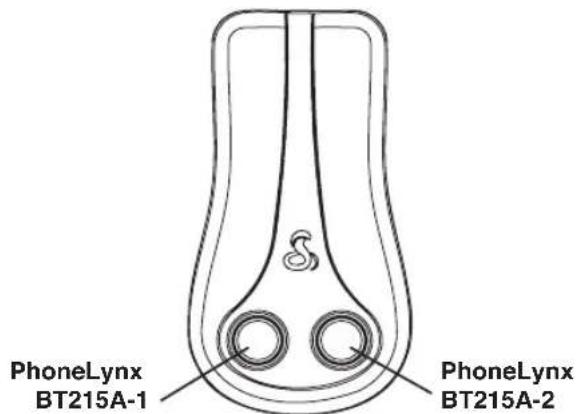
- Hold in the button illustrated below as BT215A-1 below for three seconds. The LED for that button will begin to blink with a blue light once per second. This indicates the PhoneLynx is waiting to pair with your cell phone via Bluetooth® wireless technology.
- Use the menu on your mobile phone (typically the Settings or Tools menu) to search for a new Bluetooth®-enabled device on your cell phone. On an Android™ phone, this is usually found by going to; Menu -> Settings -> Wireless & networks -> Bluetooth® settings -> Scan for devices.
- When your cell phone finds the device, it will read "PhoneLynx BT215-1". If prompted for a password on your cell phone, enter "0000" in the password field. When your cell phone is paired, the PhoneLynx will beep twice and the blue LED will slowly blink once every four seconds. The system is now ready for basic calling.
- If pairing an Android™ phone, enter the Android™ Market on your Android™ Smartphone, search for "Cobra PhoneLynx" and follow the onscreen download and installation instructions for the App.
- Open the newly installed Cobra PhoneLynx App on the Android™ phone. Upon opening the App you will be wirelessly connected to your Cobra PhoneLynx unit.
NOTE: Your primary Android™ phone should be paired to "PhoneLynx BT215-1" to take advantage of the enhanced App functionality. However, any mobile phone can be paired for basic calling functions. To add another cell phone, push the other button and repeat the pairing procedure.
Problems initializing your Bluetooth® pairing and connection? Please consult your Android™ Smartphone's user manual for Bluetooth pairing and connection tips. The Cobra PhoneLynx for Android™ uses both Bluetooth® handsfree and serial port profile connections.
Go
-
Make and receive calls on your home/office phone just as you normally would. You will hear a dial tone provided by the PhoneLynx when picking up the receiver. Instructions for more advanced operations and extra App features are found in the Cobra PhoneLynx App's on-screen instructions.
-
The PhoneLynx can be mounted on the wall using the built-in hook (1) (screws and hardware not provided) or can be placed flat to rest on the rubber feet (2).

Cobra PhoneLynx™ Status Indicators
Solid Red - When first powered on, the unit will beep twice and both buttons will be illuminated with red LEDs. The red LEDs indicate that a phone has not been paired with the PhoneLynx before.
Blinking Blue Once a Second - Indicates PhoneLynx is in discovery mode and waiting to pair with a Bluetooth cell phone.
Blinking Blue Once Every Four Seconds - Phone is paired and ready for incoming and outgoing calls.
Blinking Blue Rapidly - Indicates paired phone is out of range, Bluetooth is off on cell phone or re-pairing is in progress.
Solid Blue - A call is in process.
Two Beeps - Pairing is complete.
Three Beeps - Phone out of range or turned off.
One Short Beep Followed by One Long Beep - Wall adapter connected or power restored.
HINTS
-
If two cell phones are connected, dial #2 (on your home phone) and the number to dial out on the cell phone connected to PhoneLynx BT215A-2.
-
Use the "Flash" key on your home/office phone to switch between call waiting calls on your cell phone.
Customer Assistance
Should there be any problems with this product, or further information is needed on its features, please refer to this manual. For further assistance after reading this manual, Cobra Electronics offers the following customer assistance services:
FOR ASSISTANCE IN THE U.S.A.
- Automated Help Desk (English only) 24 hours a day, 7 days a week at 773-889-3087 (phone).
- Customer Assistance Operators (English and Spanish) 8:00 a.m. to 5:30 p.m. Central Time, Mon. through Fri. (except holidays) at 773-889-3087 (phone).
Questions (English and Spanish) Faxes can be received at 773-622-2269 (fax).
Technical Assistance (English only) www.cobra.com (on-line: Frequently Asked Questions).
Technical Assistance (English and Spanish) productinfo@cobra.com (e-mail).
Manufactured Under License 6778824, 7024189, 7069006 and 7190954.
SERVICIO AL PRODUCTO
RÉPARATION DU PRODUIT
Cobra Factory Service
Cobra Electronics Corporation
6500 West Cortland Street
Chicago, Illinois 60707 U.S.A.
Brand : COBRA
Model : PhoneLynx BT215 A
Category : Smartwatch