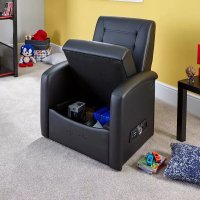
Premier - Gaming chair X Rocker - Free user manual and instructions
Find the device manual for free Premier X Rocker in PDF.



| Product type | Gaming chair with integrated audio system |
| Brand | X Rocker |
| Model | Premier |
| Maximum supported weight | 120 kg |
| Power supply | Mains via included adapter (power cable) |
| Included cables | RCA cable (3 m), 3.5 mm audio cable (1 m), RCA female-to-female adapters, 3.5 mm to RCA cable (15 cm) |
| Connectivity | RCA input, 3.5 mm headphone jack, green port for controller (PS4) |
| Built-in speakers | Yes, with subwoofer |
| Connection type | Wired |
| Main material | Faux leather and foam (estimated) |
| Dimensions (estimated) | Height: 120 cm, Width: 60 cm, Depth: 70 cm |
| Product weight (estimated) | 15 kg |
| Main functions | Surround sound, volume control, connection to TV and consoles |
| Assembly instructions | Separate manual included |
| Care and cleaning | Clean with a soft, dry cloth. Avoid any contact with liquids. |
| Safety | Do not exceed 120 kg, do not expose to liquids, do not stand on the chair, do not lean back excessively. |
| Spare parts and repairability | Contact X Rocker support at service@XRockerNation.co.uk |
| General information | Indoor use, prolonged listening at high volume can damage hearing. |
Frequently Asked Questions - Premier X Rocker
User questions about Premier X Rocker
0 question about this device. Answer the ones you know or ask your own.
Ask a new question about this device
Download the instructions for your Gaming chair in PDF format for free! Find your manual Premier - X Rocker and take your electronic device back in hand. On this page are published all the documents necessary for the use of your device. Premier by X Rocker.
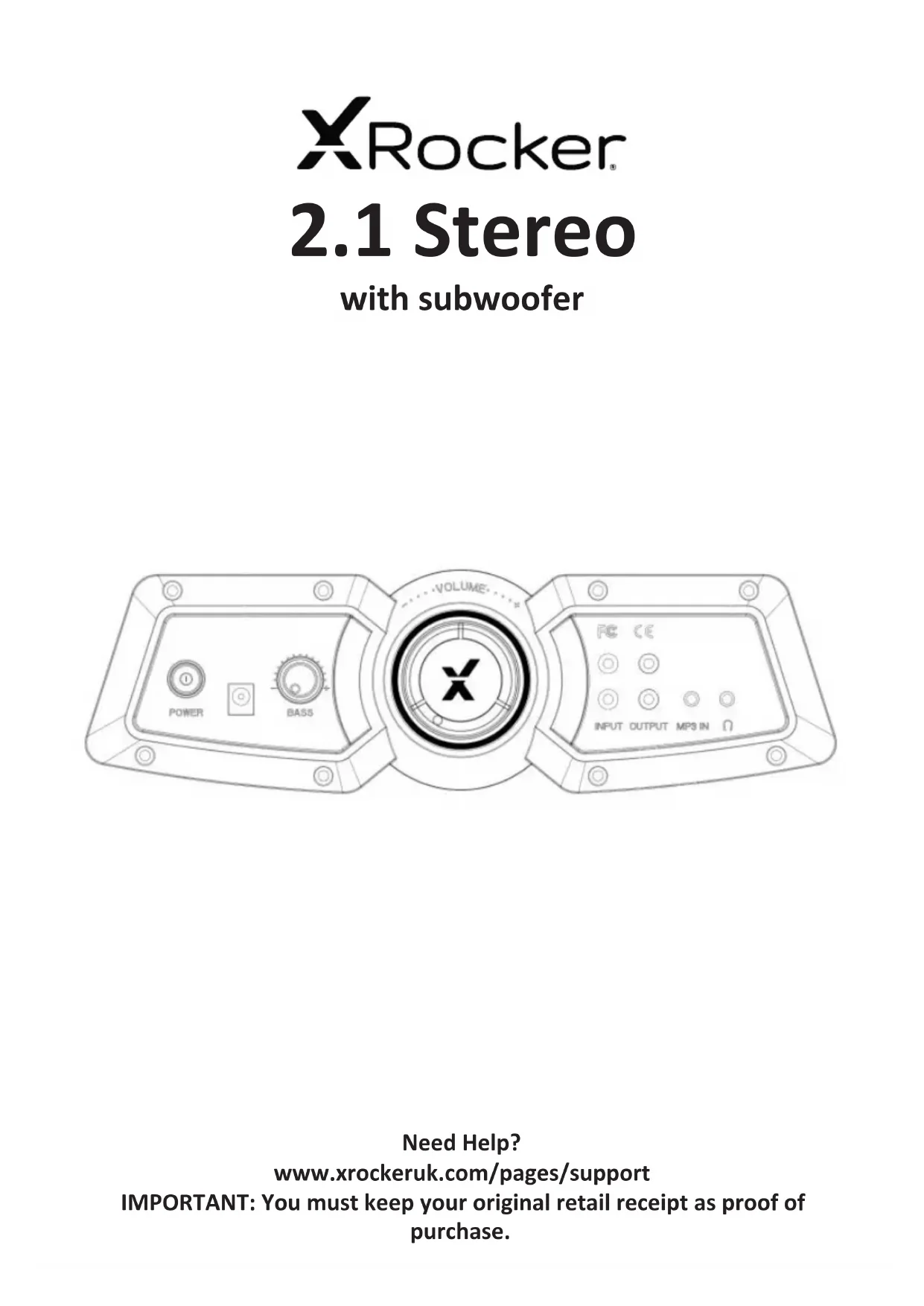
USER MANUAL Premier X Rocker
www.xrockeruk.com/pages/support
IMPORTANT: You must keep your original retail receipt as proof of purchase.
English 3
French 10
German 17
Spanish 24
Dutch 31
Thank you for purchasing this X Rocker gaming chair. You are now close to enhancing your favourite games with glorious audio!
To get started, please assemble the chair using the assembly instructions on the separate leaflet and then follow the instructions in this manual to get rocking!
Table of contents
4 Box contents and control panel overview
5 Wired Connection guide: TV (All consoles)
6 Connect by controller (PS4 systems only)
7 Troubleshooting tips
8 Health and safety information
9 Power supply safety information
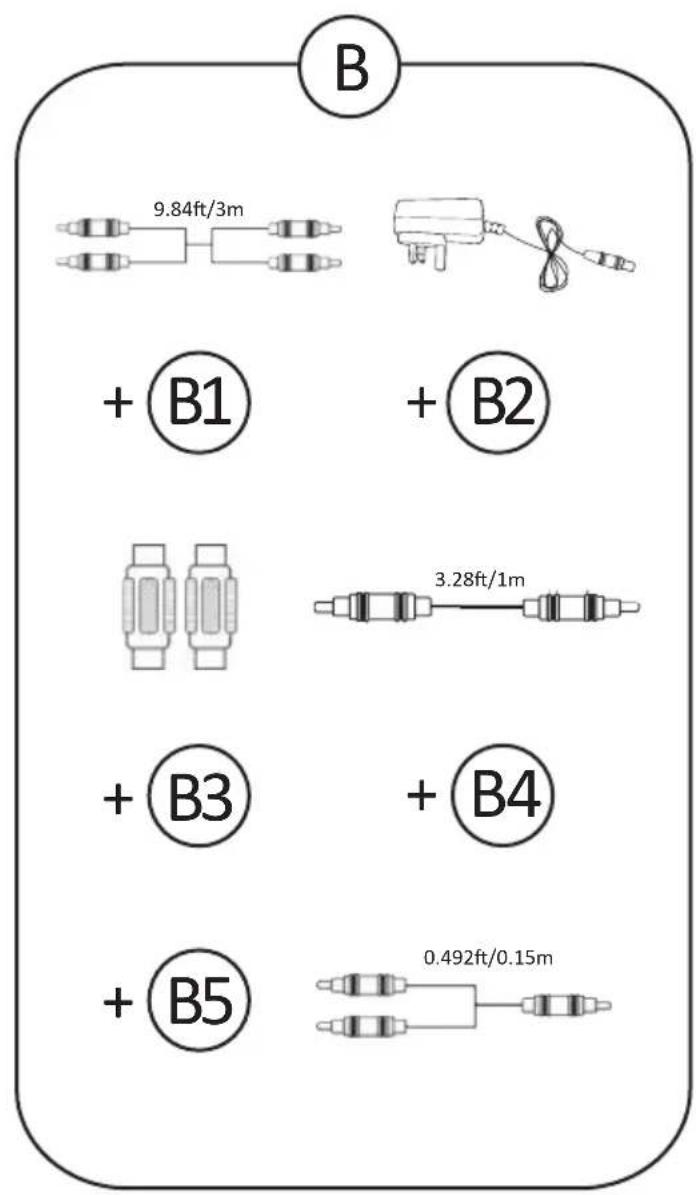
B1 - 3m RCA to RCA Audio cable
B2 - Power supply cable
B3 - RCA female to female adapters
B4 - 1m 3.5mm to 3.5mm audio cable
B5 - 15cm 3.5mm RCA to male audio cable
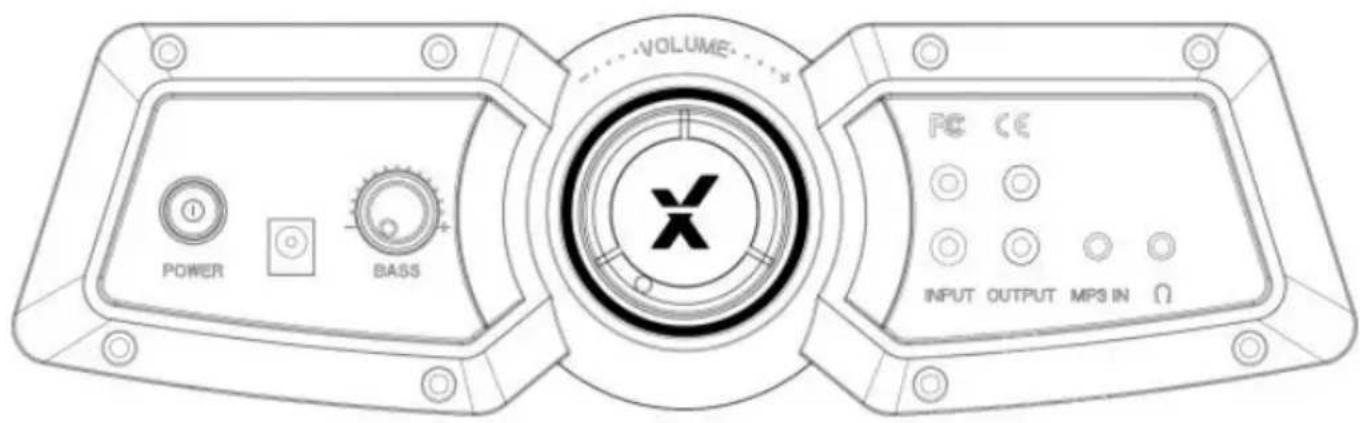
Control panel overview
Wired connection guide: TV (All consoles)
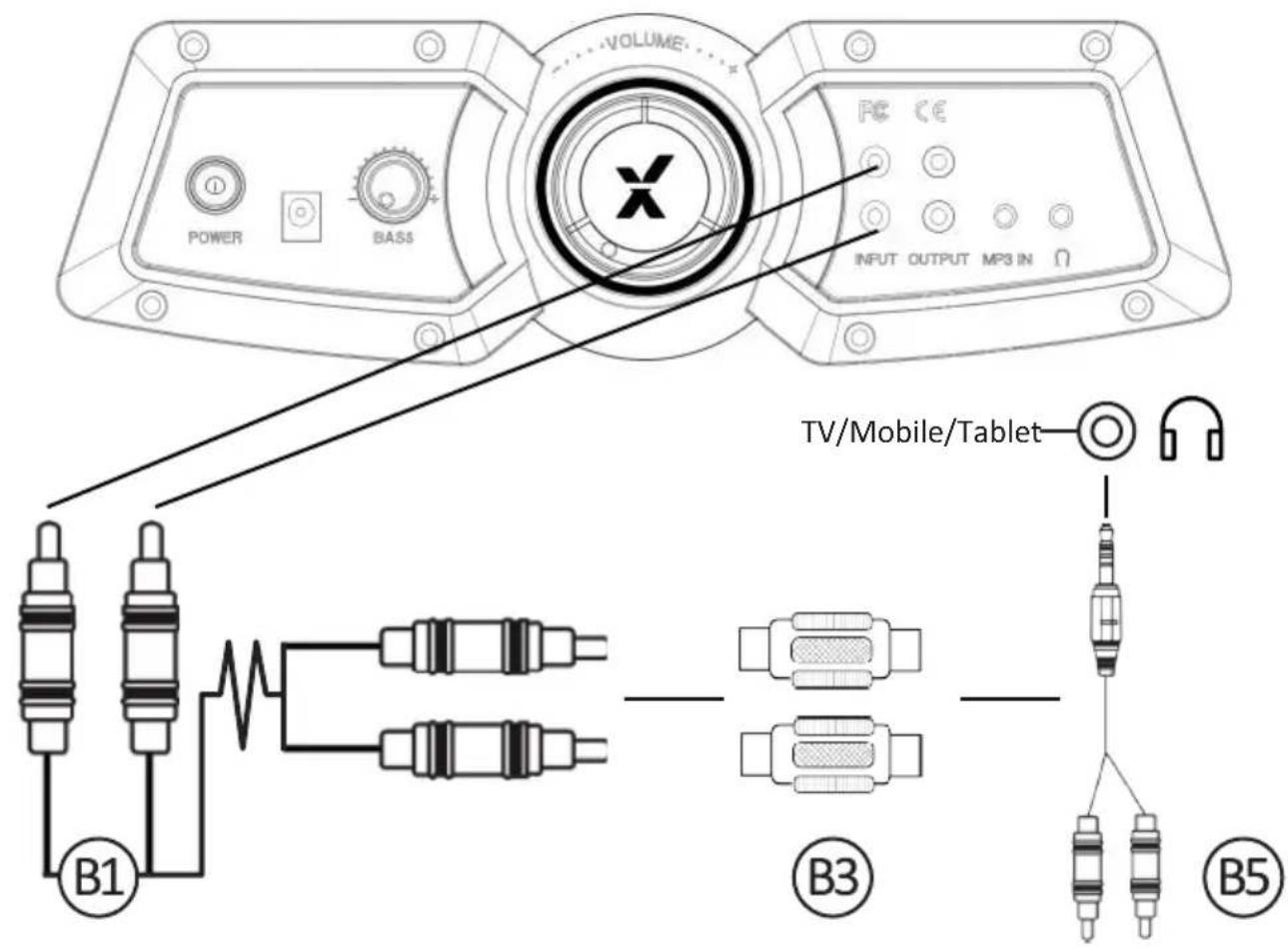
- Connect B1 Cable to X Rocker control panel RCA INPUT sockets
- Connect B3 RCA adapters to other end of B1 RCA cable
- Connect B5 RCA cable to B3 Adapter.
- Connect B5 3.5mm end into the headphone sock et of your Television
- Once connected to your TV, increase volume to 50% of the maximum for the best sound level.**
*N.B: If your TV does not feature a headphone socket then you may need to purchase an additional TOSlink adapter to get connected directly to a console for audio.
**Depending on your TV you may need to Increase the headphone volume separately in the TV sound settings.
Connect by controller: (PS4 systems only)
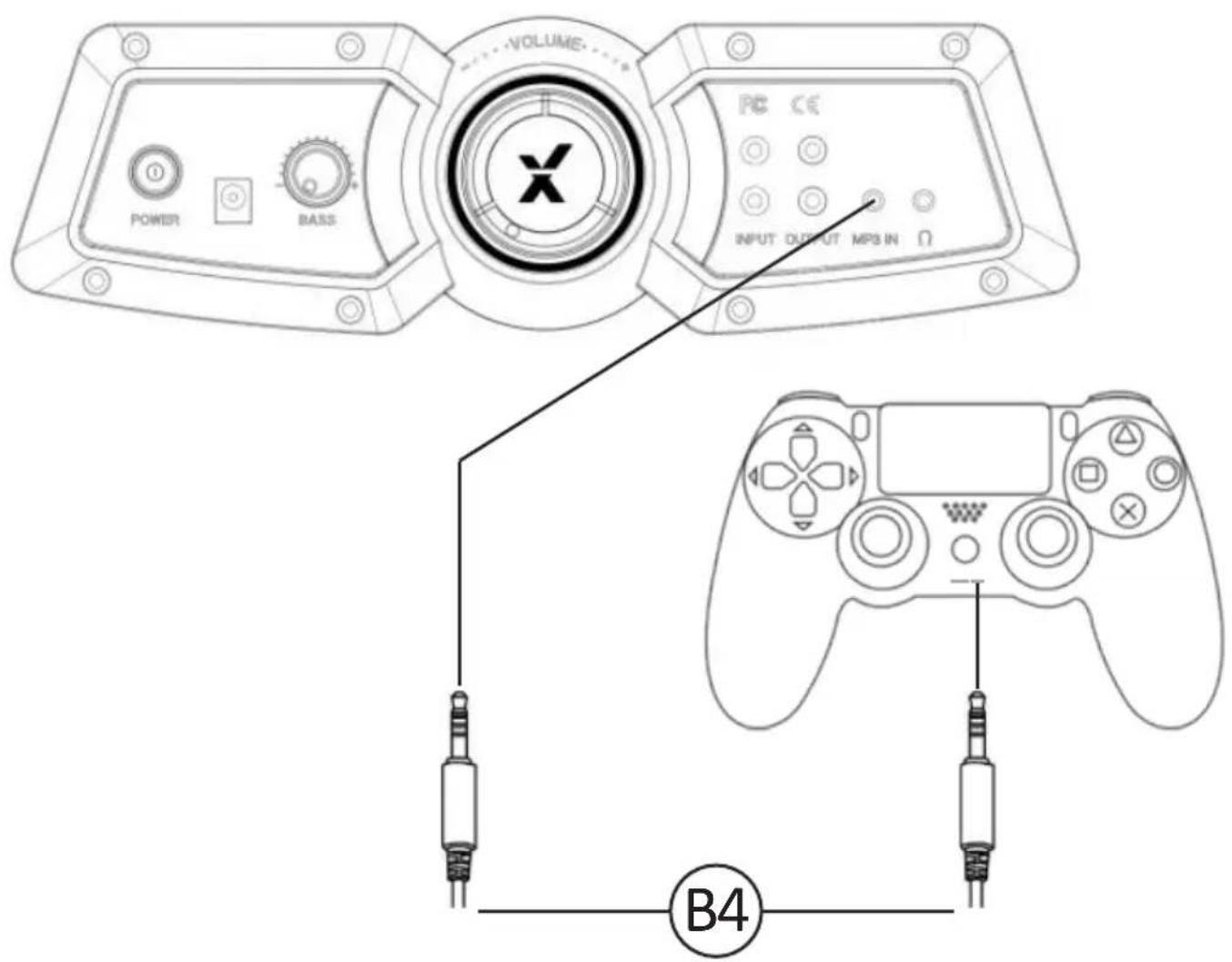
- Connect the B4 cable to the bottom of the PS4 controller via the headset socket.
- Connect the other end of the B4 cable to the chair via the green port.
- With the PS4 turned on and in the main menu, press and hold the black PS button until the quick menu appears.
- In this menu select [Adjust sound and devices]
- Then select [output to headphones]
- Change the setting from [Chat Only] to [All audio]
- Make sure the volume in the previous menu is set to the maximum.
Troubleshooting tips
Issue Troubleshooting steps
| No power going to control panel | ·Make sure that the power cable is connected correctly. ·Make sure that the power supply at the power source is working correctly. ·With the chair turned to the ON position, give the power cable a slight wiggle in the port. If any lights flicker (or not) then please contact support (details below). |
| No sound | ·Connect a mobile phone to the X Rocker using the phone connection guidelines in the manual to test the chair for sound. ·Confirm that the device/system is correctly configured as per previous connection guide. ·Make sure that you indeed have a headphone socket on your TV. This will typically be marked with a headphone symbol or “H/P OUT” |
| Subwoofer does not produce sound/ sound faint | ·Please make sure that the volume of the source device is at a higher level to strengthen the audio signal. |
| The cables connected to my X Rocker have been broken accidentally | ·Please contact X Rocker support (service@XRockerNation.co.uk) regarding this issue. |
| Don’t have a headphone socket on your TV? | ·You may need to purchase a TOSlink adapter. If you are unsure as to which to purchase then please contact X Rocker at service@XRockerNation.co.uk regarding this issue. |
Health and safety information
- Avoid immersing or allowing the X Rocker to come into contact with liquids.
- Please consult X Rocker Support before unscrewing any of the electrical components on the chair.
- Please be mindful of any cabling laid out between the X Rocker and power source/audio device.
- Please be mindful of cabling attached when moving/swivelling the X Rocker.
- If the cables or electrical equipment are broken then this may present a choking risk, please contact Support for replacements and dispose of these parts safely.
- Do not stand on the X Rocker or exceed the 120kg weight limit via other means.
- Do not lean back on the chair to the point in which the pedestal would lift off the ground.
- X Rocker armrests are designed for support and comfort during gameplay, please do not use these as support for getting in/out of the chair.
- Playing audio for long periods at loud volumes may contribute to difficulties in hearing.
- Please be considerate to others when playing audio through the X Rocker speakers at higher volumes.
Power supply safety information
ATTENTION:
A. For Power Adapter, the apparatus shall not be exposed to dripping or splashing and that no objects filled with liquids, such as vases, shall be placed on the apparatus;
B. For Power Adapter, the MAINS plug is used as the disconnect device, the disconnect device shall remain readily operable;
C. Only use the attachments/accessories specified by manufacturer.
Power Supply unit trademark: BI;
Model name:BI12T-090100-I/BI12T-090100-BdB
Input: 100-240V\~, 50/60 Hz, 0,5A;
Output: 9 VDC, 1A;
www.xrockeruk.com/pages/support
IMPORTANT: You must keep your original retail receipt as proof of purchase.

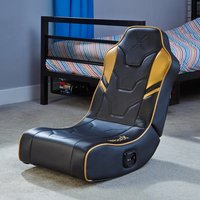
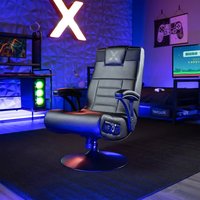
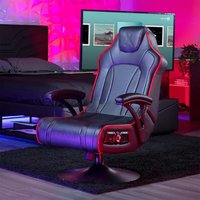
Brand : X Rocker
Model : Premier
Category : Gaming chair