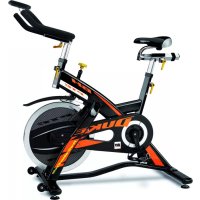
BH920E - Exercise bike BH FITNESS - Free user manual and instructions
Find the device manual for free BH920E BH FITNESS in PDF.



User questions about BH920E BH FITNESS
0 question about this device. Answer the ones you know or ask your own.
Ask a new question about this device
Download the instructions for your Exercise bike in PDF format for free! Find your manual BH920E - BH FITNESS and take your electronic device back in hand. On this page are published all the documents necessary for the use of your device. BH920E by BH FITNESS.
USER MANUAL BH920E BH FITNESS
text_image
BH TIPONER rpm 156 (km) 120 439 DIST 78.6 1 KMUNIDAD ELECTRÓNICA ELECTRONIC MONITOR UNITÉ ÉLECTRONIQUE ELEKTRONIKEINHEIT UNIDADE ELECTRÓNICA IMPIANTO ELETTRONICO ELEKTRONISCHER MONITOR
Fig.1
text_image
Technical diagram of a device casing with labeled components and a directional indicator A pointing to a component.Fig.2
natural_image
Pixelated icon of a trash bin with crossed x and y axes, no text or symbols presentFig.3
text_image
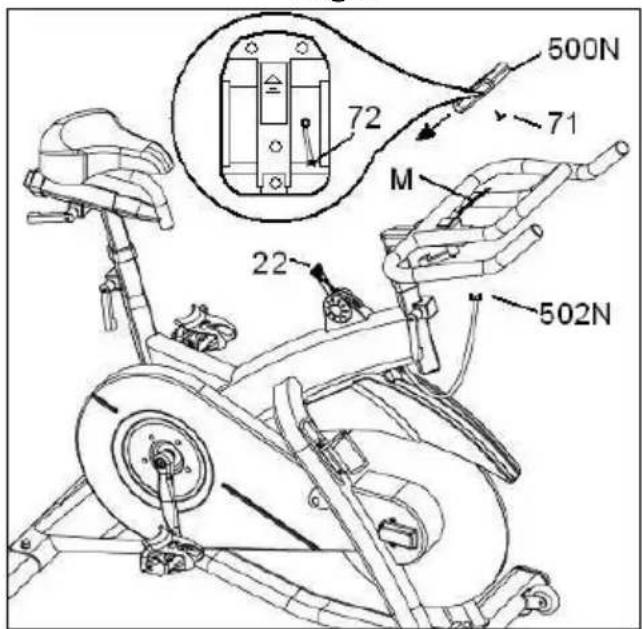
500N 71 72 M 22 502NFig.4
natural_image
Line drawing of a person wearing a chest with a bandage (no text or symbols)Español
COLOCACIÓN PILAS.-
Este monitor utiliza dos Pilas
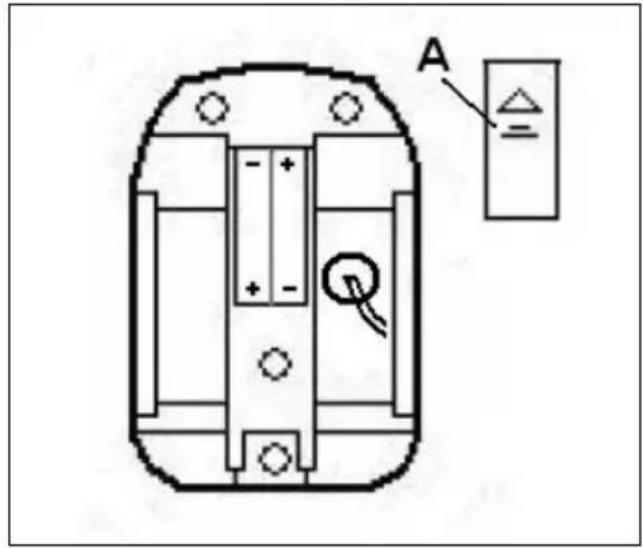
This monitor uses two 1.5 volt Alkaline Batteries. To fit the batteries, remove the rear cover on the monitor, Fig.1, and carefully insert the two “AAA” type batteries into the battery compartment making sure that the battery’s polarity is correct (matching the battery’s «+» terminal with the «+» sign inside the battery compartment, and the «-» terminal with the «-» sign). Close the cover.
If, after having switched the monitor on, it displays errors or merely partial segments then remove the batteries and wait for about 15 seconds before reinstalling them.
Weak batteries (run down) produce a weak digital display (poor contrast) and erroneous readings. Change them immediately.
The monitor will switch itself off automatically if the unit remains motionless for 4 minutes.
If you see the words BATT LOW flashing on the display screen, change the batteries immediately.
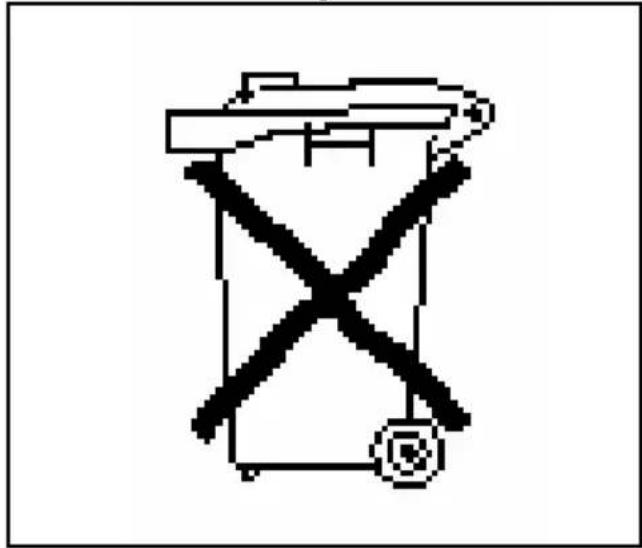
Important: Deposit electronic components in special containers, Fig.2.
1.- FITTING THE ELECTRONIC MONITOR.-
Place the monitor (500N) in the direction of the arrow sliding the monitor on the holding plate (M) Fig.3 and fix it with the screw (71).
Connect the terminal (502N) of the cable sticking out of the main body (A) in terminal (72) of the rear part of the monitor (500N) Fig.3.
2.-SETTING THE TIME ON THE MONITOR.-
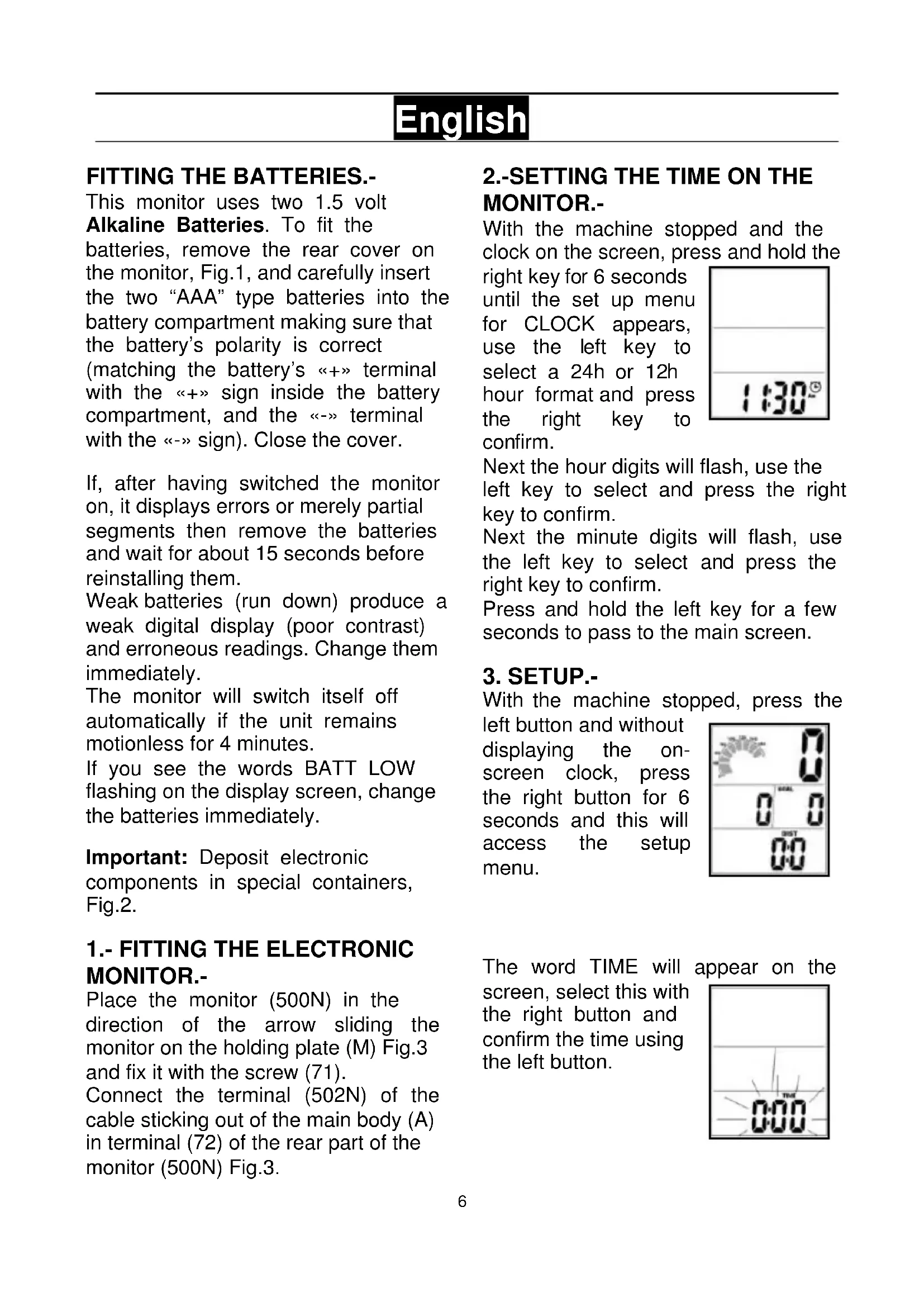
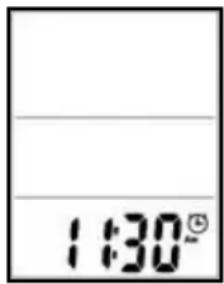
With the machine stopped and the clock on the screen, press and hold the
right key for 6 seconds until the set up menu for CLOCK appears, use the left key to select a 24h or 12h hour format and press the right key to confirm.
text_image
1:30°Next the hour digits will flash, use the left key to select and press the right key to confirm.
Next the minute digits will flash, use the left key to select and press the right key to confirm.
Press and hold the left key for a few seconds to pass to the main screen.
3. SETUP.-
With the machine stopped, press the
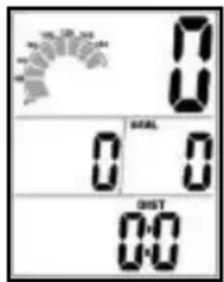
left button and without displaying the on-screen clock, press the right button for 6 seconds and this will access the setup menu.
text_image
0 0 0 0 DIST 0:0The word TIME will appear on the
screen, select this with the right button and confirm the time using the left button.
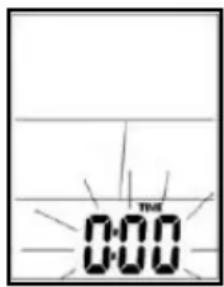
text_image
0:00The maximum heart rate during
exercise will appear on the screen.
Press the right button to select the maximum heart beats and the left button to confirm.
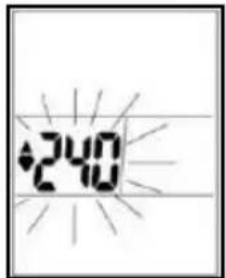
text_image
2:40The minimum heart rate during
exercise will appear on the screen, use the left button to confirm.
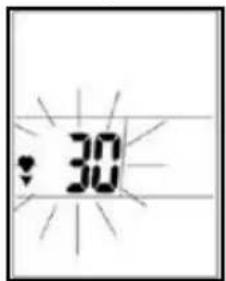
text_image
30A Man/Woman silhouette will appear
on the screen, use the right button to select and the left button to confirm.
After having selected gender, the weight value will flash.
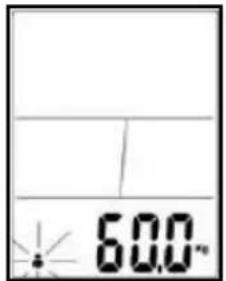
text_image
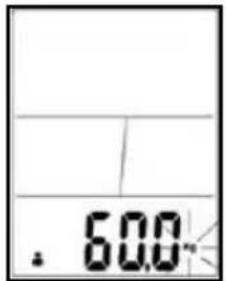
60.0°Use the right button to select your
weight and the left button to confirm.
Press and hold the left button for a few seconds or wait a few seconds to return to the main screen.
text_image
. 600.While at the main screen press the
right button to select the end-of-programmed-exercise beep.
The monitor will also beep to tell you if you staying within the programmed heart rate values.
text_image
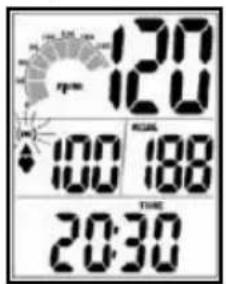
120 120 100 188 20:304.-ELECTRONIC MONITOR.-
To give you greater control over your exercise, this electronic unit displays read-outs of speed, rpm, distance, exercise time, pulse rate, time and calories burnt.
The screen will switch on automatically as soon as you start exercising or by pressing any key. Select the on-screen information using the left button.
The monitor will switch off automatically if the unit stands idle for more than 4 minutes, with the screen displaying the time.
Press the right button to activate the backlight for 5 seconds.
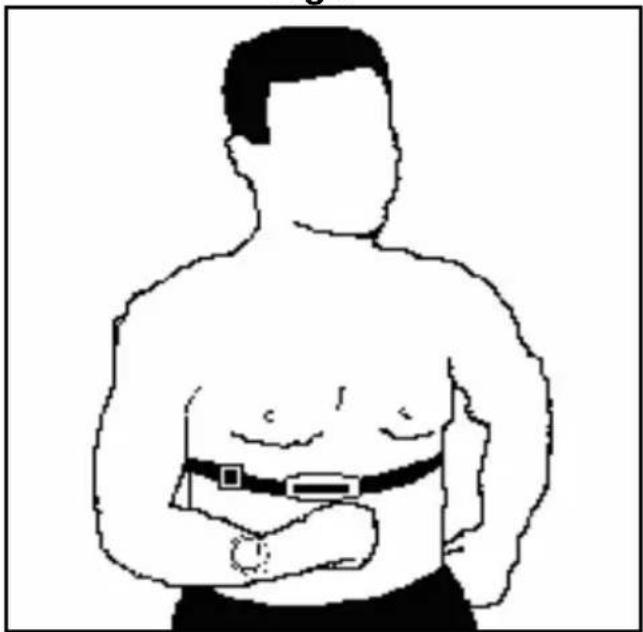
To measure your pulse rate during exercise you will need to wear the chest band (OPTIONAL). Fig.4.
See telemetric pulse rate instruction book).
TROUBLESHOOTING GUIDE.-
Problem: The display comes on but only the Time function works.
Solution:
a.- Make sure that the connection cable is connected.
Problem: The display does not come on or the displayed segments are very weak.
Solution:
a.- Check that the batteries are fitted correctly.
b.- Check the battery charge
c.- If they are run down change them immediately.
Problem: Display segments of a function read-out are not visible or error messages for a particular function appear.
Solution:
a.- Remove the batteries for 15 seconds and then refit them correctly. b.- Check the battery charge If they are run down change the batteries. c.- If the above steps do not help then replace the electronic monitor.
Avoid leaving the electronic monitor in direct sunlight as this might damage the liquid crystal display. Similarly, do not expose it to water or knocks.
Do not hesitate to get touch with the Technical Assistance Service if you have any queries by phoning customer services (see last page in manual)
BH RESERVES THE RIGHT TO MODIFY THE SPECIFICATIONS OF ITS PRODUCTS WITHOUT PRIOR NOTICE.
Français
MISE EN PLACE DES PILES.-
text_image
0 0 0 0 00 00text_image
0 0 0 0 00 00text_image
0 0 0 0 00 00e-mail: info@bhfitness.pt
BH SERVICE PORTUGAL
e-mail: info@bhfitness.pt
BH HIPOWER FRANCE
27 bis, Route de Pitoys
64600 ANGLET
Tél.: +33 05 59 42 04 71
Fax: +33 05 59 50 10 83
e-mail:
bhfrance@bhfitness.com
BH HIPOWER NORTH AMERICA
20155 Ellipse
Foothill Ranch
CA 92610
Tel: + 1 949 206 0330
Toll free: +1 866 325 2339
savfrance@bhfitness.com
BH HIPOWER UK
Halliards, Terrington Drive
Newcastle-under-Lyme
Staffordshire ST5 4NB
United Kingdom
No.139, Jhongshan Rd.
Daya Township
Taichung 428, Taiwan. R.O.C.
Tel.: +886 4 25609200
Fax: +886 4 25609280
Block A, NO.68, Branch Lane
455, Lane 822,
Zhen Nan RD., Li Zi Yuan,
Putuo, Shanghai 200331, P.R.C.
Tel: +86-021-5284 6694
Fax:+86-021-5284 6814
e-mail: info@i-bh.cn
EXERCYCLE GMBH
Antoniusstrasse 22
D-50226 Frechen
Tel.: 0800-BHFITNESS
E-mail:
kundendienst@bhfitness
.com
www.bhfitness.com
BH SE RESERVA EL DERECHO A MODIFICAR LAS ESPECIFICACIONES DE SUS PRODUCTOS SIN PREVIO AVISO.
SPECIFICATIONS MAY BE CHANGED WITHOUT PRIOR NOTICE DUE TO OUR PROGRAMME OF CONTINUOUS PRODUCT DEVELOPMENT.
BH SE RÉSERVE LE DROIT DE MODIFIER LES SPECIFICATIONS DE SES PRODUITS SANS PRÉAVIS.