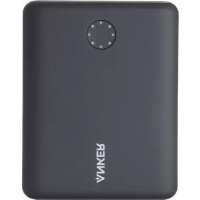
PowerCore 13400 Nintendo Switch - Power bank Anker - Free user manual and instructions
Find the device manual for free PowerCore 13400 Nintendo Switch Anker in PDF.



| Product type | Portable battery |
| Brand | Anker |
| Model | PowerCore 13400 Nintendo Switch |
| Battery capacity | 13400 mAh |
| Charging technology | Power Delivery (PD) |
| Output ports | 1x USB-C PD, 1x USB-A |
| Input port | USB-C PD |
| Charging time (with Switch adapter) | Approximately 3.5 hours |
| Charging time (non-PD charger) | Up to 20 hours |
| LED indicators | 8 LEDs for battery level |
| Control button | Yes, to check level and start/stop charging |
| Safety protection | Automatic shutdown if temperature exceeds 60°C |
| Compatibility | Nintendo Switch, phones and other USB devices |
| Maintenance | Clean with a dry cloth, without liquid |
| Automatic shutdown function | Press the button twice quickly to stop charging |
| Usage recommendation | Recharge at least once every 4 months to optimize lifespan |
Frequently Asked Questions - PowerCore 13400 Nintendo Switch Anker
User questions about PowerCore 13400 Nintendo Switch Anker
0 question about this device. Answer the ones you know or ask your own.
Ask a new question about this device
Download the instructions for your Power bank in PDF format for free! Find your manual PowerCore 13400 Nintendo Switch - Anker and take your electronic device back in hand. On this page are published all the documents necessary for the use of your device. PowerCore 13400 Nintendo Switch by Anker.
USER MANUAL PowerCore 13400 Nintendo Switch Anker
Thank you for purchasing PowerCore 1300 Ninteda Switch™ Edition. Read all instructions before using this product, and keep for future reference.
Anker is a registered trademark owned by Anker Technology Co., Ltd. and the associated company.
Ninteno SwitchTM is a trademark of Nintendo © 2018 Nintendo.
Other company names and product names in this manual are trademarks or registered trademarks of their respective companies.
Using Your PowerCore
Ensure that you have installed the latest system update for Nintendo SwitchTM before using this portable charger.
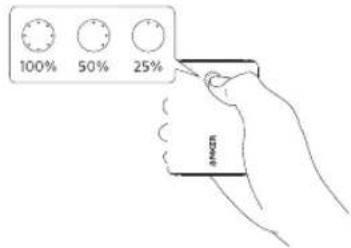
- Press the button on the front to check the power level.
The power level is indicated by the 8 LEDs.
LEDs turn off automatically after 10 seconds.
01
EN
2. Charge your Nintendo Switch™ or phone.
Check your device's battery indicator for charging progress.
LED will remain lit while your device is charging.
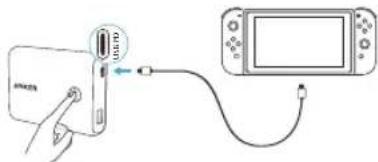
When charging USB-C PD (Power Delivery) devices like Nintendo Switch, connect the cable to the USB PD port.
When charging other devices, connect the cable to the USB-A port.
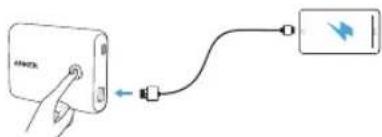
After connecting the cable, charging will begin automatically. If not, press the button on the front of PowerCore, wait for 10 seconds, then reconnect the cable.
02
When temperatures exceed 140^ / 60^ , all 8 LEDs will flash for 10 seconds. To prevent a risk of damage, the USB-A port's output will automatically shut off. USB-A functionality will return when temperatures fall below 40^ / 60^ .
To stop charging, press the button on the front of PowerCore twice in rapid succession. To begin charging again, press the button once.
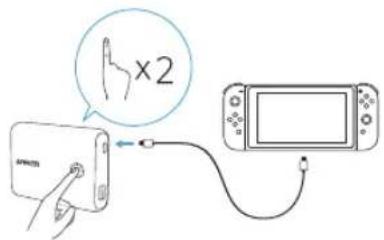
EN
03

EN
3. Recharge your PowerCore
LED flashes continuously while PowerCore is recharging. LEDs will deactivate when PowerCore is fully recharged
PowerCore cannot charge your Nintendo Switch™ or phone while recharging itself.
Connect the cable with the USB PD port on PowerCore.
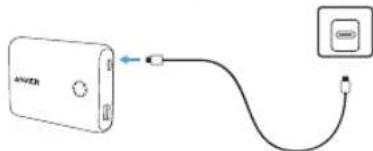
【Rechargingtime】
About 3.5 hours via Nintendo Switch™'s AC adapter
When your PowerCore is fully charged, the 8 LEDs will remain illuminated for 10 minutes before turning off automatically.
For optimal recharging speed, use a Power Delivery wall charger. Using a charger without Power Delivery may result in recharging times over 20 hours.
This product is not compatible with PowerIQTM, Power QTM 2.0, or Qualcomm Quick ChargeTM
To preserve the battery's lifespan, use and recharge PowerCore at least once every 4 months.

Use the original cables provided with your device to charge (or use a certified third-party cable).

Specifications
| Capacity: 13400mA | Battery: Lithium ion battery | ||
| PD input: 5V 3A/9V 25A/15V 24A/20V = | |||
| PD output: 5V 3A/9V=25A/15V=1.5A = | |||
| Standard output: 5V | 15# | ||
| Size: About 97 x 80 | ×22 mm/3.8 x 3.1 x 0.9 in | ||
| Weight (Main unit) | 260 g/9.2 oz | ||
04
05
ES
Specifications techniques
| Capacité: 13400mAh B | Batterie: batterie | autilium ion |
| Entrée PD: | 5V=2A/9V 25A/15V 1.7A/20V 1A | |
| Sortie PD: | 5V=2A/9V 25A/15V 1.7A | |
| Sortie standard: | 5V=1.5A | |
| Taille: | Environ 97 x 80 x 22 mm / 3.8 x 3.1 x 0.9 pouces | |
| Poids (unité principale) | 260 g | |
IT
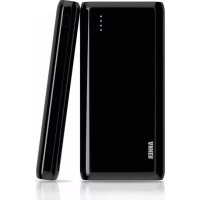
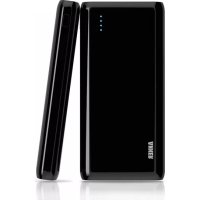
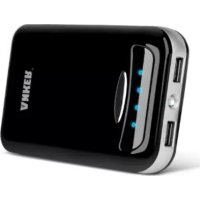
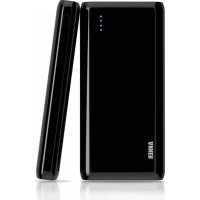
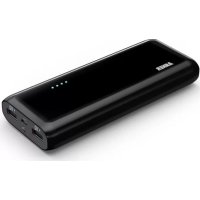
Brand : Anker
Model : PowerCore 13400 Nintendo Switch
Category : Power bank