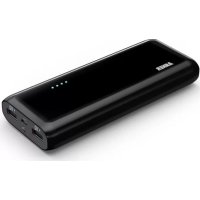
Astro E7 - Power bank Anker - Free user manual and instructions
Find the device manual for free Astro E7 Anker in PDF.



| Product type | Portable battery |
| Brand | Anker |
| Model | Astro E7 |
| Battery capacity | 20000 mAh (estimated) |
| Fast charging technology | PowerIQ™ (up to 3A per port) |
| USB output ports | 3 USB ports (total max 4A) |
| Input port | Micro USB |
| Charge indicator | 4 LED indicators (25% each) |
| Built-in LED light | Yes |
| Charging time (5V/2A adapter) | 12-14 hours |
| Energy efficiency | Approximately 92% |
| Dimensions (L x W x H) | Approximately 180 x 80 x 20 mm |
| Weight | Approximately 450 g |
| Compatibility | Smartphones, tablets, GPS, etc. |
| Maintenance | Recharge every 4 months, avoid heat/cold |
| Safety | Overcharge and short-circuit protection |
| Warranty | 18 months |
| Customer service | support@ianker.com |
Frequently Asked Questions - Astro E7 Anker
User questions about Astro E7 Anker
0 question about this device. Answer the ones you know or ask your own.
Ask a new question about this device
Download the instructions for your Power bank in PDF format for free! Find your manual Astro E7 - Anker and take your electronic device back in hand. On this page are published all the documents necessary for the use of your device. Astro E7 by Anker.
USER MANUAL Astro E7 Anker
2nd Gen Astro E7 External Battery
POWERIQ
Compatibility maximized: Meeting your device's unique charging needs.
Ever wonder why your smartphone charges faster from some charging ports and slower from others? Often, it's not just the power that your charger can offer. Instead, it comes down to compatibility. Some ports simply don't speak the right language to open up your device to full speed charging. Try plugging an iPad into an Android adapter and your charge time could double.
Our solution? PowerIQ™ technology communicates with any connected device by speaking its unique charging language. Each port intelligently identifies your device and adapts to its specific recharge rate. So thanks to PowerIQ™, together with Anker's industry-leading output, you can enjoy maximum compatibility that doesn't limit your charging speed.
Package Contents
Anker 2nd Gen Astro E7 External Battery
- Accessories
Welcome Guide
Identification of Parts
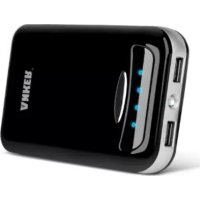
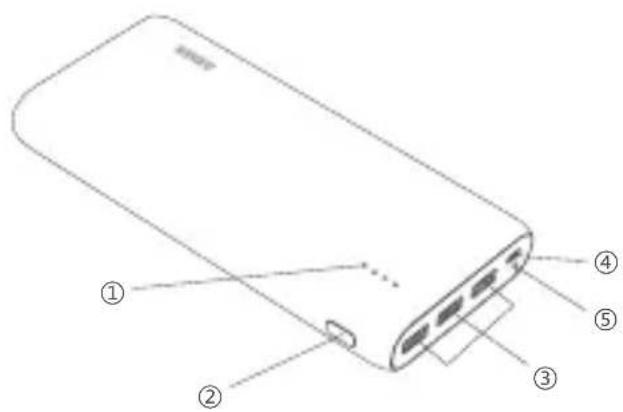
LED power meter
Power meter button
USB charging ports
Micro USB input port
LED flashlight
Technical Specifications
| Capacity 25600mAh | |
| Input 5V / 2A (max) | |
| Charging Port Output | 5V / 3A (min 50mA) |
| Total Output 5V / 4A | |
| Size 166 × 80 × 22mm / 6.5 × 3.1 × 0.9in (L x W x H) | |
| Weight 450g / 15.8oz | |
2
How to Charge Your Astro E7
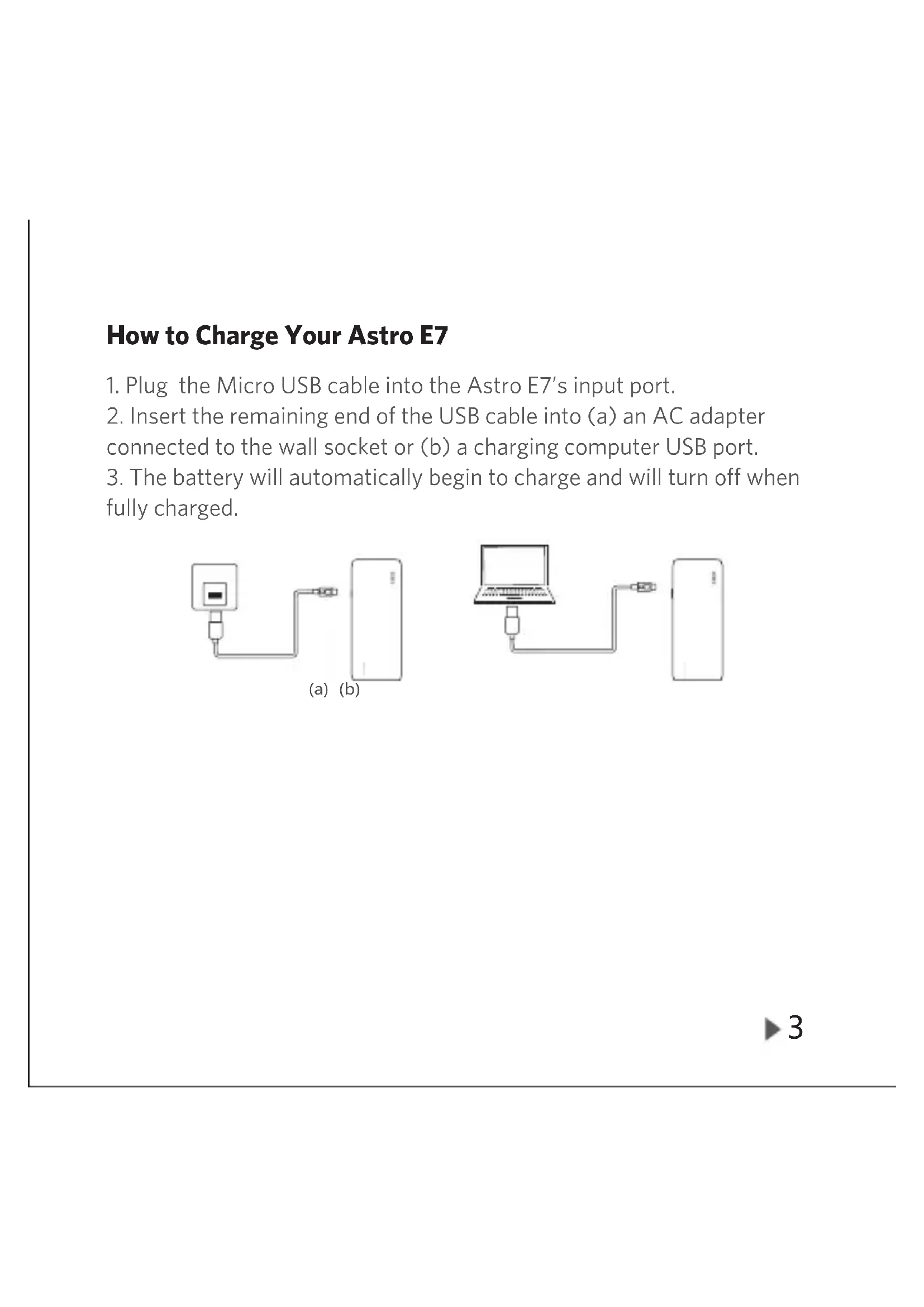
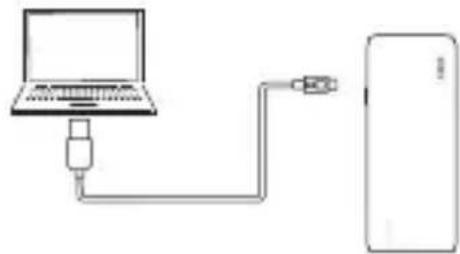
- Plug the Micro USB cable into the Astro E7's input port.
- Insert the remaining end of the USB cable into (a) an AC adapter connected to the wall socket or (b) a charging computer USB port.
- The battery will automatically begin to charge and will turn off when fully charged.
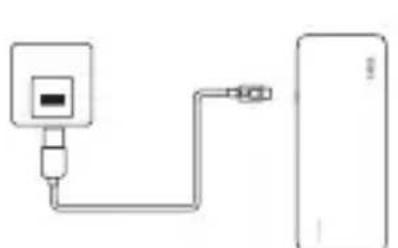
(a) (b)
Power Meter Display While Charging Your Astro E7
| LED Power Meter: Charging | LED Display Battery Capacity | |
| ○○○ | First light blinking < 25% | |
| ●○○○ | First light on, second light blinking | 25% - 50% |
| ●●○○ | Two lights on, third light blinking | 50% - 75% |
| ●●●○ | Three lights on, fourth light blinking | 75% - 99% |
| ●●●● | Four lights on Fully charged |
The Astro E7 external battery is fully compatible with all USB adapters. Reference the chart below for the charging times of different speed adapters. If you purchased the version with an included USB adapter, the recharge time is 12-14 hours.
USB Adapter Charging Speeds
| Adapter Current Output Charging Time | |
| 5V / 2A 12-14 hours | |
| 5V / 1.5A 17-19 hours | |
| 5V / 1A 26-28 hours | |
| 5V / 0.5A 53-56 hours | |
How to Use the Astro E7 to Charge Other Devices
- Plug the USB power cable into a charging port.
- Attach the remaining end of the USB power cable to your device within 30 seconds.
- Your device will automatically begin to charge.
- The LED power meter will automatically turn off when your device is fully charged and not drawing a current.
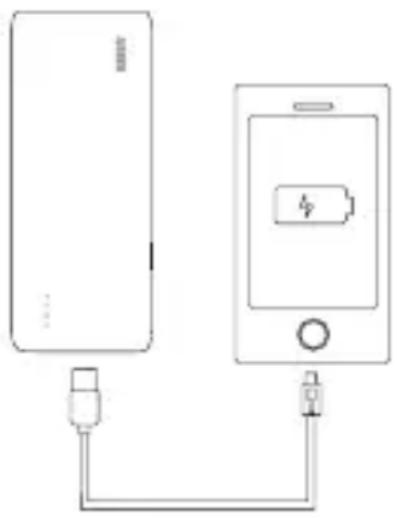
Power Meter Display While Charging Other Devices
| LED Power Meter: Discharging | LED Display Battery Capacity | |
| •••• | Four lights on 100% - 75% | |
| ••••○ | Three lights on 75% - 50% | |
| ••○○ | Two lights on 50% - 25% | |
| •○○○ | One light on 25% - 5% | |
| ○○○○ | First light blinking 5% - 0% |
Astro E7 Power Meter Instructions
Press the power meter button once to trigger the LED power meter and display the remaining power level.
Each of the LEDs represent 25% of the battery's capacity.
The LED power meter will turn off when the device is fully charged.
The LED power meter will stay on when charging a device, displaying the battery's remaining power, and will turn off when the device is fully charged and not drawing a current.
The LED power meter will not activate when the battery is empty.
Usage Notes
- To protect the long-term capacity of your device's battery, please unplug the power wire promptly after the device is fully charged.
- Keep the product away from extreme heat or cold, as well as any flammable items or damp places. Also avoid dropping, hitting or throwing the product.
- Please fully charge your external battery at least once every 4 months to avoid shortening its lifespan.
- Do not try to charge and discharge the Astro E7 at the same time, as this may reduce the battery's lifespan.
- Since the combined output of all ports is limited to 4 amps, concurrent use of the 3 ports may slow the charging process.
- The battery is 92% efficient, accounting for power lost through circuit heat and voltage conversion, which is up to 10% above the industry average. Energy is also lost within the charging cable and your device (approximately 15 - 20% ).
FAQ and Solutions
1. Which port should I use to charge my device?
Thanks to PowerlQ™ technology, each charging port can charge at speeds of up to 3 amps — no need to decide between them.
- Can I use the Astro E7 to charge 3 devices at the same time?
Yes. But when using 3 charging ports simultaneously, the total output current will not exceed 4 amps.
3. What if the Astro E7 fails to charge?
Check that the adapter connection is secure, or replace the adapter if the current one is not functioning normally.
4. What if the Astro E7 fails to charge other devices?
Ensure that the power cable is securely in place, or check that the Astro E7 voltage is compatible with the electronic device's required charge voltage. Please refer to your device's instruction manual, product labeling, or adapter to find this information.
5. Why can't I charge my Bluetooth device with the Astro E7?
The Astro E7 will not charge devices with input currents lower than 50mA , including some Bluetooth and GPS devices.
Warranty
Our company provides customers with a warranty of 18 MONTHS from the date of purchase.
Contact Us
For any inquiries or comments concerning our products, please send an email to support@ianker.com, and we will respond to you as soon as possible. If there is any quality-related issue with the product, you may request a REPLACEMENT OR REFUND by submitting a request form at www.ianker.com/support.
Statement
We're only able to provide after-sales service for purchases made directly from Anker. If you purchased through a different retailer, please contact them for any exchange or refund requests.
- Please note that unauthorized reselling of Anker products is prohibited.
POWERIQ
Specifications techniques
| Capacité 25 600 mA h | |
| Entrée 5V / 2A (max) | |
| Ports de Sorties 5V / 3A (min 50mA) | |
| Puissance totale aux ports de sorties | 5V / 4A |
| Dimensions 166 × 80 × 22mm / 6.5 × 3.1 × 0.9in (L x W x H) | |
| Poids 450g / 15.8oz | |