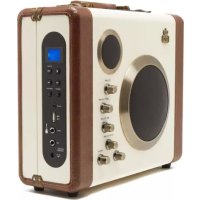
Manga - Docking station GPO - Free user manual and instructions
Find the device manual for free Manga GPO in PDF.


User questions about Manga GPO
0 question about this device. Answer the ones you know or ask your own.
Ask a new question about this device
Download the instructions for your Docking station in PDF format for free! Find your manual Manga - GPO and take your electronic device back in hand. On this page are published all the documents necessary for the use of your device. Manga by GPO.
USER MANUAL Manga GPO
manga Bluetooth Speaker/Amplifier
V2 UPDATED
July 2017
natural_image
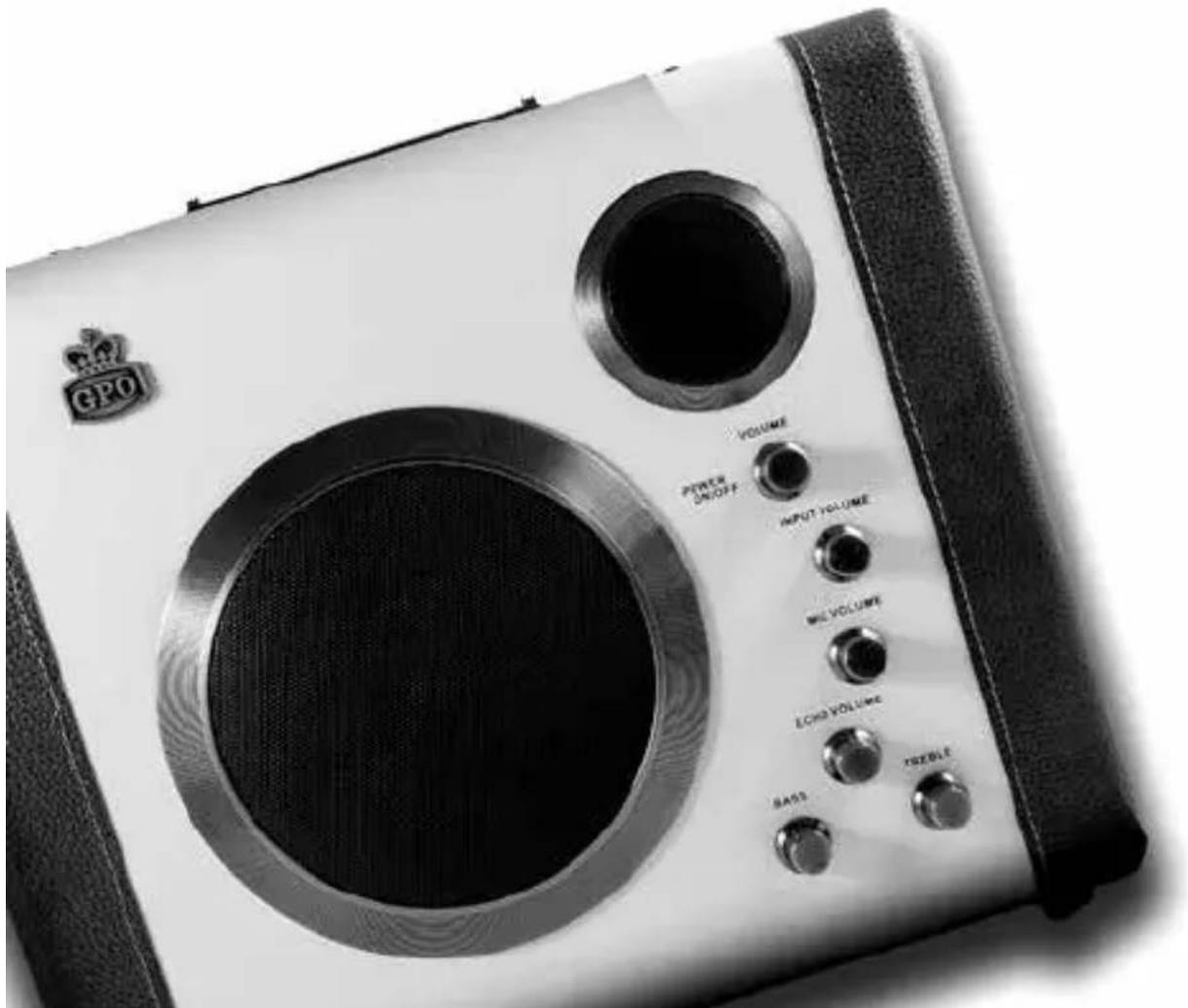
Black-and-white photo of a GPO audio amplifier with visible sound output ports and control buttons (no readable text beyond branding)USER GUIDE
Contents
English 4
German 13
French 23
Spanish 33
Dutch 43
Introduction
Thanks for purchasing the GPO Magna Bluetooth Speaker. This portable speaker system provides high quality audio playback from Bluetooth-enabled devices no matter where you are. It's time to take your music on the road.
Safety Notice
CAUTION!
Do NOT open the unit casing due to the risk of an electric shock.
Safety Precautions
In order to safely use your new Bluetooth speaker and reduce the risk of injury or damage, please follow the following precautions:
- Do not use the unit if the supply cord is damaged. Contact the GPO Retro support team for information on replacing the cord.
- Before turning on the unit, ensure that it is plugged in to a power supply of the correct voltage. If abroad, an adaptor may be required.
- Young children should not use this device.
- Ensure that the unit is disconnected from the power supply before cleaning, servicing, maintenance or moving.
• Always place the unit on a flat surface for operation - Do not operate the unit with wet hands, submerge it in water or spill liquid into the unit
- Do not attempt to repair, disassemble or modify the unit
- The unit is intended for domestic use only and should not be used outdoors
- Only clean the unit with a soft cloth and mild detergent
Location of Controls
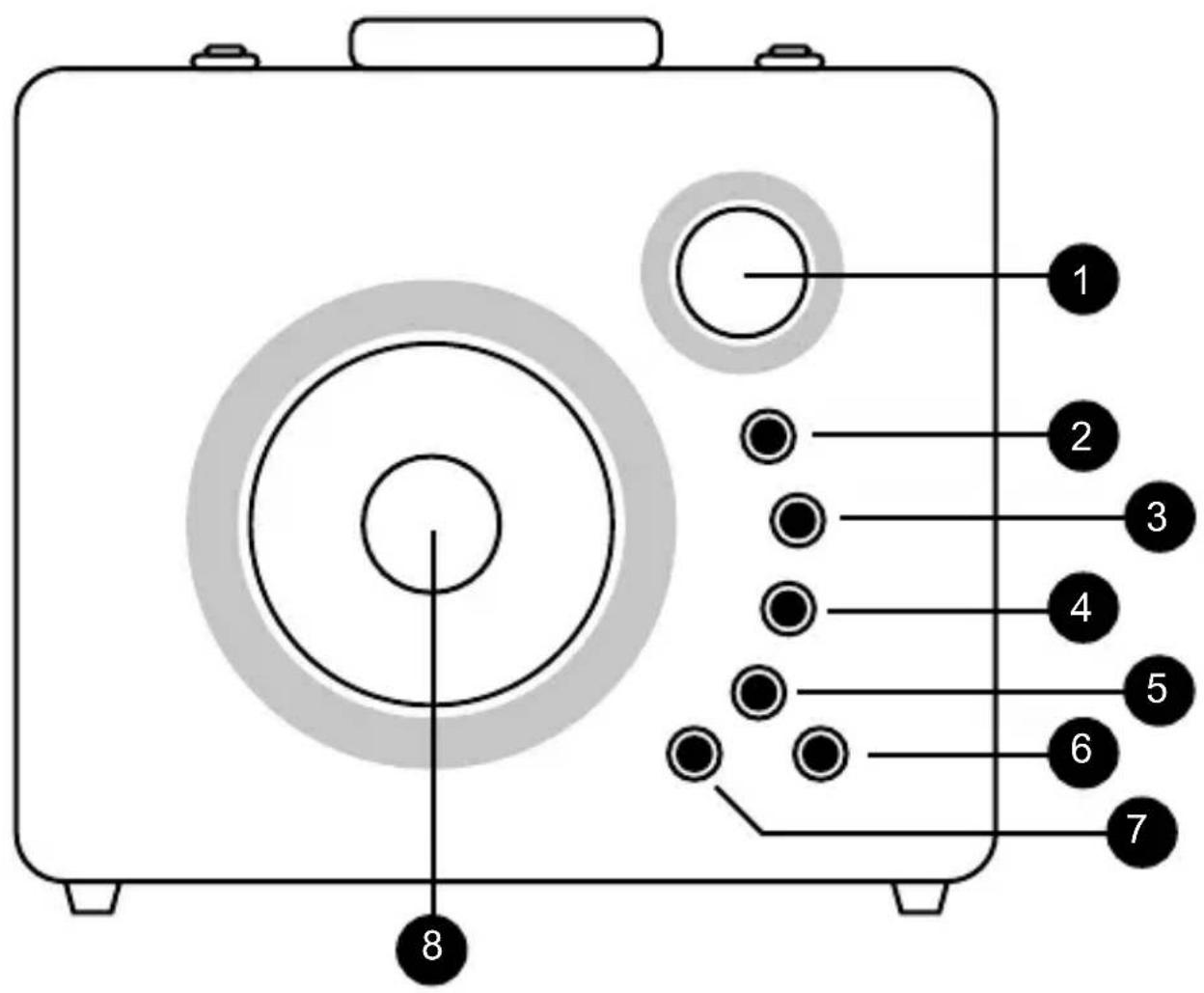
text_image
1 2 3 4 5 6 7 8- Treble speaker
- Volume Control and Power On/Off
- Input Volume
- Mic Volume
- Echo Volume
- Treble
- Bass
- Full Range Speaker
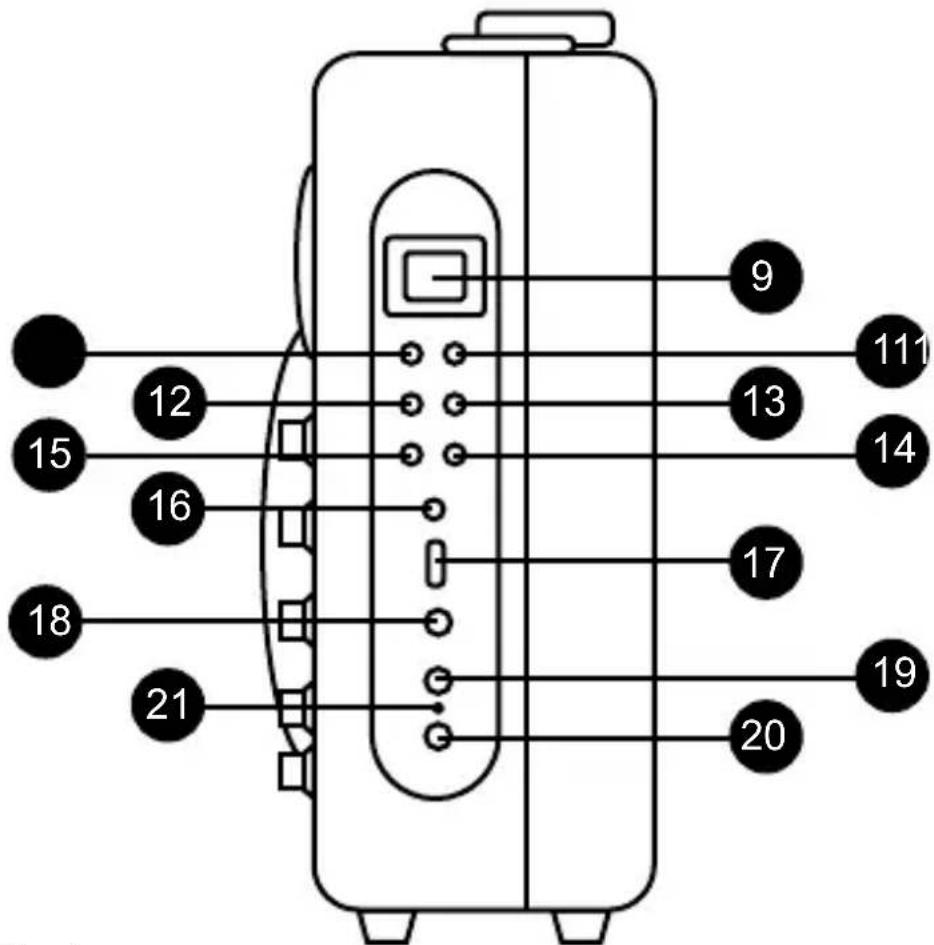
text_image
12 15 16 18 21 9 13 14 17 20 19 111- LCD Display
- Stop
- Bluetooth Pair
- Skip Backwards/Rewind
- Skip Forwards/Fast Forward
- Function Selection (Bluetooth/USB/AUX In)
- Repeat
- AUX In
- USB
- Input
- Microphone Jack
- AC Power Socket
- Battery Indicator
Unit Power Supply
The speaker is powered by a built-in rechargeable battery. Please ensure that the battery is fully charged before use.
Please note: All rechargeable batteries have a limited lifespan. Battery life and the number of charge cycles vary according to usage and settings.
Recharging the battery
- Connect the AC adaptor to the DC jack of the unit
- Connect the AC adaptor to a wall socket and turn the socket on
- The Charging LED Indicator will now illuminate. While the battery is charging, the indicator will be red. Once charging is complete, the indicator will turn green.
Once the Charging LED Indicator turns green, the battery is fully charged and the unit is ready for use.
When the battery is low, the indicator light will flash and the display will show 'LO'.
For best results, charge the unit at least once per month, even when not in use.
Bluetooth Operation
To turn the unit on, rotate the Power/Volume knob clockwise.
Connecting a Bluetooth Device
- Ensure that the unit is turned on
- Bring your Bluetooth Device to within 8 metres of the unit
- Activate your device's Bluetooth function and search for ‘Manga’ to begin the pairing process.
- Adjust the volume knob to your desired level
- Use your device's controls to play, pause or skip your selected track
Disconnecting a Bluetooth Device
To disconnect your device, either:
a) Disable Bluetooth on your device; or
b) Move the device out of communication range
Reconnecting a Bluetooth Device
USB Operation
The GPO Magna Bluetooth Speaker can play tracks directly from a USB drive.
Connecting a USB drive
- Ensure that the unit is turned on by turning the Power/Volume knob
- Set the function selector to 'USB'
- Plug in your chosen USB drive
- Play will begin automatically
- Use the unit's Play/Pause/Stop/Fast Forward/Rewind buttons to control playback
Repeat play mode
The unit supports the following repeat play modes:
- Repeat 1: The system will repeat the current track
- Repeat All: The system will play all tracks on the USB, then return to the first track and repeat once the final track has finished
- Repeat Folder: The system will repeat all tracks in the current folder
Speaker Operation
The unit also supports AUX In, Input Port and Microphone Jack playback.
AUX In
- Plug in an MP3 player or other device to the AUX In port using a 3.5mm audio jack (not supplied)
- Change the function setting to AUX In
- Operate your device as directed
Input Port
- Connect an electric guitar or electronic keyboard to the Input port using an Input cord (not supplied)
- Adjust the Input volume to your preferred level
Microphone Jack
- Plug a microphone (not supplied) into the Microphone jack
- Adjust the microphone volume to your preferred level
Echo/Treble/Bass
Using the controls on the unit will allow you to adjust the Echo, Treble and Bass of the audio playback.
Troubleshooting
Q) The unit will not turn on
A) Ensure that the batteries are fully charged and installed correctly.
Q) My device won't pair with the unit
A) Turn off the unit and your device, turn both back on and try again
Product Support
For more advice or assistance, please visit www.gporetro.com, or call our support team on +44 (0)845 521 4095.
Please note, for your personal safety you SHOULD NOT attempt to open the unit's casing. Opening the casing voids your warranty, and no user serviceable parts are contained inside
German
Einführung
Location of Controls
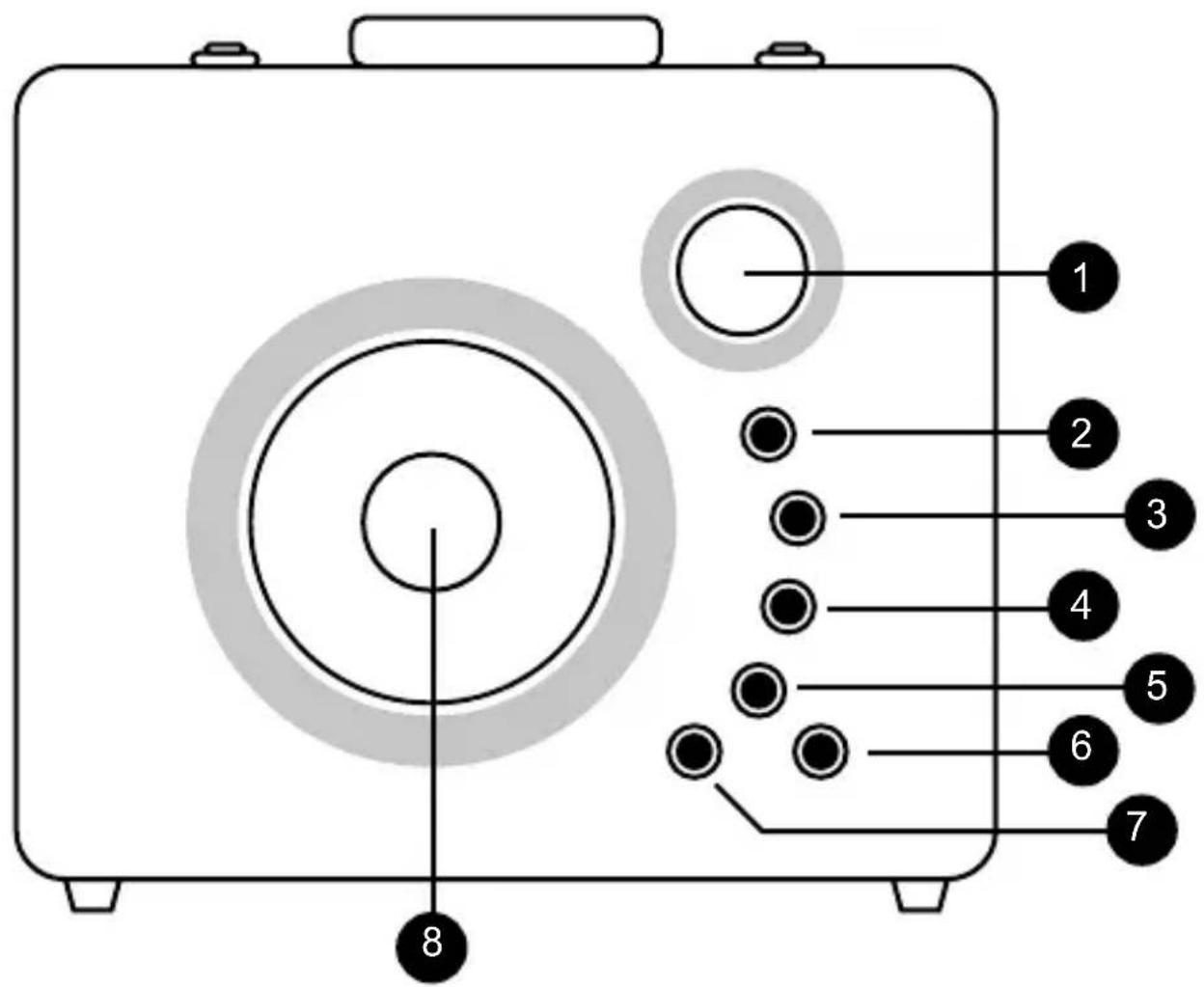
text_image
1 2 3 4 5 6 7 8Hereby ProtelX, declares that this equipment (GPO Manga) is in compliance with the essential requirements and other relevant provisions of Directive, you can access a copy of this certificate on www.gporetro.com/Certificate-of-Conformity
DE
ProTelX Ltd, Unit 6, Park 17 Industrial Estate, Moss Lane, Whitefield, Manchester, M45 8FJ UK