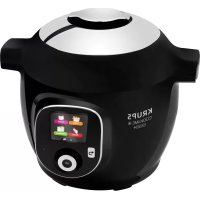
Cook4Me+ Connect - Multi-cooker KRUPS - Free user manual and instructions
Find the device manual for free Cook4Me+ Connect KRUPS in PDF.


| Product type | Multi-cooker |
| Brand | Krups |
| Model | Cook4Me+ Connect |
| Series | EPC09 |
| Total capacity | 6 L |
| Useful capacity | 4 L |
| Low pressure | 40 kPa (109 °C) |
| High pressure | 70 kPa (115 °C) |
| Wi-Fi frequency | 2,40 GHz |
| Maximum transmit power | 7,7 dBm |
| Power supply | 220-240 V ~ 50/60 Hz |
| Cooking functions | Pressure, classic (gentle, simmer, sear), reheating, keep warm, delayed start |
| Connectivity | Wi-Fi, Cookeo app |
| Pre-programmed recipes | 150 recipes (starters, main courses, desserts) |
| Cleaning cooking pot and steamer basket | Dishwasher or hot soapy water |
| Cleaning metal lid | Removable, dishwasher safe or hand washable |
| Maintenance | Clean the body with a damp cloth |
| Opening safety | Aroma finger locks the opening under pressure |
| Safety valve | Releases pressure in case of overpressure |
| Sealing gasket | To be replaced every 3 years at an authorized center |
| Spare parts | Available at www.krups.com |
| Repairability | Repairable by Krups after warranty |
| Warranty | 2 years against manufacturing defects |
Frequently Asked Questions - Cook4Me+ Connect KRUPS
User questions about Cook4Me+ Connect KRUPS
0 question about this device. Answer the ones you know or ask your own.
Ask a new question about this device
Download the instructions for your Multi-cooker in PDF format for free! Find your manual Cook4Me+ Connect - KRUPS and take your electronic device back in hand. On this page are published all the documents necessary for the use of your device. Cook4Me+ Connect by KRUPS.
USER MANUAL Cook4Me+ Connect KRUPS
1 Lid open / close handle
2 Control panel
3 Cancel button
4 Main operation button
5 Cooking pot
6 Open / closed marking
7 Silencing valve
SERIE EPC09
Low pressure 40kPa (109^) / High pressure: 70kPa (115^)
Product capacity: 6L / Useful capacity: 4L
Frequency: 2.40 GHz. Maximum transmitted power: 7.7 dBm
Built-in heating
The operational pressure is achieved 10 minutes after the beep.
DESCRIPTION
METALLDECKEL ABNEHMSN:
specification technique locale.
ACCEDERE ALLA SFERA DI DECOMPRESSIONE
Take the time to read all the following instructions carefully.
Indoor use only.
- For cleaning your appliance, please refer instructions for use. You can wash the cooking bowl and steam basket in soapy hot water or in the dishwasher. Clean the body of the appliance using a damp cloth.
Do not immerse the appliance in water.
- Improper use of the appliance and its accessories may damage the appliance and cause injury.
- Do not touch hot parts of the appliance. After use, heating element surface is subject to residual heat after use.
■ For your safety, this product conforms to all applicable standards and regulations (Low Voltage Directive, Electromagnetic Compatibility, Food Compliant Materials, Environment, ...).
This appliance is not intended for use by persons (including children) with reduced physical, sensory or mental capabilities, or lack of experience and knowledge, unless they have been given supervision or instruction concerning use of the appliance by a person responsible for their safety.
Children should be supervised to ensure that they do not play with the appliance.
If the supply cord is damaged, it must be replaced by the manufacturer, its service agent or similar qualified persons in order to avoid a hazard. Do not replace the power cord supplied with other cords.
This appliance is intended for domestic household use only. It is not intended to be used in the following applications, and the guarantee will not apply for:
-
staff kitchen areas in shops, offices and other working environments;
-farm houses; -
by clients in hotels, motels and other residential type environments;
- bed and breakfast type environments.
This appliance shall not be used by children. Keep the appliance and its cord out of reach of children.
- Appliances can be used by persons with reduced physical sensory or mental capabilities or lack of experience and knowledge if they have been given supervision or instruction concerning use of the appliance in a safe way and if they understand the hazards involved.
Children shall not play with the appliance.
- Do not fill your appliance more than the MAX mark on the pot. Do not fill it more than half full for food that expands during cooking, such as rice, dehydrated vegetables.
Reduce the volume of water to avoid the risk of boiling over.
Please follow the recommendations on the volume of food and water to avoid the risk of boiling over which can damage your appliance and cause injury.
Before using your appliance, check that the float valve and the pressure limit valve are clean (see section Cleaning and maintenance).
- Do not place any foreign objects in the pressure relief system.
- Do not replace the valve.
- When you open the lid, always hold it by the lid handle. Position your arms in alignment with the side carrying handles. Boiling water could remain trapped between the gasket support and the lid and could cause burns.
■ Be careful also about the risk of scalding from the steam coming out of the appliance when you open the lid. First open the lid very slightly to allow the steam to escape gently.
- Never force the appliance open. Make sure that the inside pressure has returned to normal. Do not open the lid when the product is under pressure. To do so, see the Instructions for use.
- Use only the appropriate spare parts for your model. This is particularly important for the sealing gasket, the cooking pot and the metal lid.
■ Do not damage the sealing gasket. If it is damaged, have it replaced in an Approved Service Centre.
The heat source necessary for cooking is included in the appliance.
-
Do not place the appliance in a heated oven or on a hot hob. Do not place the appliance close to an open flame or a flammable object.
-
Do not heat the cooking pot with any other heat source than the heating plate of the appliance and do not use any other pot. Do not use the cooking pot with other appliances.
-
Move the appliance with great care when it is under pressure. Do not touch the hot surfaces. Use the carrying handles when moving it and wear oven mitts, if necessary. Do not use the lid handle to lift the appliance.
Do not use appliance for other than the intended purpose.
This appliance is not a steriliser. Do not use it to sterilise jars.
The appliance cooks food under pressure. Incorrect use may cause risks of burns due to steam.
Make sure that the appliance is properly closed before bringing it up to pressure (see Instructions for use).
- Do not use the appliance empty, without its pot or without liquid inside the pot. This could cause serious damage to the appliance.
■ After cooking meat which has an outer layer of skin (such as ox tongue), which could swell due to the effects of pressure, do not pierce the skin after cooking if it appears swollen: you could get burnt. Pierce it before cooking.
■ When cooking food with a thick texture (chick peas, rhubarb, compotes, etc.), shake the appliance slightly before opening it to ensure that the food or cooking juices do not spurt out.
- Do not use the appliance to fry food in oil. Only browning is allowed.
In browning mode, be careful of risks of burns caused by spattering when you add food or ingredients into the hot pot.
-
During cooking and automatic steam release at the end of cooking, the appliance releases heat and steam. Keep your face and hands away from the appliance to avoid scalding. Do not touch the lid during cooking.
-
Do not use a cloth or anything else between the lid and the housing to leave the lid ajar. This can permanently damage the gasket.
-
Do not touch the safety devices, except while cleaning and maintaining the appliance in accordance with the instructions given.
-
Make sure that the bottom of the cooking pot and the heating element are always clean.
Make sure that the central part of the heating plate is mobile.
Do not fill up your appliance without its cooking pot.
- Use a plastic or wooden spoon to prevent any damage to the non-stick coating of the pot. Do not cut food directly in the cooking pot.
If a great deal of steam is released from the rim of the lid, unplug the power cord at once and check whether the appliance is clean. If necessary, send the appliance to an Approved Service Centre for repair.
- Do not carry the appliance by holding it by the handles of the removable pot. Always use the two side handles on the housing of the appliance. Wear oven mitts if the appliance is hot. For more safety, make sure that the lid is locked before transporting the appliance.
■ If pressure is released continuously through the valve of the appliance (for more than 1 minute) while pressure cooking, send the appliance to a service centre for repair.
■ Do not use a damaged appliance. Take it to your approved service centre.
SAVE THESE INSTRUCTIONS CAREFULLY.
Use only spare parts sold in an approved service centre.
The warranty does not cover the abnormal wear and tear of the cooking pot.
- Read these instructions for use carefully before using your appliance for the first time. Any use which does not conform to these instructions will absolve the manufacturer from any liability and void the warranty.
In accordance with current regulations, before disposing of an appliance no longer needed, the appliance must be rendered inoperative (by unplugging it and cutting off the supply cord).
Environment protection first!
① Your appliance contains valuable materials which can be recovered.
Leave it at a local civic waste collection point.
BEFORE USE
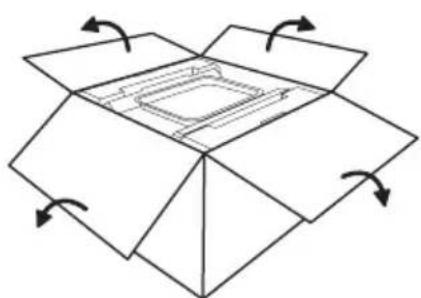
Remove the appliance from its packaging and read the instructions carefully before using the product for the first time.
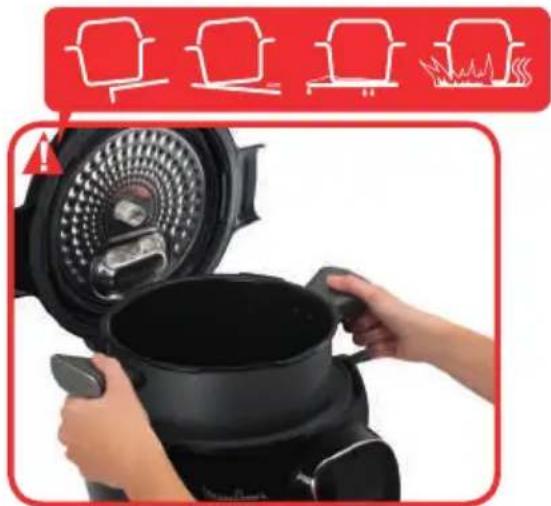
Install the appliance on a flat, dry and cold surface. Remove all the packaging, stickers or different accessories inside and outside the appliance.
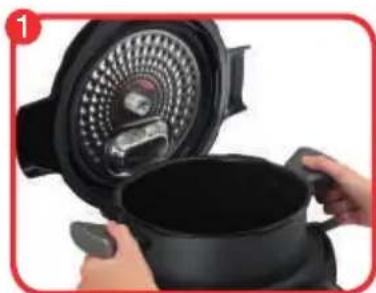
To open the product, turn the open/close handle on the bottom of the lid to show an open padlock:
CLEAN THE DIFFERENT COMPONENTS
- Cooking pot
- Metal lid
- Valve cover
- Condensation trap
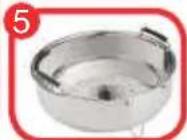
- Steam basket
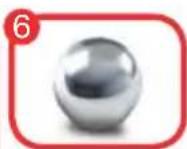
- Decompression ball
HOW TO DISASSEMBLE AND REASSEMBLE THE LID
HOW TO DISASSEMBLE THE METAL LID:
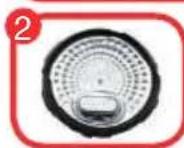
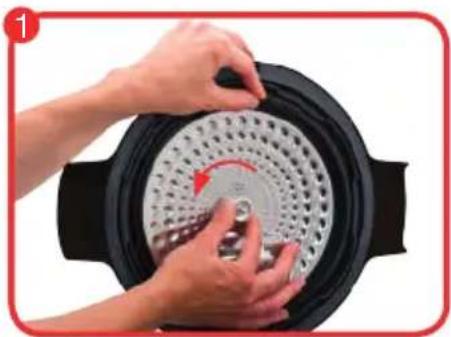
Grip the lid sub-assembly holding it by the seal, and unscrew the central nut in an anticlockwise direction. Remove the nut then the lid.
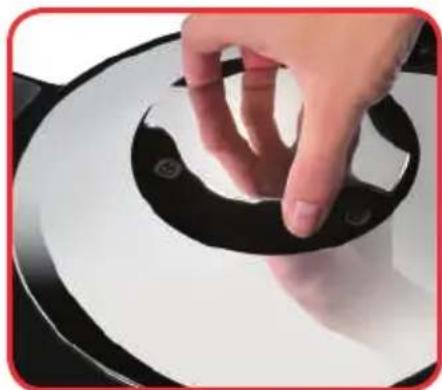
HOW TO TAKE THE VALVE COVER OFF:
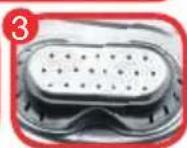
Clasp the valve cover by its middle part (as shown); then turn it slightly to unclip it. Clean the valve cover, paying special attention to the inside (check that there is no left over food).
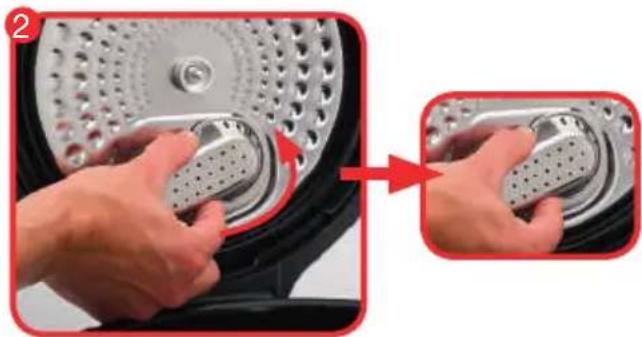
ACCESSING THE DECOMPRESSION BALL:
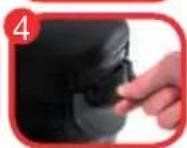
Turn the ball cover, anti-clockwise, so as to bring the I marker into position. Lift the cover up. Remove the ball, and gently clean it, along with its seat, with water and some washing-up liquid. Dry the ball using a soft cloth, then put it back in position. Put the ball cover back in place, and the marker I in position. Lock it by turning the ball cover so that the marker is opposite the pictogram "closed".
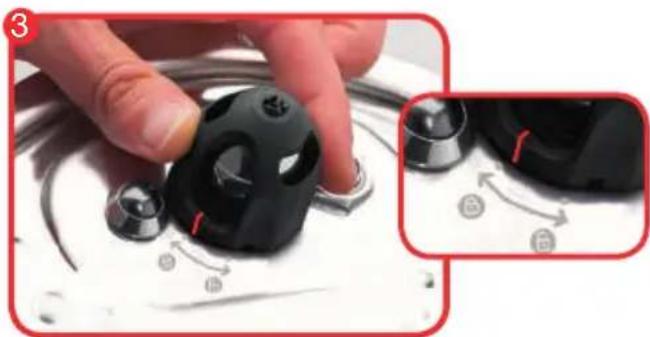
PUTTING THE METAL LID SUBASSEMBLY BACK IN TO PLACE:
Grip the lid sub-assembly by the seal as shown in the picture. Line up the lid with the central axis and press it flat against the sub-assembly. Put the nut back on and turn it clockwise, tightening it as far as it will go.
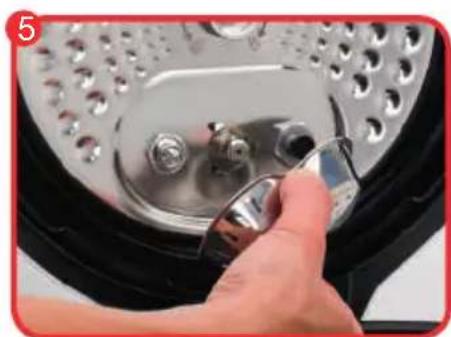
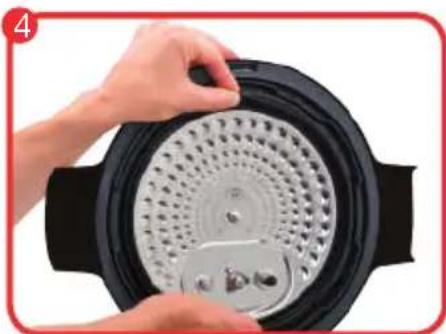
PUTTING THE VALVE COVER BACK:
Take the valve cover as shown in the picture (gripping the middle). Line up the interior circular shape with the three hooks and then push so that the valve cover clips on (you should hear a "clip" sound). The valve cover must be right up against the inside of the lid.

OPERATION
When turning on for the first time, you will access the settings menu:
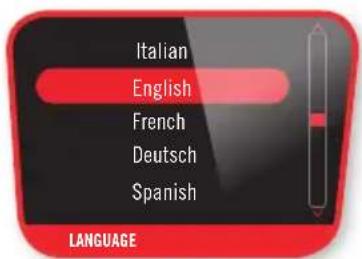
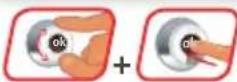
Select your language
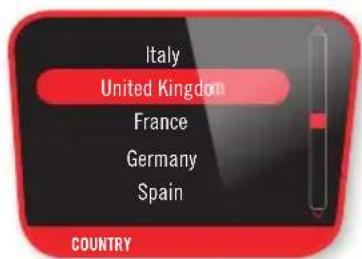

Select your country
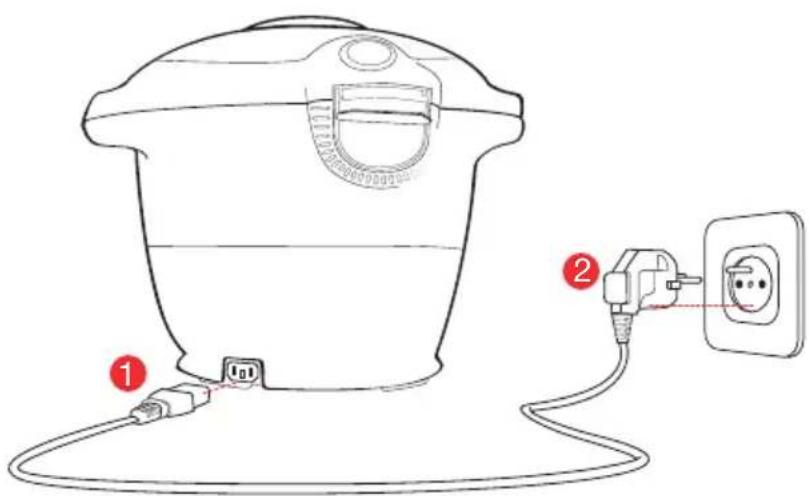
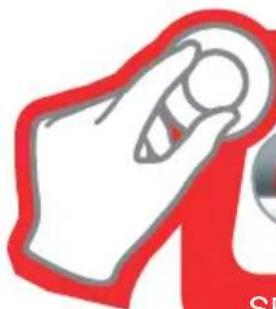
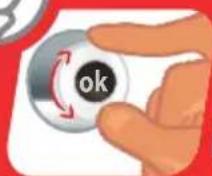
INTERFACE CONTROLS
SELECT CONFIRM
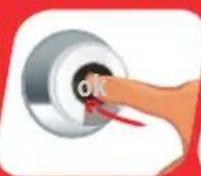
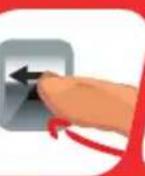
BACK
RESTART
USE
Never use the appliance without the cooking pot.
When using your appliance for the first time, the pot can release a slight odour. This is normal.
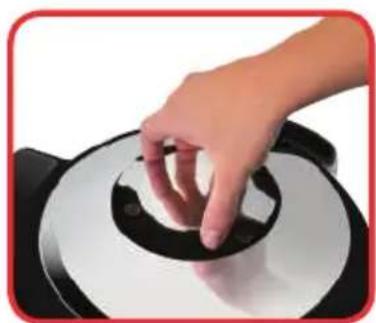
OPENING THE LID:
To open the product, turn the open/close handle so that the marking is in line with the open padlock. Never try to force the lid to open if it is stuck.
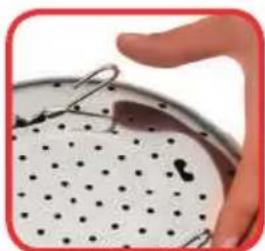
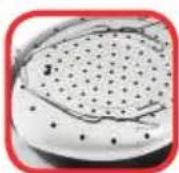
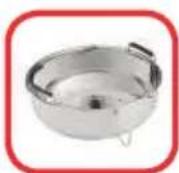
INSTALLING THE STAND UNDER THE STEAM BASKET:
Nip the stand between your thumb and index finger to install under the steam basket.
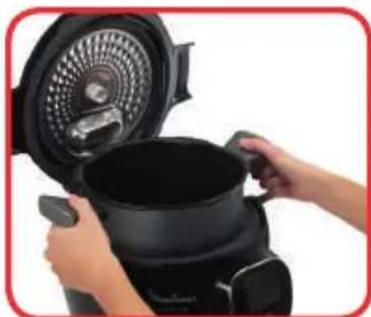
Then install the pot in the appliance by positioning the bowl handles into the slots.
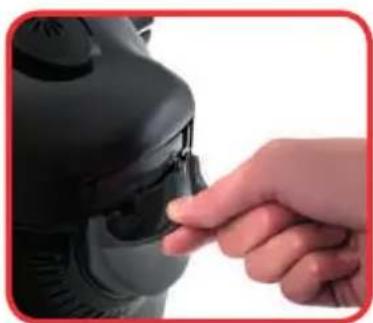
INSTALLING THE CONDENSATION TRAP:
Check that the condensation tank is empty then install it behind the appliance.
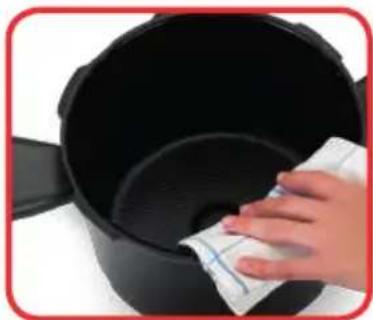
POSITIONING THE POT IN THE APPLIANCE:
Wipe the bottom of the cooking pot. Makesure there are no food remains or liquid under the bowl or on the heating plate.

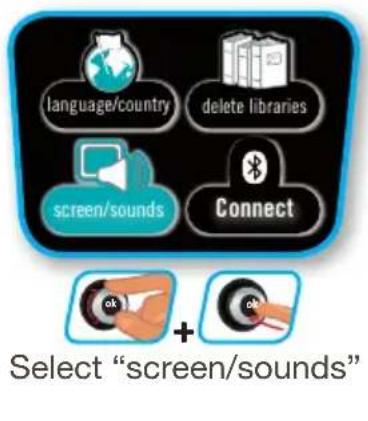
SETTINGSMENU
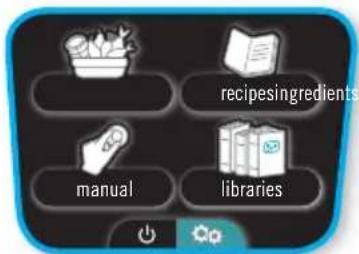
N.B.: even if the sound is deactivated, the alert sounds remain active.

Select "language/country"
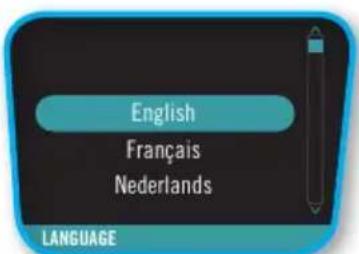
Select your language
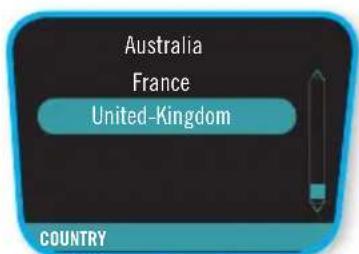
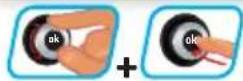
Select your country
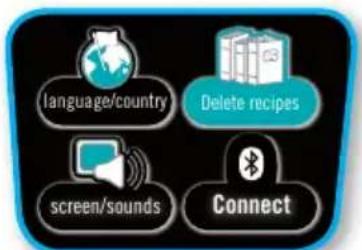
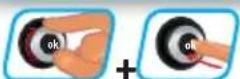
Select "delete libraries"
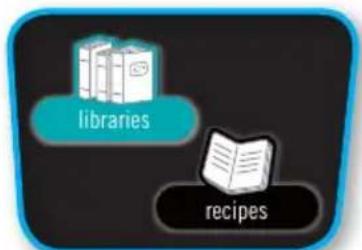
Select "libraries"
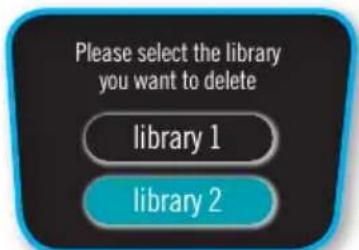
Select "library 2"
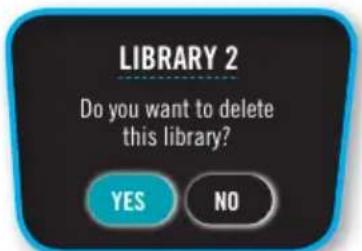
Do you want to delete this library?
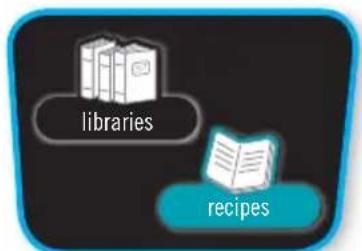
Select "recipes"
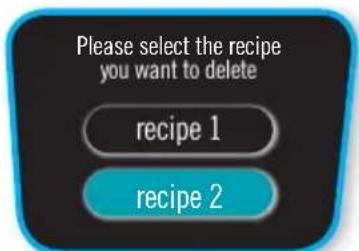
Select "recipe 2"
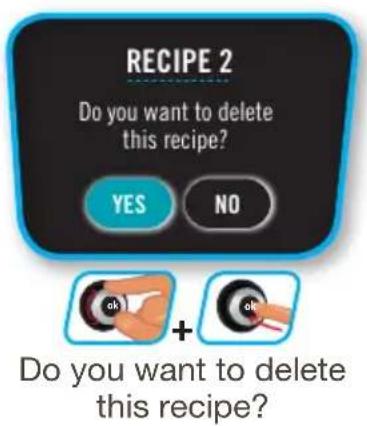
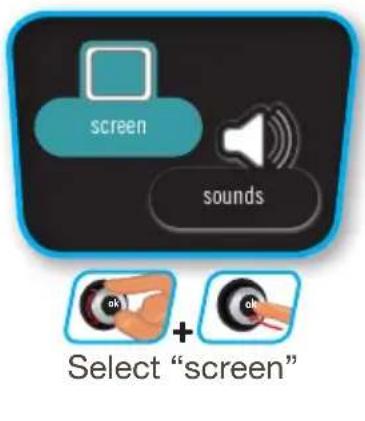

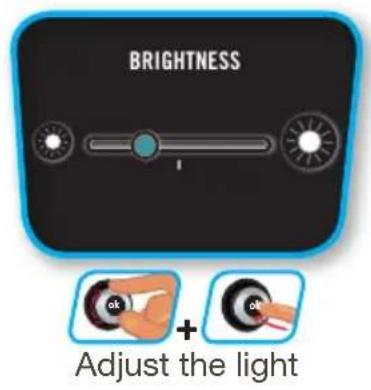

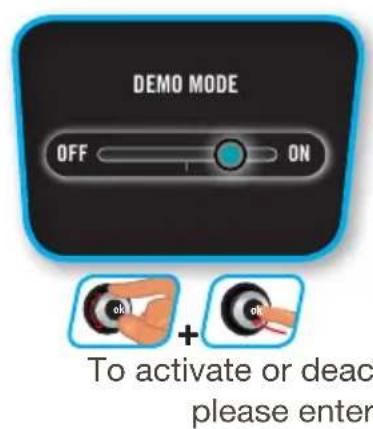
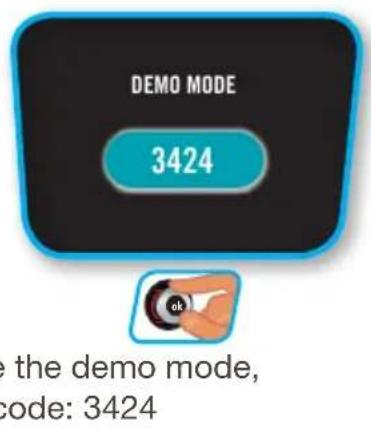
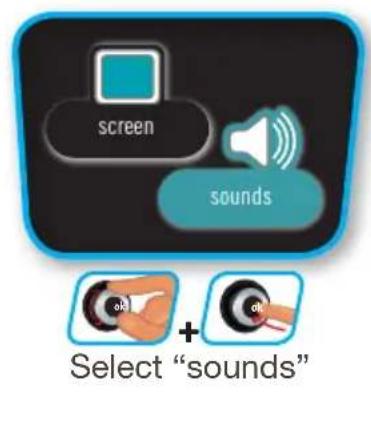
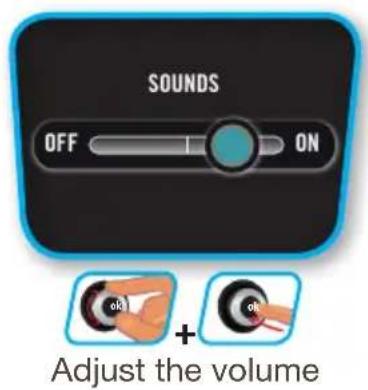
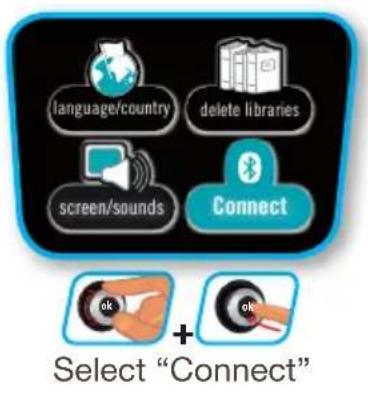
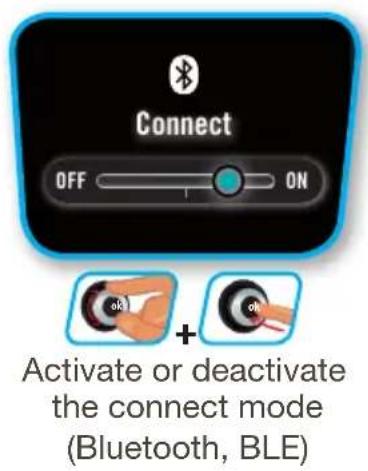
N.B.: DEMO mode allows you to operate the appliance without heating or pressurising it.

MENU ON /OFF
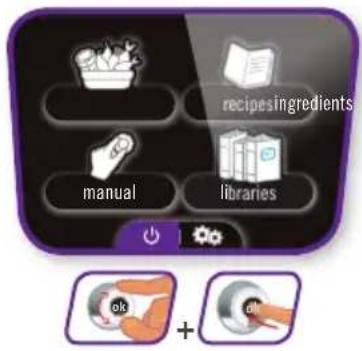
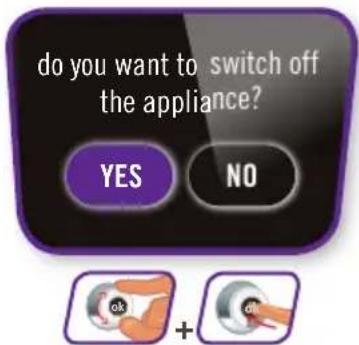
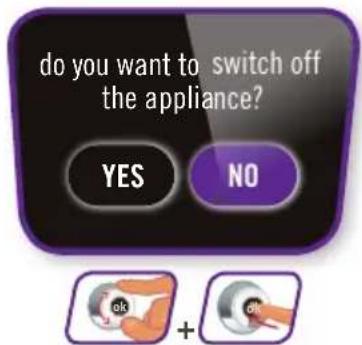
Press YES/NO to turn the appliance on/off. Select and confirm

CONNECTION

Download the Cookeo app (on the App Store and on Google Play) via your tablet or mobile.
Your COOK4ME CONNECT is operational, you can now use your appliccance with the 150 pre-programmed recipes even without the app.
When you turn on your COOK4ME CONNECT, the blue light will start flashing (awaiting connection), unless you manually deactivate the co connect function (See "Settings" chapter).
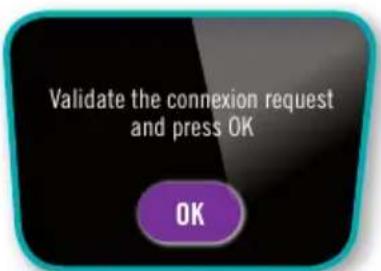
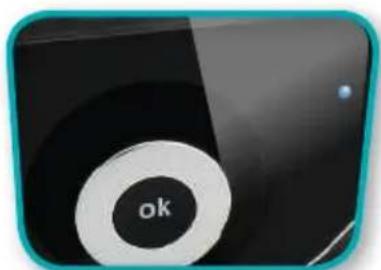
If the connection is successful, the light will stay blue.
Connection problem:
If the connection failed, you will see an error message. Follow the instructions on your screens to establish a new connection.
Creating an account:
Follow the instructions on the app.
Search bar:
Type the key words in the search bar and access the search filter.
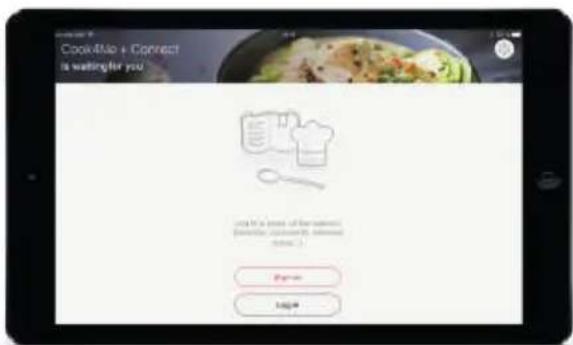

N.B.: if you don't use your COOK4ME CONNECT for 30 minutes, it will switch to stand-by mode and the connection will be lost. When exiting stand-by mode, it will automatically re-connect.
Browsing:
You can also browse via the app by accessing the Menu:
- Inspiration
Search
My universe
Shopping
From the app, you can either:
view the step by step
- launch the recipe step by step in interaction with your COOK4ME CONNECT

Favourites

Libraries


The cooking continues even if you do not have connection.
N.B.: you can start the cooking from your COOK4ME CONNECT connect by pressing the OK button (as instructed on the app).

MANUAL MENU (COOKING MODE)
PRESSURE
MANUAL MENU:
With the manual menu, it is you that guides the cooking. Select the cooking mode: pressure cooking regular cooking (gentle cooking, simmer, brown), reheat or keep warm.
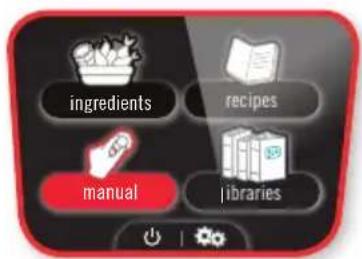
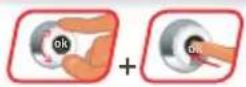
Select the "manual" menu
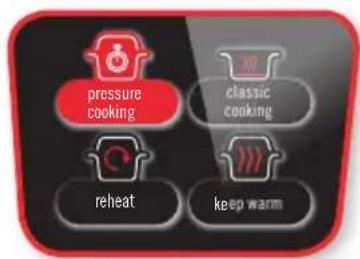
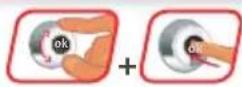
Select the "Pressure Cooking" mode
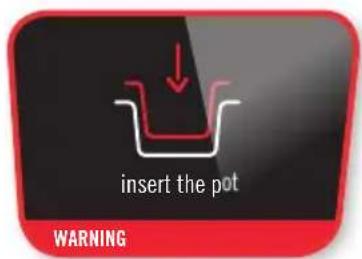
Insert the pot then add the ingredients
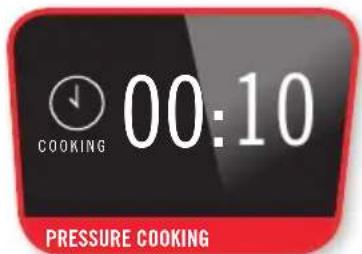
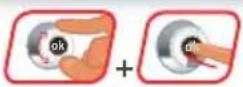
Set the cooking time
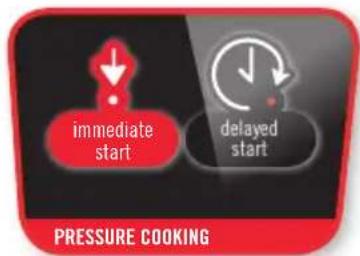
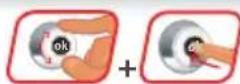
Select immediate or delayed start
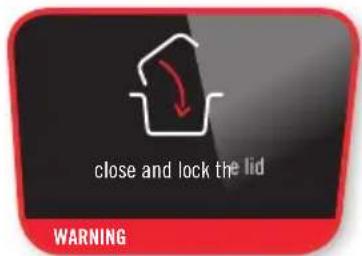
Close and lock
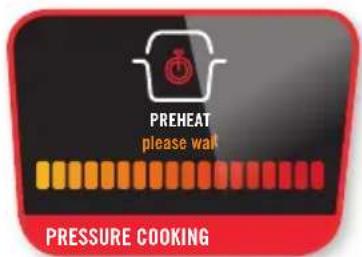
The appliance is preheating
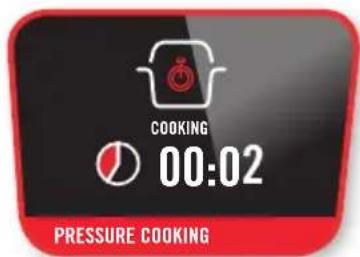
Cooking has started
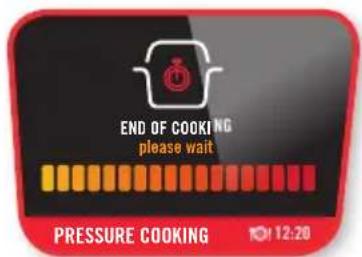
Cooking has finished
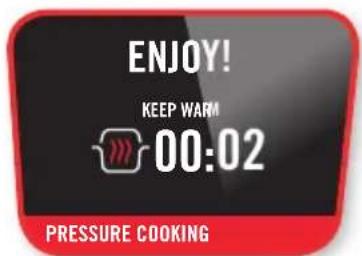
It's ready to try!

MANUAL MENU (COOKING MODE)
REGULAR
When using the "Classic Cooking" mode, you can further select the desired option:

Gentle cooking

Simmering

Browning
depending on the desired result. The lid remains open for these types of cooking.
N.B.: The operation is the same, only the temperature is different.
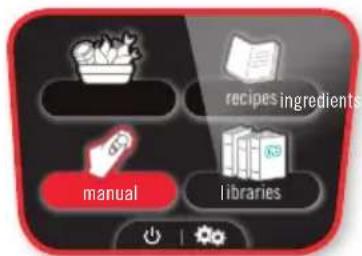
Select the
"manual" menu
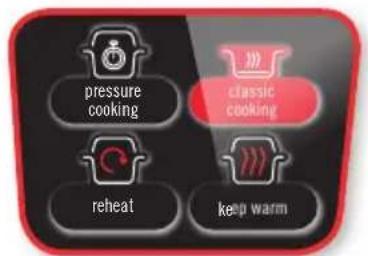
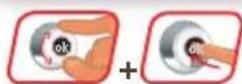
Select the
"classic cooking" function
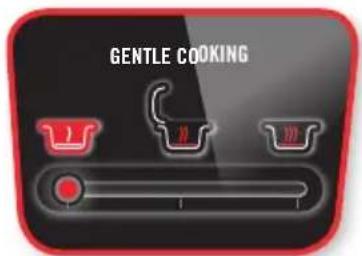
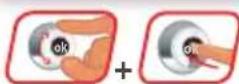
Select the desired function
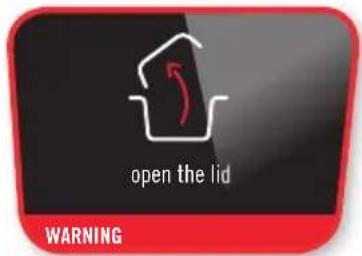
Open the lid
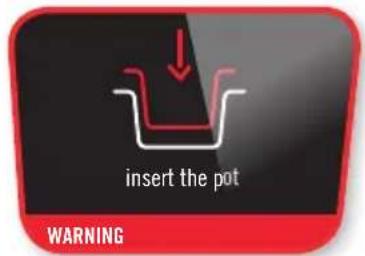
Insert the pot
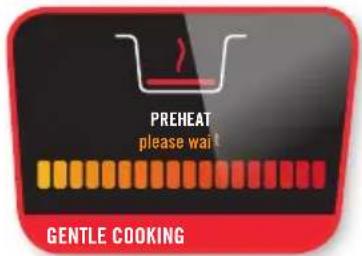
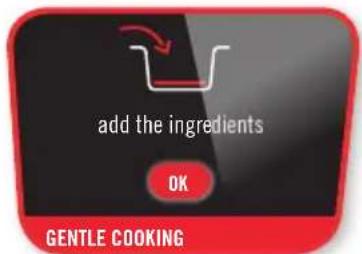
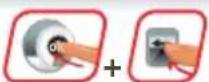
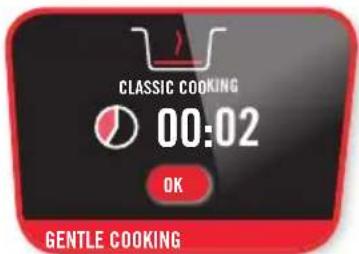
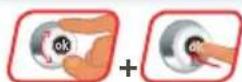
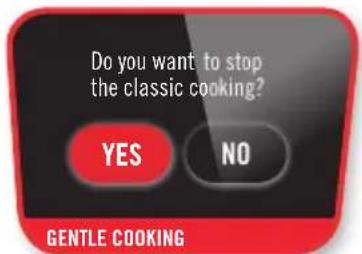
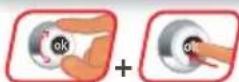
To abort the browning process, press the Back button and select either stop or "Pressure Cooking"

MANUAL MENU (COOKING MODE)
REHEAT
N.B.: Reheating starts and the time increases.
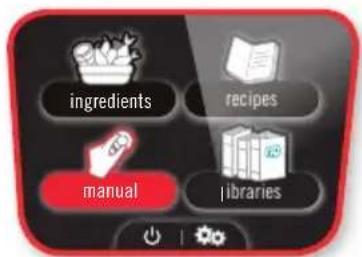
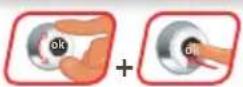
Select the "manual" menu
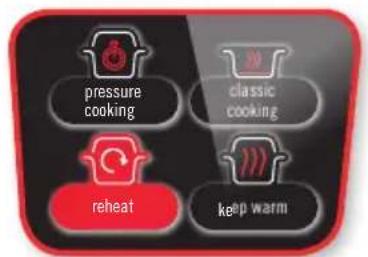
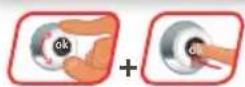
Select the "reheat" mode
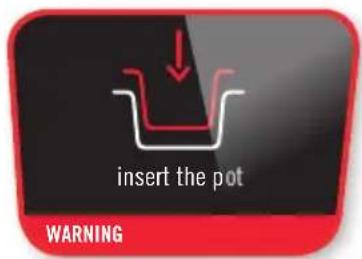
Insert the pot
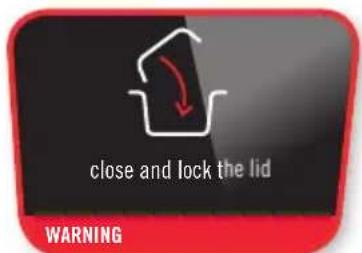
Close and lock the lid
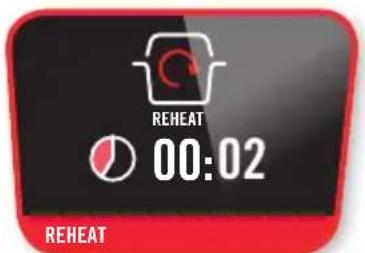
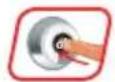
Reheating has started
to interrupt
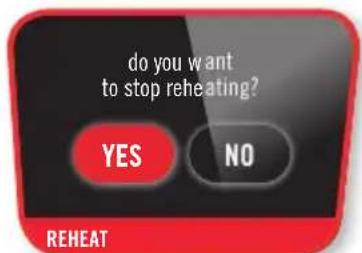
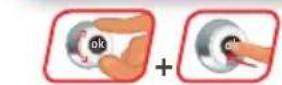
Do you want to stop reheating?
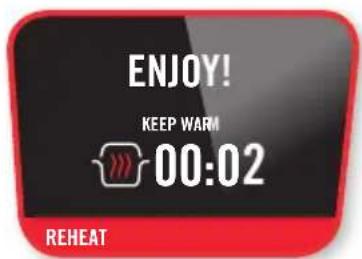
It's ready to try!

MANUAL MENU (COOKING MODE)
KEEP WARM
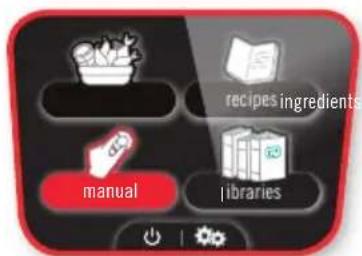
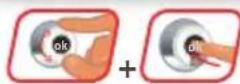
Select the "manual" menu
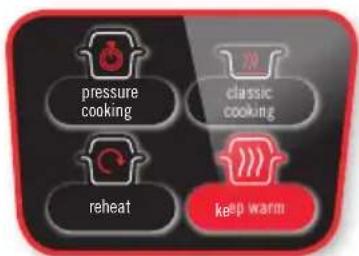
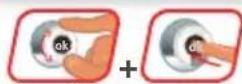
Select the "keep warm" function
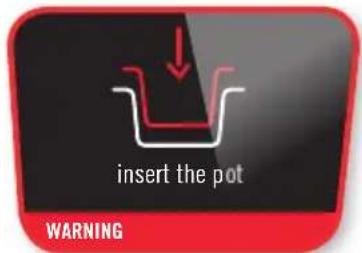
Insert the pot
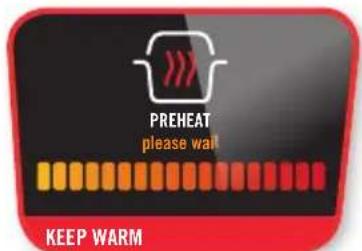
The appliance is preheating
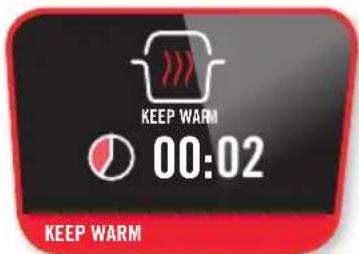
The keeping warm function has started
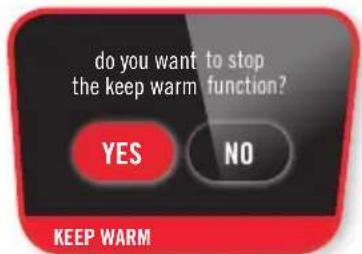
To abort the Keep Warm process, press the "Back" button and select "Yes"

MANUAL MENU (COOKING MODE)
DELAYED START (PRESSURE COOKING)
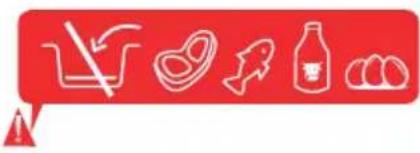
Some foods cannot be cooked in Delayed start mode (e.g. meat, fish, milk, etc.). The cooking end time may vary according to the volume contained in the product.
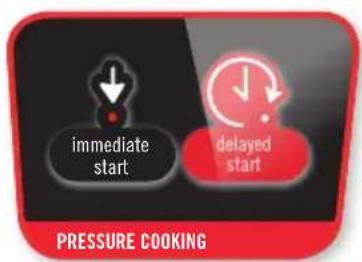
Select "delayed start"
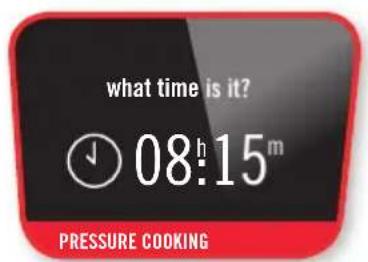
Select the current time
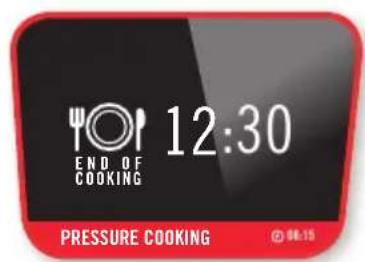
Select the end of cooking
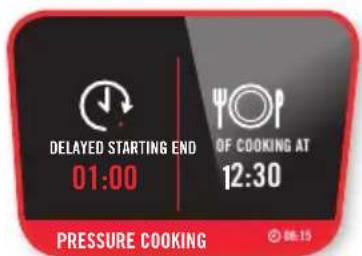
Delayed start is programmed

INGREDIENTS MENU
INGREDIENTS MENU:
With the ingredients menu, cook your ingredients alone without you having to worry about the cooking mode or time: COOK4ME CONNECT provides you with instructions for all weights and types of ingredients: meat, fish, vegetables, fruit and finally cereals.
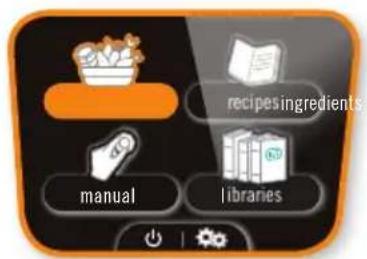
Select the "ingredients" menu


Select fruit & vegetables
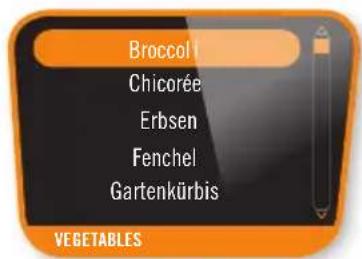
Select broccoli
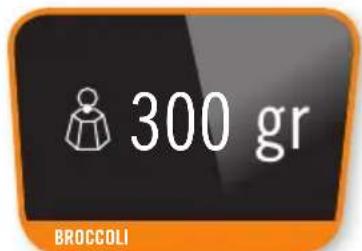
Select the required quantity of broccoli (min 300 g)
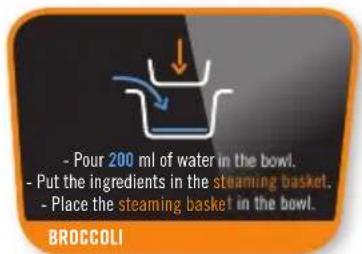
Follow the instructions
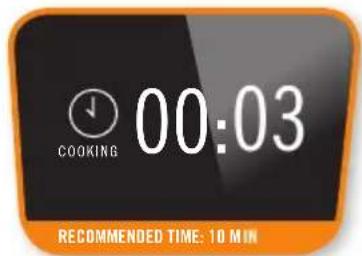
The recommended cooking time is displayed
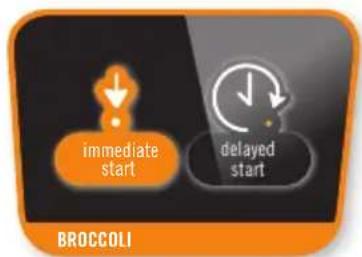

Select "immediate start"
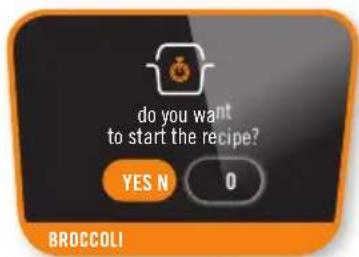
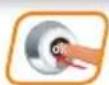
Start the recipe
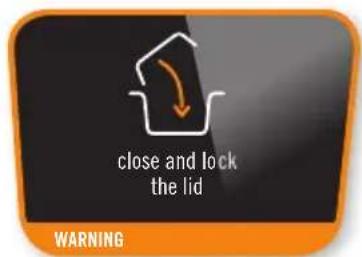
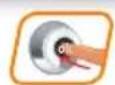
Follow the instructions
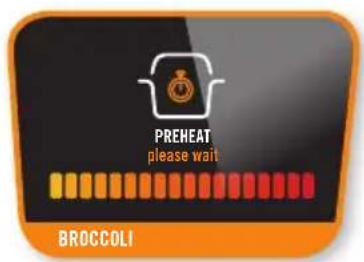
Preheat
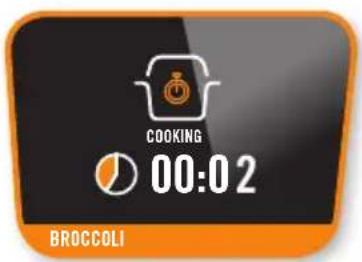
Start cooking
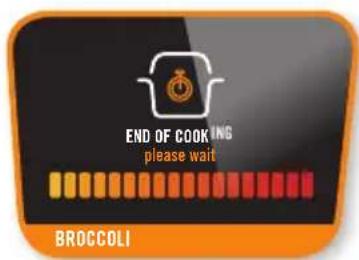
End of cooking
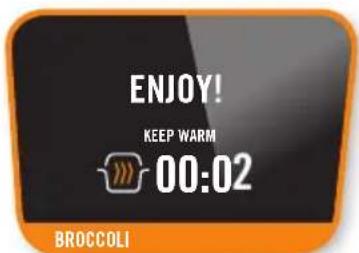
It's ready to try!
BEEF BOURGUIGNON RECIPE
RECIPEMENU:
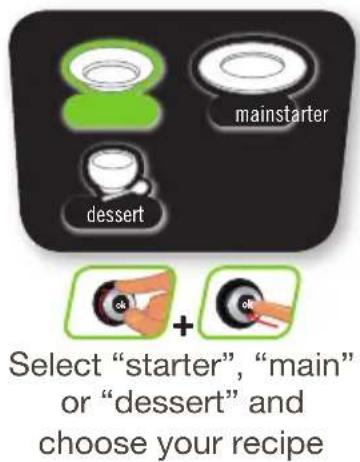
In the Recipe Menu, you can choose between savoury and sweet recipes from three categories: Starter/ Main Course / Dessert
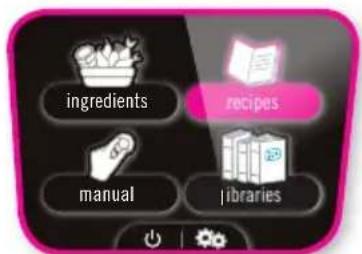
Select the recipe menu
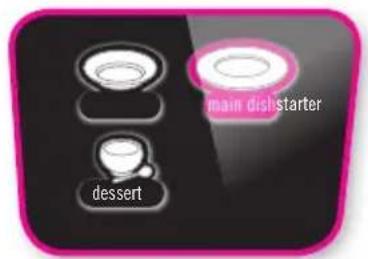

Select the type of recipe
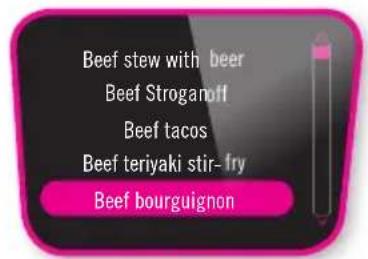

Select a recipe


Select the number of people
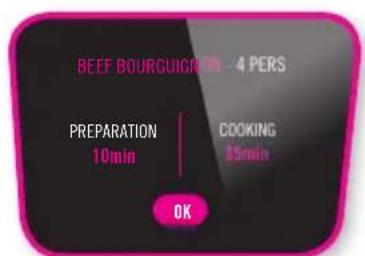
Show recipe
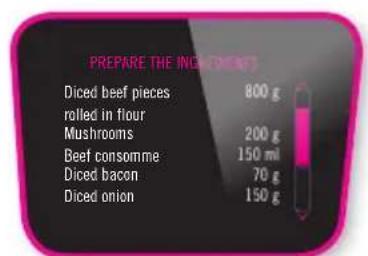
Prepare the ingredients
You can return to the initial menu by pressing the Back button for 30 seconds.
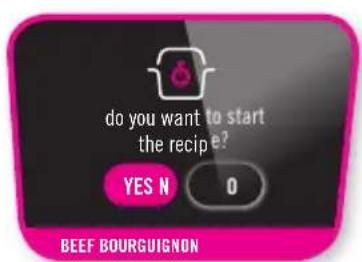
Start the recipe
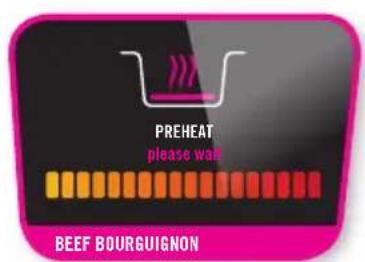
Preheating
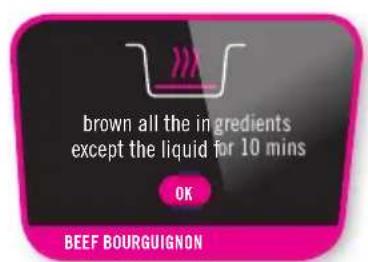
Follow the instructions

RECIPE MENU
RECIPEMENU: (CONTINUATION)
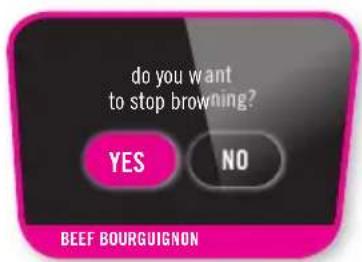
Stopbrowning
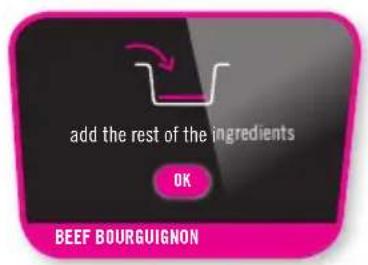
Follow the instructions
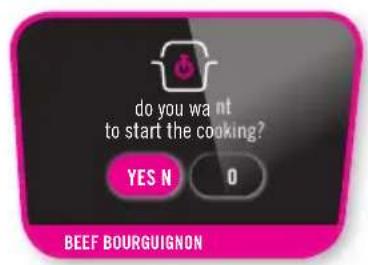
Start the cooking
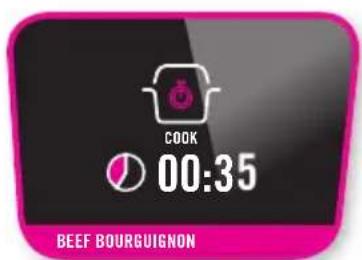
Cooking time
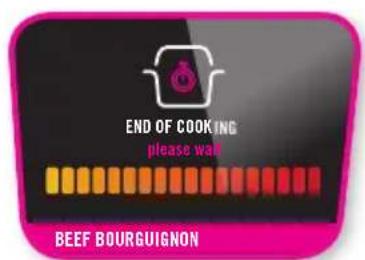
Cooking has finished
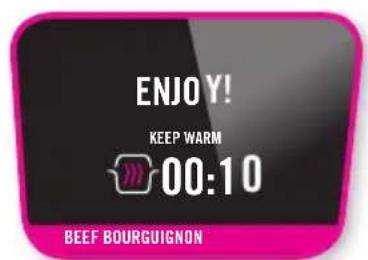
It's ready to try!

LIBRARIES
DOWN LOADING RECIPE AND PACK:

Once your app is connected to your COOK4ME CONNECT, you can click on to send a recipe on your appliance, then you will be able to find it in the list of "recipes". When a pack is available you will see a logo on the recipe, you can click on the corresponding text to download the pack. It will be visible in you COOK4ME CONNECT « libraries »
Download in progress
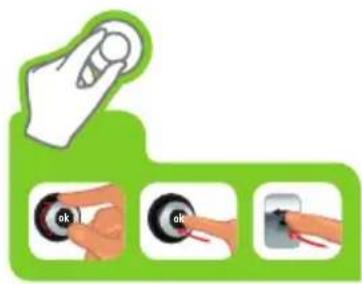

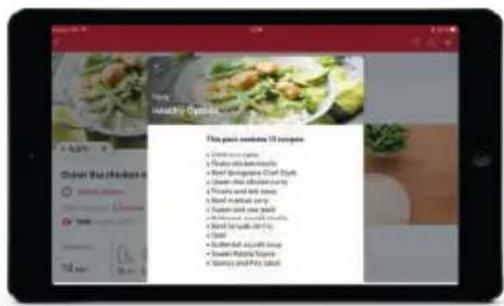
N.B.: You can stop the transfer at any time by pressing the return button on COOK4ME CONNECT.
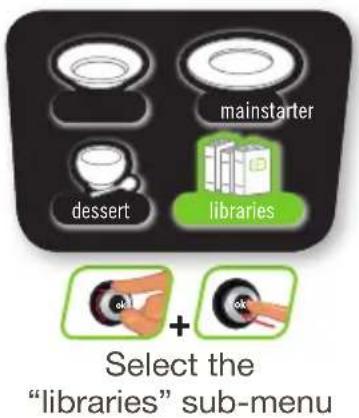
ACCESS THE LIBRARIES:
You can find your downloaded packs. Launch your recipes from your COOK4ME CONNECT by accessing your library.


INGREDIENTS

meat and chiken
beef
chicken
lamb
pork

fish & shellfish
cod
fish
king prawns (raw)
mussels
scallops

rice & cereals
brown rice - Basmati
bulgar wheat
quinoa
white rice - Basmati
white rice - long grain

apples
asparagus
aubergines
beetroot
broccoli (florets)
Brussels sprouts
butternut squash
cabbage (green)
cabbage (red)
carrots
cauliflower (florets)
celery
courgettes
green beans (whole)
green lentils
leeks
mushrooms
parsnips
pears
peas (frozen)
pepper (any colour)
potatoes (new)
potatoes (old)
runner beans
spinach
swede
sweet potatoes
turnips
CLEANING MAINTENANCE
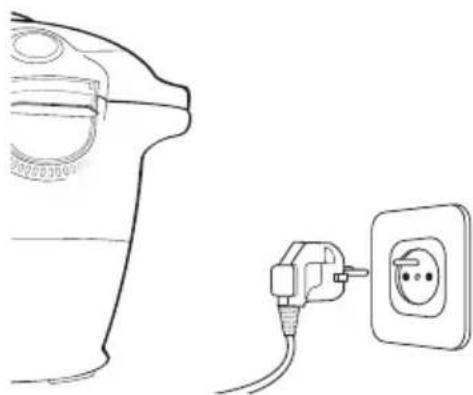
Once you have finished cooking your dish, disconnect the appliance to clean. Clean the appliance after each use.
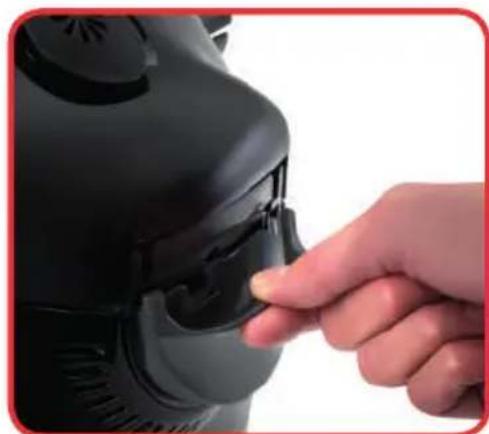
After each use, remove the condensation trap and wash carefully in clear water or in the dishwasher. Take care to dry well. Return to its original position.
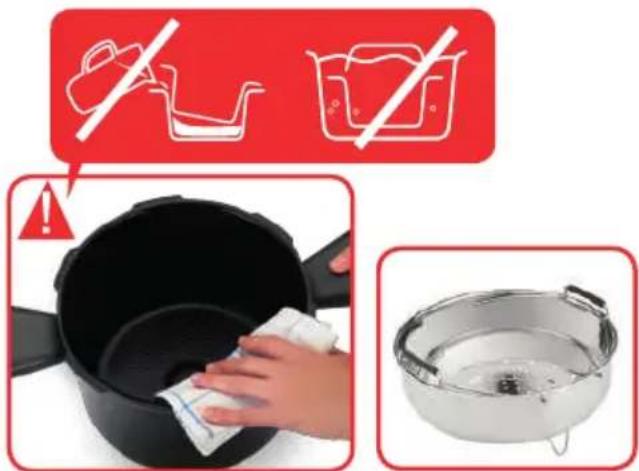
You can wash the cooking pot and steam basket in soapy hot water or in the dishwasher. Clean the body of the appliance using a damp cloth.
After several times in the dishwasher, the exterior of the tank may become discoloured. You may clean it using a scraper sponge.
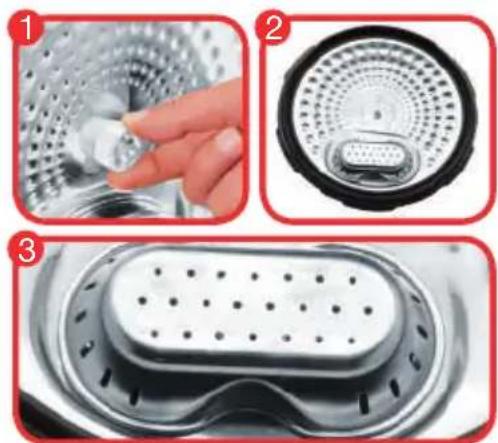
To clean the metal lid, by hand or in the dishwasher, you need to remove the valve cover.
- Unscrew the screw at the centre of the metal lid
- Take off the metal lid
- Remove the valve cover
CLEANING IN THE DISHWASHER:
you can place the metal lid in the dishwasher, without removing the valves. After placing in the dishwasher, remove the ball and blow in the pipe to check that it is not blocked. Dry the ball and its support carefully using a soft cloth.
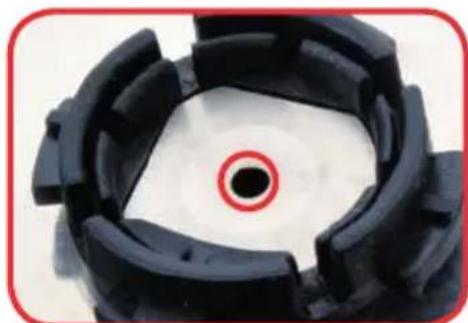
Before reinstalling the ball, check that the pipe is not blocked by blowing into it.

CLEANING BY HAND:
you can clean the metal lid using soapy hot water. Firstly, remove the ball then clean completely. Dry the ball and its support using a soft cloth.
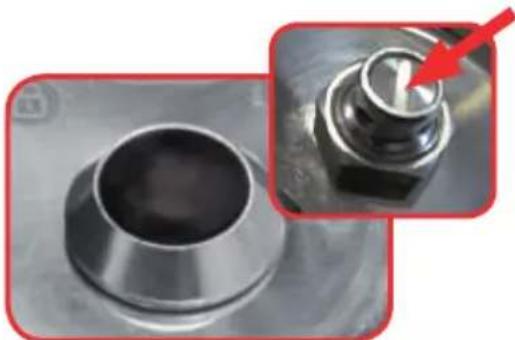
Press on the internal part of the safety valve spring to check that it is not clogged.
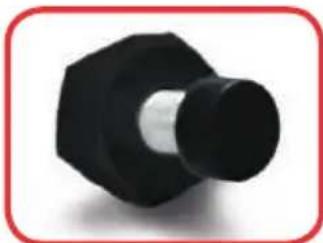
Before removing the internal lid, clean the upper part of the cooking pot. Clean the inside of the appliance's metal lid using a damp sponge and check that the manometric rod is properly positioned to ensure that it is not blocked.
Rinse under water and check the mobility of the safety pin.
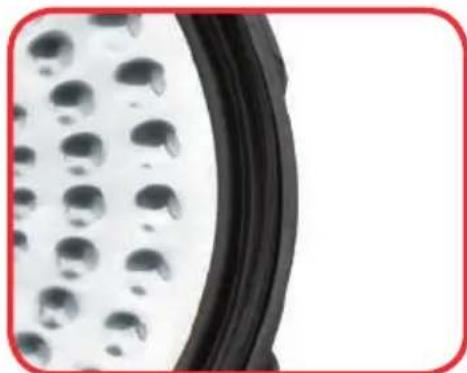
Replace the watertight seal at least every three years. This operation will be performed in an Approved Service Centre.
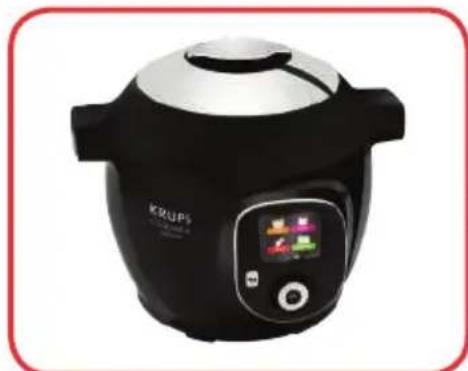
Do not store the appliance with the lid closed. Leave open or half open; this will prevent unpleasant odours.
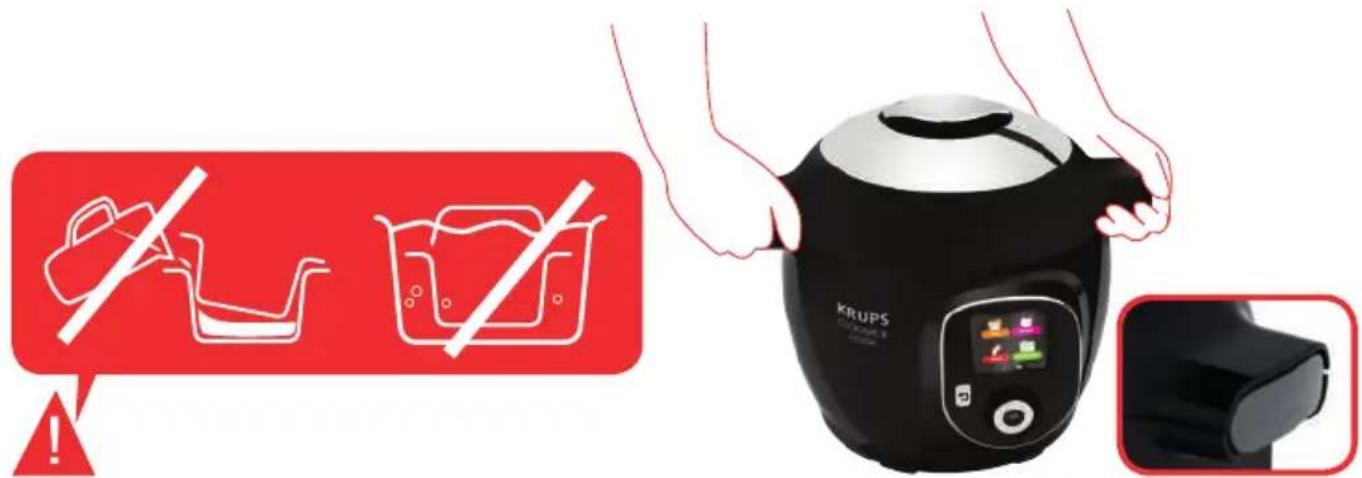
In the event of accidental immersion of the appliance or if water is spilt directly on the heating element when the pot is not in position, take the appliance to an Approved Service Centre.
Transport the appliance using the two side handles. For greater safety, check that the handle is in the closed position. For greater safety, check that the lid is locked.
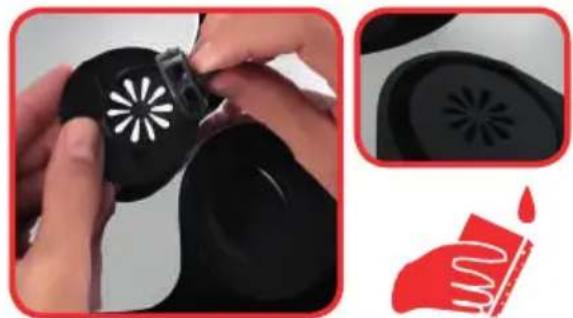
Clean the outside of the appliance's lid using a damp sponge. Clean the silencing valve at the back of the lid.
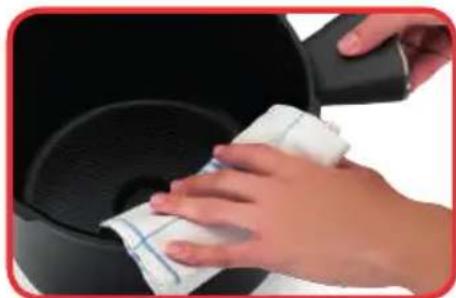

Clean the upper part of the cooking pot using a damp cloth. Clean the condensation trap using a damp cloth. Rinse under water and check that the manometric rod can move around.
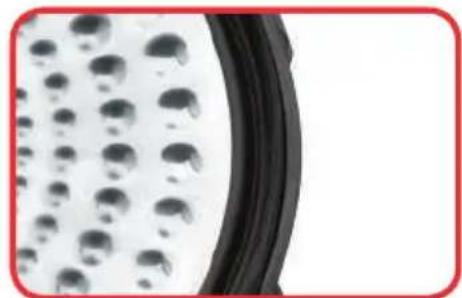
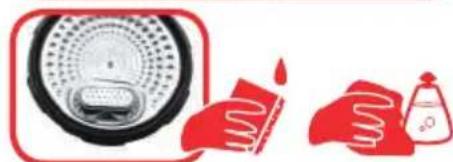
Clean the seal on the metal lid using a damp cloth then rinse thoroughly. Do not use sharp objects.
SAFETYFEATURES
Your pressure cooker contains several safety features:
Safety When Opening:
- If your pressure cooker is under pressure, the manometric rod is in the upper locking position, which prevents the cover from opening. Never try to force open your pressure cooker.
- It is especially important not to apply pressure to the manometric rod.
- Ensure that the internal pressure has fallen (additional steam escaping from the safety valve) prior to trying to open the cover.
Two Overpressure Safety Features:
- First device: the safety valve releases the pressure - see chapter on Cleaning and Maintenance, page 60 - 62.
- Second device : the joint let off steam on the back of the cover
If one of the overpressure safety features is triggered:
Turn off your appliance.
Let your pressure cooker completely cool down.
Open it.
Check and clean the safety valve, decompression ball and gasket. See chapter on Cleaning and Maintenance.
If your product leaks or is no longer operational after having performed these checks and cleaning, return it to a SEB authorised Service Centre.
Regulating your appliance:
The pressure can be regulated by switching the heating element on or off.
To minimise the effects of thermal inertia and improve regulation accuracy, the decompression ball can be automatically triggered to briefly release steam from time to time.
| PROBLEMS POSSIBLE CAUSES SOLUTION | ||
| The lid does not close There are foreign bodies between the pot and the heating plate | Remove the pot, check that the heating plate, central element and under the pot are clean. Also check that the central element can move around | |
| The lid open handle is not correctly positioned | Check that the open handle is completely open | |
| The metal lid and/or the tightening screw are not properly installed or fully screwed | Check that you have positioned all of the elements of the metal lid and that the screw is tight | |
| The product does not decompress | The ball cover is not in place | Let the product cool completely and then remove the metal lid and position correctly the ball cover (fixed in the lock position) |
| The lid does not open once the steam is released | The manometric rod is still in the high position | After ensuring that no more steam is released and that the product is completely cold, insert a pick into the hole located between the open handle and the silencing valve. Be careful of steam being released once the stick is pushed in. When no more steam is released, try to open the appliance |
| The appliance does not become pressurised | Check that the seal, safety valve and manometric rod are clean | Clean your appliance by following the instructions provided in the instructions |
| Check that the lid is locked and the marking is properly aligned with the closed padlock. Check that the manometric rod can move around and if it needs cleaning | Check that the manometric rod can move around and if it needs cleaning | |
| The decompression ball is not positioned correctly or dirty | Check that the ball is correctly positioned and that the cover is in the locked position. Clean and dry the ball and its support | |
| PROBLEMS POSSIBLE LE CAUSES SOLUTION | ||
| ERROR CODES Code 24: the pressure decreases while pressure cooking Code 21 and 26: pressure fails to raise | Add liquid to your recipe (water, stock or a liquid sauce) 50-100ml at a time and re-start the recipe | |
| Steam is released from the sides of the lid during cooking (leaks) | The seal of the metal lid and/or the edges of the pot are dirty | Clean the sides of the pot and seal using a damp cloth. Do not use any sharp instruments |
| Wear, cuts and deformation of the seal | The seal must be changed every three years at most. Take your appliance to an Approved Service Centre | |
| Pot edges damaged Take your appliance to an approved service centre | ||
| The metal lid nut was not screwed enough | Tighten the nut to the metal lid center correctly | |
| Water flows behind the appliance | The condensation trap is not in position or is overflowing | Make sure that the condensation tank is properly positioned behind the appliance and that the flow pipe is not blocked |
| The safety valves and/or openings are obstructed | Verify that the tank is not too full and that there are no food that expand (see Safety Instructions booklet) | |
| The indicator is not flashing or does not come on | The LED is no longer working or the lid is not completely locked | Check that the product is completely locked. Take your appliance to an Approved Service Centre if the problem continues |
| The control panel does not light up | The appliance is not connected or is on standby | Check that the power lead is connected both to the appliance and the mains. Check that the appliance is not on standby by pressing the “OK” button |
| The appliance is damaged Take your appliance to an Approved Service Centre | ||
| Condensation appears on the indicator | There is condensation on the lid | Let the appliance dry in fresh air for a few hours |
PROBLEMS POSSIBLE CAUSES SOLUTION
The metal lid can not be removed, it is blocked
The metal lid ball cover was not well positioned
Unscrew the nut in the metal lid center, and then press the prob into the center of the nut. This releases the lid and you can access the ball cover. Make sure it is well put back as the ball
TROUBLESHOOTING TIPS FOR USB MODELS
PROBLEMS POSSIBLE CAUSES SOLUTION
Key not recognised Key other than KRUPS Use only KRUPS USB keys
Active language different from that of the key
Go back to the settings of your appliance: select the language of the key
Library memory full Delete a library
Nothing happens You are not in the right menu
Go back to the main menu
Key or port damaged Contact customer service
KRUPS INTERNATIONAL LIMITED GUARANTEE
http://www.krups.com
This product is repairable by KRUPS during and after the guarantee period.
Accessories, consumables and end-user replaceable parts can be purchased, if locally available, as described on the KRUPS internet site www.krups.com
The Guarantee:
This product is guaranteed by KRUPS (company address and details included in the country list of the KRUPS International Guarantee) against any manufacturing defect in materials or workmanship for a period of 2 years starting from the initial date of purchase or delivery date. The international manufacturer's guarantee by KRUPS is an extra benefit which does not affect consumer's Statutory Rights. The international manufacturer's guarantee covers all costs related to restoring the proven defective product so that it conforms to its original specifications, through the repair or replacement of any defective part and the necessary labour. At KRUPS's choice, a replacement product may be provided instead of repairing a defective product. KRUPS's sole obligation and your exclusive resolution under this guarantee are limited to such repair or replacement.
Conditions & Exclusions:
The international KRUPS guarantee only applies within the guarantee period and for those countries listed in the country list attached and is valid only on presentation of a proof of purchase. The product can be taken directly in person to an authorised service centre or must be adequately packaged and returned, by recorded delivery (or equivalent method of postage), to a KRUPS authorised service centre. Full address details for each country's authorised service centres are listed on KRUPS website (www.krups.com) or by calling the appropriate telephone number as set out in the country list to request the appropriate postal address. KRUPS shall not be obliged to repair or replace any product which is not accompanied by a valid proof of purchase.
This guarantee will not cover any damage which occurs as a result of misuse, negligence, failure to follow KRUPS instructions, use on current or voltage other than as stamped on the product, or a modification or unauthorised repair of the product. It also does not cover normal wear and tear, maintenance or replacement of consumable parts, or the following:
- using the wrong type of water or consumable
-damage as a result of lightning or power surges
-scaling (any de-scaling must be carried out according to the instructions for use)
-damages or poor results due to wrong voltage or frequency professional or commercial use - ingress of water, dust or insects into the product (excluding appliances with features specifically designed for insects)
-mechanical damages, overloading
-accidents including fire, flood, thunderbolt, etc
-damage to any glass or porcelain ware in the product
This guarantee does not apply to any product that has been tampered with, or to damages incurred through improper use and care, faulty packaging by the owner or mishandling by any carrier.
In order to offer the best possible after-sales service and constantly improve customer satisfaction, KRUPS may send a satisfaction survey to all customers who have had their product repaired or exchanged in a KRUPS authorised service centre.
The international KRUPS guarantee applies only for products purchased in one of the countries listed, and used for domestic purposes only in one of the countries listed on the Country List. Where a product purchased in one listed country and then used in another listed country:
a) The international KRUPS guarantee does not apply in case of non conformity of the purchased product with the local standards, such as voltage, frequency, power plugs, or other local technical specifications
b) The repair process for products purchased outside the country of use may require a longer time if the product is not locally sold by KRUPS
c) In cases where the product is not repairable in the new country, the international KRUPS guarantee is limited to a replacement by a similar product or an alternative product at similar cost, where possible.
Consumer Statutory Rights:
This international KRUPS guarantee does not affect the statutory rights a consumer may have or those rights that cannot be excluded or limited, nor rights against the retailer from which the consumer purchased the product. This guarantee gives a consumer specific legal rights, and the consumer may also have other legal rights which vary from State to State or Country to Country. The consumer may assert any such rights at his sole discretion.
For Australia only: Our goods come with guarantees that cannot be excluded under the Australian Consumer Law. You are entitled to a replacement or refund for a major failure and compensation for any other reasonably foreseeable loss or damage. You are also entitled to have the goods repaired or replaced if the goods fail to be of acceptable quality and the failure does not amount to a major failure.
*** Please keep this document for your reference should you wish to make a claim under the guarantee
DE. P. 4-36
FR. P. 37-68
IT. 69-101
EN. P. 102-134
- SERIE EPC09
- DESCRIPTION
- METALLDECKEL ABNEHMSN:
- ACCEDERE ALLA SFERA DI DECOMPRESSIONE
- Take the time to read all the following instructions carefully.
- SAVE THESE INSTRUCTIONS CAREFULLY.
- Environment protection first!
- BEFORE USE
- CLEAN THE DIFFERENT COMPONENTS
- HOW TO DISASSEMBLE AND REASSEMBLE THE LID
- HOW TO DISASSEMBLE THE METAL LID:
- HOW TO TAKE THE VALVE COVER OFF:
- ACCESSING THE DECOMPRESSION BALL:
- PUTTING THE METAL LID SUBASSEMBLY BACK IN TO PLACE:
- PUTTING THE VALVE COVER BACK:
- OPERATION
- USE
- OPENING THE LID:
- INSTALLING THE STAND UNDER THE STEAM BASKET:
- INSTALLING THE CONDENSATION TRAP:
- POSITIONING THE POT IN THE APPLIANCE:
- SETTINGSMENU
- MENU ON /OFF
- CONNECTION
- Connection problem:
- Creating an account:
- Search bar:
- Browsing:
- From the app, you can either:
- MANUAL MENU (COOKING MODE)
- PRESSURE
- MANUAL MENU:
- REGULAR
- REHEAT
- KEEP WARM
- DELAYED START (PRESSURE COOKING)
- INGREDIENTS MENU
- INGREDIENTS MENU:
- BEEF BOURGUIGNON RECIPE
- RECIPEMENU:
- RECIPE MENU
- RECIPEMENU: (CONTINUATION)
- LIBRARIES
- DOWN LOADING RECIPE AND PACK:
- Download in progress
- ACCESS THE LIBRARIES:
- INGREDIENTS
- CLEANING MAINTENANCE
- CLEANING IN THE DISHWASHER:
- CLEANING BY HAND:
- SAFETYFEATURES
- Safety When Opening:
- Two Overpressure Safety Features:
- If one of the overpressure safety features is triggered:
- Regulating your appliance:
- PROBLEMS POSSIBLE CAUSES SOLUTION
- TROUBLESHOOTING TIPS FOR USB MODELS
- KRUPS INTERNATIONAL LIMITED GUARANTEE
- The Guarantee:
- Conditions & Exclusions:
- Consumer Statutory Rights:
Brand : KRUPS
Model : Cook4Me+ Connect
Category : Multi-cooker