BTS12 - Speaker Bolse - Free user manual and instructions
Find the device manual for free BTS12 Bolse in PDF.


User questions about BTS12 Bolse
0 question about this device. Answer the ones you know or ask your own.
Ask a new question about this device
Download the instructions for your Speaker in PDF format for free! Find your manual BTS12 - Bolse and take your electronic device back in hand. On this page are published all the documents necessary for the use of your device. BTS12 by Bolse.
USER MANUAL BTS12 Bolse
BTS-12 Portable Rechargeable NFC Bluetooth Stereo Speaker
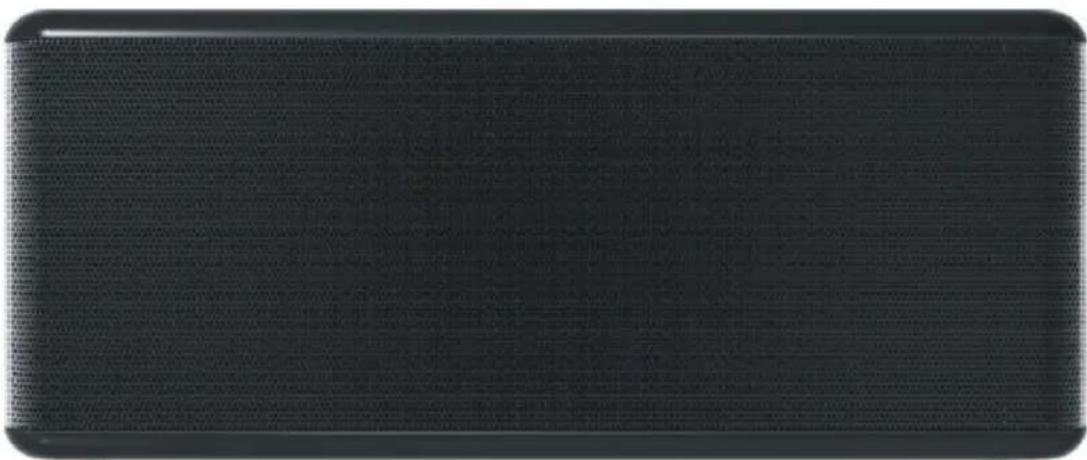
INSTRUCTION MANUAL
TABLE OF CONTENTS
PRODUCT MAIN FEATURES. 1
SPEAKER OVERVIEW 1
CHARGING YOUR SPEAKER 2
PAIRING YOUR DEVICE 3
NFC FUNCTION 4
CONTROLLING YOUR MUSIC 4
ANSWERING CALLS. 5
USING SIRI. 5
USING THE LINE-IN AUDIO JACK 6
MUSIC SHARING 6
BATTERY STATUS ON IPONE AND IPAD. 6
SPECIFICATIONS. 7
SAFETY INFORMATION. 7
WARRANTY 9
Thank you for purchasing our Bluetooth wireless speaker BTS12. Before using the product, please read this manual.
PRODUCT MAIN FEATURES
- High-end stereo Bluetooth speaker
- Design reflects the beauty of simplicity, and touch buttons make it stylish
- Two pieces of 40MM 6W drivers deliver massive and rich sound
- Large speaker cavity inside for excellent sound effects
- LF diaphragm inside delivers outstanding and deep bass
- Built-in rechargeable battery supports up to 6 hours playback time
- Built-in microphone for hands-free phone calls
- Six touch buttons for controlling tracks on phone wirelessly
- SIRI function can be activated by pressing a button on the speaker
- Tap-to-pair with NFC technology for easy and instant connection
- Battery status can be displayed on iPhone
- Easy connection to phones or other Bluetooth devices
- Can be used as a wired speaker
- Buddy-jack function (audio output) to connect a row of speakers
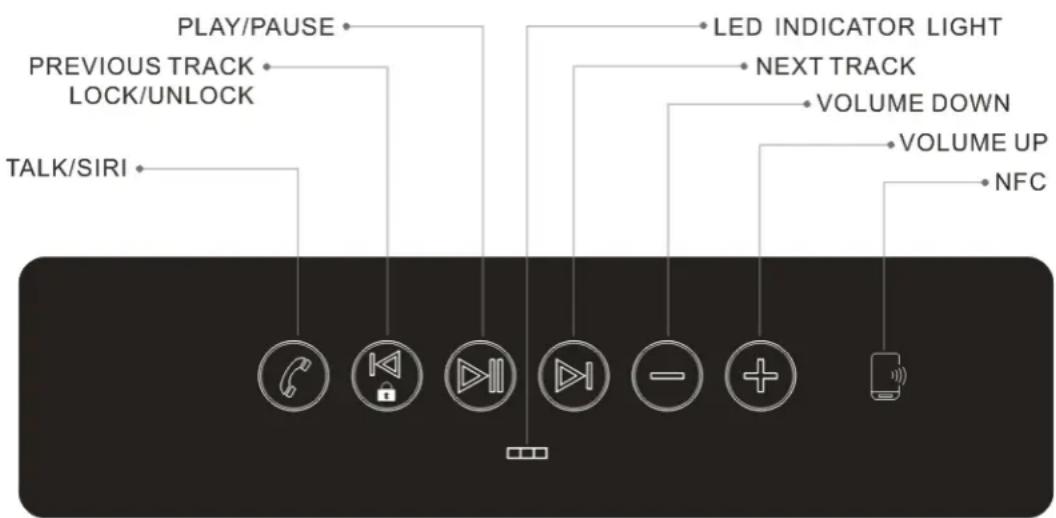
SPEAKER OVERVIEW: TOP
- Before your first use, or when the battery runs out, please charge the speaker with the Micro USB charging cable included in the package.
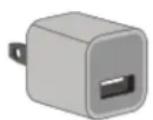
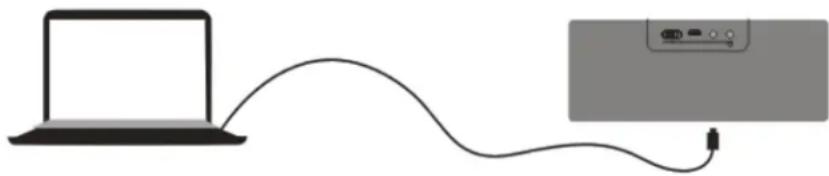
- Plug the small Micro USB pin into the charging port on the back of the speaker, and insert the other end of the cable (the standard USB 2.0 plug) into the USB port of a computer or a USB main charger purchased from the store (note: the charger must be designed and tested compatible with this speaker if you purchased one). In this case, please plug the USB charger into an wall outlet. Using a third-party charger could result in electric shock and could also damage the speaker.
- The LED indicator light will turn red when it is being charged. When it is fully charged, the LED indicator light will go off. A full charge takes about 5-6 hours.
-
The speaker can be charged while working. The speaker will be powered by the DC input directly and the battery will be in sleep mode after it is fully charged.
-
When the battery status is low, the shinning LED light will turn from its original blue to red. When the battery is running out, there will be a warning tone prompting you to charge the speaker, and the bluetooth will automatically disconnect.
PAIRING YOUR DEVICE
1) Make sure the BTS12 is fully charged.
2) Enable Bluetooth on your Bluetooth device (iPhone, iPad, Tablet). Bluetooth controls are typically found in the tools or settings menu. Turn on Bluetooth connectivity and make sure your device is "visible" or "discoverable."
3) Turn on your new BTS12 by switching the button on the back of the speaker to "On"; there will be a warning tone indicating that the speaker is powered on
4) After turning on the BTS12, the LED lights should alternate between red and blue. These signals indicate that the speaker is in "pairing mode."
5) Choose "add new Bluetooth device" or "setup Bluetooth device" on your device. It will search for the Bolse BTS12.
6) As your Bluetooth device discovers possible items to connect to, it will list their names. Select the device named Bolse BTS12. This will connect your speaker to your Bluetooth device. There will be a notification tone indicating that the Bluetooth is connected successfully.
7) If the pairing attempt fails or times out (roughly 3 minutes), restart both devices and start the pairing process again (Steps 2-6).
8) Once paired successfully, the LED indicator lights will turn blue and blink once every 4 seconds.
9) If you need to pair with another Bluetooth device, press the Play/Pause button for 2 seconds; the speaker will be disconnected from the previous Bluetooth device automatically, there will be a warning tone, and then you can repeat the pairing process again (Steps 2-6)
10) Enjoy your music wirelessly anywhere you go!
NFC FUNCTION
If your Bluetooth audio device has an NFC function (mostly only a few brands of mobile phones, like Samsung, BlackBerry, LG, and Huawei have this function), then you can skip the processes of Bluetooth pairing—you just need two steps to pair a Bluetooth device with the speaker.
1) Enable NFC on your Bluetooth device (Samsung, BlackBerry, LG, and Huawei). NFC controls are typically found in the tools or settings menu. Turn on NFC and make sure your device is "visible" or "discoverable."
2) Put your device with NFC on the right side of the speaker where the NFC chip is. This completes the Bluetooth pairing, and there will be a notification on your phone which shows that the Bluetooth is connected. If you need to disconnect, put your phone on the speaker again, and the phone will notify you that the Bluetooth is already disconnected.
Once your speaker is connected to a Bluetooth device (mobile phone, tablet, PC, or laptop, etc.), you are free to control your music any way you want! Every time you press any of the buttons, there will always be a notification tone indicating that you hit the button.
Press the Volume UP and Volume DOWN buttons to increase or decrease the volume. There will be a reminder tone "du" when the speaker is at maximum or minimum volume; the volume can be voiceless when at minimum status. Volume can also be adjusted from the Bluetooth devices (sound source).
To switch to the previous or next song, simply press the Previous and Next button on the speaker. This will switch to the previous/next song in the playlist of the Bluetooth device.
Press the Play/Pause button on the speaker to start or pause songs.
Please note that the Previous, Next, and Play/Pause buttons can only control the music playing from the default music playing software on the Bluetooth devices. If the music playing software is not the default player, the music may not be able to be controlled via these 3 buttons. And the Play button may start another song in the playlist of the default player.
Note The Previous button has another function—to lock and unlock the touch buttons. In case of touching any buttons to switch songs, adjust voice, or even dial out a phone call, you can press the Previous button for 2 seconds, then all the buttons will be locked. When you need to use the buttons, just double press the Previous button, then all the buttons will be unlocked and you can control your music again.
ANSWERING CALLS
You can use the BTS12 as a portable speakerphone for incoming calls when connected wirelessly via Bluetooth. When there is an incoming call, the speaker will play the ringtone of your phone itself. To answer a call, press the TALK button and talk as you would with your device if it was on speakerphone. The built-in microphone will pick up your voice just like a phone.
To end a call, press the TALK button again. To refuse a call, double click the TALK button. You can re-dial the latest number called by double pressing the TALK button.
Note If there is an incoming call while the buttons are locked, you don't need to unlock them first, just pick up, end, or refuse the call as mentioned above.
USING SIRI
When the speaker is connected to an iPhone/iPad via Bluetooth, press and hold the TALK button for 3 seconds to activate the Siri function on iPhone/iPad. Then talk to the speaker after hearing the "SIRI" sound.
Please note that the iPhone/iPad may not be able to recognize human speech when the speaker is being used in a noisy environment. Siri may not work if the iPhone/iPad is not connected to the internet.
When the SIRI conversation is finished, the speaker will continue playing audio.
USING THE LINE-IN AUDIO JACK
If your device is not Bluetooth-enabled, you can still enjoy your music simply by using the Line-in Audio Jack. Connect the speaker with the included audio cable to any device with a 3.5MM standard audio jack, then the speaker can be used as a wired speaker.
Please note, all the buttons only work when connected wirelessly via Bluetooth. In the case of wired connection, music can only be controlled on your device.
MUSIC SHARING
This speaker has an audio output function. No matter whether the speaker is used in a wired way or used wirelessly, another speaker or headphone can be connected to this speaker via a 3.5MM audio cable (AUX cable). For instance, another pair of speakers or headphones can be plugged into the jack on the speaker where there is the mark (Ω), and then 2 or more people can enjoy the same music at the same time.
BATTERY STATUS ON IPONE AND IPAD
When the speaker is connected to an iPhone/iPad via Bluetooth, the battery status of the speaker can be displayed on the top of the iPhone/iPad screen, after the Bluetooth symbol.
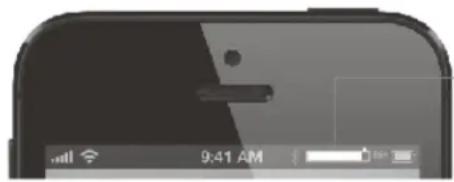
BLUETOOTH BATTERY STATUS
SPECIFICATIONS
| Dimensions : | 180*75*50mm/7.1*2.9*1.9in |
| Weight : | 430g / 15oz(speaker only) |
| Speaker driver : | stereo, 40MM, 4Ohm |
| Speaker output : | 6W*2 |
| LF diaphragm dimension : | 100*40mm |
| Frequency Response : | 120Hz-20KHz |
| Signal-to-Noise Ratio : | ≥80db |
| Distortion : | ≤1% |
| Battery life : | up to 6 hours( via audio input) |
| up to 8 hours(via Bluetooth) | |
| Battery Charging voltage : | 5V(450mA) |
| Working voltage : | 3.4--4.2V |
| Battery charging time : | 5-6 hours |
| Battery capacity : | 2000 mAh |
| Interface : | Bluetooth, 3.5MM audio line-in jack, 3.5MM audio line-out jack, Micro USB charging port |
| Operating Frequency Range : | 2.4GHz-2.48GHz |
| Bluetooth transmission distance : | 10 m / 33 ft |
| Bluetooth compliant : | CSR4.0 |
SAFETY INFORMATION
WARNING
Please read these safety warnings and cautions carefully to ensure your personal safety and prevent property damage.
Fire and Electric Shock Hazard
- Do not expose your speaker to liquid, moisture, humidity, or rain. Do not use the speaker near a bathtub, sink, sauna, pool, or steam room. Exposure of the speaker to moisture could result in electric shock.
- Do not drop, disassemble, open, crush, bend, deform, puncture, shred, microwave, incinerate, paint, or insert foreign objects in to the speaker. Such actions could result in electric shock.
- Clean the speaker only with a dry cloth.
- Do not expose your speaker to extremely high or low temperatures.
- Do not leave your speaker in direct sunlight for extended periods of time.
-
Do not leave your speaker near open flames such as cooking burners, candles, or fireplaces.
-
Do not block ventilation openings.
Battery/Charging Hazard
- Do not dispose your speaker in a fire. The battery could explode causing injury or death.
- Only charge the speaker in accordance with this User Manual.
- Do not charge the speaker in damp areas or in extremely high or low temperatures because this could result in electric shock.
- Do not clean the speaker when it is being charged. Always unplug the charger first before cleaning the speaker.
Automobile Accident Hazard
- Do not leave or store the speaker or any of its accessories near or over your automobile's air bag because serious injury may result when an air bag deploys.
Fall Hazard
- Do not place the speaker on high surfaces such as shelves. During music playback the speaker may move which could cause the speaker to shift and fall off the edge.
CAUTION
- Do not use abrasive cleaners to clean your speaker because this could cause scratches or damage.
- Do not bring your speaker in to contact with any sharp objects because this could cause scratches and damage.
- Do not insert anything into your speaker unless otherwise specified in this User Manual. This may damage the internal components.
- Do not attempt to repair, modify, or disassemble your speaker yourself.
- Do not attempt to replace the battery of the speaker. It is built-in, and not changeable by users.
- Use only the USB charging cable supplied in the accessories package to charge the speaker, from the
-
USB port of computer. Or charge the speaker with a wall main charger supplied from the same store where you purchase this speaker. Other chargers may look similar, but using them could result in electric shock and could damage the speaker.
-
Observe all signs and displays that require an electrical device or RF radio products to be switched off in designated areas.
Warranty
12 months from date of purchase.
- Covers manufacturing defects.
- Requires original purchase receipt.
- Void if product has been misused, disassembled, or physically damaged.
For warranty service, contact Bolse: support@mybolse.com.
EINLEITUNG
support@mybolse.com.
INTRODUZIONE
support@mybolse.com.