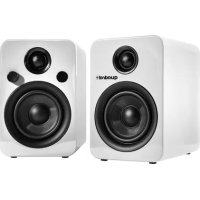
Breeze XL - Loudspeaker Quadral - Free user manual and instructions
Find the device manual for free Breeze XL Quadral in PDF.



| Product type | Speaker pair (active + passive) |
| Brand | Quadral |
| Model | Breeze XL |
| Dimensions (HxWxD) | 210 mm x 140 mm x 190 mm |
| Net weight (pair) | 6.1 kg |
| Power | 2 x 45 W (Class D amplifier) |
| Tweeter | 1" fabric dome |
| Woofer | 4" fiberglass cone |
| Impedance (passive speaker) | 4 Ohms |
| Sensitivity | 85 dB (2.83 V / 1 W / 1 m) |
| Frequency range | 60 Hz - 20 kHz |
| Bluetooth | Version 4.0, A2DP, AVRCP |
| Inputs | RCA, optical, 3.5 mm jack, USB (5 V / 1 A) |
| Subwoofer output | Sub Out (RCA, low-pass filter) |
| Auto standby | After 60 minutes without signal |
| Standby power consumption | < 0.5 W |
| Power supply | Mains (230 V / 115 V) |
| Protection class | II (double insulation) |
| Remote control | Yes, with CR2025 battery |
| Maintenance | Lint-free cotton cloth and glass cleaner |
| Warranty | 2 years |
Frequently Asked Questions - Breeze XL Quadral
User questions about Breeze XL Quadral
0 question about this device. Answer the ones you know or ask your own.
Ask a new question about this device
Download the instructions for your Loudspeaker in PDF format for free! Find your manual Breeze XL - Quadral and take your electronic device back in hand. On this page are published all the documents necessary for the use of your device. Breeze XL by Quadral.
USER MANUAL Breeze XL Quadral
BEDIENUNGSANLEITUNG
USER INSTRUCTIONS
NOTICE D'UTILISATION
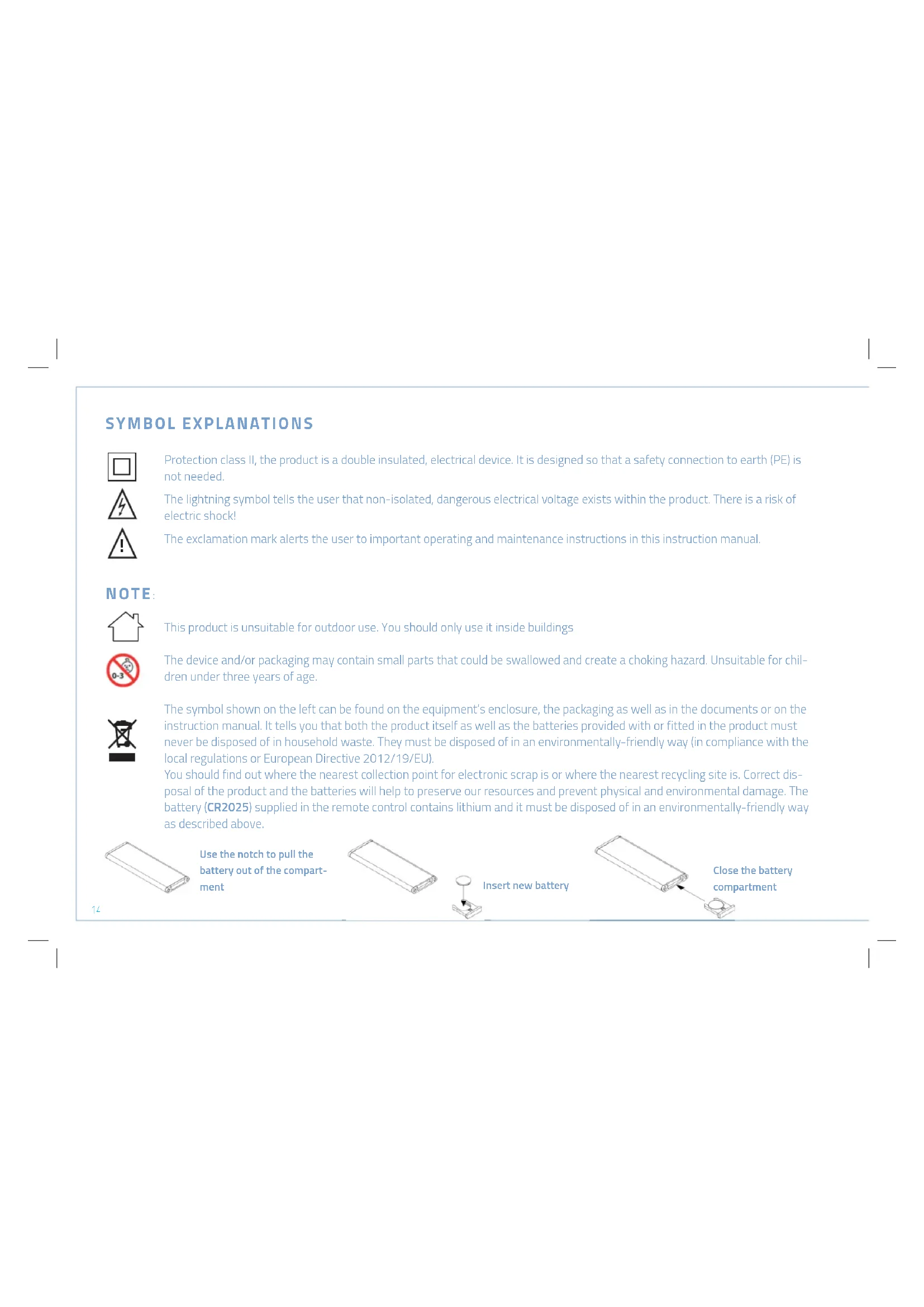
Protection class II, the product is a double insulated, electrical device. It is designed so that a safety connection to earth (PE) is not needed.
The lightning symbol tells the user that non-isolated, dangerous electrical voltage exists within the product. There is a risk of electric shock!
The exclamation mark alerts the user to important operating and maintenance instructions in this instruction manual.
NOTE

This product is unsuitable for outdoor use. You should only use it inside buildings

The device and/or packaging may contain small parts that could be swallowed and create a choking hazard. Unsuitable for children under three years of age.

The symbol shown on the left can be found on the equipment's enclosure, the packaging as well as in the documents or on the instruction manual. It tells you that both the product itself as well as the batteries provided with or fitted in the product must never be disposed of in household waste. They must be disposed of in an environmentally-friendly way (in compliance with the local regulations or European Directive 2012/19/EU).
You should find out where the nearest collection point for electronic scrap is or where the nearest recycling site is. Correct disposal of the product and the batteries will help to preserve our resources and prevent physical and environmental damage. The battery (CR2025) supplied in the remote control contains lithium and it must be disposed of in an environmentally-friendly way as described above.

Use the notch to pull the battery out of the compartment


Insert new battery
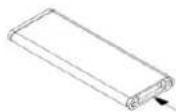
Close the battery compartment

Quadral GmbH & Co. KG hereby declares that this product complies with the essential requirements and other relevant provisions of Directive 2014/53/EU and other EU directives. The complete Declaration of Conformity can be viewed at: www.quadral.com/downloads
Bluetooth® Bluetooth® and the Bluetooth symbol are trademarks belonging to Bluetooth SIG, Inc.
THANK YOU!
First of all we would like to thank you for your decision to purchase our quadral breeze. We manufacture top-quality audio products that satisfy the requirements of lovers of "excellent sound reproduction" and our equipment is far above the average. Even if you already know a lot about this type of equipment, we will introduce some basic rules in the following that will enable you to get the best out of your new equipment.
SAFETY INSTRUCTIONS
Please read these instructions carefully and follow all of the steps listed here for installing the equipment. You must abide by all of the warnings and safety instructions that are stipulated on the unit and in this instruction manual. Keep this instruction manual in a safe place.
- Do not swallow a battery. There is a risk of electric shock. The accompanying remote control contains a round cell battery. Keep new and used batteries out of the reach of children. If the battery compartment does not close securely, stop using the remote control and keep it away from children. Empty batteries must be disposed of promptly and correctly. Do not try to recharge the battery.
The cable must not be squashed. Lay the cable so that it cannot be damaged by furniture and that you avoid tripping over them.

Take the power plug out of the socket during lightning storms or if the equipment will not be used for a long time. Pull the power plug out of the socket, not the cable.
- Never use the product in the vicinity of water, in humid areas or outdoors. Moisture can bypass the electrical insulation and this will create a life-threatening risk as is the case with all equipment that has not been specially designed against the penetration of moisture. You must also ensure that no vessels containing liquid (e.g. vases) are placed on top of the equipment.
- Do not place the equipment in the vicinity of a heat source such as an electric fire, radiator, oven or similar.
The slits and openings in the enclosure provide the ventilation and ensure reliable operation. They must never be misaligned or covered.
- Burning-out of specific components cannot be completely excluded, despite the use of protective devices, if the equipment is severely overloaded by continually using very loud sound levels. A fire might also be caused inside the equipment in theory, as a result of this type of overloading. Therefore the amplifier should always be used within its limits and not be left unattended.
- Maintenance of your device is only to be carried out by the technical service department. Maintenance will be necessary if any type of damage occurs, i.e. if the power cable or plugs are damaged, if an object falls on the device, if the device is dropped or if liquid seeps into it. Never open the equipment as you might touch the mains voltage (230V / 115V), which is dangerous.
- Only use furniture and other units for attaching and putting the equipment on that can be obtained from or are recommended by the manufacturer. Ensure that moveable table-top units or shelves on which the product will be placed are always moved very carefully in order to prevent damage or injuries from being caused if the device topples over.
- Continuously loud volume can damage your hearing!
- Keep the packing for possible transportation later on and keep the plastic bag well away from children, due to the risk of asphyxiation.
TABLE OF CONTENTS
- Package contents 18
- Specifications 18
- Remote control 19
- Connections and controls 20
- Installing 21
- Subwoofer connection 22
- Bluetooth connection 22
- Cleaning the speakers 23
- Troubleshooting 24
- Warranty provisions 25
1. PACKAGE CONTENTS
- 1 x pair of speakers (1 x active, 1 x passive)
- 1 x speaker cable
- 1 x power cable
- 1 x remote control
2. SPECIFICATIONS
Tweeter - 1 inch fabric dome
Woofer - 4 inch fibreglass membrane
Impedance (passive part) - 4 ohms
Input sensitivity - 2.83V (1W/1M) - 85 dB
Power - 2 x 45W
Frequency range - 60Hz - 20 kHz
Type
2-way
Amplifier - Class D
RCA input sensitivity - 480mV
Amplifier's frequency range - 20 Hz - 20 kHz ± 3dB
THD (1W/1kHz) - < 0.1%
Dimensions (H x W x D) - 210 mm x 140 mm x 190 mm
Net weight - 6.1 Kg
Bluetooth - Version 4.0, A2DP, AVRCP
Auto OFF - Standby after 60 min without signal
Standby power consumption - < 0.5 W
3. REMOTE CONTROL

- Standby button
- Previous title (Bluetooth*)
- Bluetooth input
- RCA input
- Bass setting
- Muting
- Next title (Bluetooth*)
- Play / pause (Bluetooth*)
- Optical input
- Pair Bluetooth
- Reset volume, bass and treble settings
- 3.5 mm input
- Volume setting
- Treble setting
*Note:
The title selection and play / pause buttons only work in Bluetooth mode. Your player must support these functions.
4. CONNECTIONS AND CONTROLS

- Infrared receiver: for the remote control
- Rotary knob: volume, source selector, ON
- Status LED: (Red light OFF, blue light ON)
- RCA In: Stereo Chinch input
- 3.5 mm In: Stereo 3.5 mm jack input
- Sub Out: Chinch socket for connecting up an active subwoofer.

- Power switch: Disconnects the device from the mains supply.
- Mains power connection: For power cable connection.
- Optical In: Optical digital input
- USB charger: (DC 5V/1000 mA)
- Speaker terminals: For connecting the speakers to one another.

The device must be switched off when the cable is being connected up to the breeze.
5. INSTALLING

- Ensure that the device is switched off.
- Use the enclosed connection cable to connect the active and passive speakers.
- Connect the device to the power supply using the enclosed power cable.
- Now connect up the source devices at your disposal.
- Now switch the device on using the mains switch (7) fitted on the back of the device.
- Press the knob (2) on the front panel for 3 seconds and then select the source that you want by briefly pressing the knob (2) again.

SCREW TERMINALS
There is a connection field on the back of each box with colour-coded screw terminals for connecting up the speaker cable. Unscrew the screw terminals and insert the stripped end of the cable into the hole that is now open. One wire is marked in colour or by shape in the speaker cable. Screw this positive lead into the red terminal and the other lead into the black terminal. Hand-tighten the screws. Now check that the connection to the active speaker is correct to ensure correct polarity. The marked wire goes to the (+) pole again here and the other to the black (-) screw terminal.
5. SUBWOOFER CONNECTION
Use a mono chinch cable to connect an active subwoofer to your breeze.
Sub Out has a low-pass filter. This ensures that only the very low signals are passed on to the subwoofer. It is not possible to reset the crossover frequency on the breeze.
6. BLUETOOTH CONNECTION
- The indicator on the front will start to flash rhythmically when BT input is selected. The connection will be established automatically if the source has already been connected up to breeze blue XL and the indicator light will be permanently blue.
-
Press the rotary knob (2) on the front of the device for 3 seconds if you want to create a new connection to a device. The indicator will flash quickly and your breeze blue XL will send out a pairing signal to create the connection.
-
"quadral breeze blue XL" will now be displayed in the Bluetooth settings on your device. The permanent connection will be made as soon as you confirm this on the device. The indicator on your breeze blue will then be a continuous blue light.
-
You can adjust the volume on your device (smartphone or PC) using the rotary knob (2) on the front of the device or the volume control on the remote control.
Note:
Only one device can be connected up to the breeze at any time. You must disable the first device's Bluetooth feature if you want to use a second device.
Breeze blue XL will be automatically connected to the last connected Bluetooth device after it is switched on.
7. CLEANING THE SPEAKERS
Use a lint-free cotton cloth and a little glass cleaner to remove dirt and fingerprints from the enclosure. Never use microfibre cloths! They can cause small surface scratches.
9. TROUBLESHOOTING
| Bluetooth | |
| No sound | - Ensure other applications on the device are shut down.- Ensure that the sound is not muted or is too quiet.- Switch the speaker off and back on again.- Check the source and the speaker's volume setting |
| No connection | - Ensure that the Bluetooth function on your device is active.- Restart the Bluetooth connection.- Delete the speaker from the Bluetooth menu and then reconnect it.- Test another device.- Move your device closer to the speaker.- Check to see if another device is connected to your speaker. |
| AUX/RCA | |
| No sound | - Increase the device's volume, if possible.- Use another cable.- Check that the cable is connected up correctly.- Test another device. |
| Optical input | |
| - Check your player's the audio output settings.- Ensure that no multi-channel sound format has been set up. | |
10. WARRANTY PROVISIONS
This product is guaranteed for a period of 2 years. The warranty period starts when the product is purchased from an authorised quadral dealer. The date of sale on the sales receipt issued by the quadral dealer is the relevant date.
Warranty services neither limit the expiration of the warranty period nor do they invoke a restart of the warranty period.
In the event of a warranty claim quadral will remedy the defect or replace the defective device with a defect-free and free-of-charge device at its own discretion without prior consultation.
The warranty claim is asserted by the quadral product being handed in or sent to quadral or to an authorised quadral dealer within the warranty period together with the sales receipt. The transport risk lies with the sender. quadral will not reimburse shipping, transport, travel or labour costs.
The buyer's warranty claims under the purchase contract with the seller are not affected or limited by a warranty case.
Contact the distributor in your country in the event that the warranty case does not occur within Germany.
Note:
It is in your own interest to pack the product carefully, preferably in the original packaging. Include a copy of the sales receipt with the shipment.
Enclose a detailed description of the problem together with your contact details.
SIGNIFICATION DES SYMBOLES

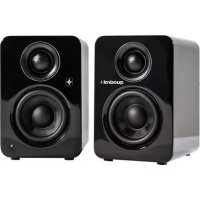
Brand : Quadral
Model : Breeze XL
Category : Loudspeaker