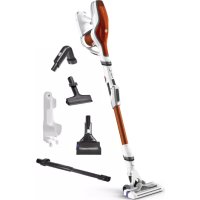
RH9474 - Stick vacuum ROWENTA - Free user manual and instructions
Find the device manual for free RH9474 ROWENTA in PDF.



| Product type | Stick vacuum cleaner |
| Brand | Rowenta |
| Model | RH9474 |
| Power source | Rechargeable battery (Lithium-Ion or Ni-MH) |
| Estimated battery life | Approximately 40 minutes |
| Estimated charging time | Approximately 4 hours |
| Dust bin capacity | Approximately 0.5 L |
| Filter type | Motor protection foam filter (washable) |
| Estimated power | 150 W |
| Estimated weight | 2.5 kg |
| Estimated dimensions (L x W x H) | 110 x 25 x 20 cm |
| Included accessories | Electric brush, tube, crevice tool |
| Estimated noise level | 75 dB |
| Usage | Indoor, domestic |
| Safety | Automatic shut-off in case of overheating, thermal safety |
| Maintenance | Regular filter cleaning, emptying the bin, cleaning the brush |
| Warranty | 2 years |
| Repairability | Repair by authorized service center only, battery replaceable by professional |
Frequently Asked Questions - RH9474 ROWENTA
User questions about RH9474 ROWENTA
0 question about this device. Answer the ones you know or ask your own.
Ask a new question about this device
Download the instructions for your Stick vacuum in PDF format for free! Find your manual RH9474 - ROWENTA and take your electronic device back in hand. On this page are published all the documents necessary for the use of your device. RH9474 by ROWENTA.
USER MANUAL RH9474 ROWENTA
• DUNRE D'ALIMENTATION AMOVIBLE
natural_image
Six different types of vacuum cleaner designs, shown in line drawings without any text or labels.Read the safety instructions first before using your product and keep them in a safe place for future reference. For your safety, this appliance complies with all existing standards and regulations.
- This product has been designed for domestic use only. Any commercial use, inappropriate use or failure to comply with the instructions, the manufacturer accepts no responsibility and the guarantee will not apply.
- Your vacuum cleaner is an electrical appliance: it should be used in normal operating conditions. Do not place the nozzle near the eyes or ears.
- Do not use the appliance if it has been dropped and there is visible damage to it, or if it fails to function normally. In this case do not open the appliance, but take it to the nearest Service Centre to your home as special tools are required to carry out any repairs safely.
• Repairs must only be carried out by specialists using original spare parts: it may be dangerous for users to try to repair appliances
themselves. Use only guaranteed original spare parts (filters, batteries, etc.).
• D-□-C: DETACHABLE POWER UNIT
- WARNING: To recharge the battery, please use only the power unit (charger) shipped with the appliance (pages 78/82).
- Please remove the battery before discarding it.
- Please ensure that the appliance is unplugged before taking out the battery.
- Please ensure the battery is disposed of safely.
- If the cord of the detachable power unit (charger) is damaged or does not work: do not use any detachable power unit (charger) other than the model provided by the manufacturer and contact Customer Support or your nearest approved Service Centre (use of a universal detachable power unit (charger) voids the guarantee).
- Never pull the electric cord to disconnect the detachable power unit (charger).
• Always switch off the appliance before maintenance or cleaning.
- Do not touch the rotating parts without stopping and disconnecting the appliance.
- Do not vacuum wet surfaces, water or any type of liquids, hot substances, super smooth substances (plaster, cement, ashes, etc.), large sharp items of debris (glass), hazardous products (solvents, abrasives, etc.), aggressive products (acids, cleaning products, etc.), inflammable and explosive products (oil or alcohol based).
- Never immerse the appliance in water or any other liquid; do not spill water on the appliance and do not store it outside.
- For product start-up, charging, cleaning and maintenance, please refer to the user guide.
- For countries subject to EU regulations (C€ marking): This appliance can be used by children aged 8 years and above and persons with reduced physical, sensory or mental capabilities or who lack experience and knowledge if they have been given supervision or instruction concerning safe use and understand the hazards involved. Children should not be allowed to play with the appliance. Children should not clean or perform maintenance on the appliance unless they are supervised by a responsible adult. Keep the appliance and its charger out of the reach of children under 8 years old.
- For other countries not subject to EU regulations: This appliance is not designed for use by people (including children) with reduced physical, sensory or mental capabilities or by people with no prior knowledge or experience, unless they have had supervision or previous instructions
relating to the use of the appliance, from a person responsible for their safety. Children must be supervised to ensure that they do not play with the appliance.
PLEASE READ BEFORE USE

- Ensure that the voltage indicated on the rating plate of your vacuum cleaner's charger is the same as your power supply voltage. Any connection error could cause irreversible damage to the product and invalidate the guarantee.
- The vacuum cleaner should always be put back on charge after use to ensure that it is always available with a fully charged battery and with optimal dust pick up performances.
• However, it is best to unplug it in the event of prolonged absence (holidays, etc), in which case, there may be a decrease in autonomy because of self-discharging. - Do not vacuum large items that may clog and damage the air inlet.
Depending on model : - Do not use the power-brush on deep pile carpet, animal hair or fringes.
- Switch to „Min“ to vacuum thick or delicate carpets and rugs and fragile surfaces. Note: check regularly that the nozzle wheels are clean.
- Switch to „TURBO/BOOST“ for optimum dust removal performance on all types of very dirty floors. Note: If the appliance sticks to the surface too much, switch back to „Min“.
- Do not use your vacuum without a motor protection filter.
- Do not wash the dust collector components or the motor protection filter in a dishwasher.
BATTERY SAFETY INSTRUCTIONS
- This unit contains batteries (Nickel Metal Hydride or Lithium Ion) which for safety reasons are only accessible by a professional repairer. When the battery is no longer able to hold the charge, the battery pack (Nickel Metal Hydride or Lithium Ion) should be removed. To replace the batteries, contact your nearest Approved Service Centre. Do not replace a block of rechargeable batteries with non-rechargeable batteries. To change the batteries, please contact an Approved Services Centre.
- The batteries are designed for indoor use only. Never immerse them in water. The batteries must be handled with care. Do not put batteries in your mouth. Do not let batteries touch other metal objects (rings, nails, screws, etc). You must take care not to create short circuits in the batteries by inserting metal objects at their ends. If a short circuit occurs, the battery temperature may rise dangerously and can cause serious burns or even catch fire. If the batteries leak, do not rub your eyes or any mucous membranes. Wash your hands and rinse your eyes with clean water. If the discomfort persists, consult your doctor.
ENVIRONMENT
In accordance with existing regulation, any end-of-life appliances must be taken to an approved Service Centre which will take responsibility for managing their disposal.
Think of the environment!
① Your appliance contains many materials which can be recovered or recycled.
Leave it at a local civic waste collection point.
PROBLEMS WITH YOUR APPLIANCE?
Depending on model :
• The charger becomes hot.
This is perfectly normal. The vacuum cleaner can remain permanently connected to the charger without any risk.
• The charger is connected but your appliance is not charging.
- The charger is not properly connected to the appliance or is faulty.
▶ Check that the charger is properly connected or contact an Approved Services Centre to change the charger.
natural_image
Six different types of vacuum cleaner designs shown in line drawings (no text or labels)- Your appliance stops during operation and the light/s flash very quickly.
- Your appliance may be overheating.
▶ Stop the appliance and leave cool for at least 1 hour.
• The appliance has stopped after the charge light flashed.
- The appliance has lost its charge.
▶ Recharge the vacuum cleaner.
- The power-brush is not working properly or makes a noise.
- The rotating brush or hose are obstructed.
▶ Stop the vacuum and clean the parts.
- The brush is worn.
▶ Contact an Approved Service Centre to change the brush.
- The belt is worn.
▶ Contact an Approved Service Centre to change the belt.
- The power-brush stops during use of the vacuum cleaner.
- The heat safety device has come on.
▶ Stop the vacuum cleaner. Check that nothing is obstructing the rotation of the brush; if there is an obstruction, remove it and clean the power-brush, then turn on the vacuum cleaner.
- Your vacuum cleaner suction is not working properly or is making a whistling noise.
- The tube or hose is partially blocked.
▶ Unblock them the tube/hose.
- The dust collector is full.
▶ Empty it and clean it.
- The dust collector is not properly fitted.
▶ Re-position it correctly.
- The suction head is dirty.
▶ Remove the power-brush and clean it.
- The foam motor protection filter is full.
▶ Clean it.
- When charging the vacuum cleaner, the light(s) flash very quickly.
- The correct charger is not being used or the charger is faulty.
▶ Talk to an Approved Service Centre to change the charger.
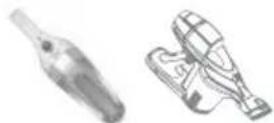
• The appliance is not working
- The appliance has lost its charge
▶ Check that the appliance is fitted correctly onto its docking station.
▶ Check that the cord of the docking station or the charger is plugged in, and that the socket is operating correctly.
- The batteries may be discharged
▶ Recharge the appliance
• The appliance loses suction power
- The accessory may be blocked
▶ Stop the appliance and empty it
• The appliance makes an abnormal noise
- The dust or dust/water container may be full.
▶ Empty it and clean it
• In case of abnormal operation
- The motor may be overheating.
▶ Turn off the appliance to correct the problem (e.g. blockages in the vacuum inlet or accessory) - If dust or debris that have been vacuumed falls out onto the floor or if liquid runs out
- check that the dust or dust/water container may be full.
▶ Empty it and clean it
Please keep this user manual.
SICHERHEITSHINWEISE
natural_image
Six different types of vacuum cleaner models shown in line drawings (no text or labels visible)natural_image
Six different types of vacuum cleaner designs, shown in line drawings without any text or labels.- De stofbak is vol.
▶ Maak de filter schoon.
natural_image
Six different types of vacuum cleaner designs shown in line drawings (no text or labels)natural_image
Six different types of hair vacuum cleaner designs, shown in line drawings without any text or labels.natural_image
Illustration of five different vacuum cleaner designs (no text or labels)natural_image
Six different types of vacuum cleaner models shown in line drawings (no text or labels)MÁTE PROBLÉMY S PŘÍSTROJEM ?
natural_image
Six different types of vacuum cleaner designs shown in line drawings (no text or labels)natural_image
Six different types of vacuum cleaner designs, shown in line drawings without any text or labels.natural_image
Six different types of vacuum cleaner designs shown in line drawings (no text or labels)natural_image
Six different types of vacuum cleaner designs, shown in line drawings without any text or labels.- Siurbiant prietaisas sustoja ir greitai mirksi jkrovos indikatorius (-iai).
natural_image
Six different types of vacuum cleaner designs shown in line drawings (no text or labels)natural_image
Six different types of vacuum cleaner designs, shown in line drawings without any text or labels.natural_image
Six different types of vacuum cleaner designs shown in line drawings (no text or labels)natural_image
Six different types of vacuum cleaner designs, shown in line drawings without any text or labels.SIGURNOSNE UPUTE KOJE SE ODNOSE NA BATERIJU
- Ovaj uređaj sadrži baterije (nikal-metal-hidrid ili litij-ionske) koje su iz sigurnosnih razloga dostupne samo profesionalnom serviseru. Kada baterija više ne može održavati naboj, potrebno je zamijeniti blok baterija (nikal-metal-hidridnih ili litij-ionskih). Za zamjenu baterija obratite se najbližem servisnom centru.
- Pažljivo rukujte baterijama. Ne stavljajte baterije u usta. Nemojte umetati metalne predmete na krajeve baterija kako ne biste prouzročili kratki spoj. U slučaju nastanka kratkog spoja, postoji opasnost od pretjerane temperature baterije i ozbiljnih opekotina, pa i požara. U slučaju curenja baterija, nemojte dodirivati oči ili sluznice. Operite ruke i isperite oči čistom vodom. Ako poteškoće ne nestanu, obratite se svom liječniku.
OKOLIŠ
Sukladno važećim propisima, svi uređaji koji se više ne koriste moraju se donijeti u ovlašteni servisni centar, koji će se pobrinuti za njihovo odlaganje.
natural_image
Six different types of vacuum cleaner designs shown in line drawings (no text or labels)- Uređaj se zaustavlja tijekom rada, a indikator(i) jako brzo treperi(e).
natural_image
Six different types of vacuum cleaner designs shown in line drawings (no text or labels)- Uređaj prestaje raditi i lampice počinju vrlo brzo treperiti.
- Uređaj se možda pregrijava.
- Isključite uređaj i pustite da se hladi minimalno 1 sat.
- Uređaj se zaustavlja nakon što je lampica za punjenje treperila.
- Uređaj je prazan.
▶ Uređaj treba ponovo napuniti.
- Električna četka ne radi pravilno ili se iz nje čuje sumnjivi zvuk.
BEZBEDNOSNA UPUTSTVA
PROBLEM S VAŠIM APARATOM?
natural_image
Six different types of vacuum cleaner designs, shown in line drawings without any text or labels.- Aparat prestane raditi i lampice počnu istovremeno i ubrzano da trepere.
- Aparat se možda pregrejava.
- Isključite aparat i pustite da se hladi minimalno 1 sat.
- Aparat se zaustavlja nakon treperenja lampice za punjenje.
- Aparat je prazan.
▶ Treba ponovo napuniti aparat.
- Električna četka ne radi pravilno ili se iz nje čuje neuobičajeni zvuk.
- Blokirana je pokretna četka ili njena osovinica.
▶ Isključite aparat i očistite ih.
- Četka je istrošena.
▶ Posetite ovlašćeni Servisni centar i zamenite četku novom.
- Kaiš je istrošen.
▶ Posetite ovlašćeni Servisni centar i zamenite kaiš.
- Električna četka prestaje da radi dok usisavate.
- Aktivirana je funkcija toplotne zaštite.
- Isključite usisivač. U tom slučaju uklonite predmet i očistite električnu četku, a zatim možete da nastavite sa upotrebom usisivača.
natural_image
Six different types of vacuum cleaner designs shown in line drawings (no text or labels)natural_image
Six different types of handheld vacuum cleaner designs, shown in line drawings without any text or labels.natural_image
Two technical illustrations of mechanical components, one with a bulb-like extension and the other with a handle (no text or symbols)| BATTERIES | |||
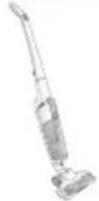 | Commercial reference | Voltage | Reference 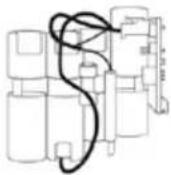 |
| RH654x / MS654x / TY654x / CA654x | 14,4V Li-Ion RS-RH5864 | ||
| MS657x 21,6V Li-ion | S-9100028994 | ||
| Charger | |||
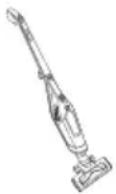 | Commercial reference | Country | 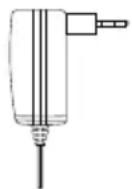 Charger reference Charger reference |
| RH6751WO Europe YLJXA-E260055 | |||
| TY6751WO Russia YLJXA-E260055 | |||
| TY67XX South Korea YLJXA-K240050 | |||
| Battery | ||||
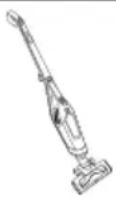 | Commercial reference | Voltage | 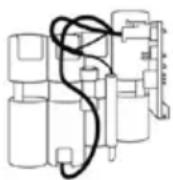 | Battery reference |
| RH6751WO/TY6751WO/TY67XX 21.6V ZL-8260S06 | ||||
| CHARGERS | ||
Commercial reference  | Country | Reference 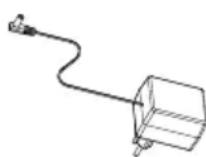 |
| AC2xxx / MX2xxx / TX2xxx AC44xx / MX44xx / TX44xx | Europe RS-AC3449 | |
| Korea RS-AC3615 | ||
| AC46xx / MX46xx / TX46xx AC47xx / MX47xx / TX 47xx | Europe RS-AC3479 | |
| AC91xx / MX91xx / TX91xx | Europe RS-AC3595 | |
| UK / Hong Kong / UAE / Singapore RS-AC3596 | ||
| Korea RS-AC3614 | ||
| AC92xx / MX92xx / TX92xx | Europe RS-AC3521 | |
| UK / Hong Kong / UAE / Singapore RS-AC3610 | ||
| US / Canada RS-AC3609 | ||
| BATTERIES | ||
Commercial reference | Voltage | 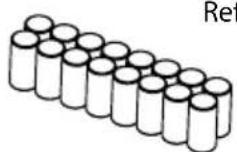 |
| AC22xx / MX22xx / TX22xx 2.4V | Ni-Mh RS-AC3427 | |
| AC23xx / MX23xx / TX23xx 3.6V | Ni-Mh RS-AC3244 | |
| AC44xx / MX44xx / TX44xx 4.8V | Ni-Mh RS-AC3429 | |
| AC46xx / MX46xx / TX46xx 6V Ni-Mh RS-AC3568 | ||
| AC47xx / MX47xx / TX47xx 7.2V | Ni-Mh RS-AC3477 | |
| AC912x / TX912x 7.2V Ni-Mh RS-AC3583 | ||
| AC913x / TX913x 12V Ni-Mh RS-AC3598 | ||
| AC922x / TX922x 7.2V Li-Ion RS-AC3498 | ||
| AC923x / TX923x 10.8V Li-Ion RS-AC3499 | ||
| AC925x / TX925x | 18V Li-Ion | RS-AC3501 |
| AC925xU1 / TX925xU1 RS-AC3604 | ||
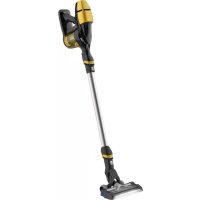
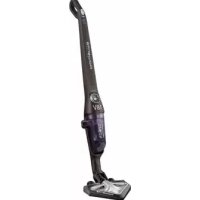

Brand : ROWENTA
Model : RH9474
Category : Stick vacuum