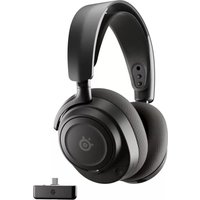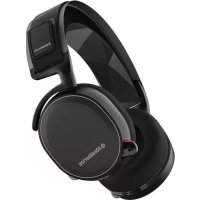
Arctis 7 2019 - Headphones STEELSERIES - Free user manual and instructions
Find the device manual for free Arctis 7 2019 STEELSERIES in PDF.



User questions about Arctis 7 2019 STEELSERIES
0 question about this device. Answer the ones you know or ask your own.
Ask a new question about this device
Download the instructions for your Headphones in PDF format for free! Find your manual Arctis 7 2019 - STEELSERIES and take your electronic device back in hand. On this page are published all the documents necessary for the use of your device. Arctis 7 2019 by STEELSERIES.
USER MANUAL Arctis 7 2019 STEELSERIES
PRODUCT INFORMATION GUIDE
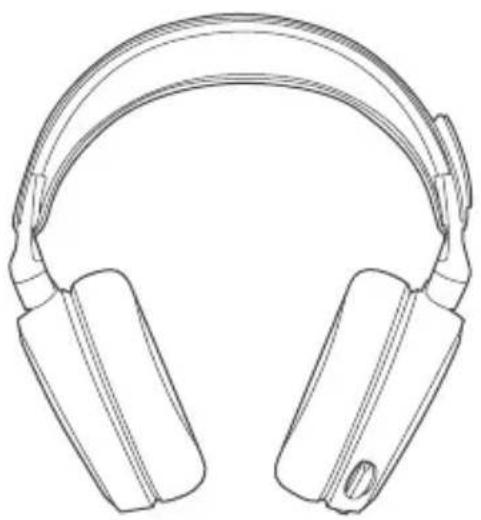
STEELSERIES ENGINE
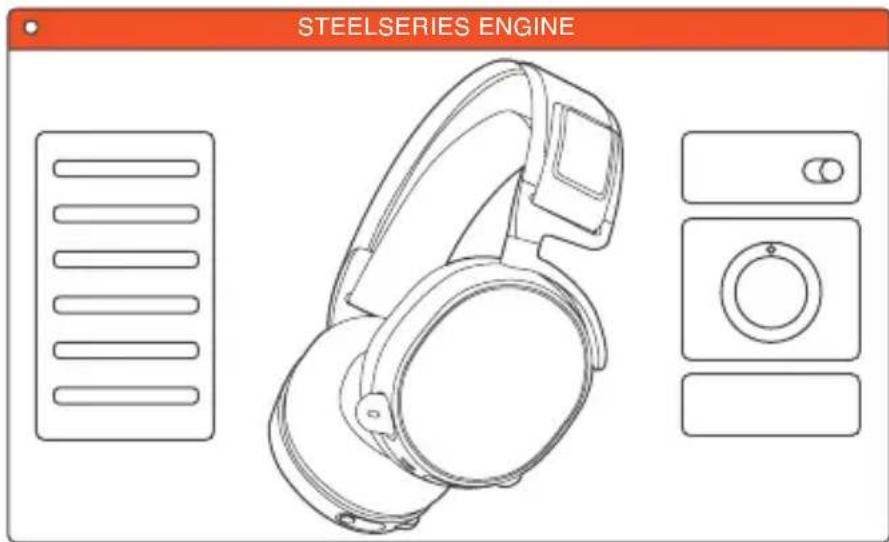
To enjoy DTS Headphone:X 7.1, and custom audio effects on your new Arctis 7 headset, download SteelSeries Engine at steelseries.com/engine
WELCOME TO ARCTIS.
Your new headset is the result of more than 15 years of gaming expertise and our unyielding pursuit of perfection. We poured our hearts into making your new Arctis, giving it the best gaming mic available, 7.1 surround sound and comfort and style unlike anything you've experienced before.

a.
PACKAGE CONTENTS
Product Information Guide
Arctis Card
Headset
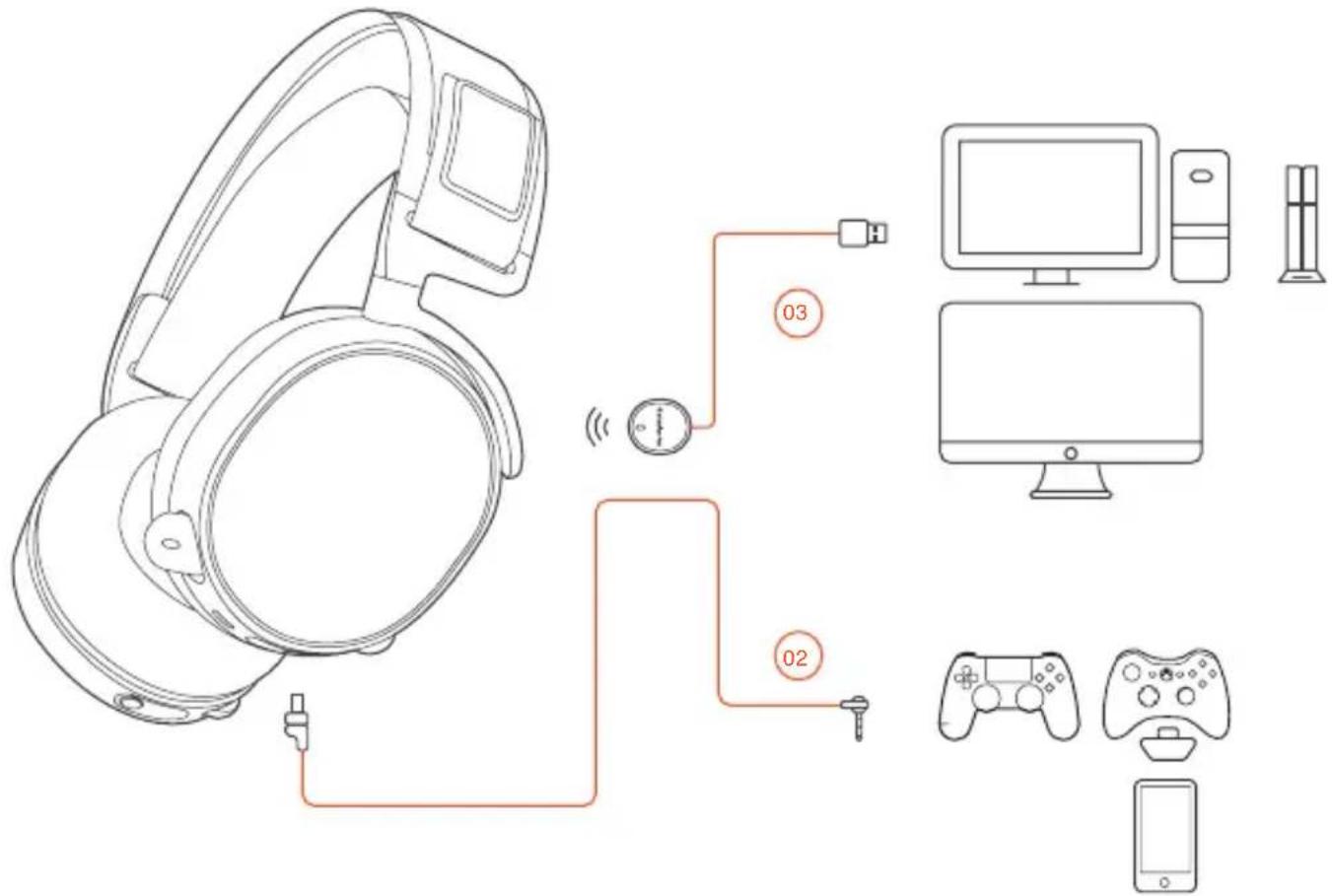
Wireless Transmitter
Mobile / Console Cable
Micro-USB Charging Cable
SOFTWARE REQUIREMENTS
Platforms:
Windows 7 - Windows 10
120 MB of free hard drive space
for installation
SYSTEMCOMPATIBILITY
PC/MAC/MOBILE/
PS4/XBOX ONE/VR
DTS Headphone: X 7.1 is available
for Windows 7-10 only. Software
installation required
CONTENTS
SteelSeries Engine 1
Welcome 2
a. Info and Table of Contents 3-4
b. Product Overview 5-6
Setup 7
c. Charging 8
d. Power on/off 9
e. Pairing 10
f. Line in / Line out 11
g. Microphone 12
h. Ski Goggle Headband 13
i. System Setting: Windows 14
j. System Setting: Mac 15
Translations
Espanol 16
简体中文 18
繁體中文 21
日本語 24
27
Deutsch 29
Pycckn 32
Francais 35
Italiano 38
Portugués 41
Regulatory
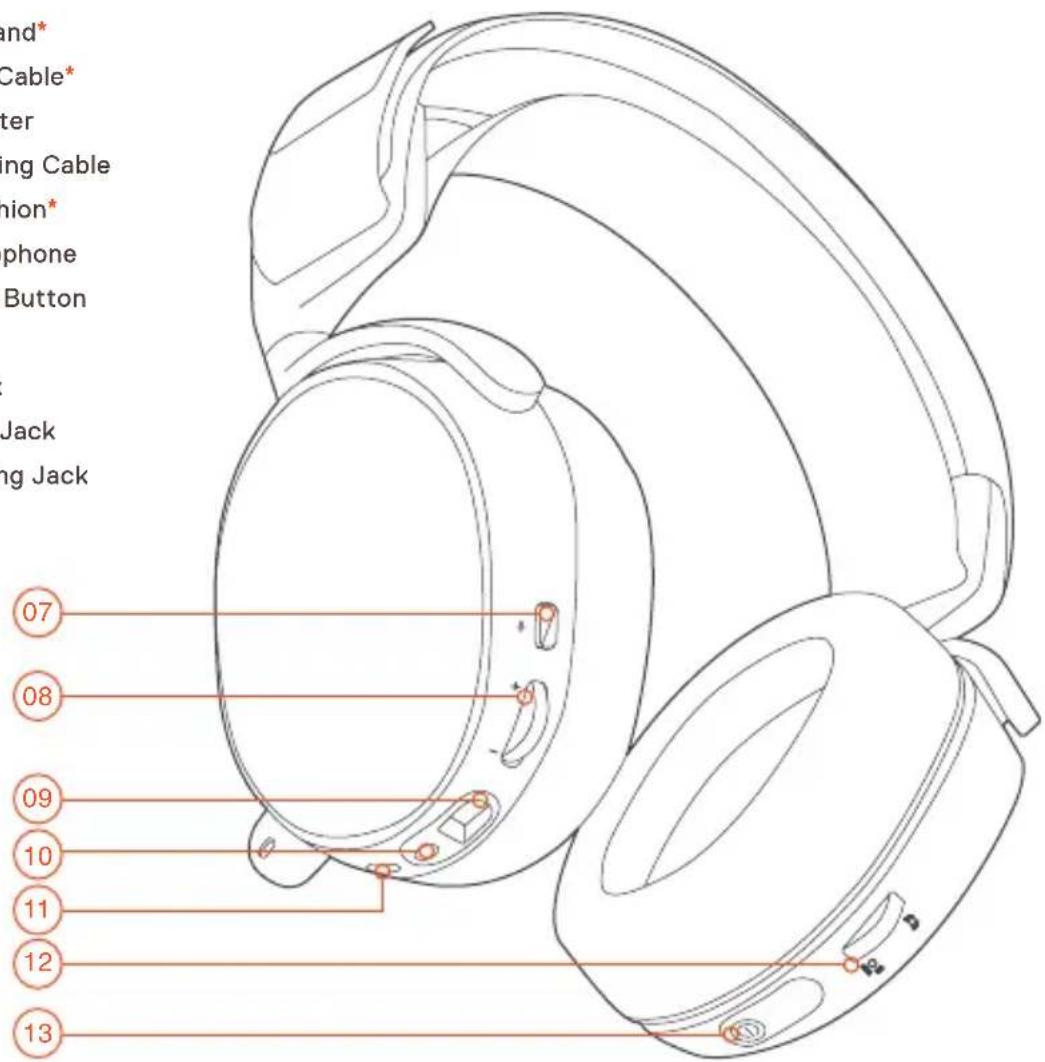
b. PRODUCT OVERVIEW
*selected accessories available at steelseries.com
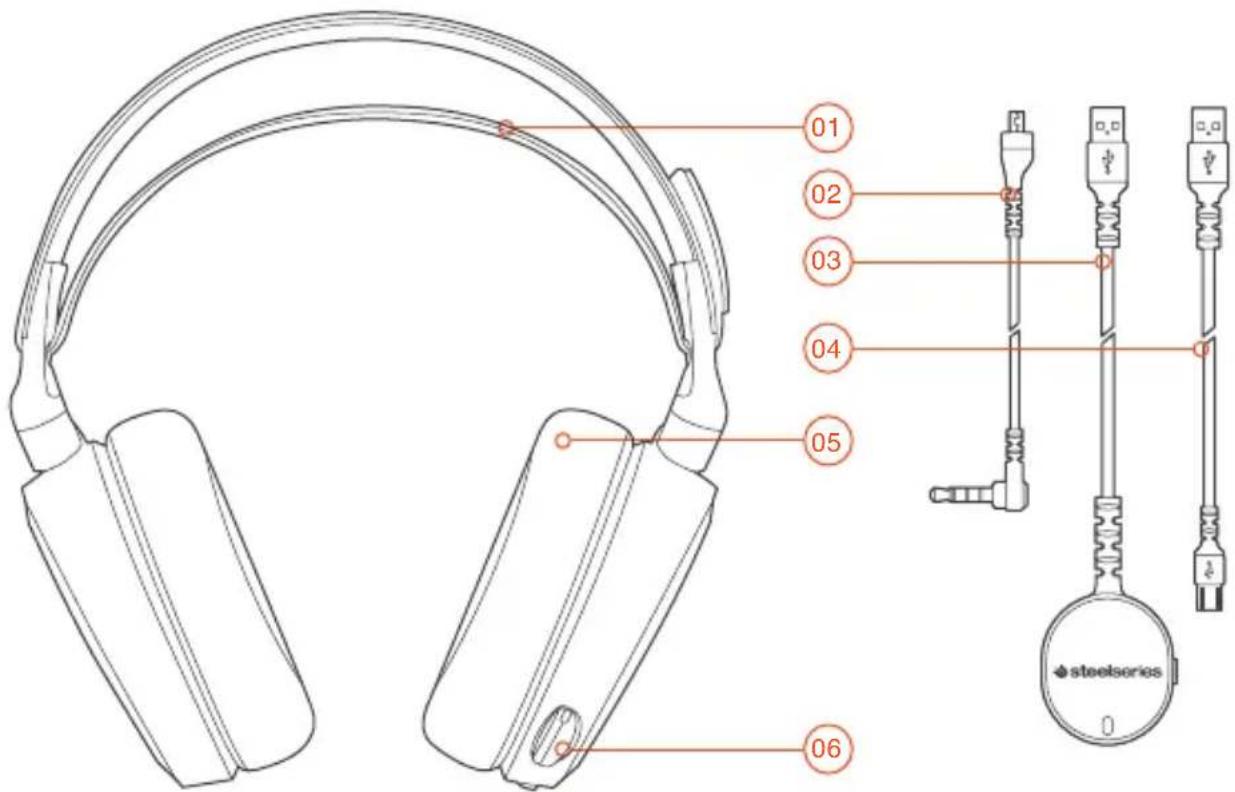
01 Ski Goggle Headband
02 Mobile / Console Cable
03 Wireless Transmitter
04 Micro-USB Charging Cable
05 Airweave Ear Cushion*
06 Retractable Microphone
07 Microphone Mute Button
08 Volume Control
09 Mobile Cable Jack
10 Headphone Share Jack
11 Micro-USB Charging Jack
12 ChatMix Dial
13 Power Button
C. CHARGING
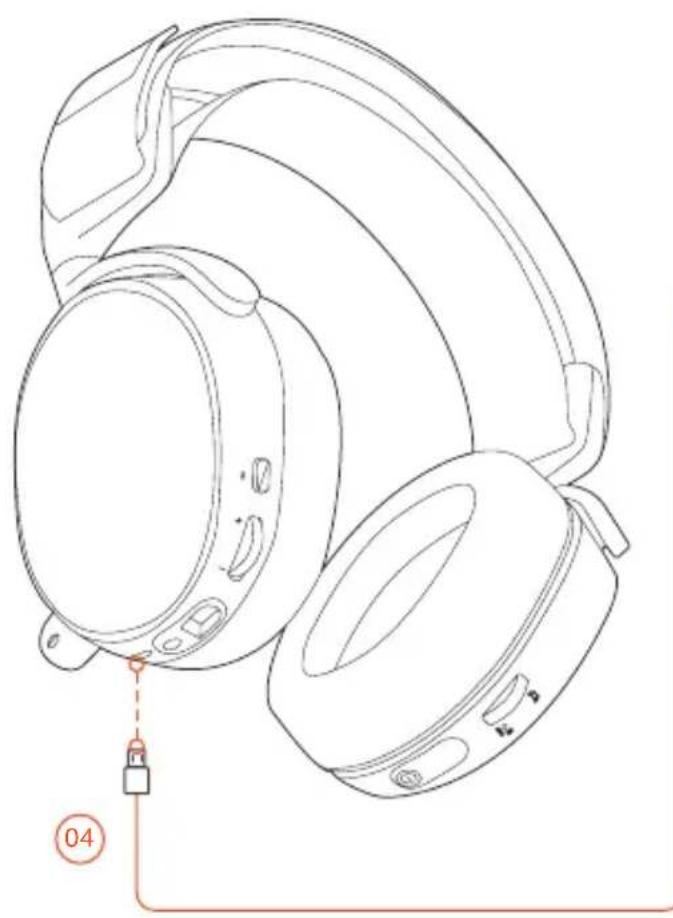
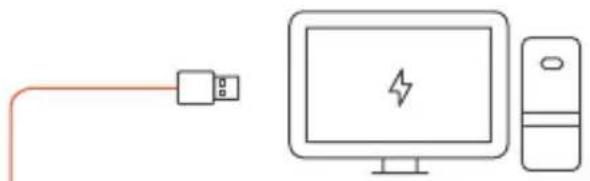
To charge the headset connect the micro-USB cable to the charging port on the headset, and plug the other end into any USB power source.

The color of the power button indicates the battery level.
Green = 100 - 50%
Yellow = 49-20%
Red = 19-10%
Red (fast blink) = 9-1%
d. POWER ON / OFF
find help at support.steelseries.com
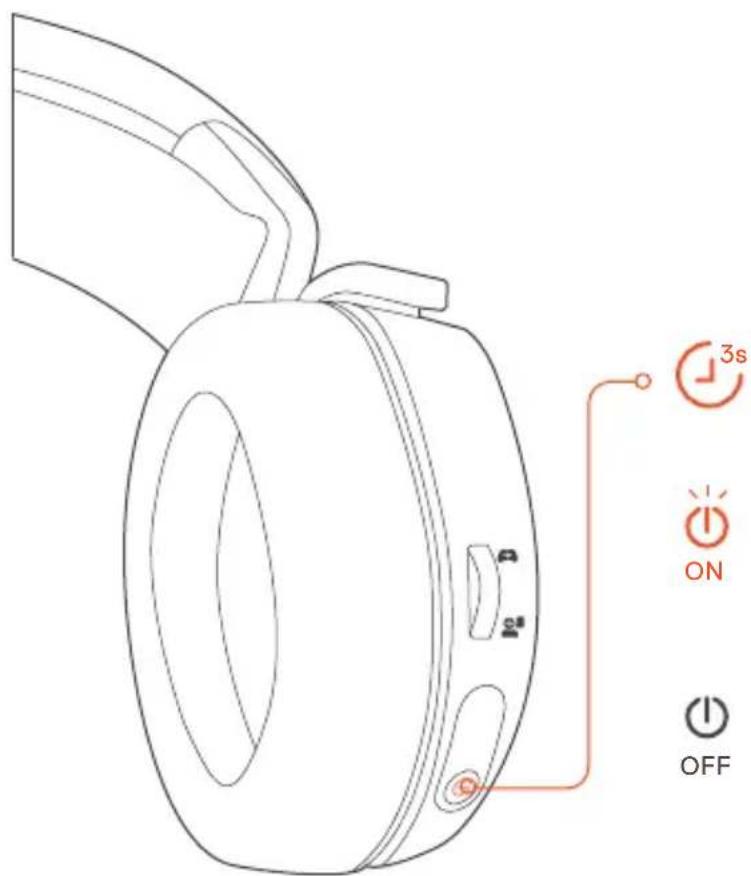
To power on the headset press and hold the power button for at least 3 seconds. You will hear a tone, and the power button will illuminate.
To power off the headset press and hold the power button for at least 3 seconds

PAIRING

The headset is already paired to the transmitter when it arrives.
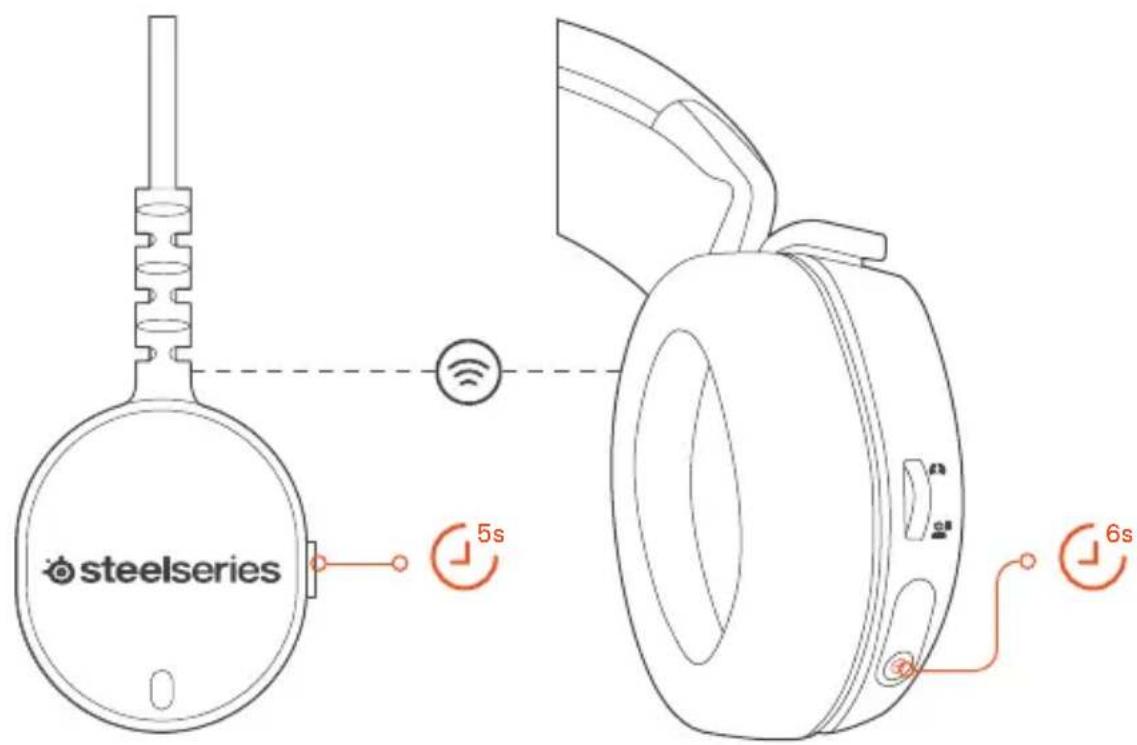
e-1 e-2
Press and hold the transmitter pairing button for 5 seconds until the LED begins blinking rapidly
With the headset off, press and hold the power button for 6 seconds.

LINE IN / LINE OUT
find help at support.steelseries.com
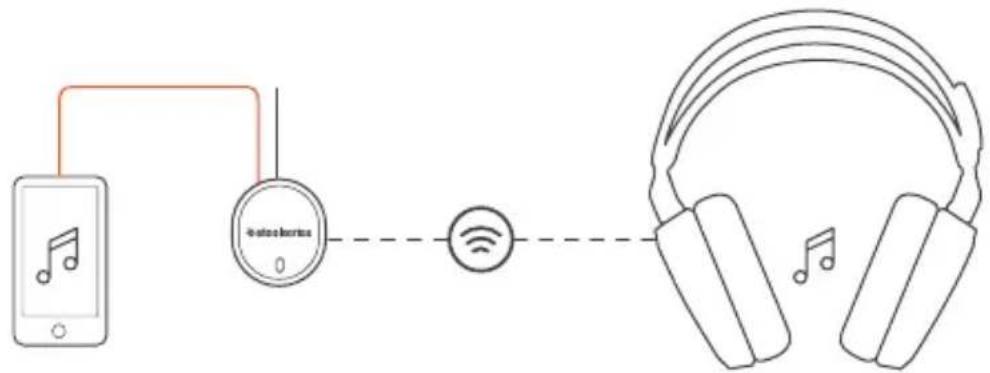
LINE IN
LINE OUT
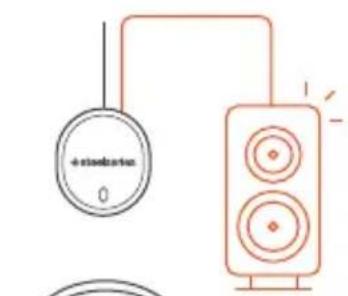
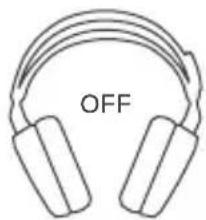
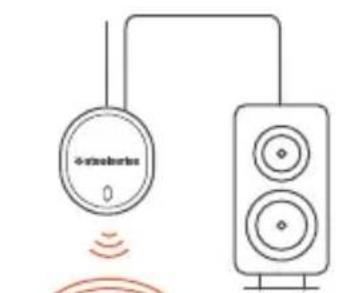
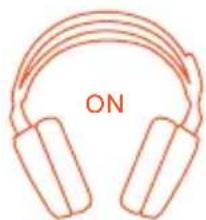
When headset is off, audio can be sent to speakers via Line Out. When headset is powered on Line Out is automatically muted.
9. MICROPHONE
Retractable microphone
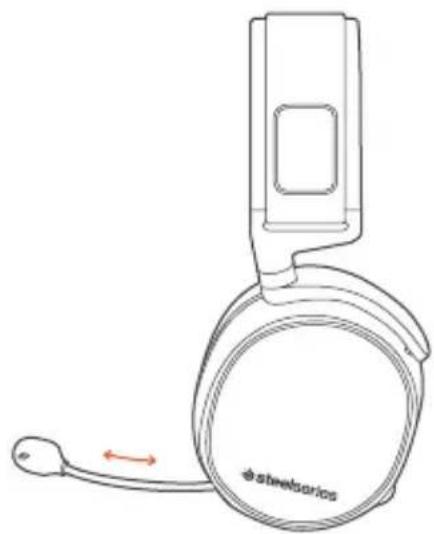
Positioning
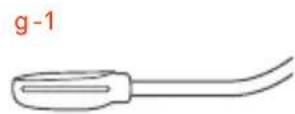
top view
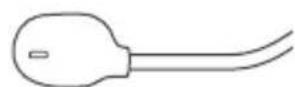
front view
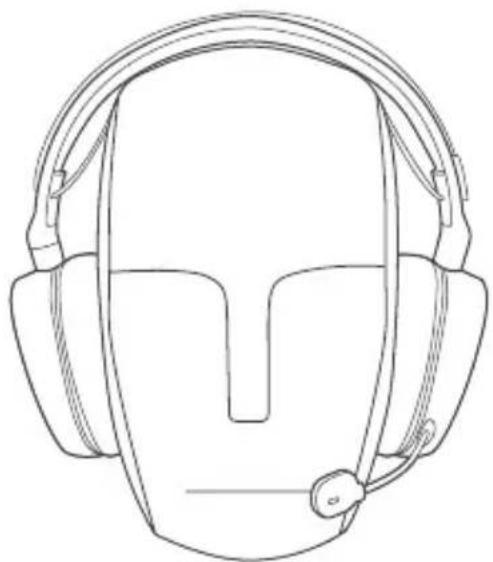
Position the microphone close to the corner of your mouth with the flat surface facing you
accessory headbands available at steelseries.com
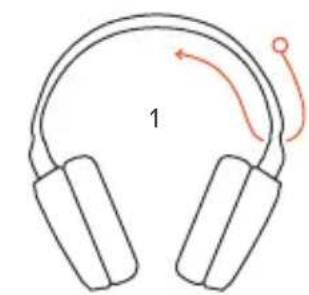
Install
Direction of headband installation.
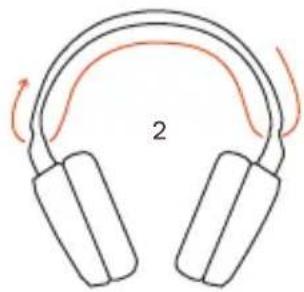
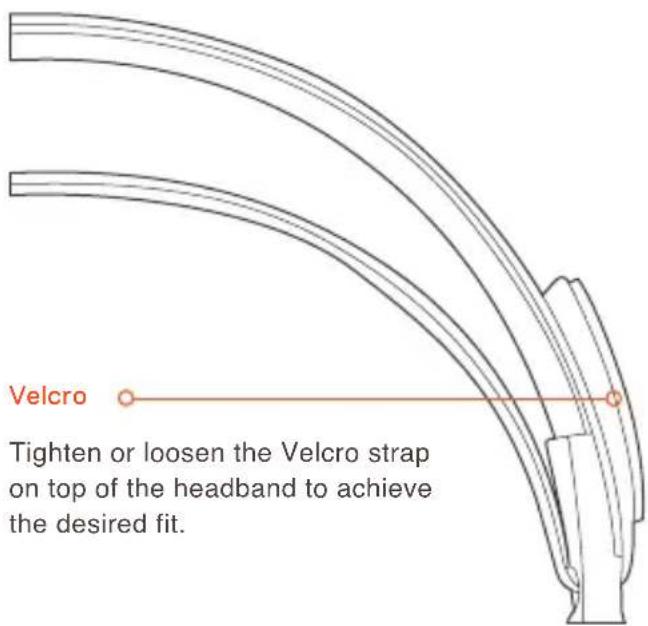
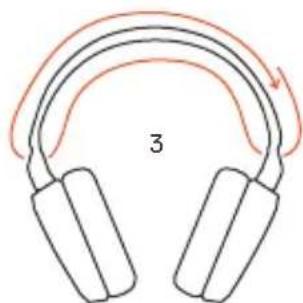

SYSTEM SETTING:WINDOWS
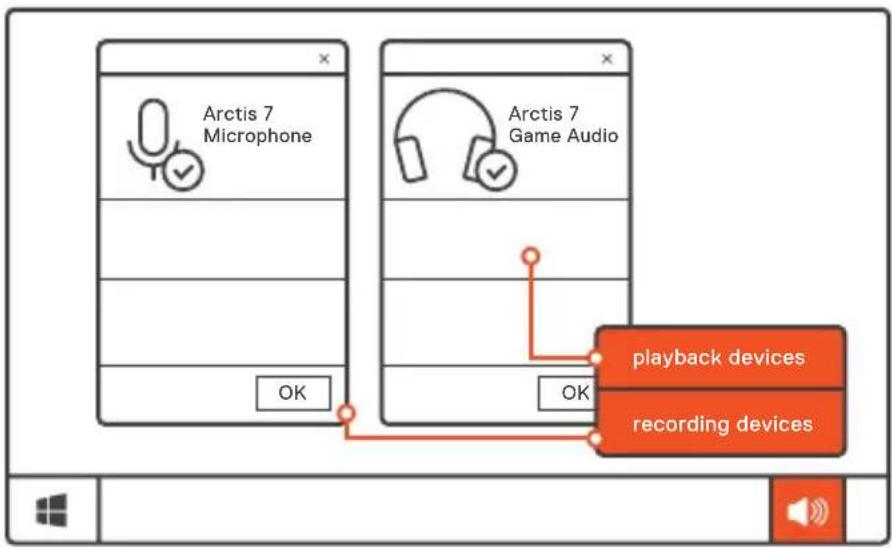
01 Go to Sound Settings
02 Under 'Playback' highlight Arctis 7 Game Audio and select 'Set Default'
03 Under 'Recording' highlight Arctis 7 Microphone and select Set Default
04 In your VoIP (chat) application select Arctis 7 Chat Audio as the default audio device

SYSTEM SETTING: MAC
find help at support.steelseries.com
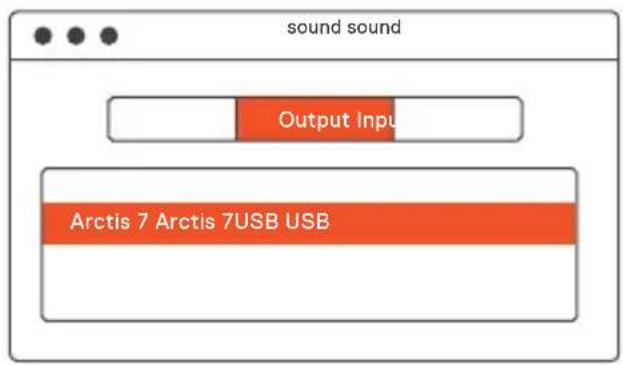
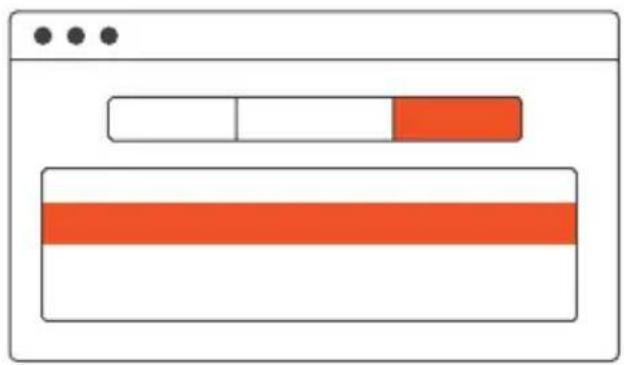
01 Go to System Preferences > Sound
02 Under 'Output' select Arctis 7 Game Audio
03 Under 'Input' select Arctis 7 Microphone
04 In your VoIP (chat) application select Arctis 7 Chat Audio as the default audio device
ESPÁNOL
a. Contenso Del Paquete
steelseries.com/engine
support.steelseries.com
简体中文
a. 包装内含
产品信息指南 无线发射器
Arctis卡 手机/手柄控制线
耳机 Micro-USB充电线
适用平台
Windows 7 - Windows 10
Mac OS X 10.8 - 10.11
安装需要120MB磁盘空间
系统兼容性
PC/MAC/手机/
PS4/XBOX ONE/VR
SteelSeries7.1环绕音效只兼容
Windows7-10。需要安装软件。
访问 steelseries.com/engine 下载
b. 产品概览
SteelSeries7.1sulwnt
DTS Headphone: X 7.1 Windows
7-10.7-10
责任编辑
steelseries.com/engine
對此,馬達羅德遙說,沒有什麼關係。
b. 译音
01 小川圭がド連広
02 麻巴日 / 凤鸯蝶儿啼
03 服务器安全
04 Micro-USB 馆庭 KeiI
05 Airweave 1epe
06 请在上面的方格内填上数字。
07 马氏克隆多夫贝特
08 覆蓋式
09.罗马日制
10 哉德邦官网
11 Micro-USB 首页
12 ChatMix daIeIe
-
1
-
此链接的私域链接不是 steelseries.
com从邵于
c.
HeD3eHtJmicro-USB
伊部落用赫德里的克格托莫里安
dān,反大,都为。USB
前日 贝德的生格将被美国
壹叁臻日言
主回原 值 = 100 - 50%
南蘭銘 = 49-20%
曾 曾 曾 曾 = 19 - 10 %
(跃列加)
d. 朝원 썉기 /고기
support.steelseries.com
FRANÇAIS
Europe - EU Declaration of Conformity
Products with CE marking complies with the R&TTE Directive (99/5/EC) and R.E.D (2014/53/EU), the EMC Directive (2004/108/EC; 2014/30/EU), and the Low Voltage Directive(2006/95/EC; 2014/35/EU) issued by the Commission of the European Community.
EN60950-1
Safety of Information Technology Equipment
EN62311
Assessment of electronic and electrical equipment related to human exposure restrictions for electromagnetic fields (0 Hz-300 GHz)
EN 300 328 (For 802.11b/g/n)
Electromagnetic compatibility and Radio spectrum Matters (ERM); Wideband Transmission systems; Data transmission equipment operating in the 2,4 GHz ISM band and using spread spectrum
modulation techniques; Harmonized EN covering essential requirements under article 3.2 of the R&TTE Directive
EN301489-17
Electromagnetic compatibility and Radio spectrum Matters (ERM); ElectroMagnetic Compatibility (EMC) standard for radio equipment and services; Part 17: Specific conditions for 2,4 GHz wideband transmission systems and 5 GHz high performance WLAN equipment
EN301489-1
Electromagnetic compatibility and Radio Spectrum Matters (ERM); ElectroMagnetic Compatibility
(EMC) standard for radio equipment and services; Part 1: Common technical requirements
The product is EEE product and contained in the Li-Ion Battery Cell. This product must not be disposed of with your other household waste or treat them in compliance with the local regulations or contact your local city office, your household waste disposal service or the shop where you purchased the product.
Federal Communication Commission Interference Statement
This device complies with Part 15 of the FCC Rules. Operation is subject to the following two conditions: (1) This device may not cause harmful interference, and (2) this device must accept any interference received, including interference that may cause undesired operation.
This equipment has been tested and found to comply with the limits for a Class B digital device, pursuant to Part 15 of the FCC Rules. These limits are designed to provide reasonable protection against harmful interference in a residential installation. This equipment generates, uses and can radiate radio frequency energy and, if not installed and used in accordance with the instructions, may cause harmful interference to radio communications. However, there is no guarantee that interference will not occur in a particular installation. If this equipment does cause harmful interference to radio or television reception, which can be determined by turning the equipment off and on, the user is encouraged to try to correct the interference by one of the following measures:
Reorient or relocate the receiving antenna.
- Increase the separation between the equipment and receiver.
Connect the equipment into an outlet on a circuit different from that to which the receiver is connected.
- Consult the dealer or an experienced radio/TV technician for help.
FCC Caution: Any changes or modifications not expressly approved by the party responsible for compliance could void the user's authority to operate this equipment.
This transmitter must not be co-located or operating in conjunction with any other antenna or transmitter.
Operations in the 5GHz products are restricted to indoor usage only.
Industry Canada Statement:
This device complies with RSS-247 of the Industry Canada Rules. Operation is subject to the following two conditions: (1) This device may not cause harmful interference, and (2) this device must accept any interference received, including interference that may cause undesired operation.
This Class B digital apparatus complies with Canadian ICES-003.
Taiwan: For better environmental protection, waste batteries should be collected separately for recycling or special disposal.
This product is compliant with requirements of Circular No. 30/2011/TT-BCT Regulations "STIPULATING TEMPORARILY THE PERMISSIBLE CONTENT LIMITATION OF SOME TOXIC CHEMICALS IN THE ELECTRONIC, ELECTRICAL PRODUCTS"
Restriction on Hazardous Substances statement (India) This product complies with the "India E-waste Rule 2011" and prohibits use of lead, mercury, hexavalent, chromium, polybrominated biphenyls or polybrominated diphenyl ethers in concentrations exceeding 0.1 weight % and 0.01 weight % for cadmium, except for the exemptions set in Schedule 2 of the Rule.
《废弃电器电子产品回收处理管理条例》
| Coarse Classification, | Chemical Substance Table | |||||
| Pb Hg Cd Cr6+ PBBs PBDEs | ||||||
| Plastic | ○ | ○ | ○ | ○ | ○ | ○ |
| PCBA Exempted | ○ | ○ | ○ | ○ | ○ | |
| Cable | Exempted | ○ | ○ | ○ | ○ | ○ |
| *PCBA consisted of bare printed circuit board, soldering and its surface-mounted elements, such as resistors, capacitors, arrays, connectors, chips, etc. NOTE1: The “○” indicates taht the percentage content of the substance to be calculated is not exceeding the reference percentage content. NOTE2: The “Exempted” item means that the specified chemical substance corresponds to the items exempted by the standard of JIS C 0950. | ||||||
Environmental conditions for transport and storage:
Temperature: -20 °C to +60 °C
Humidity: 0% to 90% RH
Altitude: 0 - 3000m
I OndTBePckDHeHne COOTBETCTBnA
MHHKOMCBA3NPOCCN;
DeknapauncooBteCTbnaN D-PDL-xxxxOTDD.MM.YYYYrOda, deIcTBnTeNbHa doDD.MM.YYYYrOda,
3apernctpnpobabaBΦepaIbHOM aReHTCTBe CBA3N DD.MM.YYYY roda
Custom Union Compliance. (Russia / Belarus / Kazakhstan)
FCC Compliance. (USA)
Direct Current
To prevent possible hearing damage, do not listen at high volume levels for long periods.

BSMI Compliance. (Taiwan)

ACMA Compliance (Australia/ New-Zealand)

EMC Directives 2014/30/EU and Low Voltage Directives 2014/35/EU Compliance. (European Commission)

| Regions | Cocontact Information | |
| Asia | 23511 新北市中和區建一路150號16樓 | +886 2 8226 3858 |
| USA | 656 W Randolph St, Suite 3E Chicago, IL 60661, USA | +1 312 258 9467 |
| Europe | Dirch Passers Allé 27, 5.Sal 2000 Frederiksberg, Denmark | +45 702 500 75 |
| Parts | Substance Name | EC Number CAS Number | Contained (PPM) | |
| LED | Hexahydromethylphthalic | 247-094-1 2555 | 0-51-0 | 181125 |
| · Please do not open the product and touch LED directly. | ||||

learn more at steeleries.com