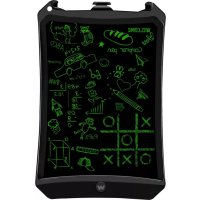
Smart pad 90 - Tablet WOXTER - Free user manual and instructions
Find the device manual for free Smart pad 90 WOXTER in PDF.


| Product Type | Electronic Writing Tablet |
| Brand | Woxter |
| Model | Smart pad 90 |
| Screen size | 9 inches |
| Writing color | Green |
| Pressure sensor | 10-200 g |
| Erase button | Yes, erases entire screen |
| Erase lock | Yes |
| Power supply | CR2016 battery (3V) |
| Housing material | ABS + PC |
| Screen lifespan | Over 100,000 uses |
| Magnet on back | Yes, for mounting |
| Dimensions | 224 x 145 x 6.7 mm |
| Weight | 105 g |
| Box contents | Tablet, stylus, manual |
| Maintenance | Soft dry cloth, no liquids |
| Storage temperature | 10°C to 40°C |
| Warranty | 2 years (according to conditions) |
| Recycling | Mandatory separate collection |
Frequently Asked Questions - Smart pad 90 WOXTER
User questions about Smart pad 90 WOXTER
0 question about this device. Answer the ones you know or ask your own.
Ask a new question about this device
Download the instructions for your Tablet in PDF format for free! Find your manual Smart pad 90 - WOXTER and take your electronic device back in hand. On this page are published all the documents necessary for the use of your device. Smart pad 90 by WOXTER.
USER MANUAL Smart pad 90 WOXTER
Thank you for purchasing the new Smartpad 90 electronic board from Woxter. We hope you enjoy it to the fullest, for this, we advise you to read this brief guide of use:
Technical specifications
Smart Pad 90 is a electronic board ideal to develop creativity, draw, teach, create presentations or put reminders.
- It incorporates an advanced pressure sensor (10-200g) and a screen with 9 "liquid crystal with green writing tone.
- Low consumption: the writing and visualization do not consume battery, it is only used at the moment of deleting the screen.
- It incorporates a button, that when pressed it deletes all the drawings of the screen.
- Built with quality materials: its housing is built with ABS + PC and the screen has a lifetime of more than 100,000 pulsations.
- It incorporates a CR2016 battery and a magnet on the back to place it wherever you want.
- Dimensions and weight: 224 * 145 * 6.7 ~mm / 105 G
Operation
Start writing / drawing in the area of the screen. The tonality of the writing/drawing will be shown in green.
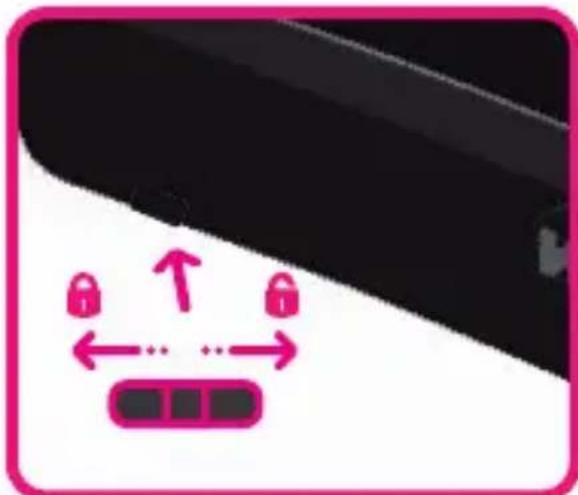
It incorporates a button at the bottom, which when pressed will erase all the graphics on the screen.
Battery (CR2016) Drawing area 9"
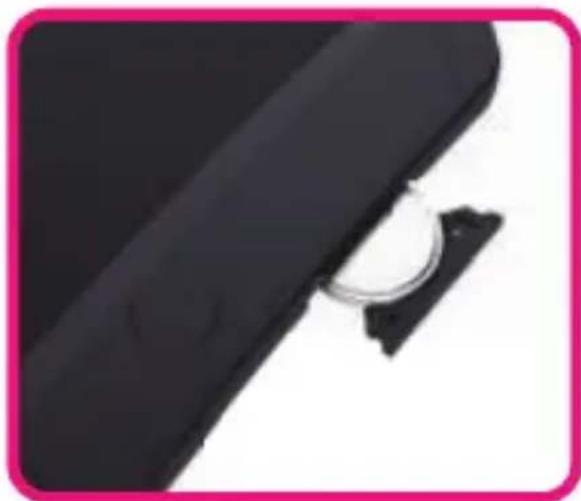
Button to erase the screen
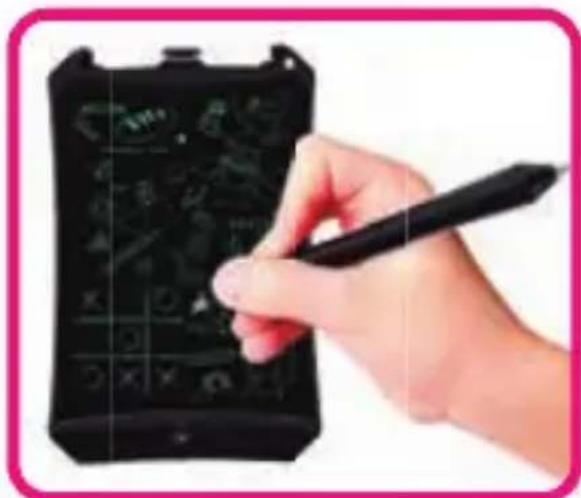
Erase button lock
English

woxter.es
Maintenance
Clean the surface of the screen with a soft cloth. Please do not use any liquid or detergent that could damage the surface.
Store and use your device in a dry and warm environment, ideally, keep it at a temperature of 10^ C to 40^ C.
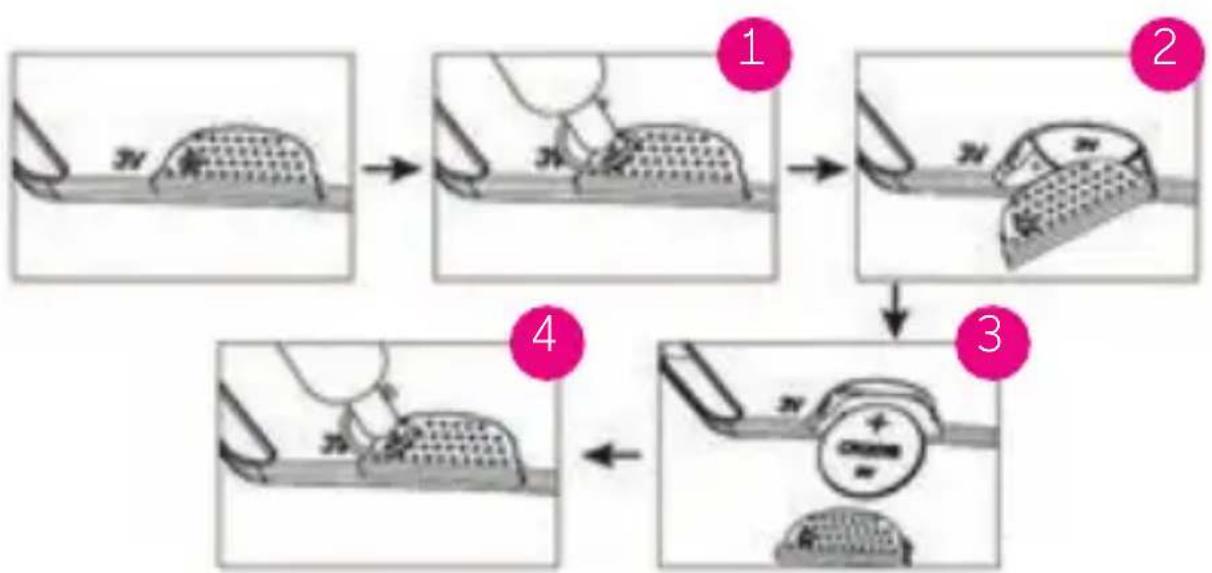
Battery change
- Remove the screw.
- Remove the battery compartment.
- Replace the battery. (Requires: CR2016 [3V])
- Insert the battery compartment and after insert the screw.
WARNING
To improve your writing experience and avoid scratching the screen, please only use the pencil (included) on the board.
- Please don't press too hard or write with objects that could damage the screen.
- This product cannot transfer data or images to or from any other devices.
- Do not get product wet or submerged in water.
- Avoid continuous exposure to sunlight.




PACKAGING
The package contains:
- Electronic board, Woxter Smartpad 90.
- Writing pencil.
- Manual.
RECYCLING
Electrical or electronic products, batteries, accumulators and other accessories must necessarily be collected separately. When you have finished the useful life of your electrical or electronic device remove the batteries and deposit it, separately, in the correct container for proper management. Keep in mind that batteries can not be deposited indiscriminately together with household waste. Consider recycling according to the manufacturer's guidelines. With this gesture, it will help reduce the risks to your health and preserve the environment. If you have any questions, check with your municipality or distributor to request the essential details regarding recycling of your old device. No. REI-RPA 1201-RD.106 / 2008.
TERMS OF THE WARRANTY
If you have any problems with this product, we recommend you read this manual first or go to our website woxter.es where you can access "Frequently asked questions of the product", "Troubleshooting", "Updates / Drivers", "Manuals", etc. If still the problem persists, and before any procedure that you deem necessary, contact the
distributor where you purchased the product, always presenting the original purchase invoice.
- Two years warranty for our products, as long as all the steps indicated in the processing procedure for the WOXTER SAT are available correctly at woxter.es
- The guarantee will be considered void in the event of breakage or tampering with the guarantee seals, if the material is physically damaged (mistreatment, knocks, falls), without proper packaging and / or transport damage, in case of obvious samples of a improper handling, misuse, dirt, etc.
- This warranty does not cover damage caused to other equipment that has been used with the unit.
- Terms subject to change without prior notice.
IF YOU NEED MORE DETAILED INFORMATION ABOUT OUR GUARANTEE CONDITIONS BETWEEN:
www.woxter.es
To improve your writing experience and avoid scratching the screen, please only use the pencil on the board.
- Please do not press too hard or write with objects that may damage the screen.
- This product can not transfer the information or images to other devices.
- Do not wet or immerse the product in liquids.
- Avoid continuous exposure to the sun.
- Includes small parts, not suitable for children under 3 years.




EMBALLAGE
CONDITIONS DE LA GARANTIE
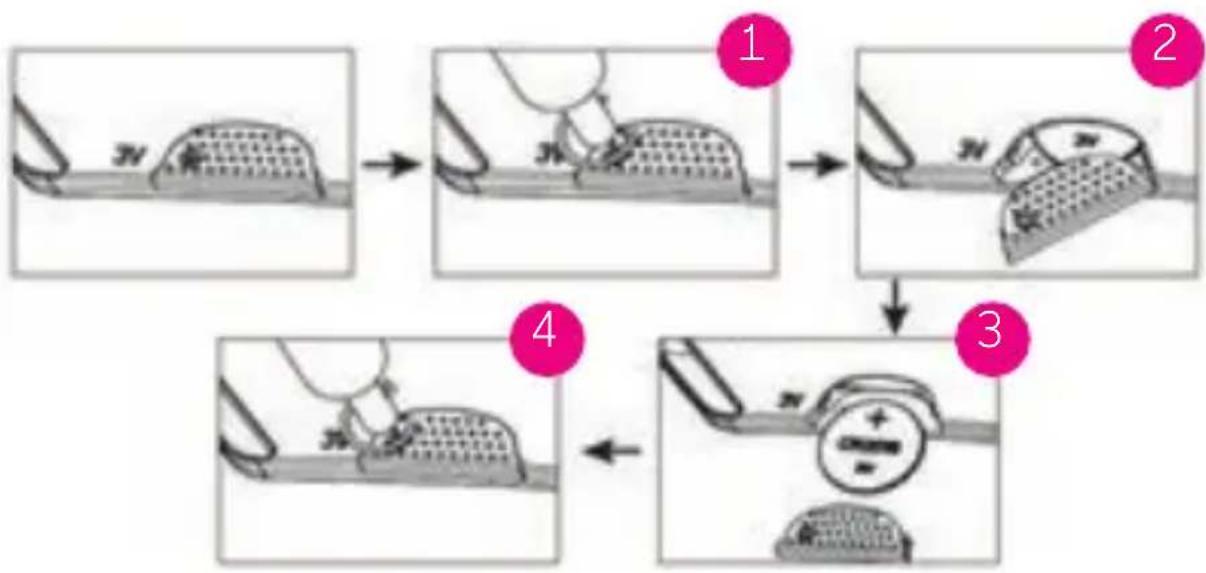
- Remove the screw.
- Remove the battery compartment.
- Replace the battery. (Requires: CR2016 [3V])
- Insert the battery compartment and insert the screw.
AVVERTIMENTO
RACCOLTA DIFFERENZIATA
CEO - QUATROTEC ELECTRONICA, S.L.