SBCRU660-00U - Remote control PHILIPS - Free user manual and instructions
Find the device manual for free SBCRU660-00U PHILIPS in PDF.


User questions about SBCRU660-00U PHILIPS
0 question about this device. Answer the ones you know or ask your own.
Ask a new question about this device
Download the instructions for your Remote control in PDF format for free! Find your manual SBCRU660-00U - PHILIPS and take your electronic device back in hand. On this page are published all the documents necessary for the use of your device. SBCRU660-00U by PHILIPS.
USER MANUAL SBCRU660-00U PHILIPS
text_image
SBC RU660/00 6in1 Your Remote Control Ihre Fernbedienung Votre télécommande Su mando a distancia Il tuo telecomando Jouw afstandbediening AUDIO 1 AUDIO 2 1 2 3 4 5 6 7 8 9 0 MUTE PROG PREVIOUS P/P VOL VOL PROG MENU OK RECORD PLAY AV FORWARD REWIND STOP PAUSE PHILIPS Let's make things better. PHILIPSYou just made a great choice by buying this Philips universal remote control! It takes the place of as many as six separate remote controls and can operate the most-used functions of almost any brand of TV, VCR, satellite tuner/cable decoder and AUDIO equipment.
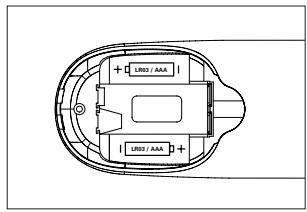
Installing the batteries
Your SBC RU 660 needs two 1.5V batteries, type R03, UM4 or AAA.
Put them in like this:
text_image
LR03 / AAA LR02 / AAATIP
- Remember to replace the batteries at least once a year.
- Don't leave the batteries out for longer than one hour, otherwise you will need to set-up the SBC RU660 again.
- While the remote control is actively being moved about, the back-lighting stays on. This consumes more power than normal and may require you to change your batteries more frequently. You can easily turn the back-lighting function off to conserve power. To do this please follow the instructions in the backlighting section.
KEYS & FUNCTIONS

Power: to switch TV/VCR/SAT/CD/AUDIO1/AUDIO2 on and off.
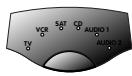
Mode Selector: to select TV, VCR, Satellite mode, CD, AUDIO1 or AUDIO2.

Mute: to switch the TV sound on and off.

Channel Up/Down: to select next / previous channel.

Volume Up/Down: to control the TV volume.

Number Keys: for direct channel selection and other functions.

To switch between one and two-digit channel selection and display.

To switch to the last selected channel.

SHIFT: to get access to additional functions (press together with other function keys). Depending on the age of your equipment, the result is for example:
SHIFT + PROG+: increases brightness or menu up function
SHIFT + PROG-: decreases brightness or menu down function
SHIFT + VOL+: increases colour or menu right function
SHIFT + VOL-: decreases colour or menu left function
Try other shift/key combinations on your equipment to discover which functions are available.
Remember that you can't get access to additional functions if these functions were not available on the original remote control of your equipment!

To operate menu control.

To confirm your selection.

SLEEP: to activate and vary the sleep timer (if available on your equipment).

To switch on teletext.

To stop changing teletext pages.

To enlarge the teletext display on screen.

To put subtitling on your screen (if available on your equipment), or to switch teletext off.
If you use the memory out key (⇐) to access the next teletext page on your Philips TV, you can use the subtitle key to access. For more details see Memory Out section under Troubleshooting.

Fasttext VCR Red Rewind

Record

Green Stop

Play

Blue Forward

Yellow Pause

To switch between the external inputs of your equipment.
SET-UP FOR USE
A D V I C E
Carefully read the complete procedure before starting!
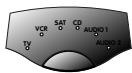

Your equipment is a Philips brand:
1 Press the mode selector key for the device you want to operate.
2 Press the power key to test.
- The green indicator LED under each device (TV, VCR, SAT, CD, AUDIO1, AUDIO2) lights up to confirm the mode you're in.
CHECK
Press a few keys to check correct response.
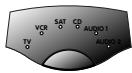
Your equipment is of another brand, or your equipment is a Philips brand, but not all keys respond correctly:
1 Press the mode selector key to select the device (TV, VCR, SAT, CD, AUDIO1, AUDIO2) you want to operate.
2 Look up the brand name of the device you want to operate in the code list (centre of this manual). Make sure you choose the correct code list for your device!
3 Make sure the device is switched on.
4 Press and hold keys 1 and 3 simultaneously - for about three seconds- until the green LED lights up. (Release the keys: the green LED should stay on)
5 Enter your 3-digit code using the number keys, within 30 seconds.
- The green LED flashes twice.
CHECK
That's it! Press a few keys to check correct response. If response is not correct, repeat procedure beginning at step 1.
N O T E
- If the LED displays one long flash, the code was not recognised. Please go back to step 1 and repeat the procedure, using the next 3-digit code in the list.
- If no key is pressed within 30 seconds, you have to start again at step 1.
A D V I C E
Carefully read the complete procedure before starting!
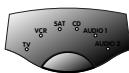
You do not know the brand of your equipment/you can not find the right code in the code list » auto search:
1 Press the mode selector key to select the device (TV, VCR, SAT, CD, AUDIO1, AUDIO2) you want to operate.
2 Make sure the device is switched on (if the device is a VCR, please insert a tape and start playback).
3 Press and hold keys 1 and 3 simultaneously -for about three seconds- until the green LED lights up. (Release the keys: the green LED should stay on)


Instructions for use

4 Press the power key to start the search. Make sure that you keep the remote control pointed at your equipment.
– Each time the green LED flashes, another code is sent. When the right code is found, the equipment switches off. Immediately press the power key to stop the search. If the green LED flashed again after the equipment switched off, this means you missed the correct code! If you missed the code, follow the next procedure, starting at step 5. If the LED did not flash again after the equipment switched off, go to step 7.

5 Switch the equipment manually back on.
6 Press 'PROG-' (down only!) repeatedly to send previous codes until the equipment switches off again.

7 Press the power key to lock the correct code in the SBC RU660's memory.
- The green LED flashes twice.
CHECK
Switch equipment on manually. Press a few keys to check correct response. If response is not correct, repeat procedure beginning at step 1.
N O T E
- The search time averages about 90 seconds. (Maximum search time is 5 minutes for TV, 2 minutes for VCR, 4 minutes for SAT and 3 minutes for CD/AUDIO).
- Autosearch stops automatically after all codes have been tested.
MAKE A NOTE OF YOUR CODE!
A D V I C E
Carefully read the complete procedure before starting!
Note the code inside the battery case and in the codelist in the centre of this booklet. This may be useful if you ever need to set up the SBC RU660 again. You used the auto search procedure or you forgot to note the code after set up? No problem! You can still 'read out' the code from the remote:


1 Make sure you've selected the right mode with the mode selector key.
2 Press and release keys 1 and 6 simultaneously.
Important: after pressing the keys, you have to release them immediately!
- The green LED lights up.
3 Press the two digits key. - The green LED goes out.
4 Press key 1 and count the number of times the green LED flashes. This is the first digit of the 3-digit code. (No flashes means the digit is zero.)
5 Press key 2 and count the number of flashes for the second digit.
6 Press key 3 and count the number of flashes for the third digit.
7 Note the code.
ADVANCED TIPS AND TRICKS
A D V I C E
Carefully read the complete procedure before starting!
Changing the device keys
With the mode selector it is possible to select 6 categories of devices you want to operate. Each category (TV, VCR, SAT, CD, AUDIO1, AUDIO2) is meant to operate a specific group of equipment:
| TV | VCR | SAT | CD/AUDIO1/AUDIO2 |
| tv | vcr | sat | cd |
| dvd | cable | amplifier | |
| laserdisc | miscellaneous audio | ||
| tape | receiver | ||
| phono |
Once you have programmed the functions of a device in one of the categories, it is not possible to program another device in the same category. There is, however, a solution in case you want to program two devices in the same category (2 TV's, VCR's, etc.). The following example explains how.
EXAMPLE:
The SAT mode on this remote control is factory preset to control many Philips satellite receivers. You can change the SAT mode (or any mode) to operate another type of device. The following example shows you how to use the SAT mode to operate a second TV:
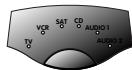


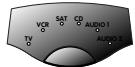

1 Press the mode selector key to select SAT and make sure the second TV is switched on.
2 Press and hold keys 1 and 6 simultaneously - for about 3 seconds - until the green LED lights up.
3 On the keypad, press keys 9, 9 and 2.
4 Press the mode selector key to select TV mode.
5 Press key 1.
- The LED flashes twice to indicate successful set up. That's it!
Don't forget to set up the SBC RU660 to operate this second TV. See the section Set-up for use.
Punch-Through Sound
Punch-through sound enables you to control the audio level of your first or second TV, regardless of what device mode the remote control is in.
EXAMPLE:
You have installed a second TV under SAT mode. You can control that TV's volume when you are in VCR mode. This feature is installed as a default setting for a first TV.
To install this feature for a second TV:
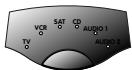

1 Press the mode selector key to select VCR.
2 Press and hold keys 1 and 6 simultaneously -for about 3 seconds - until the green LED lights up.
3 On the keypad, press keys 9, 9, and 3.
4 Press the mode selector key to select SAT (second TV).
5 Press the power key.
- That's it! The LED flashes twice to indicate successful set up.
The Volume up/down keys now control the volume of your second (SAT) TV when you're in VCR mode.
Functional back-lighting
When you pick up the SBC RU660 and tilt it over about 60 degrees, the main keys for the device you want to operate are automatically back-lit.
In VCR mode for example, only the main keys that are needed to operate the VCR are back-lit.
You can choose to have all of the keys back-lit, or you can switch off the functional back-lighting feature completely.

To back-light all of the keys:
- Press keys 1 and 9 simultaneously - for about 3 seconds - until the green LED flashes twice.
- The functional back-lighting is now de-activated and all keys light up when you pick up the remote control.
Pressing keys 1 and 9 simultaneously again - for about 3 seconds - will return the back-lighting to its preset functional setting.
N O T E
The back-lighting turns off if you don't move the remote control or if you don't press a key within 4 seconds.
TIP
The automatic back-lighting provides you with unparalleled ease of use, even in the most dimly-lit of rooms. While the remote control is actively being moved about the back-lighting stays on. This consumes more power than normal and may require you to change your batteries more frequently. You can easily turn the back-lighting function off to conserve power. To do this please follow the instructions below.

To remove the back-lighting completely:
- Press keys 7 and 9 simultaneously - for about 3 seconds - until the green LED flashes twice.
- The back-lighting is now de-activated.
Pressing keys 7 and 9 simultaneously again - for about 3 seconds -will return the back-lighting to its preset functional setting.
Programming macros
A macro is a short-cut to performing a series of functions, simply by pressing one key. You can program your own macros:

1 Press and hold the key 1 and the 6 at the same time - for about 3 seconds - until the green LED lights up.

2 Press keys 9, 9 and 1.
3 Press the key you want to program the macro under. You can now enter all the keys (up to 8) that you want the SBC RU660 to transmit. For detailed information see the subtitle example below.

4 Press the Shift key for 3 seconds to indicate the end of a string.
N O T E
-When you want to add keys for another device to the macro, do not forget to select that device with the Mode key first!
-The key you select to program the macro under loses its original function.
EXAMPLE:
Subtitle function on your TV.
If you have Teletext on your TV, it is possible to watch some TV programs with subtitles. This is an additional Teletext feature. If your TV is equipped with Teletext, you can program this subtitle function in your remote:

1 Select your favourite channel.

2 Turn on Teletext and check for the subtitling page.

3 Press and hold key 1 and 6 at the same time - for about 3 seconds - until the green LED lights up.

4 Press keys 9, 9 and 1.

5 Press the subtitle button (= the key under which you program the macro).

6 Press Teletext on.

7 Press the number of the subtitling page.

8 Press Shift for 3 seconds to indicate the end of a string. You have now programmed the subtitle feature. When you select your favourite channel and press the Subtitles key, the remote control turns on Teletext and switches to the subtitle page.
N O T E
Maximum number of macros that can be programmed is 3. Maximum number of keys in total may not exceed 15.

To remove a macro:
1 Press and hold key 1 and 6 at the same time - for about 3 seconds - until the green LED lights up.

2 Press keys 9, 9 and 1.
3 Press the key you programmed the macro under.

4 Press Shift for 3 seconds to indicate the end of a string. The macro is now removed and the key sends it's normal function again.
TROUBLESHOOTING GUIDE
- Problem:
- Solution:
- Device is not responding and the green light does not flash when you press a button.
- Replace batteries with two new 1.5 volt, type R03, UM4 or AAA batteries.
- Device is not responding, but the green light does flash when you press a button.
- Aim the SBC RU660 at the device and be sure that there are no obstructions between the SBC RU660 and the device.
- The SBC RU660 is not performing commands properly.
- You may be using the wrong code. Try repeating Set up using another code, listed under your brand, or start the Autosearch Set-up over again to locate the proper code.
If the device still doesn't respond, call the help-line and we'll put you back on track.
- The SBC RU660 drains batteries more frequently.
- While the remote control is actively being moved around the back-lighting stays on. This consumes more power than normal and may require you to change your batteries more frequently. You can easily turn the back-lighting function off to conserve power. To do this please follow the instructions in the backlighting section.




Instructions for use
- You can't access teletext pages and you were used to use this (⇨) button to access teletext.
- Follow Set up procedure and at step 5 of section "Your equipment is of another brand, or your equipment is a Philips brand, but not all keys respond correctly" press keys 0, 6 and 4. To enter teletext pages, press the subtitle button.
- The teletext buttons do not work.
- Be sure your TV has teletext capabilities. The SBC RU660 does not extend the capabilities of your TV!
- You can't turn teletext off.
- Press the subtitle key to turn teletext off.
- Having problems operating all the functions on your device.
- The SBC RU660 may just need customising for your model type. Just call our help-line and we'll put you back on track.
- Your brand is not listed in the code list.
– Try the hands-free Autosearch method. - You want to reset the remote control to its factory preset.
- 1 Press and hold keys 1 and 6 simultaneously - for about 3 seconds - until the green LED lights up.
- 2 On the keypad, press keys 9, 8, and 1. The LED flashes twice to indicate a successful reset.
NEED HELP?
If you have any questions about the SBC RU660, please call our help-line for assistance! You can find the number in the code list section of this booklet.
Before you call, please read this manual carefully. You will be able to solve most of your problems. If you don't find an answer to your questions, make a note of your equipment in the table at the back of the code list section of this booklet. This makes it easier and faster for our operators to help you. Look for the model numbers in the equipment instruction manual, or on the back of your equipment. When calling our help-line please have your equipment close by, so our operators can help you verify the functionality of your remote control.
The model number of your Philips universal remote control is: SBC RU660
Date of purchase: ____/____/____
day/month/year
Bedienungsanleitung
R E C O M M A N D A T I O N
R E C O M M A N D A T I O N
R E C O M M A N D A T I O N
R E C O M M A N D A T I O N
1 Appuyez sur la touche Sélection du mode to select SAT and make sure the second TV is switched on.
Date d'acquisition: ____/____/____
Jour/Mois/Année
Dealer's name, address and signature
Amplivision ....244, 427, ....347
Amstrad ..204, 036, 460, 543, 291, .....245, 398, 389, 064, 396, 381
Anglo 036, 291
Anitech ....036, 095, 103, ....291, 064
Ansonic....397, 129, 036, 064, 401, 190, 350, 438, 286, 274, ....039, 455, 319
Arc en Siel.....426, 528, 223, 136, ....360,
Arcam....426, 244
Aristona .....064, 583, 039, .....114
Arthur Martin 427
ASA ..132, 373, 097, 131, 114, 322
Asberg....064, 103
Asuka......245, 291 309, 244
Atlantic 064, 347
Atori....036
Auchan 427
Audiosonic .....064, 136, 244, 397, ....364, 291, 245, 455, 583
Audioton 244, 291
Ausind 103
Autovox...114, 264, 103, 244, 313, ....274, 322, 363, 571
Ayomi 265
Baird.....136, 370, 584, 099, 256, .....405, 362, 352
Bang & Olufsen......114
Barco 579
Basic Line .....245, 036, 401, 064, .....309, 099
Bastide......244
Baur......330, 539, 581, 388, 532, .037, 064, 376, 583, 222, 582, 571
Bazin 244
Beko....397, 513
Beon 064,583
Best 364, 397, 448
Bestar 064, 397, 401
Binatone 244
Black Star 274
Blacktron 309
Blackway....309
Blaupunkt .....581, 218, 222, 240, .....354, 355, 328, 345
Blue Sky......245, 309, 482, 064
Blue Star....309
Bondstec....274
Boots....244
BPL 309
Brandt.....528, 264, 426, 360, 223, .....232, 314, 362, 136, 262
Brinkmann 445,064
Brionvega 064, 114, 389
Britannia 244
Bruns....114
BSR 321
BTC....245
Bush ......245, 262, 036, 063, 309, 064, 382, 398, 401, 546, 583, 321, ....376, 390, 579, 299
Capsonic 291
Carena 482,064
Carrefour 063, 097
Cascade....036
Cathay 064, 583
Centurion....064, 583
Century 114, 274, 240
CGE......111, 103, 274, 445, 397, ....333, 279, 579
Cimline....036, 262, 245
City 036
Clarivox 064, 583
Clatronic.....245, 274, 291, 397, .398, 244, 103, 064, 036, 129, 264
Clayton 412
CME .....064, 039, 264, 374, 378,
388, 539, 038, 063, 103, 314, 390,
532, 584, 114, 244, 317, 354, 376,
543, 571, 579, 581, 036, 070, 129,
223, 240, 242, 266, 274, 302, 313,
322, 384, 386, 037, 062, 099, 100,
102, 111, 128, 136, 184, 190, 204,
221, 232, 252, 253, 262, 286, 315,
316, 318, 319, 321, 327, 328, 330,
332, 333, 341, 345, 347, 350, 355,
......359, 360, 363, 370, 383
Concorde....036
Condor ...274, 309, 347, 064, 397, ....036, 129, 438
Contec 036, 184, 038, 063
Continental Edison .528, 264, 223, ....426, 360, 314, 514, 232
Cosmel 036, 364
Crezar 240
Crosley....114, 274, 111, 103, 240, ....279, 374
Crown.....036, 397, 103, 448, 064, ....386, 583, 445
Crystal 458
CS Electronics......274, 245
CTC 274
Cybertron....245
Daewoo ...036, 064, 401, 245, 244, ....583
Dainichi....245, 242
Dansai......064, 291, 062, 583
Dawa 064
Daytron 036, 401
Decca .....099, 543, 064, 244, 583, .....060, 299
DeGraaf......235, 390, 071, 575
Desmet......347, 064
Dixi....036, 064, 583
Domland 421
DTS....036
Dual.....244, 370, 286, 426, 546, ....363, 379, 571
Dual-Tec......244, 286
Dumont...114, 131, 129, 240, 244, 097, 322, 374
D-Vision 064, 583
Dynatron....064
Elbe .....462, 265, 286, 389, 319, .....397, 190, 064, 245, 218, 438
Elcit......114, 274, 543, 129
Elekta....291, 309
Elektronska 334
Elin ......064, 132, 131, 583, 575
Elite....245, 064, 347
Elman 129
Elta 036
Emerson ...204, 240, 114, 274, 388
Emperor 309
Erres 064, 039, 583
Etron 064, 036
Euro-Feel 291
Euromann 291, 064, 244, 448, 397
Europhon......064, 543, 129, 240, ......244, 274, 334, 341
Expert......427, 242
Fenner 401, 036
Ferguson .....100, 314, 362, 265, .....136, 352, 064, 583, 370, 256
Fidelity ......398, 388, 390, 571
Finlandia..235, 373, 386, 390, 417
Finlux ....132, 131, 064, 373, 244, .....438, 099, 103, 543, 097, 114, .....129, 322, 374, 583
First Line .....321, 348, 064, 401, .....412, 274, 036, 244
Fisher .....131, 114, 244, 571, 063, 235, 397, 114, 184, 388, 330, 099, ....582, 084
Flint 064, 482
Formenti .114, 240, 347, 103, 579,
064, 374, 583
Fortress ......120, 114
Fraba....397, 064
Frontech..274, 291, 458, 244, 036, ....190, 390
Fujitsu....099, 244
Funai....291, 321, 330
Galaxis ......397, 445, 064, 327
GBC....579, 240, 036
GEC....070, 099, 388, 543, 584, 064, 244, 099, 376, 583, 528, 232, ....102
Geloso.....240, 036, 401, 274, 374
General Technic 036
Genexxa......245, 064, 190
Germanvox 240
Goldline....364
Goldstar ..064, 397, 317, 036, 057, .....244, 274, 458, 136, 390, 583
Goodmans.....063, 099, 064, 036, 291, 262, 543, 317, 401, 398, 244, ....344, 370, 583, 341
Gorenje....397, 448
GPM....245
Graetz ......190, 374, 388, 584
Granada...064, 253, 383, 386, 039, 099, 135, 235, 244, 103, 063, 366, ....543, 390, 583, 102, 072, 378
Grandin ...309, 245, 427, 064, 036, ....347, 482, 242
Grundig ...222, 218, 581, 514, 097, ....103, 264, 064, 232
Halifax 291, 244
Hampton 244
Hanseatic .....064, 319, 309, 388, 321, 240, 347, 455, 036, 321, 244, .....546, 583, 582, 571, 084
Hantarex ..036, 240, 543, 064, 334
HCM....291, 036, 309, 244, 245, ....064, 448
Hema....244, 036
Hifivox ....528, 223, 426
HiLine 291,064
Hinari .....235, 063, 064, 245, 036, .....190, 583
Hisawa ......309, 245, 427, 482
Hitachi....252, 063, 397, 383, 500, 070, 370, 223, 244, 590, 071, 132, 136, 190, 333, 374, 515, 390, 579, ....546, 376, 584, 575
Hoshai 245
Hornyphon 064
Huanyu 401
Hygashi 244
Hyper 036, 244, 274
Hypersonic....388
Hypson....064, 291, 244, 309, 482, ....427
ICE ...291, 244, 064, 398, 245, 036
IceS....245
Imperial..064, 274, 397, 445, 111, ....103, 397, 279, 579
Indesit 264, 240
Indiana......064, 583
Ingelen....584, 190
Ingersol 036
Inno Hit..036, 099, 334, 064, 245, ....317, 244, 543, 274
Interbuy......036, 291, 274, 095
Interfunk .....064, 039, 114, 584, .....539, 539, 302, 354, 190, 388, .....397, 528, 274, 583, 582
Intervision .....309, 244, 482, 095, 064, 421, 245, 129, 291, 274, 458, ....244, 583
Irradio ....036, 064, 245, 274, 317, ....103
Isukai......245, 064, 309
ITC 244
ITS......064, 398, 245, 309, 291
ITT...584, 190, 507, 405, 397, 378, .....571, 500, 034, 575, 388, 366, .....235, 374, 519
JEC 062
JVC..080, 121, 063, 398, 245, 680, ....371, 372
Kaisui .....036, 244, 245, 309, 064, .....482
Kapsch ....584, 190, 388
Karcher....064, 448, 309
Kathrein....583
Kendo .....389, 262, 274, 129, 064, ....438, 455, 583, 390
Kennedy ....579, 240, 462
Kneissel ......462, 286, 319
Kolster....064
Konka......245, 398
Konig....378, 064, 264, 038, 039, 063, 374, 070, 097, 111, 240, 383, 384, 390, 539, 543, 584, 034, 036, 114, 128, 131, 190, 223, 232, 252, ....256, 299, 314, 333, 386
Korpel 064, 583
Korting......114, 448, 347, 315
Koyoda....036
Kyoto......412
Lenco 036, 131
Lenoir....036
Lesa 274
Leyco .....291, 099, 064, 321, 583
Liesenk & Tter......064, 583
Lifetec ......036, 291, 546, 327
Lloyds....036
Loewe .....539, 114, 064, 102, 316
Logik....038, 256
Luma......064, 390, 417, 332
Lux May 064
Luxor .....264, 317, 384, 388, 383, .....221, 397, 390, 582, 405, 376
M Electronic.....373, 064, 136, 370, 274, 132, 084, 131, 401, 036, 244, .095, 507, 519, 190, 314, 500, 583
Magnadyne .....114, 274, 334, 543, .....129, 374, 327, 571
Magnafon .....543, 240, 103, 129, .....334, 341
Mandor 291
Manesth .....064, 262, 244, 291, .....347, 062
Marantz 064, 583, 057
Marelli....114
Mark....064, 401
Matsui.....262, 204, 036, 382, 038, 099, 063, 064, 514, 244, 321, 398, 062, 390, 458, 583, 235, 287, 381, ....571, 062, 299, 543
McMichael 070
Mediator....064, 583, 039
Memorex 036
Memphis....364, 099, 036
Mercury......064
Metz .114, 222, 266, 240, 581, 302
Minerva...514, 097, 103, 581, 264, 222
Minoka 064, 386, 396
Mitsubishi .....135, 177, 539, 114, .....063, 264, 381, 060, 034
Mivar .....319, 317, 318, 397, 334, .....543
Motion....103
MTC....397, 376, 539, 057
Multistandard 129
Multitech.....244, 036, 274, 129, .....390, 190, 103
Murphy 131
National......264
NEC......063, 347, 197, 057
Neckermann....064, 218, 397, 532, 581, 583, 354, 376, 114, 240, 244, ....438, 390, 581
NEI 064, 364, 458, 583
Nesco 274
Newtech ......064, 036, 583, 370
New World 245
Nicam....571
Nikkai.....099, 245, 064, 244, 291, .....062, 364, 036, 583
Nobliko ......129, 103, 097
No Brand 370,579
No Brand Name 274
Nogamatic ......426, 528, 223
Nokia.....190, 507, 376, 386, 500, .....388, 366, 235, 519, 384, 584, .....575, 405
Nordmende .....136, 528, 314, 426, .....223, 370, 240
Oceanic ...190, 242, 427, 388, 321, ....590, 374
Okano....397, 064
Onwa 460,398
N
Opera....064
Orbit 064
Orion .....262, 321, 543, 204, 571, .347, 382, 038, 064, 036, 348, 583
Osaki ......099, 245, 244, 291
Oso....245
Osume 184,099
Otake....344
Otto Versand...037, 532, 063, 120, 539, 240, 064, 583, 222, 376, 581, 218, 388, 262, 136, 321, 244, 347, ....370, 374, 579
Palladium .....397, 064, 218, 532, 581, 583, 354, 376, 114, 240, 244, ....390, 445, 355
Panama ......036, 244, 291, 064
Panasonic .....253, 277, 153, 240, 388, 264, 064, 190, 374, 582, 584
Panavision 064
Pathe Cinema..265, 427, 347, 319, ....240, 579
Pathe Marconi .....240, 528, 223, .....360, 426, 264, 232
Pausa....036
Perdio....099, 347
Perfekt 064
Philco .....114, 111, 445, 103, 240, .....274, 397, 579, 057
Philex 378
Philharmonic....244
Philips ....064, 583, 039, 350, 581, ....070, 114, 401, 359, 034, 632, ....883
Phoenix......064, 114, 347, 412
Phonola......064, 039, 114, 583
Pioneer ...064, 370, 455, 136, 190, ....314
Plantron....064, 291
Policom...114, 111, 264, 528, 097, 129, 136, 223, 232, 265, 266, 302, ....388
Poppy 036
Prandoni-Prince.....274, 543, 334, ....388, 240, 103
Precision....244
Preh 378
Prima 036, 291
Prinz....099
Profex ......036, 388, 390, 103
Profi-Tronic 064
Proline ......348, 099, 064, 039
Prosonic 064, 397, 401
Protech ...064, 244, 036, 274, 376, .129, 291, 458, 364, 445, 583, 579
Pye 064, 583, 039, 034
Pymi....036
Quasar 274
Quelle .....064, 037, 038, 528, 539, 581, 388, 063, 244, 274, 111, 097, 131, 279, 322, 333, 354, 355, 583, .........190, 579, 240, 532, 571
Questa 063
Radialva....136
R-Line 064, 583
Radiola......064, 583, 039, 350
Radiomarelli ....114, 543, 274, 334
Radiotone....036, 064, 455
Rank......097, 063
RBM....097
Rediffusion....388, 378
Revox 064, 397, 583
Rex...332, 313, 438, 286, 190, 291
RFT ......114, 319, 455, 099
Roadstar......036, 291, 245, 445
Robotron....114
Royal Lux....448
RTF....114
Saba ....314, 240, 114, 426, 190, 136, 528, 543, 370, 388, 223, 362, 374, 240, 102, 546, 582, 232, 334, ....371, 372, 584
Saccs 265
Sagem....482
Saisho.....262, 543, 204, 036, 038, .244, 291, 458, 060, 287, 571, 381
Salora .....317, 376, 383, 386, 388, .....543, 190, 221, 390, 575, 488
Sambers ..240, 543, 129, 103, 334, ....341
Samsung .064, 583, 036, 244, 397, 291, 117, 317, 099, 235, 515, 057
Sandra 244
Sansui 064
Sanyo.....235, 184, 319, 063, 038, 397, 099, 244, 131, 240, 366, 542, .....240, 072, 405, 400,
SBR......064, 583, 039, 034, 070
Schaub Lorenz..376, 388, 374, 584
Schneider .....064, 039, 244, 330, 546, 421, 286, 350, 370, 274, 398, .245, 388, 363, 379, 583, 084, 571
SEG..244, 291, 103, 579, 036, 063, ....129, 389, 064
SEI ..114, 129, 037, 543, 204, 240, ....321, 064
SEI-Sinudyne ...374, 037, 571, 543
Seleco .....253, 389, 286, 438, 332, ....313, 190, 376, 388
Sencora....036
Sentra....062, 245
Sharp ......120, 184, 063, 321
Shorai....321
Siarem ....114, 129, 240, 374, 334, ....543
Siemens ..218, 581, 184, 222, 240, .354, 355, 064, 374, 583, 328, 405
Sierra 064, 583, 039
Siesta 397
Silver....063, 388
Singer 114, 129, 427
Sinudyne.204, 114, 262, 129, 240, 321, 388
CODELIST
Skantic 384, 383
Sogera 347
Solavox......378, 388, 099, 190
Sonitron ......235, 397, 366
Sonoko....064, 036, 291, 309, 244, ....583
Sonolor ......235, 190, 242, 427
Sontec......064, 397, 321, 583
Sony ......037, 532, 038, 063, 256
Sound & Vision ......129, 245, 401
Soundwave......064, 347, 445, 583
Standard...245, 036, 244, 347, 064
Star Lite 064
Stenway....309, 245
Stern......286, 190, 332, 313
Sunkai ....321, 382, 348, 482, 245, ....262
Sunwood 064, 036
Superla 543
Supertech 036, 064
Supra....401, 036
Susumu....245
Sutron 036
Sydney....244
Sysline 064, 583
Tandberg ..322, 302, 102, 316, 322
Tandy .....245, 099, 244, 274, 120, .....190
Tashiko ....063, 070, 244, 386, 390
Tatung.....064, 099, 543, 244, 038, .....583
TEC ......244, 036, 274, 362, 579
Technema....347
Technics......277
Teleavia...136, 528, 223, 426, 360, ....370, 232
Telecor .....064, 190, 245, 244, 286
Telefunken.....333, 136, 528, 426, 314, 111, 128, 362, 100, 370, 064, .....279, 240
Telegazi....064, 190, 286, 245, 291
Telemeister 347
Telesonic....064
Teletech....036, 274, 364
Teleton......244, 302, 376, 390
Televideon....347
Temco 321
Tensai .....131, 245, 064, 244, 321, .....347, 036, 132, 401, 398, 344
Texet 244, 245
Thomson .314, 426, 136, 528, 360, .362, 223, 264, 370, 064, 376, 232
Thorn .....265, 100, 111, 131, 583, .....062, 064, 099, 388, 539, 532
Thorn-Ferguson....370
Tokai......099, 064, 364, 190
Tokyo....062
Tomashi 309
Toshiba ....062, 535, 063, 097,129, ....580
Towada ....376, 129, 579
Trans Continens......244, 334
Trident 543, 244
Triumph......204, 543, 373
Uher.103, 064, 347, 330, 401, 445
Ultravox ....114, 129, 327, 378, ....401, 240, 064
Universum .....373, 132, 500, 388, 038, 539, 321, 063, 184, 397, 519, 507, 274, 064, 131, 291, 583, 579, ....448
Univox......364, 114, 064
Vestel....064, 244, 583
Vexa 036, 064
Videologique......245, 244
Videosat 274
VideoSystem 064
Videotechnic....347, 244
Videoton......458
Visa ....036, 190, 038, 063, 064, 334, 378, 039, 111, 131, 132, 223, 232, 242, 264, 317, 318, 319, 333, ....374, 388, 401, 571, 584
Vision....064, 347
Vortec....064
Voxson .....114, 103, 064, 445, 190
Waltham..244, 383, 445, 314, 412, 064
Watson ....064, 347, 245, 240, 583
Watt Radio 240, 129, 341, 571, 579
Wega......240, 063, 114, 064
Weltblick 064, 347
White Westinghouse 347, 064, 364, 583
Yamashi......309, 482, 245, 064
Yoko .....244, 064, 245, 291, 036, .....458, 583
Yorx....245
Zanussi ......244, 332, 390, 313
VCR
CODELIST
SETUP CODES FOR VCR
Adelsound 031
Adyson....099
Aiwa .....334, 027, 068, 236, 375, .....379, 064
Akai.....133, 342, 080, 068, 047, .....308, 315, 076
Akiba....099
Akura 099, 068
Alba....305, 099, 360, 361, 236, ....379, 047, 027, 342, 379, 361
Allorgan......267
Allstar 349, 108
Ambassador....047
Amstrad ...027, 352, 359, 305, 099
Anitech....099, 349
Ansonic 031
Aristona .....108, 494, 430, 411
ASA 064, 108, 430
Asuka......099, 064, 108, 027
Audiosonic 305
Audioton....047
Baird.....133, 305, 131, 134, 068, .....027
Basic Line .....305, 236, 047, 099
Bestar....305, 047
Black Panther Line....305
Blaupunkt .....253, 108, 254, 189, .....033, 222, 430, 061, 043, 030
Bondstec....047, 099
Brandt.....068, 214, 233, 347, 348
Brionvega....371
Bush .....099, 305, 342, 360, 361, .....236, 379, 320
Carena 236, 108
Carrefour....072
Cathay 305
Catron....047
CGE 068, 027
Cimline....099, 236
Clatronic 047
Combitech....379
Condor....047, 305
Crown....305, 099, 047, 349
Daewoo....305, 047, 072
Dansai 099, 305
Daytron....305
Decca......027, 068, 108, 035, 094
DeGraaf...069, 193, 108, 131, 075, ....073, 068
Denon....069
Diamant....064
Domland 236
Dual....068, 108, 305
Dumont....027, 108, 131, 132, 430
ESC....305, 267, 047
Elbe....305, 065
Elcatech....099
Elin 267
Elsay 099
Elta 099, 305
Emerson....099, 072
Etzuko 099
Europhon 047
Ferguson .134, 068, 347, 348, 080, 027, 111, 125
Fidelity....027, 099
Finlandia.131, 108, 069, 193, 027, 075, 430
Finlux .....027, 108, 131, 069, 132, ....430
Firstline ..099, 236, 375, 070, 064, ....072, 069, 115
Fisher .....074, 131, 081, 073, 065, .....047
Flint 236
Frontech 047, 349
Fujitsu....027
Funai 027
Galaxis....305
Galaxy 027
GBC 047
GEC 108,430
General....047
General Technic ....375
Genexxa 131
Goldhand 099
Goldstar....064, 252
Goodmans.....027, 099, 267, 305, 089, 064, 047, 108, 375, 236, 430, ....320
Graetz .....068, 131, 267, 371, 032
Granada...131, 073, 075, 108, 312, 033, 267, 064, 253, 069, 027, 430, ....351
Grandin ....099, 064, 047, 027, 305
Grundig...034, 222, 108, 374, 376, 253, 033, 430, 347, 030, 043, 099, ....234
Hanimex 379
Hansaetic ......064, 236, 305
Hantor 047
Harman/Kardon 065
Harwood 099
HCM 099, 349, 320
Hinari .....031, 099, 320, 236, 379, .....068, 349, 115, 305, 267
Hisawa....236, 379
Hitachi....069, 193, 132, 068, 312, ....027, 267, 108, 031, 131, 262
Hornyphone 108
Hypson....099, 236, 305
Impego 047
Imperial 027, 267
Ingersol....031, 236
Inno Hit...047, 267, 305, 349, 099
Interbuy 064, 099
Interfunk......108, 131, 430
Intervision .....027, 305, 064, 236, ....375
Irradio....099, 064, 108
III...133, 068, 073, 371, 411, 131,
......267, 032, 262
ITV....305, 064, 047
JVC..068, 094, 035, 233, 411, 111, ....234, 513
Kaisui....099
Kendo .....133, 236, 342, 080, 375, .....099
Kenwood 068
Kimari 074
Kneissel ......379, 236, 375
Korpel 099
Kuba....074
Kyoto....099
LG 064, 027
Lenco 305
Leyco....099, 115
Loewe Opta.....108, 033, 064, 132, ....031, 189, 430
Logik .....031, 267, 099, 133, 236
Luxor .....133, 073, 070, 099, 089, .....131, 074, 075
M Electronic....027, 064
Magnavox....108, 430
Manesth ......099, 072, 108, 236
Marantz...108, 065, 033, 089, 236, 030, 430
Marquant ....349
Matsui.....236, 031, 219, 375, 064, .....115, 267, 379, 359, 027, 063
Mediator....108
Medion 236, 375
M-Electronic....064, 027
Memorex .131, 027, 073, 064, 075, 074
Memphis 099
Metz .....222, 374, 108, 189, 254, .....253, 033, 027, 030
Migros 027
Minerva 222,043
Mitsubishi .....070, 094, 108, 430
Multitech .027, 099, 047, 131, 349
Murphy 027
National 253, 189
NEC 068, 065, 094
Neckermann....068, 033, 108, 371, ....430
Nesco 099
Nikkai 047, 099, 305
Nokia.....131, 133, 068, 305, 073, .....371, 267, 075, 069, 108, 032
Nordmende .....068, 411, 347, 348, .....214, 324
Oceanic ...027, 075, 133, 108, 131, 068, 073
Okano .....342, 236, 375, 099, 349
Orion .....236, 031, 115, 379, 375, ....360, 361, 063
Orson....027
Osaki....027, 064, 099
Osume 320
Otake 360, 361
Otto Versand ......108, 430
Palladium .....099, 342, 064, 068, .....033, 236, 031, 267
Panasonic......253, 254, 189, 252
Pathe Cinema......031, 070, 063
Pathe Marconi 068
Pentax 069
Perdio....027, 236
Philco....065, 099
Philips ....108, 033, 430, 089, 411
Phonola 108, 430
Pioneer ....094, 108, 069, 430, 262
Portland......047, 305
Prinz 027, 115
Profex....349
Profi-Tronic......108, 267
Proline 027, 320
Prosonic ......236, 305
Provision....305
Pye....108, 430
Quartz 073
Quelle ......033, 108, 371, 430
Radialva ......064, 099, 108, 075
Radiola....108, 430
Rex....068, 411
RFT....047, 430, 099
Roadstar......267, 099, 064, 305
Royal....349, 099
Saba .....068, 214, 233, 347, 348, .....411, 324, 234
Saisho.....031, 236, 115, 375, 063
Salora....073, 070, 133, 131
Samsung 267, 459
Samurai 047
Sansui 068, 094, 133
Sanwa 031
Sanyo ......131, 073, 074, 075
Saville 379, 305, 267
SBR....108, 173, 494
Schaub Lorenz.....068, 371, 133, .....027, 131, 032
Schneider .....099, 027, 064, 108, .....069, 305, 267 430
SEG 099, 267, 349, 305
SEI-Sinudyne......031, 108, 430
Seleco .....068, 035, 411, 047, 064
Sentra 099, 047, 320
Sentron....099
Sharp....075, 089
Shintom....099, 131
Shivaki 064
Shorai....115, 031
Siemens ..222, 033, 064, 131, 034, ....108, 081, 043, 430, 030
Sierra 108
Silva 064
Singer....072
Sinudyne 031, 108
Solovox 047
Sonitron....074
Sonneclair....099
VCR
CABLE
Sonoko 305
Sonolor....075, 073
Sontec 064
Sony ......060, 061, 059, 038, 133
Soundwave 064
Ssangyong....099
Standard 305
Starlite 064, 131
Stern 305
Sunkai 236, 375
Sunstar 027
Suntronic 027
Sunwood 099
Supra....064, 267
Symphonic 027, 099
Taisho 031, 236, 115
Tashiko ....027, 075, 267, 108, 064
Tatung.....027, 068, 108, 080, 075,
070, 236, 430
TEC....047, 305, 099
Technics....189, 253
Teleavia 068, 214
Telefunken.....214, 068, 347, 348,
......411,324
Teletech....349, 099
Tenosal 099
Tensai .....027, 349, 064, 099, 031
Thomson ..068, 411, 347, 233, 348
Thorn .....068, 131, 064, 111, 063
Tokai......099, 064, 068, 131
Toshiba ...072, 068, 411, 070, 108,
......430
Towada 349,099
Towika 099
TVA....047
Uher....064, 267, 371
Ultravox....371, 305, 076
Unitech......267
United Quick Star ....305
Universum .....027, 352, 108, 267,
064, 133, 375, 222, 033, 236, 375,
349,043,076
Victor 035, 094
Watson 108
Weltblick 064
White Westinghouse ....371
Yamashi 099, 305
Yokan 099
Yoko......064, 099, 047, 267
SETUP CODES FOR CABLE
Birmingham Cable Communications
303
British Telecom ......030, 132
BT Cable 132,030
Cabletime 298
Decsat Canal+......450
Filmnet Cablecrypt......470
France Telecom......478, 844
Grundig....556
HyperVision 646
Jerrold....030, 303
M-Net 470
Philips......646, 478, 844
PVP Stereo Visual Matrix .....030
Sagem....844
Salora 409
Scientific Atlanta ......035, 304
Tele+1 470
Telepiu 470
United Cable 030
Visiopass ......478, 844
Westminster Cable....132
CODELIST
SETUP CODES FOR SATELLITE
Aegir 547
AGS 695
Akai 542, 227
Akena 695
Alba.....448, 542, 482, 281, 389, .....546, 640, 740, 761, 401
Aldes .....315, 389, 546, 547, 761, .....431
Allantide....360
Allsat......094, 227, 391, 210, 761
Allsonic 315, 396
Alltech 613,740
Alpha 695, 227
Altai....423
Amitronica 740
Ampere....395, 423
Amstrad ..107, 488, 279, 372, 270, 365, 716, 740, 769, 423, 536, 240, ....528
Anglo....740
Ankaro ....315, 244, 396, 247, 546, ....740
Anttron 448, 210, 640
Apollo 448
Arcon .....395, 244, 400, 719, 299
Armstrong....270
ASA 424
ASAT......400, 227
ASLF 740
AST 378, 348, 377
Astacom....695, 737
Aston....485
Astra......135, 400, 403, 557, 566, ....545, 371, 540, 270, 634, 373
Astro.....200, 672, 385, 547, 640, .....575, 396, 528, 685
Athena....695
Atlantide 360
Audioton 391, 640
Aura 566
Avalon 423
Axiel 695
Axis ....557, 396, 393
Barcom 244
Best 244,396
Blaupunkt......200
Boca .....270, 616, 540, 710, 821
Brain Wave....359, 719
Broadcast....373
Broco....557, 740
BT Satellite....542, 695, 737
Bubu Sat....740
Bush ......281, 094, 355 210, 389
BW 719
Cambridge 371, 542
Camundosat 120
Canal Satellite....319, 880
Canal +....880
Channel Master......389
Chaparral 243, 119
Citycom 421, 845
Clatronic 359
Clemens Kamphus......529, 360
CME......200, 107, 135, 227
CNT 547
Colombia 695
Columbus 324
Commander 247
Commlink 315
Communicado....393
Comtec 315, 393
Condor....396, 634
Connexions .....485, 423, 396, 120, .....195
Conrad......634, 616, 600 396
Contec......421, 616, 393
Cosat....619, 391
Crown 270,545
Cyrus 227
Daewoo....400, 740
Dansat....094, 210
Däumling 821
D-Box 750
DDC 389
Dew....393, 400
Diamond 613
Discovery 695
Diseqc 737
Diskxpress 244, 195
Distrisat 619
Ditristrad 619
DNR....719
DNT....227, 485, 423
DST....448
Dual 400
Dune 396
Echostar ..423, 695, 898, 307, 245, ....481, 740
EEC 360
Einhell ....360, 270, 448, 315, 279, ....540, 545, 740, 528, 821
Elekta....547
Elsat....716
Elta ..391, 448, 227, 396, 543, 401
Emanon....448
Emme Esse .....396, 529, 355, 898
Engel 740
EP Sat....482
Eurocrypt 482, 135
Eurodec....551
Europa .....247, 616, 528, 227, 403
European......821
Eurosat....270, 613
Eurosky ......270, 396, 634, 314
Eurostar....566, 634
Extra Sat....546
Fagor....619, 391
Fenner 695
Ferguson .....094, 210, 482, 363, .....641, 355 466
Fidelity ......279, 488, 395, 528
Finlandia 482, 135
Finlux .....482, 371, 135, 441, 600, ....424
Fracarro ......448, 695, 898
France Satellite 324
Freecom ......362, 448, 761, 672
FTE ....395, 358, 710, 616, 396, ....740, 683, 438
FTE Humax 890
Fuba .....324, 244, 396, 423, 448, 200, 441, 199, 600, 421, 135, 736, .....468
Galaxi......210, 360
Galaxis....244, 861, 683, 890, 315, ....391, 393, 840, 860
Galaxisat.393, 315, 391, 557, 619, 396, 683, 840, 719, 861, 860, 890, ....348
GMI 348
Goldbox 270,880
Goldstar....319, 362
Gooding 598
Goodmans 362, 128
Granada 482
Grandin....135
Grothusen 362
Grundig.....200, 490, 777, 355, 598
G-Sat .....200, 355, 598, 777, 832, .....372 490, 210
Hanseatic....632
Hantor....448, 359
Hanuri 547
Harting & Helling ......360, 529
Hase & Igel 719
Heliocom ....395, 634
Hinari....389, 210, 448
Hirschmann ....314, 360, 424, 200, 600, 522, 469, 529, 528, 699, 608, ....620
Hisawa....359
Hitachi 355, 482
Houston ......619, 247, 695, 488
Huth .....373, 634, 359, 391, 393, .....315, 247, 616, 529, 270, 821
Ikusi Allsat 395
Imperial....281
Intertronic 270
Intervision .....619, 655, 634, 391
Invideo 898
IRTE....636
ITT/Nokia .....355, 135, 600, 199, .....482, 424, 900, 750
Johansson....359, 391
Jok....717, 737
JSR....391
JVC....542, 598
Kathrein ..740, 200, 685, 358, 385, 119, 531, 469, 649, 421, 507, 608, ....620, 227, 360, 640, 695
Key West......821
Kolon....448
Kosmos ......358, 469, 362, 529
KR 640
Kreiselmeyer 200, 431
K-Sat 740
Kyostar....448, 640
Lasat.....540, 547, 396, 634, 393, .....270, 710, 491
Lemon 719
Lenco.....362, 247, 400, 448, 740, .....719, 557, 647
Lennox....619
Lenson....528
Lexus....227
Leyco....542
LG 362
Lifesat....632, 396
Lion 360, 380
Loewe....270
Lorenzen ..247, 719, 821, 634, 769
Lorraine 362
Lupus 396
Luxor ......199, 135, 372, 600
M & B ....
Macab ......613, 908, 551, 878
Manata 737, 695
Manhattan .....482, 619, 355, 547, .....391 737, 695
Marantz....227
Mascom....469
Maspro ....119, 363, 355, 522, 777, ....740, 200, 598
Master's 421
Matsui.....371, 598, 737, 389, 200
Max 634
MB 632
Mediabox......632, 566, 319, 880
Mediamarkt......270
Mediasat .....557, 528, 319, 880
Medion 740, 396
Mega 227
Memphis 393
Metronic...546, 448 270, 640, 315, ....547
Metz 200
Micro Elektronic 740
Micro Technology....360, 566, 740, ....557
Microtec....740
Minerva....598
Mintec 605
Mitsubishi......482
Mitsumi 540
Morgans ..270, 227, 540, 710, 821, ....740, 391, 616
Multistar......358, 491
Muratto 362, 348
Mysat....740
Navex 359
Network......210
Neuhaus..557, 528, 247, 616, 719, ....619, 683, 740, 861
Neusat .....719, 740, 861, 619
Nikko......270, 740, 750, 761, 387
Nokia.....355, 135, 600, 199, 482, ....424, 900, 750, 441
Nordmende .....389, 482, 299, 547, .....448, 641, 281
Novis 359
NTC....529
Oceanic 613, 360, 380
Octagon....400, 448, 247, 393, 640
Okano......270, 529, 358
Optex 421, 619, 391
Optima 529
Orbit ......377, 378, 400, 360
Orbitech...528, 616, 568, 448, 289
Osat 372
Oxford 371, 542, 695
Pace.....482, 355, 094, 210, 363, .....818, 822, 466, 128
Pacific 613
Palcom 324, 389, 468
Palladium.270, 598, 448, 545, 528
Palsat 528
Panasonic 482, 355
Panda 482,094,135
Patriot....542, 695
Philips .....227, 319, 247, 210, 482, 355, 694, 777, 737, 640, 832, 616, .244, 695, 880, 598, 490, 609, 126
Phoenix 393, 210, 128
Phonotrend.....315, 619, 391, 529, .....683, 815
Pioneer 880
PK Sat....360
Planet......898
Polytron....421, 423
Predki 359,448
Preisner......270, 540, 616
Premier 619, 529
Premiere 319,880
Profile 695
Promax 482
Prosat ......281, 315, 389, 655
Protek 613, 360
Proton 360
Provision....547
PTT Telecom 240
Pye....598
Quadral ...389, 546, 315, 396, 616, ....655, 695, 737, 431
Quelle 279, 634
Radiola 227
Radix......423, 485, 909
Rainbow....640
Red Star....557
Redpoint....396
RFT 568, 315, 247, 227
Roadstar 740
Rover......655, 740
Saba ......380, 281, 210, 547, 355,
363, 641, 717, 761, 737, 547, 719,
......736
Sabre 482
SAT ..378, 348, 488, 528, 389, 543, ....377
Sat Team......210, 355, 740
Satcom 373, 632, 240
Satec....396, 355, 210
Satelco 373
Satford 373
Satline....395, 740
Satmaster 299, 373
Satpartner .....359, 529, 448, 362, .....547, 640, 761 719, 736
Schäcke 640
Schneider......694, 832
Schwaiger.421, 210, 632, 531, 616
Sedea Electronique ....448
Seemann .423, 270, 557, 542, 605, 653
SEG ....448, 396, 401, 566, 359, ....632, 545, 546, 769
Seleco 619, 391, 898
Siemens....200, 710
Silva 362
Skantin 740
Skardin 557
SKR 740
Skymaster .....315, 546, 632, 655, .....740, 907
Skymax......227, 360, 566
Skytwin 546
Skyvision 391
SL 719
SM Electronic....740
Sony 731,482
SR 540
Starion 566
Starring 359
Stella....120
Strong.....195, 448, 640, 396, 547, ....400
Sumida 270
Sunny Sound 396
Sunsat 740, 557
Sunstar ....540, 270, 396, 821, 740
Tagra 391, 324
Tantec ......324, 355, 363, 482
Tatung 482
Techniland ......373, 619, 391
Technisat.....289, 528, 568, 485, .....545, 575, 288
Technowelt 634
Teco 400, 270, 540
Telecom 120
Telasat......632
SAT
Teleka .....270, 469, 640, 423, 777, .....719, 528, 699
Telemaster 547
Telesat....632
Telestar....528
Televes ......482, 528, 355
Telewire......619, 683, 391
Tensai....400
Thomson....482, 641, 740, 319, .....880, 355
Thorens......613
Thorn....355, 482
Tioko 421
Tokai 227
Tonna.....373, 482, 619, 695, 391, .....528
Toshiba 482
TPS 847
Trend Plain....540
Trendline 540
Triad ......378, 362, 348, 360, 377
Triasat....441, 528
Triax....441, 528
Tristar......400
Uniden....221
Unisat 393, 270, 227
Unitor 244, 359
Universum .....200, 598, 424, 634, .....683
Variosat 200
Vector 360, 380, 545
Ventana 227
Vestel 769
Visiosat 378, 717
Viva....247
Vortec 314, 448, 299
V-Tech ....378, 348, 717, 845
Wela......616, 740, 821
Wewa....360, 482
Winersat 359
Wintergarten 315
Wisi......665, 200, 348, 717, 423, ......616, 482, 378, 433, 434
Woorisat 547
World......359
Worldsat 695
Xrypton 545, 396
Zaunknig....719
Zehnder...348, 358, 547, 531, 545, ....396, 845, 769, 421, 453
Zeta Technology......227
Zodiac......640
Zwergnase......821, 270
SETUP CODES FOR RECEIVERS
Aiwa .....432, 185, 328, 148, 507
Akai 373, 142, 467
Arcam 216
Bush......416
Carver......069, 387
Denon....031, 300
Dual 539
Fisher......069, 387
Genexxa 213
Goldstar 308
Goodmans......636, 373, 467
Grundig ......216, 308
Harman/Kardon ......137
Hitachi 255
JVC....101, 491
Kenwood.....213, 340, 341, 054
Marantz ......216, 439
M Electronic 139
Memorex 041
Micromega 216
Nakamichi....374
Okano 467
Onkyo....162, 127
Panasonic .....066, 336, 545, 416
Philips......216, 439, 918
Phonotrend 529
Pioneer......041, 107, 316
Quasar 066
Revox 167, 216
Roadstar 373
Saisho 373
Samsung 139
Sansui 373, 636, 216
Sanyo 387,069
Sharp......213
Sherwood....529, 518
Siemens....636
Sony 185,442
Soundwave 636
Tae Kwang....467
Teac....636
Technics ...066, 235, 545, 336, 416
Thorens....216
Uher 373
Universum ......139, 308, 636
Victor 101
Wharfedale 467
Yamaha....203, 213, 109
CODELIST
SETUP CODES FOR MISC. AUDIO
Aiwa....037, 186, 431
Akai 404
Audio Source Surr ......378
Behringer....378
Celestion 378
Grundig......441
JVC Surround......100
Nokia 378
Pro-Sound 378
Siemens 441
Sony 037, 186
SETUPCODES FOR AMPLIFIERS
Aiwa 433
Audiolab 296
Denon......299, 187
Grundig......296
Linn 296
Marantz....296
Meridian 296
Micromega 296
Naim 296
Panasonic....335
Philips....296
Pioneer......040, 296
Quad....296
Revox....296
Technics....335
Thorens......296
Yamaha....381
SETUP CODES FOR CASSETTE PLAYERS
Grundig 056
JV....271
Kenwood ......260, 261
Marantz 056
Memorex....126
Philips....056
Pioneer 054, 126
Revox....056
Sony 197, 270
Thorens 056
SETUP CODES FOR PHONO
Grundig 215
Marantz 215
Philips......215
Revox......215
B
LD
DVD
SETUP CODES FOR CD-PLAYERS
Aiwa....151, 446
Akai 183, 135, 226
Alba....563, 642, 361, 315
Alto....652
Arcam....184
Audiolab 184
Audiomeca 184
Audio Research......184
Audioton....184
BSR 161
Bush....642
CEC....201
California Audio Lab 056
Carver 206
Condor....161
Cyrus 184
Denon....061, 030
Dual 223
Eclipse......652
Fisher......075, 201, 206, 369
Genexxa......027, 064, 123, 206,
223,059,184
Goldstar....552, 588
Goodmans....588, 652, 563
Grundiq....184
Harman Kardon......087, 135
HCM....652
Hiro....652
Hitachi 318
JVC....099
Kenwood......064, 075, 217,
.055, 550, 719
Kodak 314
Linn 184
Luxman....355
M Electronic 552
Marantz.....184, 334, 156, 065, 056
Matsui......315, 334, 184, 588
Memorex 059
Meridian 184
Micromega 184
Mission....184
Mitsubishi ....183, 135
NAD....027
Naim 184
Nikko 201
Onkyo....128, 129
Panasonic 056, 330, 394
Philips .....184, 301, 832, 314, 653
Pioneer....059, 495
Proton 184
Quad....184
Radiotone 642, 652
Revox 140, 184
Roadstar 488, 552
Rotel 184
SAE....184
Sansui....184, 229, 652, 540
Sanyo 206,369
Schneider......642, 161
Sharp....064, 292
Sherwood....223, 141
Siemens....543
Signature 135
Sony 027, 517
Supertech 652
Teac....201
Technics ......056, 234, 330
Thorens....184
Thule 184
Toshiba....508, 719
Universum....184
Victor 099
Watson 642
Yamaha....063, 214
Yorx......488
SETUP CODES FOR LASER DISK
Philips....502, 509
SETUP CODES FOR DIGITAL VIDEO DISC
Akai 638
Denon....517
Kenwood 561
Panasonic....517
Philips....566, 530
Pioneer....552, 598
Sony 560
Thomson 578
Toshiba 530
Yamaha 517
CODELIST
TV
Equipment
Brand
Model number
Number of original remote
Code
VCR
Equipment
Brand
Model number
Number of original remote
Code
SAT
Equipment
Brand
Model number
Number of original remote
Code
AUDIO1
Equipment
Brand
Model number
Number of original remote
Code
AUDIO2
Equipment
Brand
Model number
Number of original remote
Code
CD
Equipment
Brand
Model number
Number of original remote
Code
| Österreich | 0800 | 296 | 814 |
| België/Belgique | 0800 | 72377 | |
| Danmark | 800 | 160 | 72 |
| Finland | 08001 | 13152 | |
| France | 0800 | 904 | 013 |
| Deutschland | 0130 | 818 | 387 |
| 'Ελληνας | 00800 | 3122 | 1219 |
| Ireland | 1 | 800 | 553 136 |
| Italia | 800 | 876 | 016 |
| Nederland | 0800 | 022 | 0899 |
| Norge | 800 | 11320 | |
| Portugal | 0800 | 831 | 351 |
| España | 900 | 983 | 139 |
| Sverige | 020 | 794 | 435 |
| Suisse/die Schweiz | 0800 | 554 | 166 |
| United Kingdom | 0800 | 968 | 118 |