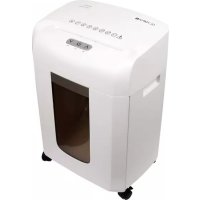
MC 408.2 - Shredder OLYMPIA - Free user manual and instructions
Find the device manual for free MC 408.2 OLYMPIA in PDF.



| Brand | Olympia |
| Model | MC 408.2 |
| Product type | Automatic document shredder |
| Dimensions (W x D x H) | 348 x 250 x 502 mm |
| Weight | 7 kg |
| Power supply | 220-240 V, 50 Hz, 1.2 A |
| Max power consumption | 260 W |
| Max cutting capacity | 8 sheets DIN A4 (80 g/m²) |
| Cutting profile | Micro Cut, 2 x 15 mm |
| Security level | P-5 |
| Cutting speed | 1.8 m/min |
| Duty cycle | 30 min continuous / 9 min cooling |
| Noise level | Approx. 65 dB |
| Bin capacity | Approx. 16 liters |
| Features | Automatic start/stop, forward/reverse, presence sensor, overheat protection, control window, casters with brakes |
| Maintenance | Unplug before cleaning; use a soft brush; oil the cutting head regularly with special oil |
| Safety | Main switch, automatic stop in case of jam, thermal protection, brakes on casters |
| Accessories | Special shredder oil available from Olympia |
| Warranty | Through the dealer (return the device with original packaging and receipt) |
| Intended use | Indoor paper shredding; remove staples and paper clips before use |
Frequently Asked Questions - MC 408.2 OLYMPIA
User questions about MC 408.2 OLYMPIA
0 question about this device. Answer the ones you know or ask your own.
Ask a new question about this device
Download the instructions for your Shredder in PDF format for free! Find your manual MC 408.2 - OLYMPIA and take your electronic device back in hand. On this page are published all the documents necessary for the use of your device. MC 408.2 by OLYMPIA.
USER MANUAL MC 408.2 OLYMPIA
natural_image
White portable electronic device with control buttons and a black vent, no visible text or symbols on the device body.MC 408.2
MC 510.2
MC 615.2

natural_image
Blank gray image with no visible content, text, or symbols
natural_image
No smoking symbol with a diagonal line and spray bottle icon (no text)ACHTUNG!
Service Center Hattingen
Zum Kraftwerk 1
45527 Hattingen

Please read the following information thoroughly, observe the information contained and keep the operating manual for future reference!
Overview
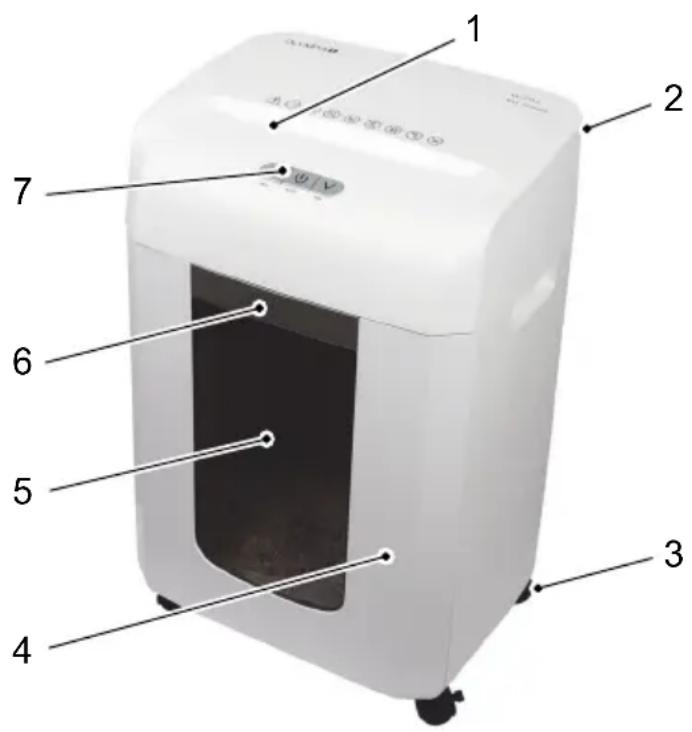
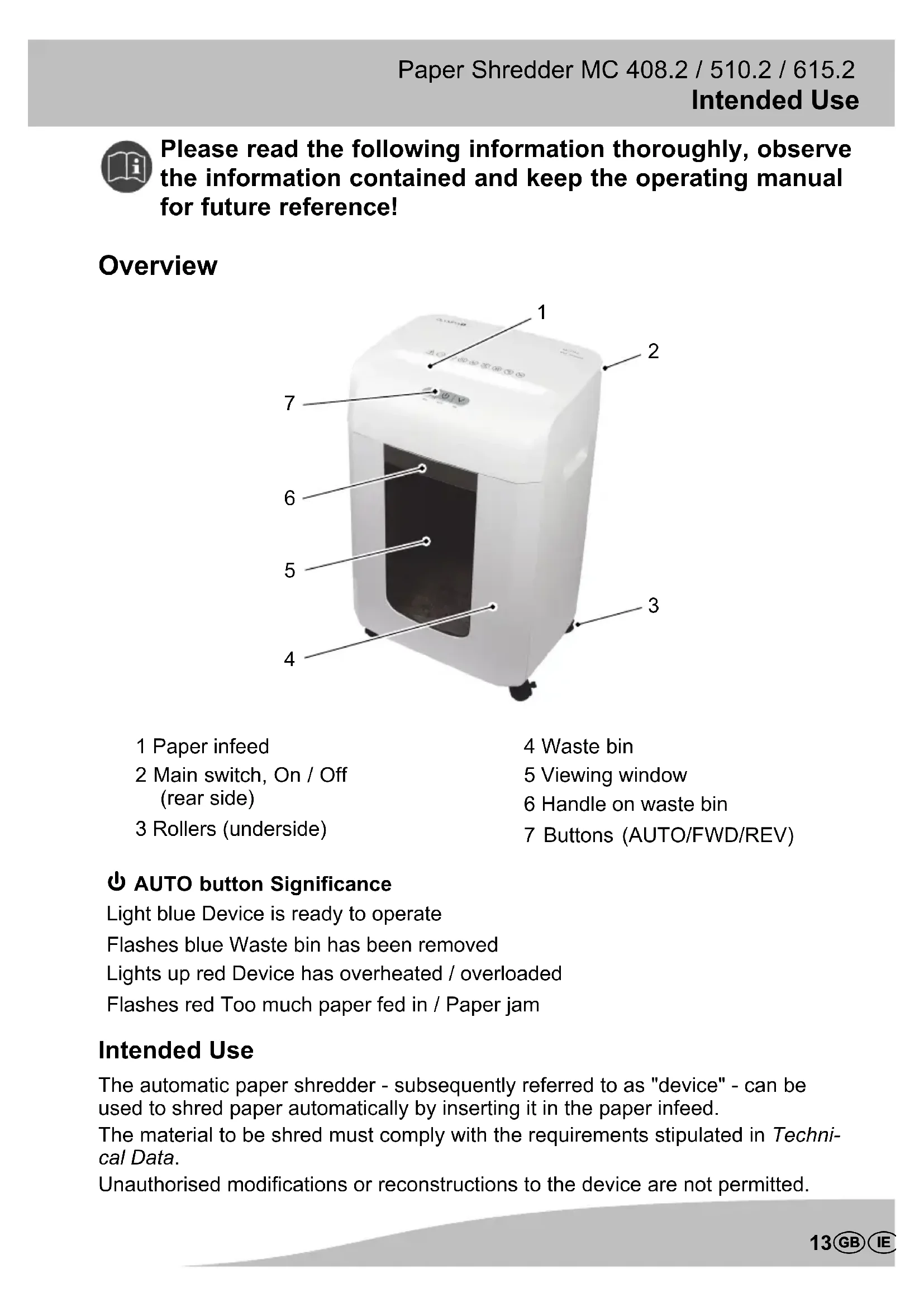
1 Paper infeed
2 Main switch, On / Off (rear side)
3 Rollers (underside)
4 Waste bin
5 Viewing window
6 Handle on waste bin
7 Buttons (AUTO/FWD/REV)
AUTO button Significance
Light blue Device is ready to operate
Flashes blue Waste bin has been removed
Lights up red Device has overheated / overloaded
Flashes red Too much paper fed in / Paper jam
Intended Use
The automatic paper shredder - subsequently referred to as "device" - can be used to shred paper automatically by inserting it in the paper infeed.
The material to be shred must comply with the requirements stipulated in Technical Data.
Unauthorised modifications or reconstructions to the device are not permitted.
Never open the device or attempt to complete repairs yourself.
Unintended Use
The automatic paper shredder is not intended for shredding material which does not comply with the requirements stipulated in Technical Data (e.g. cardboard). Any use, other than that described in Intended Use, is considered unintended use.
Safety Information
The following safety information applies to the entire document. Read and observe all the safety information to protect yourself and the environment from any harm.

WARNING!
- Electric shock through dangerous mains voltage. Handling the device improperly could lead to an electric shock.
→Check that the power outlet complies with the specifications on the device's rating plate (refer to Technical Data).
→Ensure that the power plug is easy to access.
→Never take hold of the device if your hands are wet.
→Always prevent the device coming into contact with water.
→Only use the device in dry rooms indoors.


WARNING!
- Risk of suffocation through small parts, packaging materials or protective foils.
→Children can swallow small parts, packaging materials and protective foils.
→Keep children away from the device and its packaging.


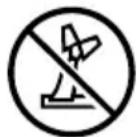

CAUTION!
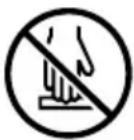
- Risk due to infeed mechanism!
→Keep fingers, hair, scarves, ties, jewellery etc. away from the infeed slot.
→Never reach into the cutting mechanism.

ATTENTION!
- Property damage!
→Foreign bodies attached to the material to be shredded could damage the device.
→Remove any foreign bodies, such as paper clips or rubber bands, before shredding the material.
ATTENTION!
- Risk of tripping due to improperly laid cable!
→Lay cables so that they do not represent a risk of tripping.
Helpful Information and Tips
The following information and tips will ensure the material is always shredded optimally and prevent damage to the device.
Read this information thoroughly and observe it when operating the device.
→Keep all loose pieces of clothing, jewellery, long hair or other loose items away from the device.
Before starting to use the shredder, remove any staples, paper clips, rubber bands or other foreign bodies from the material concerned.
→Oil the cutting mechanism regularly to ensure a longer service life for the device (refer to Lubricating the Cutting Mechanism).
Positioning the Paper Shredder Safely

Pay attention to the information on the power supply in the Technical Data or on the rear cover of the device.
Before putting the device into operation, lock the brakes on the rollers. This prevents the device from moving while in operation.
- Remove the device carefully from the packaging.

CAUTION!
-
Risk of injury through the sharp edges of the cutting mechanism!
→Never reach into the cutting mechanism.
→Keep fingers and hands away from the paper infeed. -
Place the device on a level surface.
- Lock the brakes on the corresponding rollers.

The device is now standing securely in its working location and is safe to use.

Release the brakes. The machine can now be moved on its rollers.
Operating the Paper Shredder
Switching On
- Insert the power plug in a properly installed power socket.
- Use the main switch to switch the machine on.
Switching Off
- Use the main switch to switch the device off.
- Disconnect the power plug from the power socket.
Automatic Shredding
The paper infeed is equipped with sensors so that it can start up automatically when material is inserted. The device draws the material in and automatically stops when shredding is completed and no further material is fed in.
- Press the ⏻ AUTO button. The device's Automatic function is activated.

The ⏻ AUTO button lights up blue and the device is ready to operate.
ATTENTION!
- Risk of property damage through material jam!
→Pay attention to the maximum capacity of the paper infeed (refer to Technical Data).

In the event of a material jam, the device stops and the ⏻ AUTO button flashes red until the material has been removed from the infeed (refer to Reverse Running and Clearing Residual Material).
Forward Running
The cutting mechanism runs forwards for a few seconds and shreds the material fed in.
- Press the FWD button.
Reverse Running
Reverse operation is necessary to clear material which jams. The ⏻ AUTO button flashes red in the event of a material jam.
- Press the REV button and keep it pressed.
- The cutting mechanism runs in reverse continuously and the (jammed) material is released.

CAUTION!
-
Risk of injury through the sharp edges of the cutting mechanism!
→Never reach into the cutting mechanism.
→Keep fingers and hands away from the paper infeed. -
Pull the material out of the cutting mechanism.
-
If reverse running does not clear the material jam completely, please follow the instructions in Chapter Clearing Residual Material.
Clearing Residual Material
- Use the main switch to switch the device off.
- Disconnect the power plug from the power socket.

CAUTION!
-
Risk of injury through the sharp edges of the cutting mechanism!
→Never reach into the cutting mechanism.
→Keep fingers and hands away from the paper infeed. -
Remove the residual material carefully from the cutting mechanism using an appropriate pointed object.
Emptying the Waste Bin
The waste bin must be emptied regularly in order to prevent material jams.

The ⏻ AUTO button flashes blue when the waste bin has been removed.
- Use the main switch to switch the device off.
- Pull the waste bin out of the device by the handle.
- Empty the waste bin.
- Install the waste bin back in the device.
Lubricating the Cutting Mechanism
To ensure a long service life for the device, it is essential to oil the cutting mechanism at regular intervals.
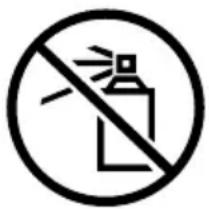
ATTENTION!
-
Property damage!
→Do not use spray oils.
→Only use a special oil intended for shredders. -
Apply the special oil for shredders in several lines square to the sheet of paper.
- Insert the oiled sheet of paper in the paper infeed.

Olympia Business Systems Vertriebs GmbH offers a special paper oil for shredders. Please contact the Service hotline (refer to Guarantee).
Overheating Protection
In the event of overheating or overloading, the motor switches off automatically and the ⏻ AUTO button lights up red. Allow the motor to cool down for approx. 9 minutes before resuming operation.

The device is equipped with an active ventilation system. Do not disconnect the device from the power supply during the cool down phase.
After cooling down, the full performance of the device is available again.
Pay attention to the permissible operating cycle (refer to Technical Data).
Appendix
Regular Maintenance and Service
→Switch the device off and disconnect the power plug from the power socket prior to cleaning it.
→Clean any dust from the device with a clean, soft brush or a soft, lint-free cloth.
→Do not use any solvents or cleaning agents.
→ Oil the shredder's cutting mechanism at regular intervals (refer to Lubricating the Cutting Mechanism).
Technical Data
MC 408.2
Cutting capacity Max. 8 sheets of A4 (80 g/m2)
Cutting method Particle-cut (micro-cut) 2 × 15 ~mm
Security level P-5
Cutting speed 1.8 m/min.
Operating cycle Approx. 30 min. continuous operation, 9 min. cool down phase
Noise level Approx. 65 dB
Dimensions (L x W x H) 348 x 250 x 502 mm
Weight 7 kg
Waste bin Approx. 16 litres
Range of operations Automatic start/stop, reverse/forward running
Power supply 220 - 240 V, 50 Hz, 1.2 A
Power consumption max. 260 W
MC 510.2
Cutting capacity Max. 10 sheets of A4 (80 g/m2)
Cutting method Particle-cut (micro-cut) 2 x 15 mm
Security level P-5
Cutting speed 1.6 m/min.
Operating cycle Approx. 30 min. continuous operation, 9 min. cool down phase
Noise level Approx. 65 dB
Dimensions (L x W x H) 368 x 283 x 572 mm
Weight 8.9 kg
Waste bin Approx. 23 litres
Range of operations Automatic start / stop, reverse / forward running
Power supply 220 - 240 V, 50 Hz, 2 A
Power consumption max. 360 W
MC 615.2
Cutting capacity Max. 15 sheets of A4 (80 g/m2)
Cutting method Particle-cut (micro-cut) 2 x 15 mm
Security level P-5
Cutting speed 1.5 m/min.
Operating cycle Approx. 30 min. continuous operation, 9 min. cool down phase
Noise level Approx. 65 dB
Dimensions (L x W x H) 410 x 320 x 622 mm
Weight 14.6 kg
Waste bin Approx. 30 litres
Range of operations Automatic start / stop, reverse / forward running
Power supply 220 - 240 V, 50 Hz, 2.5 A
Power consumption max. 500 W
Troubleshooting
| Device does not work Is the power plug connected properly in the power socket? | Insert the power plug in a properly installed power socket. | |
| Is the material not drawn in automatically or does the cutting mechanism not start up?The ⏻ AUTO button flashes blue. | Feed the material in so that the sensor, positioned in the centre of the infeed, detects the material.Insert the waste bin properly. | |
| Device no longer functions after a longer period out of service or stops during operation.(The ⏻ AUTO button lights up red). | Has the permissible operating cycle been exceed? | Pay attention to the permissible operating cycle (refer to Technical Data). |
| Material jams Has the maximum capacity of the infeed been exceed? The ⏻ AUTO button flashes red. | Pay attention to the maximum capacity of the infeed (refer to Technical Data).Clear the material jam (refer to Reverse Running and Clearing Residual Material) | |
| Was the paper drawn into the infeed straight? | ||
CE Mark

The CE Mark on the device confirms conformity. The Declaration of Conformity can be viewed at www.olympia-vertrieb.de.
Information on Disposal
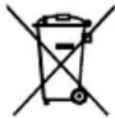
If you want to dispose of your device, bring it to a collection point provided by your local public waste authorities. According to laws on the disposal of electronic and electrical devices, owners are obliged to dispose of old electronic and electrical devices in a separate waste container. The adjacent symbol indicates that the device must not be disposed of in normal domestic waste! Packaging materials must be disposed of according to local regulations.
Guarantee
Dear Customer,
we are pleased that you have chosen this equipment.
In the case of a defect, please return the device together with the receipt and original packing material to the point-of-sale.

LED rouge allumée Appareil surchauffé / surchargé
ATTENTION!
ATTENZIONE!
1 Entrada de papel
2 Interruptor principal activado/des-activado (parte trasera)
3 Ruedas (parte inferior)
¡ATENCIÓN!
natural_image
No sign depicting a fire extinguisher, no text or symbols present¡ATENCIÓN!
LET OP!
POZOR!
ATENÇÃO!
natural_image
Blank gray image with no visible content, text, or symbols
natural_image
Abstract gray gradient shape on white background (no text or symbols)OLYMPIA

- ACHTUNG!
- Please read the following information thoroughly, observe the information contained and keep the operating manual for future reference!
- Overview
- AUTO button Significance
- Intended Use
- Unintended Use
- Safety Information
- WARNING!
- CAUTION!
- ATTENTION!
- Helpful Information and Tips
- Positioning the Paper Shredder Safely
- Operating the Paper Shredder
- Switching On
- Switching Off
- Automatic Shredding
- Forward Running
- Reverse Running
- Clearing Residual Material
- Emptying the Waste Bin
- Lubricating the Cutting Mechanism
- Overheating Protection
- Appendix
- Regular Maintenance and Service
- Technical Data
- CE Mark
- Information on Disposal
- Guarantee
- ATTENZIONE!
- ¡ATENCIÓN!
- LET OP!
- POZOR!
- ATENÇÃO!
- OLYMPIA
Brand : OLYMPIA
Model : MC 408.2
Category : Shredder