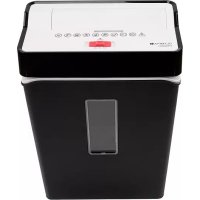
USER MANUAL PS 54 CC OLYMPIA
natural_image
Two industrial cleaning devices: a black and white cleaner with digital buttons and a white door (no visible text or symbols)
Inhalt
Package Contents ....10
For Your Safety .....10
General View 11
Intended Use ....12
Before You Start .....12
Positioning the Shredder Safely .....12
Operating the Shredder .....13
If Something Does Not Work .....13
Disposal....15
Technical Data 15
Declaration of Conformity .....15
Guarantee 15
Contenu
Check the package contents of your shredder before putting the shredder into operation. If anything is missing or shows signs of damage, do not put the device into operation. Contact our Service department.
PS 54 CC automatic shredder with waste bin
Operating Manual
For Your Safety
Read and observe all the safety information to protect yourself and the environment from any harm.
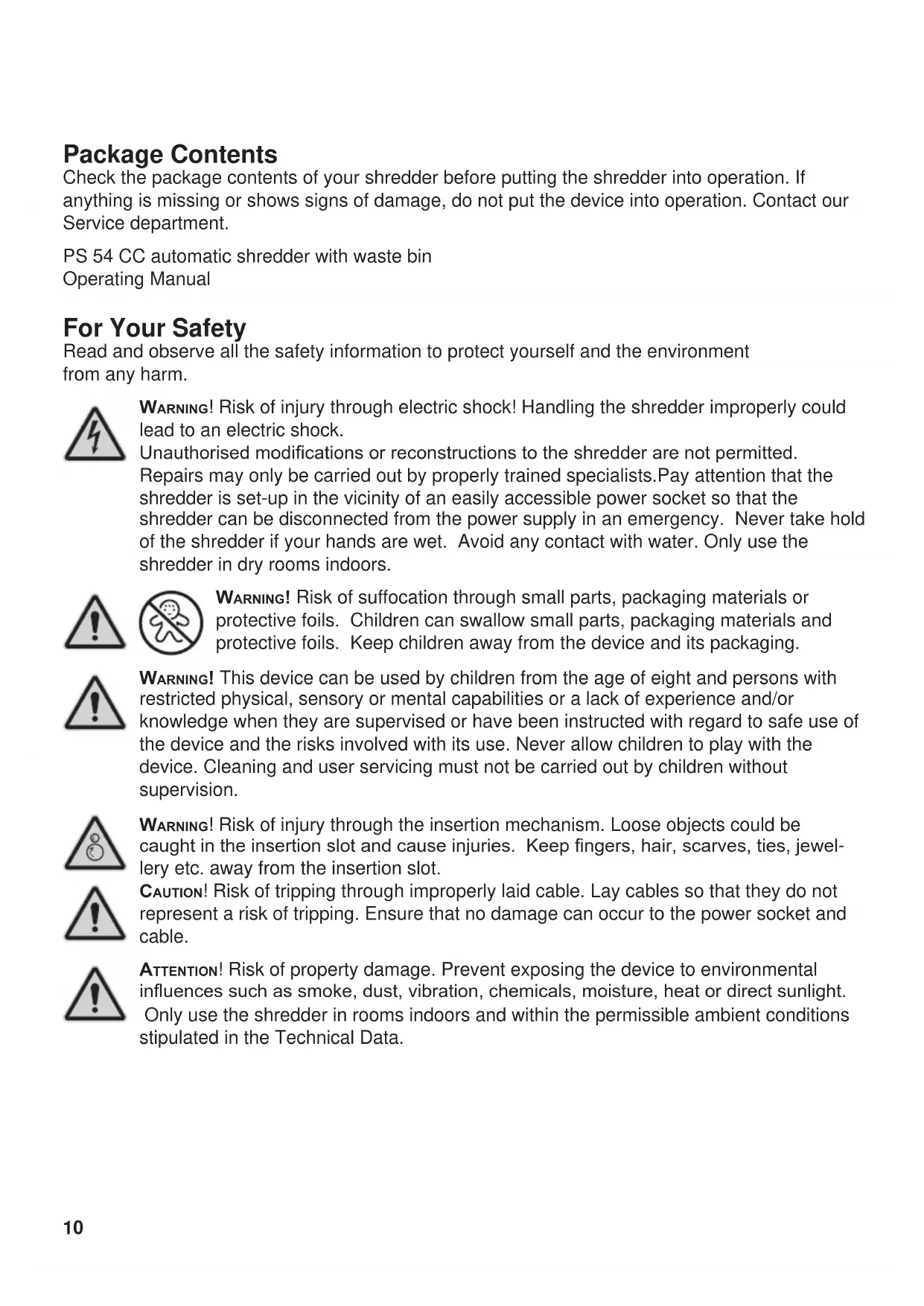
WARNING! Risk of injury through electric shock! Handling the shredder improperly could lead to an electric shock.
Unauthorised modifications or reconstructions to the shredder are not permitted. Repairs may only be carried out by properly trained specialists. Pay attention that the shredder is set-up in the vicinity of an easily accessible power socket so that the shredder can be disconnected from the power supply in an emergency. Never take hold of the shredder if your hands are wet. Avoid any contact with water. Only use the shredder in dry rooms indoors.


WARNING! Risk of suffocation through small parts, packaging materials or protective foils. Children can swallow small parts, packaging materials and protective foils. Keep children away from the device and its packaging.

WARNING! This device can be used by children from the age of eight and persons with restricted physical, sensory or mental capabilities or a lack of experience and/or knowledge when they are supervised or have been instructed with regard to safe use of the device and the risks involved with its use. Never allow children to play with the device. Cleaning and user servicing must not be carried out by children without supervision.
WARNING! Risk of injury through the insertion mechanism. Loose objects could be caught in the insertion slot and cause injuries. Keep fingers, hair, scarves, ties, jewellery etc. away from the insertion slot.

CAUTION! Risk of tripping through improperly laid cable. Lay cables so that they do not represent a risk of tripping. Ensure that no damage can occur to the power socket and cable.

ATTENTION! Risk of property damage. Prevent exposing the device to environmental influences such as smoke, dust, vibration, chemicals, moisture, heat or direct sunlight. Only use the shredder in rooms indoors and within the permissible ambient conditions stipulated in the Technical Data.
General View
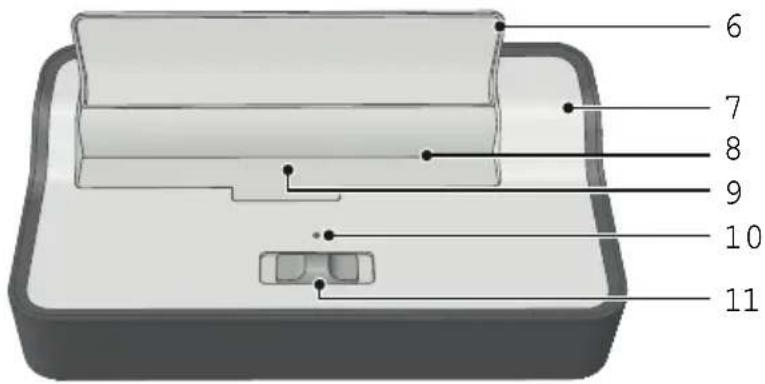
The following diagrams illustrate the shredder in detail.
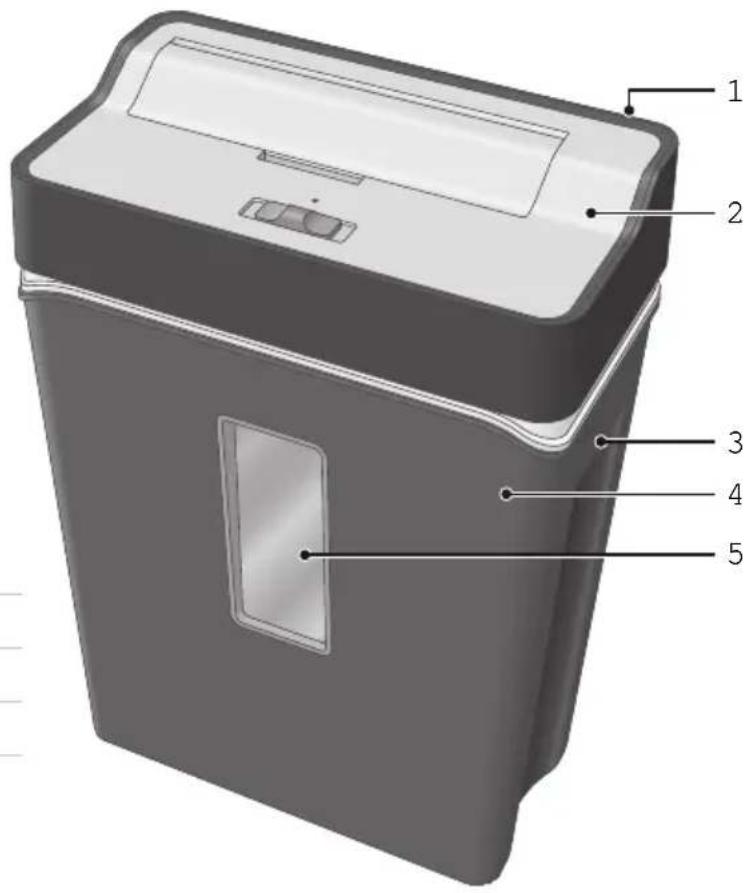
1 Power cable (not illustrated here)
2 Shredder attachment
3 Carrying handle for the waste bin
4 Waste bin
5 Window to waste bin
6 Pivoting guard
7 Shredder attachment
8 Paper infeed with cutting mechanism
9 Optical sensor
10 POWER control lamp
11 Operating mode switch
Intended Use
The automatic shredder can be used to shred paper and credit cards by inserting them in the insertion slot. The material to be shred must comply with the requirements stipulated in Technical Data.
The automatic shredder is not intended for shredding material which does not comply with the requirements stipulated in the Technical Data (e.g. cardboard). Any other use is considered unintended use.
Before You Start

Read this operating manual through carefully, observing all the information contained regarding handling and using the shredder. Keep the operating manual in a safe place for future reference.
The following information should help to ensure that the shredder always functions as you expect it to.

Never reach into the insertion slot. Before starting to shred material, remove any staples, paper clips, rubber bands or other foreign bodies from the material concerned.
Keep all loose pieces of clothing, jewellery, long hair or other loose items away from the device.
Positioning the Shredder Safely
The shredder only operates when fit on the waste bin.

CAUTION! Risk of injury through sharp edges on the cutting mechanism. The underside of the cutting mechanism has sharp edges and corners. Do not take hold of the shredder from the underside.
1 Mount the shredder on the waste bin. The shredder latches audibly in place.
2 Set the shredder down on a stable, level, horizontal surface and in the vicinity of an easily accessible power socket.
3 Pay attention that the switch is set to its OFF position and then connect the power adapter plug to an easily accessible power socket.
Operating the Shredder
The shredder works using an automatic shredding mechanism. The insertion slot is provided with a pivoting guard for your safety. The optical sensor for the material in the automatic insertion is positioned in the centre of the slot.

CAUTION! Risk of injury through sharp edges on the cutting mechanism. NEVER take hold of the shredder by the underside when the shredder is in operation.
1 Set the switch to its Auto position. The shredder is now ready to operate. The blue POWER control lamp lights up.
2 Pivot the guard upwards.

WARNING! Risk of injury through automatic insertion. The infeed starts automatically when material is inserted. Keep all loose pieces of clothing, jewellery, long hair or other loose items away from the shredder's insertion slot.

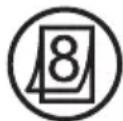
ATTENTION! Risk of property damage through material jam! Observe the maximum cutting output of the insertion slot.
3 Feed the material to be shred in the centre of the insertion slot. The insertion slot draws the material in and stops 2 - 4 seconds after shredding has been completed and no further material is fed in.
4 If you want to shred a credit card, insert the credit card in the centre of the slot with a short edge to the front.
Switching the Shredder Off
Switch the shredder off when you no longer need to use it. This saves electricity and prevents third parties inadvertently injuring themselves with the shredder.
1 Set the switch to its OFF position.
2 Pivot the guard downwards.
3 Disconnect the power plug from the power socket.
If Something Does Not Work
The following information should help if something does not work as you expect it to.
Overheating Protection
The motor switches off automatically in the event of overheating and overloading.
The POWER control lamp continues to light up blue. When the cool down phase has elapsed, the shredder is ready to operate again. Pay attention to the intermittent operation value.
Lubricating the Cutting Mechanism
If you want to increase the working life of the shredder, you should oil the shredder's cutting mechanism at regular intervals. Olympia Business Systems Vertriebs GmbH offers a special oil for shredders. For more information, please contact our hotline.

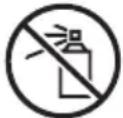
ATTENTION! Risk of property damage through using the wrong oil! Do not use spray oils. Only use a special oil intended for shredders.
1 Apply the special oil for shredders in several lines square to the sheet of paper.
2 Set the switch to its Auto position.
3 Insert the oiled sheet of paper in the paper infeed. The paper with oil applied is inserted and oils the cutting mechanism.
Emptying the Waste Bin
Empty the waste bin regularly. This prevents shred material jamming and causing malfunctions as a result.
1 Set the switch to its OFF position.
2 Disconnect the power plug from the power socket.
3 Remove the shredder from the waste bin.
4 Empty the waste bin.
5 Mount the shredder on the waste bin again. The shredder latches audibly in place.
Clearing Residual Material
If the shredder no longer shreds material as you expect, remove any residual material from the cutting mechanism.
1 Set the switch to its Rev position. The cutting mechanism runs in reverse and releases any material remaining in the cutting mechanism.
2 Set the switch to its OFF position.
3 Disconnect the power plug from the power socket.
4 Remove any residual material carefully from the cutting mechanism using an appropriate pointed object.
Regular Cleaning
Clean the shredder at regular intervals.
1 Disconnect the power plug from the power socket.
2 Use a slightly damp, lint-free cloth to clean the surface of the shredder housing. Do not use any solvents or cleaning agents.
Disposal
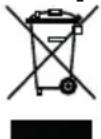

In order to dispose of your device, take it to a collection point provided by your local public waste authorities (e.g. recycling centre). According to laws on the disposal of electronic and electrical devices, owners are obliged to dispose of old electronic and electrical devices in a separate waste container. The symbol
indicates that the device must not be disposed of in normal domestic waste!
Packaging materials must be disposed of according to local regulations.
Technical Data
Subject to change without prior notice.
Cutting capacity Max. 8 sheets of A4 (80 g/m2), 1 credit card
Cutting method Particle-cut (4 x 32 mm)
Shredding speed 2.0 m/min.
Security level P4 compliant with DIN 66399
Intermittent operation 2.0 mins. on / 30 mins. off
Noise level 73 - 75 dB
Operating modes Automatic mode (Start-Stop function)
Reverse running
Overheating protection
Waste bin 13-litre volume, with viewing window and carrying handles
Power supply 220 - 240 V, 50 Hz, 1.5 A
Power consumption 350 W
Dimensions 303 x 170 x 428 mm
Weight Approx. 4.2 kg
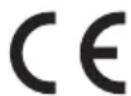
The CE Mark on the device confirms conformity. The Declaration of Conformity can be viewed at www.olympia-vertrieb.de
Guarantee
Dear Customer,
we are pleased that you have chosen this equipment.
In the case of a defect, please return the device together with the receipt and original packing material to the point-of-sale.
Contenu du coffret
Service intermittent AB 2,0 / 30 minutes
Niveau sonore 73 - 75 dB
Operating Manual for
PS 54 CC Automatic Shredder
2710 (black), 2711 (white) / 2016.10
Mode d'emploi du