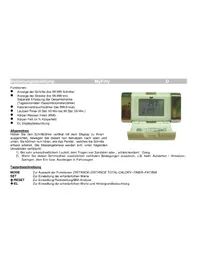
MyFitty - Pedometer Kasper & Richter - Free user manual and instructions
Find the device manual for free MyFitty Kasper & Richter in PDF.



| Product Type | Pedometer |
| Brand | Kasper & Richter |
| Model | MyFitty |
| Dimensions (L x W x H) | 79 x 43 x 22 mm |
| Weight | 44 g |
| Power Supply | 1 CR2032 battery (3V) |
| Battery Life | More than 6 months |
| Display | EL backlit |
| Step Counter | 0 - 99,999 steps |
| Distance Counter (daily) | 0 - 99,999 m (99.999 km) |
| Calorie Counter | 0 - 999.9 kcal |
| Timer | 0 - 99 h 59 min |
| BMI Calculation | Yes |
| Body Fat Calculation | Yes (percentage and symbol) |
| Step Length Range | 30 - 150 cm |
| Weight Range | 20 - 150 kg |
| Height Range | 100 - 210 cm |
| Age Range | 1 - 99 years |
| Gender Selection | Male / Female |
| Unit System | Metric (KM) / Imperial (Miles) switchable |
| Lighting | Yes, button activation |
| Reset | RESET button or battery removal |
| Attachment | Belt clip / pant loop |
Frequently Asked Questions - MyFitty Kasper & Richter
User questions about MyFitty Kasper & Richter
0 question about this device. Answer the ones you know or ask your own.
Ask a new question about this device
Download the instructions for your Pedometer in PDF format for free! Find your manual MyFitty - Kasper & Richter and take your electronic device back in hand. On this page are published all the documents necessary for the use of your device. MyFitty by Kasper & Richter.
USER MANUAL MyFitty Kasper & Richter
natural_image
Close-up of two hands holding a transparent cylindrical object (no visible text or symbols)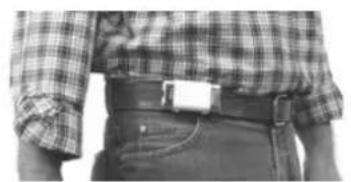
natural_image
Close-up of a person wearing a plaid shirt and jeans, with no visible text or symbols.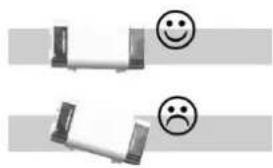
natural_image
Two grayscale diagrams showing smiling and sad face expressions, no text or symbols present● Step counter can count up to 99,999
● Distance can be displayed up to 99,999 km
● Separates trip and total distance km/miles
● Calorie consumption can display up to 999.9 kcal
● Training time can display hour and minute
● Body Mass Index (BMI)
● Body Fat (%)
EL-Backlight
Notes on Measurement
Hold the case vertically and shake it softly up and down with its display facing towards you by this, the pendulum inside starts to click gently indicating that it is functioning properly. Incorrect measurements may result under the following conditions:
1) If you walk with irregular steps, drag your feet, or walk in sandals
2) If you subject the meter to vertical or vibrating motion, suddenly stand up or sit down, jump up and down, walk up or down steep slopes, or get on and off an automobile.
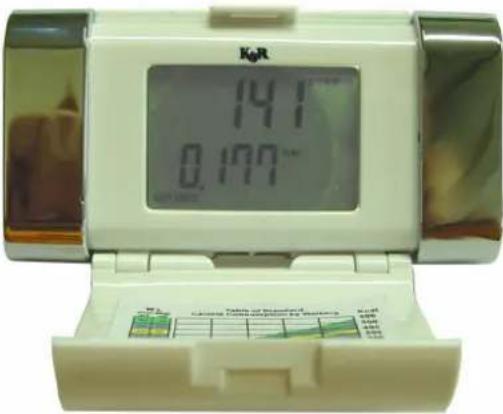
Key description
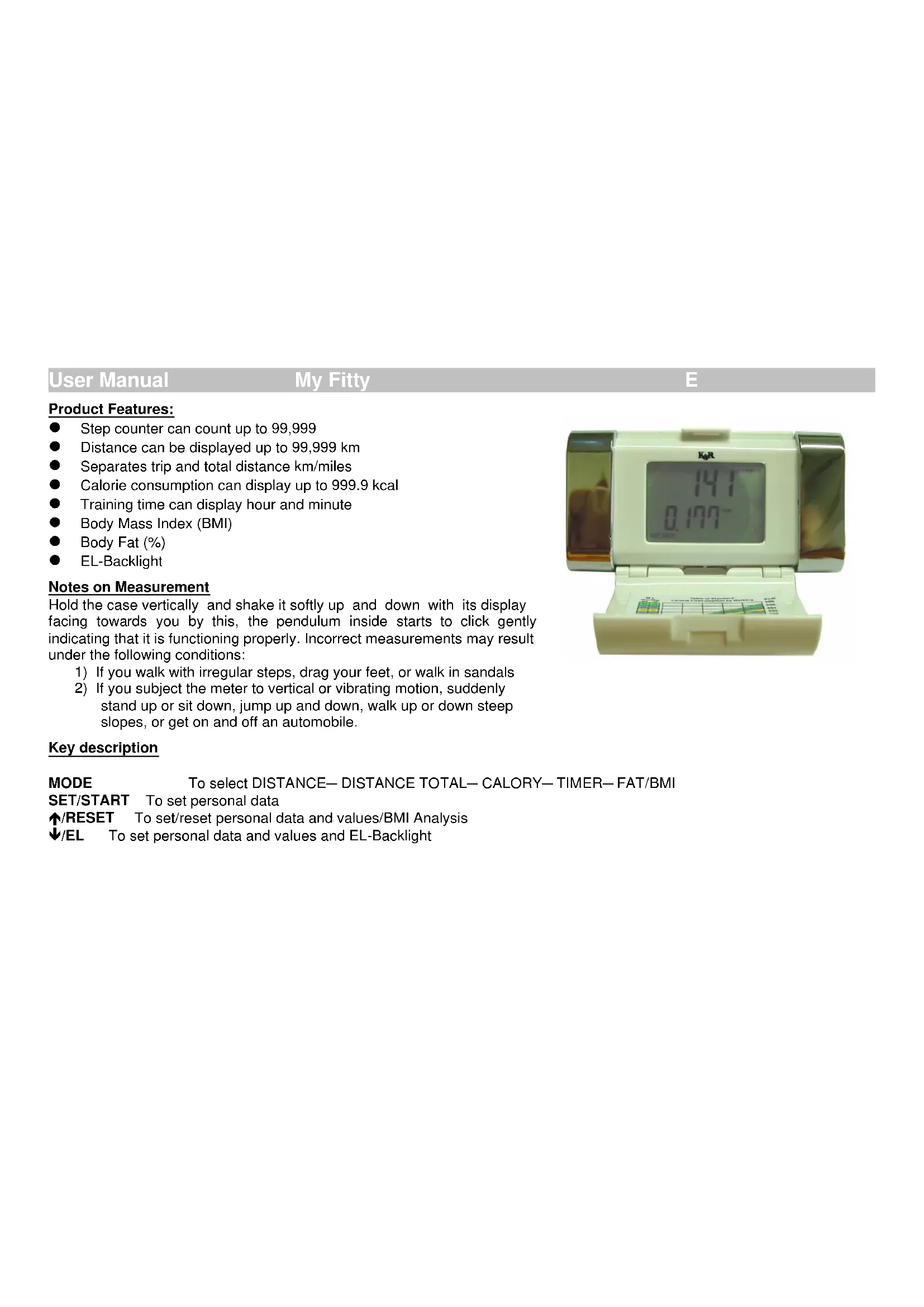
MODE To select DISTANCE—DISTANCE TOTAL—CALORY—TIMER—FAT/BMI
SET/START To set personal data
↑/RESET To set/reset personal data and values/BMI Analysis
↓/EL To set personal data and values and EL-Backlight
How to open the cover
Open the pedometer by holding the clip with your thumb and index finger. Then push with your other hand the lock upward (see picture). When the pedometer is attached to your belt or waistline, the cover will easily open thru lifting the lock.
How to wear/attach
Attach the pedometer to your belt or waistline using the clip. Place in an upright, straight position as shown below.

natural_image
Close-up of a person wearing a plaid shirt and belt (no visible text or symbols)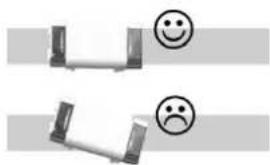
natural_image
Two identical mechanical components with smiling and sad face icons, no text or symbols present
natural_image
Close-up of two hands holding a transparent cylindrical object, no visible text or symbolsAdjusting your stride
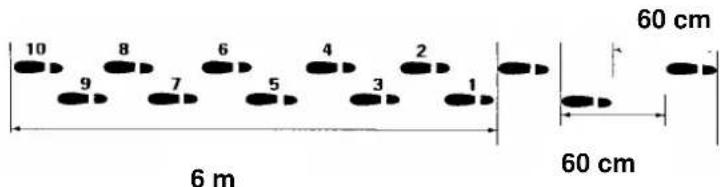
For computing the distance coverage, it is important to keep regular strides and maintain your walking form. To determine your average stride length, walk a distance of (i.e. 6 meters) as illustration shows and divide by the steps you needed for this distance (i.e. 10 steps): 6 meters / 10 steps = 60 cm stride length. Please input this value.
Personal settings (only at initial usage):
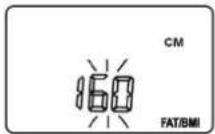
Setting of step length:
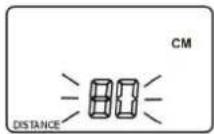
- For setting step length, press the button [MODE] several times until DISTANCE appears in the display.
- Press the button [SET] for 5 sec. to set the step length.
- By pressing the button [↑/RESET] and [↓EL] you can now adjust your step length in 5cm intervals from 30 – 150 cm.
Setting of body weight:
- Press the button [SET] to set the weight
- By pressing the button [↑/RESET] and [↓EL], you can now adjust your body weight in 1kg interval from 20 – 150 KG
„ CALORY--FAT/BMI“ appears on the display.
Setting of height:
- Press the button [SET] to set the height
- By pressing the buttons [↑/RESET] and [↓EL], you can now adjust your body height in 1cm interval from 100 - 210 cm
„ FAT/BMI“ appears on the display.
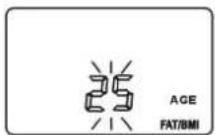
Setting of age:
- Press the button [SET] to the age
- By pressing the buttons [↑/RESET] and [↓EL], you can now adjust your age from 1 – 99 years " FAT/BMI" appears on the display.
Setting of sex:
- Press the button [SET] to set your sex.
- By pressing the buttons [↑/RESET] and [↓EL], you can choose between "female and male."
„FAT/BMI“ appears on the display
- Please wait 5 seconds till all personal settings are saved.

Step-Counter/Pedometer
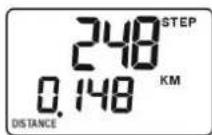
- The upper line displays the number of steps taken. This pedometer automatically records all steps, if you attach the instrument correctly as shown above.
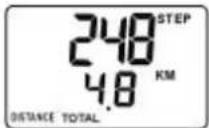
- In order to view distance (km), press the button [MODE] several times until DISTANCE appears in the lower left of the display.
- You can reset all values to zero by pressing [↑/RESET] button. (All values of steps, distance, calories and timer will be reset.)
- To display the total distance, press the button [MODE] several times until DISTANCE TOTAL appears in the lower left of the display.
- You can reset the total distance to zero by pressing [↑/RESET] button for 10 seconds. (ALL values of steps, distance, calories and timer will be reset.)
Calorie consumption
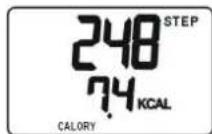
- Press the button [MODE] several times until the display shows „ CALORY“ [KCAL]. The pedometer will calculate the calories consumed from number of steps taken and your body weight.
- You can reset all values to zero by pressing [↑/RESET] button for 5 seconds. (All values of steps, distance, calories and timer will be reset.)
Timer
- Press the button [MODE] several times until the display shows „TIMER“. The pedometer will record the length of time ONLY while you are actively walking or running. Display will show after 1 min.
- You can reset all values to zero by pressing [↑/RESET] button. (All values of steps, distance, calories and timer will be reset.)
EL-backlight:
Press the button [↓EL] to activate the EL-backlight. It expires after 5 seconds.

Body Mass Index (BMI) & Body Fat
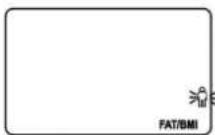
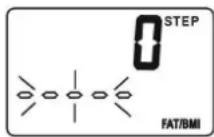
- Press the button [MODE] several times until the display shows „ FAT/BMI“ .
Now you can start the Body Mass Index (BMI) and Body Fat function. The display will show the results of Body Fat in % and the BMI. More Information to these values at the bottom of this manual. - You can start the function by pressing [↑/RESET] button. Please place your thumbs during the process on the silver contact plates (left thumb on the left plate, right thumb on the right plate).
- The blinking icon on the right side of the display symbolizes the trend of your Body Fat. A more precise classification is outlined at the end of the manual.
General Information to BMI
The BMI brings your Body Weight in relation to your Body Height.
Formula: BMI = (Body Weight in Kg) / (Body Height in m) ^2 Body Mass Index (BMI)
| BMI | ||
| Women Man | ||
| < 19 < 20 Under weight | ||
| 19–24 | 20 – 25 | Normal weight |
| 24 – 30 | 25 – 30 | Little overweight |
| >30 | >30 | Overweight (Adipositas) |


General Information about the body fat determination
The composition of the human body is based on genetical and nutrition factors. The composition can also be influenced by many other factors like personal fitness, illness or malnutrition.
For a judgement of its composition, the human body is seen as a system composed of at least two compartments: Fat and fatfree body mass (FFM) and whose proportion and exact volume can be determined.
The table shows you a classification of the body fat value to the respectively objective phenotype:
| Body Fat Analysis | |
| Woman Man Symbol | |
| < 23% < 11% | Under weight |
| 23 – 36 11 – 23 | Normal weight |
| 36 – 40 23 – 30 | Little overweight |
| >40 >30 | Overweight (Adipositas) |
Note
This is not a medical instrument!
In order to determine your exact Body Fat values or any treatments, please consult your physician or nutrition counselor.
BATTERY REPLACEMENT
When the display becomes dim or is fading, replace the battery with a new CR2032, or equivalent. Open the battery cover and take the old battery out (protect the environment by taking empty batteries to authorized disposal stations). Insert the new one into the battery holder. (with + side up) and close the battery cover.
Now please set your pedometer according to the description above.
km/miles system
CR 2032

natural_image
Close-up of a white electronic device with a coin slot and two metallic connectors, showing a downward arrow (no text or symbols visible)Please open in this direction
KM/ Miles- System:
This pedometer is developed for international usage and includes the option to change between the metric-system (km) and the US-System (miles). For selecting an option, move the switch on the left side of the batteries to the left position for the MILE-System, and respectively to the right position for KM-System.
Take out the batteries and wait for 10 seconds. Then insert them again and set the pedometer according to the descriptions above.
Trouble shooting
- Should the display show no numbers or signs of fatigue, please replace the batteries.
- If the displayed steps are incorrect, check the upright position of the pedometer on your belt or waistline.
- If the pedometer has fallen down, the pendulum could be damaged irrepairably. The Warranty does not cover misuse.
- If the displayed steps are correct, but not the distance, check your personal settings and the adjusted stride length.
- If no settings are possible, remove the batteries for 10 seconds and insert them again. Try to set the pedometer according to instructions above.
Specifications:
• Power source Lithium Battery CR2032
- Battery life: >6 months
• Product size: 79 x 43 x 222 mm
• Product weight 44 g


Generales
natural_image
Close-up of two hands holding a transparent cylindrical object with metallic bands (no visible text or symbols)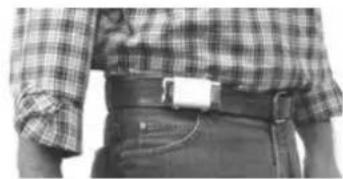
natural_image
Close-up of a person wearing a plaid shirt and belt (no visible text or symbols)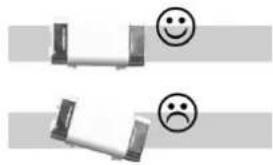
natural_image
Two identical mechanical components with smiley face icons, no text or symbols presentnatural_image
Close-up of hands holding a cylindrical object with metallic bands (no visible text or symbols)
natural_image
Close-up of a person wearing a plaid shirt and belt (no visible text or symbols)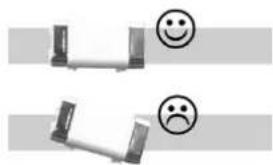
natural_image
Two identical mechanical components with smiley face icons, no text or symbols present- Notes on Measurement
- Key description
- How to open the cover
- How to wear/attach
- Adjusting your stride
- Personal settings (only at initial usage):
- Setting of step length:
- Setting of body weight:
- Setting of height:
- Setting of age:
- Setting of sex:
- Step-Counter/Pedometer
- Calorie consumption
- Timer
- EL-backlight:
- Body Mass Index (BMI) & Body Fat
- General Information to BMI
- General Information about the body fat determination
- Note
- BATTERY REPLACEMENT
- KM/ Miles- System:
- Trouble shooting
- Specifications:
- Generales
Brand : Kasper & Richter
Model : MyFitty
Category : Pedometer