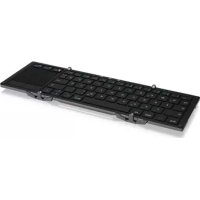
KSK3220BT - Keyboard KeySonic - Free user manual and instructions
Find the device manual for free KSK3220BT KeySonic in PDF.



| Product Type | Bluetooth Keyboard with Touchpad |
| Brand | KeySonic |
| Model | KSK3220BT |
| Bluetooth Version | 3.0 |
| Number of Bluetooth Channels | 3 (for 3 devices) |
| Wireless Range | Up to approximately 10 meters |
| Compatibility | Windows, Android, Mac, iOS |
| Power Type | Built-in Rechargeable Battery |
| Charging | Micro USB, 5V/500mA adapter or USB port |
| Standby Time | Goes into standby after 10 minutes of inactivity |
| Housing Material | Aluminum |
| Design | Foldable, with magnetic power switch |
| Special Keys | Fn shortcuts for brightness, playback, volume, etc. |
| Integrated Touchpad | Yes, with gestures (tap, scroll, zoom) |
| Included Stand | Stand for tablet or smartphone |
| Included Cable | USB Cable (Micro USB) |
| Battery Status Display | Via Fn + R press (blue blinks) |
| Care and Cleaning | Clean with a soft dry cloth, avoid liquids |
| Safety | Use only a 5V adapter for charging |
| Spare Parts and Repairability | Built-in battery not user-replaceable |
Frequently Asked Questions - KSK3220BT KeySonic
User questions about KSK3220BT KeySonic
0 question about this device. Answer the ones you know or ask your own.
Ask a new question about this device
Download the instructions for your Keyboard in PDF format for free! Find your manual KSK3220BT - KeySonic and take your electronic device back in hand. On this page are published all the documents necessary for the use of your device. KSK3220BT by KeySonic.
USER MANUAL KSK3220BT KeySonic
Bluetooth 3.0 Keyboard with Touchpad
Handbuch KSK-3220BT
natural_image
Black wired keyboard with visible letter keys and port (no text or symbols on the keys themselves)Safety information KSK-3220BT
Please read carefully the following information to prevent injuries, damage to material and device as well as data loss:
Warning levels
Signal words and safety codes indicate the warning level and provide immediate information in terms of the probability of occurrence as well as the type and severity of the consequences if the measures to prevent hazards are not complied with.

Warns of a directly hazardous situation causing death or serious injury.

Warns of a potentially hazardous situation that may cause death or serious injury.

Warns of a potentially hazardous situation that may cause minor injury.

Warns of a potential situation that may cause material or environmental damage and disrupt operative processes.
1. Risk of electrical shock

Contact with parts conducting electricity
Risk of death by electrical shock
- Read the operating instructions prior to use
• Make sure the device has been de-energised prior to working on it - Do not remove contact protection panels
- Avoid contact with conducting parts
- Do not bring plug contacts in contact with pointed and metal objects
• Use in intended environments only - Operate the device using a power unit meeting the specifications of the type plate only!
- Keep the device/power unit away from humidity, liquid, vapour and dust
- Do not modify the device
• Do not connect the device during thunderstorms - Approach specialist retailers if you require repairs
2. Hazards during assembly (if intended)

Sharp components
Potential injuries to fingers or hands during assembly (if intended)
- Read the operating instructions prior to assembly
- Avoid coming into contact with sharp edges or pointed components
• Do not force components together
- Use suitable tools
• Use potentially enclosed accessories and tools only
3. Hazards caused by a development of heat

Insufficient device/power unit ventilation
Overheating and failure of the device/power unit
Safety information KSK-3220BT
• Prevent externally heating up components and ensure an exchange of air
- Do not cover the fan outlet and passive cooling elements
- Avoid direct sunlight on the device/power unit
• Guarantee sufficient ambient air for the device/power unit
- Do not place objects on the device/power unit
4. Hazards caused by very small parts and packaging Risk of suffocation
WARNING Risk of death by suffocation or swallowing
- Keep small parts and accessories away from children
• Store/dispose of plastic bags and packaging in an area that is inaccessible to children - Do not hand over small parts and packaging to children
5. Potential data loss
IMPORTANT Data lost during commissioning Potentially irreversible data loss
• Always comply with the information in the operating instructions/quick installation guide
• Exclusively use the product once the specifications have been met
• Back up data prior to commissioning
• Back up data prior to connecting new hardware
• Use accessories enclosed with the product
6. Cleaning the device
Harmful cleaning agents
IMPORTANT Scratches, discolouration, damage caused by moisture or short circuit in the device
- Disconnect the device prior to cleaning
- Aggressive or intense cleaning agents and solvents are unsuitable
• Make sure there is no residual moisture after cleaning
• We recommend cleaning devices using a dry, anti-static cloth
7. Disposing of the device
IMPORTANT
Environmental pollution, unsuitable for recycling
Potential environmental pollution caused by components, recycling circle interrupted
This icon on product and packaging indicates that this product must not be disposed of as part of domestic waste. In compliance with the Waste Electrical and Electronic Equipment Directive (WEEE) this electrical device and potentially included batteries must not be disposed of in conventional, domestic waste or recycling waste. If you would like to dispose of this product and potentially included batteries, please return it to the retailer or your local waste disposal and recycling point.
If you have any questions, please do not hesitate to contact our support at support@raidsonic.de or visit our website at www.raidsonic.de.
KSK-3220BT, Holder, USB cable, Manual
1. Key features
- Bluetooth 3.0 super mini keyboard
• 3 channels for 3 Bluetooth devices
• Built-in touchpad with gesture function - Two-way folding design, portable for convenient transport
• Magnetic power on/off design with stable aluminum case
• Supports up to 10 m working distance - Windows, Android, Mac, iOS compatible
2. Bluetooth keyboard pairing
- Open the keyboard to turn it on
- Select a Bluetooth channel with „Fn“ + 01/02/03
- Press the „Fn“ + „C“ Keys together, the blue LED will blink
- Open the Bluetooth setting on your iPad/tablet/smartphone, etc. and select „KSK-3220BT“
• The Bluetooth LED on the keyboard glows continuous blue as long as the keyboard is connected
3. Battery charging and energy saving sleep mode
You can press „Fn“ + „Alt Gr“ Keys together to show the battery status:
Blue LED blinking x1 x2 x3 x4 Battery status < 25% 50% 75% 100%
You can charge the keyboard with a micro USB cable and a 5V/500 mA (or higher) power adapter (like mobile phone power adapter) or a USB 2.0/USB 3.0 port on a PC/Tablet.
Power LED blinking: Battery too low.
Red LED on: Charging.
Red LED off: Charging finished.
The keyboard will go to sleep mode when it is inactive for 10 minutes, the Power LED will turn off. You can press any key to reactivate the keyboard.
Manual KSK-3220BT
4. Special keys and functions
Special functions
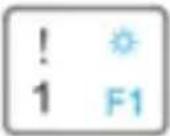
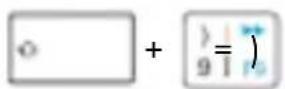
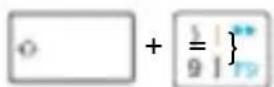
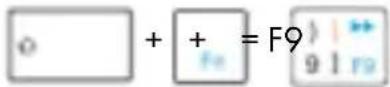
Please press and hold the „Fn“ key and enter the key with the blue symbol/function you want to use.
Example for special functions: „Fn“ + „Ö“ = Ä
| Fn + Function iOS Android Windows | ||||
 | Decrease screen light ok N/A ok | |||
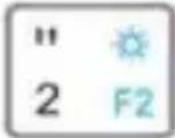 | Increase screen light ok N/A ok | |||
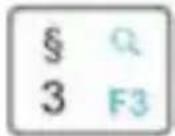 | Search ok ok ok | |||
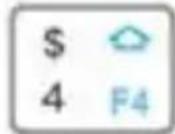 | Home N/A ok ok | |||
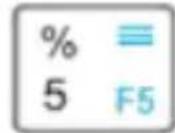 | Right click N/A ok ok | |||
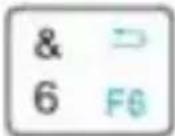 | Back ok ok N/A | |||
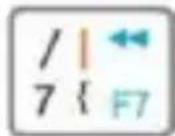 | Previous track ok ok ok | |||
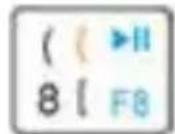 | Play/Pause ok ok ok | |||
Manual KSK-3220BT
| Fn + Function iOS Android Windows | ||||
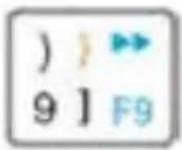 | Next track ok ok ok | |||
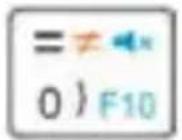 | Mute ok ok ok | |||
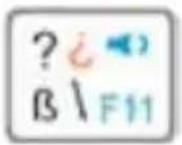 | Volume down ok ok ok | |||
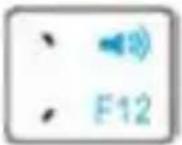 | Volume up ok ok ok | |||
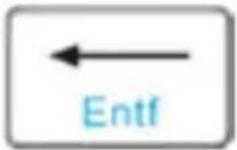 | Delete ok ok ok | |||
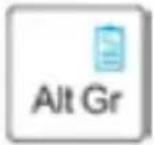 | Display the battery status of the keyboard | ok ok ok | ||
Examples for special keys:
Windows, Android:
iOS:
Windows:
Manual KSK-3220BT
Change language:
Samsung Android: + Space
Google Android, ≥ iOS 9: + Space
Windows, ≤ iOS 8: WIN + Space
5. Select devices
After pairing the keyboard with your devices, you can select a device to use with the keyboard. Please press „Fn“ + 01 / 80 to change the Bluetooth channel you used to connect the computer, tablet, or smartphone with the keyboard.
The LED next to the associated connect button turning blue, confirms the selection. Now use the keyboard to type on the selected computer or mobile device.
6. Touch gestures
| Touch gestures |  |  | 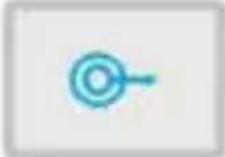 |
| Windows / Android | Left click Double-click | Right click Tap + slide | |
| Touch-Gestures |  |  | 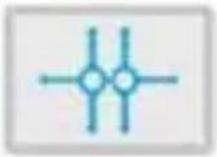 |
| Windows / Android | Zoom in / out (only for Windows) | Move cursor Scroll |
Handbuch KSK-3220BT
Verpackungsinhalt
© Copyright 2017 by RaidSonic Technology GmbH. All Rights Reserved
The information contained in this manual is believed to be accurate and reliable. RaidSonic Technology GmbH assumes no responsibility for any errors contained in this manual. RaidSonic Technology GmbH reserves the right to make changes in the specifications and/or design of the above mentioned product without prior notice. The diagrams contained in this manual may also not fully represent the product that you are using and are there for illustration purposes only. RaidSonic Technology GmbH assumes no responsibility for any differences between the product mentioned in this manual and the product you may have.