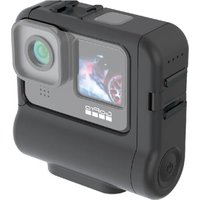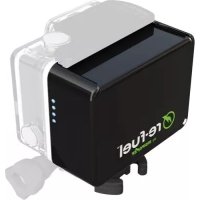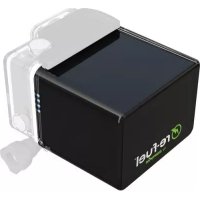
RF24H34 - Rechargeable Battery Digipower - Free user manual and instructions
Find the device manual for free RF24H34 Digipower in PDF.


| Product Type | Rechargeable battery for GoPro camera |
| Brand | Digipower |
| Model | RF24H34 |
| Capacity | 9600 mAh |
| Input Voltage | 5V DC 1.5A |
| Output Voltage | 5V DC |
| Dimensions | 58 × 56 × 86 mm |
| Weight | Approximately 194 g |
| Waterproof | IP68, 40 meters for more than 3 hours |
| Compatibility | GoPro Hero4, Hero3+, Hero3 (requires compatible waterproof housing) |
| LED Indicators | 3 LEDs for charge level, activated by vibration |
| Wall charger included | Yes, input 100-240V AC, output 5V 2.1A |
| Material | Robust plastic |
| Warranty | 1 year |
| Functions | External power supply, rechargeable, surge protection |
| Maintenance | Clean with a soft, dry cloth |
Frequently Asked Questions - RF24H34 Digipower
User questions about RF24H34 Digipower
0 question about this device. Answer the ones you know or ask your own.
Ask a new question about this device
Download the instructions for your Rechargeable Battery in PDF format for free! Find your manual RF24H34 - Digipower and take your electronic device back in hand. On this page are published all the documents necessary for the use of your device. RF24H34 by Digipower.
USER MANUAL RF24H34 Digipower
High capacity power for GoPro Hero4, Hero3+ & Hero3
ENGLISH
USING THE ACTION PACK IN 3 EASY STEPS
-
Open the GoPro housing so that the back is at a 90 degree angle to the camera body. Pull straight down to remove it.
-
Attach the ACTION PACK to the case at a 90 degree angle to the camera body. Gently snap it in place.
-
Close and latch the Actian Parbody of the camera case.
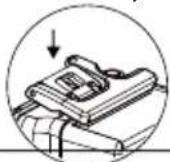
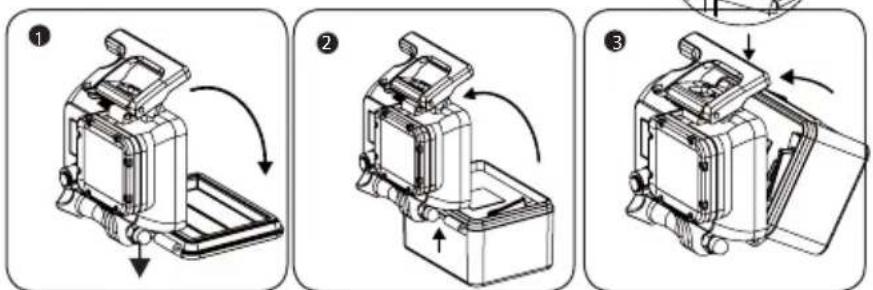
Important note for Hero 3 users:
The waterproof housing for the Hero3 is larger than it is for the Hero3+/4. The waterproof housing from the Hero3+/4 is required to use the Action Pack.
ENGLISH
Connect the micro USB cable from the ACTION PACK to the USB wall charger. The LEDs (located on the back of the case) will turn on to indicate the pack is being charged.
CHARGING STATUS INDICATOR
| STATUS DISPLAY STATE CHARGE STATUS | |
| One LED is blinking Below 30% | |
| One LED is on, next LED is blinking 30% - 65% | |
| Two LEDs are on, last LED is blinking | 66% - 99% |
| All three LEDs are on 100% | |
When the ACTION PACK is fully charged the LEDs will turn off.
To check the charge level shake the ACTION PACK once.
ENGLISH
CHECKING THE BATTERY POWER LEVEL
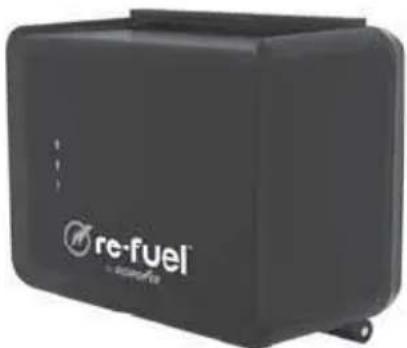
This battery has a built in shake switch, shake once to check the battery level status. The LEDs will turn off after 3 seconds.
BATTERY LEVEL INDICATOR
| STATUS DISPLAY STATE BATTERY LEVEL | |
| One LED is blinking < 5% charge | remaining |
| One LED is on 5% - 32% | |
| Two LEDs are on 33% - 66% | |
| Three LEDs are on >66% | |
When the pack is connected to the camera and the camera is turned on the LEDs will remain lit to indicate the remaining power level. When the pack runs out of power the last LED will blink rapidly 3 times then shutoff.
Important note: For the most accurate reading of how much power remains in the ACTION PACK do not reference the LCD display on the camera. For remaining capacity check the LEDs on the ACTION PACK.
ENGLISH
Please Note:
- A Class 10 video card will provide the best performance and run times, a minimum of class 6 is required. Look for a number inside the letter C on the front of the card.
- Shooting at higher resolutions like 4K video will result in less run time because it uses more power.
- The ActionPack can be used without the internal camera battery installed but if the internal battery is installed it must have some charge or the camera will not turn on.
- The ActionPack and the camera itself can get hot when used for long periods of time, use care when handling.
- All models of the ACTION PACK have been tested and approved to IEC standard IP68 for water and dust ingress. It is completely dust proof and is waterproof to depth of 40 meter for over 3 hours of continuous use.
| Item No. | Battery Capacity | Input Charging | Battery output | Approx. time to fully charge the battery | Dimensions in inches | Dimensions in millimeters | Weight in ounces | Weight in grams |
| RF-6H34 3 | 200mAh 5V | DC 1.0A 5V | DC 3.5hrs | 1.2x2.2x2.6 32x56 | x66 2.68 76 | |||
| RF-12H34 | 4800mAh 5V | DC 1.5A 5V | DC 3.8hrs | 1.4x2.2x2.6 35x5 | 6x66 3.77 107 | |||
| RF-24H34 | 9600mAh 5V | DC 1.5A 5V | DC 7.5hrs | 2.3x2.2x2.6 58x5 | 6x66 6.84 19 | 4 |
ENGLISH
Wall charger specifications
(Included in the RF-12H34 and RF-24H34 only)
Input: 100 - 240 V~0.5A 50/60Hz
Output: 5V DC ... 2.1A
Over current protection, over voltage protection, short circuit protection.
Visit:
www.re-fuel.com for more information.

Year Warranty
2015 Mizco International, Inc. Avenel, New Jersey.
All rights reserved.
tel: 800-838-3200
email: refuel@mizco.com
DigiPower is a registered trademark of
Mizco International, Inc.
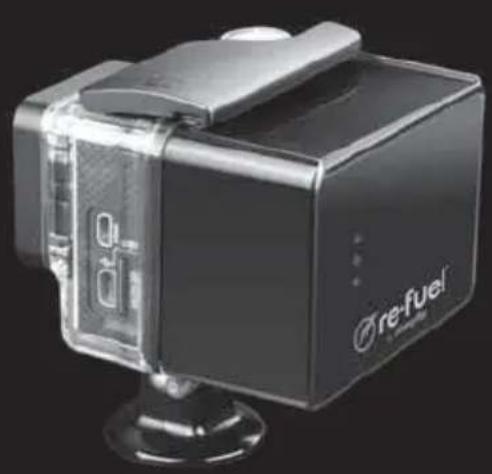

re-fuel
by DIGIPower
BLOC-PILES RECHARGEABLE ACTION PACK 6, 12 et 24 HEURES
Courriel: refuel.com