ManualGo.com
SCCB2391P - Soundbar SAMSUNG - Free user manual and instructions
Find the device manual for free SCCB2391P SAMSUNG in PDF.



Download the instructions for your Soundbar in PDF format for free! Find your manual SCCB2391P - SAMSUNG and take your electronic device back in hand. On this page are published all the documents necessary for the use of your device. SCCB2391P by SAMSUNG.
USER MANUAL SCCB2391P SAMSUNG
SCC-B2391(P) SCC-B2091P SCC-B2300 User’s Manual
Important Safety Instructions
CAUTION: TO REDUCE THE
SERVICE PERSONNEL. To prevent damage which may result in fire or electric shock hazard, do not expose this appliance to rain or moisture. This device complies with part 15 of the FCC Rules. Operation is subject to the following two conditions.
1) This device may not cause harmful interference, and
2) This device must accept any interference that may cause undesired
operation. CAUTION: Danger of explosion if battery is incorrectly replaced. Replace only with the same or equivalent type recommended by the manufacturer. Dispose of used batteries according to the manufacturer’s instructions. This symbol indicates high voltage is present inside. It is dangerous to make any kind of contact with any inside part of this product. This symbol alerts you that important literature concerning operation and maintenance has been included with this product. CAUTION
1. Read these instructions.
2. Keep these instructions.
3. Heed all warnings.
4. Follow all instructions.
5. Do not use this apparatus near water.
6. Clean only with dry cloth.
7. Do not block any ventilation openings. Install in accordance
with the manufacturer’s instructions.
8. Do not install near any heat sources such as radiators, heat
registers, or other apparatus (including amplifiers) that produce heat.
9. Do not defeat the safety purpose of the polarized or grounding-
type plug. A polarized plug has two blades with one wider than the other. A grounding type plug has two blades and a third grounding prong. The wide blade or the third prong are provided for your safety. If the provided plug does not fit into your outlet, consult an electrician for replacement of the obsolete outlet.
10. Protect the power cord from being from being walked on or
pinched particularly at plugs, convenience receptacles, and the point where they exit from the apparatus.
11. Only use attachments/accessories specified by the manufacturer.
12. Use only with cart, stand, tripod, bracket, or table specified by
the manufacturer, or sold with the apparatus. When a used, caution when moving the cart/apparatus combination to avoid injury from tip-over.
13. Unplug this apparatus. When a cart is used, use caution when
moving the cart/apparatus combination to avoid injury from tip- over.
14. Refer all servicing to qualified service personnel. Servicing is
required when the apparatus has been damaged in any way, such as power-supply cord or plug is damaged, liquid has been spilled or objects have fallen into the apparatus, the apparatus has been exposed to rain or moisture, does not operate normally, or been dropped.4
Setting Lens Selection Switch
Back Focus Adjustment
Connecting Cables and Checking Operation ....... 13
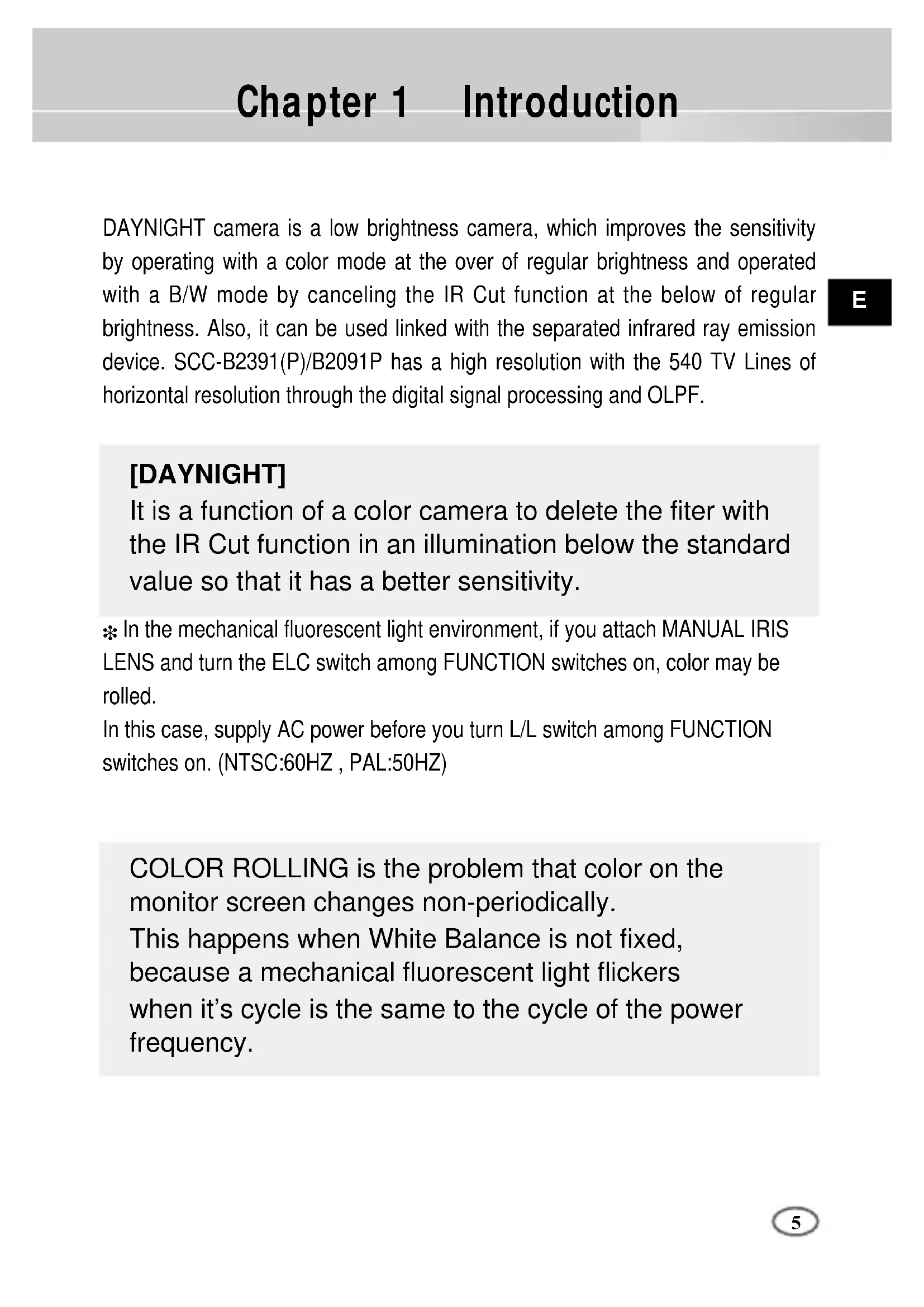
DAYNIGHT camera is a low brightness camera, which improves the sensitivity by operating with a color mode at the over of regular brightness and operated with a B/W mode by canceling the IR Cut function at the below of regular brightness. Also, it can be used linked with the separated infrared ray emission device. SCC-B2391(P)/B2091P has a high resolution with the 540 TV Lines of horizontal resolution through the digital signal processing and OLPF.
In the mechanical fluorescent light environment, if you attach MANUAL IRIS LENS and turn the ELC switch among FUNCTION switches on, color may be rolled. In this case, supply AC power before you turn L/L switch among FUNCTION switches on. (NTSC:60HZ , PAL:50HZ)
Chapter 1 Introduction
[DAYNIGHT] It is a function of a color camera to delete the fiter with the IR Cut function in an illumination below the standard value so that it has a better sensitivity. COLOR ROLLING is the problem that color on the monitor screen changes non-periodically. This happens when White Balance is not fixed, because a mechanical fluorescent light flickers when it’s cycle is the same to the cycle of the power frequency.6
High Sensitivity It has an up-to-date 1/3" Super-HAD IT CCD for an image of high sensitivity. Resolution It realizes high resolution resulting from full digital image processing supported by a state-of-art digital signal technology. Superior Back Light Adjustment Function In case the object has a bright illumination or sunlight behind it, this camera adjusts the image shaded by the back light for clear photographs. Digital Power Supply Synchronization Method The Full Digital Method Line Lock is realized in this camera, which adjusts the vertical camera synchronization directly to improve controllability and reliability of the camera.
Chapter 2 Special Features7
This chapter describes what should be checked before installation, how to set the installation environment, and what should be done during installation. Then, it describes how to install the camera and connect the cable in actual circumstances. Camera Holder(Mount) C Mount Adapter
Chapter 3 Installation
Auto Iris Lens Connector User's Manual Camera Be sure to check if the following items are included in the package. Checking the contents of the package8
① Do not attempt to disassemble the camera yourself. ➁ Be cautious in handling the camera. Avoid striking or shaking the camera. Be cautious to avoid damage on the camera caused by improper storage or operation. ➂ Do not expose this camera to rain or moisture. Do not operate this camera on a wet place. ➃ Do not use strong or abrasive detergents when cleaning the camera body. Use a dry cloth to clean the camera. ⑤ Keep the camera at a cool place away from the direct sunlight. Leaving it under the direct sunlight may result in the malfunction of the unit. Precautions in Installation and Use9
Connecting Auto Iris Lens Connector Prepare the following Auto Iris Lens Connector supplied with the camera. Connect the cable of the control cable, whose covering is stripped, to the Auto Iris Lens Connector as shown below.
Pin3 Pin2 Pin4 Pin1 Pin No. DC Control Type VIDEO Control Type 1 Damp(-) Power (+12V) 2 Damp(+) N/A 3 Drive(+) VIDEO Signal 4 Drive(-) GROUNDIn case of CS lenses Turn the CS lens clockwise until it is fixed as shown as follows. In case of C lenses Turn the C-mount adapter clockwise to fix it. Then turn the C lens clockwise until it is fixed as follows. Lens Fixing CS lens C lens
ESetting Lens Selection Switch
Back Focus Adjustment The camera back focus is adjusted at the plant before delivery, but some lenses are out of focus though the number differs in types. If it's the case, you should make the back focus adjustment as follows. First, this is the back focus adjustment procedure for fixed focus lenses. Lenses without zoom function ① Image an object with high resolution(letticed) at more than 10m distance and put the lens focus ring in the infinite(
) position. ➁ Rotate the BACK FOCUS control bar until the object is seen best. ➂ Tighten the BACK FOCUS control bar fixing screw. When lens mounting is completed, set the Lens selection Switch on the side of the camera according to the mounted lens type. When the mounted lens is an Auto Iris Lens of the DC control type, set the Lens Selection Switch to "DC". When the mounted lens is an Auto Iris Lens of the Video control type, set the Lens Selection Switch to "VIDEO".12
Lenses with zoom function ① Image an object with high resolution(letticed) at a distance of 3 to 5 m and zoom in the lens as close to TELE as possible. Then adjust the lens focus bar until the object is seen best. ➁ Zoom in the lens as close to WIDE as possible and adjust the BACK FOCUS adjustment bar until the object is seen best. ➂ Repeat from ① to ➁ above 2 or 3 times until the focus on the ZOOM TELE side is in line with that on the ZOOM WIDE side. BACK FOCUS CONTROL BARConnecting Cables and Checking Operation
1 First, connect the connector of the BNC cable to the Video Out terminal 2 Second, connect the other connector of the BNC cable to the Video In terminal. BNC cable Video Out Terminal Video In Terminal of Monitor Rear Surface14
3 Third, connect the power cable. ① AC24V/DC12V Power Input Camera. Connect 2 lines of the power adapter using a screwdriver to the power IN Terminal of the camera as shown below.
Without the distinction of the polarity, connect to the AC24V or DC12V power source. ➁ AC230V Power Input Camera Connect the power input cord to the AC230V power source.15
Chapter 4 Part Names and Functions
Mount Adapter Fixing Groove This groove is used for screwing the mount adapter, a part of the bracket where the camera will be installed.
Camera Lens(Option) This lens is installed in the camera.
A camera lens with a stained surface should be cleaned softly with a lens tissue or ethanol painted cotton cloth.
Auto Iris Lens Connector This connector provides the automatic shutter lens with power supply, control signal, video signal, or DC signal necessary for the control of the lens shutter.
Auto Iris Lens Control Cable This cable transmits signal which controls the Iris.
ALC Lens Selection Switch This Switch is used for select the type of Lens.
Back Focus Control Bar This bar is used for set back focus of the camera.
ALC Lens Selection Switch
Mount Adapter Fixing Groove
Camera LensRear View
AC24V/DC12V Camera (SCC-B2391(P)/B2300) AC230V Camera (SCC-B2091P)
① Power connection port AC24V/DC12V Camera : It is a port connected to the power adaptor cable. AC230V Camera : It is Power cord. ➁ POWER LED If the power of a camera is supplied normally, the LED is ON. ➂➃INC and DEC Switch Both switches increase or decrease the profit of RED and BLUE to fix a color temperature as you wish while AWB among the FUNCTION switches is off(USER) and control the vertical synchronous phase while both AWB and L/L are on. ⑤ FUNCTION Switch
Set to OFF, the camera activates the internal synchronization mode and set to ON, the power synchronization mode. If you connect multi cameras to the sequential switcher to enter the automatic conversion mode, the screen will bounce every screen while the camera stays in INT(internal synchronization). Such bouncing phenomena may be cleared and screen conversion becomes smooth by setting the L/L switch to ON and using the INT/DEC switch to control the vertical synchronous phase.
If you want to control the vertical synchronous phase with the INT/DEC switch when L/L is set to ON, you shall set SW4 to AWB ON.
In case of DC12V, INT(internal synchronizer) will be fixed without regard to ON/OFF of L/L.
If you want to use the camera with PDP/LCD, please set the L/L switch OFF.
Use this switch with the Manual Iris Lens. While this switch is ON, the speed of the electronic shutter varies with the brightness of the subject from 1/60(50) to 1/100,000 sec for automatically controlling the brightness of the screen. However, with the Auto Iris Lens (DC or Video Control), be sure to switch OFF. Color Rolling may occur in this mode. In that case, input AC power source to the camera and select SW1 "ON". (NTSC : 60HZ, PAL : 50HZ)
This is to prevent flicker on the screen when NTSC system is used in 50HZ power supply region and PAL system is used in 60HZ power supply region. That is to prevent shaking on the screen resulted from the discordance of the vertical sync frequency and the flicker frequency of the illumination. While this switch is ON, the electronic shutter is fixed to 1/100sec (NTSC) or 1/120 sec (PAL).
When setting up ON, the color of screen is adjusted automatically in accordance with the change of lighting color temperature by the change of outer environment. (ATW) If the lighting condition is steady, OFF setting is available. The camera memorizes the lighting color temperature at the time when the switch setting is changed from ON to OFF, and the camera color is adjusted to the memorized color temperature. (AWC) If the lighting color temperature is changed and you want to make the camera be memorized/operated with the changed color temperature, re-operate the switch On/Off operation. However, be aware that an error may occur under the following conditions. First, a case that the subject is big, single color of the high chroma, and in the center of the screen or a case with almost no white color on the screen. Second, a case with a specific illumination such as a natrium lamp19
DC IRIS Level Controller When the ALC lens selection switch is set to DC, use the same control bar as the driver to control the IRIS level.
Video Output Port This port shall be connected to the monitor video input port or equivalent. You may output camera video signals through this port.
DAYNIGHT Selection Switch If you set this switch to AUTO, the DAYNIGHT function will be automatically activated according to the illumination. Under poor illumination, IR Filter will be automatically eliminated in the black and white mode(BW Mode) to raise the sensitivity but under good illumination, IR Filter will be automatically inserted in the color mode(COLOR Mode). IR Filter responds to the preset Duration Time (Delivery Condition:10 seconds). When you convert DAYNIGHT in the AUTO mode, you shall set Duration Time as follows. (Please turn off the L/L switch and the AWB switch to begin with). Whenever you convert the DAYNIGHT selection switch from EXT to AUTO while you hold on to the INC/DEC switch, DURATION TIME becomes 10s, 30s, 60s, 90s, 120s, and 150s in sequence. Upon setup, you shall cancel pressing the INC/DEC switch to save the setup condition in the camera. Upon saving, the DAYNIGHT mode will be automatically converted depending on DURATION TIME even in the event of POWER On/Off. For resetting, please repeat the above procedure. (Upon resetting, you may r eturn both L/L and AWB to the previous condition.) If you set this switch to EXT, COLOR/BW Mode varies depending on the external signal input to the DAYNIGHT external signal input port(
) is set to EXT, COLOR/BW Mode varies depending on the input signal to this port. The input terminal shall be DC5V pull-up input and over 0.2mA. OFF : Open contact ON : Closed contact20
Product Specification
Frequency Sync Type Minimum Illumination of Object
Operating Humidity ~90% Size 68(W)x55(H)x128.5(D)mm(included BNC)
10%~-5% Power Consumption About 3Watts Operating Temp
Operating Humidity ~90% Size 68(W)x55(H)x128.5(D)mm(included BNC) Weight 450g Power SourcePart No.:AB68-00511B Correct Disposal of This Product (Waste Electrical & Electronic Equipment) (Applicable in the European Union and other European countries with separate collection systems) This marking shown on the product or its literature, indicates that it should not be disposed with other household wastes at the end of its working life. To prevent possible harm to the environment or human health from uncontrolled waste disposal, please separate this from other types of wastes and recycle it responsibly to promote the sustainable reuse of material resources. Household users should contact either the retailer where they purchased this product, or their local government office, for details of where and how they can take this item for environmentally safe recycling. Business users should contact their supplier and check the terms and conditions of the purchase contract. This product should not be mixed with other commercial wastes for disposal.BEDIENUNGSANLEITUNG
SCC-B2391(P) SCC-B2091P SCC-B23002
ALC/ELC OBJECTIF VIDÉO
ALC/ELC OBJECTIF VIDÉO
SCC-B2391(P) SCC-B2091P SCC-B23002
SCC-B2391(P) SCC-B2091P SCC-B23002
Camera AC24V/DC12V (SCC-B2391(P)/B2300) Camera AC230V (SCC-B2091P)
SCC-B2391(P) SCC-B2091P SCC-B23002
AWB/MANUALPart No.:AB68-00511B