EasyManual
Impulse - Earphones Zagg - Free user manual and instructions
Find the device manual for free Impulse Zagg in PDF.



Frequently Asked Questions - Impulse Zagg
Download the instructions for your Earphones in PDF format for free! Find your manual Impulse - Zagg and take your electronic device back in hand. On this page are published all the documents necessary for the use of your device. Impulse by Zagg.
USER MANUAL Impulse Zagg
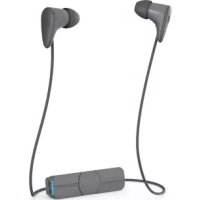
ManualIntroduction The Impulse Wireless Earbuds feature advanced audio technology that brings your music to life. Here’s how to get the most out of them. To download this manual, visit www.zagg.to/manuals. Reflective Acoustics
Your Impulse Wireless Earbuds are engineered with Reflective Acoustics, an advanced audio technology that formulates sound based on the fundamentals of human hearing. The high-quality driver reflects sound o a micro acoustic panel to magnify sound waves. Sound is then delivered to you with accurate tonal balance, even dispersion, natural clarity, and a rich, dynamic range. Power and Pair
1. Press and hold the Power button until the LED flashes red and blue.
2. Ensure your device’s Bluetooth® connection is on and select “IFROGZ
Impulse”. Complete any additional pairing steps based on your device. The LED will flash blue every five seconds while the earbuds are on and paired.
3. To turn your earbuds o, press and hold the Power button for six
seconds. The LED will flash red until they are powered o.
4. The next time you turn on the earbuds they will automatically connect
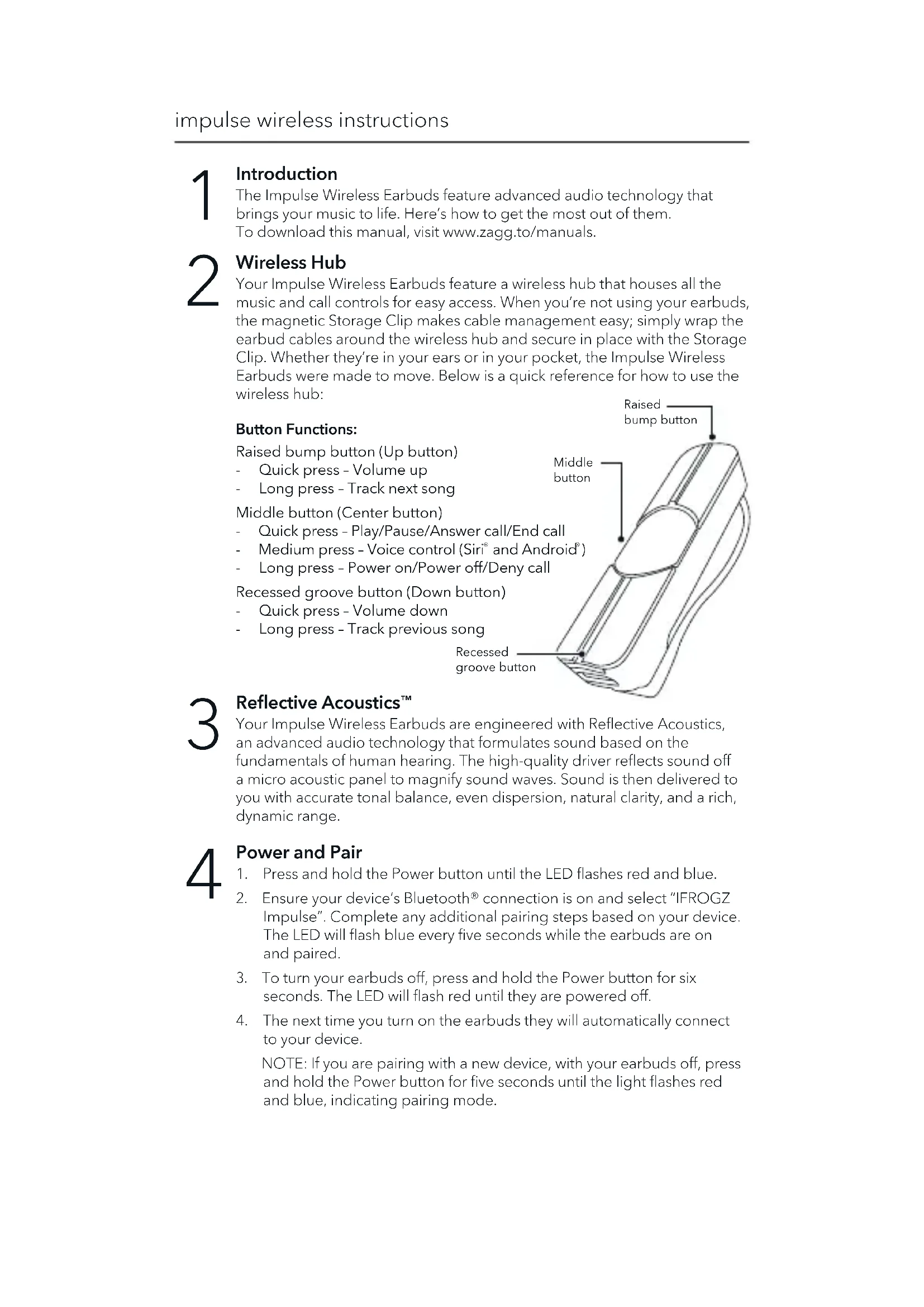
to your device. NOTE: If you are pairing with a new device, with your earbuds o, press and hold the Power button for five seconds until the light flashes red and blue, indicating pairing mode. Wireless Hub Your Impulse Wireless Earbuds feature a wireless hub that houses all the music and call controls for easy access. When you’re not using your earbuds, the magnetic Storage Clip makes cable management easy; simply wrap the earbud cables around the wireless hub and secure in place with the Storage Clip. Whether they’re in your ears or in your pocket, the Impulse Wireless Earbuds were made to move. Below is a quick reference for how to use the wireless hub: Button Functions: Raised bump button (Up button) - Quick press – Volume up - Long press – Track next song Middle button (Center button) - Quick press – Play/Pause/Answer call/End call - Medium press – Voice control (Siri
1. Press the Play button to begin playing your music.
2. While music is playing, press Play quickly to pause it. Press Play quickly
3. Quick-press the Volume Up or Volume Down buttons to control your
4. Press and hold the Volume Up or Volume Down buttons to track
forward and back through your playlist. Take Calls
1. Press the Play button to answer an incoming call.
2. Press and hold the Play button for three seconds to send an incoming
call to your voicemail.
3. Press the Play button during a call to disconnect.
Charge To charge your earbuds, connect the micro USB end of the included charging cable to the port at the end of the wireless hub and the USB end to your preferred USB outlet. The LED will light red while your earbuds are charging and will turn o when they are fully charged.
7impulse wireless instructions ©2017 ZAGG Inc All Rights Reserved | NASDAQ: ZAGG | MADE IN CHINA The Bluetooth® word mark and logos are registered trademarks owned by Bluetooth SIG, Inc. and any use of such marks by ZAGG Inc is under license. Other trademarks and trade names are those of their respective owners. ZAGG, Impulse and Reflective Acoustics are trademarks of ZAGG Inc. Siri is a trademark of Apple Inc. Android is a trademark of Google Inc. FCC STATEMENT This device complies with FCC radiation exposure limits set forth for an uncontrolled environment. This device complies with Part 15 of the FCC Rules. Operation is subject to the following two conditions: (1) this device may not cause harmful interference, and (2) this device must accept any interference received, including interference that may cause undesired operation. This equipment has been tested and found to comply with the limits for a Class B digital device, pursuant to Part 15 of the FCC Rules. These limits are designed to provide reasonable protection against harmful interference in a residential installation. This equipment generates, uses and can radiate radio frequency energy and, if not installed and used in accordance with the instructions, may cause harmful interference to radio communications. However, there is no guarantee that interference will not occur in a particular installation. If this equipment does cause harmful interference to radio or television reception, which can be determined by turning the equipment o and on, the user is encouraged to try to correct the interference by one or more of the following measures:
- Reorient or relocate the receiving antenna.
- Increase the separation between the equipment and receiver.
- Connect the equipment into an outlet on a circuit dierent from that to which the receiver is connected.