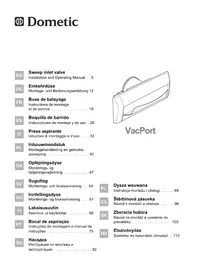
VacPort - Vacuum Cleaner WAECO - Free user manual and instructions
Find the device manual for free VacPort WAECO in PDF.


| Product type | Central vacuum sweeper nozzle |
| Brand | WAECO (Dometic) |
| Model | VacPort (ref. 9103501127) |
| Power supply | 24 V DC (via central vacuum) |
| LED lighting | Automatic, turns on with suction |
| Compatibility | Domatic CV1004 or CV2004 central vacuum units |
| Usage | Indoor only, floor dust suction |
| Installation | Wall-mounted, requires cutting into wall and electrical connection |
| Package contents | Nozzle, cover, Y-piece, 90° fitting, connectors (4 white, 4 black), 1 m hose, manual |
| Maintenance | Clean with a damp cloth, no abrasive products |
| Safety | Do not use without central bag/filter, keep away from children, do not vacuum liquids |
| Warranty | According to legal conditions, contact Dometic customer service |
| Support | French customer service: service@dometic.fr, +33344633500 |
Frequently Asked Questions - VacPort WAECO
User questions about VacPort WAECO
0 question about this device. Answer the ones you know or ask your own.
Ask a new question about this device
Download the instructions for your Vacuum Cleaner in PDF format for free! Find your manual VacPort - WAECO and take your electronic device back in hand. On this page are published all the documents necessary for the use of your device. VacPort by WAECO.
USER MANUAL VacPort WAECO
Please read this instruction manual carefully before installation and first use, and store it in a safe place. If you pass on the product to another person, hand over this instruction manual along with it.
Table of contents
1 Explanation of symbols 5
2 Safety instructions 6
3 Scope of delivery 8
4 Intended use 8
5 Installing the VacPort 9
6 Using the VacPort 10
7 Troubleshooting 10
8 Cleaning and caring for the VacPort 10
9 Warranty 11
10 Disposal 11
1 Explanation of symbols

WARNING!
Safety instruction: Failure to observe this instruction can cause fatal or serious injury.

CAUTION!
Safety instruction: Failure to observe this instruction can lead to injury.

NOTICE!
Failure to observe this instruction can cause material damage and impair the function of the product.

NOTE
Supplementary information for operating the product.
Action: This symbol indicates that action is required on your part. The required action is described step-by-step.
This symbol describes the result of an action.
Fig. 1 5, page 3: This refers to an element in an illustration. In this case, item 5 in figure 1 on page 3.
2 Safety instructions
The manufacturer accepts no liability for damage in the following cases:
- Damage to the product resulting from mechanical influences and excess voltage
- Alterations to the product without express permission from the manufacturer
- Use for purposes other than those described in the operating manual
2.1 General safety

WARNING!
- Before you use the device for the first time, check that the operating voltage matches the mains voltage (see type plate).
- Do not operate the device if it is visibly damaged.
- This device may only be repaired by qualified personnel. Inadequate repairs may cause serious hazards.
Should your device need to be repaired, please contact customer service.
- This device can be used by children aged 8 years or over, as well as by persons with diminished physical, sensory or mental capacities or a lack of experience and knowledge, providing they are supervised, or have been taught how to use the device safely and are aware of the resulting risks.
- Cleaning and user maintenance must not be carried out by unsupervised children.
Children must not play with the device.
Children must be supervised to ensure that they do not play with the device. -
Always keep and use the device out of the reach of children under 8 years of age.
-
Never expose the device to moisture.
- Do not lean any objects against the sweep inlet valve.
2.2 Operating the device safely

CAUTION!
- Remove the power plug of the central vacuum cleaner from the socket if you plan to carry out maintenance work.
- Never pull the power plug out of the socket by the cable.
- Never use the device in rooms where flammable materials are stored or flammable gases have built up. Sparks from the motor could ignite them.
- Keep the nozzles away from eyes, ears and face while operating. Ensure that hair, loose clothing and fingers do not get in the outlets or moving parts.
- Keep children and animals at a safe distance when operating the device.
- Do not use the device with wet hands.

NOTICE!
- Do not vacuum any
-wet objects - solvents or caustic liquids
hot, glowing, hard or sharp objects - poisonous materials
These could damage the device or the filter. - Do not vacuum any large objects, such as waste paper or cloths. These could block the hose.
- If the motor filter is dirty, rinse it in warm water or insert a new filter. Only insert filters that are completely dry.
- Only use the device indoors, never outside.
- Make sure that none of the vents are blocked. If necessary, clean the vents before you use the device.
- Do not use the device without a filter or a dust bag in the central vacuum cleaner.
3 Scope of delivery
| Quantity Description |
| 1 VacPort sweep inlet valve |
| 1 Trim plate |
| 1 Y - p i e c e |
| 1 90° elbow piece |
| 1 Mounting connector (white) |
| 4 Screw connector (black) |
| 1 Connection hose (1 m) |
| 1 Installation and operating manual |
4 Intended use
The VacPort sweep inlet valve (item no. 9103501127) is used for vacuuming up dust at the floor level. It works in combination with the Dometic CV1004 or CV2004 central vacuum cleaner.
It can be fitted, for example, in the entrance or kitchen area in order to suck away dirt which has been swept up there using the permanently installed nozzle.
The LED is automatically activated when the suction function is switched on, and lights up the floor in front of the nozzle.
5 Installing the VacPort

WARNING! Danger of electrocution and serious injury.
Beware of electrical cables in the wall when drilling and sawing.

NOTICE!
Install the VacPort in a dry place.
- Do not install the VacPort in an area which is subject to high temperatures.
- Do not bend the connection cable round sharp edges or corners. Keep the connection cable away from heated surfaces.

NOTE
The mounting connectors need to be glued on the device-side using a standard adhesive. The screw connectors are screwed into the connection hose and inserted into the mounting connectors.
Place the trim plate (fig. 1 2, page 3) at floor level against the wall and mark the section inside the trim plate.
Saw out the section (fig. 1, page 3).
Glue the mounting connector (fig. 2 5, page 3) onto the device-side on the VacPort connection (fig. 2 1, page 3).
Insert the 90° elbow piece (fig. 2 1, page 3) onto the mounting connector (fig. 2 5, page 3).
Separate the suction hose (fig. 2, page 3) between the central vacuum cleaner and hose socket.
Turn the screw connector (fig. 2 3, page 3) in all hose ends.
Connect the hose ends to the Y-piece (fig. 2 4, page 3) and to the elbow piece (fig. 2 1, page 3).
Connect the orange-coloured 24V = - cables on the back of the central vacuum cleaner with the contacts on the sweep inlet valve (fig. 4, page 4) according to the circuit diagram (fig. 3, page 4).
Fit the sweep inlet valve (fig. 2, page 3) in the wall.
6 Using the VacPort

NOTICE!
Do not use the sweep inlet valve without a dust bag or motor filter in the central vacuum cleaner.
Connect the hose connector on the front of the central vacuum cleaner with the sliding cover and the external hose socket when you clean up using the sweep inlet valve, in order to avoid loss of suction.
To switch on, slide the flap upward.
✓The vacuum cleaner switches on automatically.
The LEDs light up.
Sweep the dust into the opening.
To switch off, slide the flap downward.
✓The vacuum cleaner switches off automatically.
√The LEDs go out.
7 Troubleshooting

NOTE
If the motor stops, switch off the vacuum cleaner. You can find notes on troubleshooting in the installation and operating manual of the Dometic CV1004 or CV2004 central vacuum cleaner.
8 Cleaning and caring for the VacPort

NOTICE!
Do not use sharp or hard objects or cleaning agents for cleaning as these may damage the product.
Occasionally clean the product with a damp cloth.
9 W a r r a n t y
The statutory warranty period applies. If the product is defective, please contact the manufacturer's branch in your country (see the back of the instruction manual for the addresses) or your retailer.
For repair and guarantee processing, please include the following documents when you send in the device:
A copy of the receipt with purchasing date
A reason for the claim or description of the fault
10 Disposal
Place the packaging material in the appropriate recycling waste bins wherever possible.
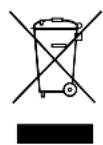
If you wish to finally dispose of the product, ask your local recycling centre or specialist dealer for details about how to do this in accordance with the applicable disposal regulations.
He donyckaIte BCacbIBaHna
- BJaXHbIX NpeMMeTOB
- condeprkaux pactbopnteJIINIeKNX KNDKOCTeN
- ropaunx,packaJIeHHbIX,TBepdbIX INN OCTpbix PpeDMeTOB
-яДОВИТыx MaTeриаNoB
OHHMOrT NOBpeDntb npnbop nnn qnIbTp.
He BcacbBaIte KpynHbIe npedMeTbI, HapnpMep, CtapbIe 6ymarN nn caFetKn. OHI Moryr 3acopntb IJnaHr.
- Ecnn ΦnIbTp DnIraTeJIa3rpa3HeH, npononoIuIte erO B TeIIOB OBe IIN yCTaHOBIne HOBbI ΦnIbTp. YcTaHaBJIuBaIte TOnbKO a6COJIHTHO cyXoN ΦnIbTp.
- Пибор pa3peшаeТСИСПОЛьЗВАТБ TOЛБКВ ПОМЕЧЕНЯХ, HO HN B KOEM CNYaEM NOД OTKpbITbIM He6OM.
- CnéДиTe 3a Tem, YTO6bI He 3a6nBaJIncs b OTBepCTn. Пр n Heo6XODIMOCtN, NpeD nCNoJIb3OBAHHeM nPn6Op a OUnCTnTe OTBepCTn.
He BBOIDTe np6op 6e3 qnilbtpa nn nblnc60npHka B ceHTpaIbHOM nbIecOce B pa6oty.
3 Komпент поставки
Dometic Australia Pty. Ltd.
1 John Duncan Court
Varsity Lakes QLD 4227
+61755076000
+61755076001
Mail: sales@dometic-waeco.com.au
AUSTRIA
Dometic Austria GmbH
Domatic Plc. Sales Office
Kérékgyarto u.5.
H-1147 Budapest
+3614684400
+3614684401
Domatic Italy S.r.l.
Via Virgilio, 3
I-47100 Forli
+390543754901
+390543756631
Mail: info@dometic.it
NORWAY
Dometic Norway AS
Skolmar 24
N-3232 Sandefjord
+4733428450
+4733428459
Mail: firmpost@waeco.no
POLAND
Dometic Poland Sp. z o.o.
Ul. Puławska 435A
02-801 Warszawa
Poland
+48224143200
+48224143201
Mail: info@dometic.pl
RUSSIA
Dometic RUS LLC
Komsomolskaya square 6-1
107140 Moscow
Russia
+74957807939
+74959165653
Mail: info@dometic.ru
SLOVAKIA
Domatic Slovakia Sales Office Bratislava
Nádražná 34/A
SK-900 28 Ivanka pri Dunaji
+421245529680
Mail: bratislava@dometic.com
SPAIN
Domicic Spain S.L.
Avda. Sierra del Guadarrama, 16
E-28691 Villanueva de la Canada
Madrid
+34 902 111 042
+34900100245
Mail: info@dometic.es
SWEDEN
Dometic Scandinavia AB
Gustaf Melins gata 7
Dometic Switzerland AG
Riedackerstrasse 7a
CH-8153 Rümlang (Zürich)
+41448187171
+41448187191
Mail: info@dometic-waeco.ch
TAIWAN
WAECO Impex Ltd.
Taipei Office
2 FL-3 · No. 56 Tunhua South Rd, Sec 2
Taipei 106, Taiwan
+886227014090
+886227060119
Mail: marketing@dometic-waeco.com.tw
UNITED KINGDOM
Domatic UK Ltd.
Dometic House · The Brewery
Blandford St. Mary
Dorset DT11 9LS
+448446260133
+448446260143
Mail: sales@dometic.co.uk
UNITED ARAB STATES
Dometic Middle East FZCO
P.O.Box 17860
S-D 6, Jebel Ali Freezone
Dubai, United Arab Emirates
+97148833858
+97148833868
Mail: info@dometic.ae
UNITED STATES OF AMERICA
Dometic Marine Division
2000 N. Andrews Ave. Extension
Pompano Beach, FL 33069 USA
+19549732477
+19549794414
Mail: marinesales@domesticusa.com

- TABLE OF CONTENTS
- 1 EXPLANATION OF SYMBOLS
- WARNING
- CAUTION
- NOTICE
- NOTE
- 2 SAFETY INSTRUCTIONS
- 2.1 GENERAL SAFETY
- 2.2 OPERATING THE DEVICE SAFELY
- 3 SCOPE OF DELIVERY
- 4 INTENDED USE
- 5 INSTALLING THE VACPORT
- WARNING! DANGER OF ELECTROCUTION AND SERIOUS INJURY
- 6 USING THE VACPORT
- 7 TROUBLESHOOTING
- 8 CLEANING AND CARING FOR THE VACPORT
- 9 W A R R A N T Y
- 10 DISPOSAL
- 3 KOMПЕНТ ПОСТАВКИ
- DOMETIC AUSTRALIA PTY. LTD
- AUSTRIA
- DOMETIC AUSTRIA GMBH
- DOMATIC PLC. SALES OFFICE
- DOMATIC ITALY S.R.L
- NORWAY
- DOMETIC NORWAY AS
- POLAND
- DOMETIC POLAND SP. Z O.O
- RUSSIA
- DOMETIC RUS LLC
- SLOVAKIA
- DOMATIC SLOVAKIA SALES OFFICE BRATISLAVA
- SPAIN
- DOMICIC SPAIN S.L
- SWEDEN
- DOMETIC SCANDINAVIA AB
- DOMETIC SWITZERLAND AG
- TAIWAN
- WAECO IMPEX LTD
- UNITED KINGDOM
- DOMATIC UK LTD
- UNITED ARAB STATES
- DOMETIC MIDDLE EAST FZCO
- UNITED STATES OF AMERICA
- DOMETIC MARINE DIVISION
Brand : WAECO
Model : VacPort
Category : Vacuum Cleaner