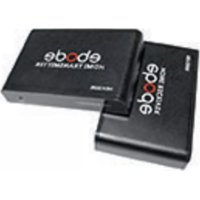
HD120IR - Audio/video extension EBODE - Free user manual and instructions
Find the device manual for free HD120IR EBODE in PDF.

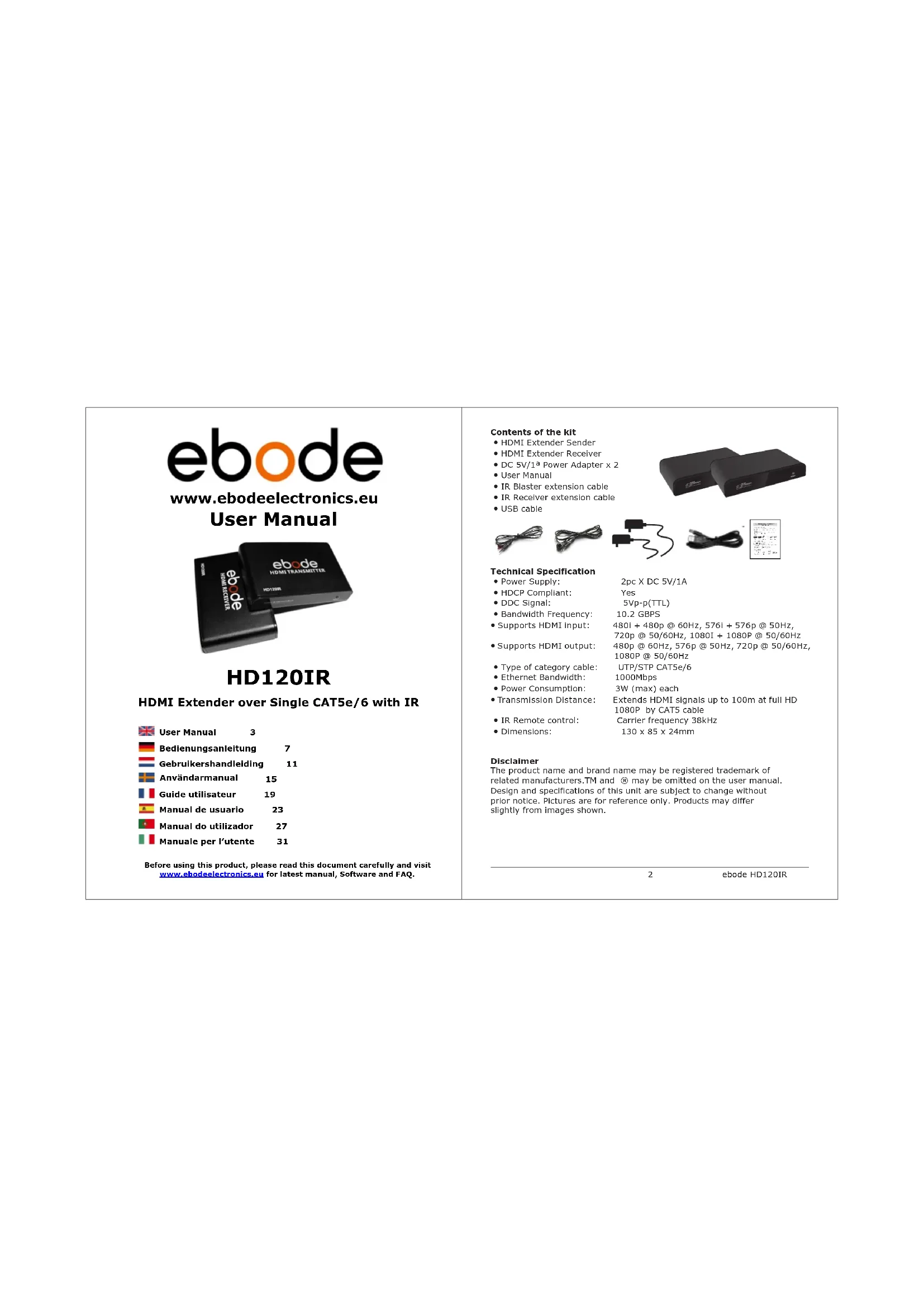

| Product Type | HDMI audio/video extender via TCP/IP |
| Brand | ebode |
| Model | HD120IR |
| Category | Audio/video extender |
| Power Supply | DC 5V via power adapter or USB cable (for receiver) |
| Maximum Transmission Distance | 120 m with CAT6 cable, 100 m with CAT5e, 80 m with CAT5 |
| Connectors | HDMI, RJ45 (LAN), IR blaster/receiver |
| Network Standard | TCP/IP, IEEE-568B for wiring |
| Main Functions | Transmission of HDMI and IR signals via network, extension up to 120 m |
| Source Compatibility | HD STB, PS3, Blu-Ray, PC, HDMI graphics cards |
| Display Compatibility | HD projector, LCD screen, LED, Full HDTV |
| IR Frequency | 38 kHz |
| Reset Button | Yes, for HDMI amplifier |
| Maintenance and Cleaning | Unplug before cleaning; use a dry cloth; avoid moisture |
| Safety | Indoor use only; do not expose to rain; do not open |
| Spare Parts and Repairability | Not user-serviceable; contact supplier in case of damage |
| General Information | Manufacturer warranty except in case of opening or incorrect use |
Frequently Asked Questions - HD120IR EBODE
User questions about HD120IR EBODE
0 question about this device. Answer the ones you know or ask your own.
Ask a new question about this device
Download the instructions for your Audio/video extension in PDF format for free! Find your manual HD120IR - EBODE and take your electronic device back in hand. On this page are published all the documents necessary for the use of your device. HD120IR by EBODE.
USER MANUAL HD120IR EBODE

www.ebodeelectronics.eu User Manual

HD120IR
HDMI Extender over Single CAT5e/6 with IR
User Manual 3
Bedlenungsanleitung 7
Gebrulkershandleiding 11
Anvandarmanual 15
Guide utiliseur 19
Manual de usuario 23
Manual do utiliser 27
Manuale per l'utente 31
Before using this product, please read this document carefully and visit www.ebodelectronics.eu for latest manual, Software and FAQ.
Contents of the kit
HDMI Extender Sender
HDMI Extender Receiver
DC 5V/1a Power Adapter x 2
- User Manual
- IR Blaster extension cable
IR Receiver extension cable
USB cable


Technical Specification
Power Supply:
HDCP Compliant:
- DDC Signal:
Bandwidth Frequency:
Supports HDMI
Supports HDMI output:
- Type of category cable:
- Ethernet Bandwidth:
Power Consumption:
Transmission Distance:
IR Remote control:
- Dimensions:
2pcXDC5V/1A
Yes
5Vp-p(TTL)
10.2 GBP5
4801+480p @ 60Hz,5761+576p @ 50Hz
720p @ 50/60Hz, 1080I + 1080P @ 50/60Hz
480p @ 60Hz, 576p @ 50Hz, 720p @ 50/60Hz
1080P @ 50/60Hz
UTP/STP CAT5e/6
1000Mbps
3W (max) each
Extends HDMI signals up to 100m at full HD
1080P by CAT5 cable
Carrier frequency 38kHz
130×85×24mm
Disclaimer
The product name and brand name may be registered trademark of related manufacturers.TM and ⑧ may be omitted on the user manual. Design and specifications of this unit are subject to change without prior notice. Pictures are for reference only. Products may differ slightly from images shown.

User Manual
1. Conformity of Use
For carefree and safe use of this product, please read this manual and safety information carefully and follow the instructions. The unit is registered as a device that does not cause or suffer from radio-frequency interference. It is CE approved and it conforms with the Low Voltage Directory. The safety and Installation instructions must be observed. Technical manipulation of the product or any changes to the product are forbidden, due to security and approval issues. Please take care to set up the device correctly - consult your user guide. Young children should use the device only under adult supervision. No guarantee or liability will be accepted for any damage caused due to incorrect use of the equipment supplied, other than indicated in this owner's manual.
SafetyWarnings
-
To prevent short circuits, this product (except if specified for outdoor usage) should only be used inside and only in dry spaces. Do not expose the components to rain or humidity.
-
Only connect the power cord to the mains after checking whether the mains voltage is the same as the values on the rating labels. Never connect a power cord when it is damaged. In that case, contact your supplier. If there is any danger of a thunderstorm, it is a good precaution to unplug the power supply from the mains network in order to protect it from lightning. The same applies if the system is to be out of action for any length of time.
-
Avoid strong mechanical tear and wear, extreme ambient temperatures, strong vibrations and atmospheric humidity.
-
Do not disassemble any part of the product: no user-serviceable parts are inside. The product should only be repaired or serviced by qualified and authorized service personnel. Defected pieces must be replaced by original (spare) parts.
-
Batteries: keep batteries out of the reach of children. Dispose of batteries as chemical waste. Never use old and new batteries or different types of batteries together. Remove the batteries when you are not using the system for a longer period of time. When inserting batteries be sure the polarity is respected. Make sure that the batteries are not short circuited and are not disposed in fire (danger of explosion).
In case of improper usage or if you have opened, altered and repaired the product yourself, all guarantees expire. The supplier does not accept responsibility in the case of improper usage of the product or when the product is used for purposes other than specified. The supplier does not accept responsibility for additional damage other than covered by the legal product responsibility.
2. Introduction
Thank you for purchasing the ebode HD120IR. The HD120IR HDMI Extender over single CAT5e/6 with IR is designed to convert and transmit HDMI signal to standard TCP/IP by internet cable or LAN. With the advantage of TCP/IP standard with 38KHz IR, the HD120IR can transmit HDMI signals from sources such as HD STB, PS3, Blu-Ray player, HDMI display card to HD projector, LCD, LED, Full HDTV and other A/V devices over a distance up to 120 meters (CAT6), 100 meters (CAT5e) or 80 meters (CAT5). Includes USB cable which enables you to power the receiver from USB port of your HDTV.
3. Important Safety Instructions
- Incorrect placement of sender and receiver may result in the failure of the installation.
- Incorrect placement of IR blaster and receiver may result in the failure of the IR extenders.
- Do not plug the device, when it is in using, keep distance from inflammable and explosive devices.
- Power Supply :DC 5V , Use only the power adapter and power cords and connection cables designed for this unit.
4. Installation Requirements
- HDMI source with IR function (Computer graphics card, DVD, PS3, HD monitoring equipment etcetera)
- SDTV,HDTV,Projector with HDMI port.
- Link Connector (Sender/Receiver): UTP/STP CAT5e/6.
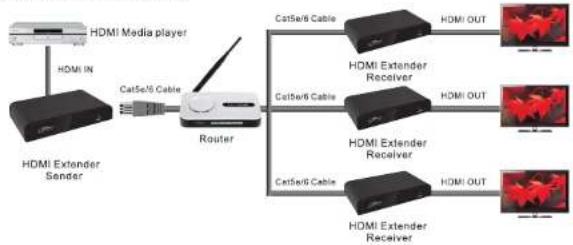
- Extends by Router or LAN connection, Cable length requirements are as follows:
o CAT5 Maximum 80 meters between two Devices
o CAT5e Maximum 100 meters between two Devices
o CAT6 Maximum 120 meters between two Devices
5. Installation Guide
5.1 CAT5e/6 cable.
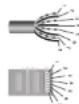
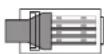
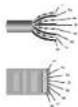
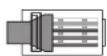
Follow the standard of IEEE-568B.
1 = Orange / White
2 = Orange
3 = Green / White
4 = Blue
5 = Blue / White
6 = Green
7 = Brown / White
8 = Brown
T569H
5.2 General Connection
Transmission distance can be up to 100 meters for 1080P over one CAT5.

5.3 Router Connection
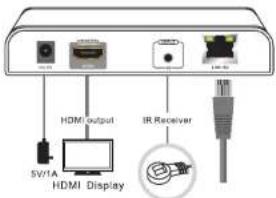
5.4 IR Remote Connection
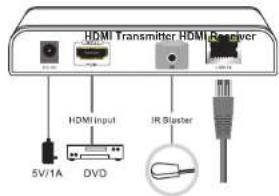
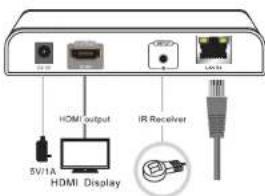
IR Blaster:
Plug in the IR blaster to the HDMI transmitter to emit all IR command signals received from the IR receiver from the other end to control the devices corresponding to the IR signals.
IR Receiver:
Plug in the IR receiver to the HDMI Receiver to receive all IR command signals from the IR remote controls of the corresponding devices.
6. Frequently Asked Questions
Q: Yellow Light of LAN port is flashing but slowly.
A:1) Check whether HDMI Extender TX and HDMI Extender RX Is reversed.
2) Check whether HDMI Source device output HDMI signal correctly.
3) Change the HDMI cable of TX.
Q: Yellow Light of LAN port is flashing quickly but no display.
A:1) If HDMI source is graphics card, please set the resolution to be supported by display device.
2) Check whether HDMI cable of RX is well connected.
3) Change the HDMI cable of RX.
Q: Yellow Led light LAN port is not light.
A:1) Check connection of network cable.
2) Network cable is too long.
Q: Abnormal colour display or flashing after all devices are well connected.
A:1) Please press the reset button of your HDMI Extender
2) Follow the standard of IEEE-568B
Q: IR Remote does not work.
A: 1) Incorrect placement of IR blaster and Receiver may result in the failure of the IR extenders, please check carefully before plugging in the IR extender.
2) Make sure the frequency is 38kHz .
Please visit www.ebodeelectronics.eu for
latest manual, Software and FAQ.

Bedienungsanleitung
5.4 IR Remote Verbinding
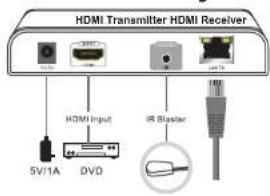
IR Blaster:
1 = Orange/Vit
2-Orange
3 = Grön/Vit
4 = Bla
5 = Bla/Vit
6=Gr0n
7 = Brun/Vit
8 = Brun

T568B
5.2 Allman Anslutning
2 = Orange
3 = Vert / Blanco
4 = Bleu

T568B
DECLARATION OF CONFORMITY
Hereby, ebode electronics, declares that this ebode HD120IR is in compliance with the essential requirements and other relevant provisions of the following Directives:
Directive 2004/108/EC of the European Parliament and of the Council of 15 December 2004 on the approximation of the laws of the Member States relating to electromagnetic compatibility
Directive 2006/95/EC of the European Parliament and of the Council of 12 December 2006 on the harmonization of the laws of Member States relating to electrical equipment designed for use within certain voltage limits
Directive 2002/95/EC of the European Parliament and of the Council of 27 January 2003 on the restriction of the use of certain hazardous substances in electrical and electronic equipment
Directive 2005/32/EC of the European Parliament and of the Council of 6 July 2005 establishing a framework for the setting of eco design requirements for energy-using
Technical data and copies of the original Declaration of Conformity are available and can be obtained from ebode electronics: PB 25, NL-4264ZG, the Netherlands.

User Information for Consumer Products Covered by EU Directive 2002/96/EC on Waste Electric and Electronic Equipment (WEEE)
This document contains Important information for users with regards to the proper disposal and recycling of ebode products. Consumers are required to comply with this notice for all electronic products bearing the following symbol:

Environmental Information for Customers in the European Union
European Directive 2002/96/EC requires that the equipment bearing this symbol on the product and/or its packaging must not be disposed of with unsorted municipal waste. The symbol indicates that this product should be disposed of separately from regular household waste streams.
It is your responsibility to dispose of this and other electric and electronic equipment via designated collection facilities appointed by the government or local authorities. Correct disposal and recycling will help prevent potential negative consequences to the environment and human health.
For more detailed information about the disposal of your old equipment, please contact your local authorities, waste disposal service, or the shop where you purchased the product.
DECLARATION OF CONFORMITY TO R&TTE DIRECTIVE 1999/5/EC for the European Community, Switzerland, Norway, Iceland and Liechtenstein
Product category: general consumer (category 3).
English: This equipment is in compliance with the essential requirements and other relevant provisions of the European R&TTE Directive 1999/5/EC.
Also available from ebode:

Universal Bluetooth Speaker Set
The best music sound ever with the ebode BTS21! Stream your music from any Bluetooth device like Smartphone, tablet or laptop to the BTS21 and you are assured of great audio quality with this wireless 2.1 stereo set. The BTS21 speakers and subwoofer will give your music an extra dimension with powerful and clear sound.
Bluetooth Receiver
Transmit the music from your smartphone, tablet or laptop wireless to the BTR30. You easily hook this up to your amplifier, stereo set or your car audio system. Enjoy your favourite songs with all your friends at home, and on the go! In addition, the BTR30 can act as a Bluetooth? headset for your mobile phone and is compatible with most Bluetooth devices.

ebode is focusing on wireless audio and video products, that are affordable, innovative and plug & play. The products provide you with comfort in your home, help you to avoid wires, and make sure you can stream your personal audio and video to where ever you want to look or listen to it. For more ebode products and information, please visit www.ebodeelectronics.eu.
Also available from ebode:

HDMI IR Accessories
The ebode IR over HDMI set, HDIK30 contains two IR Adapters, one IR Receiver and one IR Blaster. These products are used for the ebode HDMI splitters (HDSPL12 & HDSPL14), switchers (HDSWITCH31 & HDSWITCH51) and could also be used as a stand-alone IR over HDMI solution. This kit features two selectable IR modes; CEC and IR.
Wi-Fi HD720P IP Camera
The ebode IPV58P2P camera offers the latest generation of IP cameras with hassle-free, three steps set-up and installation thanks to a unique QR code scanning method. The IPV58P2P Waterproof (Ip66) outdoor camera with 12 IR-LEDs and automatic IR-LED takes care for Night Vision Range up to 20 meters. Includes IR-Cut Filter for automatically color correction.

ebode is focusing on wireless audio and video products, that are affordable, innovative and plug & play. The products provide you with comfort in your home, help you to avoid wires, and make sure you can stream your personal audio and video to where ever you want to look or listen to it. For more ebode products and information, please visit www.ebodeelectronics.eu.
Also available from ebode:
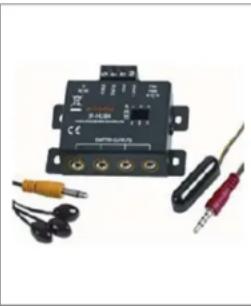
IR Link Pro Mini
The ebode IR Link Pro Mini is a mains powered InfraRed Extender System that allows full remote control operation of audio/video components (such as your Blu-ray player, A/V Receiver, DVR, Satellite Box, Cable Tuner, etc.) which are located behind closed cabinet doors, in other rooms, or other concealed and/or out-of-sight locations.
Digital HD Video Link
Long Range Wireless HDMI has arrived! The VLHD30 replaces your current HDMI cable. The system wirelessly streams uncompressed High-Def videos from any HD video source devices to your HDTV (or projector), placed anywhere in your home. The VLHD30 has an extra long range and includes an USB port!
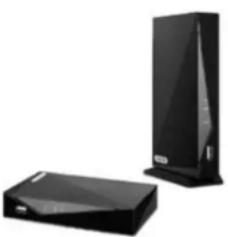
ebode is focusing on wireless audio and video products, that are affordable, innovative and plug & play. The products provide you with comfort in your home, help you to avoid wires, and make sure you can stream your personal audio and video to where ever you want to look or listen to it. For more ebode products and information, please visit www.ebodeelectronics.eu.

www.ebodeelectronics.eu


- HD120IR
- HDMI Extender over Single CAT5e/6 with IR
- Contents of the kit
- Technical Specification
- Disclaimer
- User Manual
- Conformity of Use
- SafetyWarnings
- Introduction
- Important Safety Instructions
- Installation Requirements
- Installation Guide
- CAT5e/6 cable.
- General Connection
- Router Connection
- IR Remote Connection
- IR Blaster:
- IR Receiver:
- Frequently Asked Questions
- Bedienungsanleitung
- IR Remote Verbinding
- Allman Anslutning
- DECLARATION OF CONFORMITY
- User Information for Consumer Products Covered by EU Directive 2002/96/EC on Waste Electric and Electronic Equipment (WEEE)
- Environmental Information for Customers in the European Union
- DECLARATION OF CONFORMITY TO R&TTE DIRECTIVE 1999/5/EC for the European Community, Switzerland, Norway, Iceland and Liechtenstein
- Also available from ebode:
- Universal Bluetooth Speaker Set
- Bluetooth Receiver
- HDMI IR Accessories
- Wi-Fi HD720P IP Camera
- IR Link Pro Mini
- Digital HD Video Link
Brand : EBODE
Model : HD120IR
Category : Audio/video extension