FLO168D - Washing machine Ardo - Free user manual and instructions
Find the device manual for free FLO168D Ardo in PDF.



| Product type | Washing machine |
| Brand | Ardo |
| Model | FLO168D |
| Dimensions (W x H x D) | 59.5 x 85.0 x 59.0 cm |
| Maximum washing capacity (cotton) | 8.0 kg |
| Maximum spin speed | 1600 rpm |
| Water pressure | Min 0.05 MPa - Max 1 MPa |
| Wash programmes | Cotton, Synthetics, Wool, Hand wash, Quick wash, Rinses, Drain and spin, Daily |
| Easy Logic II function | Automatically adjusts time, water and electricity according to load |
| Delayed start | Up to 16 hours |
| Optional functions | Pre-wash, Anti-crease, Extra rinses, Intensive wash, Stop with water in drum |
| Anti-unbalance control | Electronic system reducing speed in case of unbalanced load |
| Display | Screen with language selection (IT, GB, NL, FR, ES, PT, DE) |
| Temperatures | From cold to 90°C depending on programme |
| Recommended load type | Cotton: 8 kg; Synthetics: 4 kg; Wool: 2 kg |
| Maintenance | Clean filter and detergent drawer regularly |
| Reference energy programme | Cotton 60°C with max spin speed and intensive wash (according to EN60456) |
Frequently Asked Questions - FLO168D Ardo
User questions about FLO168D Ardo
0 question about this device. Answer the ones you know or ask your own.
Ask a new question about this device
Download the instructions for your Washing machine in PDF format for free! Find your manual FLO168D - Ardo and take your electronic device back in hand. On this page are published all the documents necessary for the use of your device. FLO168D by Ardo.
USER MANUAL FLO168D Ardo
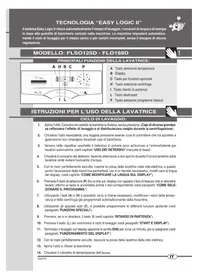
TECOLOGIA "EASY LOGIC II"
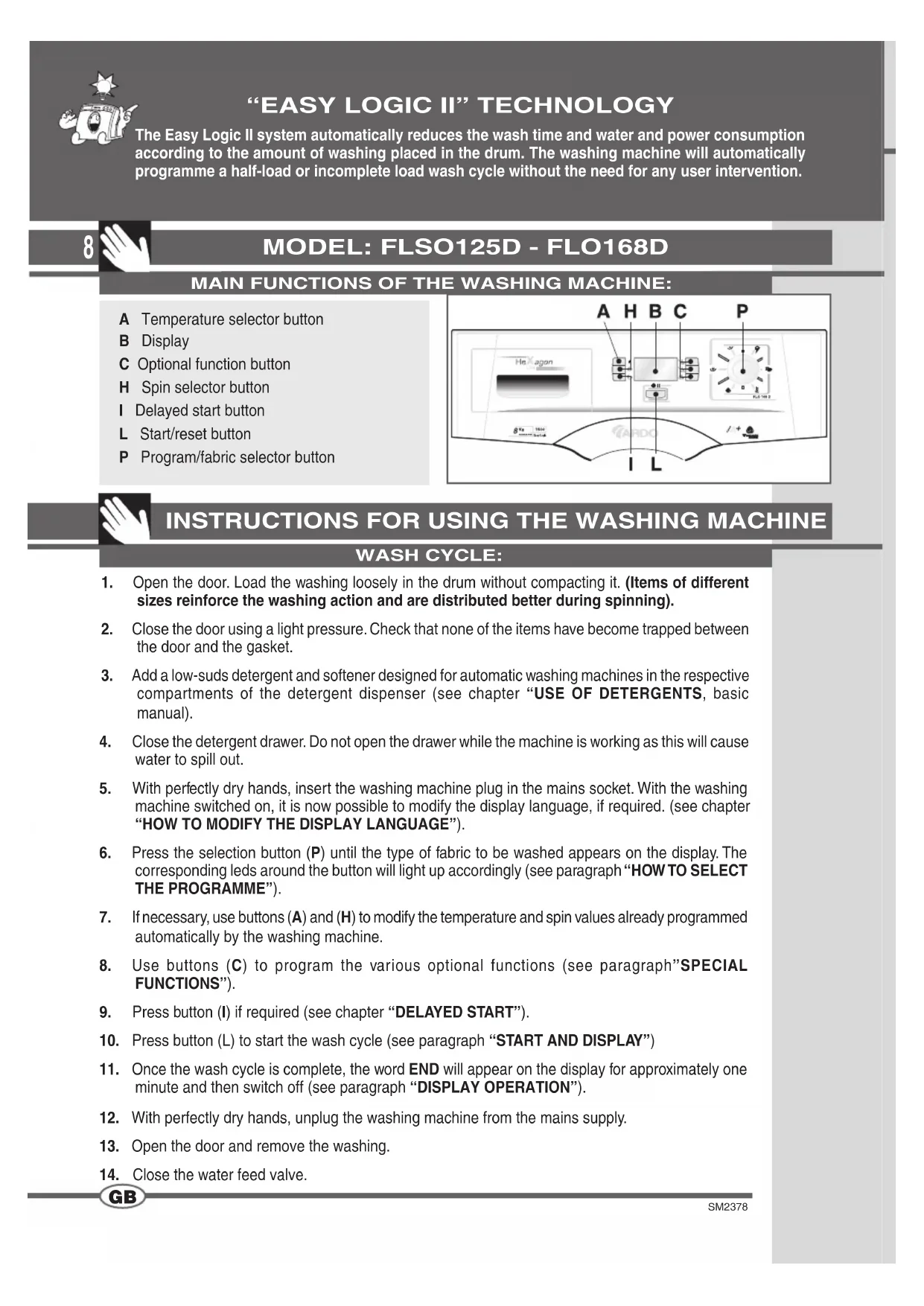
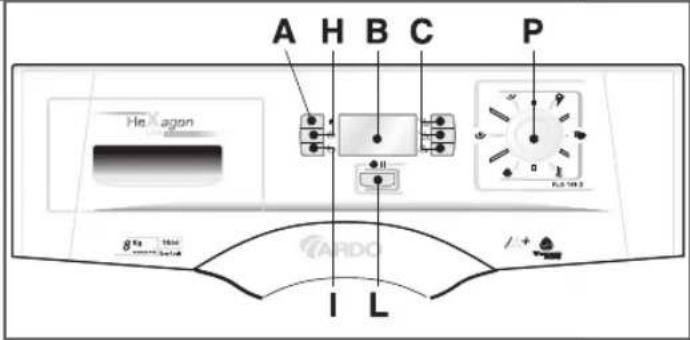
MAIN FUNCTIONS OF THE WASHING MACHINE:
A Temperature selector button
B Display
C Optional function button
H Spin selector button
Delayed start button
L Start/reset button
P Program/fabric selector button

INSTRUCTIONS FOR USING THE WASHING MACHINE
WASH CYCLE:
- Open the door. Load the washing loosely in the drum without compacting it. (Items of different sizes reinforce the washing action and are distributed better during spinning).
- Close the door using a light pressure. Check that none of the items have become trapped between the door and the gasket.
- Add a low-suds detergent and softener designed for automatic washing machines in the respective compartments of the detergent dispenser (see chapter "USE OF DETERGENTS, basic manual).
- Close the detergent drawer. Do not open the drawer while the machine is working as this will cause water to spill out.
- With perfectly dry hands, insert the washing machine plug in the mains socket. With the washing machine switched on, it is now possible to modify the display language, if required. (see chapter "HOW TO MODIFY THE DISPLAY LANGUAGE").
- Press the selection button (P) until the type of fabric to be washed appears on the display. The corresponding leds around the button will light up accordingly (see paragraph "HOW TO SELECT THE PROGRAMME").
- If necessary, use buttons (A) and (H) to modify the temperature and spin values already programmed automatically by the washing machine.
- Use buttons (C) to program the various optional functions (see paragraph"SPECIAL FUNCTIONS").
- Press button (I) if required (see chapter "DELAYED START").
- Press button (L) to start the wash cycle (see paragraph "START AND DISPLAY")
- Once the wash cycle is complete, the word END will appear on the display for approximately one minute and then switch off (see paragraph "DISPLAY OPERATION").
- With perfectly dry hands, unplug the washing machine from the mains supply.
- Open the door and remove the washing.
- Close the water feed valve.
DISPLAY OPERATION::
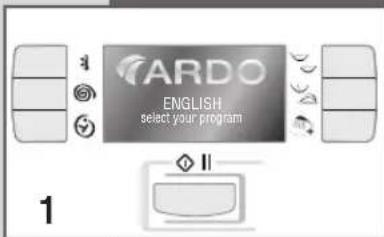
When the washing machine is connected to the mains supply, the display will light up with the messages already in the default language. After one minute, if no selections have been made, the display will automatically switch off and will switch on again as soon as any one of the buttons on the control panel is pressed. The display will remain lit during washing machine operation, indicating the washing phase in progress, the selections made and the time remaining to completion. On completion of the wash cycle or if the cycle is interrupted, the words END or DOOR OPEN will be displayed.
HOW TO CHANGE THE DISPLAY LANGUAGE:
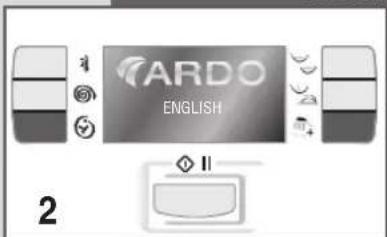
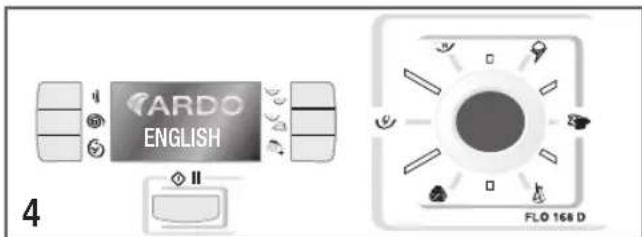
Press the delayed start button and extra rinse button simultaneously (fi g. 2). At this point, press the delayed start button a number of times (as indicated on the display) until the required language is displayed (fi g. 3). After selecting the required language, press the selection button to confirm (fi g. 4).
N.B. the languages that can be selected are: (IT)(GB)(NL)(FR)(ES)(PT)(DE).

HOW TO SELECT THE PROGRAMME:
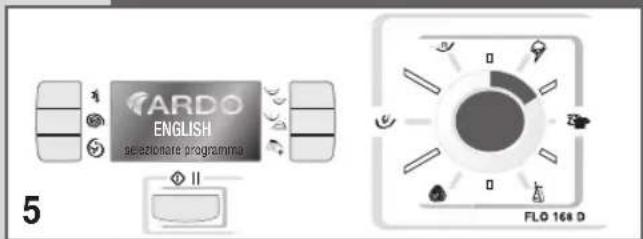
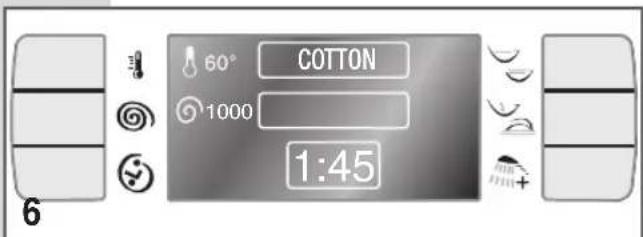
Press the selection button to select the required program (fi g. 5). Each time the button is pressed the indicator corresponding to the type of fabric selected will light up and the optimum values for the fabric, as selected by the machine, will appear on the display (fi g. 6).
Once the required settings have been found, press the start button to start the wash. The temperature and spin speed can still be modifi ed and/or other optional functions selected providing they are compatible with the set programmes (see PROGRAMME TABLE).
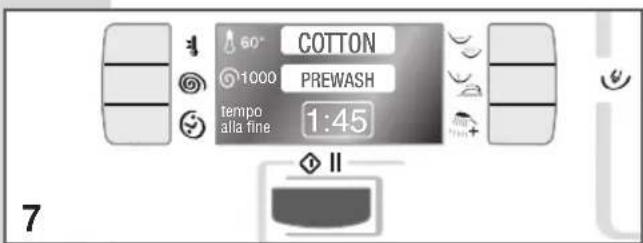
The display also shows all the modifi cations made to the programme. Pressing the start button will highlight the name of the programme together with an indication of the phase of the programme in course (PREWASH, WASH, RINSES, SPIN, END) (fi g. 7).
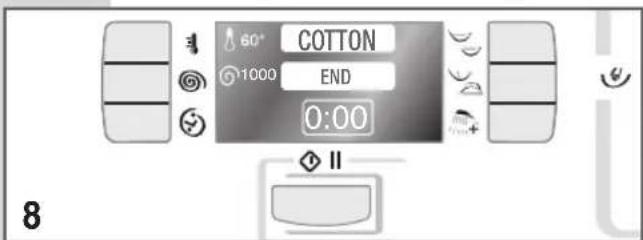
On completion of the programme, the timer is zeroed and the display will indicate END (fi g. 8).
The door of the washing machine can now be opened.
N.B.: for "Cotton" and "Synthetics" programmes, the duration of the wash cycle indicated on the display is purely indicative.
The duration, in fact, can be influenced by a number of factors such as temperature, mains water pressure and the amount of washing loaded in the drum.
During the wash, the machine's electronics will automatically modify the time necessary to complete the selected wash on the basis on these factors.
This will produce the best wash performance in the shortest time period.
SPECIAL FUNCTIONS: SPINS AND RINSES
For rinsing, or for purely spinning the washing, follow the instructions below:
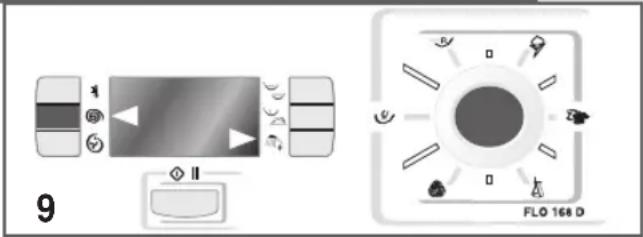
Press the selector button a number of times until all the leads around the button are switched off and the two arrows (fi g. 9) appear on the display.
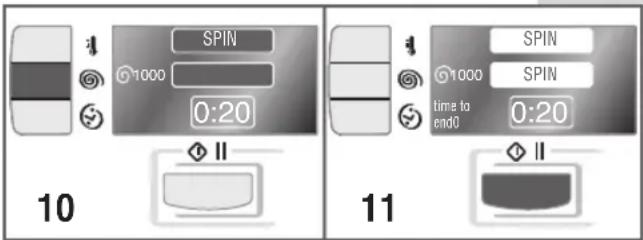
When the spin selection button is pressed the washing machine will carry out a spin program only (Fig. 10).
The same button can also be used to regulate the speed. To start the programme, press the start button (fi g. 11).
On completion of the programme, the word END will be displayed.
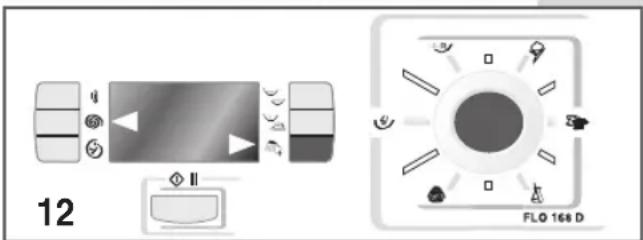
If, instead, the rinse button is pressed (fi g. 12), the washing machine will run a programme with rinses and fi nal spin.
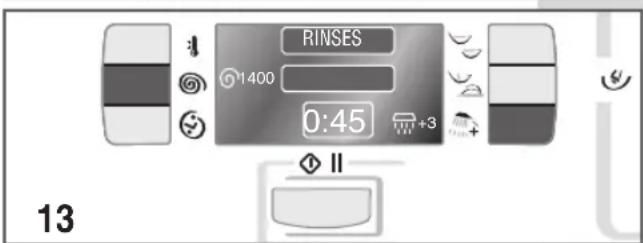
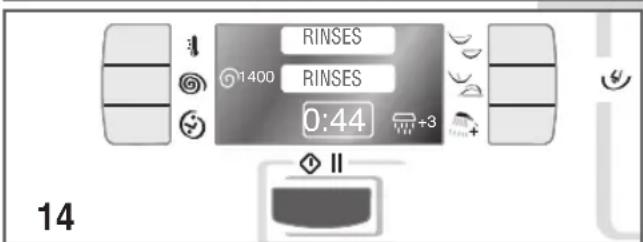
In this case, the same button can be used to program the number of rinses to effect, and the spin selection button can be used to program the appropriate spin speed.
To start the programme, press the START button, on completion of the programme, the word END will be displayed.
VARIABLE TEMPERATURE
The machine offers a wide selection of temperatures that can be selected beforehand according to the wash programme required.
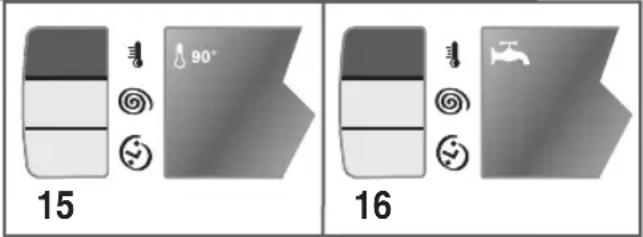
To change the temperature setting, simply press button (A) until the required value is obtained (fi g. 15).
To run a cold wash, keep the same button pressed until the symbol appears (fi g. 16).
VARIABLE SPIN
The machine offers a wide selection of spin speeds that can be selected beforehand according to the wash program required.
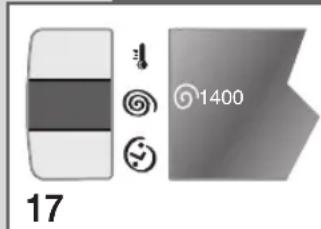
To change the spin speed, simply press button (H) until the required value is obtained (fi g. 17).
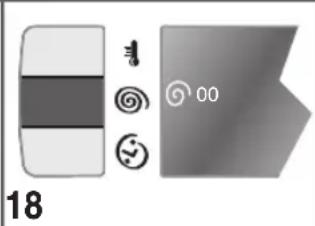
To exclude the spin function, keep the same button pressed until the spin symbol and "00" appears (fig. 18).
NB. The maximum spin speed will vary according to the model and is indicated in the technical characteristics table of the washing machine.
The maximum recommended spin speed for each programme is that displayed automatically when the wash programme is selected.
LOAD BALANCE CHECK DURING SPINNING
This washing machine is fitted with a special electronic load balancing control system.
Before each spin, the system makes sure that the clothes are distributed as uniformly as possible in the drum.
If the load is not distributed evenly, the final spin speed is automatically reduced for safety reasons.

DELAYED START:
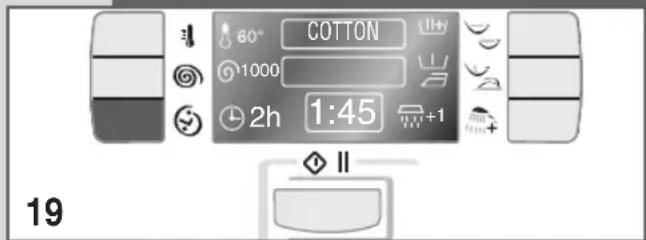
The washing machine is equipped with a function that allows the start of the wash to be delayed by up to a maximum of 16 hours. Each time the button is pressed, the number of hours of delay will be displayed from 1 to 16.
After selecting the required programme, press the delayed start button to delay the start of the wash.
The timer symbol will appear with the hours (from 1 to 16) indicated alongside.
After setting the delay time, press start to start the cycle.
The name of the programme will be highlighted.
Once the set delay time has expired, the clock symbol is replaced by the words "time to end" and the wash will start.
If this function has been selected by mistake, or the programmed delay is to be cancelled, simply press the relative button until the clock symbol disappears and the words "time to end" re-appear.
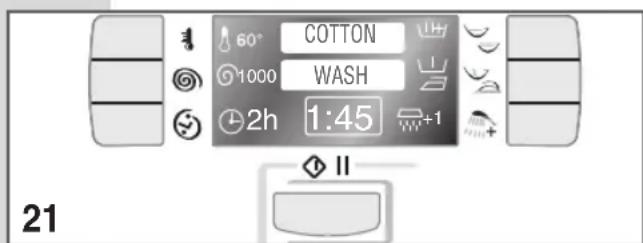
HOW TO INTERRUPT THE WASH CYCLE:
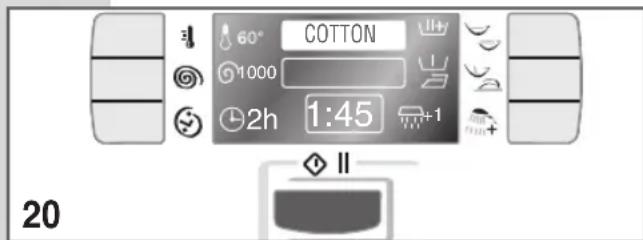
If, after starting the wash, the need arises to interrupt or modify the wash cycle, proceed as follows: keep the START button pressed for approximately 5 seconds; the words "PAUSE" and "END OF CYCLE" will appear on the display.
At this point, all the functions can be modified except for those selected by the washing machine itself: if, for example, the prewash is to be eliminated but it has already been carried out by the washing machine, the button will no longer be enabled.
The same applies to the temperature: if, for example, the temperature inside the washing machine was 70^ at the moment of the interruption, any request to change it to 40^ will not be accepted.
In all cases, the display will indicate whether the modification has been accepted or not.
If the modifi cation has been accepted, the message "PRESS START TO CONFIRM" will be displayed.
After having pressed the button, the wash will continue according to the modifi cations made.
If, instead, the need arises to interrupt the wash, press the DELAYED START button. In this case, the button will have the END CYCLE function.
The washing machine will drain the water from the tub (if the temperature of the water is higher than 60^ , for safety reasons cold water will be added to reduce the temperature and the display will indicate "COOLING").
After approximately 10 minutes the words DOOR OPEN will be displayed.
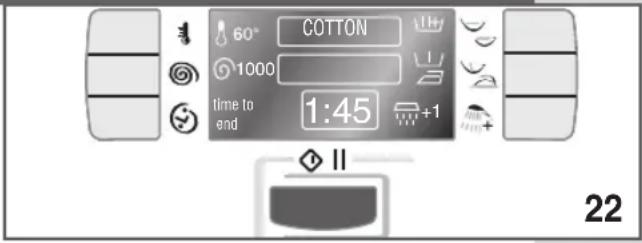
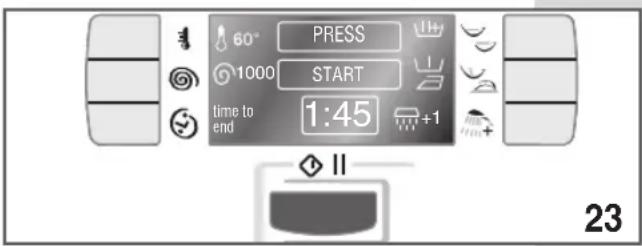
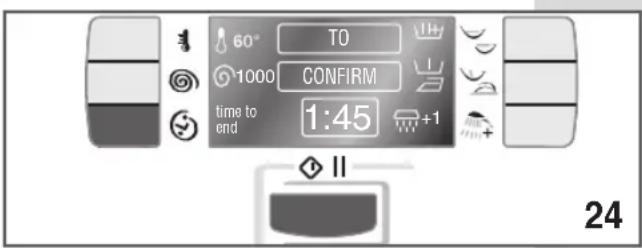
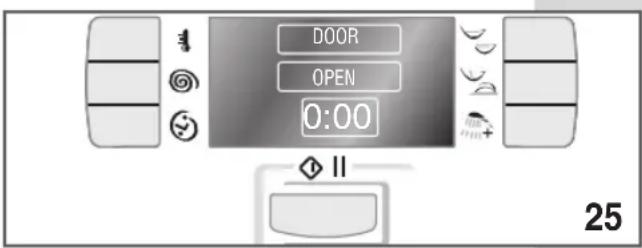
To restart the wash cycle, reprogram the washing machine by selecting the required programme with all the required functions and re-press the START button. When the washing machine is in pause mode, if no modifi cations are made, it will restart automatically after two minutes.
N.B.: Warning!! only use this function if strictly necessary and then only if the wash cycle has been running for a few minutes.

OPTIONAL FUNCTIONS
INTENSIVE WASH - RINSE HOLD BUTTON:
The washing machine is programmed to provide the best possible wash performance in the shortest time possible. However, if a longer wash time is required for very resistant or heavily soiled fabrics, press the "INTENSIVE WASH" button. The wash time will be extended by approximately 20-30 minutes depending on the programme selected. If the button is pressed by mistake, to annul the selection, re-press the same button.
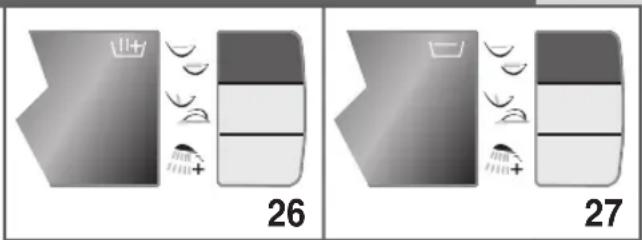
The rinse hold button is linked to the hand wash. To use this function, press the button indicated in the photograph (fig. 27). The symbol will appear on the display.
The washing machine will stop after the last rinse. The symbol will flash and the message "PRESS START BUTTON" will appear on the display.
Once the start button has been pressed, the set programme will continue to the end of the cycle.
PREWASH - ANTI-CREASE:
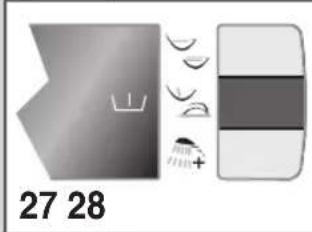
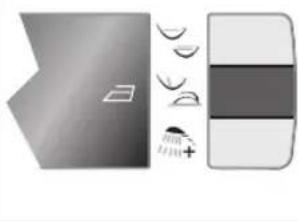
Press the button once to effect a PREWASH (fi g. 27): the washing machine will run a short wash at a maximum temperature of 40^ of approximate duration 10 minutes. See "PROGRAMMETABLE" to verify with which programmes this function is enabled.
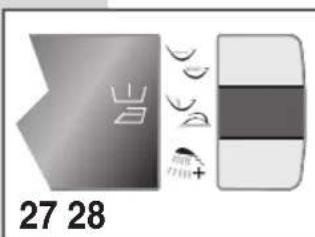
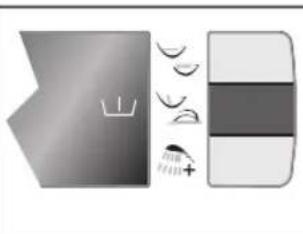
Press the button twice to execute the ANTICREASE programme (fi g. 28): at the end of the wash cycle, the washing loaded in the drum will continue to rotate for a further thirty minutes to reduce creasing.
Press the button three times to execute both functions (fi g. 29).
Press the button four times to annul both functions (fi g. 30).
EXTRA RINSES:
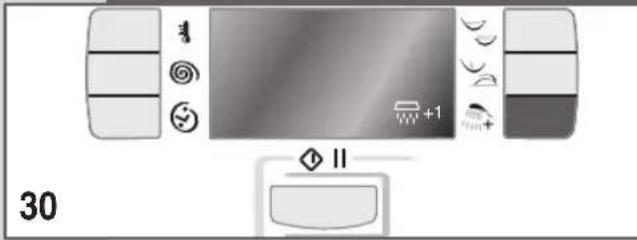
The washing machine has been designed to reduce water consumption to a minimum. If detergent residues are noticed at the end of the cycle, press this button and the washing machine will effect an extra 1, 2 or 3 rinses according to the programme selected (see programme table):
- if the button is pressed 1, 2 or 3 times, the washing machine will effect the corresponding number of extra rinses.
The use of the optional functions depends on the type of programme selected. For this reason, if the function is not accepted by the programme, the button will be disabled (see PROGRAMME TABLE).
PROGRAMMETABLE
| PROGRAMME SELECTOR KNOB | WASH TEMPERATURE | LABEL SYMBOL | FABRIC TYPE | COMPARTMENT TO USE | ENABLED BUTTONS | ||||
| COTTON | 90° | 90° | Heavily soiled white cotton fabrics with organic stains. | 2+1 | ○ | ||||
| COTTON = | 75° | 75° | Sheets, shirts, tablecloths, serviettes that are resistant and heavily soiled | 2+1 | ○ | ||||
| COTTON # | 60° | 60° | Shirts, tablecloths, serviettes that are resistant and normally soiled. | 2+1 | ○ | ||||
| COTTON * | 40° | 40° | Tessuti resistenti bianchi e colorati, molto sporchi. | 2+1 | ○ | ||||
| COTTON | 30° | 30° | White and coloured fabrics that are resistant and heavily soiled. | 2+1 | ○ | ||||
| COTTON | COLD | - | Colourfast synthetic fabrics that are heavily soiled. | 2+1 | ○ | ○ | |||
FUNCTION ENABLED
FUNCTION DISABLED
OPTIONAL WITH THE PRE-WASH BUTTON PRESSED.
Antibacterial programme.
Reference program for energy classifi cation purposes according to standard EN 60456 with maximum spin speed and energetic wash function selected.
* Note for test centres: short programme with half max. load.
| PROGRAMME SELECTOR KNOB | WASH TEMPERATURE | LABEL SYMBOL | FABRIC TYPE | COMPARTMENT TO USE | ENABLED BUTTONS | ||||
| DAILY | 60° | 60° | Delicate cotton, viscous and mixed delicate fabrics. | 2+1 | ○ | ○ | |||
| DAILY | 40° | 40° | Delicate cotton, viscous and mixed delicate fabrics. | 2+1 | ○ | ○ | |||
| DAILY | COLD | — | Delicate cotton, viscous and mixed delicate fabrics | 2+1 | ○ | ○ | ○ | ||
| SYNTHETICS | 60° | 60° | Delicate coloured synthetic fabrics that are lightly soiled. | 2+1 | ○ | ||||
| SYNTHETICS | 50° | 50° | Tessuti sintetici con colori delicati, poco sporchi. | 2+1 | ○ | ||||
| SYNTHETICS | 40° | 40° | Delicate coloured synthetic fabrics that are lightly soiled. | 2+1 | ○ | ||||
| SYNTHETICS | 30° | 30° | Delicate coloured synthetic fabrics that are lightly soiled. | 2+1 | ○ | ||||
| SYNTHETICS | COLD | — | Delicate coloured synthetic fabrics that are lightly soiled. | 2+1 | ○ | ○ | |||
| WOOL*** | 40° | Machine washable wool. | 2+1 | ○ | ○ | ○ | ○ | ○ | |
| WOOL | 30° | 30° | Machine washable wool, silk and delicate mixed fabrics | 2+1 | ○ | ○ | ○ | ○ | ○ |
| WOOL | COLD | — | Machine washable wool | 2+1 | ○ | ○ | ○ | ○ | ○ |
| HANDWASH | 30° | Hand washable fabrics | 2+1 | ○ | ○ | ○ | ○ | ||
| RINSES | 30° | 30° | Quick wash of approximately 35-40 minutes duration for lightly soiled fabrics. | 2+1 | ○ | ○ | ○ | ○ | ○ |
| 2+1 | ○ | ○ | ○ | ○ | ○ | ||||
| DRAIN AND SPIN | — | — | Drain and final spin. | 2+1 | ○ | ○ | ○ | ○ | ○ |

FUNCTION ENABLED

FUNCTION DISABLED

OPTIONAL WITH THE PRE-WASH BUTTON PRESSED
***
The "wool cycle" programme of this washing machine has been approved by Woolmark for washing items labelled "machine washable wool" and bearing The Woolmark Company symbols. Follow the instructions reported on the label sewn into the clothing item and those supplied by the washing machine manufacturer. (Cert. n° M0402-M0403-M0404-M0405).

TECHNICAL CHARACTERISTICS
| MODEL → | FLSO125D | FLO168D | |
| Dimensions: | Width cm: | 59.5 | 59.5 |
| Height cm: | 85.0 | 85.0 | |
| Depth cm: | 55.0 | 59.0 | |
| Maximum recommended load during washing: | 5,0 Kg | 8,0 Kg | |
| 3,5 Kg | 6,0 Kg | ||
| 2,5 Kg | 4,0 Kg | ||
| 1,0 Kg | 2,0 Kg | ||
| Max. spin: (rpm) | 1200 | 1600 | |
| Water pressure | min. 0.05 MPa - max. 1 MPa | ||
| Max. absorbed power / Electrical connection | see characteristics plate | ||
MODELL: FLSO125D - FLO168D
15
FONCTIONS OPTIONNELLES
LAVAGE INTENSIF - STOP AVEC EAU:
TECNOLOGÍA “EASY LOGIC II”
WERKING VAN HET DISPLAY:

- TECOLOGIA "EASY LOGIC II"
- MAIN FUNCTIONS OF THE WASHING MACHINE:
- INSTRUCTIONS FOR USING THE WASHING MACHINE
- WASH CYCLE:
- DISPLAY OPERATION::
- HOW TO CHANGE THE DISPLAY LANGUAGE:
- HOW TO SELECT THE PROGRAMME:
- SPECIAL FUNCTIONS: SPINS AND RINSES
- For rinsing, or for purely spinning the washing, follow the instructions below:
- VARIABLE TEMPERATURE
- VARIABLE SPIN
- LOAD BALANCE CHECK DURING SPINNING
- DELAYED START:
- HOW TO INTERRUPT THE WASH CYCLE:
- OPTIONAL FUNCTIONS
- INTENSIVE WASH - RINSE HOLD BUTTON:
- PREWASH - ANTI-CREASE:
- EXTRA RINSES:
- TECHNICAL CHARACTERISTICS
- MODELL: FLSO125D - FLO168D
- FONCTIONS OPTIONNELLES
- LAVAGE INTENSIF - STOP AVEC EAU:
- TECNOLOGÍA “EASY LOGIC II”
- WERKING VAN HET DISPLAY:
Brand : Ardo
Model : FLO168D
Category : Washing machine