SC7350 - Vacuum Cleaner SAMSUNG - Free user manual and instructions
Find the device manual for free SC7350 SAMSUNG in PDF.



User questions about SC7350 SAMSUNG
0 question about this device. Answer the ones you know or ask your own.
Ask a new question about this device
Download the instructions for your Vacuum Cleaner in PDF format for free! Find your manual SC7350 - SAMSUNG and take your electronic device back in hand. On this page are published all the documents necessary for the use of your device. SC7350 by SAMSUNG.
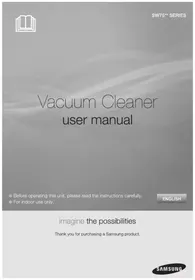
USER MANUAL SC7350 SAMSUNG
BAKHBIE MEPbI IPEIOCTOPOXHOCTN
- BHIMaTeIbHO IpoUHTe BCE INHCTpyKcII. IpexJe, Yem BkJIIOuHaTb NbIIEcOC, y6eIITecB TOM, YTO HApJxKeHHe CetN IepEmEHNO TOKa B BaIeM DOME COOTBeTCTByET HApJxKeHIO NITaHn, Yka3aHHOMy Ha TaBNIuVe, paCNoJIOxKeHHo Ha dHIuSe NbIIEcOca.
- ПЕДУПЕЖДEHWE: He noIb3yItecB nbIeCOCOM ДЯ чИСТК MOKpbIX KOBPOB ИИ NOIob. He BCaCbIBaIte nbIeCOCOM BODY.
- Heo6xOIMO 6bITb OC06eHNO BHIMATEJIbHbIMN, ECJIN PbIeCOCOM NOJb3yOTcR DeTNI OH NcIOJIb3yeTcR B6JIN3N OT DeTeH. He Nc3BOJnTE DeTAM NcIOJIb3OBaTB PbIEcOC B KaueCTBe INrpyuKn. HnKOrJa He OCTaBnTe 6e3 npncmToPa p6oTaIoU nIbIeoc. NcNoJIb3yIte PbIeCOC TOJIbKO No Ha3HaueHnO, KaK OINCAHO B DaHHo INHCTpykUnn IO 3Kcnnyataun.
- He noIb3yItecB nbIeCOCOM, ecn B Hero He BCTaBHeN KaccETHbI ΦJIbTp. YTo6bl NOIepKINBaTb 3ΦΦeKTNBHOCTb pa60TbI nbIeCoca, ONOPOKHrTe KaccETHbI ΦJIbTp Do TOrO, KaK OH NpePOnJHHTcR.
- He nCnoB3yIte nbIeococ dIra TOrO, yTO6bI BCaCbIBaTb BHyTpB rOpAuIe CnUckN, TJIeIOUne yroJbKN IIN OkypKn cIrapet. DepxKnte nbIeococ noJaIbIe OT KxOHHbIX PIIIT, neuei INI npYnx IcTOUHnKOB TeIIa. TeIIo MoKeT npNBecT N DeΦOpMaIIN IIN I3MeHeHHIO UBeTa PJIaCTNKOBbIX DeTaeN PbIeococa.
6.ИЗбeraиTe BCaCbIbHnB N ПьIeCoc TBepbIX N OCTpbIX PpeMToB, TAK KAK OHI MOryT NOBpeDITb DeTaNII PbIeCoca. He NaCTynaiTe Ha IlaHr PbIeCoca. He KlaIaNte Ha IlaHr TЯKeJIbIe PpeMToB. He 6JOKiPyIte BCaCbIbAIOUee H BblYCKHOE OTBepCTNl PbIeCoca. - Npeed Tem, KaK OTcoeHnHbIeCoc OT CeTeBOJ PO3eTKN, BblKJIIOHTe erO. Bcerda OTcoeHnHae Te CeTeBOJ SHyp OT PO3eTKN peep yXoDOM 3a KaccetHBIM fNlbTPOM n YnCTKOJ OCTaJIbHbIX fNlbTPOB.
- Пелед чьков и обслухиваим几乎所有 ССССССССССССССССССССССССССССССССССССССССССССССССССССССССССССССССССССССССССССССССССССССССССССССССССССCS
- He peKOMeHnyeTcra NOcOeHNrTaB PbIeCoc K CeTu NepMeHHoro Toka Upe3 yDINHHTeMbHbI uHyp.
- EcIn BaI NblIecoc He pa6oTaet HaJIeXkaUIM O6pa3OM, BbIKIIOHITe erO, OTCOeINHITe OT CeTn IepemEHHO TOKa H O6paHTIEcB YINOJIHOMOeHHbI CEPBNCbI LcHTp.
- B ueJx 6e30NaChOCTn, 3aMeHy NOBpeXdeHOro CeTeBOrO uHypa MoryT npOn3BOdntb TOnbKO npeDCTaBHTeJIb ΦnpMbI-N3rTOBtEJIra NbJIeCOca IIN KBaJIuΦNlUPOBaHHb CneUHaJIcT NO TEXHHeCKOMy O6CJvKbBAHNIO.
- 3TOT nbIeCOC o6OpyIOBaH TeNIOBbIM BbIKIOaTeJIem C cAmOBO3BpaTOM, KOTOpbI bATOMaTIueCKN OTKIOUaeT IITaHne nbIeCocCa npn nepepeBe. NepepeB MoKeT 6bITb Bbl3BaH 3acopeHHeM fNlBtpa, HacaIKN, Tpy6Kn NIN UJHaRa. YcTaPAnIB pInuHy NepepeBa N DaB DBNrAteJIIO OCTbITb, Bbl MOKeTE CHOBA BKIOUYHTb nbIeCOC.
1 CБОРКА ПылЕСОСА
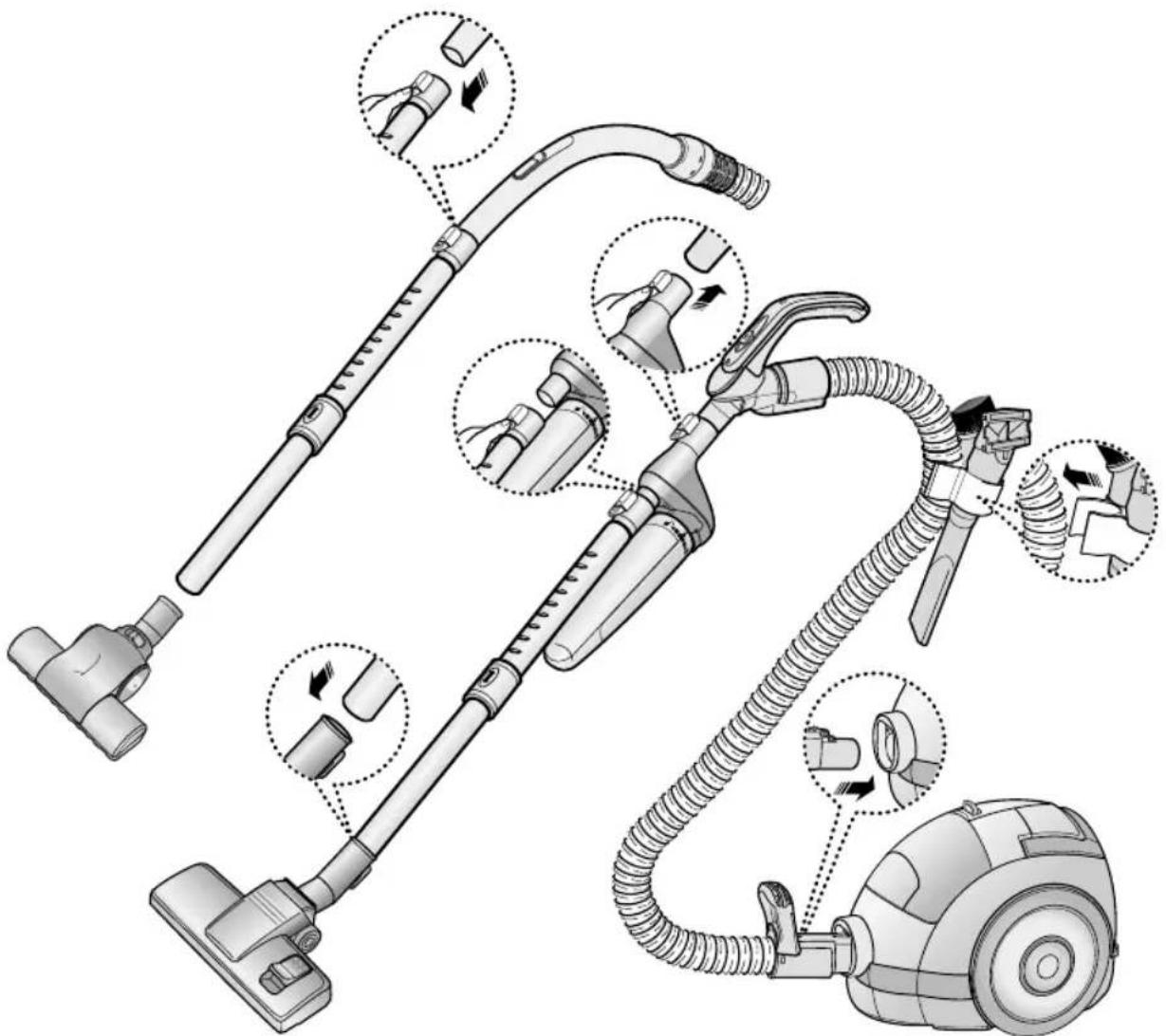
CocCTaBHe yactn MOrT OTnuaTbC8 B 3aBNCIMOcTH OT MoJeN PbIeCOca.
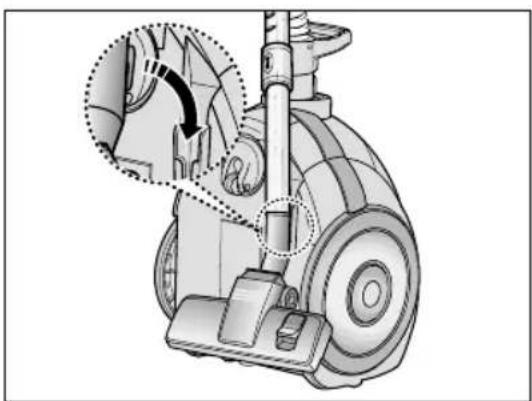
Korda Bbl He noJb3yeTecb
IbJIeCOCOM, 3aIapKyIte HacaIky
IJa YNCTKn IOna.
2 NOJIb3OBAHNE IIIECOCOM
2-1 CETEBOI UHYP
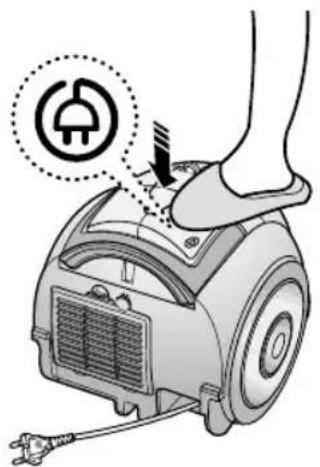
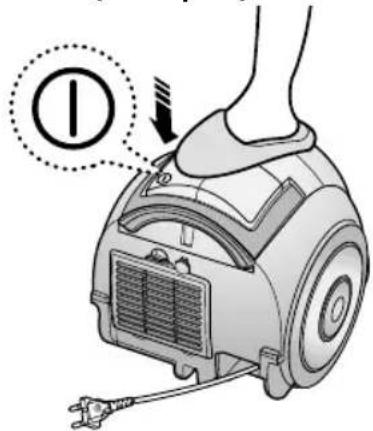
2-2 BbIKJIIOUaTEJIb (OIIuIa)
2-3 PEGYJTOP MOLUHOCTN
MIN = ДячпкToHKx TkaHei, HappIMep, TIOJIeBbIX WTOp.
MAX =ДЯчSTКИТВЕРдьIXПОЛOBиСИЛБН 3aГРЯЗHEHньIX KOBрOB.
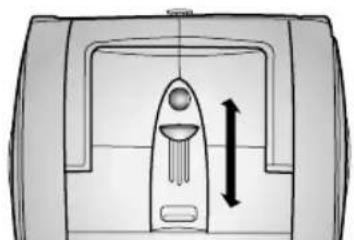
TOJbKO B MOeJIaX C PEyIaTOPOM MOuHOCHT HA KOpNcE
CDBINHbTE PEGYJATOP B NOLOXEHN E STOP (CTON)
- Before operating this unit, please read the instructions carefully.
- For indoor use only.
* The appliance is not intended for use by young persons or infirm persons without supervision.
IMPORTANT SAFEGUARDS
- Read all instructions carefully. Before switching on, make sure that the voltage of your electricity supply is the same as that indicated on the rating plate on the bottom of the cleaner.
- WARNING: Do not use the vacuum cleaner when rug or floor is wet.
Do not use to suck up water.
- Close supervision is necessary when any appliance is used by or near children. Do not allow the vacuum cleaner to be used as a toy. Do not allow the vacuum cleaner to run unattended at any time. Use the vacuum cleaner only for its intended use as described in these instructions.
- Do not use the vacuum cleaner without Cassette Filter. Empty the Cassette Filter before it is full in order to maintain the best efficiency.
- Do not use the vacuum cleaner to pick up matches, live ashes or cigarette butts. Keep the vacuum cleaner away from stoves and other heat sources. Heat can deform and discolour the plastic parts of the unit.
- Avoid picking up hard, sharp objects with the vacuum cleaner as they may damage the cleaner parts. Do not stand on the hose assembly. Do not put a weight on the hose. Do not block the suction or the exhaustion part.
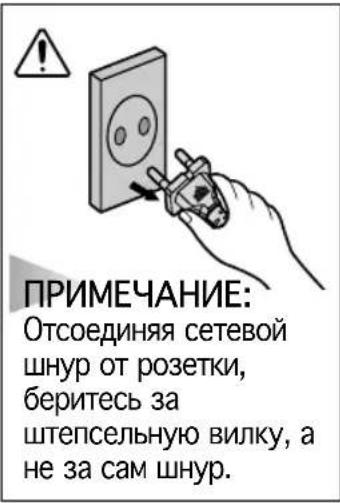
- Switch the vacuum cleaner off at the machine before unplugging from the electrical outlet. Grasp the plug to disconnect cord from the electrical outlet before caring Cassette Filter and filters.
- The plug must be removed from the socket out-let before cleaning or maintaining the appliance.
- The use of an extension cord is not recommended.
- If your vacuum cleaner is not operating correctly, switch off the power supply and consult an authorized service agent.
- If the supply cord is damaged, it must be replaced by the manufacturer or its service agent or a similarly qualified person in order to avoid a hazard.
- The vacuum cleaner is provided with a self-resetting thermal cut-out protection which automatically shut off current on over heating. Overheating can be caused by blockage in the filter, nozzle, tube or hose. After removing the cause and cooling the motor, vacuum cleaner automatically start again.
1 ASSEMBLING THE CLEANER
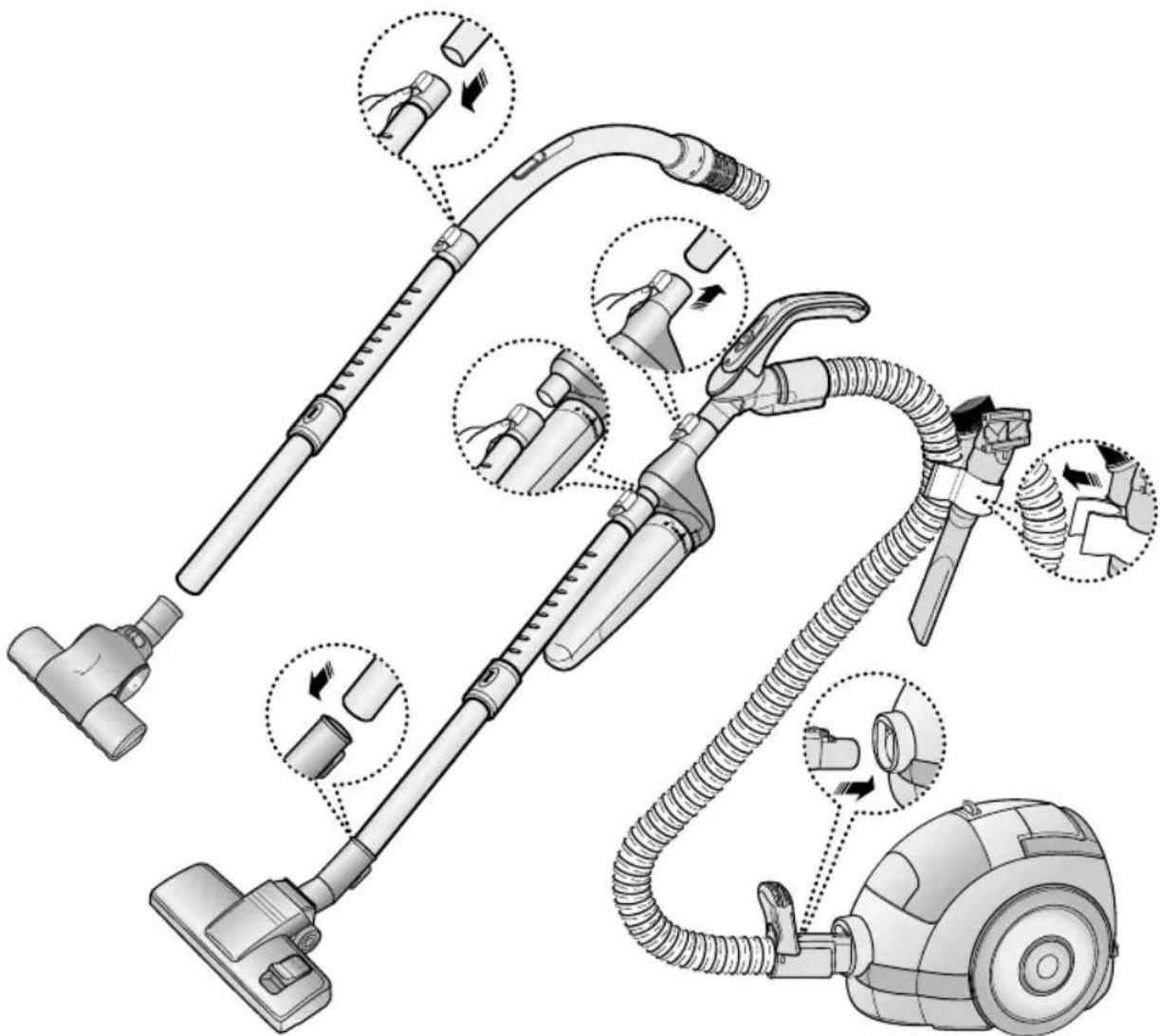
Features may vary according to model.
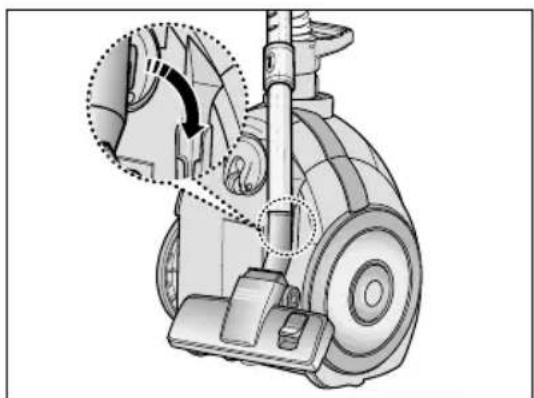
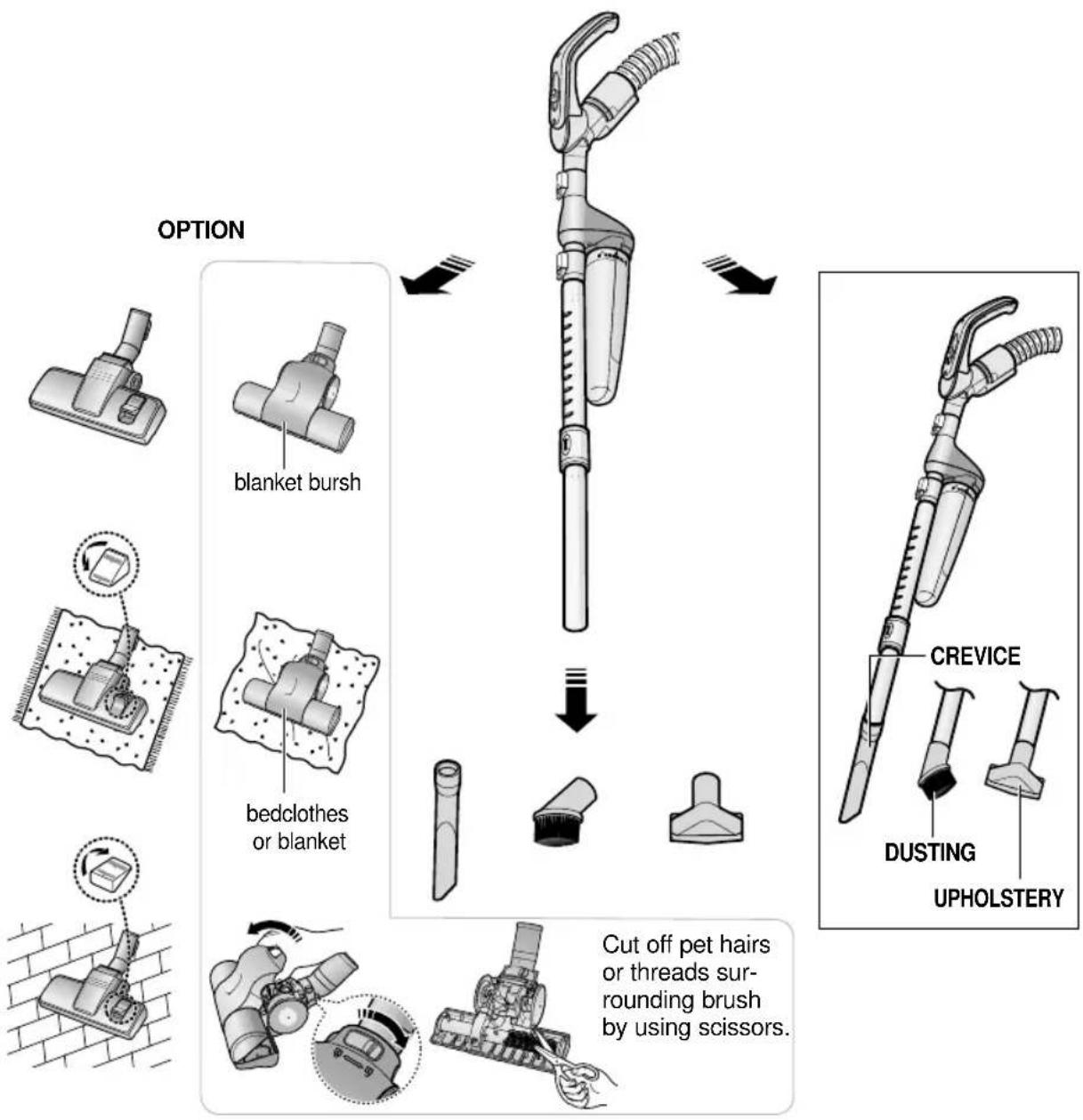
For storage, park the floor nozzle.
MIN = For delicate fabrics, e.g. net curtains.
MAX = For hard floors and heavily soiled carpets.
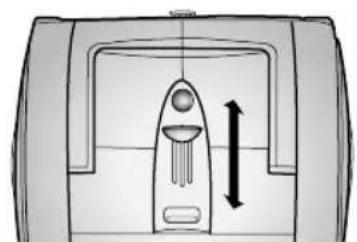
BODY CONTROL TYPE ONLY
SLIDE TO THE STOP POSITION
Vacuum-cleaner switches off (stand by mode)
SLIDE FORWARD TO MAX
Suction capacity increases smoothly up to maximum.
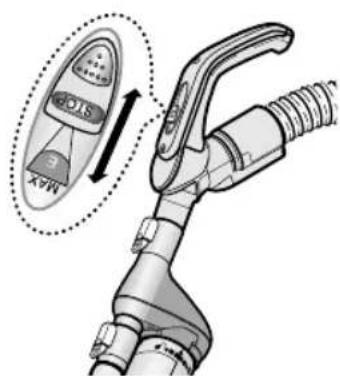
HANDLE CONTROL TYPE ONLY
2-4 USING FLOOR TOOLS
3 CHECK FILTER INDICATORS
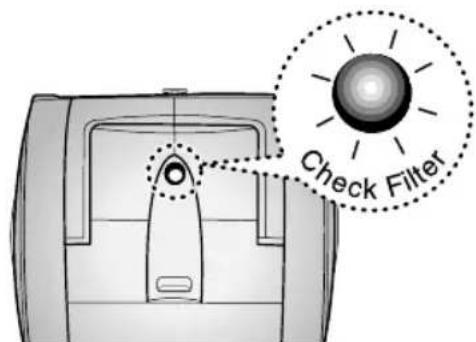
When the light is illuminated, check the Cassette Filter and clean it.
4 MAINTAINING THE CASSETTE FILTER
- EMPTYING THE CASSETTE FILTER
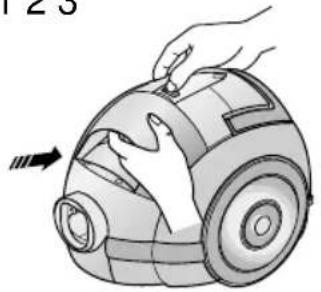
123
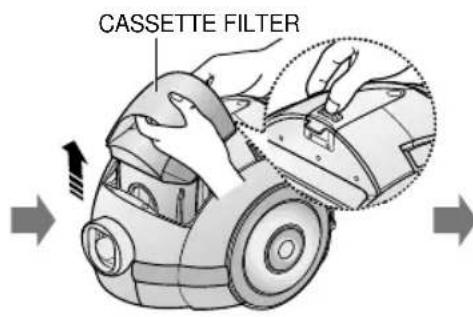
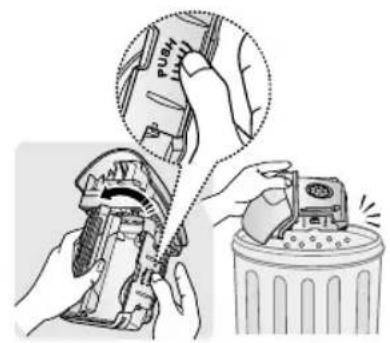
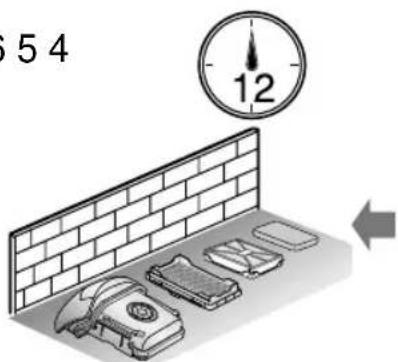
654
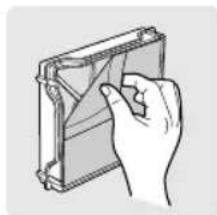
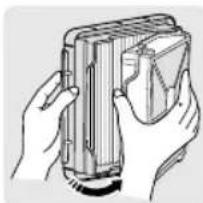
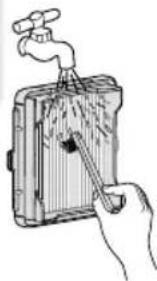
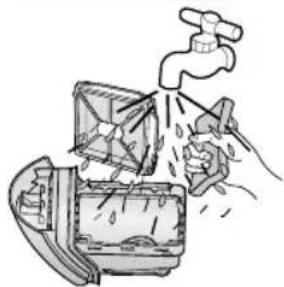
-
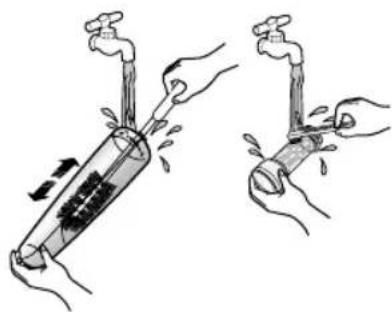
Brush the Filter media with water until the stuck fine dust is removed.
-
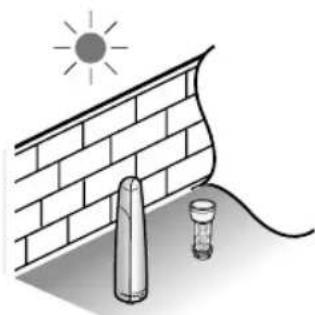
Ensure completely dry before replacing.
- Allow 12 hours for it to dry.
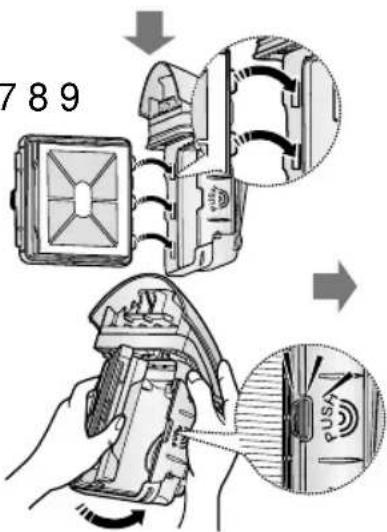
789
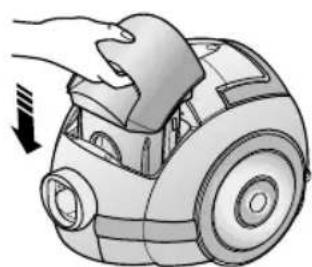

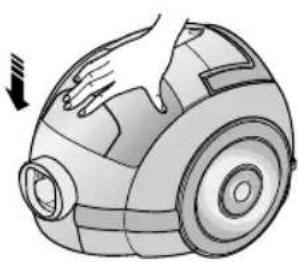
NOTE
The CASSETTE FILTER should be washed thoroughly as well as emptied if:
- the CHECK FILTER indicator lights continuously
- the suction power feels weaker than normal
- the Turbo Brush (optional) is not working properly


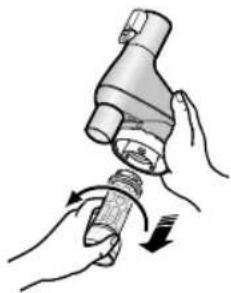
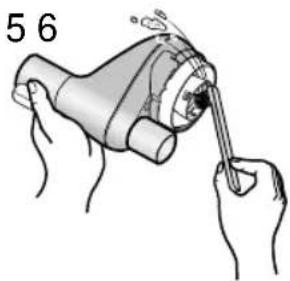
5 CLEANING THE CYCLONE FILTER
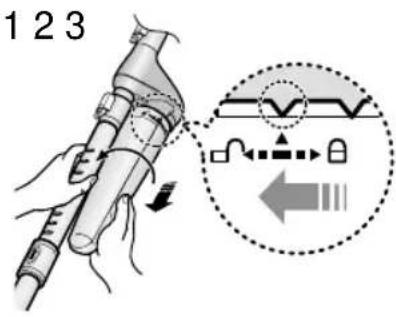
123
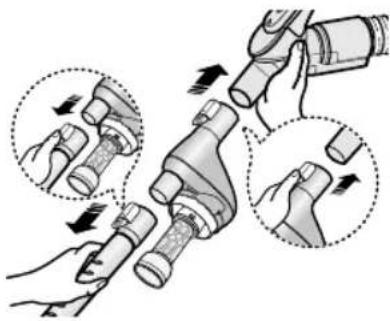
456
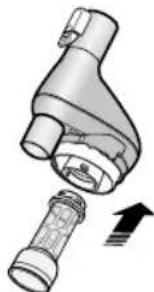
7
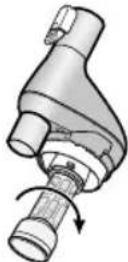
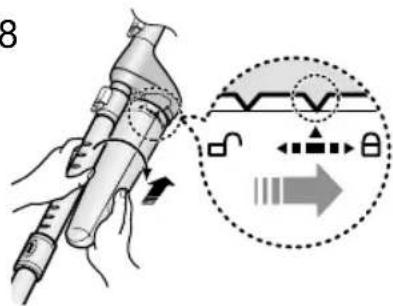
8

NOTE
It is necessary to use
Cyclone Filter while cleaning.
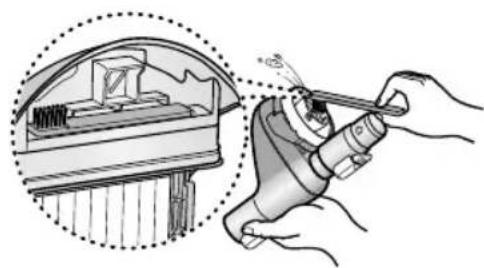
- CLEANING THE INNER PART OF CYCLONE FILTER
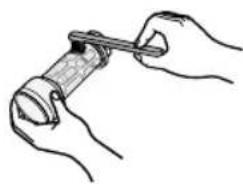
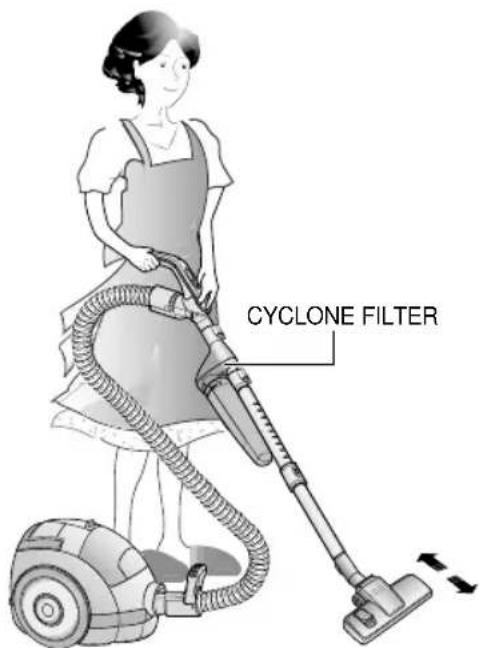
- USING CYCLONE FILTER
6 CLEANING THE INLET FILTER
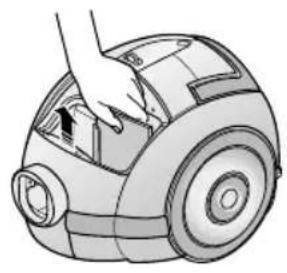
123
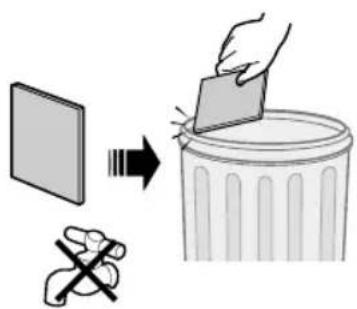
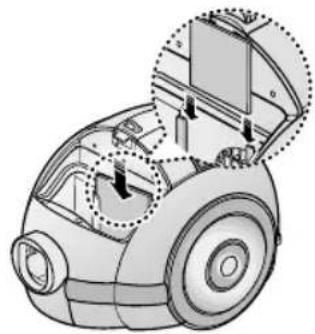
NOTE : Do not allow the filter to become clogged as this may cause power reduction or may damage the motor.
7 OUTLET FILTER
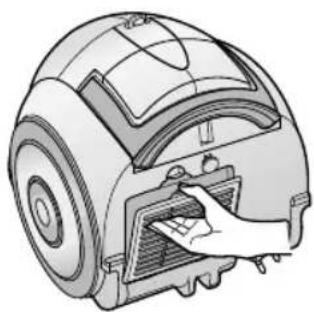
1
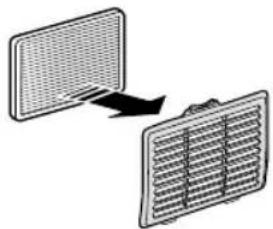
2
- IF YOU HAVE A PROBLEM
| PROBLEM CAUSE REMEDY | ||
| Motor does not start. | No power supply. Thermal cut-out. | Check cable, plug and socket. Leave to cool. |
| Suction force is gradually decreasing. | Nozzle, suction hose or tube is blocked. | Remove the object and empty/wash cassette filter as required. |
| Cord does not rewind fully. | Check that the cord is not twisted or wound unevenly. | Pull the cord out 2-3m and push down the cord rewind button. |
| Vacuum cleaner does not pick up dirt. | Crack or hole in hose. | Check hose and replace if required. |
This Vacuum cleaner is approved the following.
EMC Directive:89/336/EEC,92/31/EEC and 93/68/EEC
Low Voltage Safety Directive : 73/23/EEC and 93/68/EEC

TOLMUIMEJA
DJ68-00219C REV(0.3)