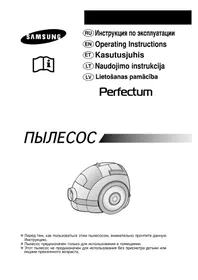
SC7375 - Vacuum Cleaner SAMSUNG - Free user manual and instructions
Find the device manual for free SC7375 SAMSUNG in PDF.



User questions about SC7375 SAMSUNG
0 question about this device. Answer the ones you know or ask your own.
Ask a new question about this device
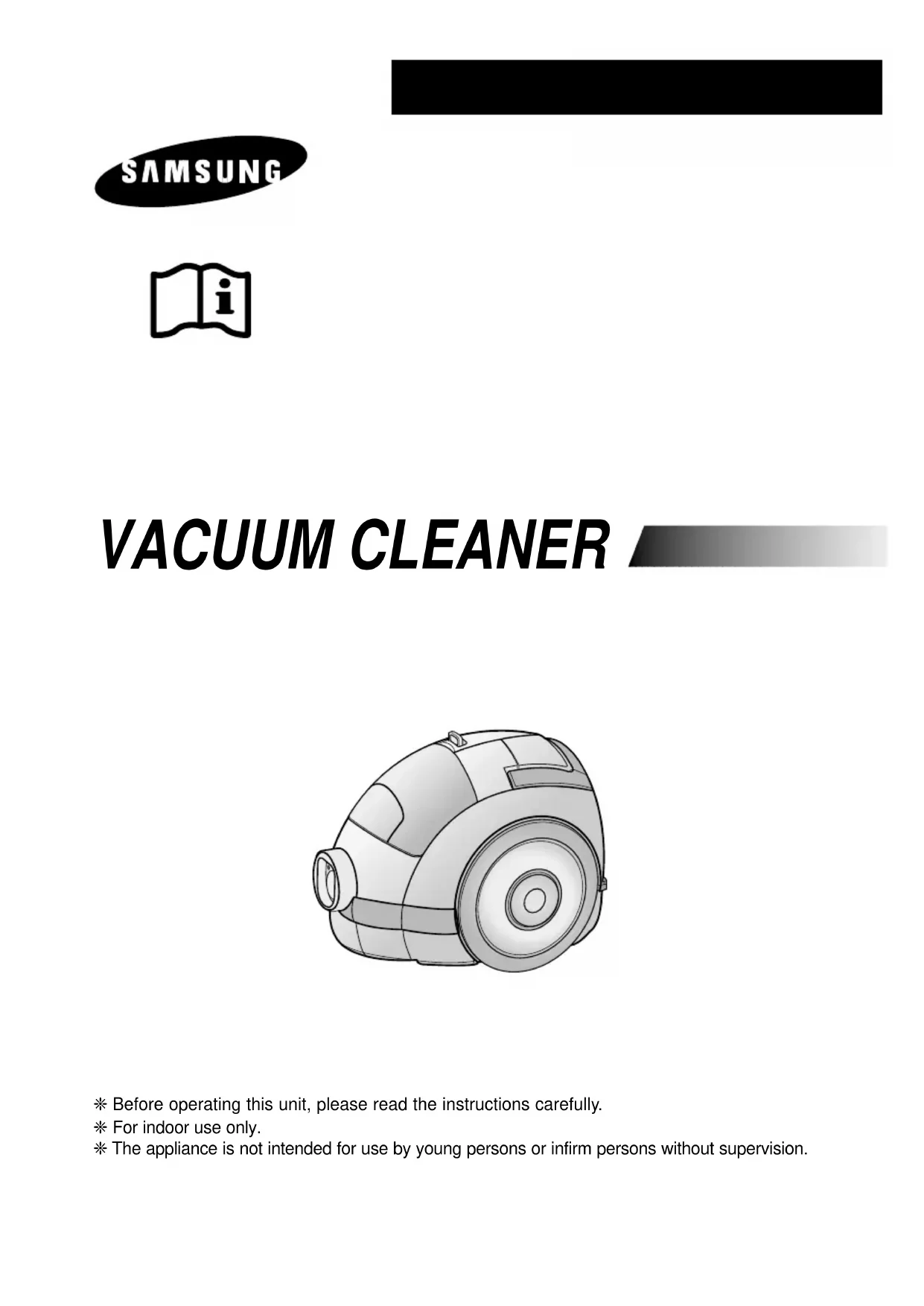
Download the instructions for your Vacuum Cleaner in PDF format for free! Find your manual SC7375 - SAMSUNG and take your electronic device back in hand. On this page are published all the documents necessary for the use of your device. SC7375 by SAMSUNG.
USER MANUAL SC7375 SAMSUNG
natural_image
Line drawing of a vacuum cleaner (no text or symbols present)text_image
Technical diagram illustrating the installation and assembly of a vacuum cleaner with labeled parts and motion arrows.natural_image
Mechanical assembly diagram showing a motor and gear mechanism with an inset close-up of a component detail (no text or symbols)text_image
Diagram showing a foot using an electric plug to lift a rubber vacuum cleaner, with a magnified view highlighting the plug's tip.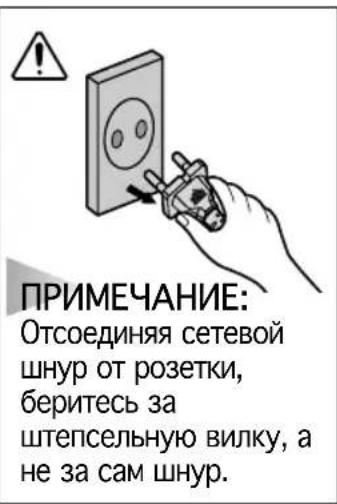
text_image
Diagram of a foot-mounted vacuum cleaner with labeled component and directional arrow indicating motionnatural_image
Diagram of a mechanical component with a central shaft and directional arrows indicating motion (no text or symbols)text_image
Diagram showing a hand holding a fuel injector with labeled components and an arrow indicating direction of motion or force.flowchart
graph TD
    A["Opening"] --> B["Pointing"]
    B --> C["Extraction"]
    C --> D["Extraction with a brush"]
    D --> E["Extraction with a brush"]
    E --> F["Extraction with a brush"]
    F --> G["Extraction with a brush"]
    G --> H["Extraction with a brush"]
    H --> I["Extraction with a brush"]
    I --> J["Extraction with a brush"]
    J --> K["Extraction with a brush"]
    K --> L["Extraction with a brush"]
    L --> M["Extraction with a brush"]
    M --> N["Extraction with a brush"]
    N --> O["Extraction with a brush"]
    O --> P["Extraction with a brush"]
    P --> Q["Extraction with a brush"]
    Q --> R["Extraction with a brush"]
    R --> S["Extraction with a brush"]
    S --> T["Extraction with a brush"]
    T --> U["Extraction with a brush"]
    U --> V["Extraction with a brush"]
    V --> W["Extraction with a brush"]
    W --> X["Extraction with a brush"]
    X --> Y["Extraction with a brush"]
    Y --> Z["Extraction with a brush"]
    Z --> AA["Extraction with a brush"]
    AA --> AB["Extraction with a brush"]
    AB --> AC["Extraction with a brush"]
    AC --> AD["Extraction with a brush"]
    AD --> AE["Extraction with a brush"]
    AE --> AF["Extraction with a brush"]
    AF --> AG["Extraction with a brush"]
    AG --> AH["Extraction with a brush"]
    AH --> AI["Extraction with a brush"]
    AI --> AJ["Extraction with a brush"]
    AJ --> AK["Extraction with a brush"]
    AK --> AL["Extraction with a brush"]
    AL --> AM["Extraction with a brush"]
    AM --> AN["Extraction with a brush"]
    AN --> AO["Extraction with a brush"]
    AO --> AP["Extraction with a brush"]
    AP --> AQ["Extraction with a brush"]
    AQ --> AR["Extraction with a brush"]
    AR --> AS["Extraction with a brush"]
    AS --> AT["Extraction with a brush"]
    AT --> AU["Extraction with a brush"]
    AU --> AV["Extraction with a brush"]
    AV --> AW["Extraction with a brush"]
    AW --> AX["Extraction with a brush"]
    AX --> AY["Extraction with a brush"]
natural_image
Illustration of a hand using a handheld device to press or install a circular component, with no visible text or symbols.КАССЕТНЫЙ ФИЛЬТР
natural_image
Illustration of a hand using a vacuum cleaner to adjust the component (no text or symbols present)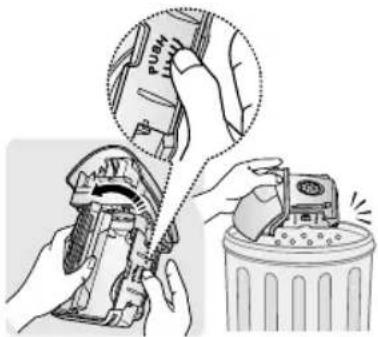
text_image
Diagram illustrating hand tool application on a push tool, showing step-by-step installation of the push tool and cleaning the trash bin.654
text_image
6 5 4 12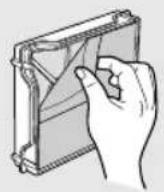
natural_image
Illustration of hands holding a rectangular device with internal components (no text or symbols visible)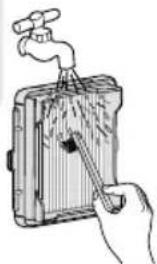
natural_image
Illustration of a hand using a tool to clean or store items around a water dispenser (no text or symbols visible)natural_image
Illustration of a faucet spraying water into a kitchen appliance (no text or symbols)natural_image
Illustration of a hand pressing down on a car's wheel (no text or symbols)
natural_image
Illustration of a hand pressing down on a car's wheel (no text or symbols)ПРИМЕЧАНИЕ
natural_image
Illustration of hands using a handheld device to adjust a component (no text or symbols visible)45
natural_image
Illustration of a hand holding a tool interacting with a mechanical device (no text or symbols visible)6
text_image
6 水 水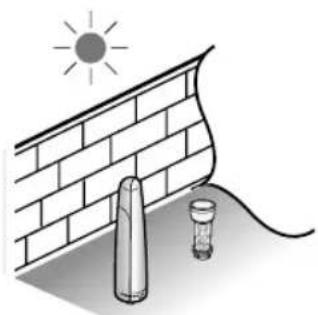
natural_image
Illustration of a sun shining on a brick wall next to two lit fixtures (no text or symbols)7
natural_image
Two mechanical components with arrows indicating motion, no text or symbols present8
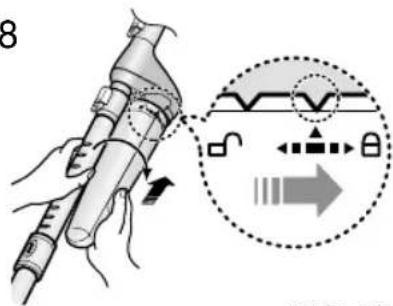
text_image
8ПРИМЕЧАНИЕ
natural_image
Illustration of a hand using a tool to adjust or install a mechanical component, with no visible text or symbols.
natural_image
Line drawing of hands holding a cylindrical object with a tool, no text or symbols presentnatural_image
Illustration of a hand placing a component into a small robotic vacuum cleaner (no text or symbols visible)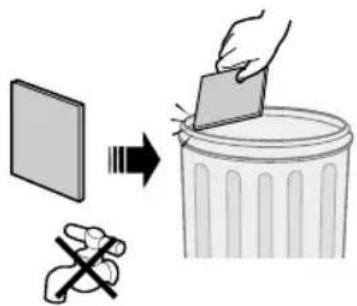
text_image
Diagram illustrating a hand removing a plastic sheet into a trash bin, with a cartoon figure and Chinese text.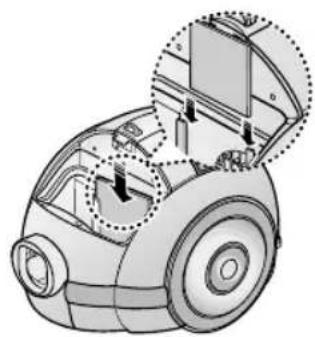
natural_image
Technical illustration of a car's internal components, showing parts like wheels and doors (no text or symbols)natural_image
Illustration of a hand inserting a component into a circular device (no text or symbols visible)2
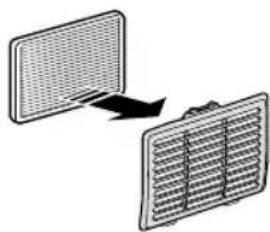
natural_image
Diagram showing two rectangular panels with a grid pattern, one moving right and the other left (no text or symbols)- ЕСЛИ ВОЗНИКЛА ПРОБЛЕМА
natural_image
Line drawing of a vacuum cleaner with circular head and side blades (no text or symbols)* Before operating this unit, please read the instructions carefully.
* For indoor use only.
* The appliance is not intended for use by young persons or infirm persons without supervision.
IMPORTANT SAFEGUARDS
- Read all instructions carefully. Before switching on, make sure that the voltage of your electricity supply is the same as that indicated on the rating plate on the bottom of the cleaner.
- WARNING: Do not use the vacuum cleaner when rug or floor is wet.
Do not use to suck up water. - Close supervision is necessary when any appliance is used by or near children. Do not allow the vacuum cleaner to be used as a toy. Do not allow the vacuum cleaner to run unattended at any time. Use the vacuum cleaner only for its intended use as described in these instructions.
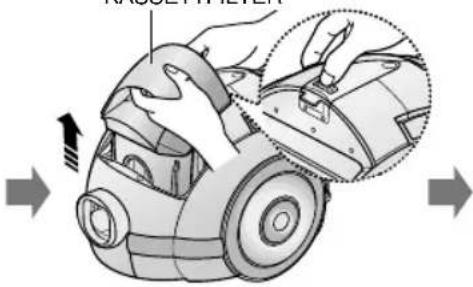
- Do not use the vacuum cleaner without Cassette Filter. Empty the Cassette Filter before it is full in order to maintain the best efficiency.
- Do not use the vacuum cleaner to pick up matches, live ashes or cigarette butts. Keep the vacuum cleaner away from stoves and other heat sources. Heat can deform and discolour the plastic parts of the unit.
- Avoid picking up hard, sharp objects with the vacuum cleaner as they may damage the cleaner parts. Do not stand on the hose assembly. Do not put a weight on the hose. Do not block the suction or the exhaustion part.
- Switch the vacuum cleaner off at the machine before unplugging from the electrical outlet. Grasp the plug to disconnect cord from the electrical outlet before caring Cassette Filter and filters.
- The plug must be removed from the socket outlet before cleaning or maintaining the appliance.
- The use of an extension cord is not recommended.
- If your vacuum cleaner is not operating correctly, switch off the power supply and consult an authorized service agent.
- If the supply cord is damaged, it must be replaced by the manufacturer or its service agent or a similarly qualified person in order to avoid a hazard.
- The vacuum cleaner is provided with a self-resetting thermal cut-out protection which automatically shut off current on over heating. Overheating can be caused by blockage in the filter, nozzle, tube or hose. After removing the cause and cooling the motor, vacuum cleaner automatically start again.
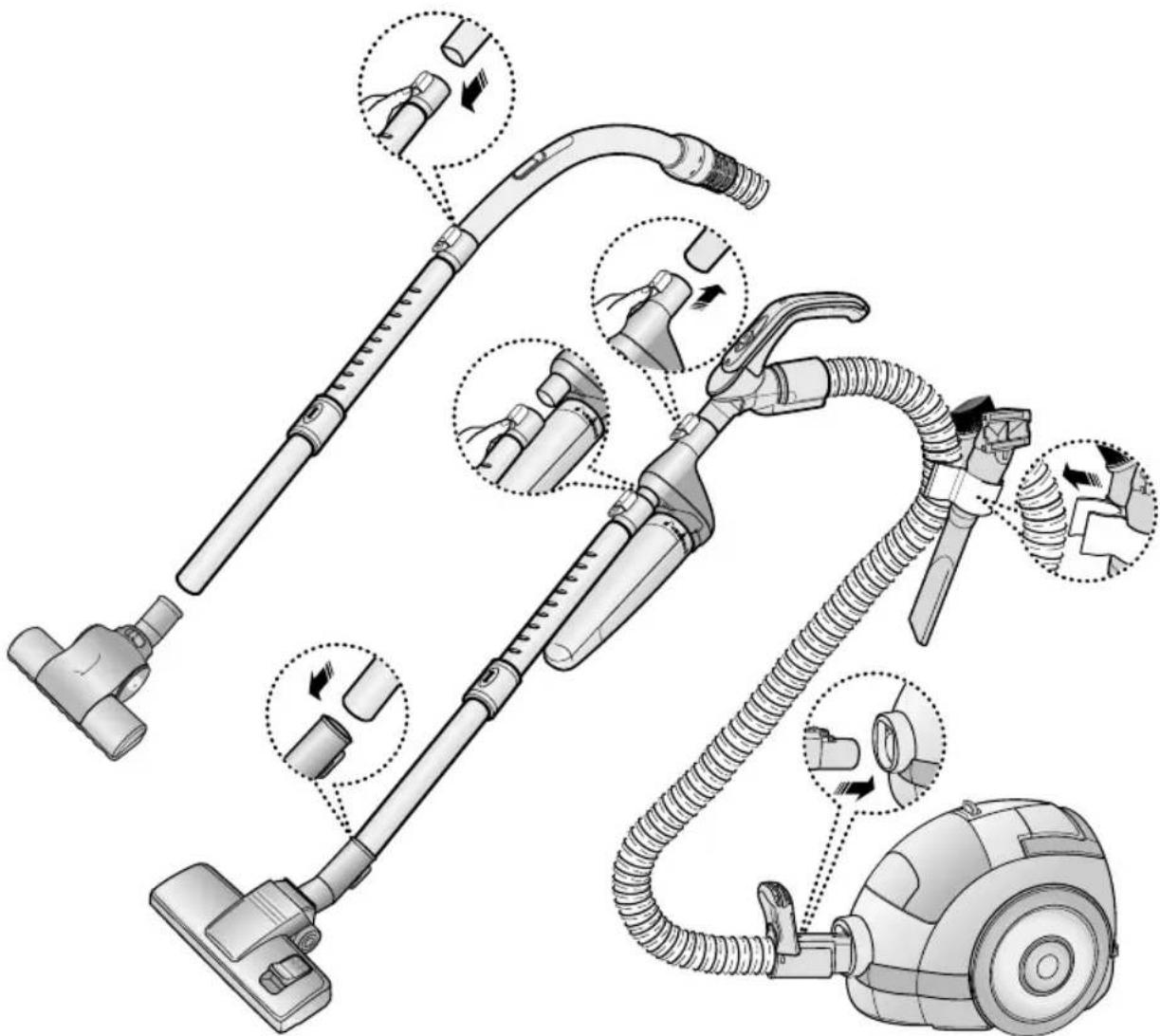
1 ASSEMBLING THE CLEANER
text_image
Technical diagram illustrating the installation and assembly of a vacuum cleaner with labeled parts and motion arrows.▶ Features may vary according to model.
natural_image
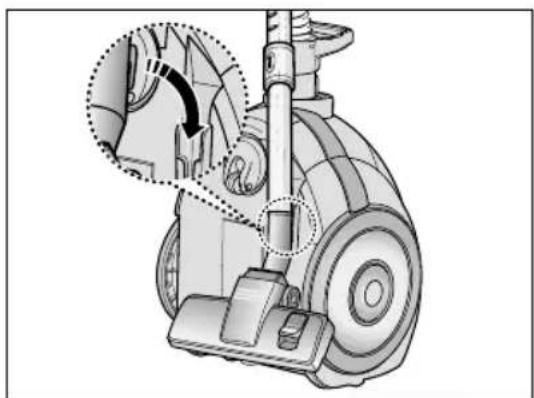
Mechanical assembly diagram showing a wheel and gear mechanism with an inset close-up of a component (no text or symbols)For storage, park the floor nozzle.
text_image
NOTE When removing the plug from the socket, please take care to grasp the plug, not the cord in order to avoid undue stress.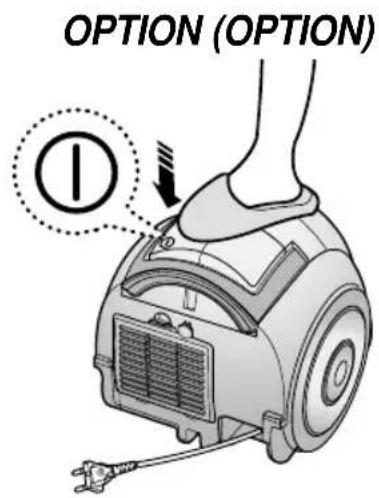
text_image
OPTION (OPTION) ①2-3 POWER CONTROL
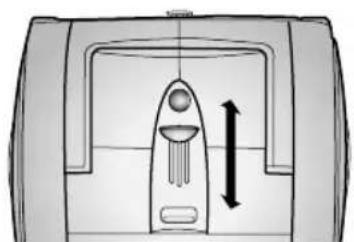
MIN = For delicate fabrics, e.g. net curtains.
MAX = For hard floors and heavily soiled carpets.
natural_image
Diagram of a mechanical component with a central shaft and directional arrows indicating movement or force (no text or symbols)BODY CONTROL TYPE ONLY
• SLIDE TO THE STOP POSITION
Vacuum-cleaner switches off (stand by mode)
• SLIDE FORWARD TO MAX
Suction capacity increases smoothly up to maximum.
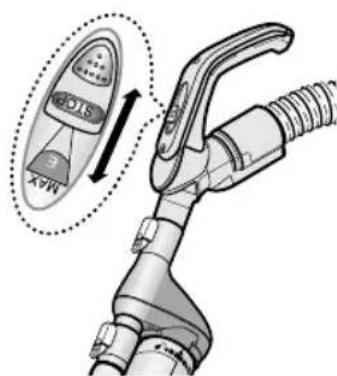
text_image
MAX STOCKHANDLE CONTROL TYPE ONLY
2-4 USING FLOOR TOOLS
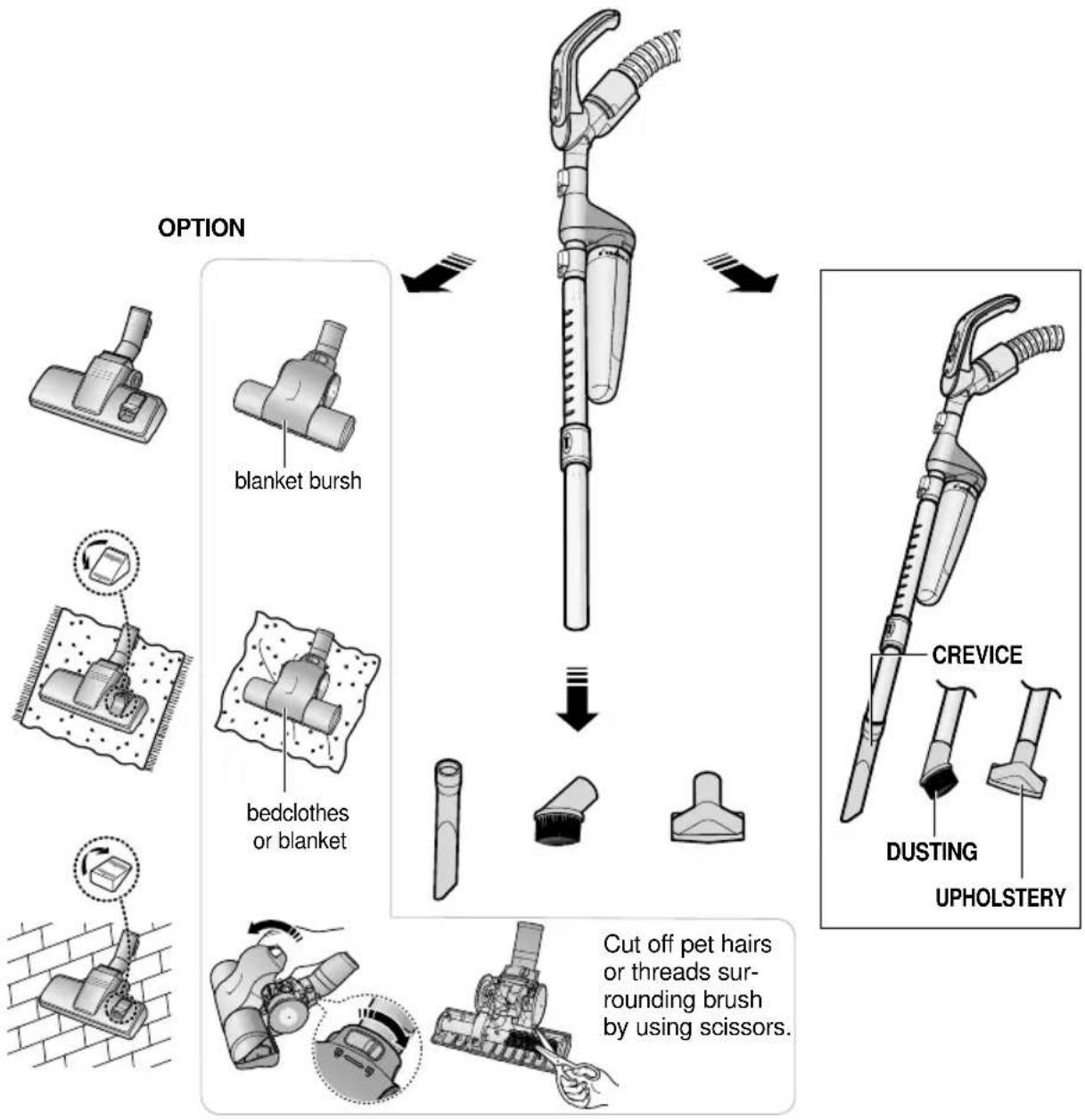
flowchart
graph TD
    A["Blanket bursh"] --> B["Cut off pet hairs or threads surrounding brush by using scissors."]
    C["Bedclothes or blanket"] --> B
    D["CREVICE"] --> B
    E["DUSTING"] --> B
    F["UPHOLSTERY"] --> B
3 CHECK FILTER INDICATOR
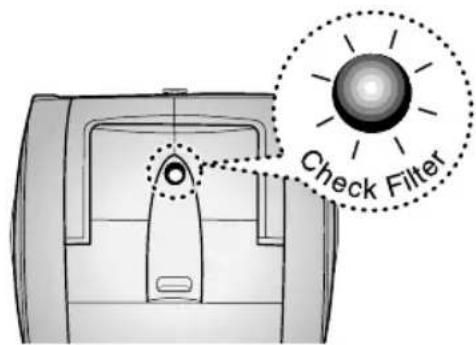
text_image
Check FilterWhen the light is illuminated, check the Cassette Filter and clean it.
4 MAINTAINING THE CASSETTE FILTER
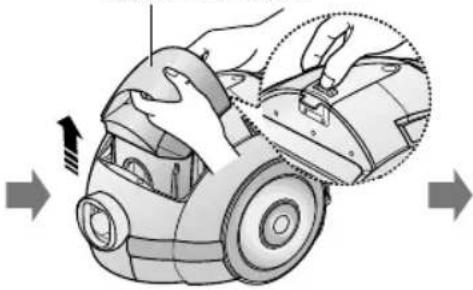
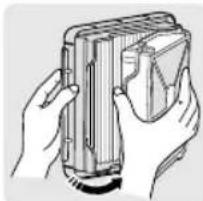
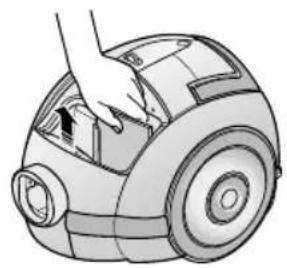
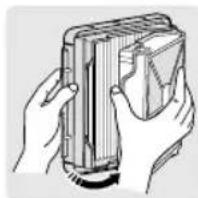
- EMPTYING THE CASSETTE FILTER
1 2 3
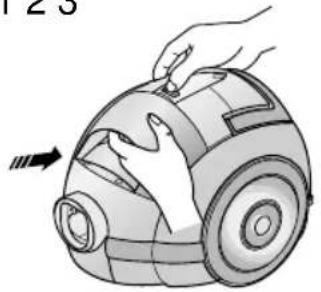
natural_image
Illustration of a hand using a vacuum cleaner to press down a circular device (no text or symbols visible)CASSETTE FILTER
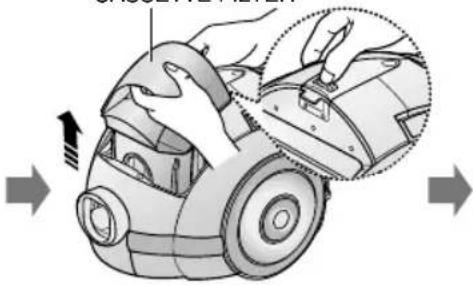
natural_image
Illustration of a hand using a vacuum cleaner to adjust the component (no text or symbols present)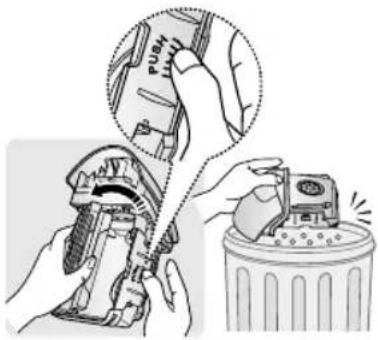
text_image
Diagram illustrating a hand using a push tool to adjust the switch, with a trash can nearby showing waste or dust.
654
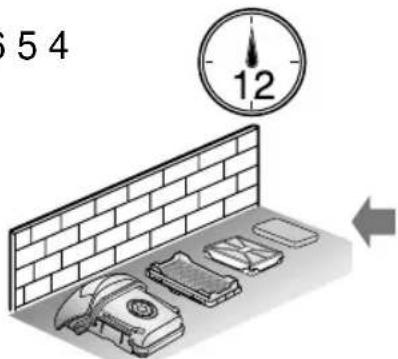
text_image
54 12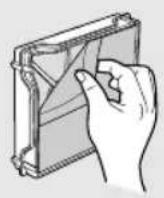
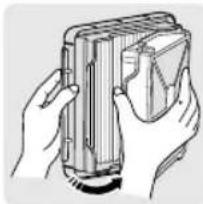
natural_image
Illustration of hands holding a rectangular device with a grid-like structure (no text or symbols visible)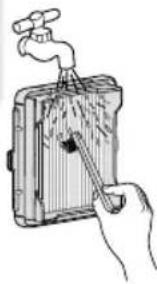
natural_image
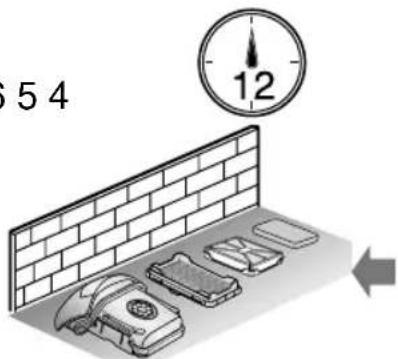
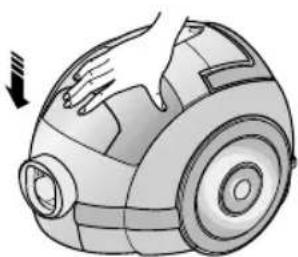
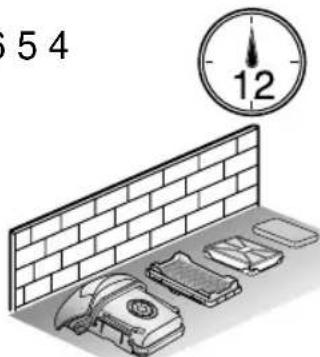
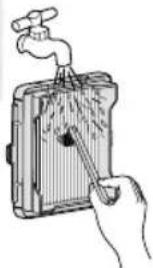
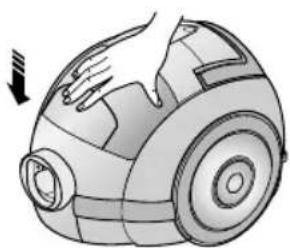
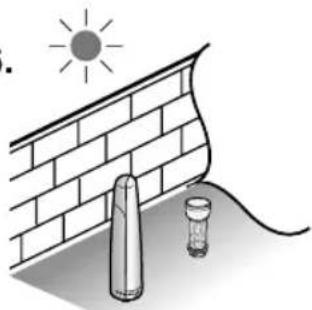
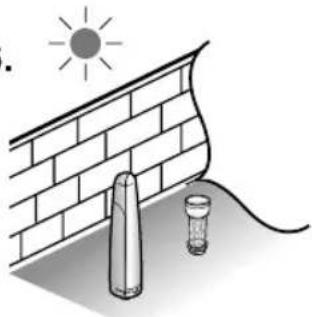
Illustration of a hand using a tool to lift a device into a container (no text or symbols visible)- Ensure completely dry before replacing.
- Allow 12 hours for it to dry.
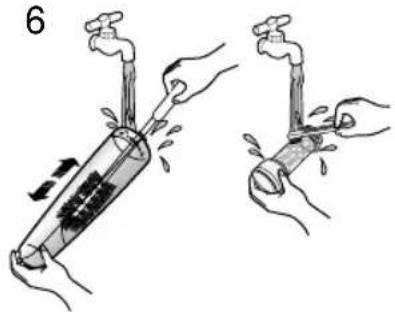
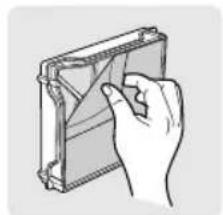
- Brush the Filter media with water until the stuck fine dust is removed.
789
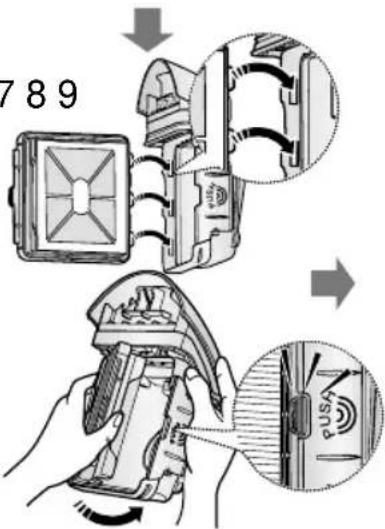
text_image
789 →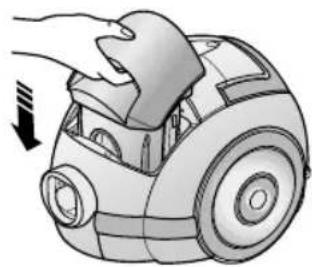
natural_image
Illustration of a hand gripping a small car with a downward arrow indicating motion (no text or symbols)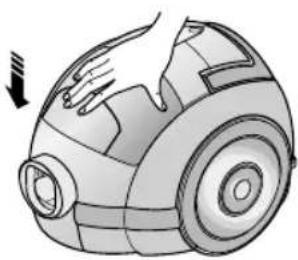
natural_image
Illustration of a hand holding a small object, possibly a vacuum cleaner or industrial device (no text or symbols visible)NOTE
The CASSETTE FILTER should be washed thoroughly as well as emptied if:
- the CHECK FILTER indicator lights continuously
• the suction power feels weaker than normal - the Turbo Brush (optional) is not working properly


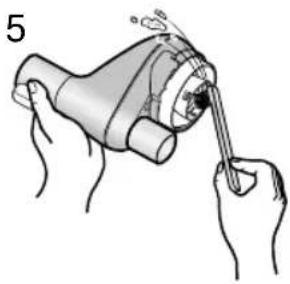
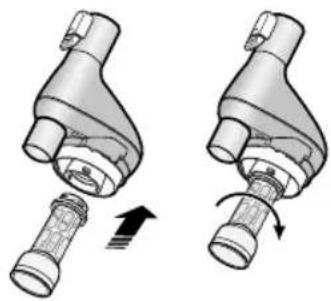
5 CLEANING THE CYCLONE FILTER
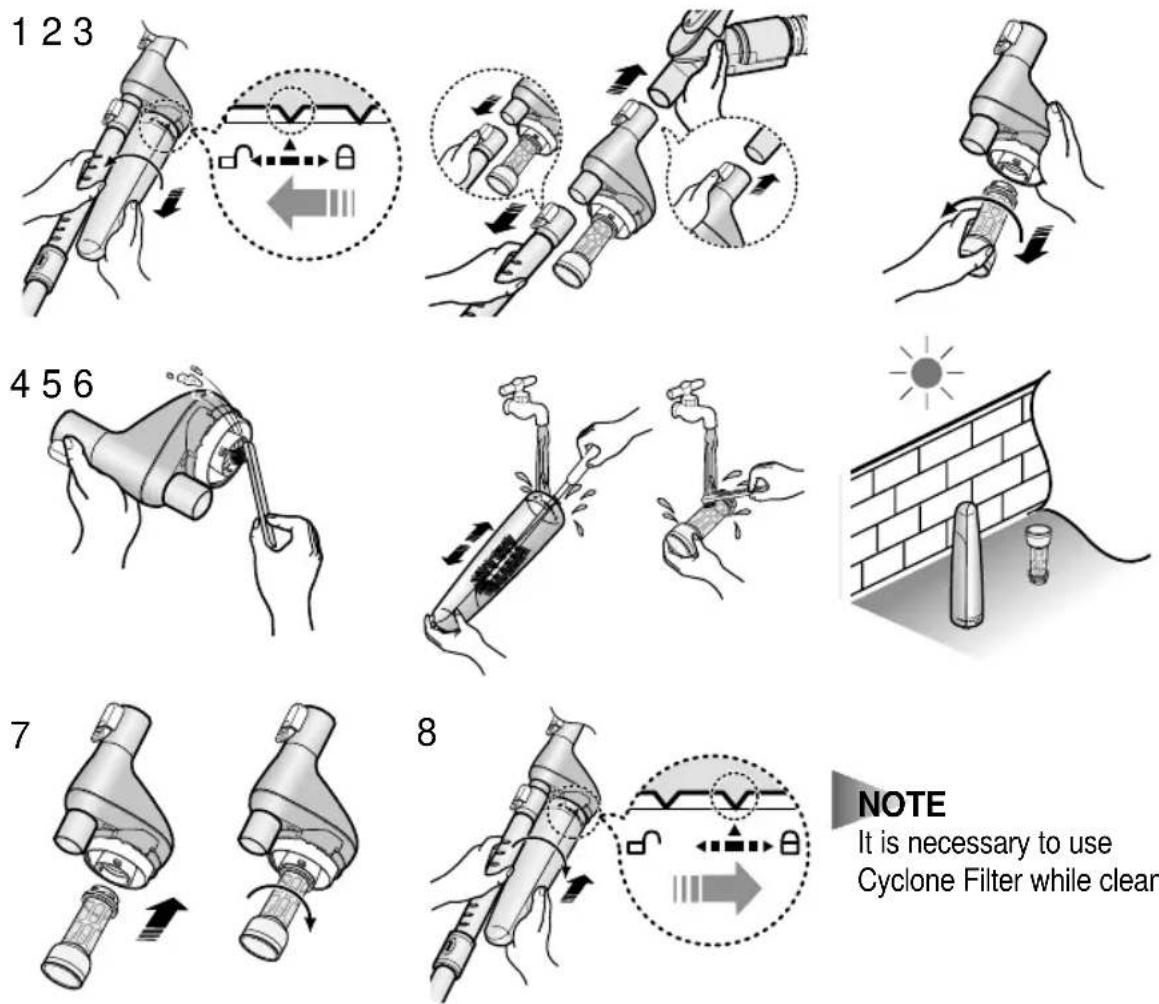
NOTE
It is necessary to use Cyclone Filter while cleaning.
- CLEANING THE INNER PART OF CYCLONE FILTER
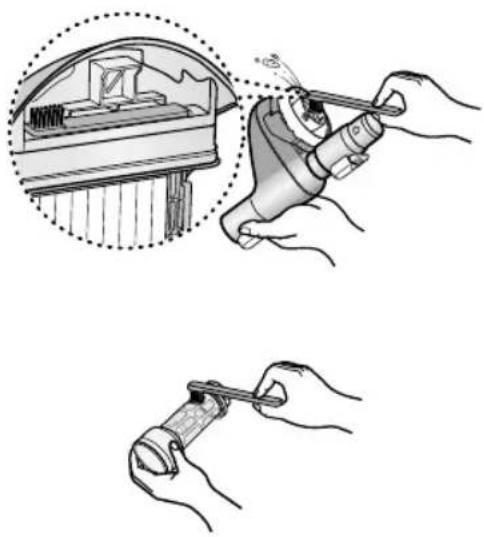
natural_image
Illustration showing hands using a tool to adjust a mechanical component, with no visible text or symbols.- USING CYCLONE FILTER
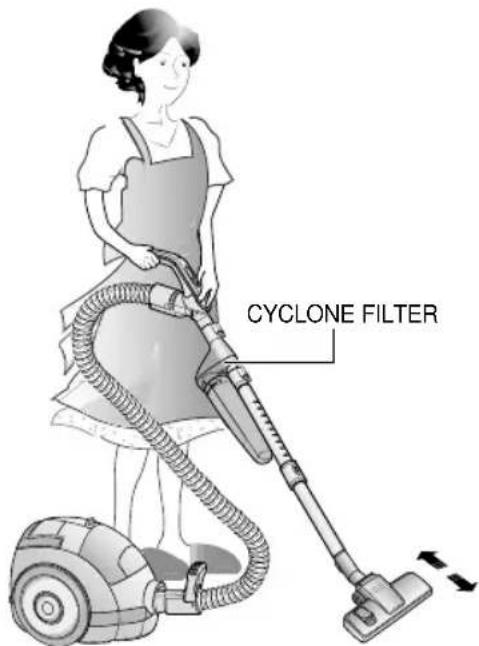
text_image
CYCLONE FILTER6 CLEANING THE INLET FILTER
1 2 3
natural_image
Illustration of a hand using a handheld device to clean or install a small cylindrical device (no text or symbols visible)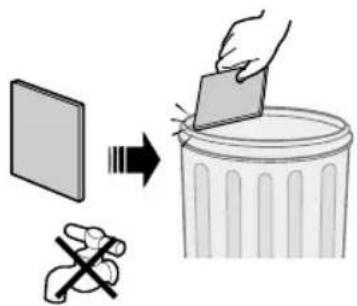
text_image
Diagram illustrating a hand removing plastic into a trash bin, with a broken tool symbolizing the removal.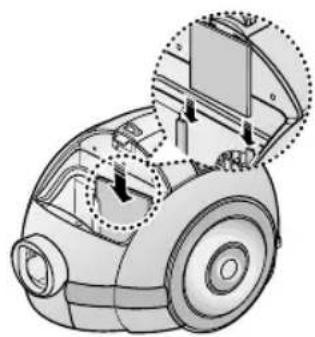
natural_image
Technical illustration of a car's air purifier with internal components and mounting brackets (no text or symbols)NOTE : Do not allow the filter to become clogged as this may cause power reduction or may damage the motor.
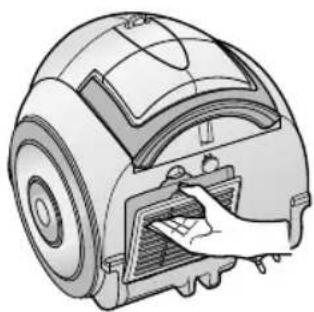
7 OUTLET FILTER
1
natural_image
Technical illustration of a robotic vacuum cleaner with a hand inserting a component (no text or symbols present)2
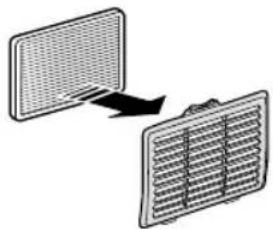
natural_image
Diagram showing two heat exchanger panels with a heat transfer arrow (no text or symbols)- IF YOU HAVE A PROBLEM
| PROBLEM CAUSE REMEDY | ||
| Motor does not start. | No power supply. Thermal cut-out. | Check cable, plug and socket. Leave to cool. |
| Suction force is gradually decreasing. | Nozzle, suction hose or tube is blocked. | Remove the object and empty/wash cassette filter as required. |
| Cord does not rewind fully. Check that the cord is not twisted or wound unevenly. | Pull the cord out 2-3m and push down the cord rewind button. | |
| Vacuum cleaner does not pick up dirt. | Crack or hole in hose. | Check hose and replace if required. |
This Vacuum cleaner is approved the following.
EMC Directive : 89/336/EEC , 92/31/EEC and 93/68/EEC
Low Voltage Safety Directive : 73/23/EEC and 93/68/EEC
SAMSUNG

TOLMUIMEJA
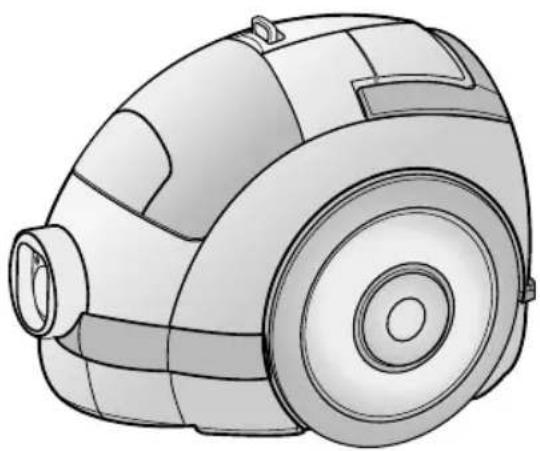
natural_image
Line drawing of a vacuum cleaner with circular components and a bulbous head (no text or symbols)text_image
Technical diagram illustrating the installation and assembly of a vacuum cleaner with labeled parts and motion arrows.natural_image
Mechanical assembly diagram showing a gear and wheel assembly with an inset close-up of a mechanical component (no text or symbols)2-1 VOOLUJUHE 2-2 SISSE-VÄLJA
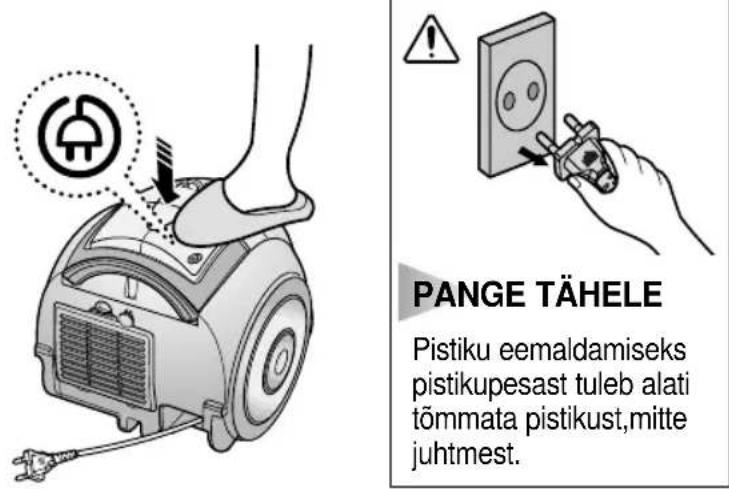
natural_image
Diagram of a device with a central knob and directional arrows indicating movement or force (no text or symbols)REGULEERIMINE AINULT KORPUSELT
text_image
Diagram showing a handheld electric shock absorber with labeled components and an arrow indicating direction of motion or force.REGULEERIMINE AINULT KÄEPIDEMELT
2-4 PÕRANDAPUHASTUSVAHENDITE KASUTAMINE
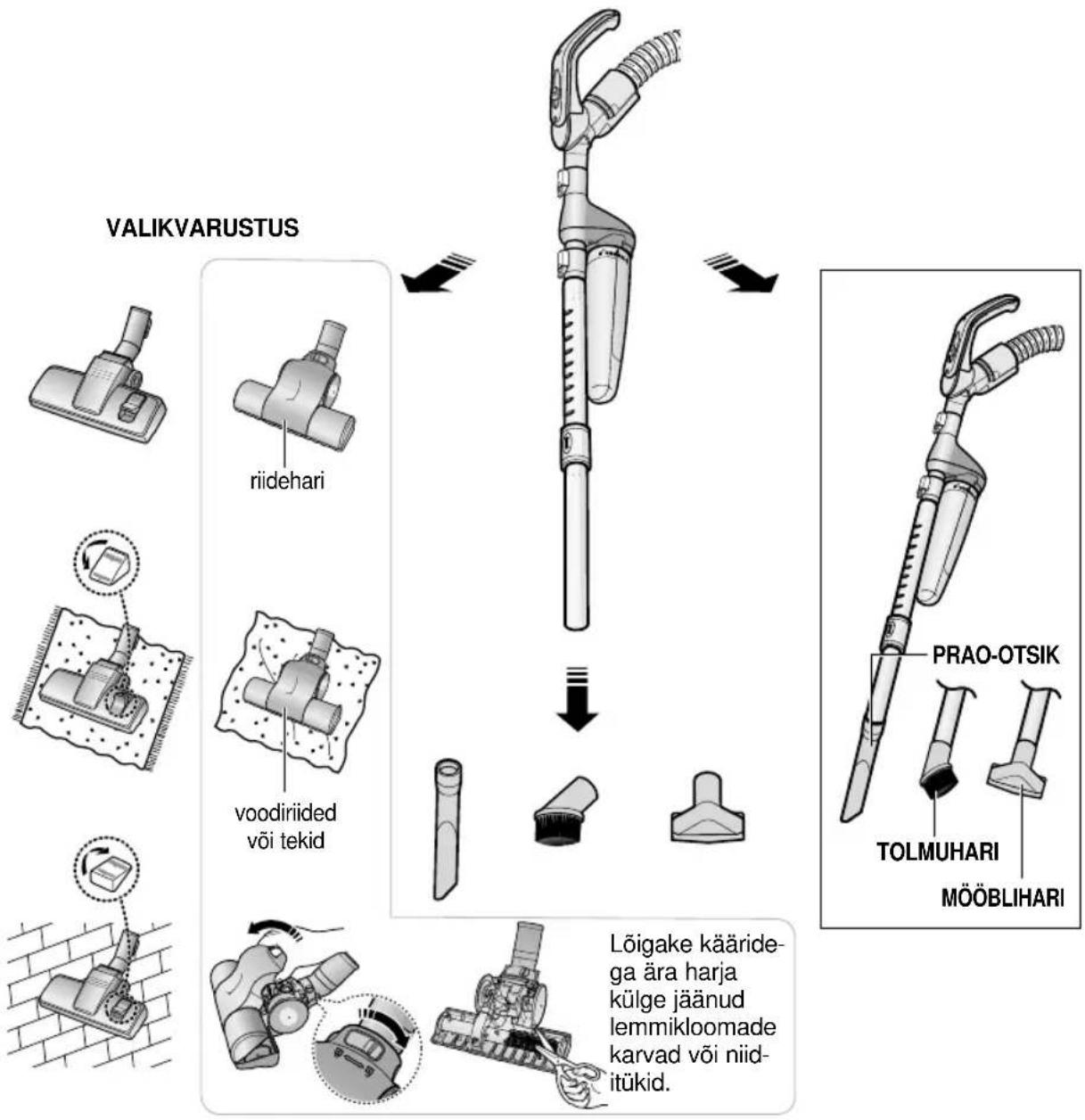
natural_image
Illustration of a hand using a handheld device to press or install a circular component, with no visible text or symbols.KASSETTFILTER
text_image
Diagram showing a hand using a vacuum cleaner to adjust components, with arrows indicating motion and detail view.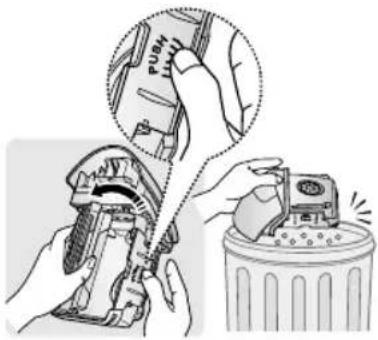
text_image
Illustration showing a hand using a wrench to adjust the pipe with a magnified inset showing the process.
654
natural_image
Illustration of a brick wall with refrigerators and a clock showing 12 (no text or symbols on main objects)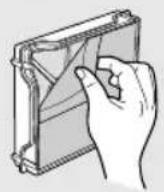
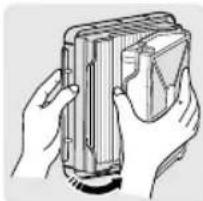
natural_image
Illustration of hands holding a rectangular device with internal components (no text or symbols visible)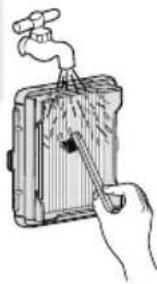
natural_image
Illustration of a hand using a tool to clean or store items from a sink (no text or symbols visible)• Kuivatage see korralikult enne tagasiasetamist.
• Laske 12 tundi kuivada.
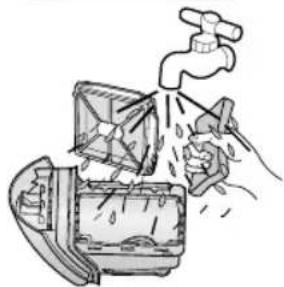
natural_image
Illustration of a faucet spraying water into a container with a hand holding a tool (no text or symbols)natural_image
Illustration of a hand pressing down on a small mechanical component (no text or symbols visible)
natural_image
Illustration of a hand operating a vacuum cleaner with a downward arrow indicating motion (no text or symbols)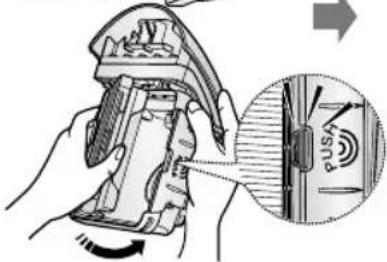
text_image
Technical diagram showing a hand operating a tool with an inset close-up of a button labeled 'PUS'.PANGE TÄHELE
natural_image
Illustration showing hands using a tool to adjust a mechanical component, with no visible text or symbols.- TSÜKLONFILTRI KASUTAMINE
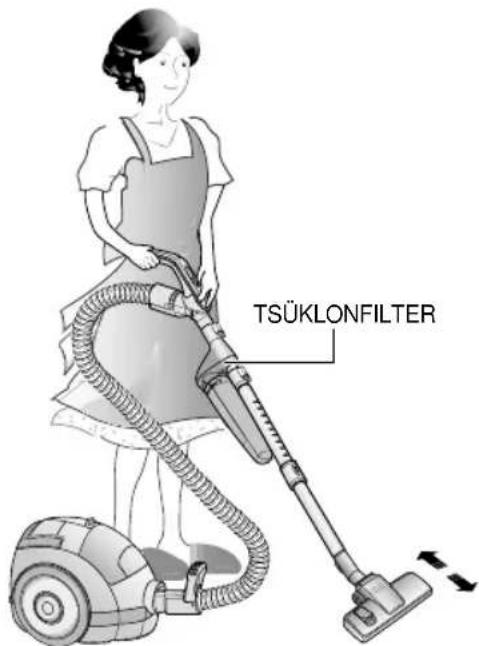
text_image
TSÜKLONFILTER6 SISSETÕMBEFILTRI PUHASTAMINE
1 2 3
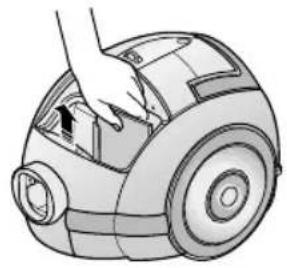
natural_image
Illustration of a hand pressing down on a small robotic vacuum cleaner (no text or symbols visible)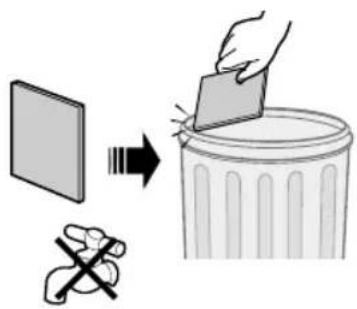
text_image
Diagram illustrating a hand removing a trash can into a binocular pan, with a hand holding the paper and a crossed-out hand symbol.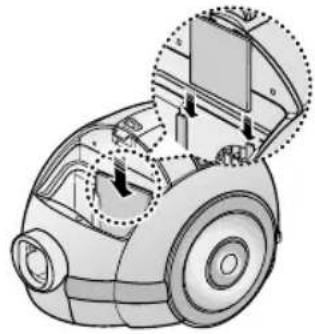
natural_image
Technical illustration of a robotic vacuum cleaner with internal components and a close-up inset showing mechanical parts (no text or symbols)natural_image
Illustration of a robotic vacuum cleaner with a hand inserting a component (no text or symbols visible)2
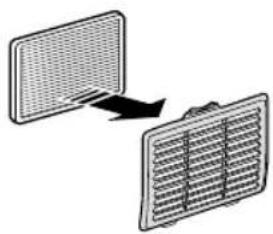
natural_image
Diagram showing two rectangular panels with a grid pattern, connected by an arrow indicating rotation or transformation (no text or symbols)- KUI TEIL TEKIB PROBLEEM
natural_image
Line drawing of a vacuum cleaner with no text or symbolstext_image
Technical diagram illustrating the installation and assembly of a vacuum cleaner with labeled parts and motion arrows.natural_image
Mechanical assembly diagram showing a gear and wheel assembly with an inset close-up of a mechanical component (no text or symbols)text_image
Diagram showing foot cleaning a car with an electrical plug icon and warning symbol
text_image
Diagram showing a foot-mounted vacuum cleaner with a labeled component and directional arrow indicating motion or force.2-3 GALIOS REGULIATORIUS
natural_image
Diagram of a device with a vertical arrow indicating direction, no text or symbols presentTIK MODELIAI SU KORPUSE ITAISYTU GALIOS REGULIATORIUMI
natural_image
Illustration of a hand using a handheld device to press or install a circular component (no text or symbols visible)FILTRO KASETÉ

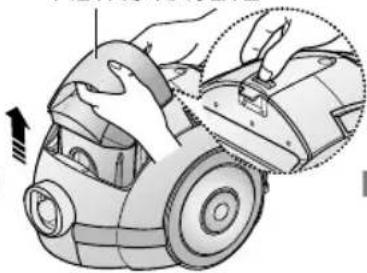
natural_image
Illustration of a hand using a vacuum cleaner to adjust the component (no text or symbols visible)
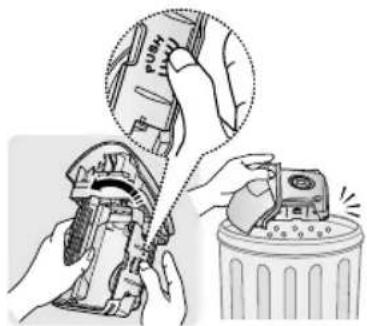
natural_image
Illustration showing hands using a tool to adjust or install a device, with no visible text or symbols.
654
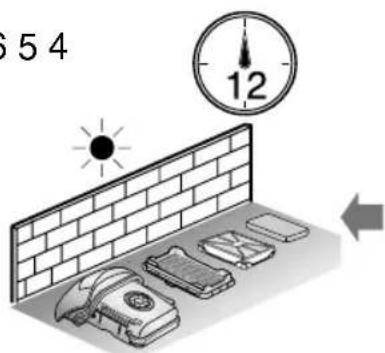
text_image
54 12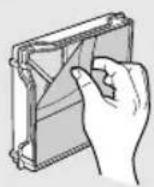
natural_image
Illustration of a hand using a tool to clean or store items on a device (no text or symbols visible)natural_image
Illustration of a faucet spraying water into a refrigerator (no text or symbols)natural_image
Illustration of a hand pressing down on a car's wheel (no text or symbols)
natural_image
Illustration of a hand holding a device next to a circular device (no text or symbols)PASTABA
natural_image
Illustration of hands using a mechanical tool to adjust a component (no text or symbols visible)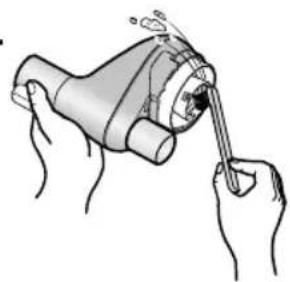
natural_image
Illustration of hands using a tool to interact with a mechanical device (no text or symbols visible)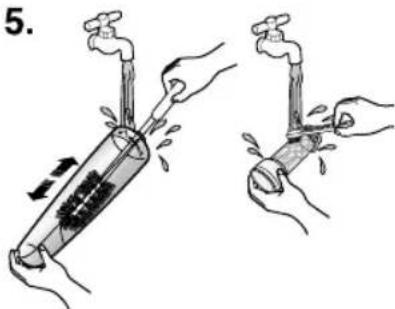
text_image
5.
natural_image
Illustration of a sun shining on a brick wall next to two cylindrical objects (no text or symbols)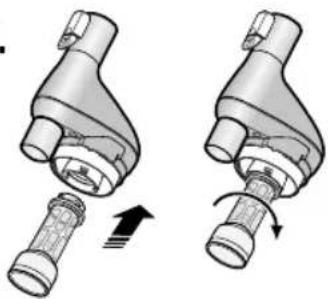
natural_image
Two mechanical components with arrows indicating motion, no text or symbols present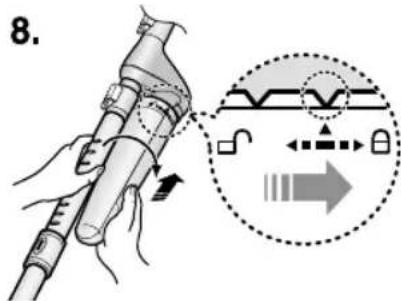
text_image
8.PASTABA
natural_image
Illustration showing hands using a tool to adjust a mechanical component, with no visible text or symbols.- CIKLONINÉ GAUDYKLÉ
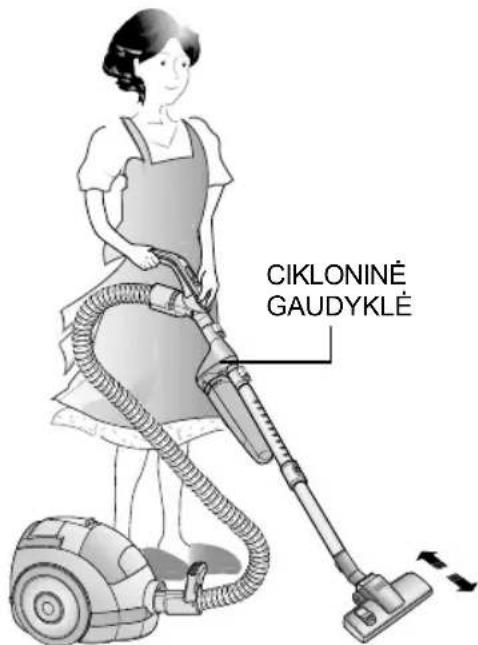
text_image
CIKLONINÉ GAUDYKLÉ6 ORO ILEIDIMO FILTRO VALYMAS
1 2 3
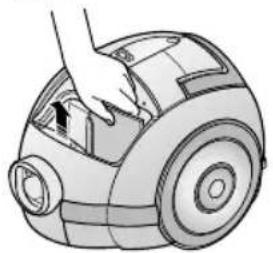
natural_image
Illustration of a hand operating a vacuum cleaner (no text or symbols visible)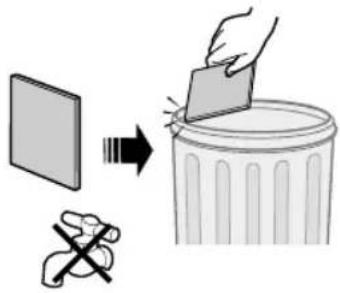
text_image
Diagram illustrating a hand removing a trash can into a trash bin, with corresponding icons for plastic waste and no litter.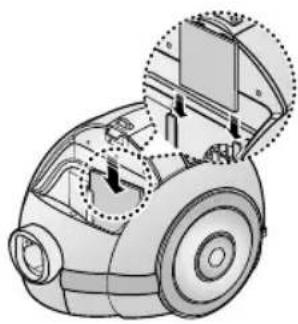
natural_image
Technical illustration of a robotic vacuum cleaner with internal components and mounting bracket (no text or symbols)natural_image
Illustration of a hand inserting a component into a vacuum cleaner's air vent (no text or symbols)2
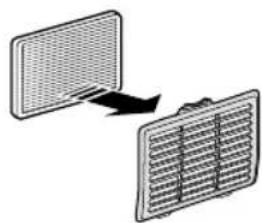
natural_image
Diagram showing two panels with different patterns, one with an arrow indicating direction (no text or symbols)– JEIGU IŠKILO PROBLEMŲ
natural_image
Line drawing of a vacuum cleaner (no text or symbols present)text_image
Technical diagram of a vacuum cleaner with labeled parts and directional arrows indicating assembly stepsnatural_image
Mechanical assembly diagram showing a wheel and gear assembly with a highlighted component (no text or symbols)text_image
Diagram showing a foot using an electric vacuum cleaner with a power plug icon and warning symbol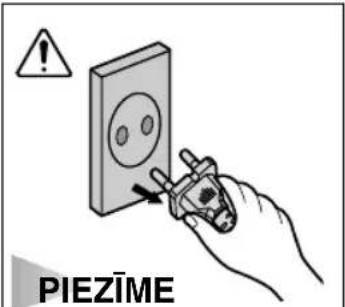
text_image
PIEZIMEAtvienojot elektrotikla vadu, nevelciet aiz vada, bet satveriet aiz kontaktspraudna.
text_image
Diagram showing foot positioning on a robotic vacuum cleaner with labeled component and directional arrow2. 3. Jaudas regulators
natural_image
Diagram of a device with a central button and vertical arrow indicating direction (no text or symbols)TIKAI MODELIEM AR JAUDAS REGULATORU UZ IERİCES KORPUSA
• PABĪDIET SLĒDZI POZĪCIJĀ STOP (pārtraukt)
text_image
Diagram showing a hand pump tool with a magnified inset highlighting the 'MAX' component.TIKAI MODELIEM AR JAUDAS REGULATORU UZ ROKTURA
natural_image
Illustration of a hand using a tool to press down a mechanical component (no text or symbols visible)- 3PUTEKLU TVERTNE
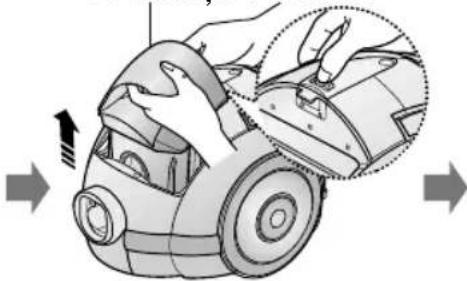
natural_image
Illustration of a hand using a vacuum cleaner to adjust the component (no text or symbols present)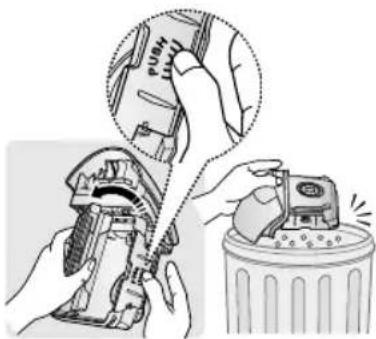
natural_image
Illustration of hands using a mechanical tool to adjust or install a component, with no visible text or symbols.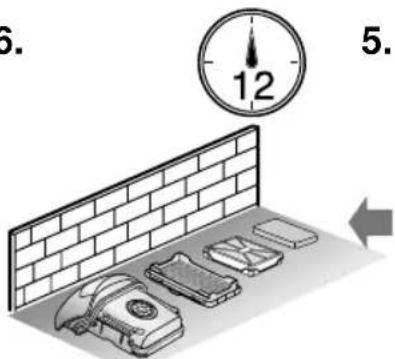
text_image
6. 12 5.5.4.
natural_image
Hand holding a rectangular device with a grid pattern, no visible text or symbols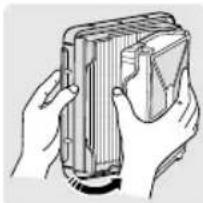
natural_image
Illustration of hands holding a rectangular device with a folded paper or plastic sheet (no text or symbols visible)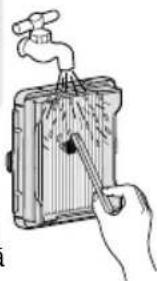
natural_image
Illustration of a hand using a tool to clean or store items from a water dispenser (no text or symbols visible)natural_image
Illustration of a kitchen with a faucet spraying water from a refrigerator (no text or symbols)natural_image
Illustration of a hand pressing down on a car's side panel (no text or symbols)
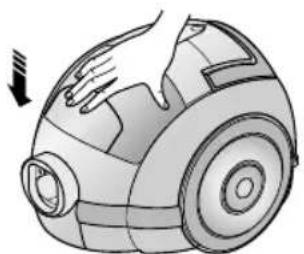
natural_image
Illustration of a hand holding a small device with a downward arrow indicating motion (no text or symbols)PIEZIME
natural_image
Illustration of hands holding a handheld device with a curved arrow indicating rotation (no text or symbols)
natural_image
Illustration of hands using a tool to interact with a mechanical device (no text or symbols visible)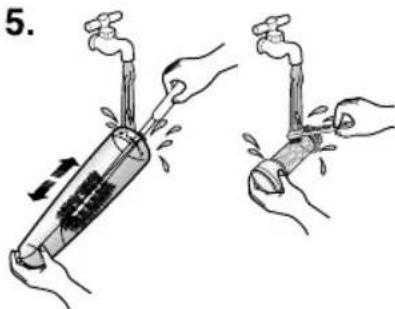
text_image
5.
natural_image
Illustration of a sun shining on a brick wall next to two lit fixtures (no text or symbols)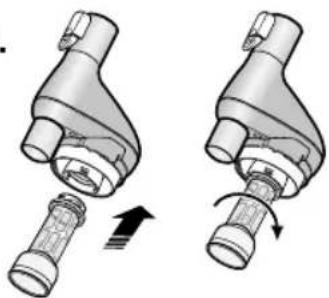
natural_image
Two mechanical components with arrows indicating motion, no text or symbols present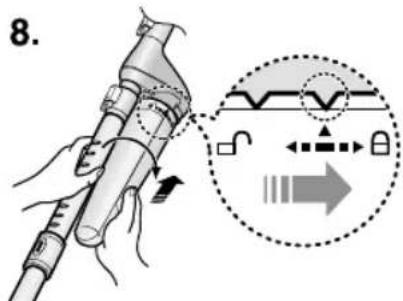
text_image
8.
PIEZIME
natural_image
Illustration of a hand using a tool to adjust or install a mechanical component, with no visible text or symbols.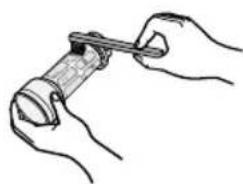
natural_image
Line drawing of hands holding a cylindrical object with a tool, no text or symbols presentVIRPULVEIDA FILTRA LIETOŠANA
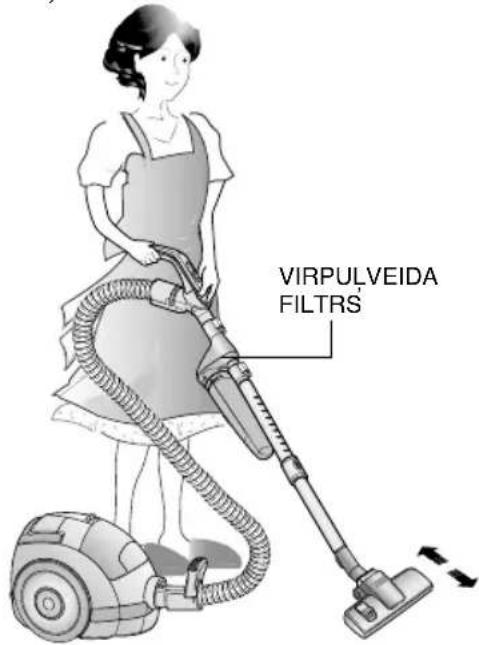
text_image
VIRPULVEIDA FILTRS6. IEPLÜSTOŠÄ GAISA FILTRA TİRİŞANA
1.2.3.
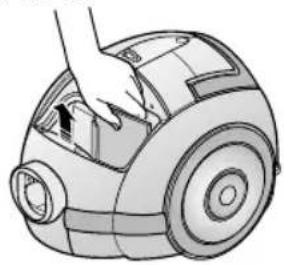
natural_image
Illustration of a hand placing a component into a small cylindrical device (no text or symbols visible)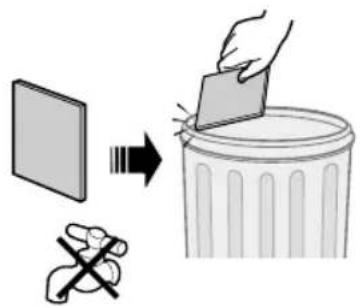
text_image
Diagram illustrating a hand removing a trash can into a trash bin, with a broken tool symbolizing the removal.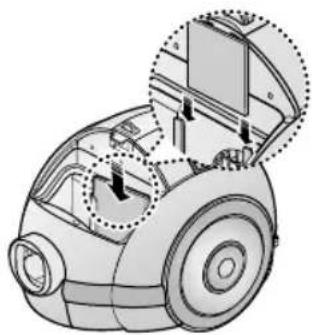
natural_image
Technical illustration of a robotic vacuum cleaner with internal components and highlighted parts (no text or symbols)PIEZIME
natural_image
Illustration of a hand inserting a component into a vacuum cleaner's housing (no text or symbols present)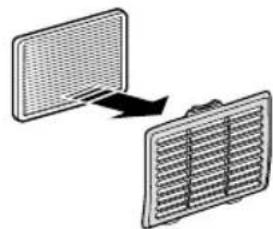
natural_image
Diagram showing two rectangular panels with a grid pattern, one with an arrow indicating rotation or transformation (no text or symbols)- JA RADUSIES KLÜME
DJ68-00219C REV(0.3)