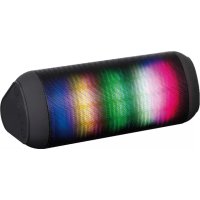
XR 90 BT - Docking station Trevi - Free user manual and instructions
Find the device manual for free XR 90 BT Trevi in PDF.



| Product Type | Docking station / Bluetooth speaker |
| Brand | Trevi |
| Model | XR 90 BT |
| Dimensions | 185 x 73 x 82 mm |
| Weight | 330 g |
| Power supply | USB-C (microUSB) 5 V, integrated 3.7 V lithium battery |
| Charging time | Maximum 4 hours |
| Bluetooth connectivity | Bluetooth 2.1 + EDR, range 10 m |
| Radio receiver | FM 87.5 - 108.0 MHz |
| Audio inputs | 3.5 mm AUX jack, USB port, microSD card reader |
| Main functions | Bluetooth playback, USB, microSD, FM radio, hands-free kit, LED Disco |
| Bluetooth transmission power | 2.5 mW |
| Cleaning | Slightly damp soft cloth, no solvents or abrasives |
| Safety | Use 5 V max charger, avoid humidity, dust, magnetic fields, vibrations |
| After-sales service | TREVI authorized service center |
| Repairability | Battery removal reserved for technical personnel |
Frequently Asked Questions - XR 90 BT Trevi
User questions about XR 90 BT Trevi
0 question about this device. Answer the ones you know or ask your own.
Ask a new question about this device
Download the instructions for your Docking station in PDF format for free! Find your manual XR 90 BT - Trevi and take your electronic device back in hand. On this page are published all the documents necessary for the use of your device. XR 90 BT by Trevi.
USER MANUAL XR 90 BT Trevi
SPEAKER POWERED WITH RADIO AND
BLUETOOTH® CONNECTION
User Manual

natural_image
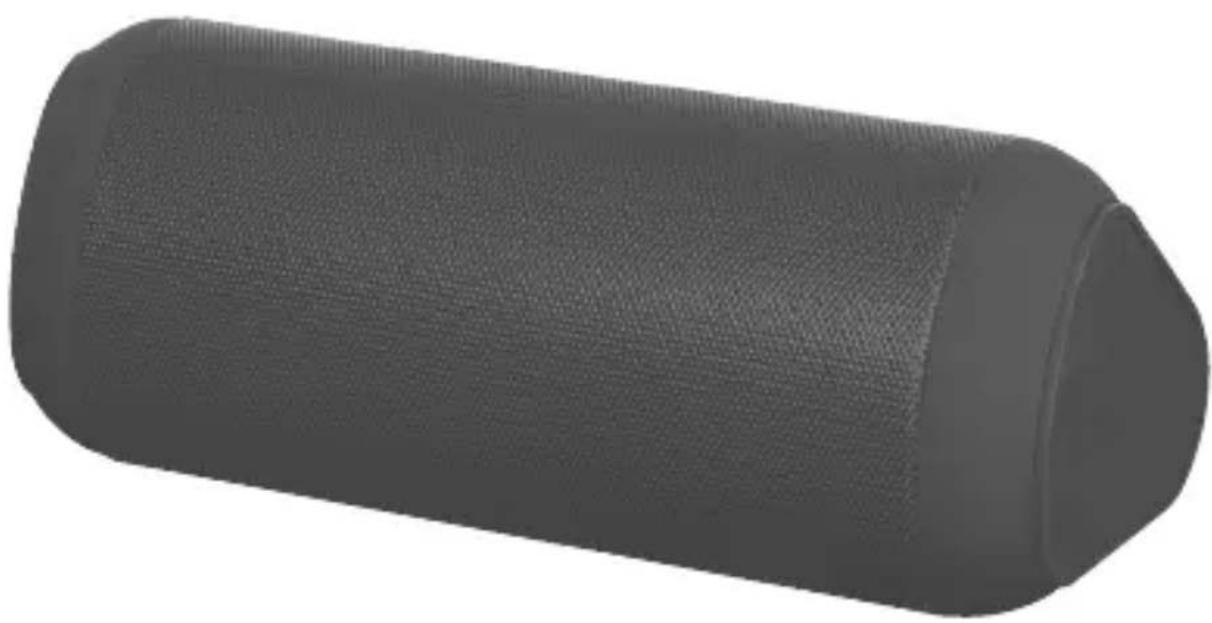
3D rendered image of a cylindrical object with textured surface, no visible text or symbolsDo not use power supply with a voltage higher than 5V, cause damage to the player.
Listen at high volume for long periods of time, may damage your hearing.
Avoid placing the player:
- Near magnetic fields.
- Near any heat sources such as heaters and stoves.
- In very damp places like bathrooms, swimming pools, etc...
- In very dusty places.
- In places subject to strong vibrations.
Place the appliance so that its sides there is always enough room for free air circulation (at least 5 cm). If liquids penetrate into the appliance immediately disconnect the plug from the wall socket and set the appliance to your nearest authorised TREVI Service Centre.
Always check before charging, power cables and connection are installed properly.
CARE AND MAINTENANCE
For cleaning it is recommended to use a soft, slightly damp cloth. Avoid solvents or abrasive substances.
IMPORTANT
The construction of this device guarantees long flawless operation. However, if come some problem, you should consult your nearest authorized service center.
TREVI pursues a policy of continuous research and development. Therefore, the products may show different characteristics from those described.
WARNING FOR A CORRECT USE OF RECHARGEABLE BATTERY
- Recharge the battery in an ambient temperature between 5°C and 35°C.
- Don't recharge more than the suitable period to prevent the risk of overheating and burst.
- Don't recharge the battery for more than 4 hours.
- Recharging the battery over the suitable period or an extended period of inactivity may reduce battery duration.
- Rechargeable battery is liable to wear and tear and its performance will reduce gradually.
- To extend the duration of the battery use it when is completely charged up to the complete discharging, then recharge it fully before use it again. Recharge a battery not completely consumed, will result in reduced duration. In this case, repeat the full charging/discharging cycle many times.
- Avoid recharge the battery for the whole night.
English
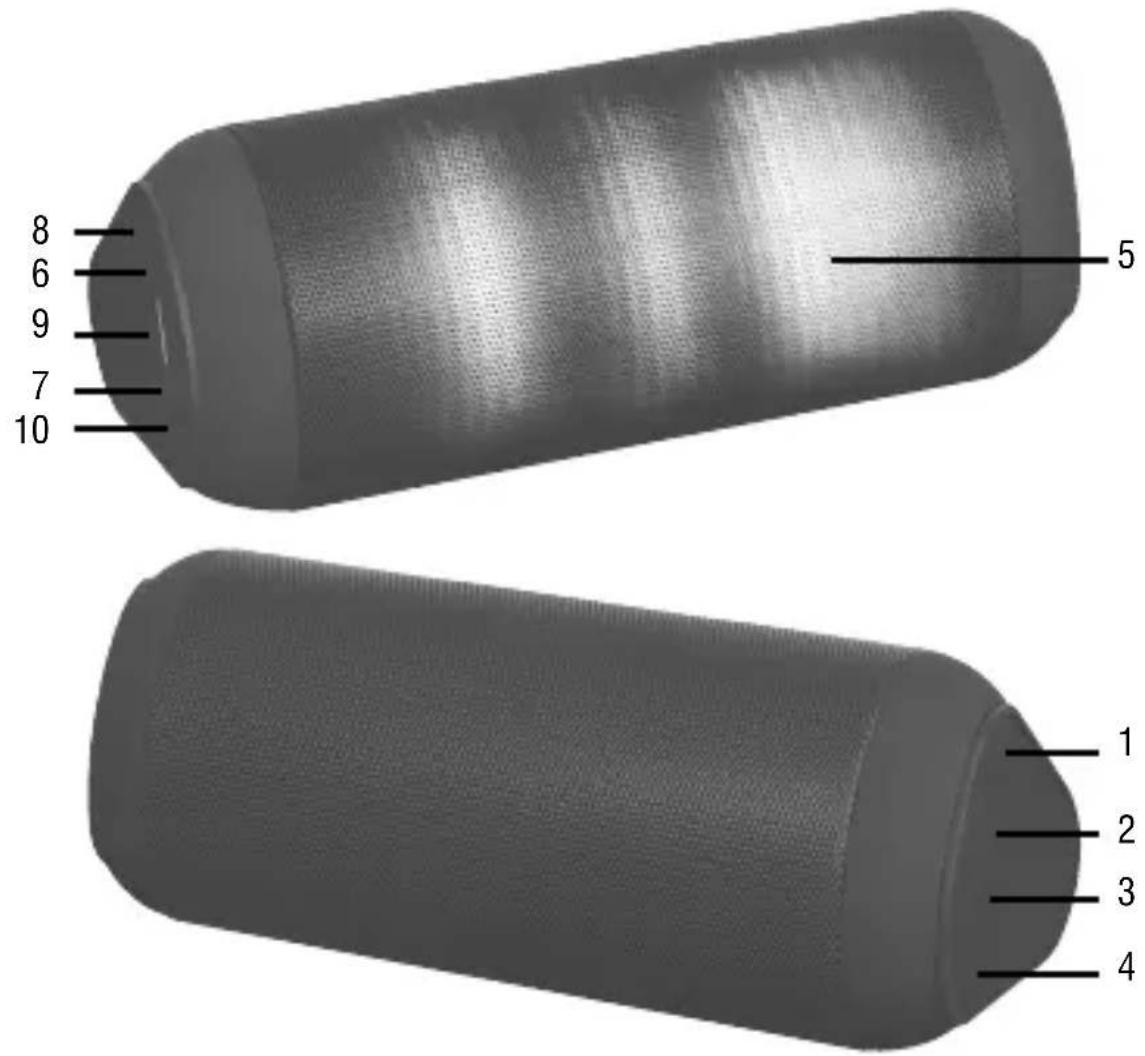
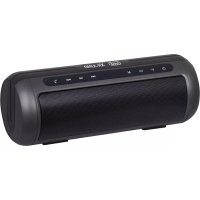
- Power on / off / play / pause button
- Mode / Light button
- Volume button - / Previous
- Button Volume + / Next
-
Disco Music LED
-
Led charging / BT
- RESET button
- MicroUSB socket for charging/antenna
- USB / microSD Memory Input
- AUX IN
CHARGING
The speaker must be recharged when switched off.
- Using the supplied USB cable, connect the side of the jack to Micro USB microUSB socket (8) and the other end to the USB port of your PC.
- Led indicator(6) will light up red to indicate the charging status, after charging it will off.
BASIC OPERATION
To turn on the speaker, press and hold the on / off button (1).
Press the MODE button (2) to choose from:
- Bluetooth mode.
- Micro SD mode, if present a micro SD type memory in the slot (9) it will start playback of the music automatically.
- USB Mode, if present a USB-type memory in the slot (9), the device will start playing songs automatically.
- LINE IN mode, if entered the stereo cable Jack / Jack 3.5mm AUX in jack (10).
- Radio Mode.
To turn off the speaker, press and hold the on / off button (1).
VOLUME ADJUSTMENT
Press and hold the Volume - (3), Volume + (4) to adjust the volume.
OPERATION IN LINE
- Turn on the speaker Press and hold the on / off button (1).
- Connect the cable to the jack AUX IN jack (10) and the other end to the external device.
- Start from the external device playback.
- Turn on the speaker Press and hold the on / off button (1).
- Insert a Micro SD card into the slot (9) holding the contacts facing the rear of the device or insert a USB memory.
- Playback will start automatically.
- Press once on the (3) button to skip to the previous track, press the button once (4) to move to the next track.
- Press the button (1) to pause, to resume playback press again.
BLUETOOTH OPERATION
COUPLING DEVICES
- Place the speaker next to the Bluetooth device to be coupled.
- Turn on the speaker Press and hold the on / off button (1), LED charging / BT (6) will begin to flash quickly (light blue), the speaker is so in pairing mode.
- Follow the instructions of your device to search the speaker.
- Search for the speaker named "XR 90 BT" or "Y130" and enter the PIN "0000"
if required.
- In the case coupling (blue light flashing slowly) will be ‘possible to play music.
Notes:
- The Bluetooth speaker will go into standby mode automatically after a certain period of time, to reactivate it simply power cycle the operative part to return to normal operation.
- The Bluetooth speaker only works with a connection at a time, the connection can not be interrupted during normal operation.
- When the Bluetooth pairing with external devices fails, delete another Bluetooth device in the list of connections, restart the Bluetooth speaker and search for the signal again.
COMMANDS IN BLUETOOTH MODE
- Press once on the (3) button to skip to the previous track, press the button once (4) to move to the next track.
- Press the button (1) to pause, to resume music playback press again.
- When you receive a call you will hear a warning sound, click once on the (1) key to open the call and activate the speakerphone feature, press again to end the call.
RADIO OPERATION
In use in radio mode and 'you must insert the USB-microUSB cable as an antenna.
- Turn on the speaker Press and hold the on / off button (1).
- With the MODE button (2) to select the radio function.
- Press the button (1) to start scanning and automatic storage of radio stations.
- Once you have registered stations, press the button (3) to select the station previous or the key (4) to select the next station.
This device ‘with Disco Music LEds to animate the music that you are listening.
Pressing and holding the button (2) you can choose from 5 games light or turn off the effect Disco Music LED.
RESET BUTTON
In case of blockage or malfunction of the device, press the RESET button (7) to restore the device.
To press the RESET button help a thin object to be inserted gently into the hole on the mobile.
TECHNICAL FEATURES
Rechargeable Battery: ....Internal Lithium to 3.7V
Power: 5V---
Bluetooth 2.1 + EDR
Bluetooth transmission power: 2,5mW
Bluetooth transmission frequency: 2.4GHz
Radio frequency: 87.5-108.0MHz
Dimensions: 185 x 73 x 82 mm
Weight: 330 gr.
INFORMATION ON THE REMOVAL AND DISPOSAL OF BATTERIES
Warning: the operation of removal and disposal is reserved to technical personnel!
Whatever type of battery used up, it should never be placed in household waste, fire or water.
Each type of used battery must be recycled or disposed of at an appropriate dedicated collection points.
To remove the battery:
- Remove the adhesive side tires.
- Unscrew all the screws and remove the sides of the desk
- Remove the grille, the main circuit and remove the plate on which the speakers are mounted.
- Locate the battery, disassemble it and remove it.
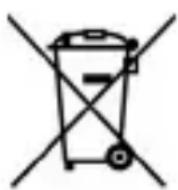
USERS INFORMATION pursuant to Legislative Decree No. 49 of March 14, 2014
"Implementation of Directive 2012/19 / EU on Waste Electrical and Electronic Equipment (WEEE)"
This wheeled bin symbol on the product indicates that at the end of its life must be collected separately from other waste. The user must, therefore, take the remote control integrates the essential components that got to its life to the appropriate differentiated collection centers for electronic and electro-technical waste, or return it to the dealer when purchasing a new appliance of equivalent type, in terms of one to one, or one to zero for equipment having longer side of less than 25 cm. Appropriate separate collection for the decommissioned equipment for recycling, processing and environmentally compatible disposal helps prevent negative impact on the environment and human health and promotes recycling of the materials making up the product. Illegal dumping of the product by the user entails the application of administrative sanctions stated in Legislative Decree n. Legislative Decree No. 49 of March 14, 2014.
NOTES D'EMPLOI
DISPOSITIFS D'ACCOUPLEMENT
SIMPLIFIED EU DECLARATION OF CONFORMITY
Hereby TREVI Spa declares that the radio equipment type XR 90 BT is in compliance with directive 2014 / 53 / EU.
The full text of the EU declaration of conformity is available at the following internet address www.trevi.it

Made in CHINA
- CARE AND MAINTENANCE
- IMPORTANT
- WARNING FOR A CORRECT USE OF RECHARGEABLE BATTERY
- CHARGING
- BASIC OPERATION
- VOLUME ADJUSTMENT
- OPERATION IN LINE
- BLUETOOTH OPERATION
- COUPLING DEVICES
- COMMANDS IN BLUETOOTH MODE
- RADIO OPERATION
- RESET BUTTON
- TECHNICAL FEATURES
- INFORMATION ON THE REMOVAL AND DISPOSAL OF BATTERIES
- USERS INFORMATION pursuant to Legislative Decree No. 49 of March 14, 2014
- NOTES D'EMPLOI
- DISPOSITIFS D'ACCOUPLEMENT
- SIMPLIFIED EU DECLARATION OF CONFORMITY
Brand : Trevi
Model : XR 90 BT
Category : Docking station