
STS625R - Broom INVENTUM - Free user manual and instructions
Find the device manual for free STS625R INVENTUM in PDF.



| Technical Features | Steam mop with 0.35 L water tank, 1500 W power, 30 seconds heating time. |
|---|---|
| Usage | Ideal for cleaning hard floors, carpets, and delicate surfaces thanks to its interchangeable accessories. |
| Maintenance and Repair | Regularly check the water tank and clean the nozzles for optimal operation. |
| Safety | Equipped with a safety lock system and a water level indicator. |
| General Information | Lightweight for increased maneuverability, 5 m power cord for greater freedom of movement. |
Frequently Asked Questions - STS625R INVENTUM
User questions about STS625R INVENTUM
0 question about this device. Answer the ones you know or ask your own.
Ask a new question about this device
Download the instructions for your Broom in PDF format for free! Find your manual STS625R - INVENTUM and take your electronic device back in hand. On this page are published all the documents necessary for the use of your device. STS625R by INVENTUM.
USER MANUAL STS625R INVENTUM
natural_image
Red and black handheld vacuum cleaner with black handle and white spout (no visible text or symbols)- safety instructions page 14
- product description page 17
- before first use page 18
- assembly page 18
- using the vacuum cleaner page 19
- maintenance page 20
- frequently asked questions page 21
general terms and conditions of service and warranty page 39
Deutsch
Inventum advises the use of original Inventum accessories. Any damages to the product or accessories are not covered by the warranty when non-original dust bags are used.
Filters and other accessories are available in the webshop of Inventum: https://www.inventum.eu/onderdelen/
Deutsch
natural_image
Black mechanical device with labeled parts (12 and 13), no visible text or symbols beyond labels8 • Nederlands
natural_image
Close-up of a mechanical component with an arrow indicating direction, no visible text or symbolsSTEEL MONTEREN EN DEMONTEREN
natural_image
Close-up of a hand holding a pen or stylus with an arrow pointing to it, no visible text or symbolsOPLAADSTANDAARD EN ADAPTER MONTEREN
natural_image
Black mechanical component with a curved arrow pointing to a plug (no text or symbols visible)HET OPLADEN VAN DE STOFZUIGER
natural_image
Close-up of a black mechanical component with a flat base and clamped parts (no visible text or symbols)TIPS
natural_image
Two black cylindrical objects, one upright and one tilted, against a white background (no text or symbols)BETEKENIS VAN DE INDICATIEVERLICHTING
natural_image
Black plastic object with a pointed tip, possibly a tool or device (no visible text or symbols)
natural_image
Two black plastic objects with a label '223' pointing to one (no other text or symbols visible)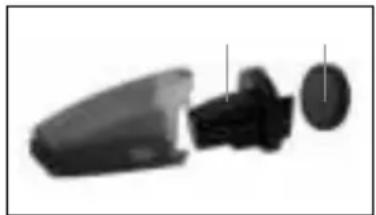
natural_image
Exploded view of a mechanical component showing internal parts (no text or symbols visible)Attentie
natural_image
Black mechanical component with a numbered label pointing to a feature (no readable text or symbols)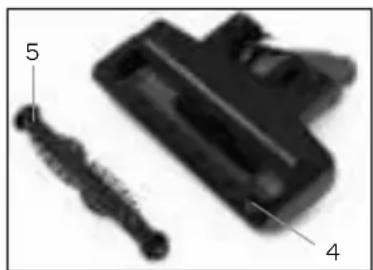
natural_image
Close-up of a black plastic connector with labeled parts (no text or symbols beyond labels)7 storingen en oplossingen
1 safety instructions
- Please read these instructions before operating the appliance and retain for future use.
- The appliance is intended solely for domestic use within the home.
- This appliance may be used by children from the age of 16 and up, and also by persons with a physical or sensory limitation, as well as mentally limited persons or persons with lack of experience and knowledge. But only on the condition that these persons have received the necessary instructions on how to use this appliance in a safe way and know the dangers that can occur by using this appliance.
- Children should be supervised to ensure that they do not play with the appliance.
- Maintenance and cleaning of the appliance may not be done by children, unless they are older than 16 years old and are under supervision.
- Keep the appliance out of reach of children younger than 16 years old.
- Keep the appliance out of reach of animals and human body parts when the appliance is activated, to prevent to damage to skin, eyes or ears.
- This appliance is intended to be used in household and similar applications such as:
- kitchen areas for personnel of shops, offices or other similar professional surroundings;
- farm houses;
- hotel or motel rooms and other surroundings with a residential character;
- guest rooms or similar.
- Attention: the appliance cannot be used with an external timer or a separate remote control.
- Before plugging into a socket, check that the voltage in your home corresponds with the voltage printed on the bottom of the appliance.
- Never let the power cord of the appliance hang over the edge of a table or counter, touch hot surfaces or become knotted.
- Never use the appliance when the cord or plug is damaged, after malfunction or when the appliance itself is damaged. In that case, return the appliance to the point of sale or contact the Customer Service Department in order to avoid a hazard.
- Close supervision is necessary when the appliance is used near or by children.
- The use of accessories that are not recommended or sold by Inventum can cause fire, electrical shock or injuries.
- The brush and vacuum cleaner are specially designed for use on carpet and hard floors. In some cases, and depending on the type of floor, scratches can occur on the surface which is cleaned. Inventum can not be held responsible for damage to the floor.
- Unplug the appliance when it is not in use, before assembling or disassembling any parts and before cleaning the appliance. Put all buttons and knobs into the ‘off’ position and unplug the appliance by grasping the plug. Never unplug by pulling the cord.
- Never leave the appliance unattended when in use.
- Never place this appliance on or near a hot gas stove or electric burner or where it could touch a heated oven or microwave oven.
- Do not vacuum water and inflammable materials.
- Do not vacuum burning materials and ashes.
- Do not use the appliance outdoors.
- Keep hands, feet, loose clothing and hair out of reach of the rotating brushes.
- Only use the original adaptor which is included. The technical details can be found on the rating label of the appliance.
• Make sure the vacuum cleaner is off, when you charge it.
- Do not charge the battery at temperatures above 37^ or below 0^ .
- Static electricity: some types of carpet can cause static electricity. A discharge of static electricity is not dangerous.
- Do not use the appliance for cleaning wet surfaces or to vacuum wet substances.
• Always use the appliance on a secure, dry, level surface.
- When the appliance is used for other purposes than intended, or is when it is not handled in accordance with the instruction manual, the full responsibility for any consequences will rest with the user. Any damages to the product or accessories are not covered by the warranty.
- Correct placement and maintenance of the motor filter and the dust collector as described in this manual is necessary to avoid any damages to the appliance. Any damages caused by improper use or missing dust collector or filters are not covered by the warranty.
- Always return the appliance after a malfunction, or if it has been damaged in any manner to the Customer Service Department for examination, repair or adjustment.
- Never immerse any part of the main body, power cord and plug into water or any other liquid to protect yourself against electrical hazards.
- Make sure that children do not touch the cord or appliance.
- Keep the cord away from sharp edges and hot parts or other heat sources.
- Always ensure that your hands are dry before handling the plug, switch or power cord.
- Should you decide not to use the appliance anymore, make it inoperative by cutting the power cord after removing the plug from the socket. We also recommend making all potentially dangerous parts of the appliance harmless, particularly for children who might be tempted to play with them.
- Legislation requires that all electrical and electronic equipment must be collected for reuse and recycling. Electrical and electronic equipment marked with the symbol indicating separate collection of such equipment must be returned to a municipal waste collection point.

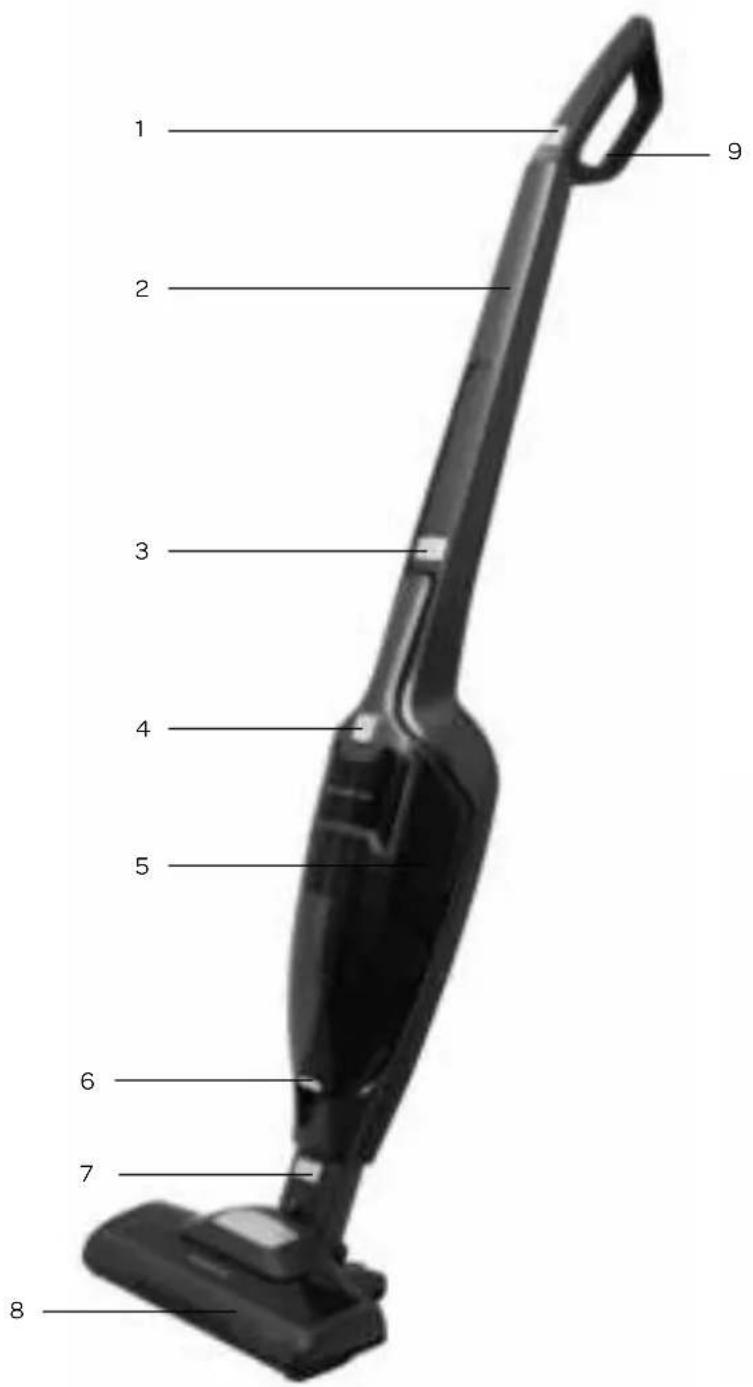
2 product description


- On/off button
- Handle
- Release button for hand vacuum cleaner
- On/off button
- Dust collector
- Button to unlock the dust collector
- Button to disconnect the turbo brush
- Turbo brush
- Handle
- Brush for crevice nozzle
- Crevice nozzle
- Charging stand
- Adaptor
text_image
1 2 3 4 5 6 7 8 9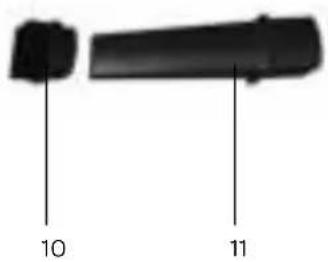
text_image
10 11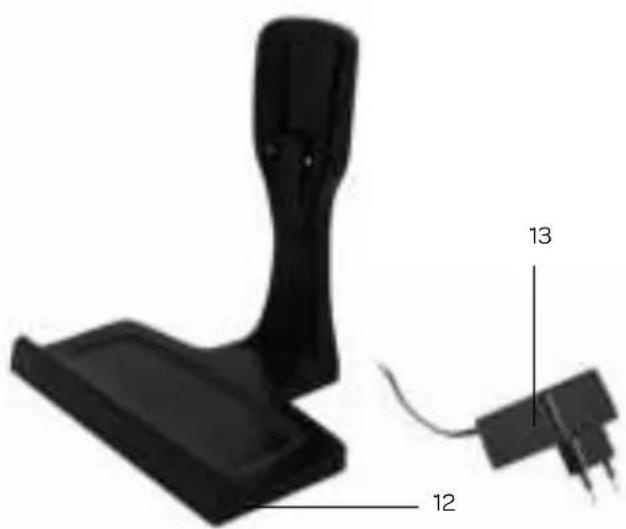
natural_image
Black mechanical device with labeled parts (12 and 13), no visible text or symbols beyond labels3 before first use
Follow these instructions when using the vacuum cleaner for the first time: Carefully remove the vacuum cleaner from the packaging and remove all traces of packaging from the device and any promotional stickers. Keep the packaging (plastic bags and cardboard) out of the reach of children. After unpacking the vacuum cleaner, check the device for external damage that may have occurred during transport. Place the vacuum cleaner on a secure, dry and level surface.
4 assembly
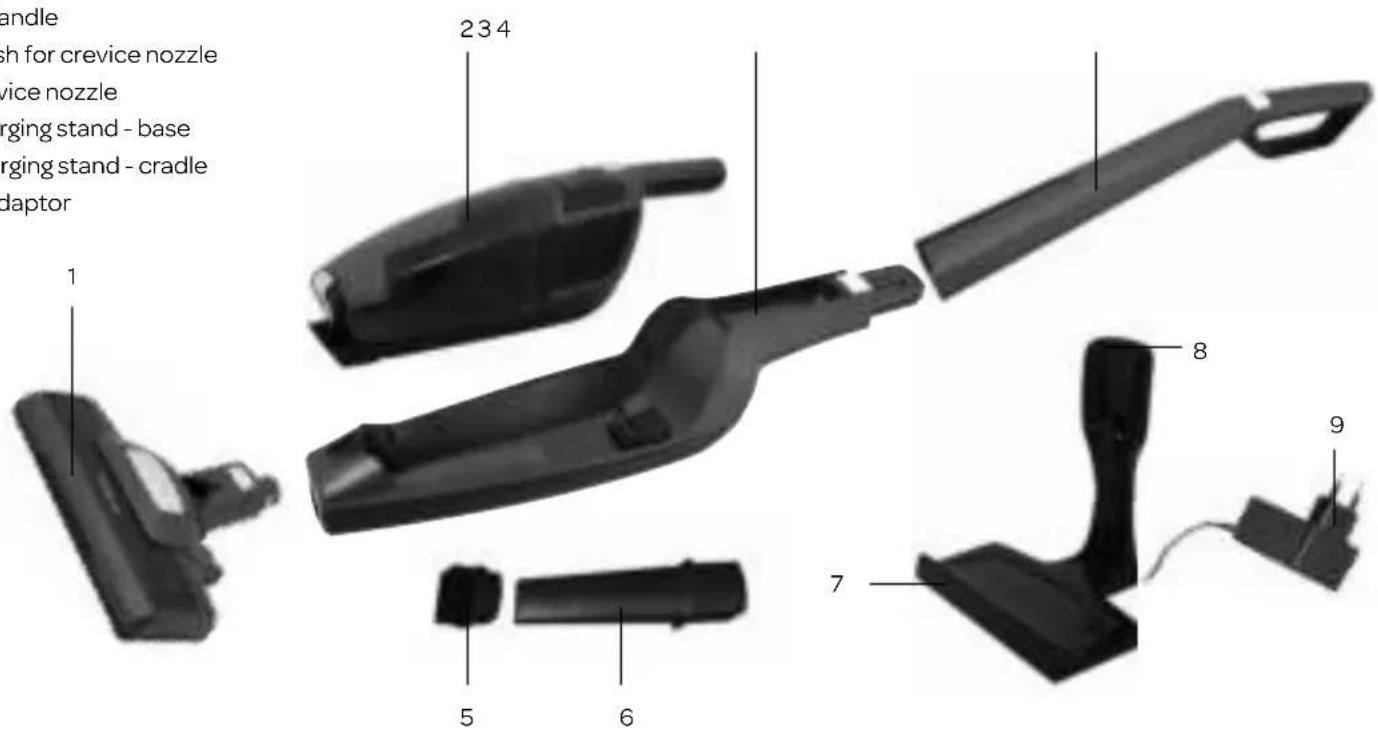
The following parts can be found in the giftbox:
- Turbo brush
- Hand vacuum cleaner
- Vacuum unit
- Handle
- Brush for crevice nozzle
- Crevice nozzle
- Charging stand - base
- Charging stand - cradle
- Adaptor
text_image
handle sh for crevice nozzle vice nozzle rging stand - base rging stand - cradle daptor 1 234 8 5 6 7 9CONNECTING AND DISCONNECTING THE TURBO BRUSH
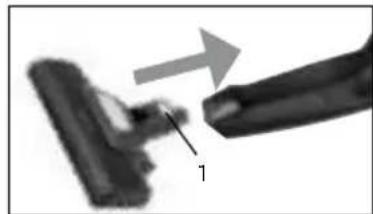
Align the connection of the turbo brush with the connection of the vacuum unit and connect the two parts.
Press the button [1] to disconnect the turbo brush.
natural_image
Close-up of a mechanical component with an arrow indicating direction, no visible text or symbolsCONNECTING AND DISCONNECTING THE HANDLE
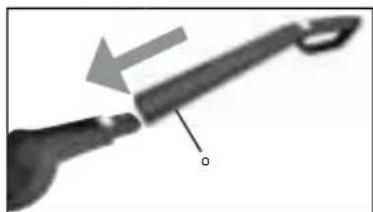
Align the connection of the vacuum unit with the connection of the handle and connect the two parts.
Push a small pin in the hole [°] at the back to disconnect the handle.
natural_image
Close-up of a tool with an arrow pointing to a handle and a labeled point 'o' (no text or symbols beyond the label)ASSEMBLING THE CHARGING STAND AND ADAPTOR
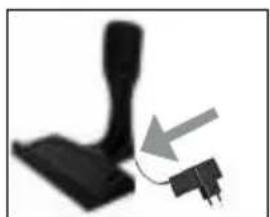
Connect the cradle of the charging stand to the base of the charging stand. Plug the connector of the adaptor in at the bottom of the charging stand. Plug in the adaptor.
natural_image
Black mechanical component with a curved arrow pointing to a plug (no text or symbols visible)CHARGING THE VACUUM CLEANER
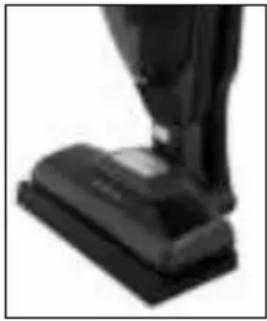
Place the vacuum cleaner on the base of the charging stand. Make sure you align the connection points at the back of the vacuum cleaner with the connection points of the charging stand.
As soon as the adaptor is plugged in, the vacuum cleaner will charge. The indicator light will flash.
When the battery of the vacuum cleaner is empty, the charging will take 5 hours. When the battery is completely charged, charging will stop. The indicator lights will light up continuously and after 50 seconds it will be off.
Unplug the adaptor when the vacuum cleaner is left on the charging stand for a longer period of time without being used.
natural_image
Close-up of a black mechanical component with a raised arm, possibly a press or clamped device (no visible text or symbols)TIPS
- A fully charged battery will give continuous cleaning of approx. 50 minutes on the economical ECO setting and approx. 25 minutes on the turbo setting.
- The battery has a build in self-protection safety. When the surface temperature of the battery exceeds 55^ C or gets below 0^ C, the battery will stop charging. The charging will continue when the surface temperature of the battery is between 0^ C and 45^ C.
- During use the surface of the battery can not exceed 65^ C. The battery will enter the self-protection mode and the battery will cut off the electricity to the vacuum cleaner. When the surface temperature of the battery goes back below 65^ C, the vacuum cleaner can be used again.
• We recommend that you discharge the battery at least once a month and then fully recharge it, to maintain optimal performance.
Warning! Always ensure your hands are dry before placing the appliance on the charging stand.
Warning! Never touch the brush inside the turbo brush when the appliance is on.
Waarschuwing! Only use the original included adaptor to charge the vacuum cleaner. Ohter adaptors can damage the appliance and even be dangerous.
5 using the vacuum cleaner
SWITCHING THE VACUUM CLEANER ON
Press the on/off button Ⓐ[1] on the handle of the vacuum cleaner to switch the vacuum cleaner on. The suction power control starts in the ECO mode. Press the on/off button Ⓐ[1] on the handle again to activate the turbo setting.
Press the on/off button Ⓐ [1] on the handle button again and the vacuum cleaner will shut off.
The turbo brush will rotate automatically when the vacuum cleaner is switched on.
USING THE VACUUM CLEANER AS A HAND HELD
The vacuum cleaner can also be used as a hand vacuum cleaner.
Remove the hand vacuum cleaner by pressing the button to release [3]. Press the on/off button Ⓐ [4] on the handle of the hand vacuum cleaner to switch it on.
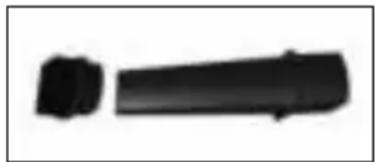
The hand vacuum cleaner can be used with of without the turbo brush or crevice nozzle. Place the crevice nozzle in the opening of the hand vacuum cleaner.
The crevice nozzle can be used in two ways: with or without the brush.
Place the hand vacuum cleaner back in the housing. Place the suction opening first and then press the handle back.
natural_image
Two black rectangular objects with rounded ends, resembling a stylized pen or tool (no text or symbols visible)INDICATION OF THE INDICATION LIGHT
The vacuum cleaner has indication lights which announce the battery with three bars ____.
1 bar _ : battery is 1 to 30% full
2 bars _ : battery is 30 to 60% full
3 bars ____ : battery is 60 to 100% full
When the adapter is plugged in, the vacuum cleaner will charge. The indicator lights will flash. When the battery is completely charged,
the charging will stop. The indicator lights will light up continuously and after 50 seconds it will be off.
STORAGE
Put the vacuum cleaner on the charging stand after every use.
When the vacuum cleaner needs to charged, make sure the adaptor is plugged in.
Always unplug the adaptor when the vacuum cleaner is left on the charging stand for a longer period of time without being used.
Check the dust collector and filters regularly to prevent any problems. Empty the dust collector when it is full and clean or replace the filters when they are dirty.
EMPTYING AND CLEANING THE DUST COLLECTOR
Empty the dust collector after every use.
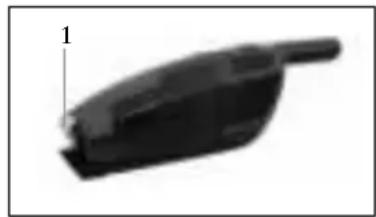
- Press the button [1] to unlock the dust collector and take it out of the vacuum cleaner.
- Hold the wide opening up and take with your thumb and index finger the complete filter system [2] out of the dust collector.
- Hold the dust collector upside down while holding it above a dust bin. To fully empty the dust collector, calmly shake it above the dust bin.
- Clean the filters after every four times of emptying the dust collector:
• Take the motor filter [3] out of the holder.
- Open the filter system by turning the inner ring anti clockwise and take it out (note the indication of the arrow and the open lock).
- Clean the plastic parts under the tap and leave it to air dry.
- Clean the motor filter [3] under lukewarm water and let it air dry completely. Do not use any cleaning agents or brushes.
Cleaning the filter will remove the dirt, but will not restore the original white color of the filter. The color of the filter is not of any influence to the performance.
- Only assemble the filter system when all the filters are completely dry.
- Place the filter system [2] back in the dust collector. It only fits in one way inside the dust collector.
natural_image
Black plastic object with a pointed tip and label '1' pointing to its side (no other text or symbols)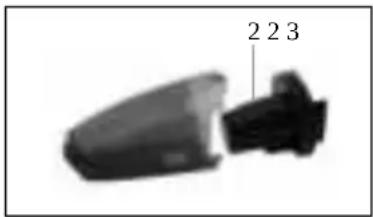
natural_image
Close-up of a mechanical component with two labeled parts (2, 2, 3), no visible text or symbols beyond the labels.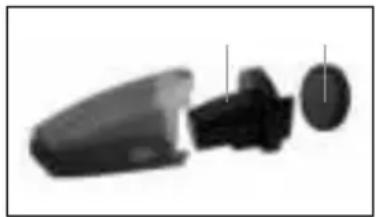
natural_image
Abstract 3D rendering of a mechanical component with three views (top, front, side), no text or symbols visibleAttention
- Use the vacuum cleaner only when the filters are in place. If not, it can lead to loss of suction power or damage to the motor.
- Torn filters or filters that do not fit properly can cause damage to the engine. Replace a damaged filter by an original new one.
CLEANING THE TURBO BRUSH
Hair and /or other dirt can be stuck in the brush of the turbo brush. Therefore clean the turbo brush regularly to ensure efficiency of the vacuum cleaner.
- Make sure the vacuum cleaner is switched off and disconnect the turbo brush.
- Unlock the tab [4] at the bottom of the turbo brush with a coin or flat screwdriver and remove it.
- Carefully pull out the brush [5].
- Clean the brush under lukewarm water and let the brush air dry.
- Place the brush back in the turbo brush.
- Replace the tab [4] and lock it with a coin or flat screwdriver.
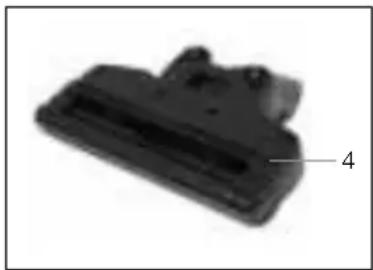
natural_image
Close-up of a black plastic component with a numbered label pointing to it (no readable text or symbols)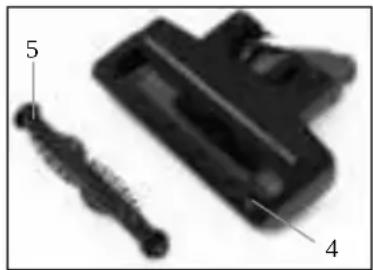
natural_image
Close-up of a black plastic component with labeled parts (no text or symbols visible)7 frequently asked questions
| Problem Possible cause Solution | ||
| The vacuum cleaner does not switch on. | The battery is empty. Charge the battery. The | indication light is red while charging. |
| The battery does not charge (indication light does not light up red when charging). | Replace the vacuum cleaner on to the charging stand and make sure the connection points connect. | |
| The temperature of the battery is too high. Leave the vacuum cleaner to cool down for 30 minutes at room temperature and then turn it back on. | ||
| The adaptor is defect. Contact the customer service of Inventum. | ||
| The suction power is decreased. | The dust collector is full. Empty the dust collector. | |
| The filters are clogged. Clean the filters or replace them when they are worn or damaged. | ||
| The vacuum cleaner makes more noise. | The dust collector is full. Empty the dust collector. | |
| The filters are clogged. Clean the filters or replace them when they are worn or damaged. | ||
| The brush of the turbo brush no longer rotates. | Dirt or hair block the brush Clean the turbo brush according to the instructions. | |
| The battery does not charge. The | vacuum cleaner is not placed correctly on the charging stand. | Replace the vacuum cleaner on to the charging stand and make sure the connection points connect. |
| The temperature of the battery is too high (>55°C) or too low (<0°C). | Leave the vacuum cleaner to cool down for 30 minutes at room temperature and then turn it back on. | |
natural_image
Two black rectangular objects with vertical lines labeled 10 and 11, no additional text or symbols present.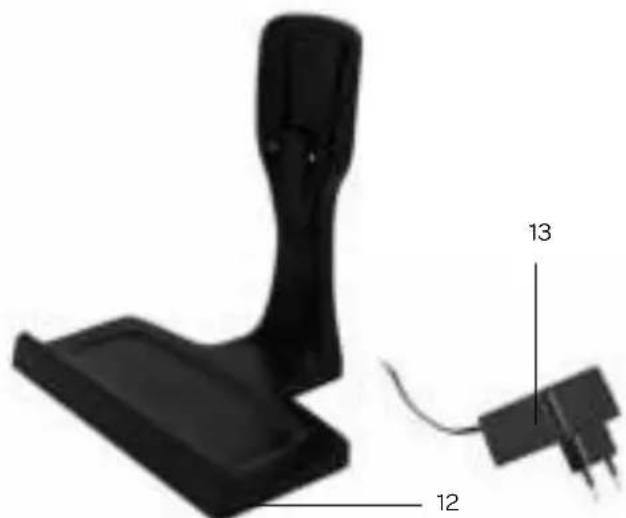
natural_image
Black mechanical component with labeled parts 12 and 13, no visible text or symbols beyond labelsnatural_image
Close-up of a mechanical component with an arrow indicating direction, no visible text or symbolsnatural_image
Close-up of a hand holding a pen or stylus with an arrow pointing to it, no visible text or symbolsLADESTATION UND ADAPTER MONTIEREN
natural_image
Close-up of a black mechanical component with a gray arrow pointing to it, no visible text or symbols.DEN STAUBSAUGER AUFLADEN
natural_image
Close-up of a black object with a dark base, possibly a device or tool, against a white background (no visible text or symbols)TIPPS
natural_image
Two black rectangular objects with rounded ends, resembling a cylindrical object (no text or symbols visible)natural_image
Black plastic object with a pointed tip, labeled '1' in the corner (no other text or symbols)
natural_image
Two black plastic objects with a label '223' pointing to one, no other text or symbols visible.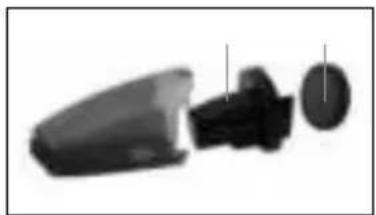
natural_image
Three grayscale images of a device or component with no visible text, numbers, or symbols.Achtung
natural_image
Close-up of a black plastic component with a numbered label pointing to a feature (no readable text or symbols)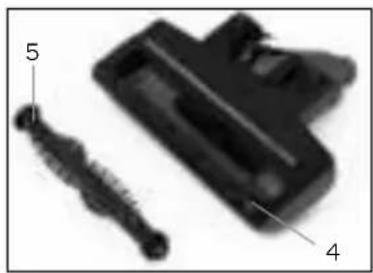
natural_image
Close-up of a black plastic component with labeled parts (no text or symbols visible)natural_image
3D model of a black mechanical device with labeled parts (12 and 13), no readable text or symbols beyond labelsnatural_image
Close-up of a mechanical component with an arrow indicating direction, no visible text or symbols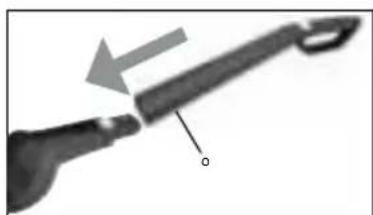
natural_image
Close-up of a hand holding a pen or stylus with an arrow pointing to it, no visible text or symbols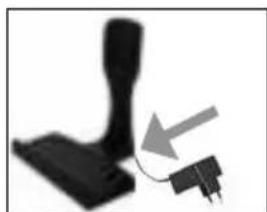
natural_image
Close-up of a black mechanical component with a gray arrow pointing to a small plug (no text or symbols visible)MISE EN CHARGE DE L'ASPIRATEUR
natural_image
Close-up of a black fabric or mechanical component with layered structure (no visible text or symbols)CONSEILS
natural_image
Two black rectangular objects with rounded ends, resembling a stylized arrow or button (no text or symbols visible)natural_image
Black plastic object with a pointed tip and label '1' (no text or symbols on the object itself)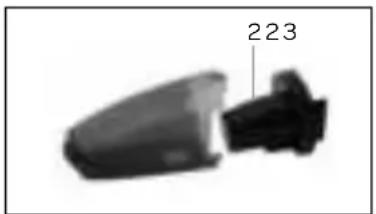
natural_image
Close-up of a mechanical component with a labeled section (223), no visible text or symbols beyond the number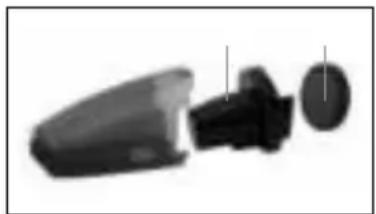
natural_image
Cross-sectional view of a mechanical component with internal parts (no text or symbols visible)Attention
natural_image
Black plastic mechanical component with a numbered label pointing to a feature (no text or symbols on the part itself)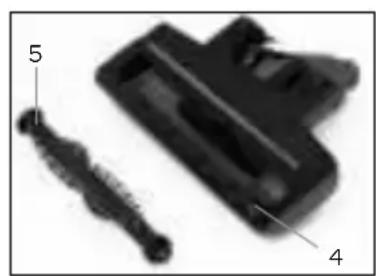
natural_image
Close-up of a mechanical component with labeled parts (5 and 4), no readable text or symbols beyond labelsgeneral terms and conditions of service and warranty
We do not need to remind you of the importance of service. After all, we develop our products to a standard so that you can enjoy them for many years, without any concerns. If, nevertheless, there is a problem, we believe you are entitled to a solution straight away. Hence our products come with an exchange service, on top of the rights and claims you are entitled to by law. By exchanging a product or part, we save you time, effort and costs.
2-year full manufacturer's warranty
- Customers enjoy a 2-year full manufacturer's warranty on all Inventum products. Within this period, a faulty product or part will always be exchanged for a new model, free of charge. In order to claim under the 2-year full manufacturer's warranty, you can either return the product to the shop you bought it from or contact the Inventum costumer service department via the form at www.inventum.eu/service-aanvraag.
- The 2-year warranty period starts from the date the product is bought.
- In order to claim under the warranty, you must produce a copy of the original receipt.
- The warranty applies only to normal domestic use of Inventum products within the Netherlands.
Breakdowns or faults outside the warranty period
- Breakdowns or faults in small or large domestic appliances outside the warranty period, can be reported to the costumer services department via the form at www.inventum.eu/service-aanvraag or by calling the costumer services department.
- The costumer services department may ask you to send the product for inspection or repair. The costs of dispatch will be at your expense.
- The inspection to establish whether repair is possible involves a charge. You need to grant your permission for this, in advance.
- In the event of a large domestic appliance, Inventum, at your request, can send out a service engineer. In that case, you will be charged the call-out costs, as well as parts and labour.
- In the event of an instruction to repair, the repair costs must be paid in advance. In the event of a repair by a service engineer, the costs of the repair must be settled with the engineer onsite, preferably by means of PIN payment.
Warranty exclusions
- The following is excluded from the aforesaid warranties:
• normal wear and tear;
- improper use or misuse;
• insufficient maintenance;
- failure to comply with the operating and maintenance instructions;
- unprofessional installation or repairs by third parties or the customer himself;
• non-original parts used by the customer;
- use for commercial or business purposes;
- removal of the serial number and/or rating label.
-
In addition, the warranty does not apply to normal consumer goods, such as:
-
dough hooks, baking tins, (carbon) filters, etc.;
- batteries, bulbs, carbon filters, fat filters etc.;
• external connection cables; -
glass accessories and glass parts such as oven doors;
• and similar items. -
Transport damage not caused by Inventum is also excluded. Therefore, inspect your new device before starting to use it. If you detect any damage, you must report this to the store where you purchased the product within 5 working days, or to the Inventum customer service department via the form at www.inventum.eu/service-aanvraag. If transport damage is not reported within this period, Inventum does not accept any liability in this respect.
-
The following are excluded from warranty and/or replacement: faults, loss of and damage to the device as a result of an event that is normally insured under the home contents insurance.
Important to know
- The replacement or repair of a faulty product, or a part thereof, does not lead to an extension of the original warranty period.
- If a complaint is unfounded, all costs arising from it will be at the customer's expense.
- Following expiry of the warranty period, all costs of repair or replacement, including administration costs, dispatch and call-out charges, will be charged to the customer.
- Inventum cannot be held liable for damage caused by external events, unless this liability arises from mandatory statutory provisions.
- These warranty and service provisions are governed by Dutch law. Disputes will be settled exclusively by the competent Dutch court.
twitter.com/inventum1908
facebook.com/inventum1908
youtube.com/inventum1908