SS1005 - Sound alarm smanos - Free user manual and instructions
Find the device manual for free SS1005 smanos in PDF.



| Product Type | Sound alarm (wireless siren) |
| Brand | Smanos |
| Model | SS1005 |
| Dimensions | 90 x 90 x 42.2 mm (connector excluded) |
| Power Supply | 100 V-240 V AC, 50/60 Hz; backup battery Li-ion 3.7 V 600 mAh |
| Sound Volume | 90 dB |
| Radio Frequency | 868 MHz |
| Maximum number of wireless accessories | 40 |
| RF code combinations | 1,000,000 |
| Data Memory | E² PROM (retains data during power failure) |
| Adjustable entry/exit delay | 30 s, 60 s, or none (default) |
| Standalone operation | Yes, without control panel |
| Night silent mode | Yes, with night light |
| Housing material | PC + ABS plastic |
| Operating temperature | 0 °C to +55 °C |
| Relative humidity | < 80 % (non-condensing) |
| Static current | < 13 mA |
| Alarm current | < 100 mA |
| Backup battery standby time | 8 hours (Li-ion battery 3.7 V 600 mAh) |
Frequently Asked Questions - SS1005 smanos
User questions about SS1005 smanos
0 question about this device. Answer the ones you know or ask your own.
Ask a new question about this device
Download the instructions for your Sound alarm in PDF format for free! Find your manual SS1005 - smanos and take your electronic device back in hand. On this page are published all the documents necessary for the use of your device. SS1005 by smanos.
USER MANUAL SS1005 smanos
natural_image
Simple diagram of a circular device with four radial slots and a small hexagonal button, no text or symbols present.SS1005
Mini Strobe Siren
ENEN
Features
- Compact size with plug-in design
- 100% wireless configuration, D.I.Y. Installation
- Built-in 1,000,000 RF codes combination maintains high reliability
- E ^2 PROM information protection, power failure won't cause damage to data
- Easy to pair automatically with accessories
- Work with all kinds of our wireless accessories
- Mute operation for night, not disturbing neighborhood
- Built-in 3.7V 600mAh lithium battery enables 8-hour standby
Introduction
The wireless siren is powered by AC 100V \~ 240V, without need of wiring. According to different requirements, users can install more wireless sirens indoor in different places to deter the illegal intruders.
Multiple wireless sirens in different places can be wirelessly connected with the control panel to build a system. When the control panel receives alarm signals from detectors, wireless sirens will hoot and the strobe lights will flash.
The wireless siren can also be used as a control panel independently. According to different requirements, users can build up a standalone on-site alarm system by connecting new homo-frequency accessories with this siren.
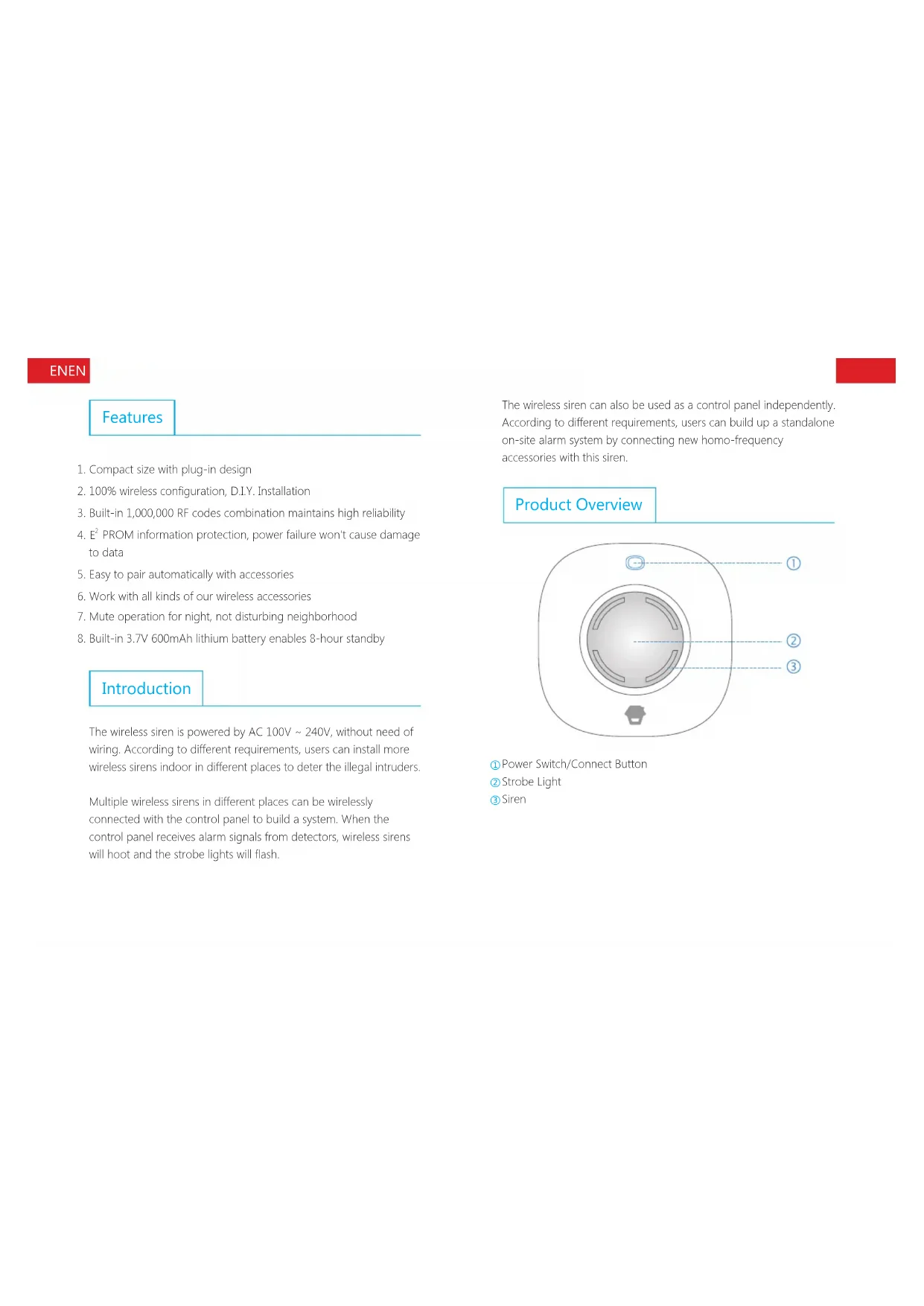
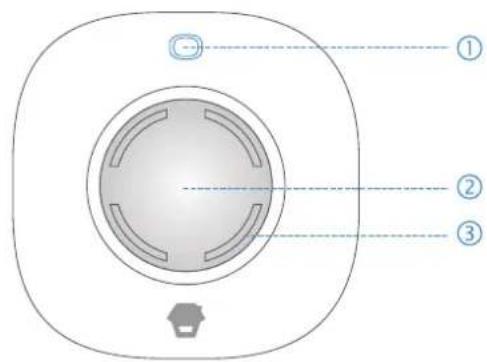
Product Overview
text_image
Diagram of a device interior with numbered components and labeled parts① Power Switch/Connect Button
② Strobe Light
③ Siren
ENEN
Power On/Off
Power On
The siren is powered off in default setting. Plug the siren into AC power socket, and then press the power switch button. The siren is powered on after a long beep.
Power Off
Press connect button once under working status. Then press the connect button for 6 seconds until a long beep is heard. The siren is powered off.
Strobe Light Indication
When armed, the strobe light will be on after one flash.
When disarmed, the strobe light goes out after two flashes.
Work as Wireless Siren
When it works as a wireless siren, the siren should be connected with wireless control panel in advance. When the control panel is alarming, the siren hoots and the strobe light flashes to deter illegal intruders.
Connect to Control Panel
Firstly, press the connect button (0.5 seconds), the wireless siren beeps once. 3 seconds later, it gives out another beep and the strobe light flashes, then the siren goes into connecting status. Secondly, press [SOS] or [Arm] button on the panel, the wireless siren and control panel are connected successfully after one beep. Press connect button again to exit connecting status after one beep.
Notes: Please don't trigger any accessory when connecting with the control panel.
Work as Standalone Alarm
The siren can build up a standalone alarm system by adding wireless accessories.
When the siren is armed, if any sensor is triggered, the siren will hoot and strobe light will flash to deter illegal intruders.
Connect Wireless Accessories
Firstly, press the connect button (0.5 seconds), the wireless siren beeps once. 3 seconds later, it gives out another beep and the strobe light flashes, then the siren goes into connecting status. Secondly, trigger the wireless accessory once (such as press any button on the remote control / separate the transmitter and magnet of the door contact / press the test button of motion detector), and it will be connected after one beep. Repeat the above operation to connect other accessories.
Note: The siren supports up to 40 wireless accessories.
ENEN
Testing:
Press the [Arm] button on the remote control, if the wireless siren flashes once, it means the connection of remote control is successful. Then trigger the sensor, siren will hoot. If not, the connection fails, please reconnect.
Delete All Accessories or Panels
If you lose the wireless accessories especially the wireless remote controls, it is recommended to delete all the accessories and then re-connect for safety.
Press down the connect button for 6 seconds until one beep is heard, at the same time, the LED indicator flashes twice, it means all connected accessories and panels are deleted.
Entry and Exit Delay
Entry and exit delay time can be set if you do not want to take the remote control.
After setup, if you arm the system, the siren beeps once every 5 seconds until it goes to arm state. If the detectors (except those in 24-H zone) are triggered, the siren will sound the alarm after the delay time. (Siren ringing time is 3 minutes). The setup method is as below:
Press Connect Button twice, delay 30 seconds. Press Connect Button three times, delay 60 seconds. Press Connect Button four times, no delay.
Default setting: No delay.
Note: Press the [Arm] button on the remote control twice, the system switches to arm state immediately.
Switch On/Off Night Lamp
When the siren working as a standalone alarm, it can also be used as a LED night lamp.
Press the [Stay] button on the remote control, its LED indicator blinks once, and then press the [Stay] button again within 3 seconds, the siren switches to home mode silently and the night lamp is on. Press [Disarm] button, the siren will be disarmed and the strobe light will be switched off.
Specifications
Power Supply: AC 100 V-240 V, 50/60 Hz
Volume: 90 dB
Backup Battery: 3.7 V 600 mAh lithium battery, 2.22 Wh
Static Current: <13 mA
Alarm Current: <100 mA
Radio Frequency: 868 MHz or 915 MHz
Housing Material: PC+ABS plastic
Operation Condition: Temperature: 0 °C \~ +55 °C Relative Humidity: < 80% (non-condensing)
Dimensions: 90 x 90 x 42.2 mm (Plug part excluded)