SR1000 - Surveillance Camera smanos - Free user manual and instructions
Find the device manual for free SR1000 smanos in PDF.



| Product type | Indoor Wi-Fi surveillance camera |
| Brand | Smanos |
| Model | SR1000 |
| Image sensor | Sony 1/3" CMOS sensor |
| Minimum illumination (color) | 0.01 lux (F1.2, AGC on) |
| Minimum illumination (black and white) | 0.001 lux (F1.2, AGC on) |
| Lens | 2.4 mm F2.0 |
| Viewing angle | 110° |
| Video compression | H.264 |
| Maximum resolution | 1280 x 720 pixels |
| Frames per second | 30 fps (1280 x 720) |
| Storage | micro-SD card up to 32 GB (not included) |
| Wi-Fi standards | IEEE 802.11b/g/n |
| Wi-Fi frequency | 2.4 GHz |
| Power supply | 5 V DC 1 A (power adapter included) |
| Power consumption | 5 W max. |
| Operating temperature | -30 °C to 60 °C |
| Operating humidity | Less than 95% (non-condensing) |
| Mobile app | IP6 Camera (iOS and Android) |
| Package contents | Camera, power adapter, quick guide, reset pin |
| Care and cleaning | Clean with a soft, dry cloth. Do not use abrasive products. |
| Security | Change the default password (88888) on first use. |
Frequently Asked Questions - SR1000 smanos
User questions about SR1000 smanos
0 question about this device. Answer the ones you know or ask your own.
Ask a new question about this device
Download the instructions for your Surveillance Camera in PDF format for free! Find your manual SR1000 - smanos and take your electronic device back in hand. On this page are published all the documents necessary for the use of your device. SR1000 by smanos.
USER MANUAL SR1000 smanos
© 2015 SMANOSHOLDING LTD. All Rights Reserved.
Priced in China
PA:IP6UMEN/DE/FR/NLV2.0
EN
EN
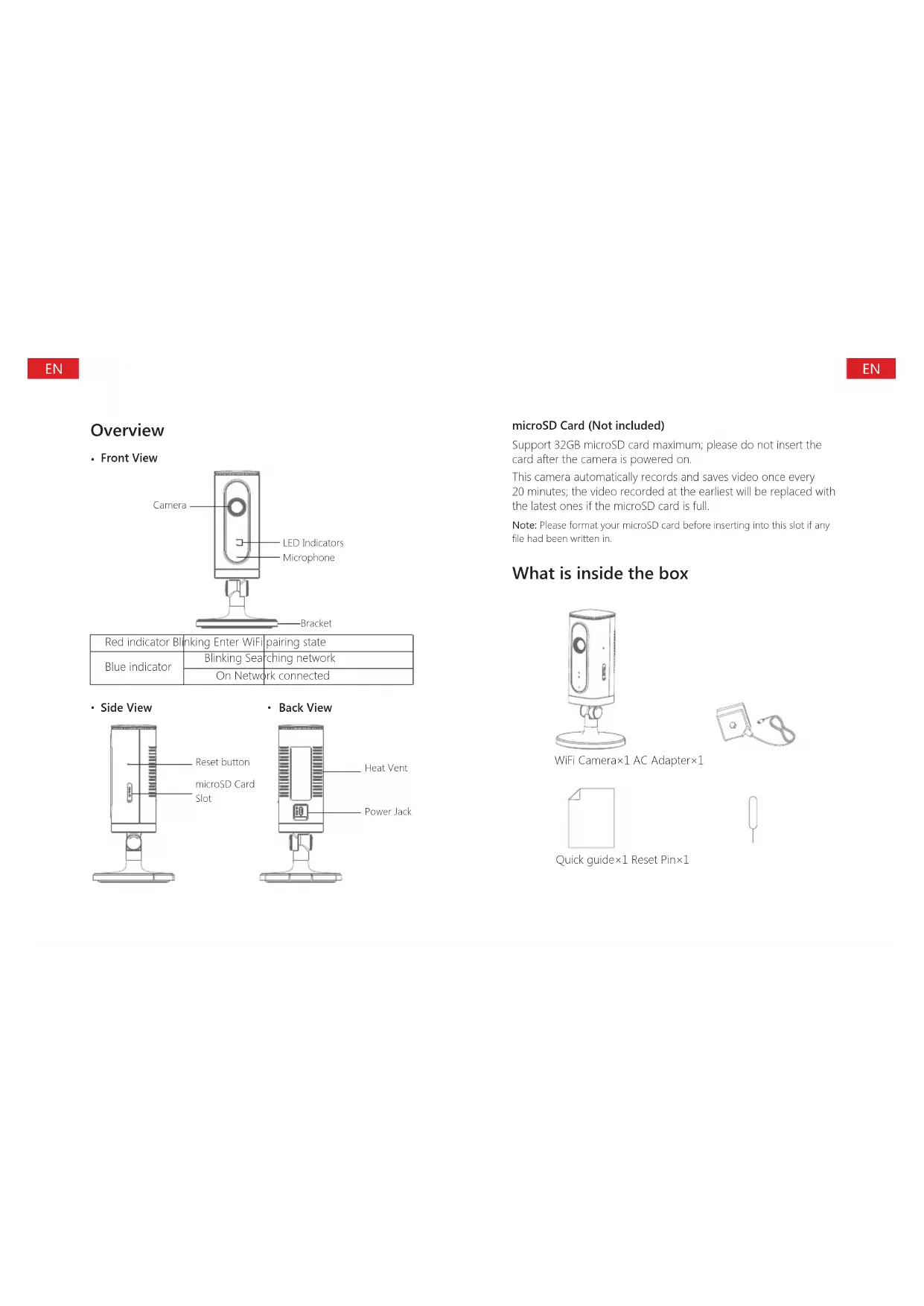
Overview
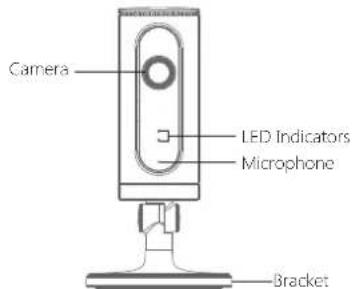
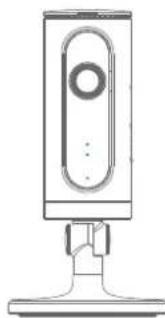
- Front View
| Red indicator Blinking Enter WiFi pairing state | |
| Blue indicator | Blinking Searching network |
| On Network connected | |
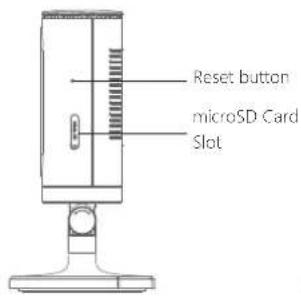
- Side View
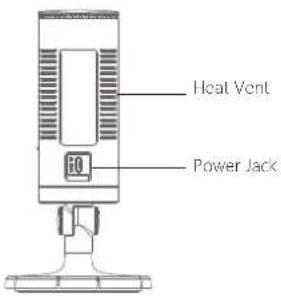
- Back View
microSD Card (Not included)
Support 32GB microSD card maximum; please do not insert the card after the camera is powered on.
This camera automatically records and saves video once every 20 minutes; the video recorded at the earliest will be replaced with the latest ones if the microSD card is full.
Note: Please format your microSD card before inserting into this slot if any file had been written in.
What is inside the box
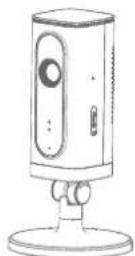
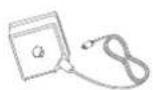
WiFi Camera×1 AC Adapter×1

Quick guide×1 Reset Pin×1

Download the App
Download the App by searching "IP6 camera" from Apple Store or Google Play.
If you also bought a smanos alarm system, you don't need to download the separate app for the camera, just setup through the app for the alarm system.
WiFi Pairing
1.Preparation
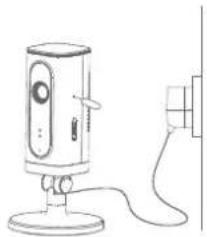
Hold the reset button by using the supplied reset pin until the camera beeps once, and then the red indicator starts to blink
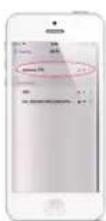
Find and choose the WiFi named "smanos IP6" from your phone's WiFi list
2. Pairing Camera with WiFi through App
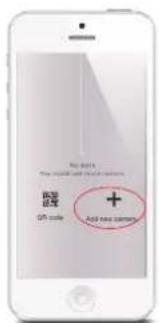
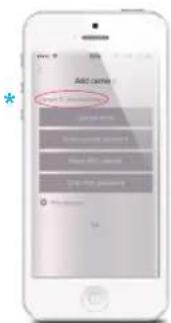
- Launch the App, and then tap [+ to add a new camera
Name your camera, enter the password (default: 88888) and input your home WiFi name & password
- When the blue indicator is on, it means the camera has connected with WiFi
before tapping [OK].
The paired camera will be displayed in the video list.
Note: For safety, it is recommended to change the password of your camera on the setting menu after pairing.
Settings
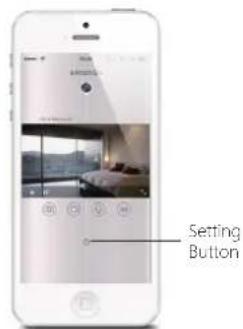
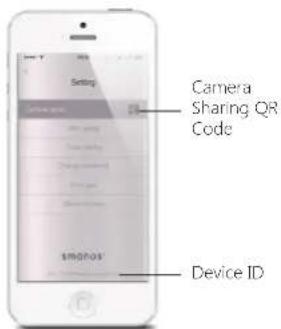
Share or Stop Sharing Camera with Your Friends
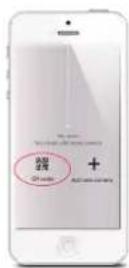
Tap and save the QR code icon on your camera's [Settings] interface, send to your friends so they can watch your camera from his/her App by scanning the given QR code.
If you want to stop sharing the camera, please change the password of camera.
Password
All the successfully paired phones have the same authority as administrator who can view and set the camera (including changing the password), so it is recommended to pair the phones of users with caution. For non-administrator users, you can share the camera by sending the QR code for them to scan.
Sync the Date and Time
Check if the camera's date and time are set correctly. Sync them with your phone's time if necessary.
Enjoy the App
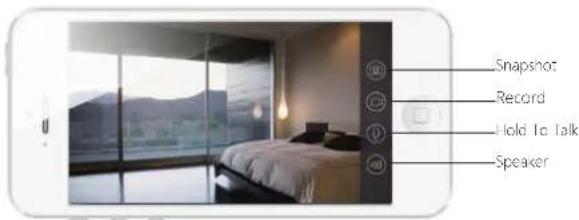
Installation
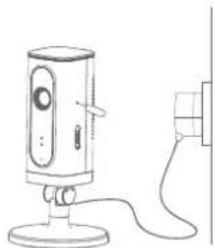
Important: This camera should be placed where the WiFi signal is strong for optimal performance.
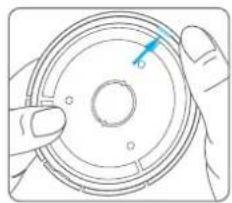
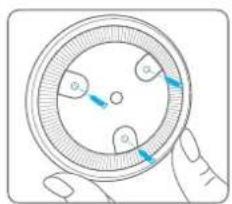
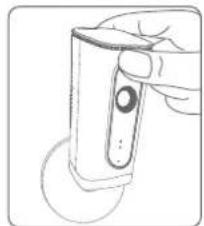
- Separate the mounting template on the bottom of this camera from the bracket by pressing the snap as picture shows
- Mount the template on the wall by using the supplied screws
- Push and press the bracket of the camera into the template carefully, and then adjust the angle to achieve best shooting effect
Specifications
Image sensor Sony 1/3" CMOS sensor
Min. illumination Color: 0.01Lux@ (F1.2, AGC ON)
Black and white: 0.001Lux@
(F1.2, AGC ON)
Shutter time 1/50s to 1/100,000s
Lens 2.4mm F2.0
Angle of view 110^
Video compression H.264
Bit rate Self-adaption
Max. image resolution 1280 x 720
Frame rate 30fps (1280 × 720)
Storage Built-in microSD card slot, up to 32GB
Wireless standards IEEE802.11b/g/n
Frequency range
2.4 GHz ~ 2.4835 GHz
Channel bandwidth
20/40MHz Support
Operating conditions
Temperature: -30^ - 60^
(-22^ - 140^)
Humidity: < 95% (non-condensing)
Power supply
DC 5V 1A
Power consumption
5W MAX
Carte micro-SD (non incluse)
Dimensions (L x L x H)
80× 80× 150mm
NL
smanos

Available on the App Store
Wi-Fi-koppeling
1. Voorbereiding
Zwart-wit:0.001Lux@ (F1.2, AGC ON)