SRCOMBO - Lock Tripp Lite - Free user manual and instructions
Find the device manual for free SRCOMBO Tripp Lite in PDF.


| Technical Features | Electronic lock with code or key access |
|---|---|
| Usage | Ideal for front doors, offices, and secure areas |
| Maintenance and Repair | Regular battery checks and contact cleaning |
| Security | Automatic locking feature and built-in alarm |
| General Information | Easy installation, compatible with most standard doors |
Frequently Asked Questions - SRCOMBO Tripp Lite
User questions about SRCOMBO Tripp Lite
0 question about this device. Answer the ones you know or ask your own.
Ask a new question about this device
Download the instructions for your Lock in PDF format for free! Find your manual SRCOMBO - Tripp Lite and take your electronic device back in hand. On this page are published all the documents necessary for the use of your device. SRCOMBO by Tripp Lite.
USER MANUAL SRCOMBO Tripp Lite
Locking Door Handles for
SmartRack® Enclosures
Models:
SRCOMBO
SRCOMBO4
SRCOMBO4SFIC
SRHANDLESFIC
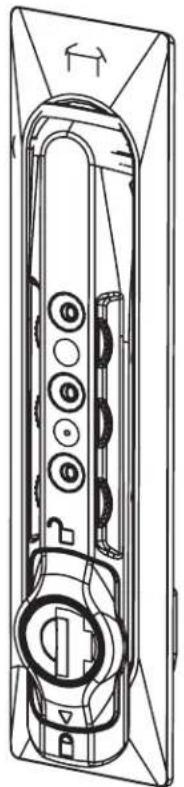
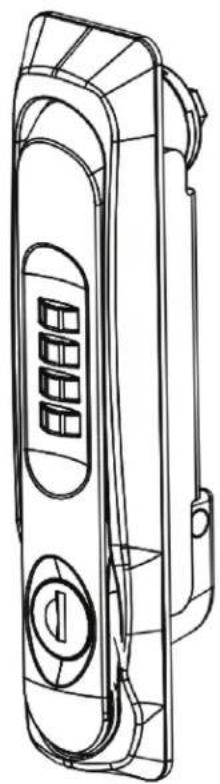
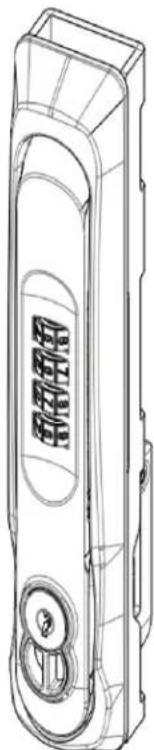
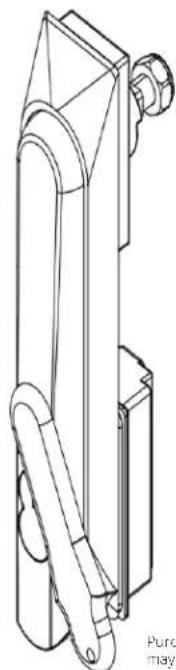
Purchased product may differ from image.
Espano 5
François 9
Product Features
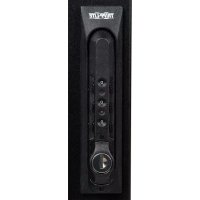
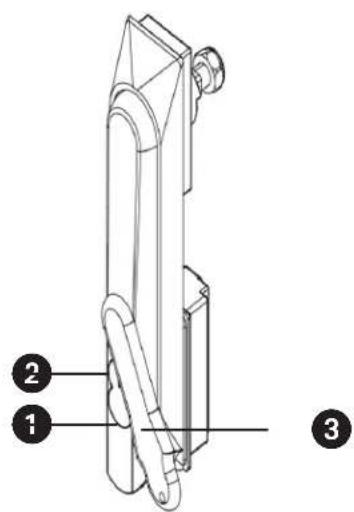
SRCOMBO
Combination Lock Dials
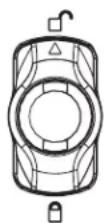
Lock Indication Arrow
Wing Knob
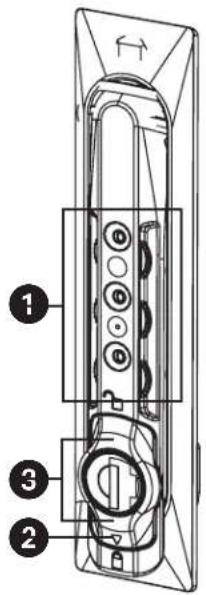
SRCOMBO04
Combination Lock Dials
Lock Indication Arrow
Wing Knob
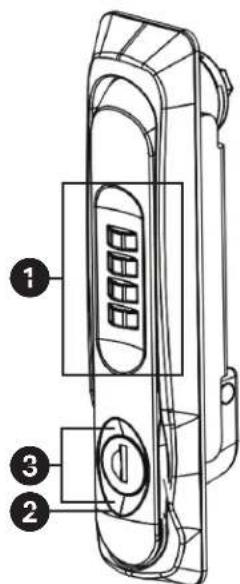
SRCOMBO4SFIC
Combination Lock Dials
Lock Indication Arrow
3 Best Cylinder Lock Ordered by Customer
4 Swing Handle Comes with Temporary Usable SFIC Core, Remove Plastic Core and Insert Secure User-Selected SFIC Core.
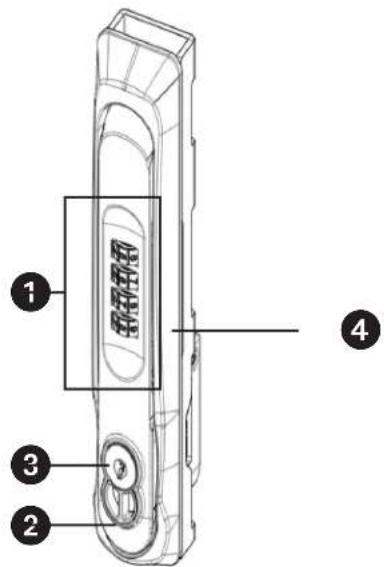
SRHANDLESFIC
Lock Indication Arrow
2 Best Cylinder Lock Ordered by Customer
Swing Handle Comes with Temporary Usable SFIC Core, Remove Plastic Core and Insert Secure User-Selected SFIC Core.
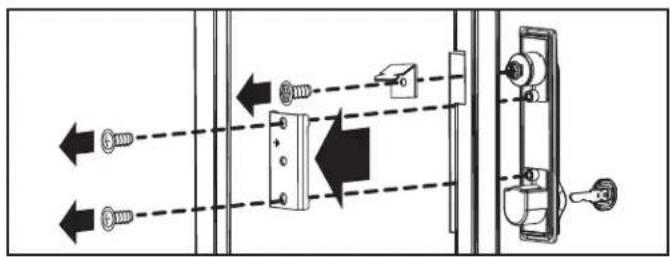
Installation
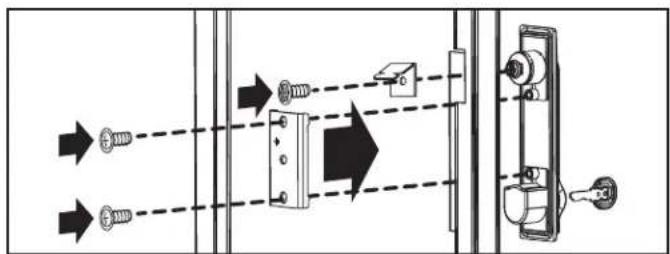
1 Remove the existing lock, cam and screw plate from the door of the enclosure as shown.
Note: The screws and cam will be used in the next step to install the door handle.
Install the door handle. Slide the lock handle through the opening, install the cam, and then secure the lock using the screws and screw plate as shown.
Operation
Setting and Resetting the Combination Lock Feature
Note: To set or reset the combination lock feature, the lock must be engaged and the existing combination must be known. The lock comes with the combination factory preset to 0-0-0.
Dial in the existing combination.
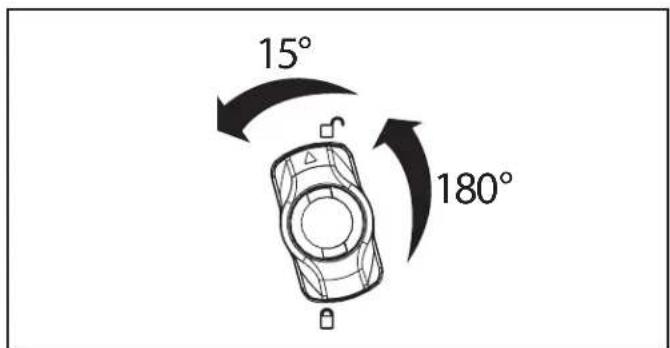
Turn the wing knob 180 degrees counterclockwise so that the lock indicator arrow points up.
3 Turn the wing knob an additional 15 degrees counterclockwise.
Enter the new combination.
Turn the wing knob 15 degrees clockwise. The new combination is now set.
To re-lock, turn the wing knob 180 degrees clockwise so that the lock indicator arrow now points down. Be sure to scramble the combination for extra security.
Using the Combination Lock Feature
Dial in the combination.
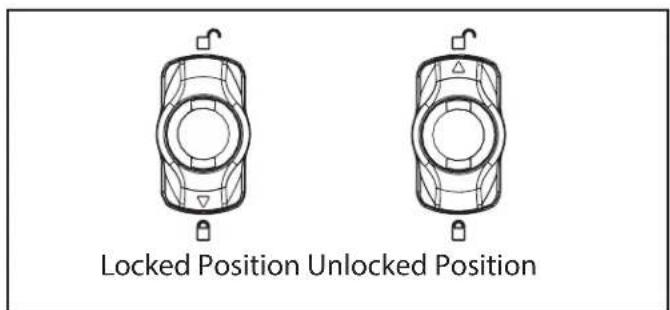
Turn the wing knob 180 degrees counterclockwise so that the lock indicator arrow points up as shown. Lift the handle and turn.
3 To re-lock, turn the wing knob 180 degrees clockwise so that the lock indicator arrow now points down. Be sure to scramble the combination for extra security.
Operation
Using the Key
Insert the key into the lock.
Turn the key 180 degrees counterclockwise so that the indicator arrow points up as shown. Lift the handle and turn.
To re-lock turn the key 180 degrees clockwise so that the lock indicator arrow now points down. Remove the key. Note: Using the key overides the combination lock feature.
Warranty and Product Registration
5-YEAR LIMITED WARRANTY
We warrant our products to be free from defects in materials and workmanship for a period of five (5) years from the date of initial purchase. Our obligation under this warranty is limited to repairing or replacing (at its sole option) any such defective products. Visit Tripplite Eaton.com/support/product-returns before sending any equipment back for repair. This warranty does not apply to equipment which has been damaged by accident, negligence or misapplication or has been altered or modified in any way.
EXCEPT AS PROVIDED HEREIN, WE MAKE NO WARRANTYES. EXPRESS OR IMPLIED, INCLUDING WARRANTYES OF MERCHANTABILITY AND FITNESS FOR A PARTICULAR PURPOSE. Some states do not permit limitation or exclusion of implied warranties; therefore, the aforesaid limitation(s) or exclusion(s) may not apply to the purchaser.
EXCEPT AS PROVIDED ABOVE, IN NO EVENT WILL WE BE LIABLE FOR DIRECT, INDIRECT, SPECIAL, INCIDENTAL OR CONSEQUENTIAL DAMAGES ASING OUT OF THE USE OF THIS PRODUCT, EVEN IF ADMITTED OF THE POSSIBILITY OF SUCH DAMAGE. Specifically, we are not liable for any costs, such as lost profits or revenue, loss of equipment, loss of use of equipment, loss of software, loss of data, costs of substitutes, claims by third parties, or otherwise.
Any changes or modifications to this equipment not expressly approved by Eaton could void the user's authority to operate this equipment.
Product Registration
Visit Tripplite Eaton.com/warranty today to register your new product. You'll be automatically entered into a drawing for a chance to win a FREE Eaton Tripp Lite series product!*
* No purchase necessary. Void where prohibited. Some restrictions apply. See website for details.
Eaton has a policy of continuous improvement. Specifications are subject to change without notice.
Locked Position Unlocked Position