ManualGo.com
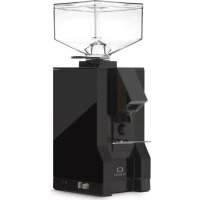
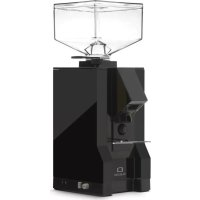
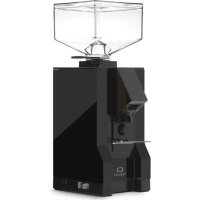
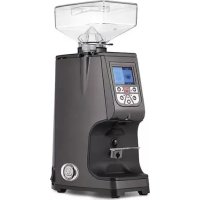
Atom Touch 65 - Coffee grinder EUREKA - Free user manual and instructions
Find the device manual for free Atom Touch 65 EUREKA in PDF.



| Technical Features | Coffee grinder with conical burrs, 250g coffee capacity, grind setting with 30 levels. |
|---|---|
| Usage | Ideal for grinding coffee beans for espresso, filter, French press, etc. Easy to use with a touchscreen. |
| Maintenance and Repair | Regular cleaning recommended, replaceable burrs, easy access for maintenance. |
| Safety | Automatic shut-off, overheating protection, materials compliant with safety standards. |
| General Information | Compact dimensions, modern design, 2-year manufacturer warranty. |
Frequently Asked Questions - Atom Touch 65 EUREKA
Download the instructions for your Coffee grinder in PDF format for free! Find your manual Atom Touch 65 - EUREKA and take your electronic device back in hand. On this page are published all the documents necessary for the use of your device. Atom Touch 65 by EUREKA.
USER MANUAL Atom Touch 65 EUREKA
- dell’apparecchio. La pulizia non può essere effettuata da bambini senza supervisione. SAFETY INSTRUCTIONS The producer has reasonably considered every precaution possible, so to assure user’s safety. Anyway, in installing and using the grinder, various conditions may create uncontrollable and unpredictable events; so, it’s always necessary to evaluate any risks and consider what follows:
- Before connecting the grinder, it’s necessary to verify that plate data match with electric net ones.
- Both installation and repair must respect safety instructions and the inforce rules ofV the country in which the grinder is installed.
- The grounding wire is necessary, like the installation. Both must respect the inforce rules of the country in which the grinder is installed.
- Adaptors, multiple outlets and extension cables are not suggested.
- Do not use this grinder if it is damaged on the cable. In case of malfunctioning, switch off the grinder and take it to the closest authorised service center.
- Do not immerse the grinder, the cable or the plug into water or other liquids. It’s necessary to avoid that internal parts enter in contact with other liquids.
- Do not use any water jets, unsuitable detergents or steam-cleaners to clean.
- During its use, install the grinder on a flat and stable surface being able to sustain the weight of the grinder.
- The grinder is intended to be used only to grind roasted coffee beans. A different use is considered unsuitable and dangerous. The producer cannot be considered responsible for possible damages related to misuse or erroneous and unreasonable actions.
- The grinder cannot be used in extreme enviromental conditions. In any case, use the grinder just between -5° C ÷ + 30° C degrees.
- This grinder has been conceived for commercial use, like restaurant kitchen, cantines, hospitals and shops, like bakeries and butchers. It is not suitable for continous food production.
- Do not allow children or untrained people to use the grinder.
- The grinder can be used by children being 8 years old or above and by people with reduced physical, sensory or mental capabilities ; by people without adequate experience just when monitored and if these have received user instruction on the grinder. Cleaning cannot be performed by unmonitored children. IMPORTANT WARNINGS
- Do not pull the cable or the grinder itself to disconnect its power cable.
- Do not use the grinder with wet or damp hands.
- Do not use the grinder when you are barefoot.
- Before cleaning or servicing, unplug the grinder from the electric net.
- Do not leave the grinder switched on when not necessary. When it is not working, unplug the grinder.
- Do not obstruct the fan or heat elimination systems. Do not enter any water or liquids.
- While the grinder is working, do not enter spoons, forks or other utensils in the spout or the coffee container to perform anything.
- To solve any blockage in the spout, always switch off the grinder before.
- In case of failure of the motor, switch off the grinder and contact an authorised service center.
- Prevent the grinder to be used under any weather conditions (sun, rain, ecc.).
- Children must be monitored to prevent they play with the grinder.
- The owner is responsible for monitoring the installation of the grinder, so to assure it has been installed in enviromental conditions that will not create a safety or health danger for the users.VI
- If you decide not to use anymore this grinder, we suggest to make it inoperative. After having it unplugged, cut the cable. In case of failure, switch it off and do not tamper with.
CONSERVATION OF THE MANUAL
This manual must always be at any user disposal. The user must be informed on the correct use of the grinder and on potential risks. It must be conserved in a dry, clean and heat-protected place. Use the manual so to avoid any damage to itself. Do not remove, rip or write on any manual parts. In case you cannot find the manual, take contact with the re-seller or the producer for further information.
UNPACKING THE GRINDER
- It’s necessary to check out that there is not any damage on the grinder, looking at the external packacing
- After having removed the packing, check out there are no damages on the grinder.
- Check out the entirety of all components. In case of defects or damages, inform immediately the authorised reseller.
- The packing (box, cellophane, metallic parts, styrofoam, etc.) can cut, wound or be dangerous if mismanaged. Prevent children or non-responsible people entering in contact with the packing.
- This symbol on the grinder or on the packing informs that the grinder cannot be considered like a usual home waste ; it must be delivered to a suitable waste collection facility that recycle electric and electronic devices. If this grinder is correctly disposed of, you will prevent potential damages to both environment and health; these damages may occur in case the grinder is not correctly disposed of. Waste recycling protects natural sources. For further information on the recycling of this product, you can contact your local authority, local recycling center or the reseller you purchased the grinder from.
IMPORTANCE OF THE MANUAL
This manual is adressed to the user of the grinder and it is considered part of this product. It shares information on its correct use and maintanance, including information on user’s safety. This manual must be held during all the grinder’s lifespan and must be transmitted to any user or future owner. All information in this manual do not replace safety rules and techicnal data on the installation and functioning of the grinder and its packing. This manual reflects the nowadays state of the art and it cannot be considered inadaquate just because revised on the base of new techologies. The producer may modify the manual without revising previous editions, except in special cases. A misuse of the grinder, or a different use than the one described on the manual, will invalidate any warranty or responsability of the producer. The grinder can be used just by a responsible adult. It’s necessary to preserve the manual, as the producer cannot be held responsible for any damage on people or things, or any damage on the grinder in case itVII is misused or in case safety and maintenance rules are not respected. WARNUNGEN UND SICHERHEITSVORKEHRUNGEN Der Hersteller hat jede erdenkliche Sicherheit vorausgesehen, um die Sicherheit der Benutzer zu gewährleisten, aber die verschiedenen Installations- und/oder Handhabungsbedingungen können unkontrollierbare oder unvorhersehbare Situationen schaffen; daher ist es notwendig, immer alle Restrisiken zu bewerten und die folgenden Vorschläge zu berücksichtigen:
CONSERVATION DU MANUEL
IMPORTANCE DU MANUEL
4.3 ACCENSIONE MACCHINA
- The values indicated refer to the actual revolutions of the grinders
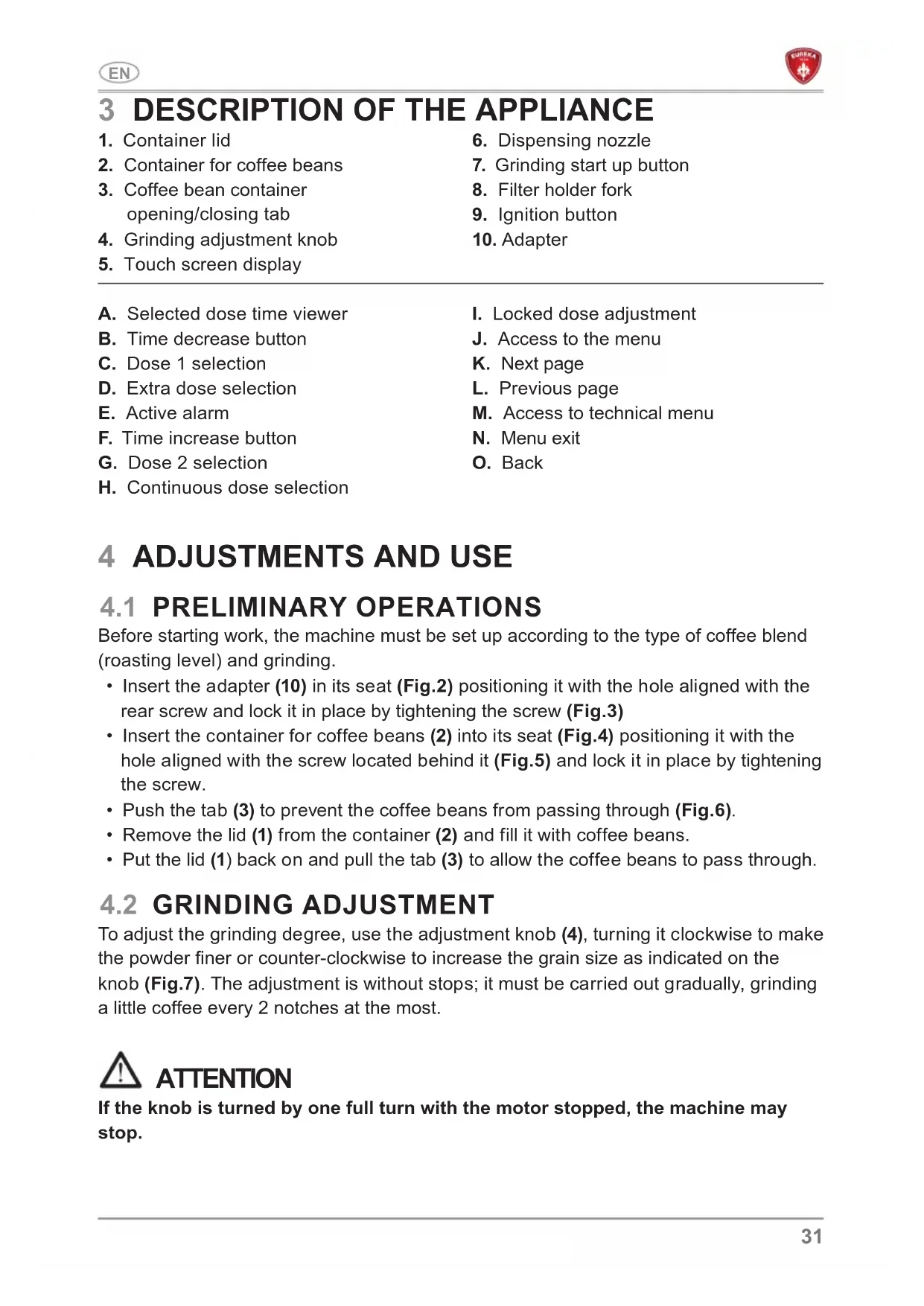
2. Container for coffee beans
4. Grinding adjustment knob
5. Touch screen display
6. Dispensing nozzle
A. Selected dose time viewer B. Time decrease button C. Dose 1 selection D. Extra dose selection E. Active alarm F. Time increase button G. Dose 2 selection H. Continuous dose selection
I. Locked dose adjustment
J. Access to the menu K. Next page L. Previous page M. Access to technical menu N. Menu exit O. Back
4 ADJUSTMENTS AND USE
4.1 PRELIMINARY OPERATIONS
Before starting work, the machine must be set up according to the type of coffee blend (roasting level) and grinding.
- Insert the adapter (10) in its seat (Fig.2) positioning it with the hole aligned with the rear screw and lock it in place by tightening the screw (Fig.3)
- Insert the container for coffee beans (2) into its seat (Fig.4) positioning it with the hole aligned with the screw located behind it (Fig.5) and lock it in place by tightening the screw.
- Push the tab (3) to prevent the coffee beans from passing through (Fig.6).
- Remove the lid (1) from the container (2) and fill it with coffee beans.
- Put the lid (1) back on and pull the tab (3) to allow the coffee beans to pass through.
4.2 GRINDING ADJUSTMENT
To adjust the grinding degree, use the adjustment knob (4), turning it clockwise to make the powder finer or counter-clockwise to increase the grain size as indicated on the knob (Fig.7). The adjustment is without stops; it must be carried out gradually, grinding a little coffee every 2 notches at the most. ATTENTION If the knob is turned by one full turn with the motor stopped, the machine may stop.32
4.3 SWITCHING ON THE APPLIANCE
Turn the switch (9) to the on position. When the appliance is switched on for the first time, it will be set to the mode set at the time it left the factory and, in any case, during subsequent starts, it will always be set to the last mode before it was switched off. When switched on, the display shows the operating screen.
Select the dose to be dispensed using the respective buttons (C), (G) or (E).Rest the cup of the filter holder on the fork (8), making sure that it is precisely under the dispensing spout (6). Press the selected dose button again, or the front button (7). Dispensing ends when the time set in programming has elapsed. Then the grinding time returns to the set value and the grinder is ready for a new cycle. If continuous dose is selected (H) the dispensing lasts as long as the button is pressed. ATTENTION Automatic dispensing can be stopped before the grinding time has elapsed. During dispensing, press the selected dose button, or the front activation button, to stop dispensing:
- Press the button again to resume dispensing for the remaining time;
- Press and hold another dose button for a few seconds to end dispensing. The grinding time will return to the set value. 5 MACHINE PROGRAMMING
- Select the key (C) or (G) to select the dose to be set.
- Press the keys (B) or (F) to decrease or increase the dispensing time of the selected dose by plus or minus 5 hundredths of a second. If pressed for a long time, the time is increased or decreased by however long the key is pressed.
5.1.1 DOSE ADJUSTMENT LOCK
Press keys (B) and (F) simultaneously for a few seconds to lock the dose dispensing time adjustment. The symbol (I) will appear on the display and keys(B) and (F) will darken. Press buttons (B) and (F) simultaneously for a few seconds to unlock.
To access the main menu, press (J) from the home screen.33
This screen displays the sum of the partial doses (resettable) dispensed. The sum considers each dose 2 as twice dose 1 and each dose 3 as three times dose 1. For example, if 5 x dose 1, 5 x dose 2 and 5 x dose 3 have been dispensed, the sum will be 30. The RESET button, if pressed for a long time, resets the counters.
This screen allows setting the password for the appliance. When enabled, the password will be needed to access the technical menu, to lock/unlock the dose adjustment as well as to disable the password itself.
- ON: password enabled.
- OFF: password disabled. To set the password, press ON and then enter a 4-digit code. After pressing the CONFIRM key, re-enter the password and then press SAVE. To change the password, press SET. It is necessary to enter the previously set password first; by pressing the NEXT key it will be possible to enter and confirm the new password.. PASSWORDCONFIRMNEW PASSWORD SAVE CONFIRM PASSWORDPASSWORDSETTING
5.2.2 EXTRA DOSE ADJUSTMENT
This screen is used to set the extra dose time (D) from a minimum of 0.2 second to a maximum of 1 second. Press the “+” and “-” buttons to increase or decrease the time.
This screen displays the information relating to the model and firmware version of the appliance: this data is necessary in case of technical interventions. MODEL:FIRMWARE:
This screen displays the absolute counters (not resettable) for each dose dispensed.
5.3.2 DISPLAY BRIGHTNESS
This screen is used to set the brightness of the display from 1 to 10. Press the “+” and “-” keys to increase or decrease the brightness. BRIGHTNESSSELECT DOSEEVERYTIME?
This screen allows setting the dose selection mode.
- ON: before each dispensing cycle, the dose must be selected.
- OFF: the last dispensed dose is selected.35
This screen is used to replace the extra dose button with a third dose button. When enabled, button 3 will appear on the main screen instead of button E.
ACTIVATION MODE DISPLAY MICROSWITCH This screen is used to choose whether to activate the grinding by pressing the dose key on the display, to activate it using the grinding activation button (7) or to select both modes.
5.3.6 GRINDER MAINTENANCE
On this screen it is possible to set and reset the grinder change counter as well as enable or disable the grinder change alarm. By pressing the SET button it is possible to activate or deactivate the grinder change alarm using the ON/OFF keys. When the alarm is activated, in the case of grinders to be replaced, the icon (E) will light up on the main screen. The RESET button, if long pressed, resets the grinder change counter and the icon (E) will disappear. Finally, it is possible to set the size and type of grinders. STANDARDREDSPEED TiN DIAMOND BURRS TYPE
This screen allows selecting the language. The language currently in use is shown on the screen as a preview. Press the SET key to change the language, choosing from one of the languages listed.SETTINGLANGUAGE ENGLISH
This screen is used to activate and deactivate standby and to set the minutes to wait before it activates. When standby is active the main screen disappears and the logo appears. To reactivate the main screen, press anywhere on the screen.ON: Standby enabledOFF: Standby disabled.Use the “+” and “-” buttons to increase or decrease the minutes of inactivity before going into standby.STANDBY
ATTENTION Disconnect the appliance from the power supply before carrying out any cleaning and maintenance operations.Do not pull the power cord or the appliance itself to disconnect the plug from the power supply socket. ATTENTION Maintenance operations must be performed by specialised technicians authorised by the manufacturer.
5.3.9 RESET DATA SETTINGS
This screen allows restoring the appliance factory settings set by the Manufacturer.Long press the RESET key to restore the factory settings.RESETFACTORY DATARESET37
ATTENTION Do not carry out makeshift or precarious repairs, much less use non-original spare parts.
Cleaning is a fundamental aspect for the correct functioning of the coffee grinder. A neglected coffee grinder can have a negative impact on the coffee dispensing and on the precision of the dose and grinding. Before cleaning, make sure that the appliance is disconnected from the electrical power supply.
6.2 CLEANING THE COFFEE BEAN CONTAINER
After removing the container from the machine, wash the inside with water and neutral soap, removing the oily layer left by the coffee beans. Rinse and dry it thoroughly. Repeat the process for the plastic lid. Do not wash in the dishwasher. Cleaning is recommended at least once a week.
6.3 CLEANING THE GRINDING SYSTEM
Remove the hopper and then clean the grinders and the other internal parts using a brush or a dry cloth. If necessary, use a vacuum cleaner or a jet of compressed air. After cleaning, put the hopper back in place. For complete sanitisation, use detergent tablets for grinders or products approved for food use.
To ensure correct operation of the appliance, check and, if necessary, replace the grinders every 500 kg of coffee. To carry out maintenance on the grinders, disconnect the appliance from the power supply and remove the bean container. Then loosen the screw on the lid and the screws that secure the upper grinder holder. To clean the grinders, use a brush or a dry cloth. If necessary use a vacuum cleaner or a jet of compressed air. ATTENTION All cleaning and sanitising operations must be carried out with products approved for use with food. ATTENTION Maintenance must only be carried out by specialized personnel authorized by the manufacturer. ATTENTION Do not carry out makeshift or precarious repairs, much less use non-original spare parts.38
7 TROUBLESHOOTING If the problem persists, contact specialised personnel.39 EN40