
DC276 - Docking station PHILIPS - Free user manual and instructions
Find the device manual for free DC276 PHILIPS in PDF.
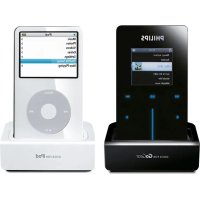


| Product Type | Docking Station for iPod/iPhone |
| Brand | Philips |
| Model | DC276 |
| Dimensions (approx.) | 20 x 15 x 10 cm |
| Weight (approx.) | 1 kg |
| Power Supply | 100-240 V, 50/60 Hz (power adapter included) |
| Connectors | 30-pin connector for iPod, 3.5 mm auxiliary input, RCA output |
| Included Accessories | 4 adapters for iPod, RCA to 3.5 mm jack converter |
| iPod Compatibility | iPod touch (8/16 GB), iPod classic (80/160 GB), iPod nano 1st-3rd generation, iPod 5th generation |
| iPhone Compatibility | Not specified, but likely iPhone with 30-pin connector (iPhone 2G, 3G, 3GS) |
| Main Functions | Charging connected device, audio playback, audio output to external speakers |
| Audio Output | RCA jack (adapter to 3.5 mm jack included) |
| Auxiliary Input | 3.5 mm jack for connecting other audio sources |
| Usage | Indoor only |
| Cleaning | Soft dry cloth, do not use liquids or aerosols |
| Safety | Do not expose to moisture, unplug before cleaning |
| Repairability | Spare parts not specified, contact Philips service |
| Certification | FCC Class B |
| Manual | User manual available as PDF |
Frequently Asked Questions - DC276 PHILIPS
User questions about DC276 PHILIPS
0 question about this device. Answer the ones you know or ask your own.
Ask a new question about this device
Download the instructions for your Docking station in PDF format for free! Find your manual DC276 - PHILIPS and take your electronic device back in hand. On this page are published all the documents necessary for the use of your device. DC276 by PHILIPS.
USER MANUAL DC276 PHILIPS
Note: This equipment has been tested and found to comply with the limits for a Class B digital device, pursuant to part 15 of the FCC Rules. These limits are designed to provide reasonable protection against harmful interference in a residential installation. This equipment generates, uses, and can radiate radio frequency energy and, if not installed and used in accordance with the instruction manual, may cause harmful interference to radio communications. However, there is no guarantee that interference will not occur in a particular installation. If this equipment does cause harmful interference to radio or television reception, which can be determined by turning the equipment off and on, the user is encouraged to try to correct the interference by one or more of the following measures:
- Relocate the receiving antenna.
- Increase the separation between the equipment and receiver.
- Connect the equipment into an outlet on a circuit different from that to which the receiver is connected.
- Consult the dealer or an experienced radio/TV technician for help.
IMPORTANT!
Modifications not authorized by the manufacturer may void the user's authority to operate this device.
PHILIPS warranty obligation is limited to the terms set forth below.
WHO IS COVERED:
Philips warrants the product to the original purchaser or the person receiving the product as a gift against defects in materials and workmanship as based on the date of original purchase ("Warranty Period") from an Authorized Dealer. The original sales receipt showing the product name and the purchase date from an authorized retailer is considered such proof.
WHAT IS COVERED:
The Philips warranty covers new products if a defect arises and a valid claim is received by Philips within the Warranty Period. At its option, Philips will either (1) repair the product at no charge, using new or refurbished replacement parts, or (2) exchange the product with a product that is new or which has been manufactured from new, or serviceable used parts and is at least functionally equivalent or most comparable to the original product in Philips current inventory, or (3) refund the original purchase price of the product.
Philips warrants replacement products or parts provided under this warranty against defects in materials and workmanship from the date of the replacement or repair for ninety (90) days or for the remaining portion of the original product's warranty, whichever provides longer coverage for you. When a product or part is exchanged, any replacement item becomes your property and the replaced item becomes Philips' property.
When a refund is given, your product becomes Philips' property.
Note: Any product sold and identified as refurbished or renewed carries a ninety (90) day limited warranty.
Replacement product can only be sent if all warranty requirements are met. Failure to follow all requirements can result in delay.
WHAT IS NOT COVERED - EXCLUSIONS AND LIMITATIONS:
This Limited Warranty applies only to the new products manufactured by or for Philips that can be identified by the trademark, trade name, or logo affixed to it. This Limited Warranty does not apply to any non-Philips hardware product or any software, even if packaged or sold with the product. Non-Philips manufacturers, suppliers, or publishers may provide a separate warranty for their own products packaged with the bundled product.
Philips is not liable for any damage to or loss of any programs, data, or other information stored on any media contained within the product, or any non-Philips product or part not covered by this warranty. Recovery or reinstallation of programs, data or other information is not covered under this Limited
Warranty.
This warranty does not apply (a) to damage caused by accident, abuse, misuse, misapplication, or non-Philips product, (b) to damage caused by service performed by anyone other than Philips or Philips Authorized Service Location, (c) to a product or a part that has been modified without the written permission of Philips, or (d) if any Philips serial number has been removed or defaced, or (e) product, accessories or consumables sold "AS IS" without warranty of any kind by including refurbished Philips product sold "AS IS" by some retailers.
This Limited Warranty does not cover:
- Shipping charges to return defective product to Philips. Labor charges for installation or setup of the product, adjustment of customer controls on the product, and installation or repair of antenna systems outside of the product.
- Product repair and/or part replacement because of improper installation, connections to improper voltage supply, abuse, neglect, misuse, accident, unauthorized repair or other cause not within the control of Philips.
- Damage or claims for products not being available for use, or for lost data or lost software.
- Damage occurring to product during shipping.
- A product that requires modification or adaptation to enable it to operate in any country other than the country for which it was designed, manufactured, approved and/or authorized, or repair of products damaged by these modifications.
- A product used for commercial or institutional purposes (including but not limited to rental purposes).
- Product lost in shipment and no signature verification receipt can be provided.
- Failure to operate per Owner's Manual.
TO OBTAIN ASSISTANCE IN THE U.S.A., PUERTO RICO, OR U.S. VIRGIN ISLANDS...
Contact Philips Customer Care Center at: 1-888-PHILIPS (1-888-744-5477)
TO OBTAIN ASSISTANCE IN CANADA...
1-800-661-6162 (French Speaking)
1-888-PHILIPS (1-888-744-5477) - (English or Spanish Speaking)
REPAIR OR REPLACEMENT AS PROVIDED UNDER THIS WARRANTY IS THE EXCLUSIVE REMEDY FOR THE CONSUMER. PHILIPS SHALL NOT BE LIABLE FOR ANY INCIDENTAL OR CONSEQUENTIAL DAMAGES FOR BREACH OF ANY EXPRESS OR IMPLIED WARRANTY ON THIS PRODUCT. EXCEPT TO THE EXTENT PROHIBITED BY APPLICABLE LAW, ANY IMPLIED WARRANTY OF MERCHANTABILITY OR FITNESS FOR A PARTICULAR PURPOSE ON THIS PRODUCT IS LIMITED IN DURATION TO THE DURATION OF THIS WARRANTY.
Some states do not allow the exclusions or limitation of incidental or consequential damages, or allow limitations on how long an implied warranty lasts, so the above limitations or exclusions may not apply to you.
This warranty gives you specific legal rights. You may have other rights which vary from state/province to state/province.
What's in the box? Contenu de l'emballage? ¿Qué hay en la caja?
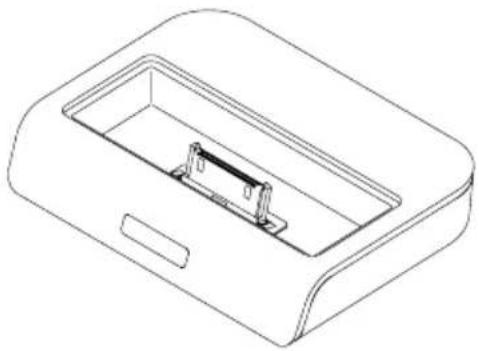
1 X GoGear docking cradle 1 Station d'accueil GoGear 1 X dispositivo de energia GoGear
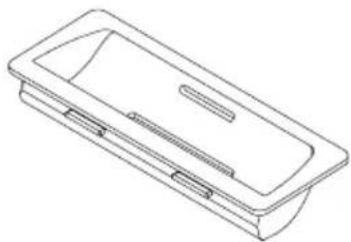
3 X GoGear dock adaptors 3 Adaptateurs de station GoGear 3 X adaptadores de base GoGear
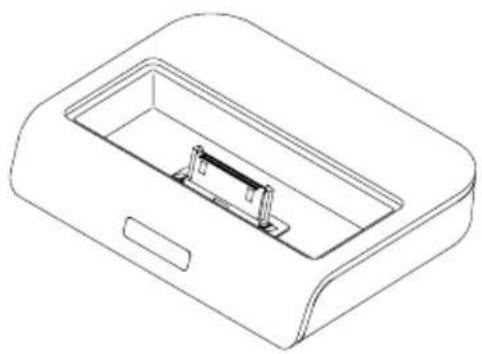
1X iPod docking cradle 1 Station d'accueil iPod 1 X dispositivo de carga iPod
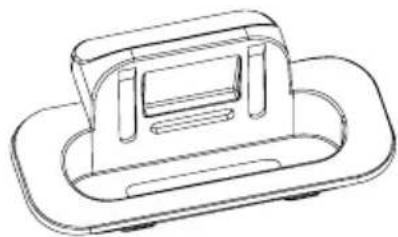
8 X iPod dock adaptors 8 Adaptateurs de station iPod 8 X adaptadores de base iPod
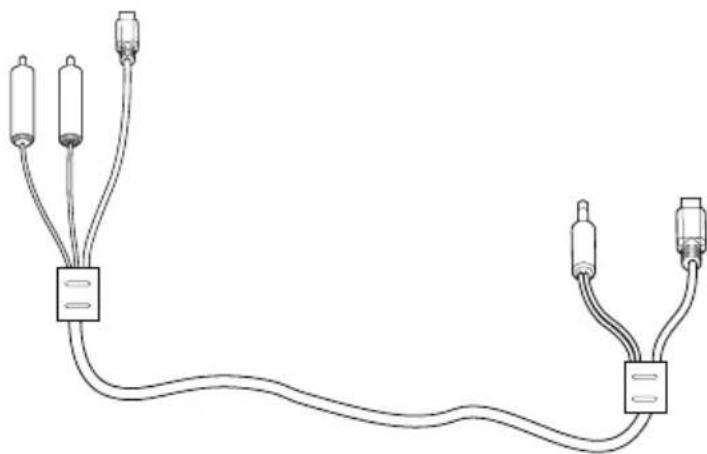
1 X docking cable 1 Cable de station 1 X cable de la base
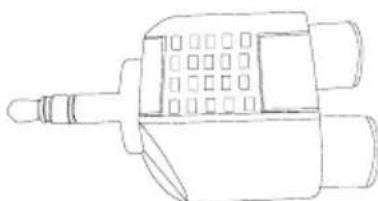
- This docking kit is especially designed for use with the MCM276R Micro Hi-Fi System. Do not try it on any other devices!
- The mini USB port on the back of each docking cradle is only intended for connection to the MCM276R Micro Hi-Fi System using the supplied docking cable only. Do not try to connect this port to a PC or any other USB devices!
Compatible portable players
- Most Apple iPod models with 30-pin dock connectors as follows: 20GB, 40GB, 20/30GB Photo, 40/60GB Photo, 30GB Video, 60GB Video, Mini and Nano
- Philips GoGear players with dock connectors, as follows:
- HDD1420, HDD1620, HDD1630, HDD1635, HDD1820, HDD1830, HDD1835;
- HDD1840, 1850;
- HDD6320, HDD6330
Selecting the correct dock adaptor
- For the iPod dock, 8 dock adaptors of different type, as indicated at the back of the adaptor, are included to fit the following iPod:
20GB, 40GB, 20/30GB Photo, 40/60GB Photo, 30GB Video, 60GB Video, Mini and Nano.
- For the Philips GoGear dock, 3 dock adaptors of different type are included. Each adaptor is marked a number from "1" to "3" at its back. These numbers indicate the fit Philips GoGear players as follows:
1" = HDD6320/6330 2" = HDD1420/1620/1630/1635/1820/1830/1835 3" = HDD1840/1850
Setup
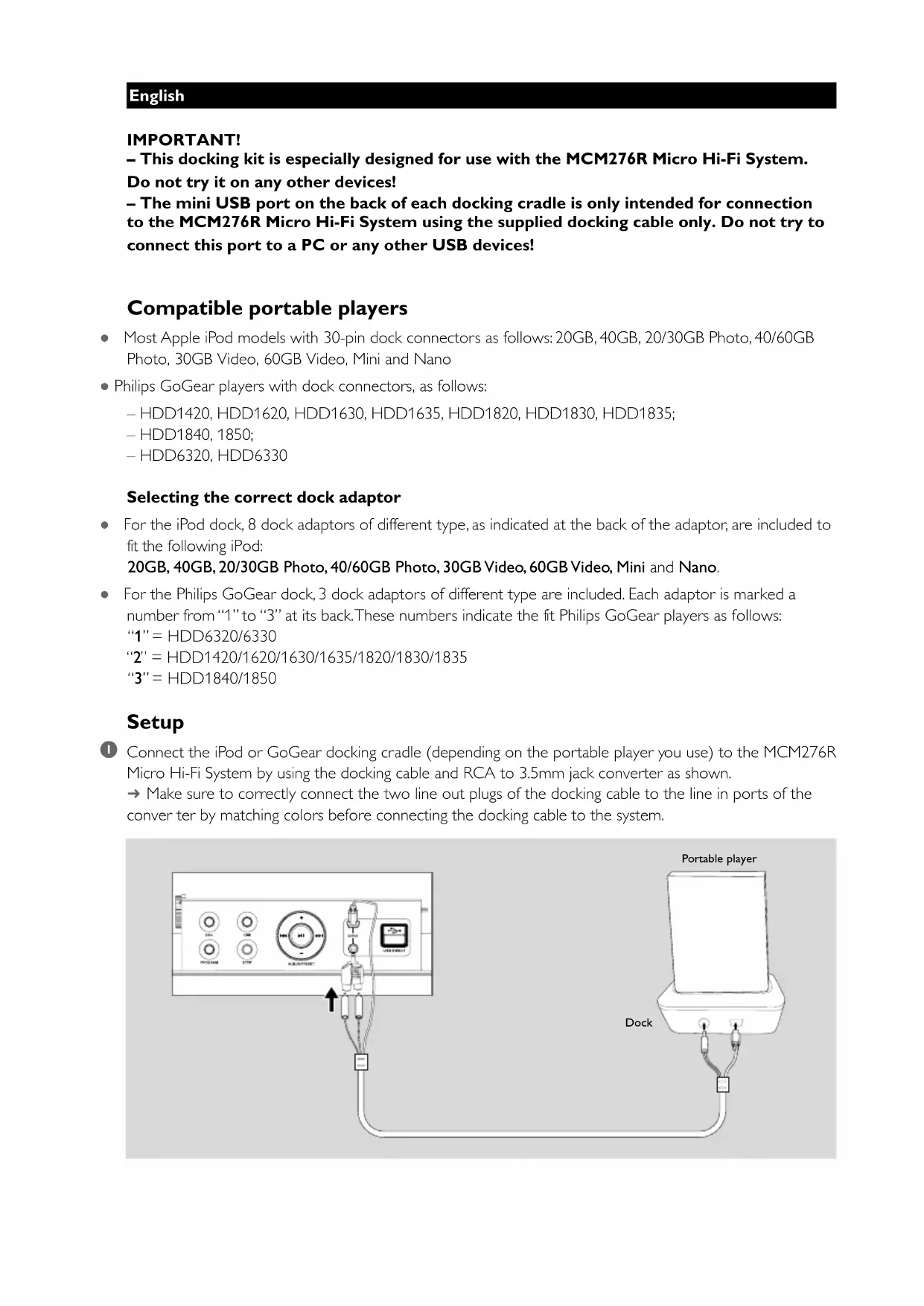
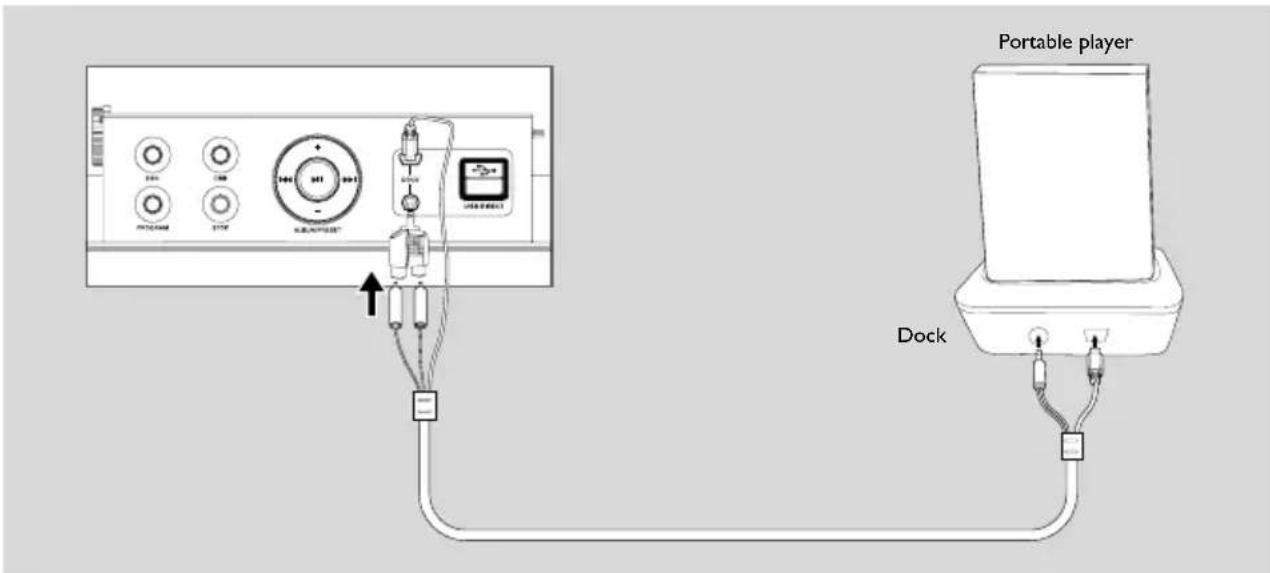
Connect the iPod or GoGear docking cradle (depending on the portable player you use) to the MCM276R Micro Hi-Fi System by using the docking cable and RCA to 3.5mm jack converter as shown.
Make sure to correctly connect the two line out plugs of the docking cable to the line in ports of the converter by matching colors before connecting the docking cable to the system.
DOCK OPERATION
The menu navigation or photo playback of the docked player cannot be carried out through the buttons on MCM276R or its remote control.
- The buttons on MCM276R and its remote control can control playback of audio contents only. To navigate the menu, use the controls on the player.
The STOP and some buttons on MCM276R and its remote control have no function.
- The playback of the docked player cannot be stopped using the STOP button on MCM276R and its remote control. The buttons (▶II, ▶, ▶ and VOLUME) function only.
The battery of my Philips GoGear in dock is drained when it is not used for playback.
- The docked GoGear is still consuming battery if you don't use the player.
Insert a dock adapter corresponding to the portable player you use.
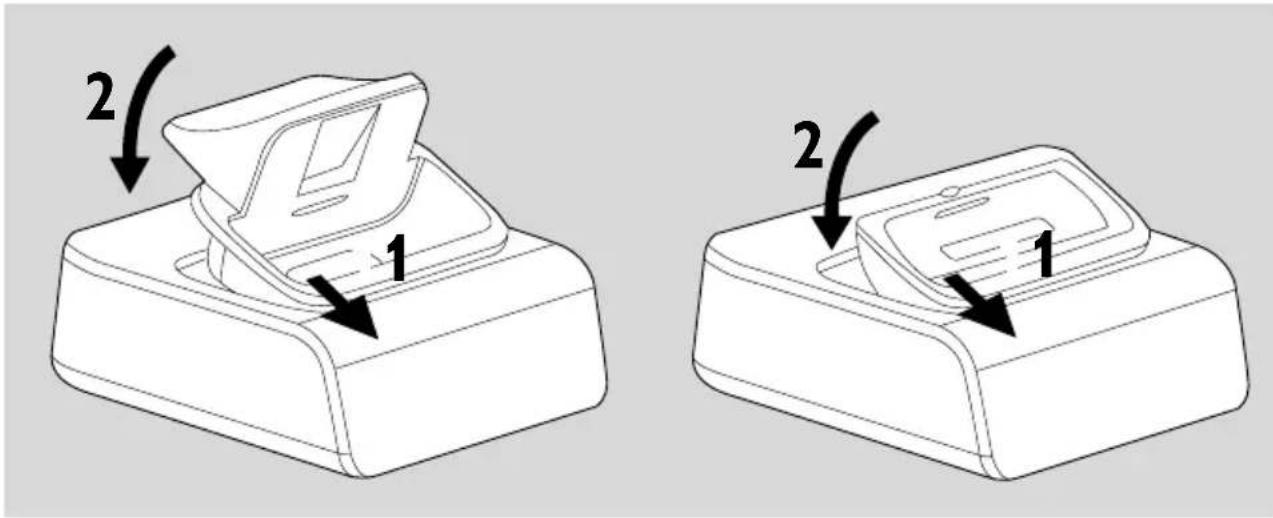
- To connect with a different iPod/GoGear portable player, pop up the corresponding dock adapter and replace with a new one of the matching type.
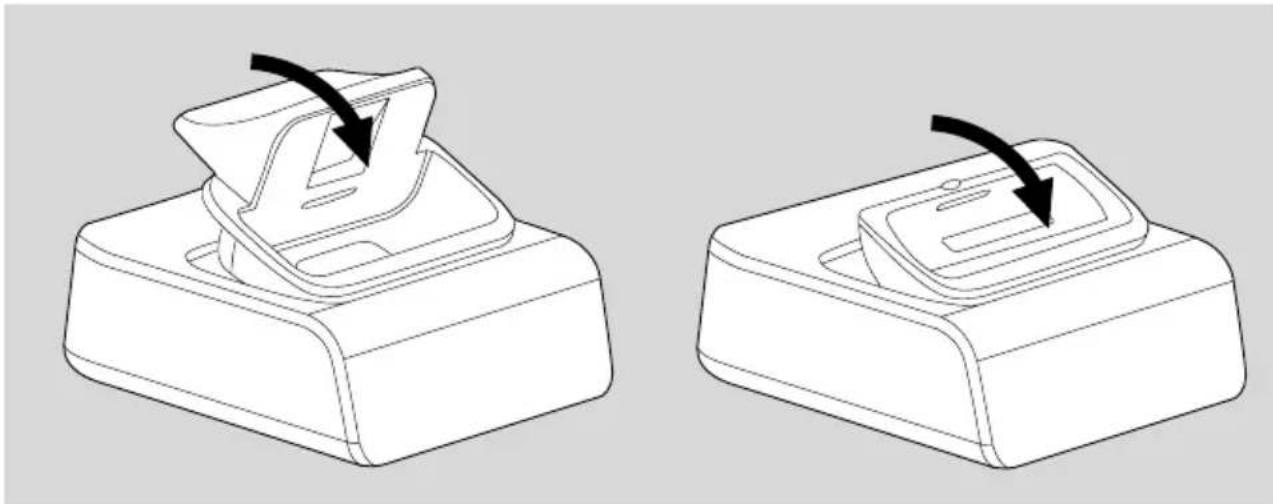
Playing an iPod/GoGear portable player through the MCM276R Micro Hi-Fi System
Correctly dock your GoGear or iPod portable player in the cradle. Make sure the dock adapter is compatible.
- Make sure that you have powered on Philips GoGear before selecting DOCK source.
On the display, "GoGear" is displayed if Philips GoGear is connected, or "iPod" is displayed if iPod is connected.
Press SOURCE on the front panel of the MCM276R Micro Hi-Fi System repeatedly or DOCK on the remote to select DOCK source.
Playback starts automatically. You can select available features (such as play/pause, skip track, fast forward/backward) during playback.
Charging iPod battery using the dock (GoGear charging not supported)
- In DOCK mode, directly dock your iPod portable player on the cradle for charging.

Notes for iPod connection
- The docking entertainment system is compatible with all the existing Apple iPod models with 30-pin connector.
- Four adaptors are included to fit different iPod models including iPod touch (8GB, 16GB), iPod classic (80GB, 160GB), iPod nano 3rd generation (4GB, 8GB), iPod the 5th generation (30GB, 60GB, 80GB), iPod nano 2nd generation (2GB, 4GB, 8GB) and iPod nano 1st generation (1GB, 2GB, 4GB).
- IMPORTANT
- WHO IS COVERED
- WHAT IS COVERED
- WHAT IS NOT COVERED - EXCLUSIONS AND LIMITATIONS
- THIS LIMITED WARRANTY DOES NOT COVER
- TO OBTAIN ASSISTANCE IN THE U.S.A., PUERTO RICO, OR U.S. VIRGIN ISLANDS
- TO OBTAIN ASSISTANCE IN CANADA
- WHAT'S IN THE BOX? CONTENU DE L'EMBALLAGE? ¿QUÉ HAY EN LA CAJA
- COMPATIBLE PORTABLE PLAYERS
- SELECTING THE CORRECT DOCK ADAPTOR
- SETUP
- DOCK OPERATION
- PLAYING AN IPOD/GOGEAR PORTABLE PLAYER THROUGH THE MCM276R MICRO HI-FI SYSTEM
- CHARGING IPOD BATTERY USING THE DOCK (GOGEAR CHARGING NOT SUPPORTED)
- NOTES FOR IPOD CONNECTION
Brand : PHILIPS
Model : DC276
Category : Docking station