XC170i - Elliptical bike DKN - Free user manual and instructions
Find the device manual for free XC170i DKN in PDF.



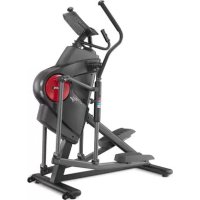
| Product type | Elliptical bike |
| Brand | DKN |
| Model | XC170i |
| Use | Home (HC class) |
| Maximum user weight | 135 kg |
| Resistance levels | 32 |
| Training programs | Manual, Program (beginner, advanced, performance), Cardio, Watt |
| Display | Time, Speed, Distance, Calories, Heart rate, Watt |
| Connectivity | Bluetooth Smart, compatible with DKN Cardio Connect watch and optional chest strap (ref. 20409) |
| Power supply | Mains adapter |
| Maintenance frequency | Lubrication of pivot joints every 3 months; regular check of condition and tightening |
| Cleaning | With a soft cloth, without aggressive products; avoid penetration of liquids |
| Safety | Minimum free area of 0.6 m around the machine; consult a doctor before use if sedentary; do not use under the influence of drugs or alcohol; stop immediately in case of abnormal symptoms |
| Spare parts | Use only genuine DKN parts |
| Warranty | 2 years (parts and labor, excluding normal wear) |
| WEEE marking | Do not dispose of with household waste; recycle according to local regulations |
| App compatibility | iOS 7.0 and Android 4.3 and higher (via DKN Cardio Connect watch) |
Frequently Asked Questions - XC170i DKN
User questions about XC170i DKN
0 question about this device. Answer the ones you know or ask your own.
Ask a new question about this device
Download the instructions for your Elliptical bike in PDF format for free! Find your manual XC170i - DKN and take your electronic device back in hand. On this page are published all the documents necessary for the use of your device. XC170i by DKN.
USER MANUAL XC170i DKN
IMPORTANT SAFETY NOTICE:
NOTE THE FOLLOWING PRECAUTIONS BEFORE ASSEMBLING OR OPERATING THIS MACHINE.
This exerciser has been tested up to a max. body weight of 135 kg/300 lbs.
Follow the carefully the different steps of the assembly instructions.
Use only original parts as delivered.
Before starting the assembly, be sure to check if delivery is complete by using the included parts-list.
For assembly use only suitable tools and ask for assistance with assembly if necessary.
- Place the exerciser on an even, non-slippery surface. Because of possible corrosion, the usage of any exerciser in moist areas is not recommended.
This machine is for indoor home use only. This is a class HC (Home use) and suitable for use in private homes where access to the equipment is regulated by the owner (the person who has the legal responsibility).
Before beginning training, remove all objects within a 2-meter radius of the machine.
The free area around the machine shall not be less than 0.6 metres in the direction from which the equipment is accessed. The free area must also include the area for emergency dismount.
Check before the first training and every 2 months that all connecting elements are tight fit and in the correct condition.
Always wear appropriate workout clothing and shoes when exercising.
Replace defective components immediately and/or keep the equipment out of use until repair.
For repairs, use only original spare parts.
In case of repair please ask your dealer for advice.
Avoid the use of aggressive detergents when cleaning.
Ensure that training starts only after correct assembly and inspection.
For all adjustable parts be aware of the maximum positions to which they can be adjusted/tightened to.
This exerciser is designed for adults. Ensure that children use the exerciser only under the supervision of an adult.
This machine may only be used by one person at a time.
Disabled persons should not use this machine without a qualified person or physician in attendance.
Ensure that those present are aware of possible hazards, e. g. movable parts during training.
Warning: incorrect/excessive training can cause health injuries.
Please follow the advice for correct training as detailed in training instructions.
Read all instructions before using the rowing machine.
WARNING! Consult your physician before starting with any exercise program. He can advise on the kind of training and which impact is suitable.
WARNING! This machine is not suitable for therapeutic or medical purpose.
WARNING! Over exercising may result in serious injury or death. If you experience dizziness, nausea, chest pain, or any other abnormal symptoms STOP EXERCISING IMMEDIATELY AND CONSULT A PHYSICIAN WITHOUT DELAY.
WARNING! Inappropriate use of this machine such as while under the influence of drugs or alcohol, not in line with instructions or excessive usage, may result serious injury or death.
WARNING! Incorrect/excessive training may cause health injuries.
The owner's manual is only for customers' reference.
The supplier cannot guarantee for mistakes occurring due to translation or change in technical specification of the product.
DKN-Technology ASSUMES NO RESPONSIBILITY FOR PERSONAL INJURY OR PROPERTY DAMAGE SUSTAINED BY OR THROUGH THE USE OF THIS PRODUCT.
BELANGRIJKE VEILIGHEIDSWAARSCHUWING:
LEES VOLGENDE VOORZORGSGMAATREGELEN VOOR MONTAGE EN GEBRUK VAN DIT APPARAT.
This Elliptical is equipped with a pre-lubricated, low maintenance motion system. Friction may play a major role in the function and life of your Elliptical, thus requiring periodic lubrication. We recommend a periodic inspection and lubrication of the swivel joints every three months.
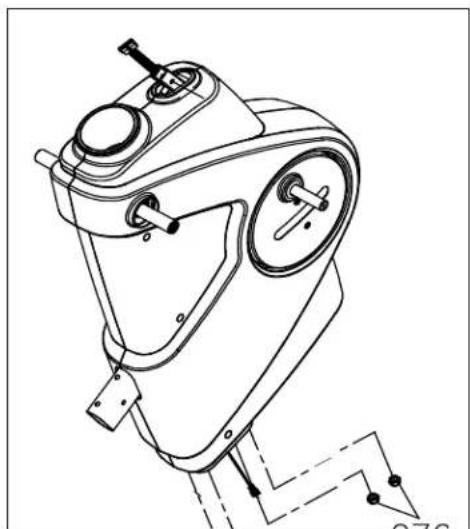
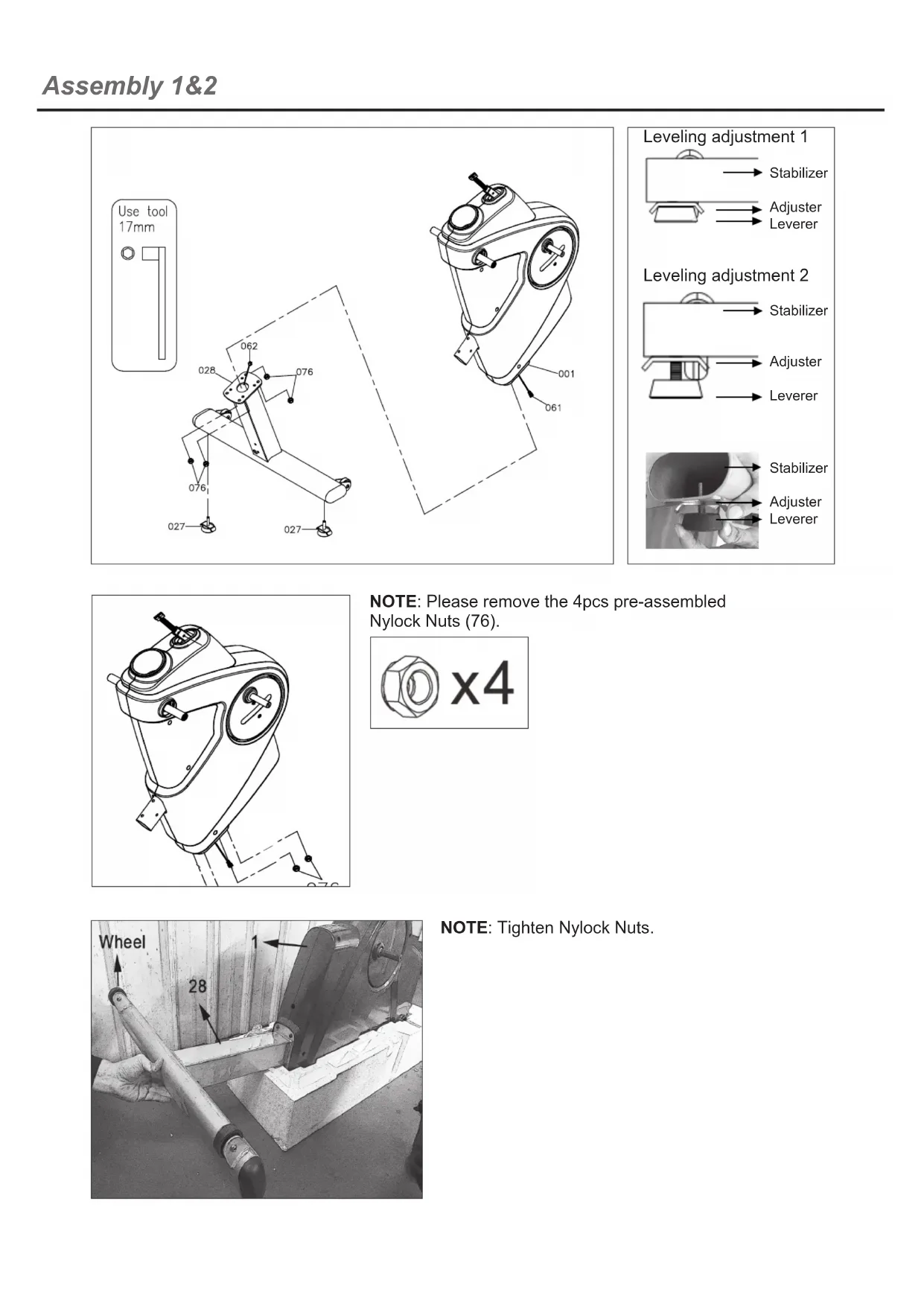
NOTE: Please remove the 4pcs pre-assembled Nylock Nuts (76).
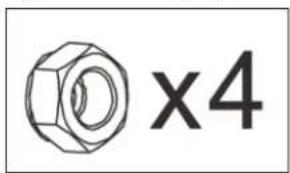
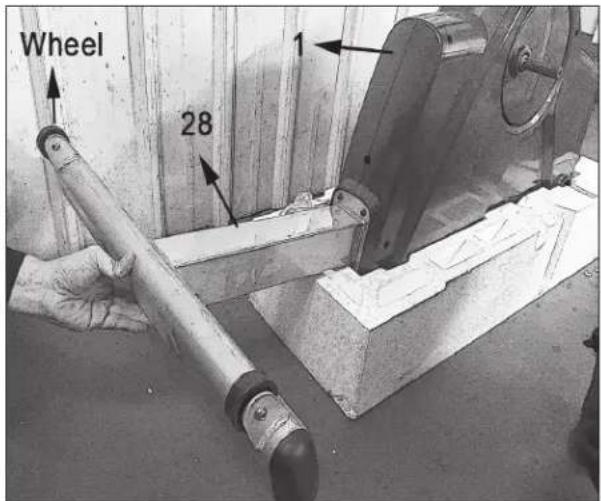
NOTE: Tighten Nylock Nuts.
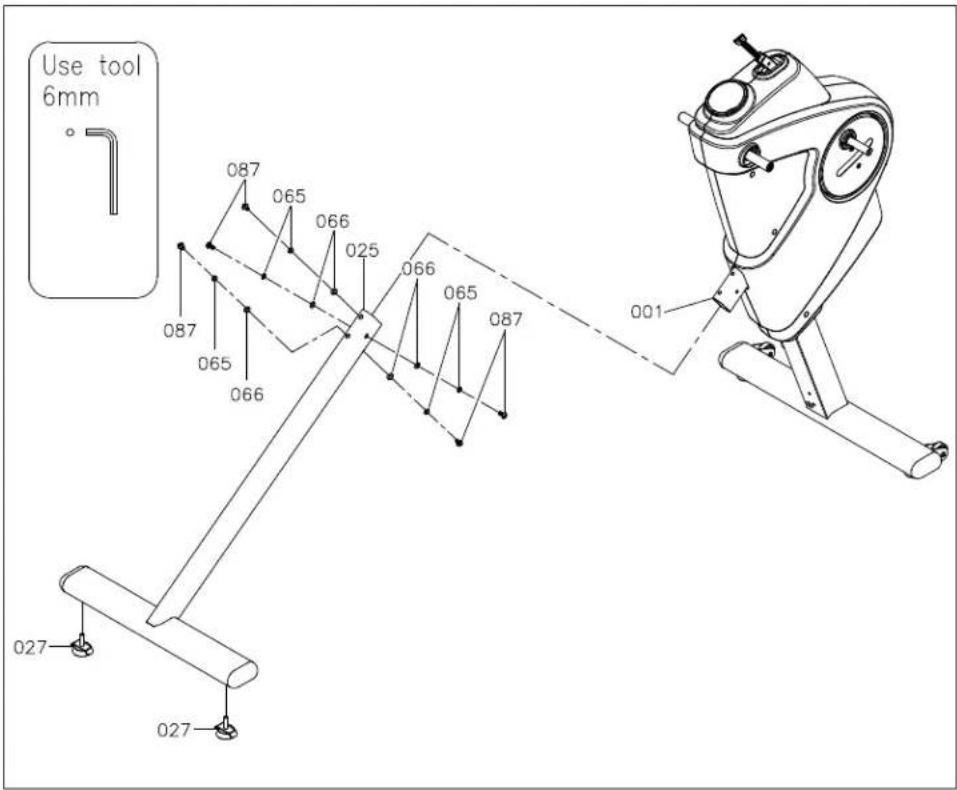
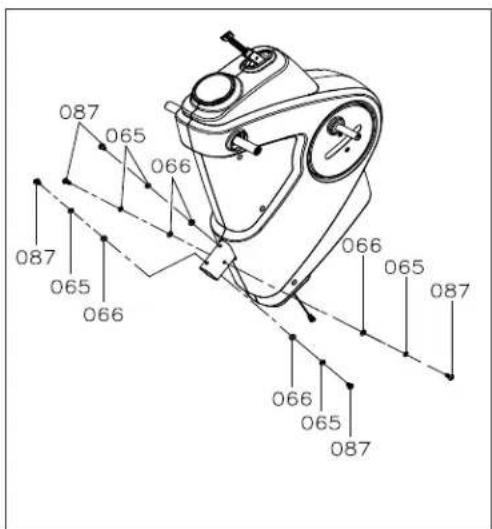
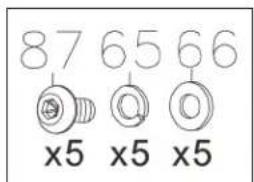
NOTE: Please remove the 5pcs pre-assembled Washers (66), 5pcs Lock Washers (65) and 5pcs Button Head Bolts (87).
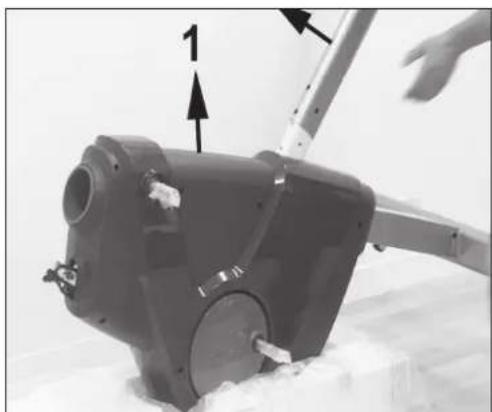
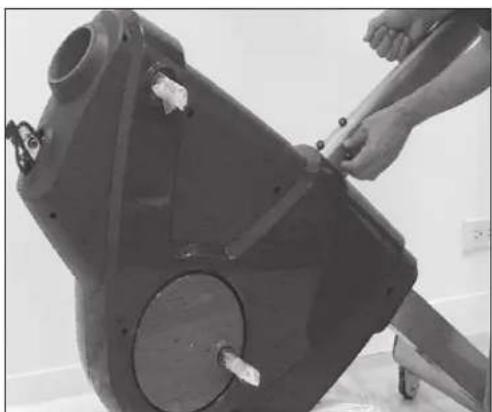
NOTE: Donot tighten fully until step 5.
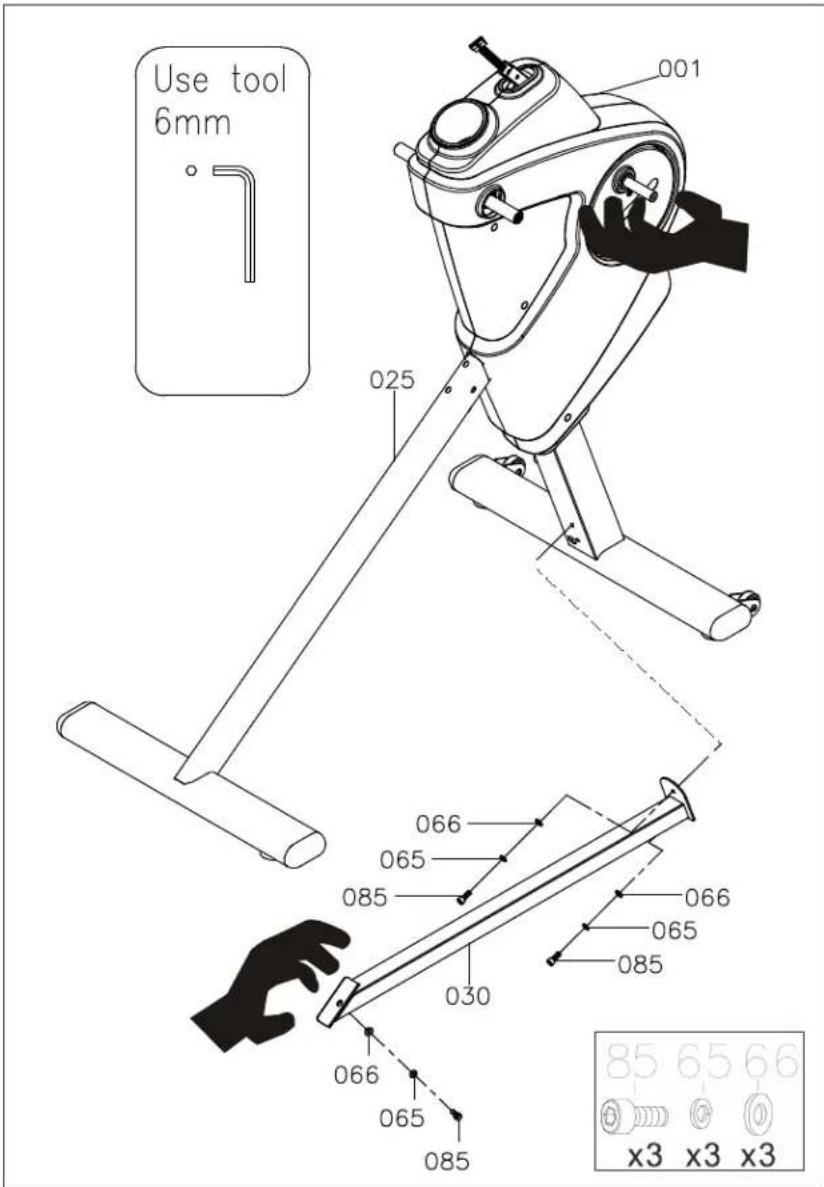
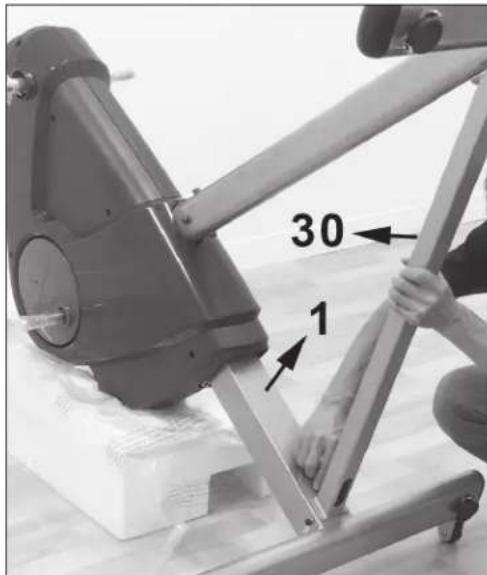
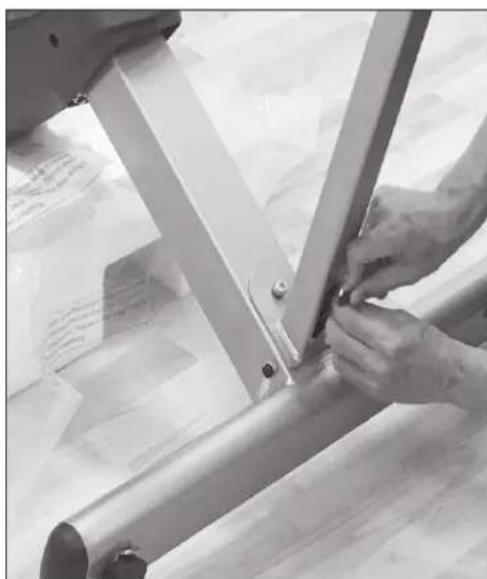
NOTE: Donot tighten fully until step 5.
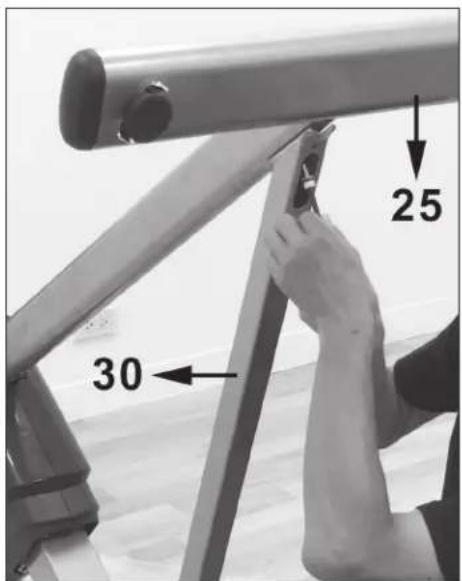
NOTE: Tighten socket bolt (85) completely.
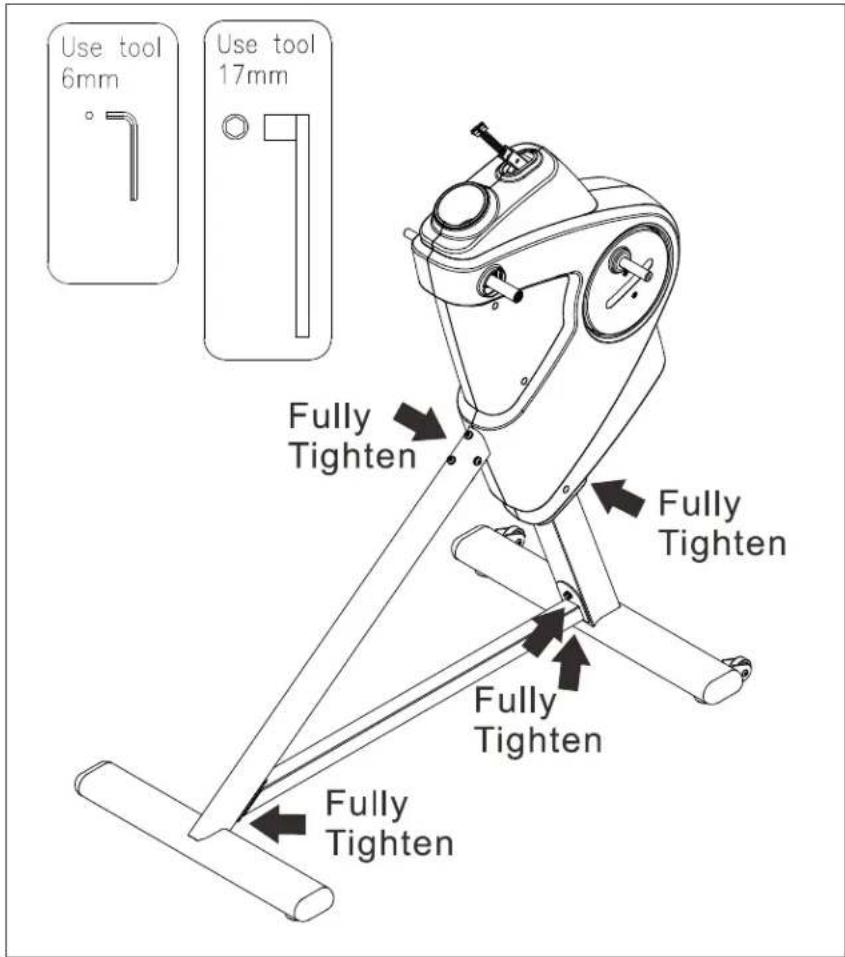
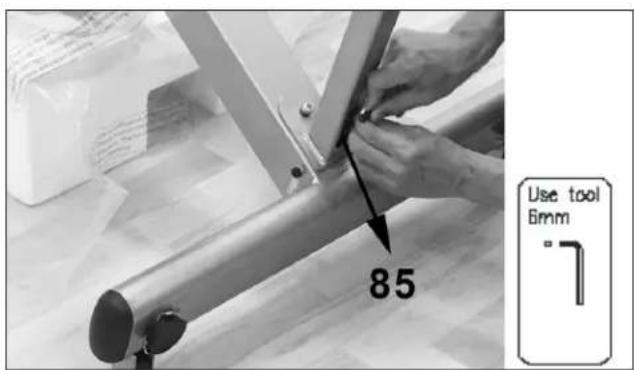
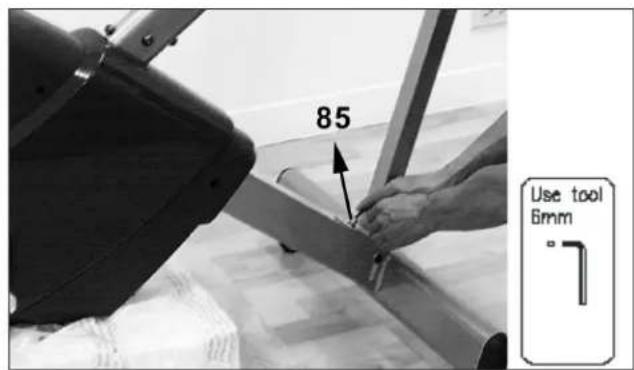
NOTE: Fully tighten 2pcs Socket Bolts (85), 2pcs Lock Washers (65) and 2pcs Washers (66).
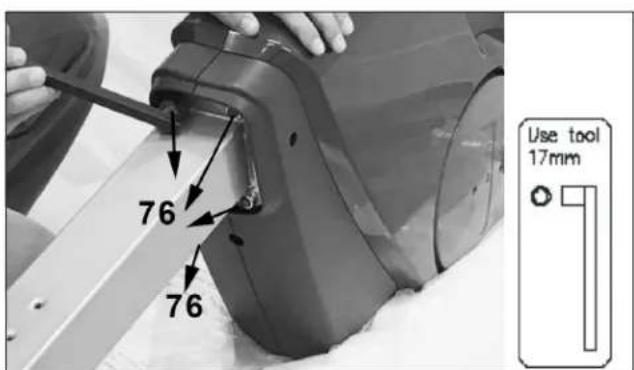
NOTE: Fully tighten 4pcs Nylock Nuts (76).
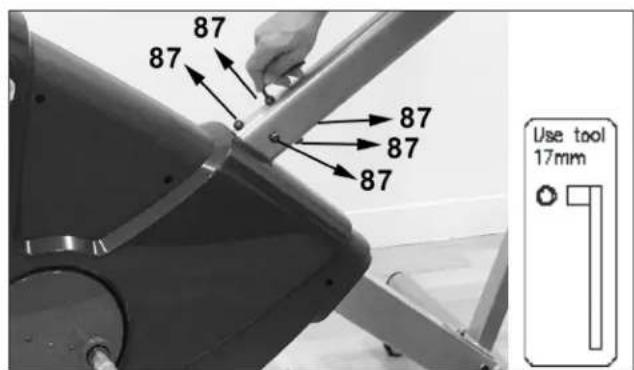
NOTE: Fully tighten 5pcs Washers (66), 5pcs Lock Washers (65) and 5pcs Bolts (87).
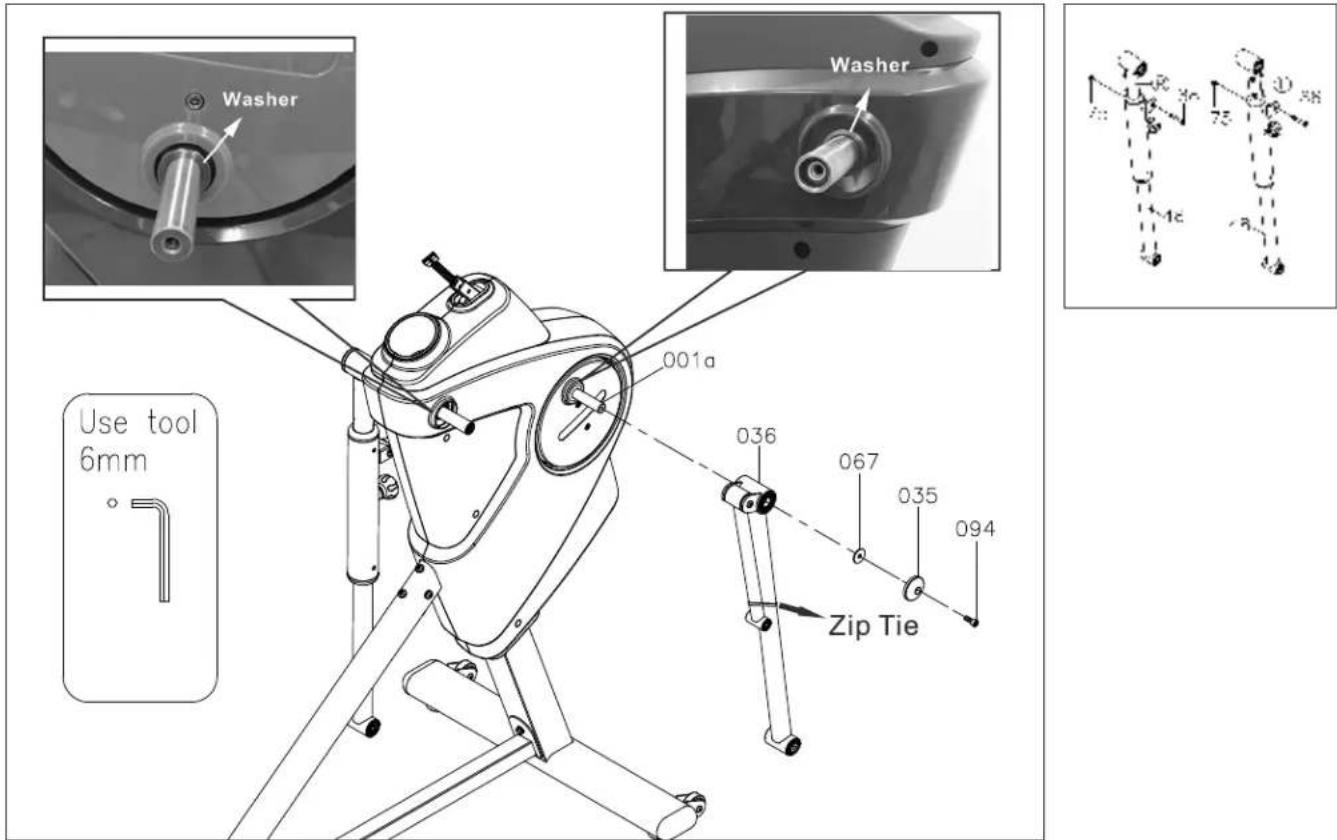
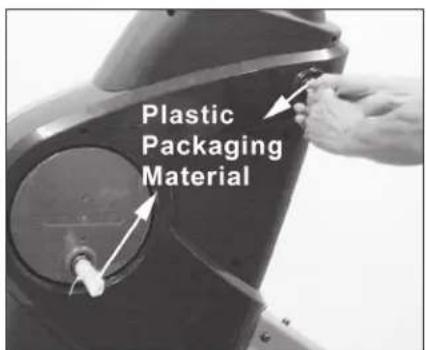
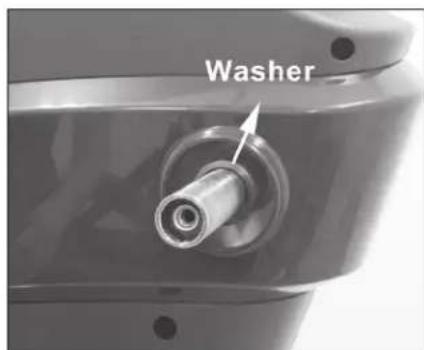
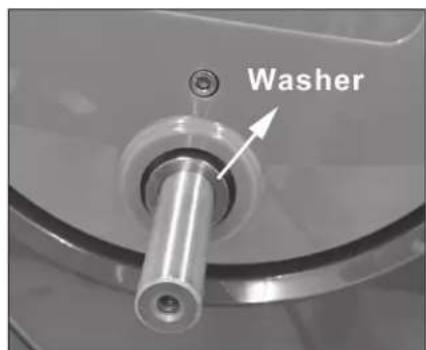
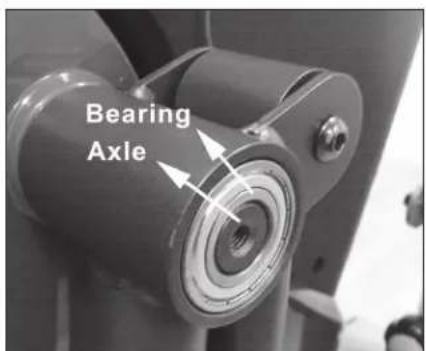
NOTE: Donot remove pre-assembled washers!
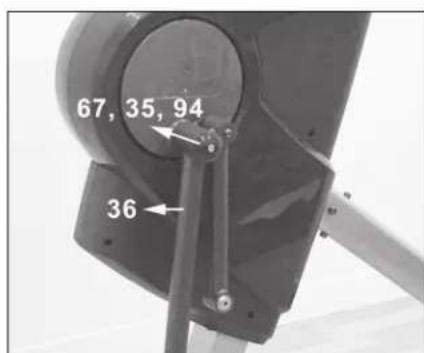
NOTE: Donot remove pre-assembled washers!
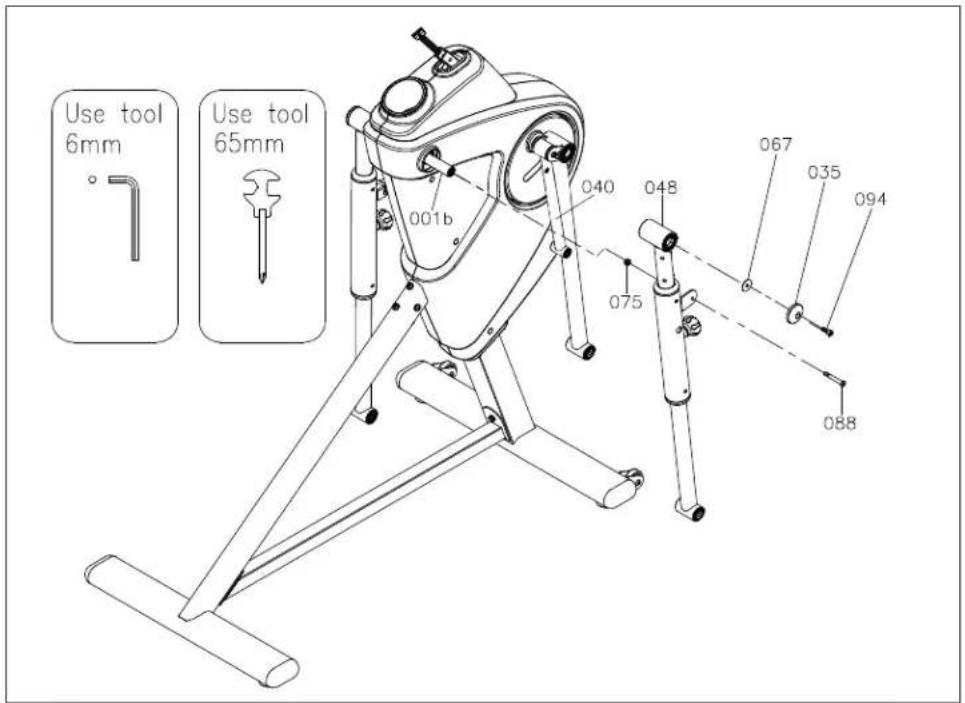
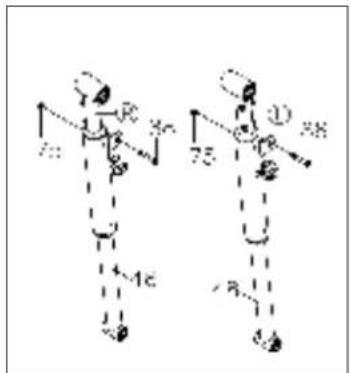
NOTE: Remove the pre-assembled 2pcs Bolts Socket Head (88) and 2pcs Nylock Nuts (75).
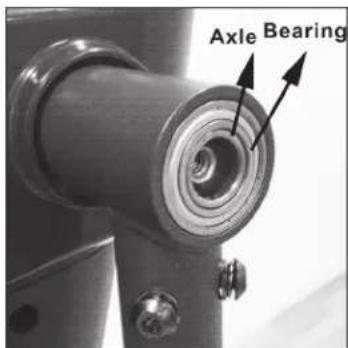
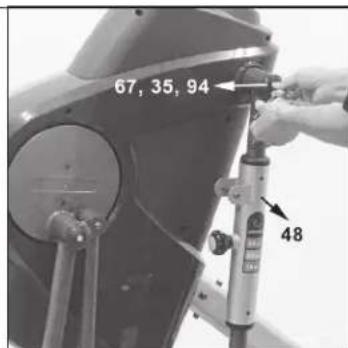
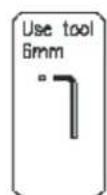
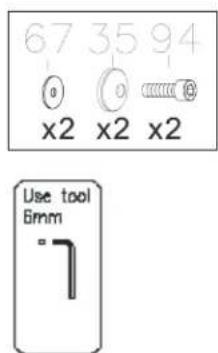
NOTE: Fully tighten 1pc Washer (67), 1pc Tube Cap (35) and 1pc Bolt, Socket Head (94).
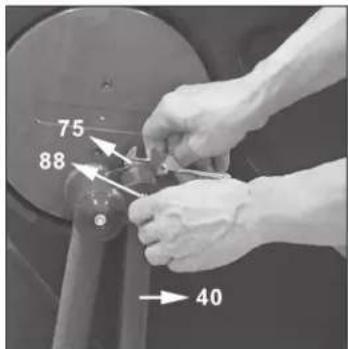
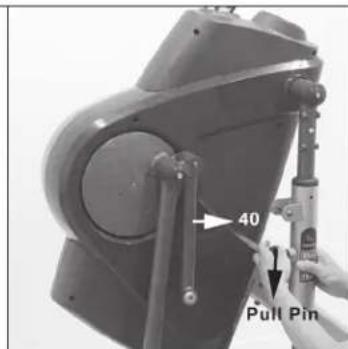
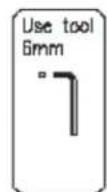
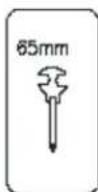
NOTE: Slightly loosen Bolt (88) and Nylock Nut (75).
Release Pull Pin (54).
Attach Crank Linkage (40) to Pivoting Arm (48).
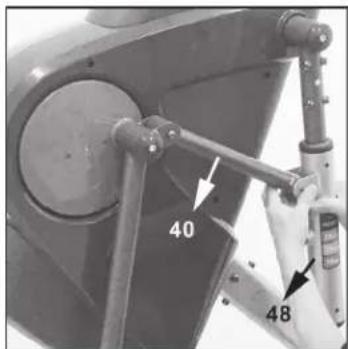
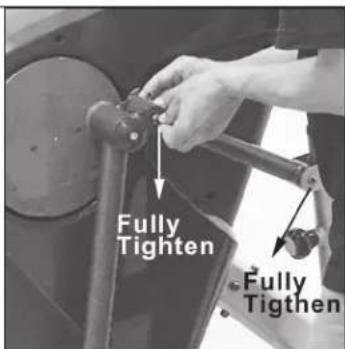
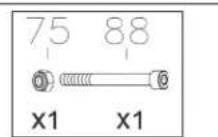
Fully secure 1pc Bolt (88) and 1pc Nylock Nut (75).
Fully tighten 1pc Bolt (88) and 1pc Nylon Nut (75) on Crank Linkage.
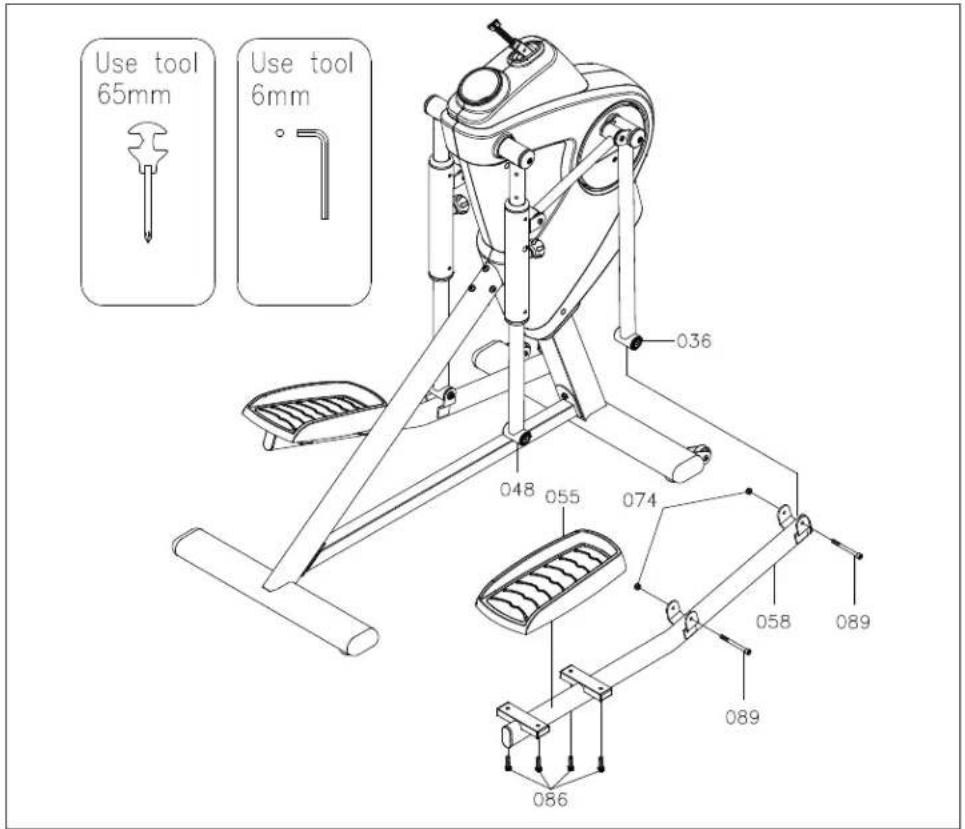
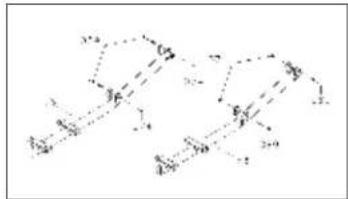
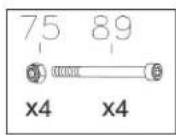
NOTE: Remove the pre-assembled 4pcs Nylock Nut(74) and 4pcs Bolts Socket Head (89).
NOTE: Fully tighten 1pc Washer (67), 1pc Tube Cap (35) and 1pc Bolt, Socket Head (94).
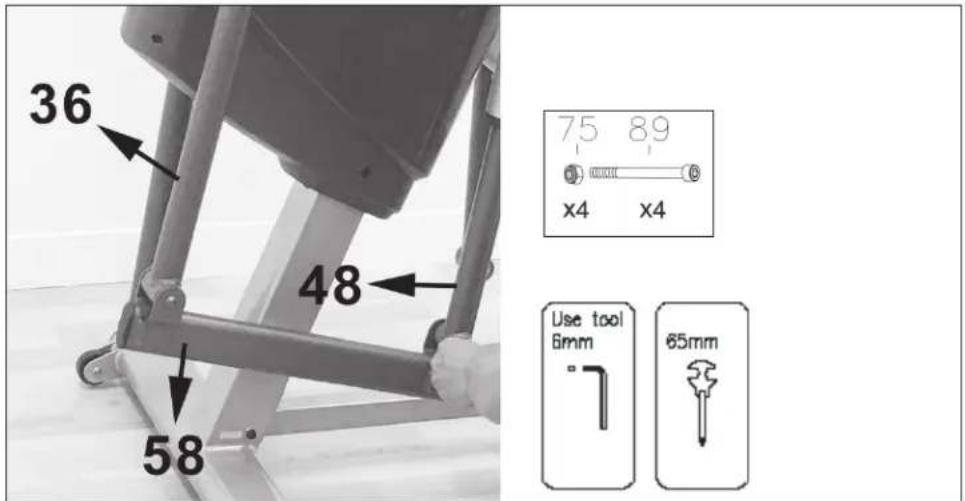
NOTE: Attach Pedal Support Arm (58) to Swing Tube (36) & Pivoting Arm (48).
Fully secure 2pcs Bolts (89) and 2pcs Nylock Nuts (74).
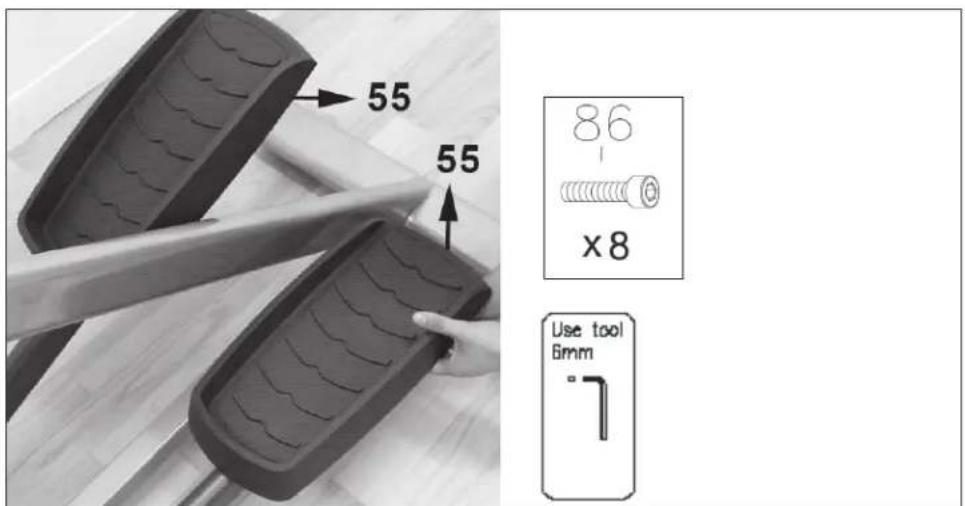
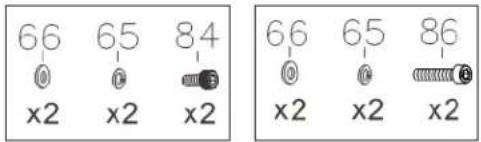
Assemble Pedal (55) on Pedal Support Arm (58) and fully tighten 4pcs Bolts, Socket Head (86).
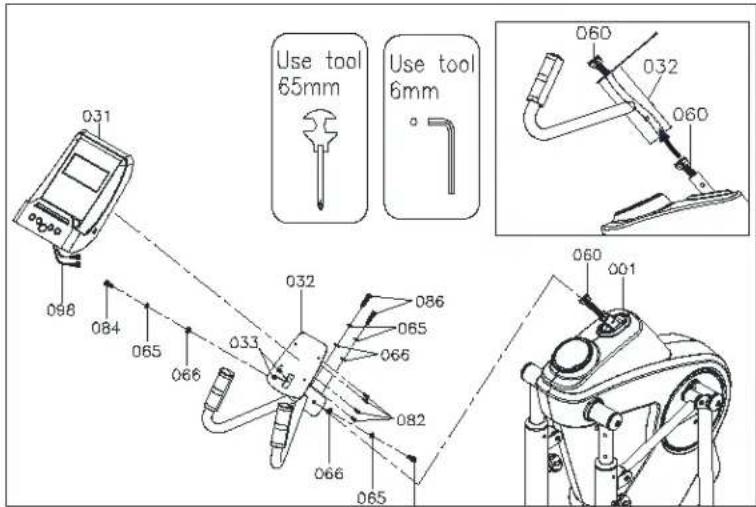
NOTE: Remove the pre-assembled 4pcs Washers (66), 4pcs Lock Washers (65), 2pcs Bolts Socket Head (84) and 2pcs Bolts Socket Head (86).
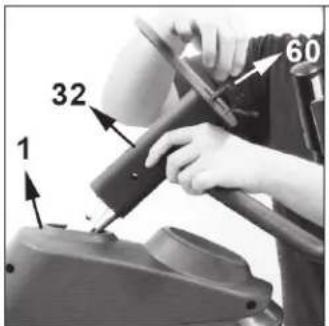

NOTE: Guide Upper Connection Wire (60) into Fixed Handlebar (32).
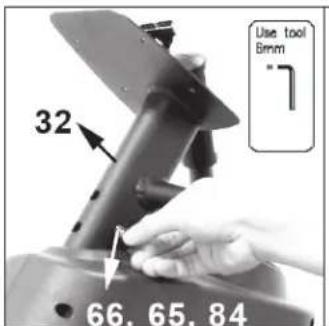
NOTE: Assemble 1pc Washer (66), 1pc Lock Washer (65) and 1pc Bolt (84).
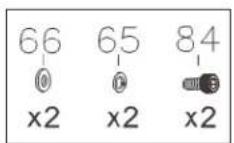
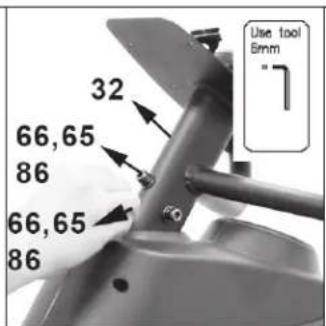
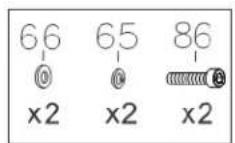
NOTE: Assemble 1pc Washer (66), 1pc Lock Washer (65) and 1pc Bolt (85).
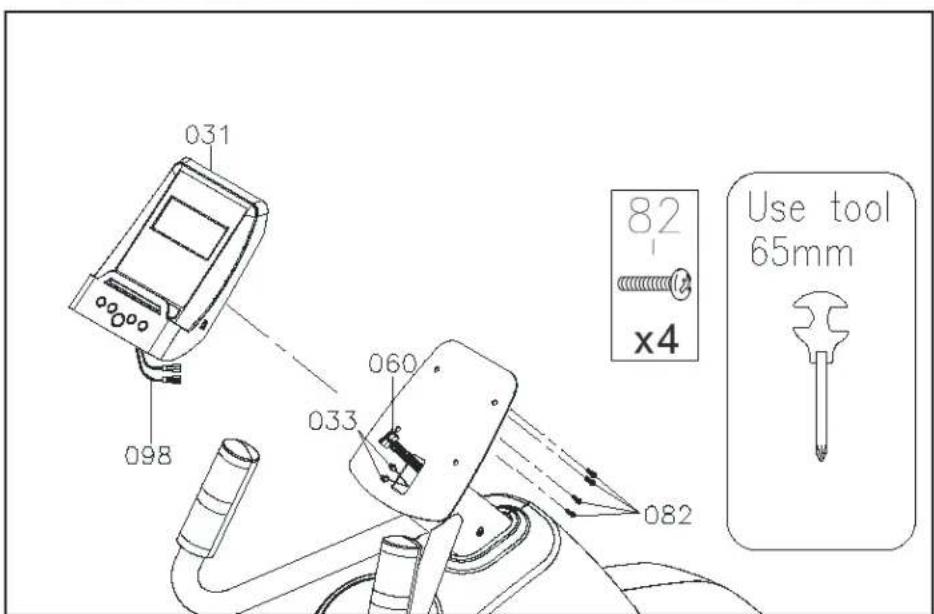
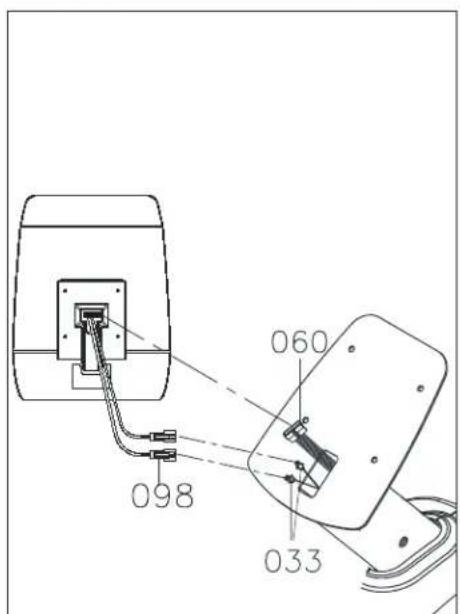
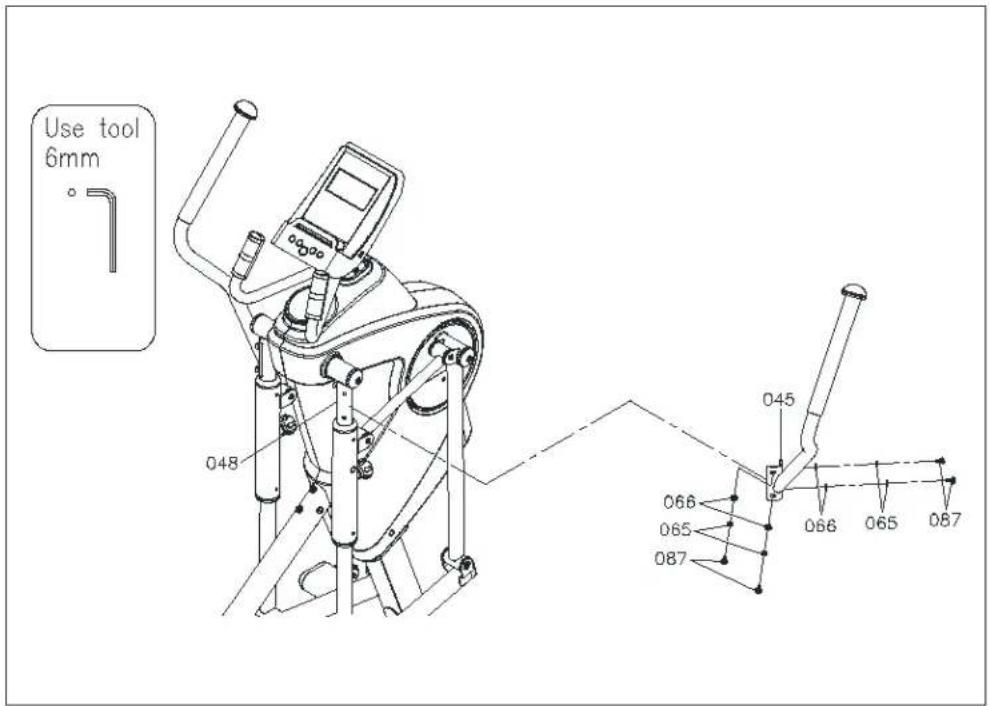
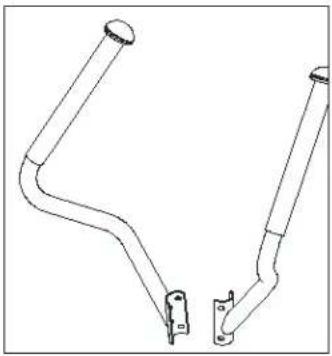
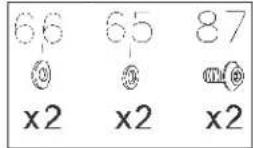
NOTE: Remove the pre-assembled 2pcs Bolts Button Head (87), 2pcs Lock Washers(65) and 2pcs Washers (66).
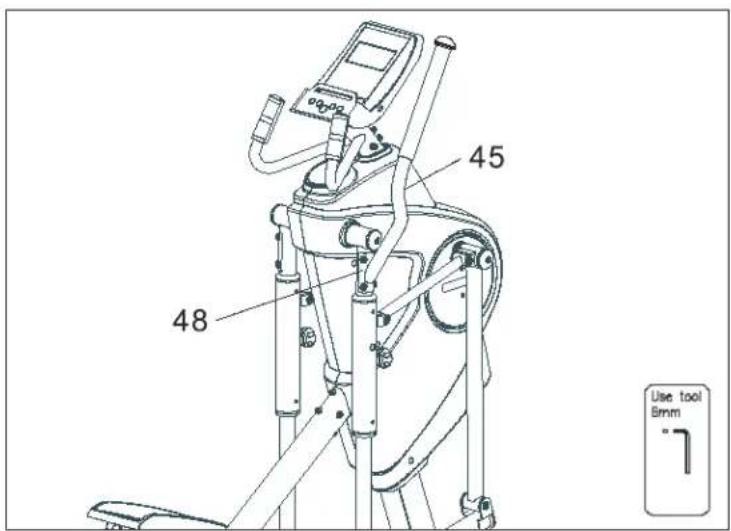
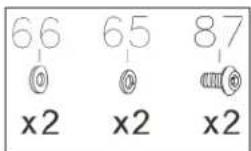
NOTE: Assemble Right Upper Handlebar (45) to Right Pivoting Arm (48) and fully tighten 2pcs Bolts Button Head (87), 2pcs Lock Washers(65) and 2pcs Washers (66).
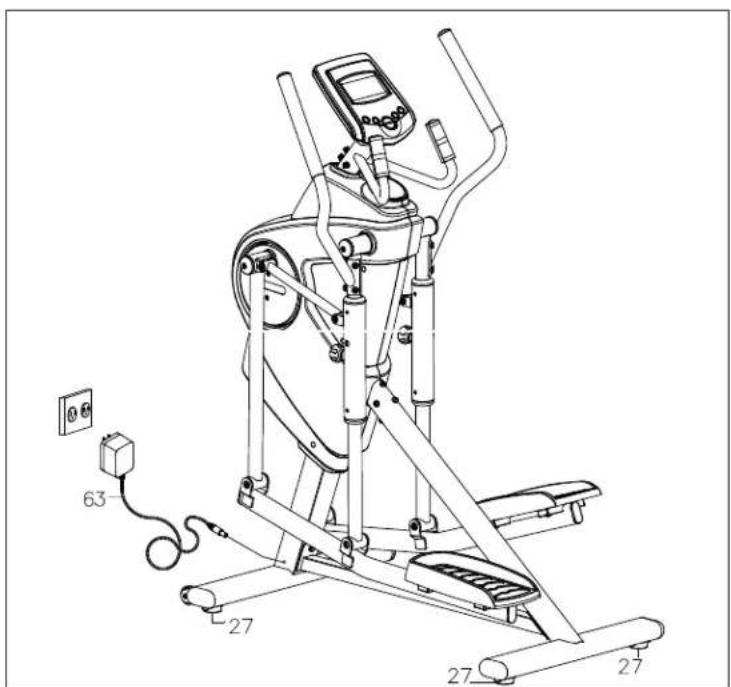
IMPORTANT!
Please Level the machine prior to use!
Make sure the DKN Motion Trainer is level on the floor.
There are 4 LEVELERS (27) that prevent the elliptical trainer from wobbling or shaking during exercise. Test for stability. If satisfied, tighten each of the 4 Jam Nuts up into the frame (located on each of the levelers) to lock your adjustments.
Ensure that all parts are tightened as shown in this owner manual before you use the DKN Motion Trainer.
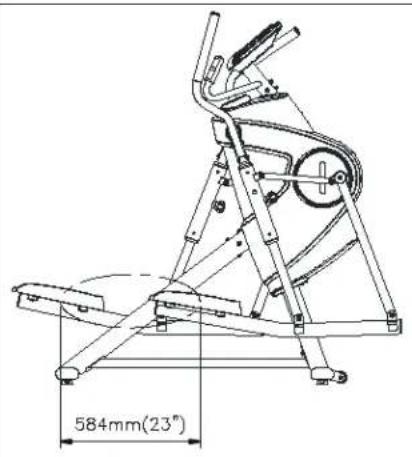
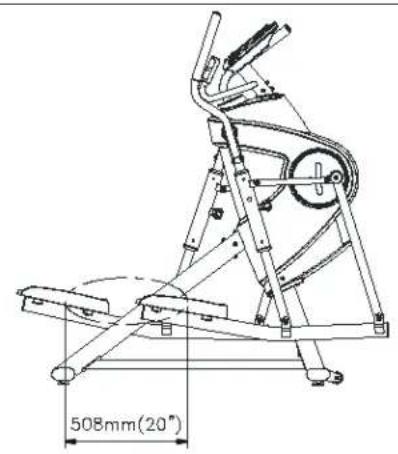
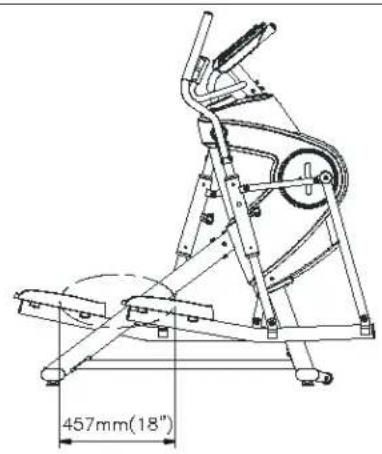
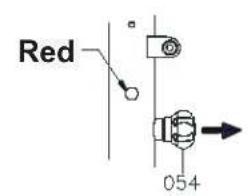
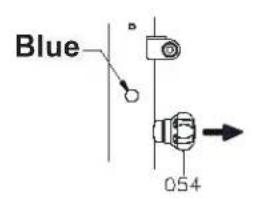
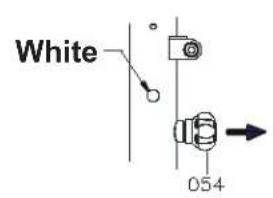
The DKN Motion Trainer is equipped with three adjustable stride lengths from 18" (457mm) to 23" (584mm)
To adjust the stride length:
- Loosen and pull the Right Pull Pin (54).
- Move the Right Telescope Bar (10) to the proper desired position (Red position for 23", Blue position for 20", White position for 18").
- Release the Right Pull Pin (54) and make sure the pin safely clicks into its position.
- Repeat the above process to adjust the stride length on left side.
NOTE:
- Always adjust the Right & Left Telescope Bars (10) in the same training position.
- Securely tighten Right & Left Pull Pin (54) before exercising.
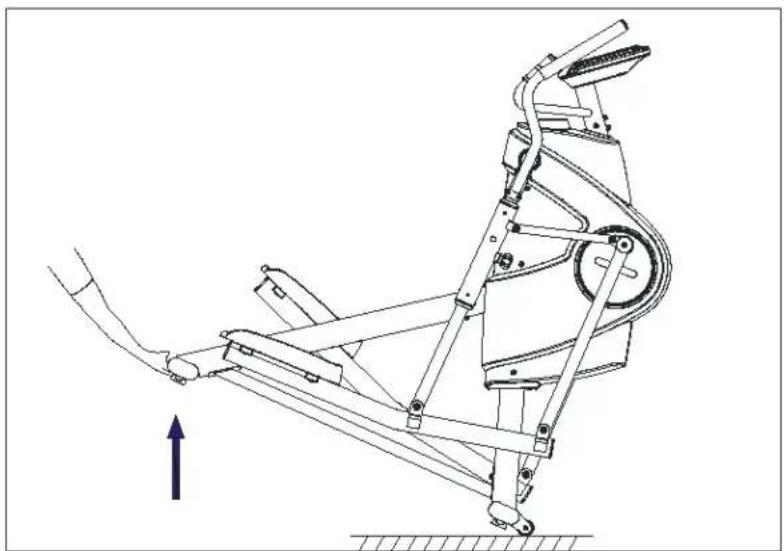
Moving the Motion Trainer safely
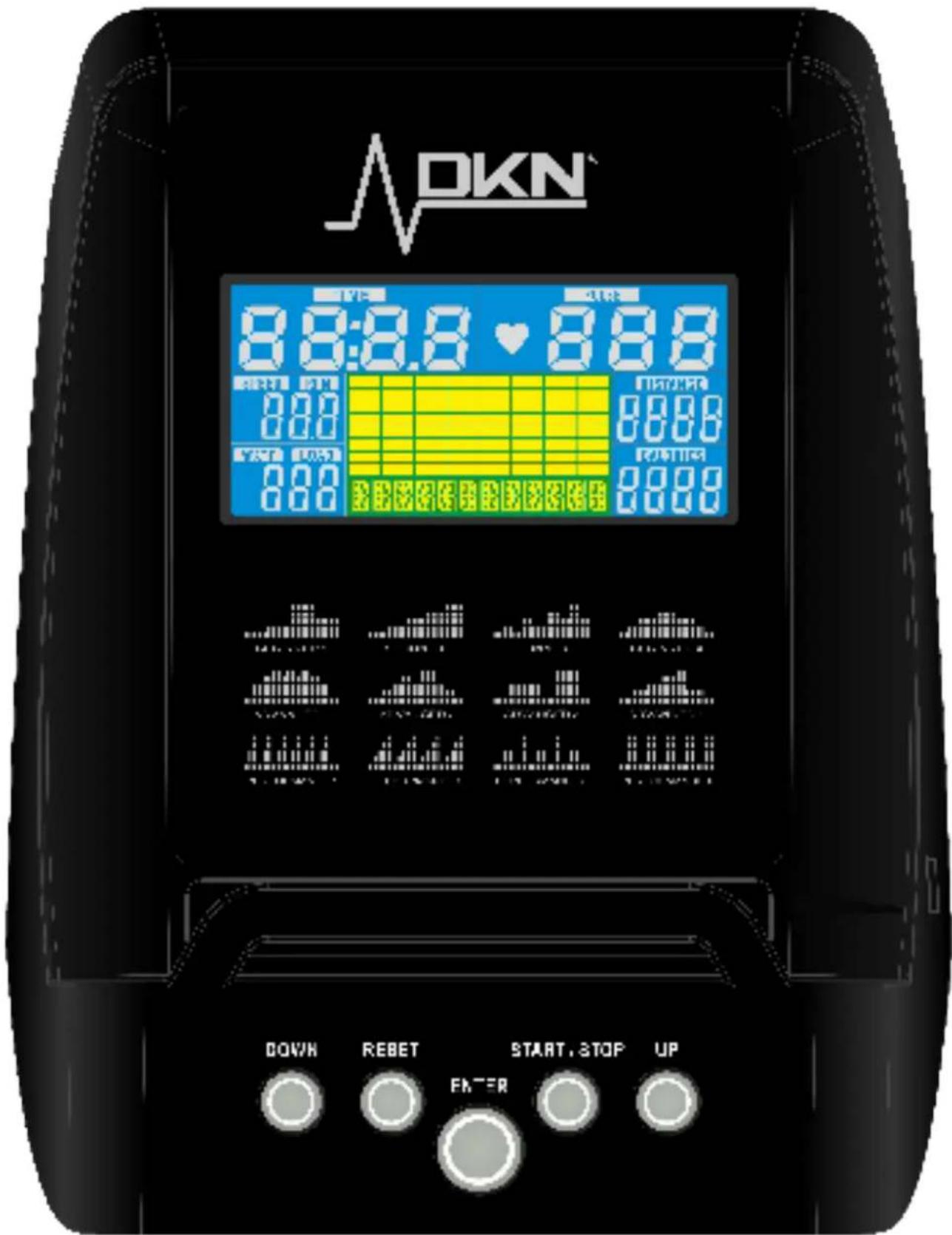
Connect the power adapter, select user 1 to 4 with UP/DOWN and press ENTER to confirm.
Program user data (gender, age, height and weight) using UP/DOWN/ENTER.
Function buttons
ENTER Data entry.
START/STOP To start or stop the exercise program.
RESET To clear the display and reset all data.
UP/DOWN To select up/down function.
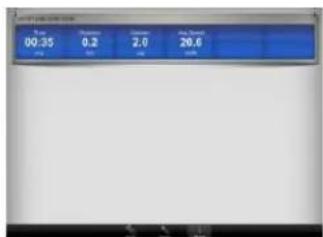
Time Exercise time.
Speed Displays speed in km/h.
Distance Displays exercise distance.
Calories Approximate calorie burn. Calorie value used in this program represents an approximate calorie burn and strictly remains a random indication
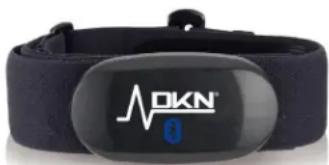
Pulse Hold firmly both sensors on the handgrip (please wipe sensors and hands before starting measuring your pulse) or apply optional Bluetooth HR transmitter.
Your current heart rate will be displayed within 30 seconds up to one minute.
Watt Displays generated energy in WATT.
WARNING: FOR HR TRAINING THE USE OF AN OPTIONAL BLUETOOTH CHEST-BELT TRANSMITTER IS COMPULSORY. REF 20409 DKN DUAL MODE CHESTBELT
MANUAL
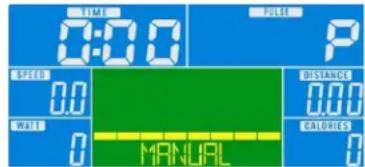
- Select MANUAL and use UP/DOWN/ENTER to program time.
Press START.
Use UP/DOWN to adjust load level (32 levels). - Stop/pause the exercise by pressing STOP.
Press RESET to exit the program.
PROGRAM
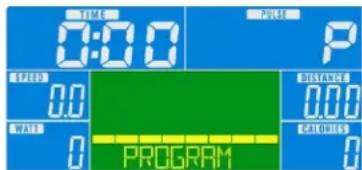
- Press UP/DOWN to select beginner, advanced or performance, confirm with ENTER.
- Select profile 1 to 4, confirm selection with ENTER.
Program target value for time using UP/DOWN/ENTER.
Press START. - Eventually use UP/DOWN to adjust load level.
- Stop/pause the exercise by pressing STOP.
Press RESET to exit the program.
CARDIO
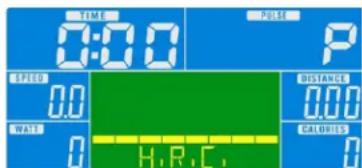
- Select CARDIO using UP/DOWN/ENTER.
- Set Target Heart Rate, confirm selection with ENTER (THR default value is 100 Bpm).
- Program target value for program time using UP/DOWN/ENTER and press START.
- Upon entering rate in BPM (beats per minute) the load tension will be controlled by current heart rate. The resistance will be auto-adjusted according to current heart rate figure. If your heart rate figure is under the target pulse, the tension will be up-adjusted one level every 30 seconds, up to the maximum level 32. As soon as your heart rate figure has achieved the target pulse, tension will be down adjusted one level immediately. In case of overload the level will be down adjusted one level immediately, and keep down-adjusting each 15 seconds until your heart rate figure has achieved the target pulse.
- Stop/pause the exercise by pressing STOP.
- Press RESET to exit the program.
WATT mode
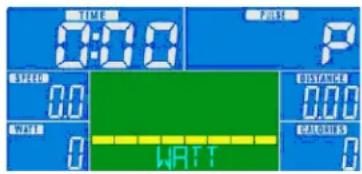
- Select WATT, USE UP/DOWN to program target watts (programmable between 10 up to 350 Watt), for each time segment, and confirm with ENTER.
- Program training time using UP/DOWN/ENTER.
- Press START.
- The tension difficulty will be auto-adjusted according to the Watt figure. If the figure is under the target value, the tension difficulty will be up-adjusted one level every 30 seconds, up to the maximum level 32. As soon as you achieved the set value, tension difficulty will be down adjusted one level immediately.
- In case of overspec the level will be down adjusted one level immediately, and keep down-adjusting each 15 seconds until you reach the preset value.
- Stop/pause the exercise by pressing STOP.
- Press RESET to exit the program.
For customer care the best way to contact us is via www.dkn-technology.com
Heart rate displayed is a random indication and may be inaccurate, and cannot be used as guidance in any cardio-vascular related medical or paramedical program.
IF YOU EXPERIENCE DIZZINESS,NAUSEA, CHEST PAIN, OR ANY OTHER ABNORMAL SYMPTOMS STOP EXERCISING IMMEDIATELY AND CONSULT A PHYSICIAN WITHOUT DELAY.
The owner's manual is for customers' reference only. The supplier cannot guarantee for mistakes occurring due to translation or changes in technical specifications of the product.
WARNING: BEFORE BEGINNING USING THIS MACHINE OR DOING ANY EXERCISE PROGRAM, CONSULT YOUR DOCTOR. THIS IS ESPECIALLY IMPORTANT FOR PEOPLE OVER THE AGE OF 35 OR THOSE WITH PRE-EXISTING HEALTH PROBLEMS.
The supplier assumes no responsibility for personal injury or property, and/or damage sustained by or through the use of this product.
POR FAVOR LEA ATENTAMENTE ANTES DE UTILIZAR EL APARATO.
Encender
This console is compatible with the DKN Cardio Connect Bluetooth Heart Rate wristwatch.
This is not only a heart rate monitor that functions without a chest strap, but it also offers you the features of an advanced tness tracker. It tracks steps, distance traveled, calories burned, and even can measure your sleep stages.
The heart rate monitor functions as a stand-alone unit, so no need to carry your smartphone along while you're working out.
The display is easy to read, weighs only 21 grams, and provides swift communication with any Bluetooth Smart device running on iOS7.0 or Android 4.3 or higher.
App features:
Fitness, sleep and heart rate records.
In Steps follow the current number of steps, calories, distance and active time, or consult your previous days' records.
In Sleep you can see sleep quality and time, and view previous nights' records.
In HRM you can view real-time HR.
Herzfrequenzmessung - Heart Rate - Frecuencia Cardiaca - Frequence Cardiaque Frequenza Cardiaca - Hartslaglezing - Batimento Cardiaco
Should you require any assistance regarding this product please gather the following information and then contact us using the details below:
- Product nr - This can be found on the product label
Original purchase date - Place of purchase
Information about the place and conditions of use - Precise description of the issue or defect
IMPORTANT!! - Please retain your sales receipt, DKN-Technology Customer Care may request proof of purchase to validate eligibility for warranty service.
Warranty cover starts from the date shown on the proof of purchase.
The best way to contact us is via www.dkn-technology.com.
- Download DKN iWorld App on your iPad,iPhone, tablet or smartphone, keep Wifi connection on.
- Activate Bluetooth connection on iPad,iPhone, tablet or smartphone.
Power on DKN Exerciser. - Activate Blue Tooth (console should show the blue tooth logo).
- Pair DKN Machine to your iPad,iPhone, tablet or smartphone: password 0000 (4 times zero).
- Activate DKN iWorld > select and connect to DKN Exerciser.
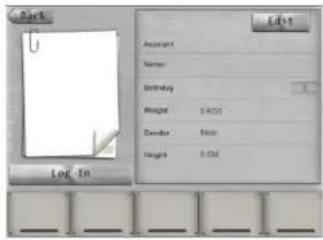
- Log in using your personal G-Mail or Facebook account.
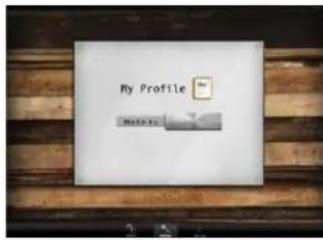
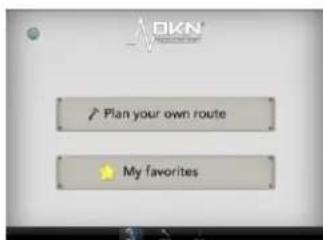
- Select favourite, or create your own route
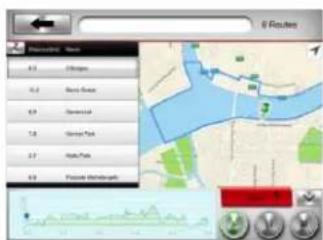
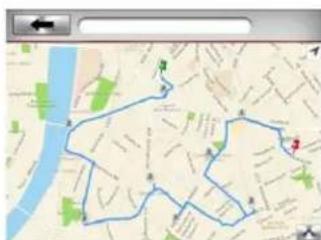
Creating a route is easy.
Once you get to the map, move it to the start location you want to go (or type your starting address).
Mark the starting point by pressing and holding your fingertip onto the screen until a green pin shows.
Next move the map to your end location, press and hold your fingertip onto the screen until a red dot pin shows. Eventually move crossings (hold and drag).
Press Start
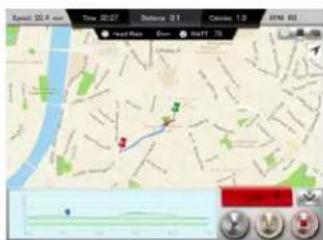
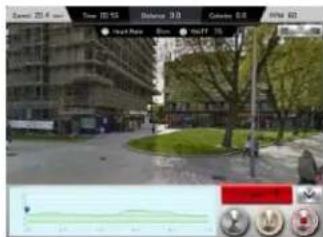
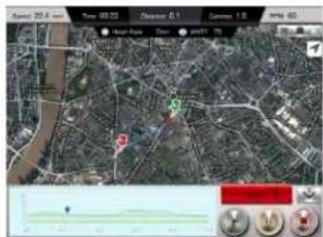
- Toggle between Map, Streetview or Satellite
Post your data using the account you logged in (G-Mail or Facebook), and store into your iLog.
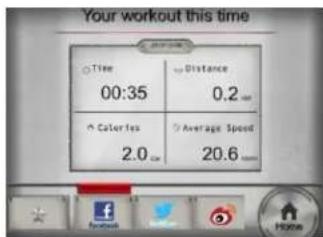
After work-out switch off the Bluetooth connection on your console (to clear the exercise console)
The Bluetooth® word mark and logos are registered trademarks owned by Bluetooth SIG Inc.
Not all Bluetooth features may be supported by compatible Bluetooth enabled devices.
DKN-Technology is not responsible for the operation, nor the functioning of third party Bluetooth accessories in connection to this machine.
Fitness App's are optional and as such are no part of this Fitness machine.
The use of optional applications lies within the sole responsibility of the user.
DKN-Technology is not responsible for the operation, nor the functioning of any optional application used in relation to this machine.
Google Play® is a trademark of Google Inc.
Google®, Android® and the Google® Logo or registered trademarks of Google Inc.
"Made for iPod," "Made for iPhone," and "Made for iPad" means that an Electronic accessory has been designed to connect specifically to iPod, iPhone, or iPad, respectively, and has been certified by the developer to meet Apple performance standards.
Apple is not responsible for the operation of this device or its compliance with safety and regulatory standards.
Please note that the use of this accessory with iPod, iPhone, or iPad may affect wireless performance.
iPad, iPhone, iPod classic, iPod nano, iPod shuffle, and iPod touch are trademarks of Apple Inc., registered in the U.S. and other countries.
DKN-Technology warrants this product to be free from defects in material at the time of the product's tender of delivery. This 'Carry-in' Limited Warranty applies for a period of two (2) years, beginning on the date mentioned on your product invoice or proof of purchase of product sold through the DKN Authorized Dealer Network to the original retail purchaser and authenticated by proof of purchase from a retailer a product sold by an authorized DKN-Technology dealer.
This Limited Warranty is not transferable and does not cover normal wear and tear (including, but not limited to, damage and wear to batteries, springs, bearings, running mats, hydraulic systems, ropes, belts, pulleys, power shocks, drive belts and other non-durable parts, etc...).
This Limited Warranty is void if the product is damaged by accident, unreasonable use, improper service, failure to follow instructions provided, modification from its original state, or other causes determined not arising out of defects in material, the consequences of improper treatment, bad installation, wrong assembly or tampering of the parts by incorrect assembly, improper use of the machine (eg. too heavy load in time, weight etc...), problems caused by lack of maintenance, deviations of the standard machine, such as light vibrations or noise, etc...
Transport charges, travel charges for technicians, and possible trader and/ or workshop charges are excluded from this warranty, and will be at the sole cost of the owner.
The liability of the manufacturer under this Limited Warranty shall not include any liability for direct, indirect, or consequential damages resulting from any defect nor the use of this machine.
WICHTIG WEEE-INFORMATION
The WEEE marking applies to countries with WEEE and e-waste regulations, European Directive 2002/96/EC. Appliances are labelled in accordance with local regulations concerning waste electrical and electronic equipment (WEEE). These regulations determine the framework for the return and recycling of used appliances as applicable within each geography. This label is applied to various products to indicate that the product is not to be thrown away, but rather put in the established collective systems for reclaiming these end of life products.
Users of electrical and electronic equipment (EEE) with the WEEE marking must not dispose of end of life EEE as unsorted municipal waste, but use the collection framework available to them for the return, recycle, and recovery of WEEE and to minimize any potential effects of EEE on the environment and human health due to the presence of hazardous substances.