
Deebot DM88 - Robot vacuum ECOVACS - Free user manual and instructions
Find the device manual for free Deebot DM88 ECOVACS in PDF.



| Product Type | Robot Vacuum |
| Brand | ECOVACS |
| Model | Deebot DM88 |
| Power Supply | 12 V DC, Ni-MH 3000 mAh battery, charging station 100-240 V AC, output 20 V 1 A |
| Rated Power | 30 W |
| Floor Types | Bare floor, carpet/rug (with precautions) |
| Cleaning Patterns | Random (for carpet) and programmed (for bare floor, default) |
| Cleaning Modes | Automatic, single room, spot (2-5 min), edge, return to charger |
| Suction Options | Main brush (deep cleaning) or direct suction (without brush, ideal for hair) |
| Washing System | Advanced wet/dry optional (reusable cloth, water tank) – do not use on carpet |
| Scheduling | Smart scheduling (once daily at the same time) via robot; hourly scheduling (up to 2 times per day) via app |
| Sensors | Anti-drop, anti-collision, infrared |
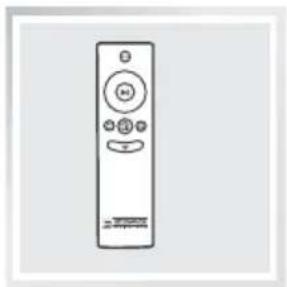
| Remote Control | Provided with AAA batteries, range 5 m |
| Connectivity | Wi-Fi (radio module < 100 mW), ECOVACS app |
| Maintenance | Regular emptying and cleaning of dust bin, filters, brushes and sensors; periodic replacement of brushes and filters |
| Light and Sound Indicators | Wi-Fi indicator, blue/red AUTO button, alarm beeps (1 to 7 beeps depending on issue) |
| Safety | Automatic stop in case of obstacle, anti-drop sensors, detailed safety instructions in the manual |
| Spare Parts and Repairability | Side brushes, main brush, direct suction, filters, cloths, wet/dry tank; contact customer service for replacement |
| Usage | Indoor household use only |
Frequently Asked Questions - Deebot DM88 ECOVACS
User questions about Deebot DM88 ECOVACS
0 question about this device. Answer the ones you know or ask your own.
Ask a new question about this device
Download the instructions for your Robot vacuum in PDF format for free! Find your manual Deebot DM88 - ECOVACS and take your electronic device back in hand. On this page are published all the documents necessary for the use of your device. Deebot DM88 by ECOVACS.
USER MANUAL Deebot DM88 ECOVACS
EN Instruction Manual
DE Benutzerhandbuch
natural_image
Close-up of a white and black robotic vacuum cleaner with a visible logo, mounted on a stand (no text or symbols on the device itself)EN Instruction Manual 2
Declaration of conformity ....154
Congratulations on the purchase of your ECOVACS ROBOTICS DEEBOT!
We hope it brings you many years of satisfaction. We trust the purchase of your new robot will help keep your home clean and provide you more quality time to do other things.
Live Smart. Enjoy Life.
Should you encounter situations that have not been properly addressed in this Instruction Manual, please contact our Customer Service Center where a technician can address your specific problem or question.
For more information, please visit the ECOVACS ROBOTICS official website: www.ecovacs.com
The company reserves the right to make technological and/or design changes to this product for continuous improvement.
Thank you for choosing DEEBOT!
Contents
- Important Safety Instructions....2
- Package Contents and Technical Specifications ....5
2.1 Package Contents ....5
2.2 Specifications 5
2.3 Product Diagram....6
- Operating and Programming......8
3.1 Notes Before Cleaning 8
3.2 Quick Start 9
3.3 Cleaning Pattern and Cleaning Mode Selection 12
3.4 Programming the Robot ....16
3.5 Choosing a Suction Option ....17
3.6 Optional Advanced Wet/Dry Mopping System ....18
3.7 Alarm Indicator Light and Sounds 21
- Maintenance....22
4.1 Dust Bin and Filters 22
4.2 Advanced Wet/Dry Cleaning Cloth, Advanced Wet/Dry Reservoir.....23
4.3 Main Brush, Direct Suction Option and Side Brushes .....24
4.4 Other Components 25
4.5 Regular Maintenance 26
- Troubleshooting 27
1. Important Safety Instructions
When using an electrical appliance, basic precautions should always be followed, including the following:
READ ALL INSTRUCTIONS BEFORE USING THIS APPLIANCE. SAVE THESE INSTRUCTIONS
-
This Appliance can be used by children aged from 8 years and above and persons with reduced physical, sensory or mental capabilities or lack of experience and knowledge if they have been given supervision or instruction concerning use of the Appliance in a safe way and understand the hazards involved. Children shall not play with the Appliance. Cleaning and user maintenance shall not be made by children without supervision.
-
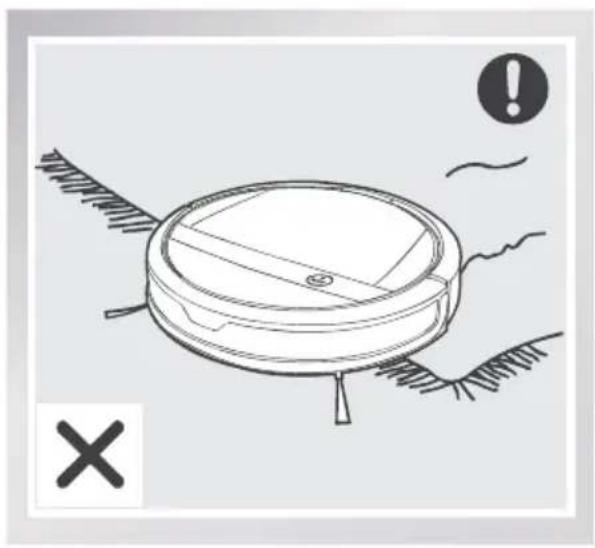
Clear the area to be cleaned. Remove power cords and small objects from the floor that could entangle the Appliance. Tuck rug fringe under the rug base, and lift items such as curtains and tablecloths off the floor.
-
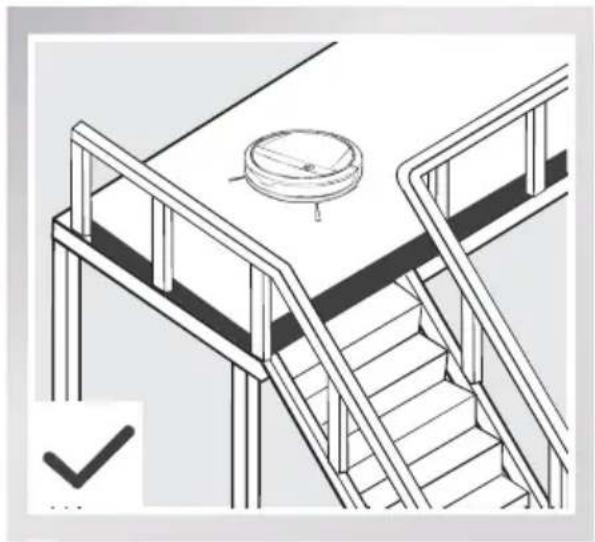
If there is a drop off in the cleaning area due to a step or stairs, you should operate the Appliance to ensure that it can detect the step without falling over the edge. It may become necessary to place a physical barrier at the edge to keep the unit from falling. Make sure the physical barrier is not a trip hazard.
-
Only use as described in this manual. Only use attachments recommended or sold by the manufacturer.
-
Please make sure your power supply voltage matches the power voltage marked on the Charging Dock.
-
For INDOOR household use ONLY. Do not use the Appliance in outdoor, commercial or industrial environments.
-
Use only the original rechargeable battery and Charging Dock provided with the Appliance from the manufacturer. Non-rechargeable batteries are prohibited. For battery information, please refer to Specifications section.
-
Do not use without dust bin and/or filters in place.
-
Do not operate the Appliance in an area where there are lit candles or fragile objects.
-
- Do not use in extremely hot or cold environments (below -5°C/23°F or above 40°C/104°F).
-
Keep hair, loose clothing, fingers, and all parts of body away from any openings and moving parts.
-
Do not operate the Appliance in a room where an infant or child is sleeping.
-
Do not use Appliance on wet surfaces or surfaces with standing water.
-
Do not allow the Appliance to pick up large objects like stones, large pieces of paper or any item that may clog the Appliance.
1. Important Safety Instructions
- Do not use Appliance to pick up flammable or combustible materials such as gasoline, printer or copier toner, or use in areas where they may be present.
- Do not use Appliance to pick up anything that is burning or smoking, such as cigarettes, matches, hot ashes, or anything that could cause a fire.
- Do not put objects into the suction intake. Do not use if the suction intake is blocked. Keep the intake clear of dust, lint, hair, or anything that may reduce air flow.
- Take care not to damage the power cord. Do not pull on or carry the Appliance or Charging Dock by the power cord, use the power cord as a handle, close a door on the power cord, or pull power cord around sharp edges or corners. Do not run Appliance over the power cord. Keep power cord away from hot surfaces.
- If the power cord is damaged, it must be replaced by the manufacturer or its service agent in order to avoid a hazard.
- Do not use the Charging Dock if it is damaged.
- Do not use with a damaged power cord or receptacle. Do not use the Appliance or Charging Dock if it is not working properly, has been dropped, damaged, left outdoors, or come in contact with water. It must be repaired by the manufacturer or its service agent in order to avoid a hazard.
- Turn OFF the power switch before cleaning or maintaining the Appliance.
- The plug must be removed from the receptacle before cleaning or maintaining the Charging Dock.
- Remove the Appliance from the Charging Dock, and turn OFF the power switch to the Appliance before removing the battery for disposal of the Appliance.
- The battery must be removed and discarded according to local laws and regulations before disposal of the Appliance.
- Please dispose of used batteries according to local laws and regulations.
- Do not incinerate the Appliance even if it is severely damaged. The batteries can explode in a fire.
- When not using the Charging Dock for a long period of time, please unplug it.
- The Appliance must be used in accordance with the directions in this Instruction Manual. ECOVACS ROBOTICS cannot be held liable or responsible for any damages or injuries caused by improper use.
1. Important Safety Instructions
-
The robot contains batteries that are only replaceable by skilled persons. To replace or remove the battery, please contact Customer Service.
-
If the robot will not be used for a long time, fully charge the robot and power OFF for storage and unplug the Charging Dock.
-
WARNING: For the purposes of recharging the battery, only use the detachable supply unit CH1465A provided with the appliance. For DM82, only use the detachable supply unit GSCV0600S019V12E provided with the appliance.
-
The Remote Control pre-installs two non-rechargeable AAA batteries. To replace the battery of the Remote Control, please turn over the Remote Control, press and remove its Battery Cover. Remove the batteries, and insert the new batteries with the correct polarity. Reassemble the Battery Cover.
-
Non-rechargeable batteries are not to be recharged.
-
Different types of batteries or new and used batteries are not to be mixed.
-
Batteries of the Remote Control are to be inserted with the correct polarity.
-
Exhausted batteries are to be removed from the Appliance and safely disposed of.
-
If the Remote Control is to be stored unused for a long period, the batteries should be removed.
-
The supply terminals are not to be short-circuited.
-
The top cover of DM82 is tempered glass. While tempered glass is safer and stronger than standard glass, please handle with care to avoid scratching or breakage.
RF of Wifi module output power less than 100mW.
For EU Countries
Correct Disposal of this Product
This marking indicates that this product should not be disposed of with other household waste throughout the EU. To prevent possible harm to the environment or human health from uncontrolled waste disposal, recycle it responsibly to promote the sustainable reuse of material resources. To recycle your used device, please use the return and collection systems or contact the retailer where the product was purchased. They can safely recycle this product.
2. Package Contents and Technical Specifications
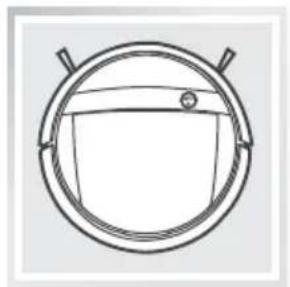
2.1 Package Contents
natural_image
Simple line drawing of a circular mechanical component with two protruding rods (no text or symbols)Robot
natural_image
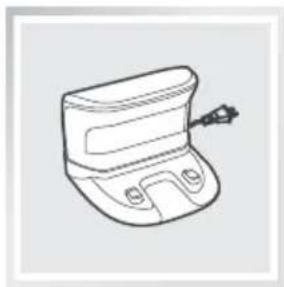
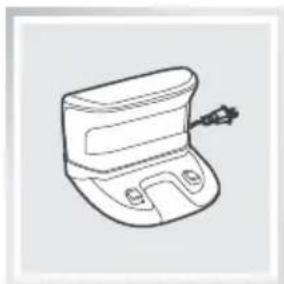
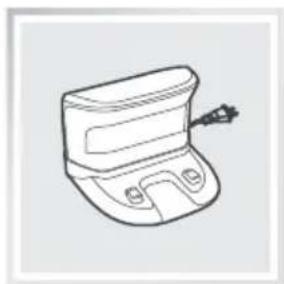
Line drawing of a car door with handle and side buttons (no text or symbols)Charging Dock Remote Control
natural_image
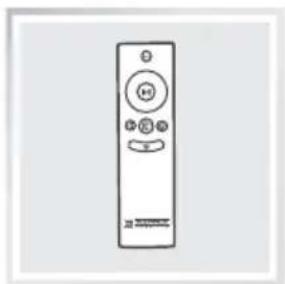
Line drawing of a remote control with no text or symbolswith Battery
Instruction Manual
chemical
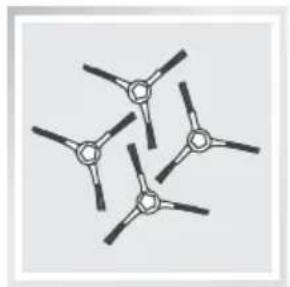
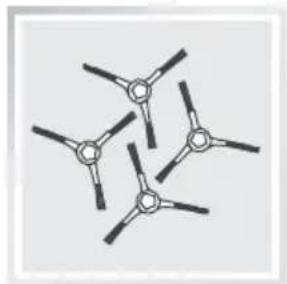
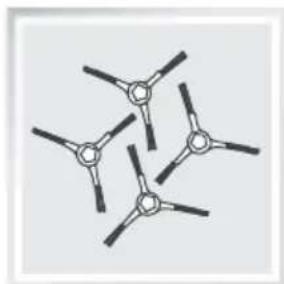
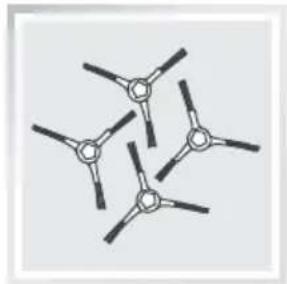
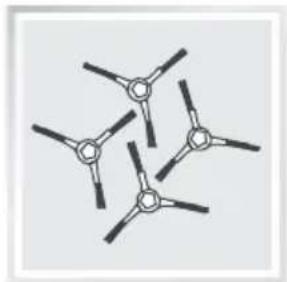
Chemical structure diagram of a triatomic molecule with four central atoms and five peripheral atoms(4) Side Brushes
natural_image
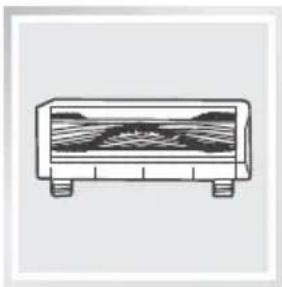
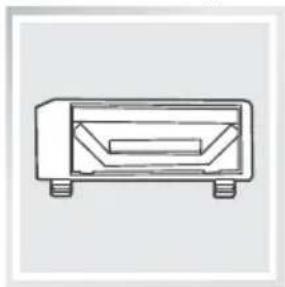
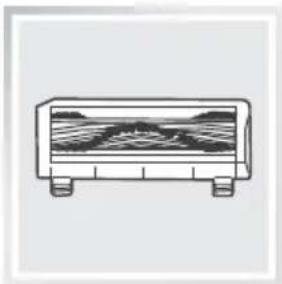
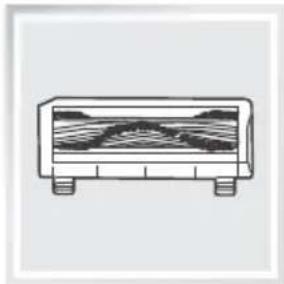
Simple line drawing of a rectangular container with internal layered structure (no text or symbols)Main Brush Option
(pre-installed)
natural_image
Simple line drawing of a rectangular electronic component with four pins (no text or symbols)Direct Suction Option
natural_image
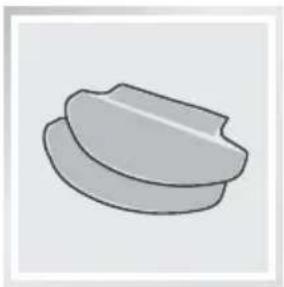
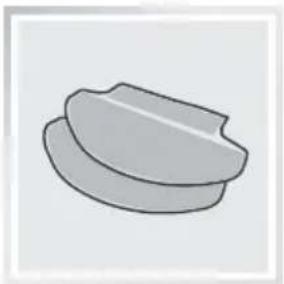
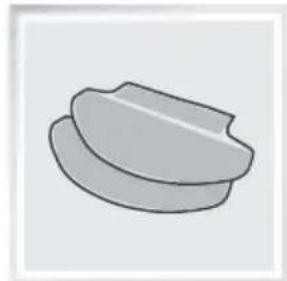
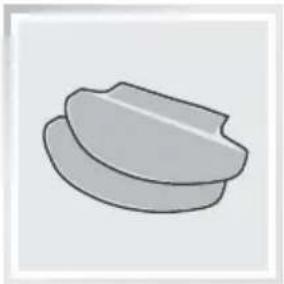
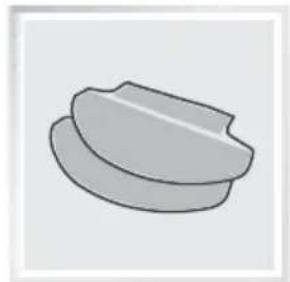
Simple 3D-rendered gray object resembling a bowl or container (no text or symbols)(2) Advanced Wet/Dry
natural_image
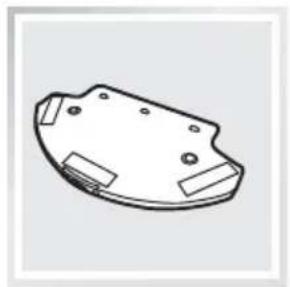
Technical line drawing of a mechanical component with mounting holes and side brackets (no text or symbols)Advanced Wet/Dry Reservoir
natural_image
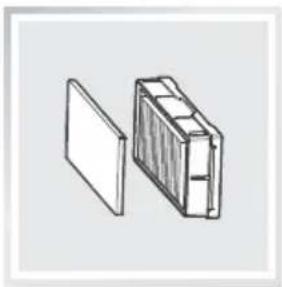
Simple line drawing of a rectangular box with internal compartments, shown from an open lid (no text or symbols)Replacement High Efficiency
Filter+ Sponge Filter

natural_image
Simple line drawing of a beaker (no text or symbols)Measuring Cup
2.2 Specifications
| Model DM88 | |||
| Working voltage 12V DC Rated power 30W | |||
| Battery Model DM88-BYD | Battery Specification | Ni-MH 12V DC, 3000mAh | |
| Charging Dock Model | CH1465A | ||
| Rated input voltage 100-240V AC | Rated output voltage 20V DC | ||
| Rated output current 1A Rated power 20W | |||
| Remote Control Model | RC1521C Working Voltage | 3V DC | |
| Remote Control Battery Type | AAA | Nominal voltage | 1.5V DC |
* Technical and design specifications may be changed in the course of continuous product improvement.
2. Package Contents and Technical Specifications
2.3 Product Diagram
Robot
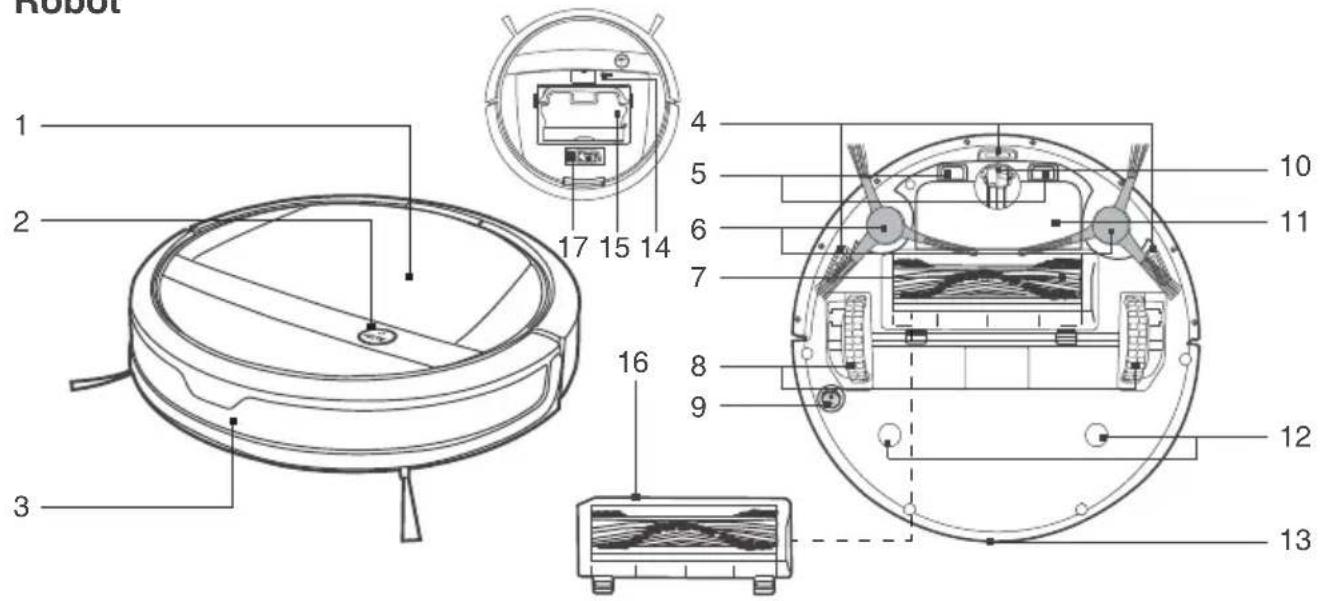
- Top Cover
- Control Panel
- Anti-Collision Sensors
- Anti-Drop Sensors
- Charging Contacts
- Side Brushes
-
Main Brush Option
-
Driving Wheels
- Bottom Power Switch
- Universal Wheel
- Battery Cover
- Advanced Wet/Dry Reservoir Slots Multi-Function Cleaning Tool
- Infrared Receiver for Remote
- Reset Button
(For Customer Service Only) - Dust Bin
- Main Brush Cover
175 Multi-Function Cleaning Tool
[Non-Text]
Control
Control Panel
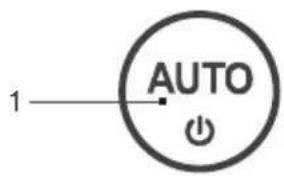
- AUTO Mode Button
(One-touch START/PAUSE) - Wi-Fi Indicator Light
Charging Dock
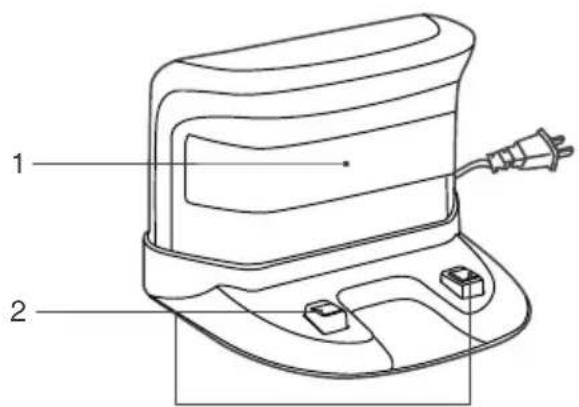
- Infrared Signal Generators
- Charging Dock Pins
2. Package Contents and Technical Specifications
Remote Control
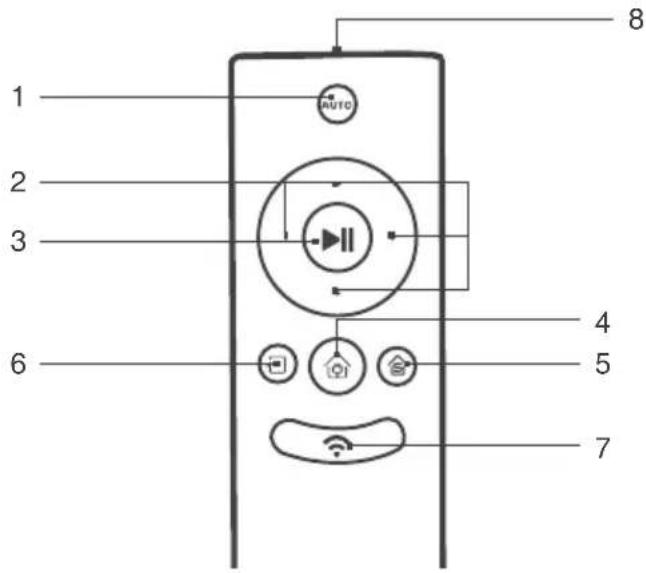
- AUTO Mode Button
- Direction Control Buttons
- START/PAUSE Button
- Return to Charger Mode Button
- Single Room Mode Button
- Edge Cleaning Mode Button
- Network Setup Button
- Infrared Emitter
Dust Bin
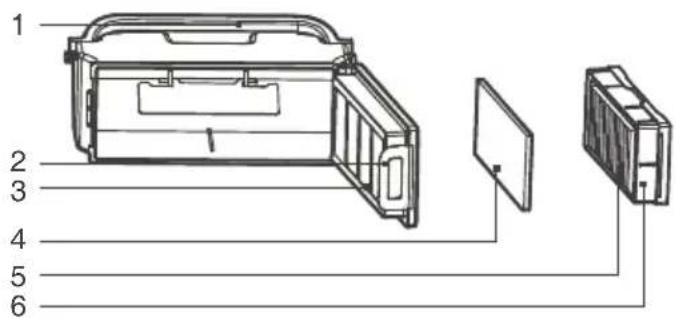
- Dust Bin Handle
- Dust Bin Lock
- Filter Net
- Sponge Filter
- High Efficiency Filter
- Dust Bin Cover
Advanced Wet/Dry Reservoir
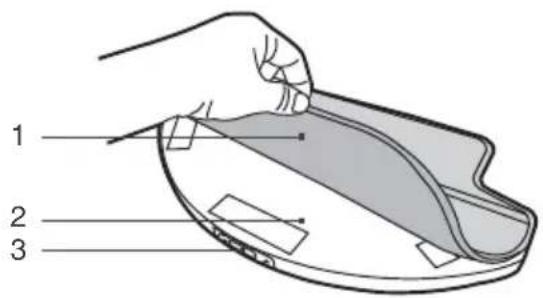
- Advanced Wet/Dry Cleaning Cloth
- Advanced Wet/Dry Reservoir
- Water Inlet
3. Operating and Programming
3.1 Notes Before Cleaning
Before operating DEEBOT, take a few moments to survey the area to be cleaned and remove any obstacles.
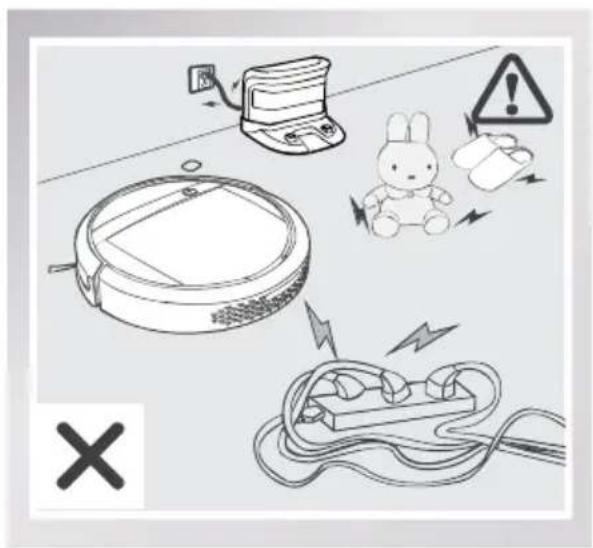
Remove power cords and small objects from the floor that could entangle the product.
natural_image
Line drawing of a robotic vacuum cleaner with warning symbols (no text or labels)The product is not suitable for use on long-pile carpet. Before using the product near an area rug or on a short-pile area rug with tasseled edges, please fold area rug edges under themselves.
natural_image
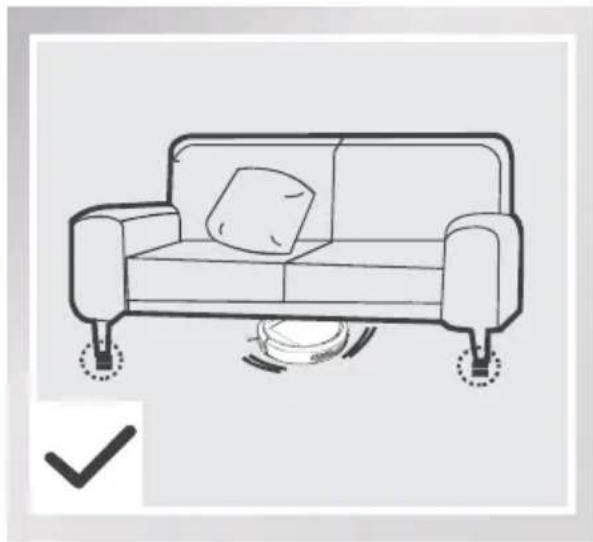
Line drawing of a sofa with a pillow placed on top, supported by feet and legs (no text or symbols)Please be aware that the robot needs at least an 8 cm (3.15°) clearance to clean under furniture without complications.
natural_image
Isometric line drawing of a staircase with railings and a circular vent (no text or symbols)If there is a step or stairs in the cleaning area, please operate DEEBOT to ensure its Anti-Drop Sensors can detect the drop off. It may be necessary to place a physical barrier at the edge of the drop off to keep the unit from falling over the edge.
3. Operating and Programming
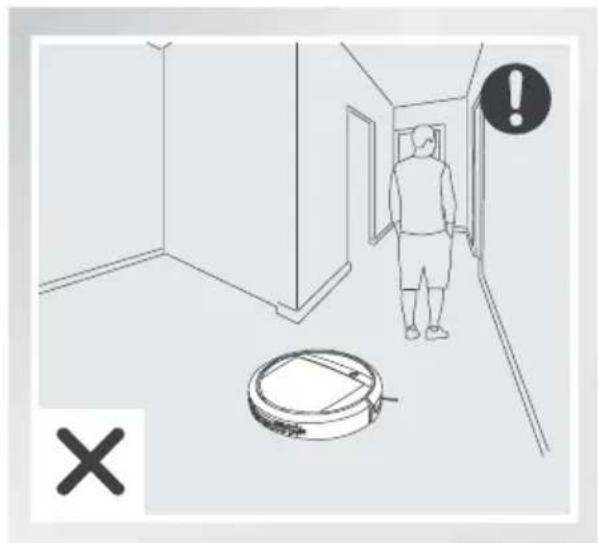
When DEEBOT is cleaning using Programmed Cleaning Pattern, please do not stand in narrow spaces, such as hallways, or DEEBOT may fail to identify the area to be cleaned.
3.2 Quick Start
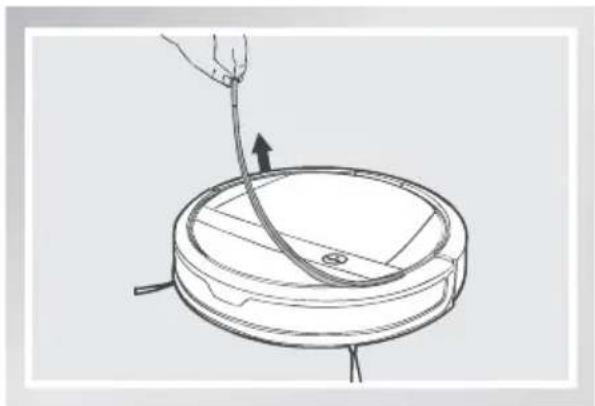
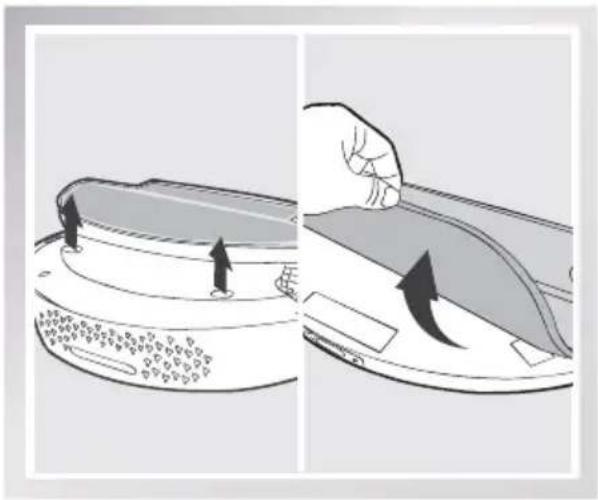
* Remove the Bumper Rail protection sponge on the DEEBOT before the first use.
natural_image
Line drawing of a robotic vacuum cleaner with a hand holding a tool, showing no text or symbols1 Charging Dock Placement
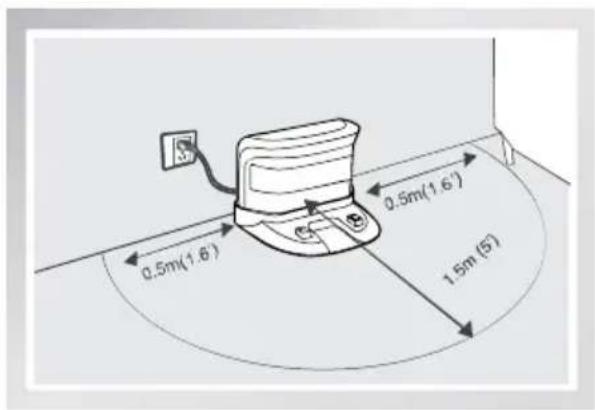
- Place the Charging Dock on a level floor surface against the wall with the base perpendicular to the ground. Keep the immediate area 1.5m (5') in front of the charger and 0.5m (1.6') on both sides of the charger clear of objects and reflective object surfaces.
■ Plug the Charging Dock in.
3. Operating and Programming
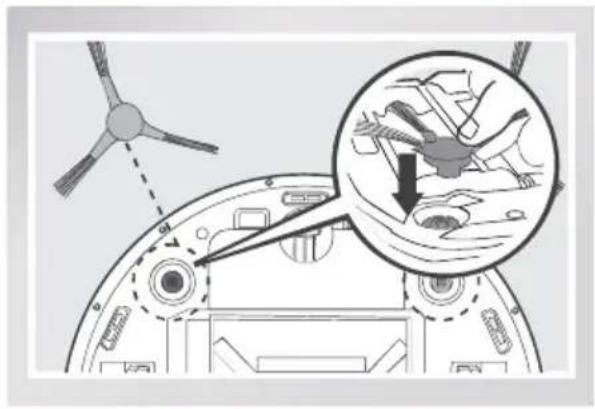
2 Install Side Brushes
- Attach Side Brushes to the bottom of DEEBOT by pressing a brush into each slot with the matching color until it clicks.
natural_image
Diagram of a helicopter's internal components with an inset showing hand positioning and gear movement (no text or symbols)3 Power ON
- Turn the robot's Bottom Power Switch to the ON position. "I" = power ON; "O" = power OFF. DEEBOT is powered ON when the AUTO Mode Button glows a continuous BLUE.
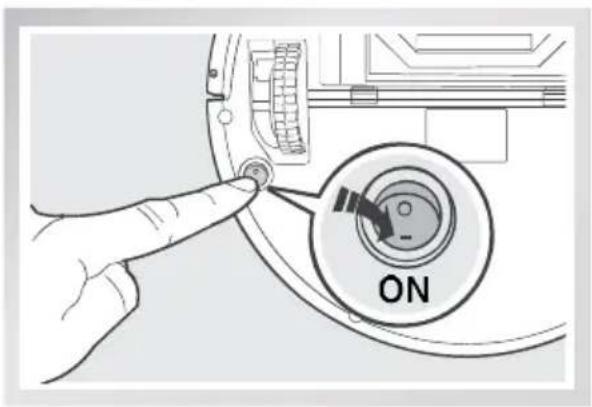
* When DEEBOT is not cleaning, it is suggested to keep it powered ON and charging instead of powered OFF.
4 Charge DEEBOT
■ Place DEEBOT on the Charging Dock making sure the Charging Contacts on DEEBOT and the Charging Dock Pins make a connection.
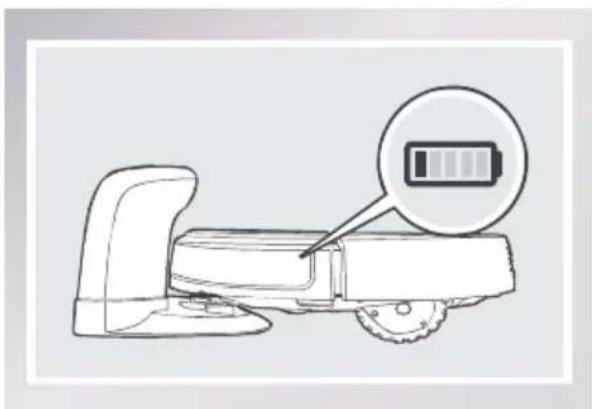
- Charge DEEBOT for at least 4 hours before the first use.
natural_image
Line drawing of a robotic arm with a battery icon highlighting the handle area (no text or symbols present)* Make sure to turn the robot's Bottom Power Switch to the ON position before charging. ("I" = power ON; "O" = power OFF. The robot's default setting is "O".) DEEBOT is powered ON when the AUTO Mode Button glows a continuous BLUE.
* AUTO Mode Button blinks when DEEBOT is charging. AUTO Mode Button stops glowing when DEEBOT is fully charged.
* Remove the Water Reservoir before charging DEEBOT.
3. Operating and Programming
5 Start
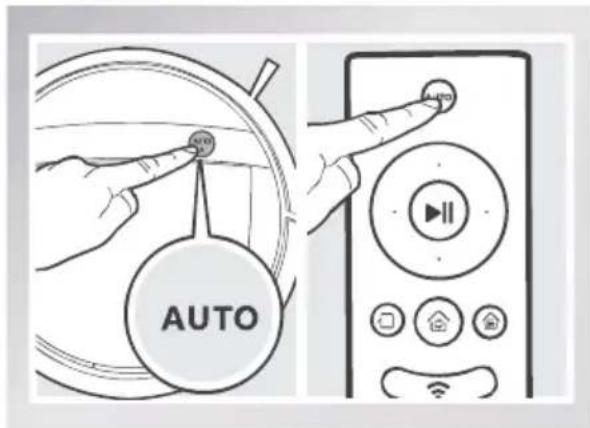
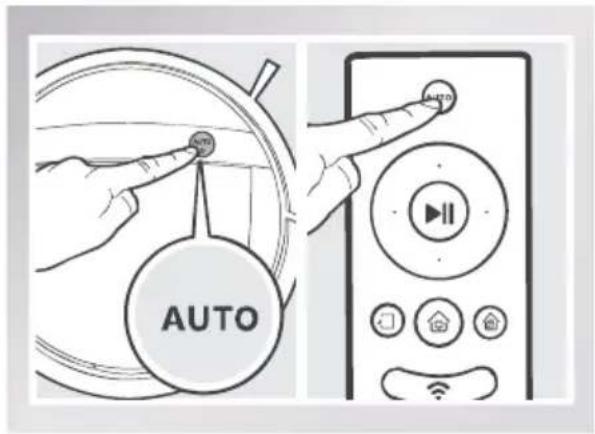
- Press the AUTO Mode Button on DEEBOT or on the Remote Control. DEEBOT starts to work immediately in AUTO Cleaning Mode using the default Programmed Cleaning Pattern.
* To choose another Cleaning Mode or Cleaning Pattern, please refer to section 3.3 Cleaning Pattern and Cleaning Mode Selection for details.
6 Pause
■ Pause DEEBOT by pressing the AUTO Mode Button on DEEBOT or the START/PAUSE Button on the Remote Control.
* Press AUTO Mode Button on DEEBOT or the START/PAUSE Button on the Remote Control to restart.
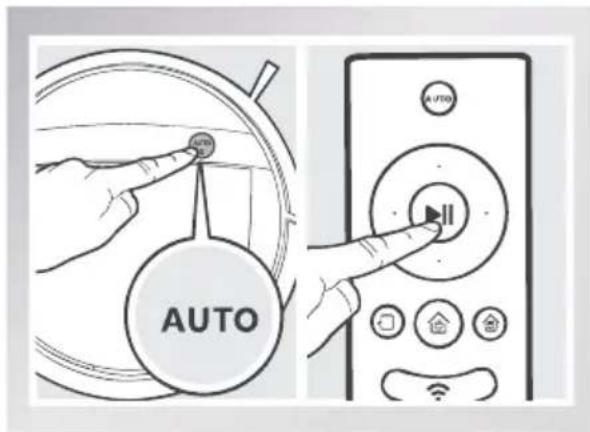
* DEEBOT can be directed to move forward, backward, left and right using the Direction Control Buttons on the Remote Control when it is Paused. DEEBOT cleans when it is directed to move forward using the Remote Control.
* The AUTO Mode Button on the robot's Control Panel stops glowing after the robot is paused for more than 5 minutes. Press AUTO Mode Button on the robot to wake up the robot, or press any button on the Remote Control to start the robot immediately.
7 Power OFF
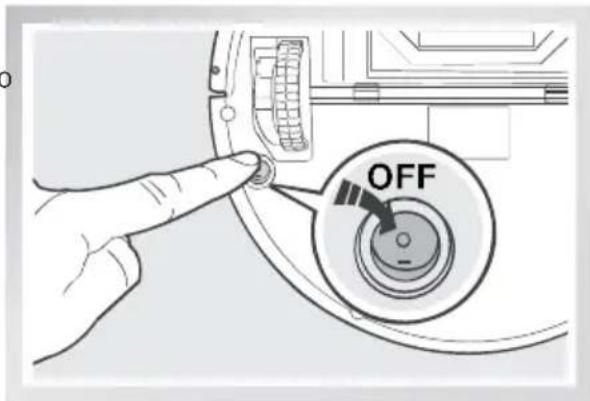
■ Pause DEEBOT. Move the Bottom Power Switch to the OFF position.
* When DEEBOT is not cleaning, it is suggested to keep it powered ON and charging.
3. Operating and Programming
3.3 Cleaning Pattern and Cleaning Mode Selection
DEEBOT has 2 Cleaning Patterns and several Cleaning Modes to choose from to effectively clean different floors. Cleaning Patterns and Cleaning Modes are selected using the Remote Control or the ECOVACS App.
Set Cleaning Pattern
Set the cleaning pattern based on floor type.
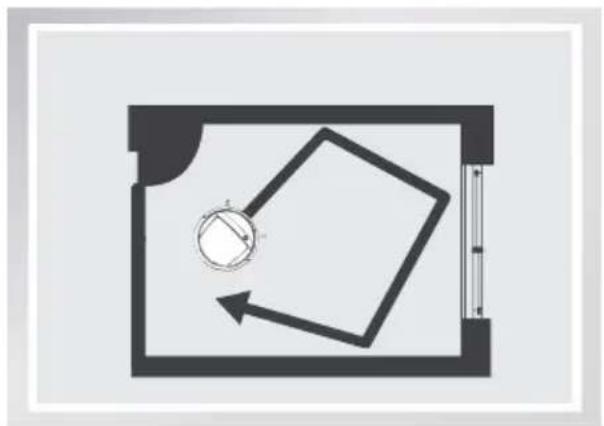
Random Cleaning Pattern
Random Cleaning Pattern should be set when cleaning carpet. In Random Pattern, DEEBOT cleans in a straight line and changes directions when it meets an obstacle.
Programmed Cleaning Pattern (Default pattern)
Programmed Cleaning Pattern is the robot's default pattern and should be set when cleaning bare floors. In Programmed Cleaning Pattern the robot plans the most efficient route, cleans in a back and forth straight-line pattern, returns to clean missed spots, then cleans room edges before completing the cleaning cycle.
natural_image
Floor plan diagram showing a circular object and a tilted square with directional arrows (no text or labels)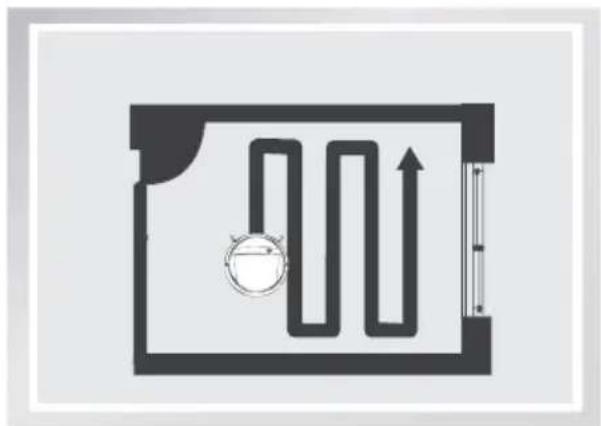
natural_image
Pure diagram of a hallway with a valve and directional arrow, no text or symbols presentWhen Programmed Cleaning Pattern is Set:
* DEEBOT automatically conducts route planning when cleaning. If the robot is paused, moved manually or directed by the Remote Control during cleaning, DEEBOT will reconfigure the route and restart. Therefore, avoid using the Remote Control or moving DEEBOT manually when it is cleaning to ensure efficiency.
* DEEBOT may pause temporarily to recalculate its cleaning path. This is normal. Please be patient, the frequency and duration of the pause is determined by room complexity.
* If the cleaning environment contains both bare floors and carpet, barriers (for example a closed door) should be set between different floor types and cleaning patterns should be set accordingly. If both floor types are to be cleaned in one cleaning cycle, Random Cleaning Pattern should be set.
3. Operating and Programming
Press and hold the AUTO Mode Button on the Remote Control for 3 seconds. Random Cleaning Pattern is set when DEEBOT emits two beeps.
Programmed Cleaning Pattern is set when DEEBOT emits one beep.
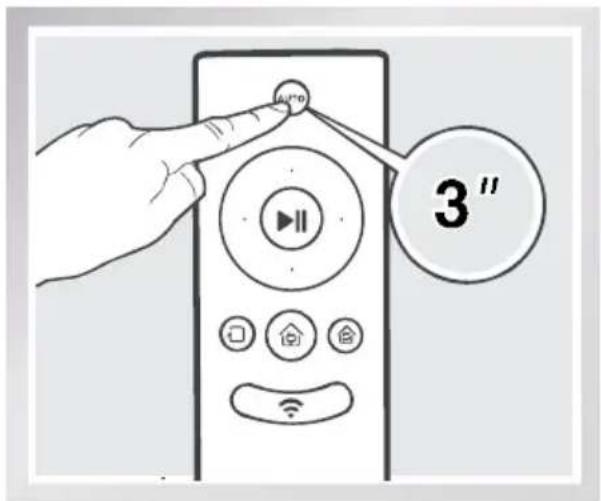
Cleaning Patterns can also be set using the ECOVACS App.
DEEBOT uses the set Cleaning Pattern when cleaning in AUTO Cleaning Mode and Single Room Cleaning Mode.
Select Cleaning Mode
1 AUTO Cleaning Mode
This is the most commonly used mode and is good for every day cleaning.
To start AUTO Cleaning Mode, press the AUTO Mode Button on the robot, on the Remote Control, or on the App main screen.
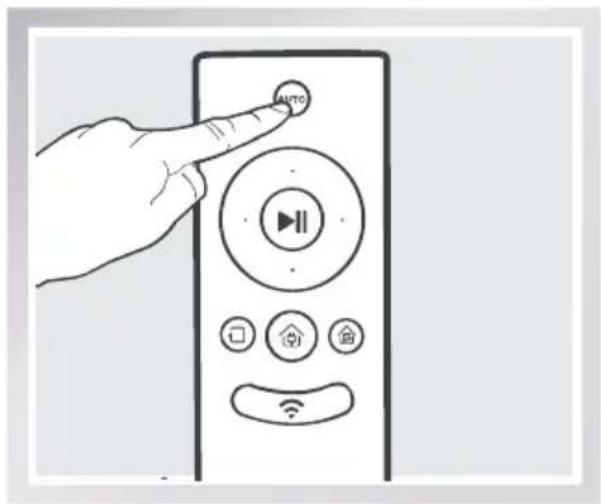
* AUTO Cleaning Mode cleans using the Cleaning Pattern set in the previous step. Random Cleaning Pattern is best for carpet. Programmed Cleaning Pattern is best for bare floors.
* When the cleaning cycle is complete, DEEBOT returns to the Charging Dock.
3. Operating and Programming
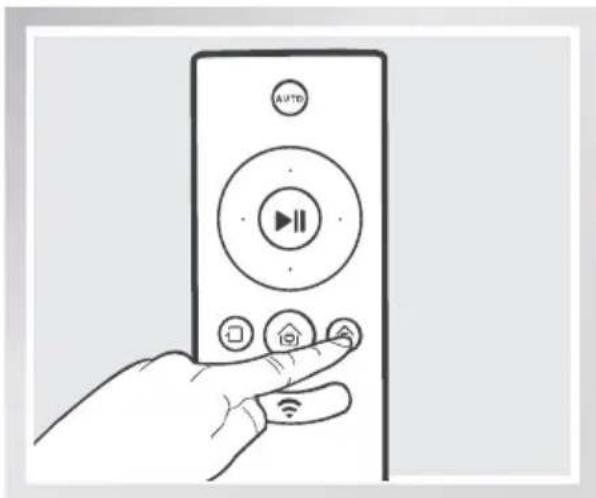
2 Single Room Mode
This mode is used when DEEBOT only needs to clean a single room with a maximum size of 30 m^2 (323 sq ft). To start Single Room Cleaning Mode, press the Single Mode Button on the Remote Control or on the App main screen.
natural_image
Line drawing of a hand holding a remote control with playback and home controls (no text or symbols)* Single Room Cleaning Mode cleans using the set Cleaning Pattern. Random Cleaning Pattern is best for carpet. Programmed Cleaning Pattern is best for bare floors.
* The room must be contained for Single Room Mode to function properly. Close doors to the room entrance and exit to contain the room.
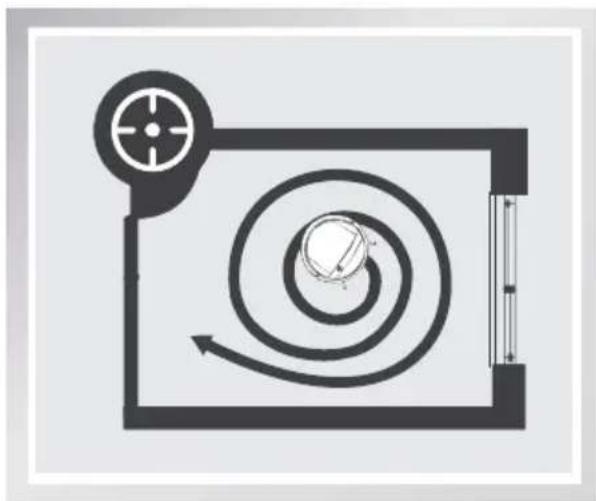
3 Spot Cleaning Mode (2-5 minutes)
This mode is applicable for a small area of highly concentrated dirt or dust. To start Spot Cleaning Mode, press on the App main screen. In Spot Cleaning Mode, DEEBOT focuses on a specific area to clean. DEEBOT cleans the area in a spiral pattern and returns to its starting point when it completes cleaning.
* Spot Cleaning Mode can only be started using the App.
natural_image
Pure diagram of a mechanical or fluidic system with no text, numbers, or symbols3. Operating and Programming
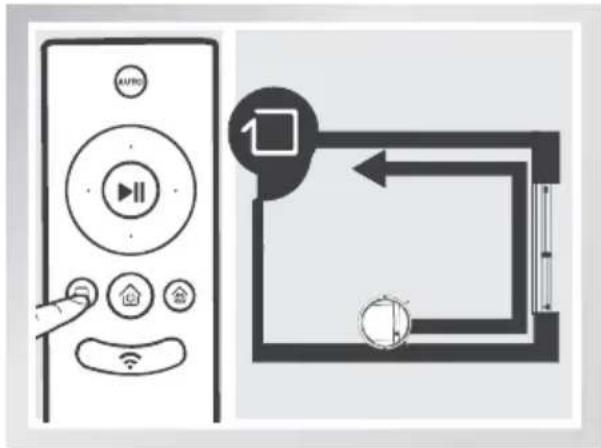
This mode is good for cleaning the edges and corners of a room. To start Edge Cleaning Mode, press the Edge Cleaning Mode Button on the Remote control or on the App main screen. In Edge Cleaning Mode, DEEBOT cleans along a border (e.g. wall), and returns to the Charging Dock when it completes cleaning.
* Use the App to increase the suction power of any Cleaning Mode already in process. Press in the App for MAX suction power. Press to switch back to standard suction power.
* Enabling MAX suction power will consume more battery power.

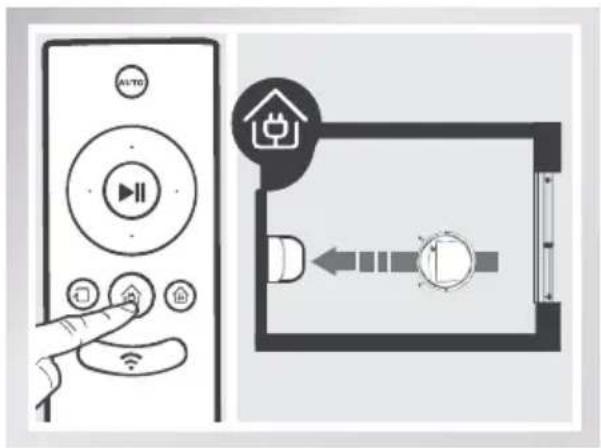
5 Return to Charger Mode
When battery power gets low, DEEBOT automatically switches to Return to Charger Mode and returns to the Charging Dock to recharge itself.
* DEEBOT can also be sent back to the Charging Dock at any time by pressing the Return to Charger Button on the Remote Control or on the App main screen.
3. Operating and Programming
3.4 Programming the Robot
DEEBOT has an Intelligent Scheduling and a Time Scheduling function to schedule cleaning times. DEEBOT can be programmed to automatically clean with Intelligent Scheduling using the robot's Control Panel. DEEBOT can also be programmed with Time Scheduling using the App.
* All scheduled cleanings are performed in AUTO Cleaning Mode using the Random Cleaning Pattern.
Intelligent Scheduling
1 Set Intelligent Scheduling
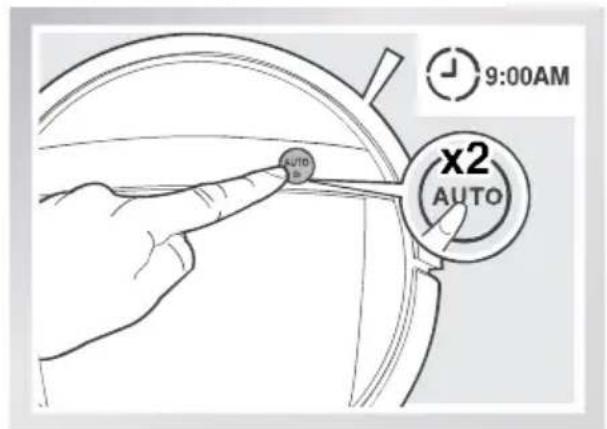
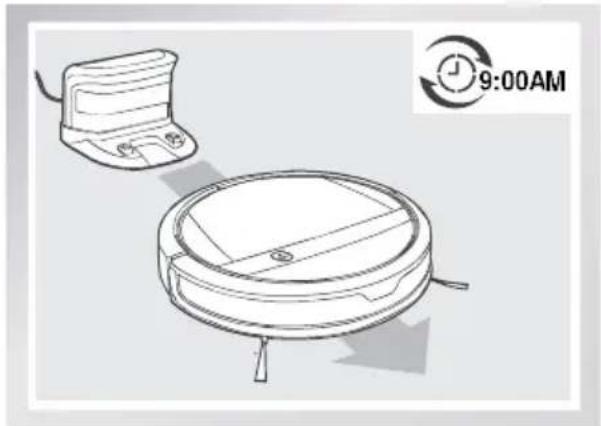
DEEBOT can be scheduled to clean once per day at the same time, even if nobody is at home. Double-click the Auto Mode Button on the robot to set the current time as the scheduled cleaning time. Intelligent Scheduling is set successfully when the robot beeps twice. DEEBOT automatically cleans at the scheduled cleaning time every day.
For example: Set Intelligent Scheduling successfully at 9:00am, and DEEBOT automatically cleans at 9:00am every day.
natural_image
Line drawing of a robotic vacuum cleaner with a device and time stamp (no text or symbols on the device itself)Cancel Intelligent Scheduling
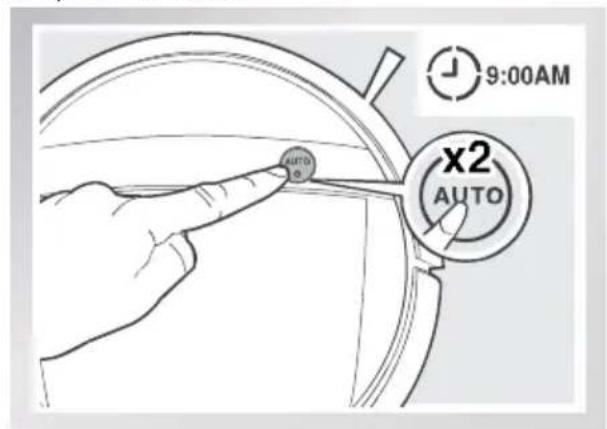
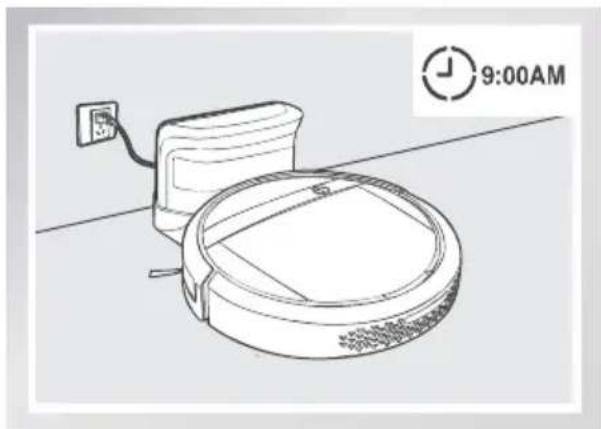
Press the Auto Mode Button on the robot twice. Intelligent Scheduling is cancelled when the robot beeps three times.
natural_image
Line drawing of a robotic vacuum cleaner with power outlet and wall-mounted cable, no text or symbols present* To automatically clean at another time, first cancel the current Intelligent Scheduling, then set Intelligent Scheduling again at the desired time.
* If DEEBOT is powered OFF, Intelligent Scheduling is cancelled.
3. Operating and Programming
Time Scheduling
Set Time Scheduling
DEEBOT can be programmed weekly to clean multiple times per day at specific times using the ECOVACS App.
Open the ECOVACS App. Press " ” in top right corner on the App's main screen. Set new scheduled cleanings and cancel existing scheduled cleanings in "Time Scheduling."
3.5 Choosing a Suction Option
The robot has 2 interchangeable suction options for your convenience.
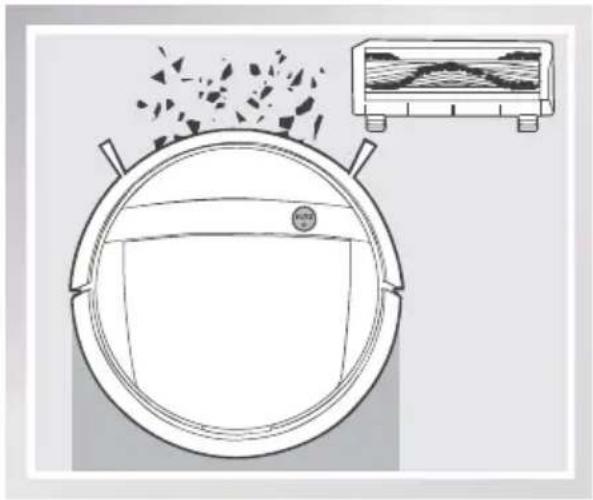
Main Brush Option: The best choice for deep cleaning with a combination of the Main Brush and strong suction. The Main Brush Option comes pre-installed in DEEBOT.
Direct Suction Option: The best choice for daily cleaning with the Main Brush removed for direct suction. This Suction Option is specifically designed to pick up hair without tangling.
natural_image
Diagram of a circular container with granular material and an inset showing a cross-section of a layered structure (no text or symbols)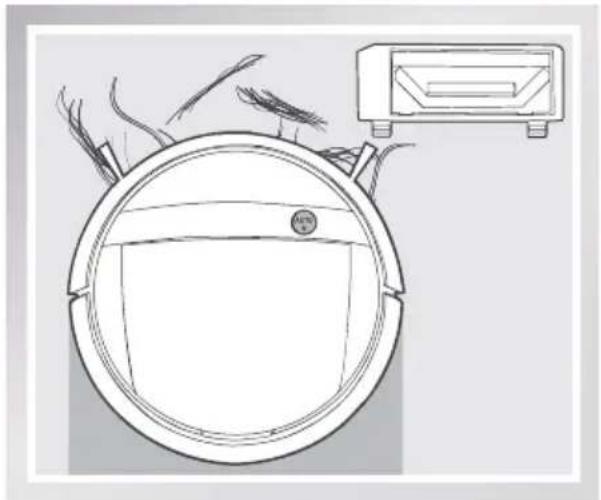
natural_image
Line drawing of a robotic vacuum cleaner with visible blades and control panel (no text or symbols)Install the Direct Suction Option
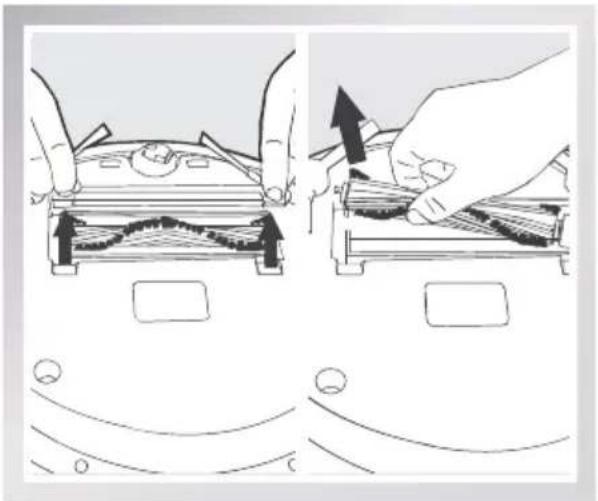
Turn the robot over. Push both buttons on the Main Brush Option and remove the Main Brush Cover. Remove the Main Brush.
Line up the Direct Suction Option tabs with the slots on the bottom of the robot. Press until the component clicks into place.
natural_image
Illustration showing two steps of a device being processed, with arrows indicating process direction (no text or symbols present)3. Operating and Programming
Install the Main Brush Option
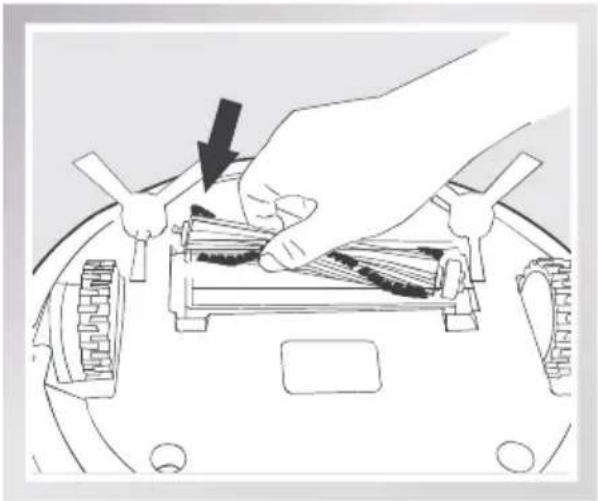
Turn the robot over. Push both buttons on the Direct Suction Option and remove Direct Suction Option.
Insert the Main Brush into the bottom of the robot.
Line up the Main Brush Cover tabs with the slots on the bottom of the robot. Press until the component clicks into place.
natural_image
Illustration of a hand using a tool to press or install electronic components on a device (no text or symbols visible)3.6 Optional Advanced Wet/Dry Mopping System
DEEBOT has an optional Advanced Wet/Dry Mopping System using a Advanced Wet/Dry Cleaning Cloth attached to a proprietary Advanced Wet/Dry Reservoir. The washable/reusable Cleaning Cloth automatically damp mops and then dries the floor to a spotless clean.
* Do not use the mopping system on carpet.
* When using the mopping system, fold area rug edges under themselves so DEEBOT will avoid the rug.
* When using the mopping system, do not stop the robot and allow it to stand still. This prevents the Cleaning Cloth from leaving water on the floor.
* Remove the Advanced Wet/Dry Reservoir before charging DEEBOT.
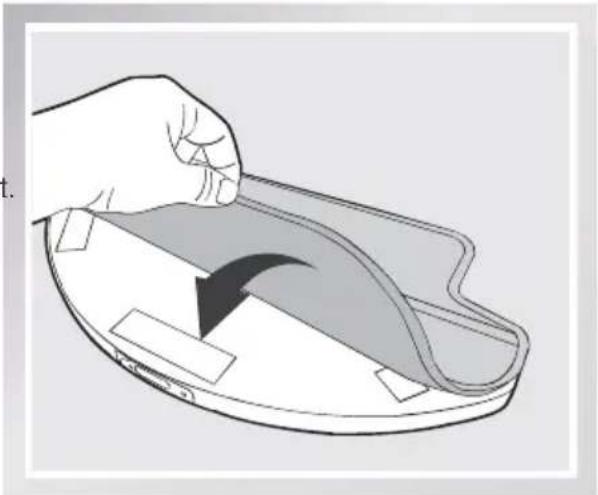
1 Attach Advanced Wet/Dry Cleaning Cloth to the Reservoir
■ Attach the Advanced Wet/Dry Cleaning Cloth to the Advanced Wet/Dry Reservoir. Ensure that the blue and white side of the Cleaning Cloth faces out.
natural_image
Illustration of a hand holding a curved object inside a bowl-like container (no text or symbols)3. Operating and Programming
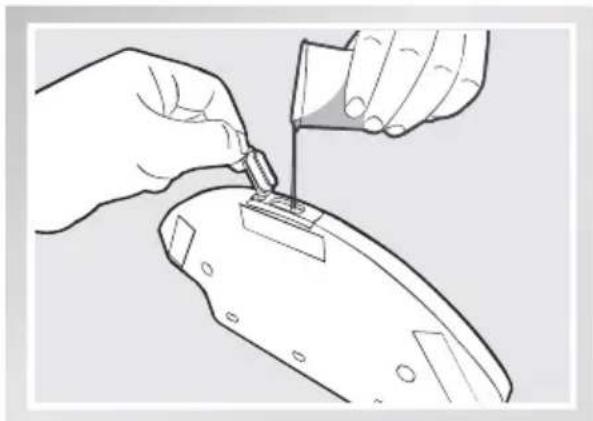
2 Add Water to the Advanced Wet/Dry Reservoir
* Before adding water to the Advanced Wet/Dry Reservoir remove the Advanced Wet/Dry Reservoir from the bottom of the robot.
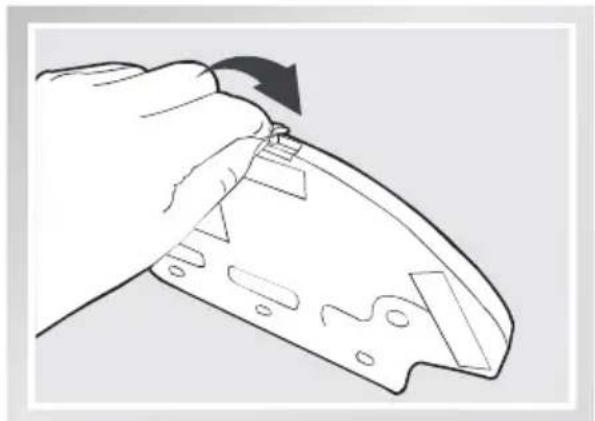
Fill the provided Measuring Cup with water. Open the Water Inlet lid on the Advanced Wet/Dry Reservoir and slowly pour water from the Measuring Cup into the Reservoir. Close the Water Inlet lid.
natural_image
Line drawing of hands using a tool to apply material to a component (no text or symbols present)
natural_image
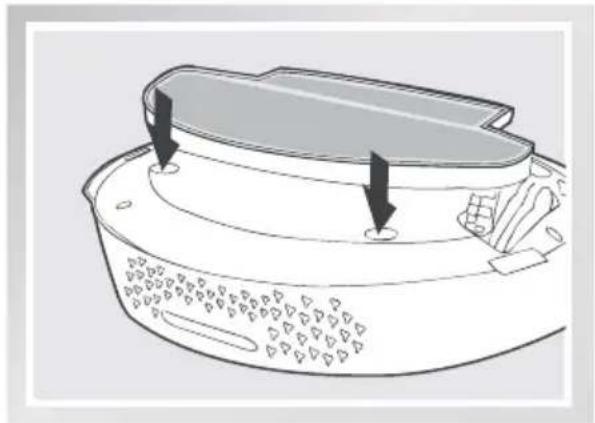
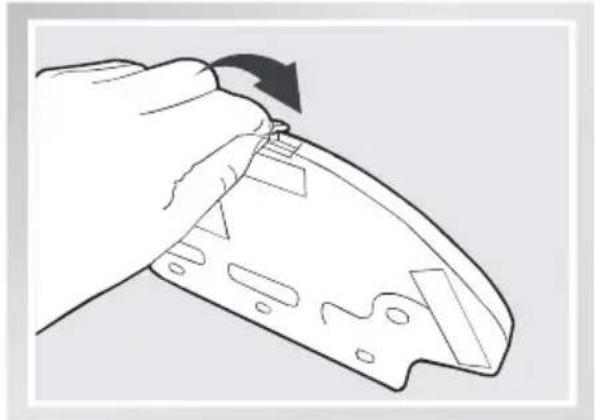
Line drawing of a hand holding a device with a black arrow indicating rotation (no text or symbols)Attach the Advanced Wet/Dry Reservoir to the bottom of the robot. Insert the tabs on the Advanced Wet/Dry Reservoir into the Advanced Wet/Dry ReservoirSlots on the bottom of the robot until you hear a click.
natural_image
Diagram of a kitchen appliance with a lid and side panel, showing internal components and arrows indicating parts (no text or symbols)3. Operating and Programming
3 Start
■ Select the desired Cleaning Mode. DEEBOT sweeps. lifts, vacuums, mops and dries in the selected mode.
* It is suggested to select Single Room Mode when using the optional Advanced Wet/Dry Mopping System for maximum efficiency.
* To mop another room, move DEEBOT to the room to be cleaned, refill the Water Reservoir/ change the Cleaning Cloth as needed and restart.
* If DEEBOT is Paused during mopping to refill the Water Reservoir or change the Cleaning Cloth, DEEBOT will reconfigure its cleaning route, and restart the cleaning cycle.
4 Remove
■ After DEEBOT finishes mopping, remove the Advanced Wet/Dry Reservoir from DEEBOT, empty any remaining water from the Reservoir, and remove the Advanced Wet/Dry Cleaning Cloth.
natural_image
Diagram showing a hand pressing down on a device with arrows indicating motion (no text or symbols present)3. Operating and Programming
3.7 Alarm Indicator and Sounds
If DEEBOT detects a problem and needs your assistance, it emits alarm beeps and the AUTO Mode Button flashes RED.
| Alarm Sound Problems Solution | ||
| One Beep Driving | Wheel Malfunction | Check Driving Wheels for tangled hair or debris and clean as described in section 4 Maintenance. |
| Three Beeps | Driving Wheel Malfunction | Turn over the robot. Press Driving Wheels to check for a clicking sound. If they do not click, please contact Customer Service. |
| DEEBOT gets into trouble while working and stops | Manually remove the obstacles and restart DEEBOT. | |
| Four Beeps Dust Bin Malfunction | Remove the Dust Bin and re-install it properly. If the robot still emits the alarm, please contact Customer Service. | |
| Five Beeps Low Battery | Manually place the robot on the Charging Dock to charge. | |
| Six Beeps Side Brush Malfunction | Check Side Brushes for tangled hair or debris and clean as described in section 4 Maintenance. | |
| Seven Beeps | Anti-Drop Sensor Malfunction | Check Anti-Drop Sensors for dust and clean as described in section 4 Maintenance. |
4. Maintenance
Before performing cleaning and maintenance, power OFF DEEBOT and unplug the Charging Dock.
4.1 Dust Bin and Filters
Cleaning the Dust Bin and Filters
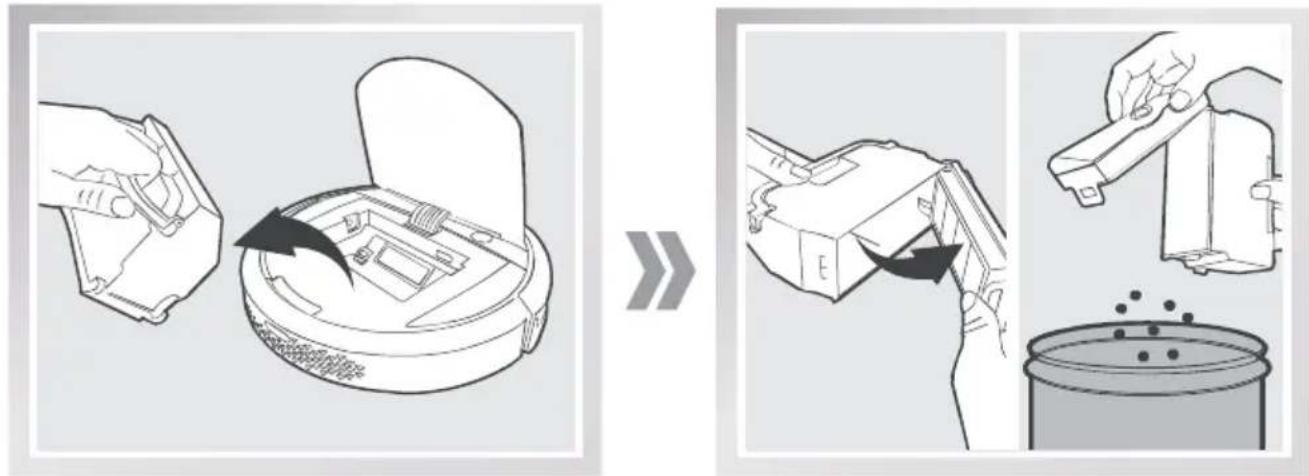
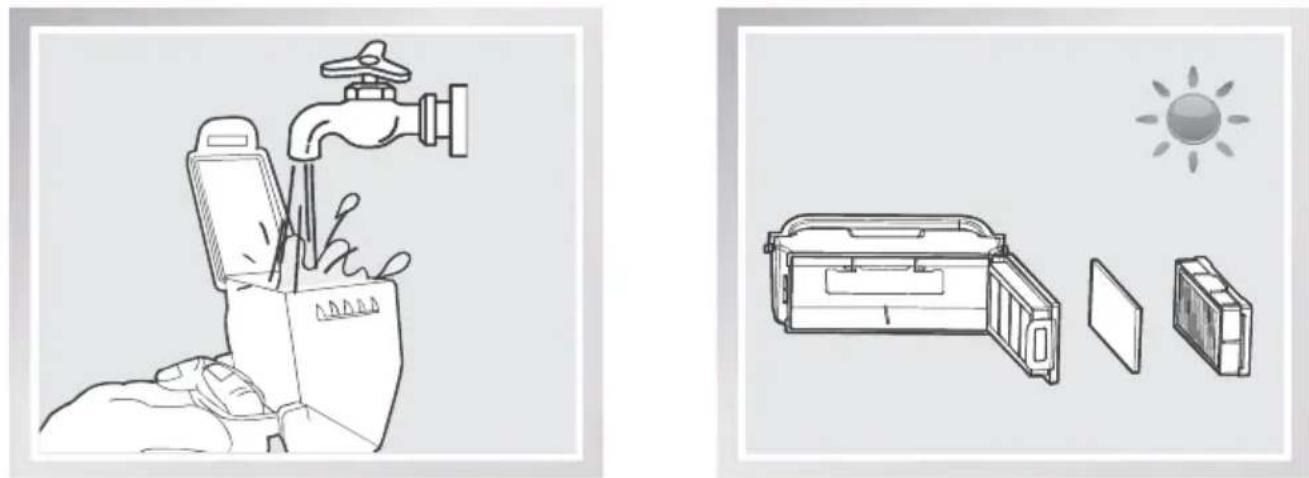
Open the robot's Top Cover and remove the Dust Bin. Open the Dust Bin Lock and empty the Dust Bin.
Remove the filters. Pat the High Efficiency Filter clean. Do not rinse the High Efficiency Filter under water.
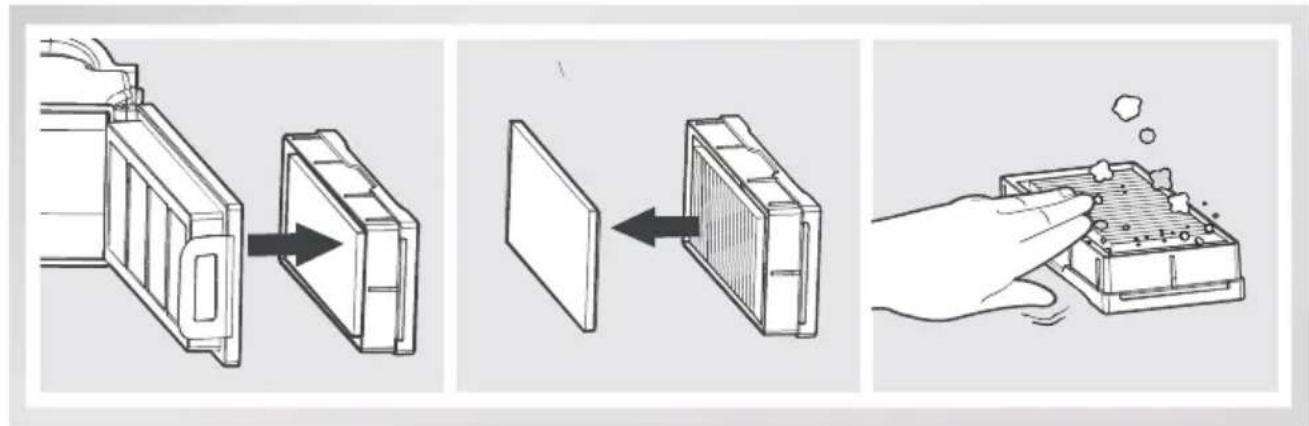
Rinse the Sponge Filter, Dust Bin and Filter Net under running water.
Dry the Dust Bin and filters completely before reinstalling.
natural_image
Illustration showing a hand holding a water tap and a device with open lid, alongside a sun symbol (no text or symbols present)4. Maintenance
4.2 Advanced Wet/Dry Cleaning Cloth an Advanced Wet/Dry Reservoir
Cleaning the Advanced Wet/Dry Cleaning Cloth
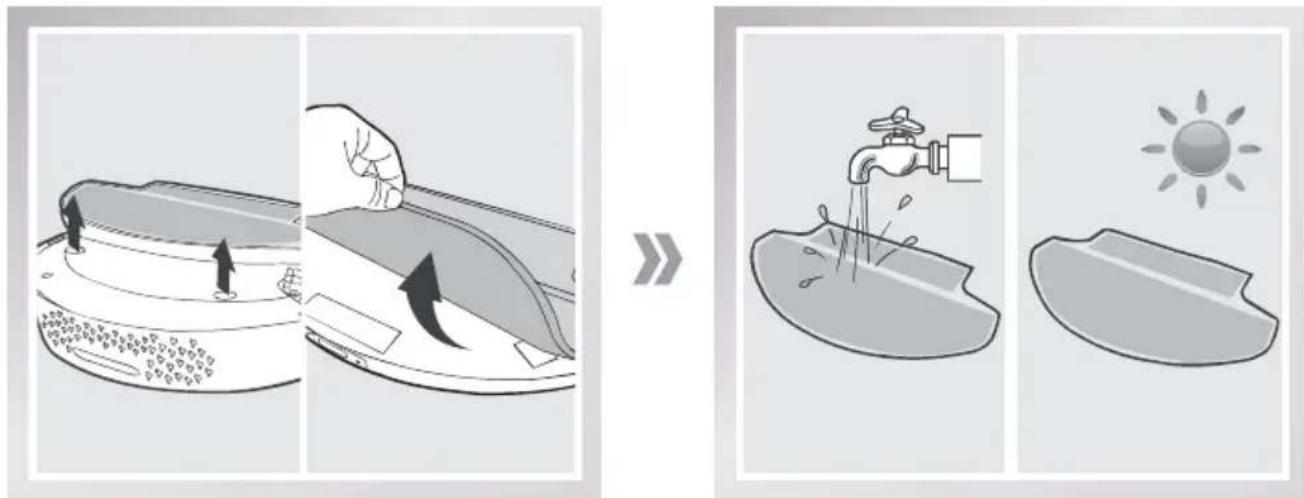
If the mopping system was used, remove the Advanced Wet/Dry Reservoir from the bottom of DEEBOT and remove the Advanced Wet/Dry Cleaning Cloth.
Empty any remaining water from the Reservoir.
Wash the Advanced Wet/Dry Cleaning Cloth by hand or in the washing machine, and lay flat to dry.
Cleaning the Advanced Wet/Dry Reservoir
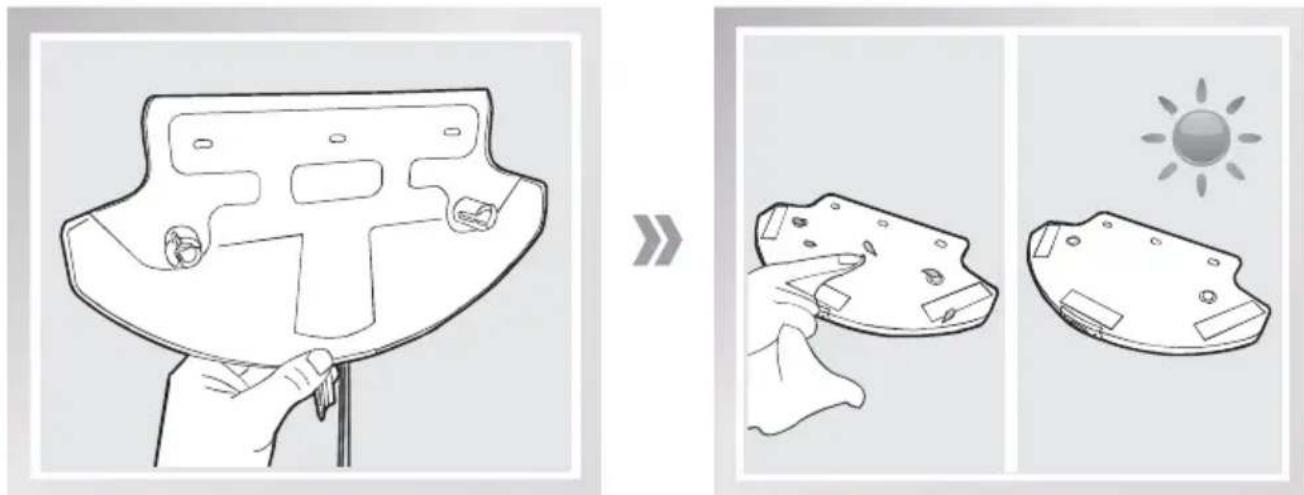
If the mopping system was used, remove the Advanced Wet/Dry Reservoir from the bottom of DEEBOT.
Empty any remaining water from the Reservoir, and set out to dry.
Wipe the outside of the Advanced Wet/Dry Reservoir with a dry cloth.
4. Maintenance
4.3 Main Brush, Direct Suction Option and Side Brushes
* A Multi-Function Cleaning Tool is provided for easy maintenance. Handle with care, this cleaning tool has sharp edges.
Cleaning the Main Brush
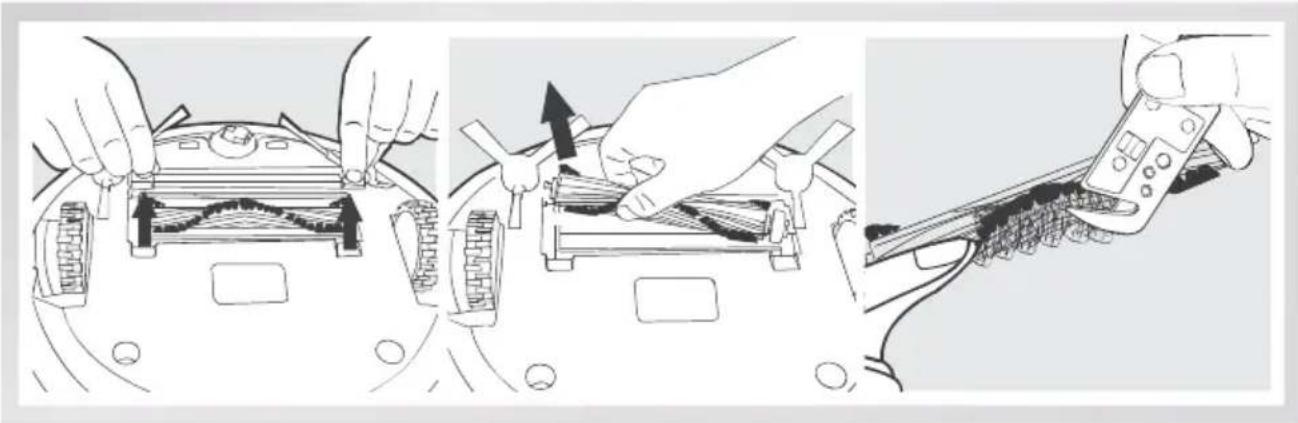
Turn the robot over. Push both buttons on the Main Brush Option and remove the Main Brush cover. Remove the Main Brush. Use the Multi-Function Cleaning Tool to cut off and remove any hair tangled around the Main Brush.
Clean any tangled hair or debris from both ends of the Main Brush and inside the plastic caps.
natural_image
Three-step diagram showing hands using a device to adjust internal components, with no visible text or symbols.Cleaning the Direct Suction Option
Wipe the Direct Suction Option clean with a dry cloth.
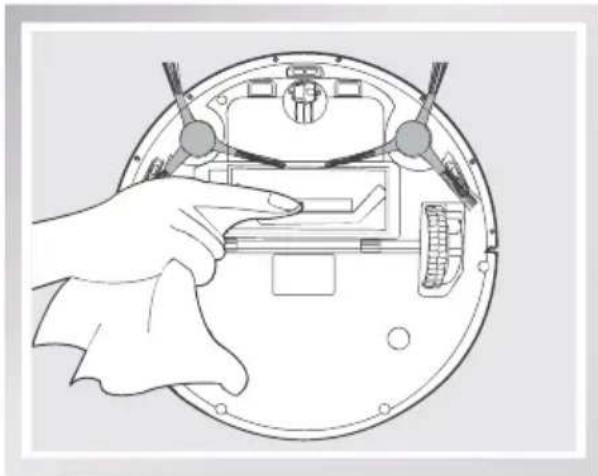
natural_image
Illustration of a hand pointing at an open circular device with internal components (no text or symbols visible)Cleaning the Side Brushes
Remove any hair or debris tangled around the Side Brushes with the provided Multi-Function Cleaning Tool. Remove the Side Brushes and wipe the Side Brushes and their slots with a clean cloth.
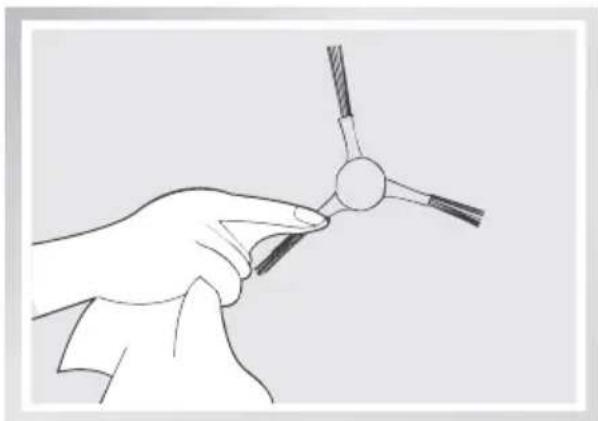
natural_image
Line drawing of a hand holding a tool with a circular component, no text or symbols present4. Maintenance
4.4 Other Components
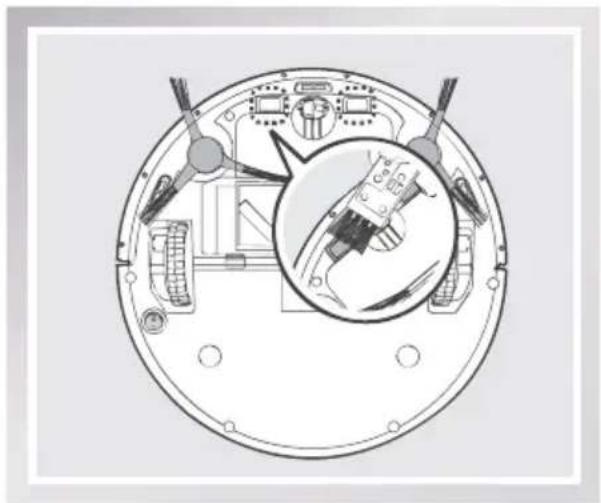
Use the Multi-Function Cleaning Tool to cut off and remove any hair tangled around the Universal Wheel.
Wipe the Anti-Drop Sensors with the brush or felt side of the Multi-Function Cleaning Tool to maintain their effectiveness.
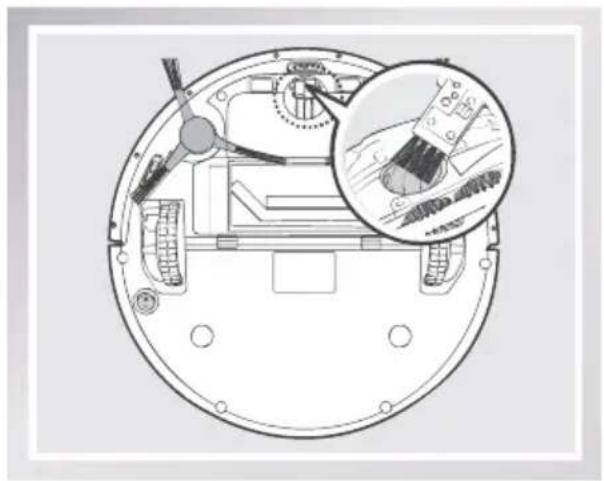
natural_image
Technical diagram of a circular mechanical component with internal components and an inset magnified view (no text or symbols)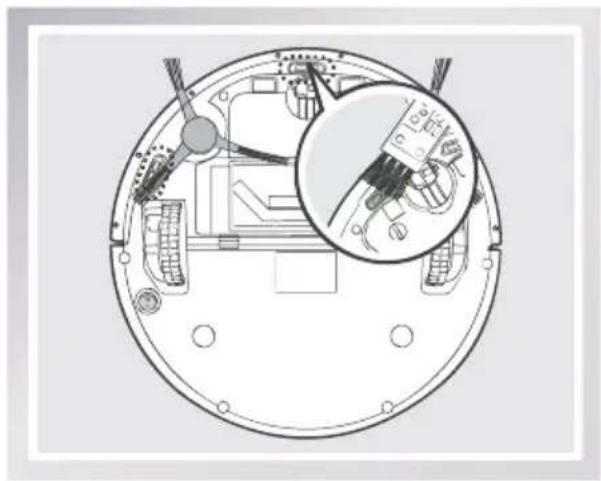
natural_image
Technical diagram of a circular mechanical component with internal wiring and a magnified inset showing internal components (no text or symbols)Wipe the robot's Charging Contacts and Charging Docks Pins with the brush of the Multi-Function Cleaning Tool or with a dry cloth to maintain their effectiveness.
natural_image
Technical diagram of a mechanical assembly with internal components and a magnified inset showing a component detail (no text or labels)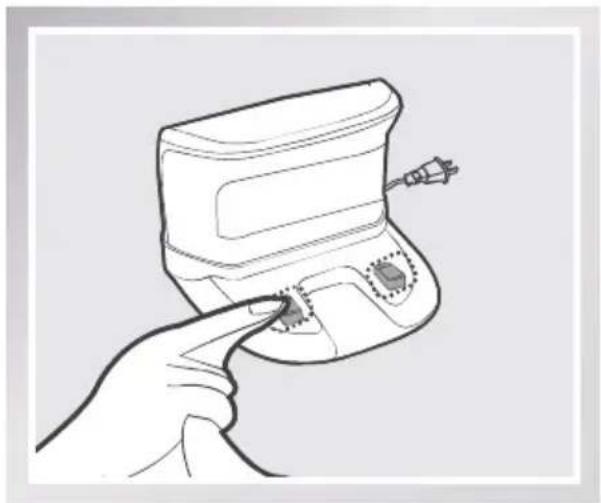
natural_image
Line drawing of a hand holding a small electronic device with a button, no text or symbols present4. Maintenance
4.5 Regular Maintenance
To keep DEEBOT running at peak performance, perform the maintenance and replacement according to the following frequency. A multi-Function Cleaning Tool is provided for easy maintenance. Handle with care, this cleaning tool has sharp edges.
| Robot Part | Maintenance Frequency | Replacement Frequency |
| Cleaning Cloth After | each use Every 50 washings | |
| Dust Bin Advanced Wet/Dry Reservoir | After each use / | |
| Side brush Once | every 2 weeks Every 3-6 months | |
| Main Brush Once | per week Every 6-12 months | |
| Sponge Filter/ High Efficiency Filter | Once per week (twice per week with pets in home) | Every 4-6 months |
| Universal Wheel Anti-Drop Sensors Charging Contacts Charging Dock Pins | Once per week / |
Note: ECOVACS manufactures various replacement parts and assemblies. Please contact Customer Service for more information on replacement parts.
5. Troubleshooting
Please use this chart to troubleshoot common problems using DEEBOT.
| No. | Malfunction Possible Causes Solutions | ||
| 1 | DEEBOT will not charge. | DEEBOT is not powered ON. | Move the robot's Bottom Power Switch to the ON position. |
| DEEBOT has not made a connection with the Charging Dock. | Be sure that the robot's Charging Contacts have made a connection with the Charging Dock Pins. You may move the robot manually to make the connection if necessary. | ||
| The Charging Dock is unplugged while DEEBOT is powered ON, which causes battery consumption. | Plug in the Charging Dock and ensure DEEBOT is powered ON. Keep DEEBOT on the Charging Dock to make sure it has full battery to work at any time. | ||
| The battery is completely discharged. | Re-activate the battery. | ||
| 2 | DEEBOT will not return to the Charging Dock. | The Charging Dock is placed incorrectly. | Please refer to section 3.2 Quick Start for details on proper Charging Dock placement. |
| 3 | DEEBOT gets into trouble while working and stops. | DEEBOT is tangled with something on the floor (electrical cords, drooping curtains, area rug fringe etc.). | DEEBOT will try various ways to get itself out of trouble. If it is unsuccessful, manually remove the obstacles and restart. |
| The Side Brushes are tangled with hair or debris, and low rotation speed causes DEEBOT to Pause and triggers an alarm. | Check Side Brushes for tangled hair or debris, clean as described in section 4 Maintenance and restart. If the Side Brushes still rotate slowly, please contact Customer Service. | ||
| The Main Brush is stuck, and low rotation speed causes DEEBOT to Pause and triggers an alarm. | Remove the Main Brush Cover and remove the Main Brush. Clean any tangled hair or debris on the Main Brush as described in section 4 Maintenance and restart. If DEEBOT does not function normally, replace the Main Brush. |
5. Troubleshooting
| No. | Malfunction Possible Causes Solutions | ||
| 4 | DEEBOT returns to the Charging Dock before it finishes cleaning. | When battery power gets low, DEEBOT automatically switches to Return to Charger Mode and returns to the Charging Dock to recharge itself. | This is normal. No solution necessary. |
| Working time varies according to floor surface, room complexity and the selected Cleaning Mode. | This is normal. No solution necessary. | ||
| 5 | DEEBOT will not clean automatically at scheduled time. | Intelligent Scheduling/ Time Scheduling function is cancelled. | Set Intelligent Scheduling or Time Scheduling. Please refer to section 3.4 Programming the Robot for details. |
| DEEBOT is powered OFF. Power ON DEEBOT. | |||
| The robot's battery is low. | Keep DEEBOT powered ON and on the Charging Dock to make sure it has full battery to work at any time. | ||
| The robot's components are blocked and/or its components are tangled with debris. | Turn the robot's power OFF, clean the Dust Bin and invert the robot. Clean the robot's Main Brush, Side Brushes and other components as described in section 4 Maintenance. | ||
| 6 | DEEBOT misses the spots to be cleaned. | Items on the floor in the cleaning area need to be put away. | Please refer to section 3.1 Notes Before Cleaning for details. |
| Cleaning frequency is too low. | Daily cleaning is suggested to obtain best results. | ||
5. Troubleshooting
| No. | Malfunction Possible Causes Solutions | |
| 7 | Remote Control failure (Effective control change of the Remote Control is 5m (16'). | The battery in the Remote Control need to be replaced. |
| DEEBOT is powered OFF or the robot's battery is low. | ||
| The infrared signal cannot be transmitted because the Infrared Emitter on Remote Control or the Infrared Receiver on DEEBOT is dirty. | ||
| There is other equipment interfering with the infrared signal to DEEBOT. |
natural_image
Simple line drawing of a circular container with handles and a central slot (no text or symbols)Roboter
natural_image
Line drawing of a portable electronic device with buttons and a handle (no text or symbols)natural_image
Line drawing of a remote control with no text or symbols
chemical
Chemical structure diagram of a hydrocarbon molecule with five identical carbon atoms and four hydrogen atoms(4) Seitenbürsten
natural_image
Simple line drawing of a rectangular box with internal landscape design (no text or symbols)natural_image
Simple line drawing of a rectangular electronic component with four legs (no text or symbols)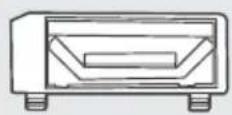
natural_image
Simple 3D-rendered object resembling a sliced or folded paper (no text or symbols)natural_image
Technical line drawing of a mechanical part with mounting holes and a curved base (no text or symbols)natural_image
Illustration of two rectangular electronic components with a separate open panel (no text or symbols)natural_image
Simple line drawing of a beaker (no text or symbols)Messbecher
natural_image
Line drawing of a robotic vacuum cleaner with warning symbols (no text or labels)natural_image
Line drawing of a sofa with a pillow placed on the back, connected to wheels (no text or symbols)natural_image
Line drawing of a staircase with railings and a circular vent (no text or symbols)natural_image
Interior hallway scene with a person walking toward a robot, marked with an exclamation mark and a warning symbol (no text or labels)3.2 Kurzanleitung
natural_image
Line drawing of a robotic vacuum cleaner with a hand holding a tool, showing motion trajectory (no text or symbols)natural_image
Line drawing of a robotic arm with a battery icon and magnified view of the handle (no text or symbols)natural_image
Floor plan diagram showing a circular object inside a rectangular room with an arrow indicating direction (no text or labels)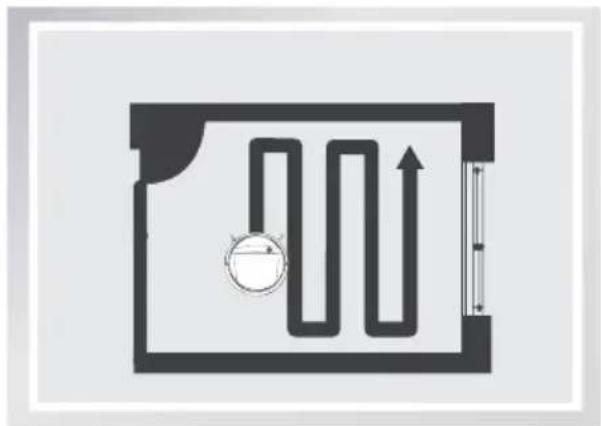
natural_image
Pure diagram of a U-shaped pipe system inside a rectangular chamber, with no text or symbolsnatural_image
Line drawing of a hand pointing at a remote control with a 'AUTO' button (no text or symbols on the device itself)natural_image
Line drawing of a hand holding a remote control with playback and home control buttons (no text or symbols)natural_image
Diagram of a spiral mechanical component with a circular target and directional arrow, no text or symbols present.natural_image
Line drawing of a robotic vacuum cleaner with power outlet, placed on a tiled floor (no text or symbols)natural_image
Diagram of a robotic vacuum cleaner inside a container with an inset showing its exterior view (no text or symbols present)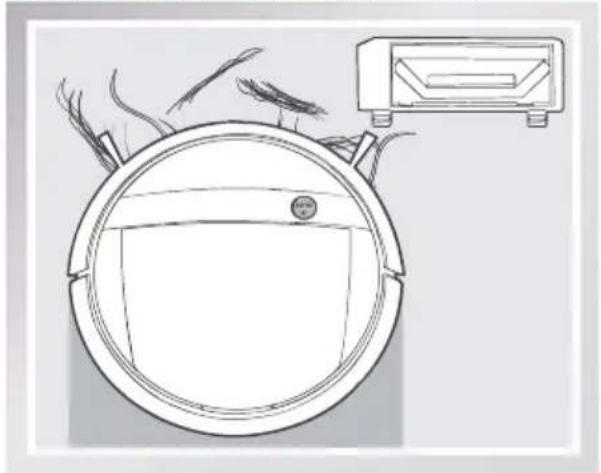
natural_image
Line drawing of a robotic vacuum cleaner with a mounted device (no text or symbols)natural_image
Illustration showing two steps of fabric application: one with a cloth-like object and arrow, the other with a textured fabric or material inside a container (no text or symbols)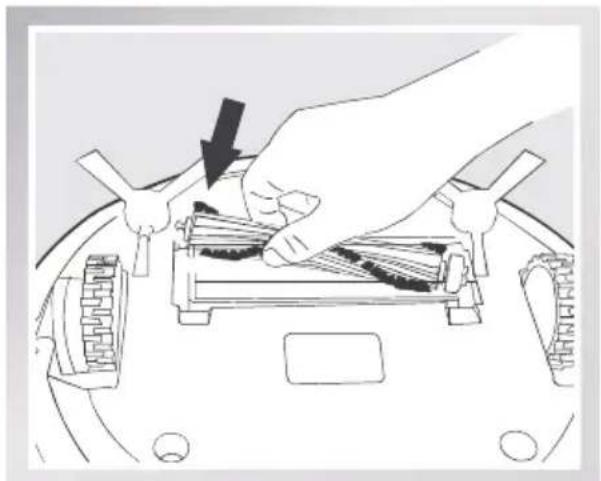
natural_image
Illustration of a hand using a tool to press or adjust internal components on a vehicle (no text or symbols visible)natural_image
Illustration of a hand holding a curved object with a rectangular patch, no text or symbols presentnatural_image
Line drawing of hands using a tool to adjust or install a component on a curved surface (no text or symbols)
natural_image
Line drawing of a hand holding a device with a black arrow indicating rotation (no text or symbols)natural_image
Diagram of a kitchen appliance with a lid and side panel, showing internal components and arrows indicating parts (no text or symbols)natural_image
Diagram showing a hand pressing down on a device with arrows indicating motion (no text or symbols present)natural_image
Illustration showing a hand holding a water tap and a device with open lid, alongside a sun symbol (no text or symbols present)4. Wartung
natural_image
Illustration showing a hand holding a small electronic device with a light bulb and sun symbol above its side (no text or symbols present)4. Wartung
natural_image
Three-step diagram showing hands using a robotic device to adjust internal components, with no visible text or symbols.natural_image
Illustration of a hand adjusting a circular device with internal components (no text or symbols visible)natural_image
Line drawing of a hand holding a tool, no text or symbols present4. Wartung
natural_image
Technical diagram of a circular mechanical component with internal parts and an inset showing a close-up of a brush (no text or symbols present)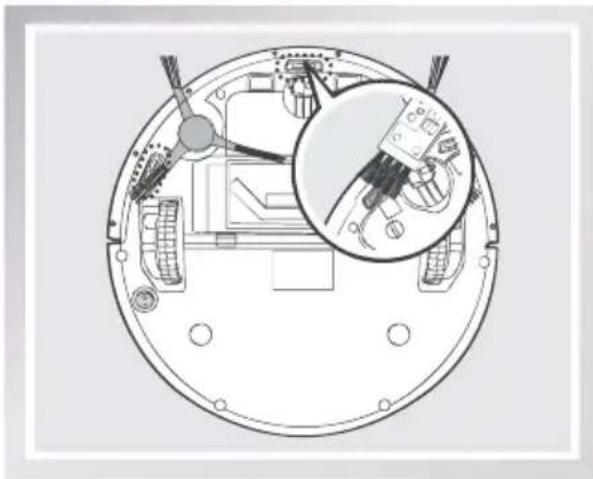
natural_image
Top-down technical diagram of a circular mechanical component with internal parts and a magnified inset showing internal components (no text or symbols)natural_image
Technical diagram of a circular mechanical component with internal components and an inset close-up view (no text or symbols)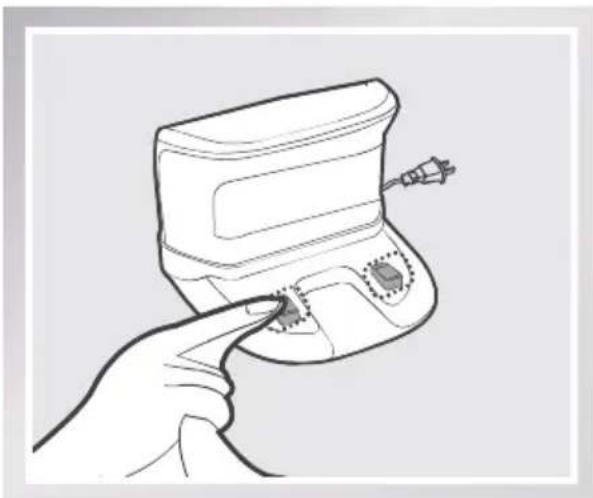
natural_image
Line drawing of a hand pointing at a small electronic device with a screw and indicator lights (no text or symbols)4. Wartung
natural_image
Simple line drawing of a circular object with a central rectangular area and two protruding wires (no text or symbols)Robot
natural_image
Line drawing of a portable electronic device with buttons and a handle (no text or symbols)natural_image
Line drawing of a remote control with buttons and a scroll (no text or symbols)
instrucciones
chemical
Chemical structure diagram of a triatomic molecule with central carbon atoms and four peripheral atoms(4) Cepillos laterales
natural_image
Simple line drawing of a rectangular box with internal wood grain pattern (no text or symbols)natural_image
Simple line drawing of a rectangular electronic component with four pins (no text or symbols)
natural_image
Simple 3D-rendered gray object resembling a bowl or capsule (no text or symbols)natural_image
Simple line drawing of a mechanical component with mounting holes and a curved base (no text or symbols)natural_image
Simple line drawing of two stacked rectangular blocks, one open and one closed, with no text or symbols present.natural_image
Simple line drawing of a beaker (no text or symbols)Vaso dosificador
natural_image
Line drawing of a robotic vacuum cleaner with warning symbols (no text or labels)natural_image
Line drawing of a sofa with a pillow placed on top, supported by feet and legs (no text or symbols)natural_image
Isometric line drawing of a staircase with railings and a circular object on the top (no text or symbols)natural_image
Interior hallway scene with a person walking and a robot vacuum cleaner, marked with an exclamation mark (no text or symbols on main subject)3.2 Inicio rápido
natural_image
Line drawing of a robotic vacuum cleaner with a hand holding a tool, showing motion and component positioning (no text or symbols)natural_image
Diagram of a mechanical device with a propeller and a magnified inset showing internal components (no text or symbols)3 Encendido
natural_image
Line drawing of a robotic arm with a battery icon highlighting the handle area (no text or symbols present)natural_image
Top-down architectural floor plan showing a circular object and a tilted square with directional arrows (no text or symbols)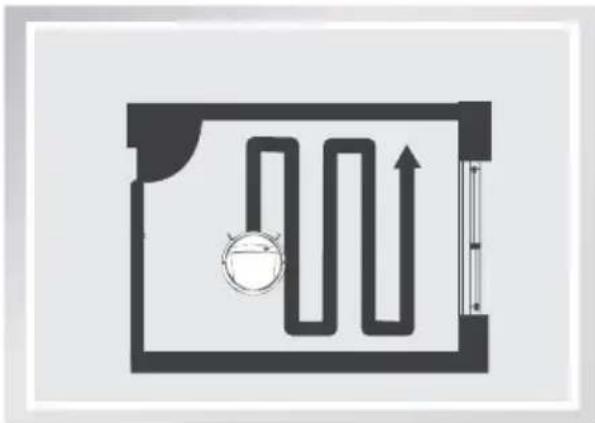
natural_image
Pure diagram of a room layout with a pipe and circular component, no text or symbols presentnatural_image
Line drawing of a hand holding a remote control with playback and control buttons (no text or symbols)natural_image
Diagram of a spiral mechanical component with directional arrows, no text or symbols presentnatural_image
Line drawing of a robotic vacuum cleaner with a small device attached, showing no text or symbols.natural_image
Line drawing of a robotic vacuum cleaner with power outlet, placed on tiled floor (no text or symbols)natural_image
Illustration of a robotic vacuum cleaner emitting particles, with a close-up inset showing a textured surface (no text or symbols)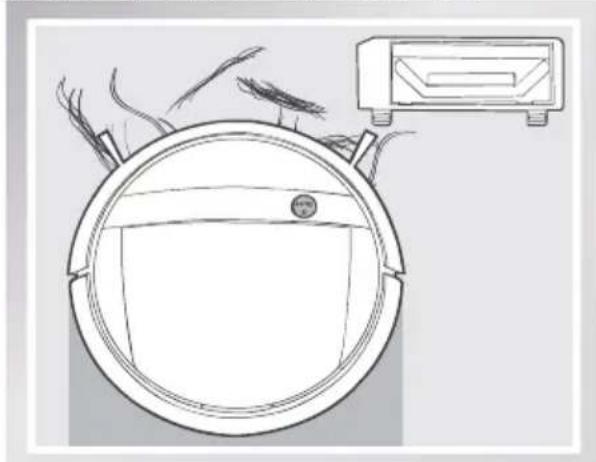
natural_image
Line drawing of a robotic vacuum cleaner with a mounted device (no text or symbols)natural_image
Illustration showing two steps of fabric application: one with hand pressing down on a device, the other with hand inserting into a grid (no text or symbols)natural_image
Illustration of a hand using a tool to remove or store items on a vehicle chassis (no text or symbols visible)natural_image
Illustration of a hand holding a curved object inside a container (no text or symbols)natural_image
Line drawing of hands using a tool to adjust or install a component on a curved surface (no text or symbols)natural_image
Line drawing of a hand holding a small electronic device with a scroll wheel (no text or symbols)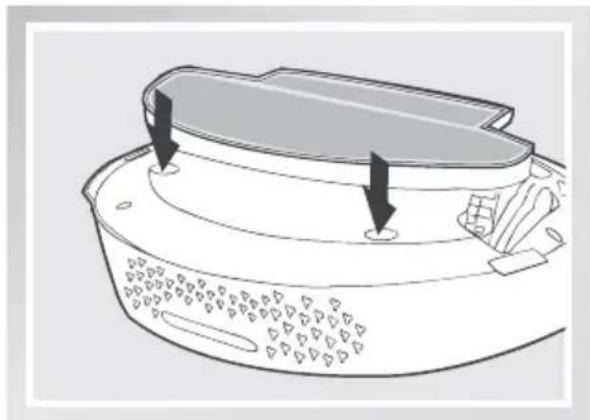
natural_image
Diagram of a kitchen fan with a lid and side buttons, showing no text or symbolsnatural_image
Diagram showing a hand pressing down on a device with arrows indicating motion (no text or symbols present)natural_image
Illustration showing a hand holding a water tap and a battery with liquid, alongside an open battery case with a sun symbol (no text or labels)4. Mantenimiento
natural_image
Illustration showing a hand holding a small object with circular features, alongside two views of a device with a sun icon (no text or symbols)4. Mantenimiento
natural_image
Three-step diagram showing hands operating a device with a tool, inspecting internal components, and connecting a remote control panel (no text or symbols)natural_image
Illustration of a hand pointing to a circular device with internal components (no text or symbols visible)natural_image
Line drawing of a hand holding a tool, no text or symbols present4. Mantenimiento
natural_image
Technical diagram of a circular device with internal components and a magnified inset showing a brush tool interacting with a textured surface (no text or symbols)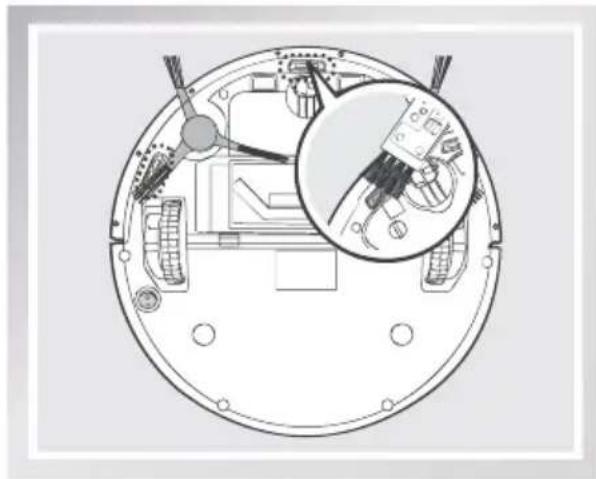
natural_image
Technical diagram of a circular mechanical component with internal components and an inset close-up showing internal wiring (no text or symbols)natural_image
Technical diagram of a mechanical assembly with internal components and a magnified inset showing a component detail (no text or labels)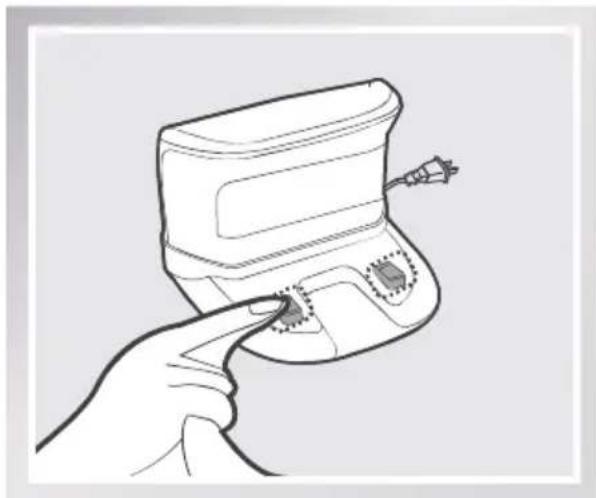
natural_image
Line drawing of a hand holding a small electronic device with a button and connector (no text or symbols)4. Mantenimiento
natural_image
Simple line drawing of a circular container with handles and a central slot (no text or symbols)Robot
natural_image
Line drawing of a portable electronic device with a handle and buttons (no text or symbols)natural_image
Line drawing of a remote control with buttons and a logo (no text or symbols)(avec piles)
chemical
Chemical structure diagram of a triatomic molecule with four central atoms and five peripheral atomsnatural_image
Simple line drawing of a rectangular object with internal horizontal lines and four legs, no text or symbols present.natural_image
Simple line drawing of a rectangular electronic component with four pins (no text or symbols)Option Aspiration directe
natural_image
Simple 3D-rendered object resembling a bowl or container with no text or symbolsnatural_image
Technical line drawing of a mechanical component with mounting holes and a curved base (no text or symbols)natural_image
Illustration of two rectangular electronic components with a separate open lid (no text or symbols)natural_image
Simple line drawing of a beaker (no text or symbols)Gobelet doseur
2.2 Spécifications
natural_image
Line drawing of a robotic vacuum cleaner with warning symbols (no text or labels)natural_image
Line drawing of a sofa with a pillow placed on top, supported by legs and feet (no text or symbols)natural_image
Isometric line drawing of a staircase with railings and a circular vent (no text or symbols)natural_image
Interior hallway scene with a person walking and a robot near the door, marked with an exclamation mark (no text or symbols on main subject)natural_image
Line drawing of a robotic vacuum cleaner with a hand holding a tool, showing no text or symbols3 Mise sous tension
natural_image
Line drawing of a robotic arm with a battery icon highlighting the blade (no text or symbols)natural_image
Floor plan diagram showing a circular object and a tilted square with directional arrows (no text or labels)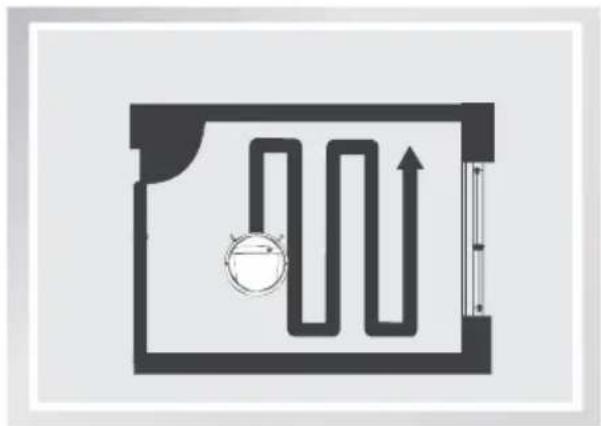
natural_image
Pure diagram of a rectangular room with a curved path and a circular component, no text or symbols present.natural_image
Line drawing of a hand holding a remote control with playback and home control buttons (no text or symbols)natural_image
Pure diagram of a spiral mechanical component with no text or symbolsnatural_image
Line drawing of a robotic vacuum cleaner with a device and clock icon (no text or symbols on the device itself)natural_image
Line drawing of a robotic vacuum cleaner with power outlet, no text or symbols presentnatural_image
Diagram of a circular container with contents and a close-up inset showing a textured surface (no text or symbols)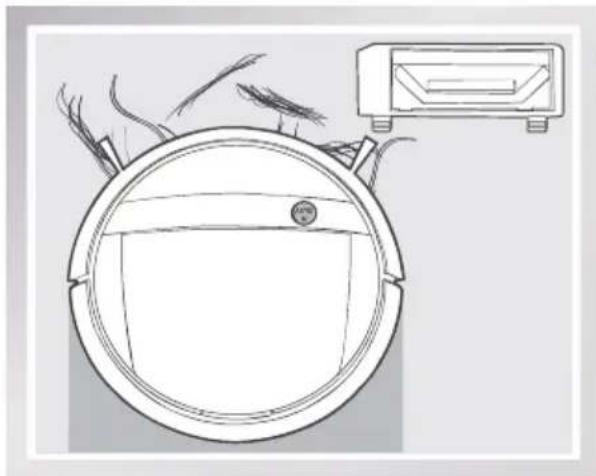
natural_image
Line drawing of a circular device with a mounted device on top, showing internal components and airflow lines (no text or symbols)natural_image
Illustration of hands installing or adjusting a device component with arrows indicating motion (no text or symbols)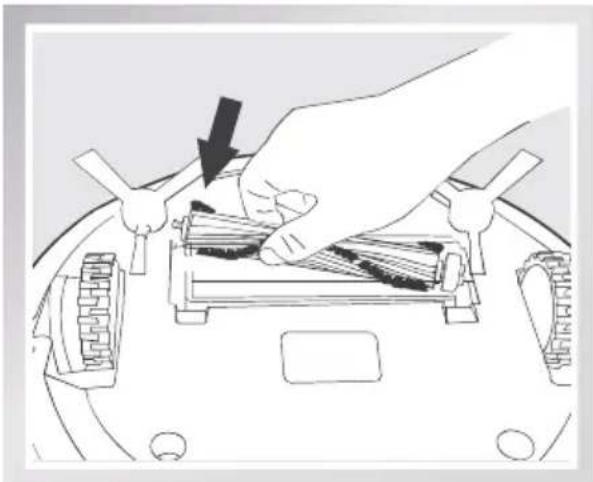
natural_image
Illustration of a hand using a tool to remove or store items on a vehicle chassis (no text or symbols visible)natural_image
Illustration of a hand holding a curved object inside a container (no text or symbols)natural_image
Line drawing of hands using a tool to adjust or install a component on a curved surface (no text or symbols)natural_image
Line drawing of a hand holding a device with a scroll wheel, showing internal components (no text or symbols)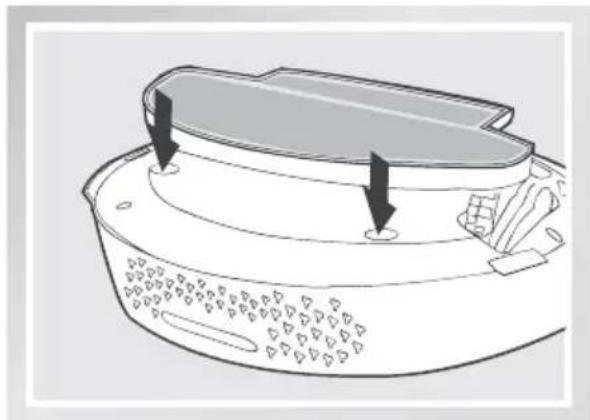
natural_image
Diagram of a kitchen fan with a lid and side buttons, showing internal components without any text or symbols.natural_image
Diagram showing two steps of a kitchen appliance: one with a button on top, the other with a hand pressing down on a tray (no text or symbols)natural_image
Illustration showing a hand holding a water tap and a device with open lid, alongside a sun symbol (no text or symbols present)4. Entretien
natural_image
Illustration showing a hand holding a small electronic device with a sun icon above its side view (no text or symbols)4. Entretien
natural_image
Three-step diagram showing hands operating a device with a tool, inspecting internal components, and connecting a handheld device (no text or symbols present)natural_image
Illustration of a hand pointing to an open circular device with internal components (no text or symbols visible)natural_image
Line drawing of a hand holding a tool, no text or symbols present4. Entretien
natural_image
Technical diagram of a circular mechanical component with internal parts and an inset showing a close-up of a brush (no text or symbols present)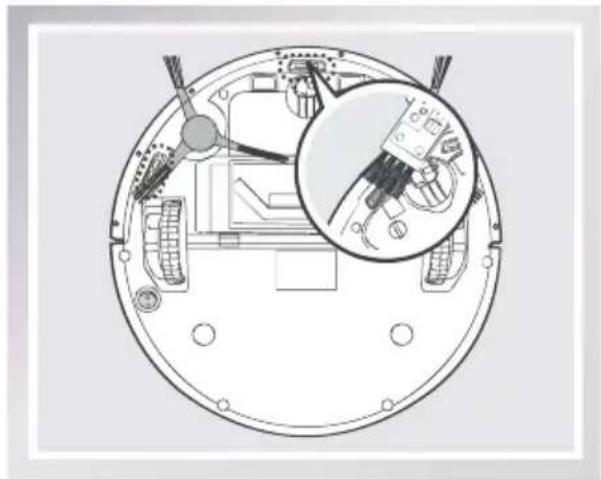
natural_image
Technical diagram of a circular mechanical component with internal wiring and a magnified inset showing internal components (no text or symbols)natural_image
Technical diagram of a mechanical assembly with internal components and a magnified inset showing a component detail (no text or labels)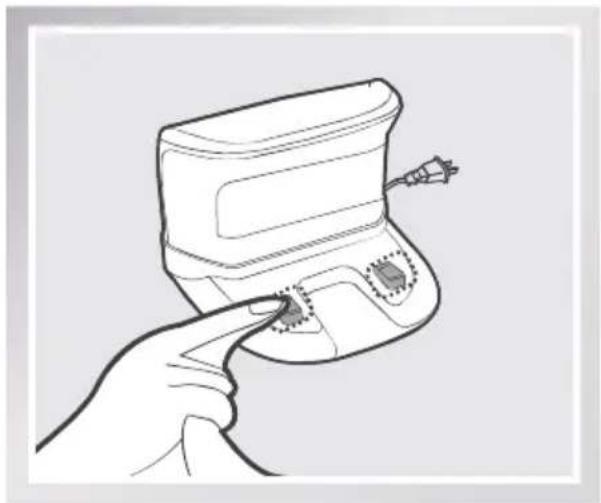
natural_image
Line drawing of a hand holding a handheld device with a small electronic component (no text or symbols)4. Entretien
natural_image
Simple line drawing of a circular object with a central rectangular area and two protruding rods (no text or symbols)Robot
natural_image
Line drawing of a portable electronic device with buttons and a handle (no text or symbols)Dock di ricarica Telecomando Manuale d'uso
(con batterie)
natural_image
Line drawing of a remote control with no text or symbols
chemical
Molecular structure diagram showing a central atom bonded to four peripheral atoms in a symmetric arrangementnatural_image
Simple line drawing of a rectangular object with internal horizontal lines and four legs, resembling a lamp or container (no text or symbols)natural_image
Simple line drawing of a rectangular electronic component with four legs (no text or symbols)
natural_image
Simple 3D-rendered gray object resembling a bowl or capsule (no text or symbols)natural_image
Simple line drawing of a mechanical component with mounting holes and a curved base (no text or symbols)natural_image
Illustration of two rectangular electronic components with a separate open lid (no text or symbols)
natural_image
Simple line drawing of a beaker (no text or symbols)natural_image
Line drawing of a robotic vacuum cleaner with warning symbols (no text or labels)natural_image
Line drawing of a sofa with a pillow placed on top, supported by wheels (no text or symbols)natural_image
Line drawing of a staircase with railings and a circular vent (no text or symbols)3.2 Avvio rapido
natural_image
Line drawing of a robotic vacuum cleaner with a hand holding a tool, showing no text or symbolsnatural_image
Diagram of a helicopter's fuselage with a propeller and a magnified inset showing internal components (no text or symbols)3 Accensione (ON)
natural_image
Line drawing of a robotic arm with a battery icon highlighting the handle area (no text or symbols present)natural_image
Floor plan diagram showing a circular object inside a rectangular room with an arrow indicating direction (no text or labels)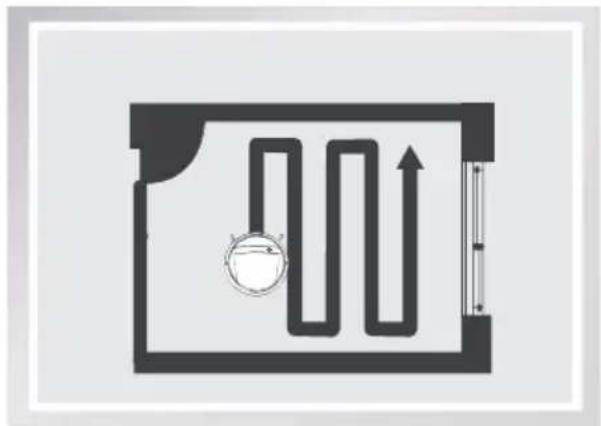
natural_image
Pure diagram of a hallway with a valve and directional arrow, no text or symbols presentnatural_image
Line drawing of a hand pointing at a remote control with icons for play, home, and Wi-Fi (no text or symbols)natural_image
Line drawing of a hand holding a remote control with icons for play, app, and Wi-Fi (no text or symbols)natural_image
Pure diagram of a spiral mechanical component with no text or symbolsnatural_image
Line drawing of a robotic vacuum cleaner with a device and time stamp (no text or symbols on the device itself)natural_image
Line drawing of a robotic vacuum cleaner with power outlet and clock icon (no text or symbols on the device itself)natural_image
Diagram of a robotic vacuum cleaner emitting particles, with a close-up inset showing a textured surface (no text or symbols)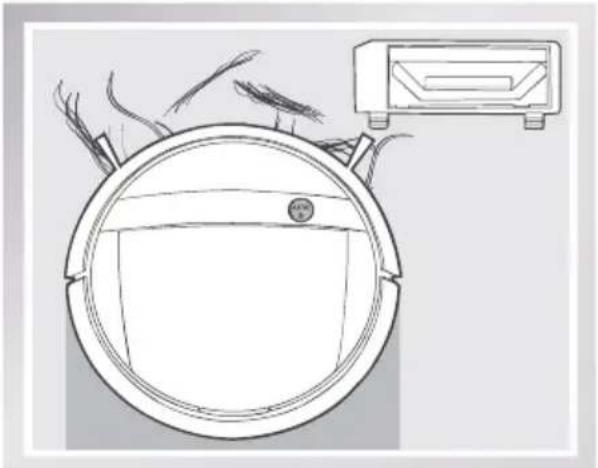
natural_image
Line drawing of a circular device with a mounted device on top, showing internal components and airflow (no text or symbols)natural_image
Illustration of two hands installing or adjusting a device component, showing top-down and side-view views (no text or symbols)natural_image
Illustration of a hand using a tool to adjust or install electronic components on a device (no text or symbols visible)natural_image
Illustration of a hand holding a curved object with a black arrow, no text or symbols presentnatural_image
Line drawing of hands using a tool to adjust or install a component on a device (no text or symbols visible)natural_image
Line drawing of a hand holding a device with a black arrow indicating rotation (no text or symbols)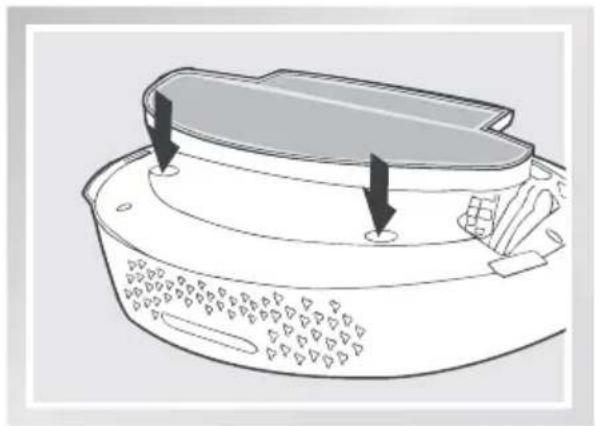
natural_image
Line drawing of a kitchen fan with a lid and side buttons, showing no text or symbolsnatural_image
Diagram showing a hand pressing down on a device with arrows indicating motion (no text or symbols present)natural_image
Illustration showing a hand holding a water tap and a device with open lid, alongside its sun symbol (no text or labels)4. Manutenzione
natural_image
Illustration showing a hand holding a small electronic device with a light bulb and sun symbol (no text or labels)4. Manutenzione
natural_image
Three-step diagram showing hands using a device to adjust internal components, with no visible text or symbols.natural_image
Illustration of a hand adjusting a circular device with internal components (no text or symbols visible)natural_image
Line drawing of a hand holding a small object with tweezers, no text or symbols present4. Manutenzione
natural_image
Technical diagram of a circular mechanical device with internal components and a magnified inset showing a brush tool interacting with a textured surface (no text or symbols)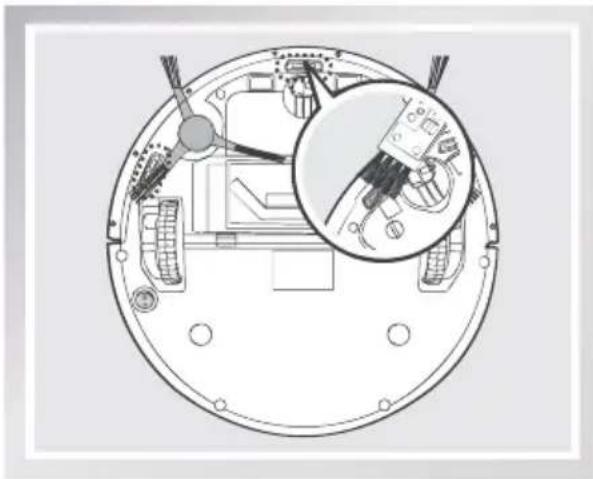
natural_image
Technical diagram of a circular mechanical component with internal components and an inset close-up showing a tool or device (no text or symbols present)natural_image
Top-down schematic of a mechanical device with internal components and a magnified inset showing internal components (no text or symbols)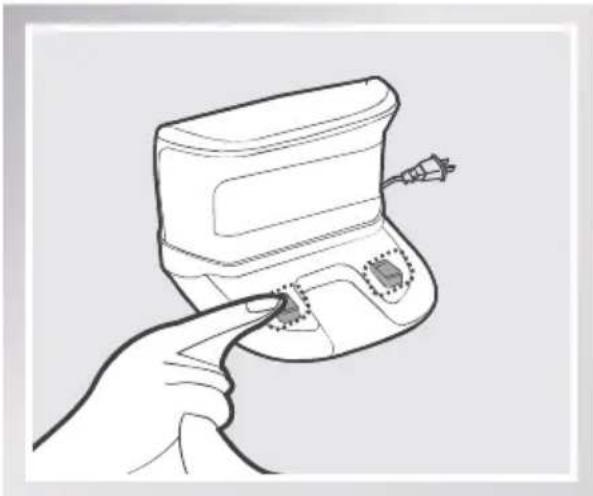
natural_image
Line drawing of a hand holding a small electronic device with a button, no text or symbols present4. Manutenzione
Declaration of Conformity
Document number:0012
Manufacturer: Ecovacs Robotics Co., Ltd.
Address: No.18, Youxiang Road, Wuzhong District, Suzhou City, Jiangsu Province, China
We hereby declare that the following products listed below are in accordance with the provisions in the latest version of EC in this document.
Product designation:
Brand:
Automatic battery-operated cleaner

Model:
DM88,DM87
Specification:
Electrical appliances for household and similar purposes
EC Regulations or Directives:
| RED | Directive 2014/53/EU |
| RoHS | Directive 2011/65/EU |
| WEE | Directive 2002/96/EC |
| REACH | Directive1907/2006/EC |
| Eco-design | Directive 2009/125/EC |
Standards the product is in conformity with:
EN 60335-2-2:2010 + A11:2012 + A1:2013
EN 60335-1:2012+A11:2014+AC:2014
EN 60335-2-29:2004 + A2:2010
EN 62233:2008
EN 55014-1:2006+A1:2009+A2:2011
EN 55014-2:2015
EN 61000-3-2:2014
EN 61000-3-3:2013
EN 300 328 V2.1.1
EN 301 489-1 V2.1.1
General Manager: Zhuang Jianhua
Date: 2017-5-5
Ecovacs Robotics Co., Ltd
No. 18 You Xiang Road, Wuzhong District, Suzhou City, Jiangsu Province, P.R.China