
4Safety Plus DB5230 - Iron AEG - Free user manual and instructions
Find the device manual for free 4Safety Plus DB5230 AEG in PDF.
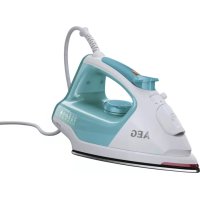


| Brand | AEG |
| Model | 4Safety Plus DB5230 |
| Product type | Steam iron |
| Power supply | 220-240 V, 50/60 Hz |
| Rated power | 2400 W |
| Water tank capacity | 250 ml |
| Dimensions (L x W x H) | 30 x 12 x 15 cm |
| Weight | 1.2 kg |
| Cord length | 2 m |
| Soleplate type | Stainless steel (estimate) |
| Control type | Rotary temperature selector, Steam selector |
| Indicator lights | Power indicator, Auto shut-off indicator |
| Main functions | Spray, Steam burst, Variable steam, Dry ironing, Self-cleaning |
| Safety | Automatic shut-off, Overheat protection, Grounding |
| Recommended water usage | Tap water, distilled water or 50/50 mixture |
| Maintenance | Self-cleaning function, External cleaning with damp cloth |
| Included accessories | Filling cup |
| Environmental information | Recyclable, do not dispose of with household waste |
| Warranty | 2 years (according to local legislation) |
Frequently Asked Questions - 4Safety Plus DB5230 AEG
User questions about 4Safety Plus DB5230 AEG
0 question about this device. Answer the ones you know or ask your own.
Ask a new question about this device
Download the instructions for your Iron in PDF format for free! Find your manual 4Safety Plus DB5230 - AEG and take your electronic device back in hand. On this page are published all the documents necessary for the use of your device. 4Safety Plus DB5230 by AEG.
USER MANUAL 4Safety Plus DB5230 AEG
4Safety™PLUS STEAM IRON DB52XX
GB Instruction book......17–22
Before using the appliance for the first time, please read the safety advice on page 18 carefully.
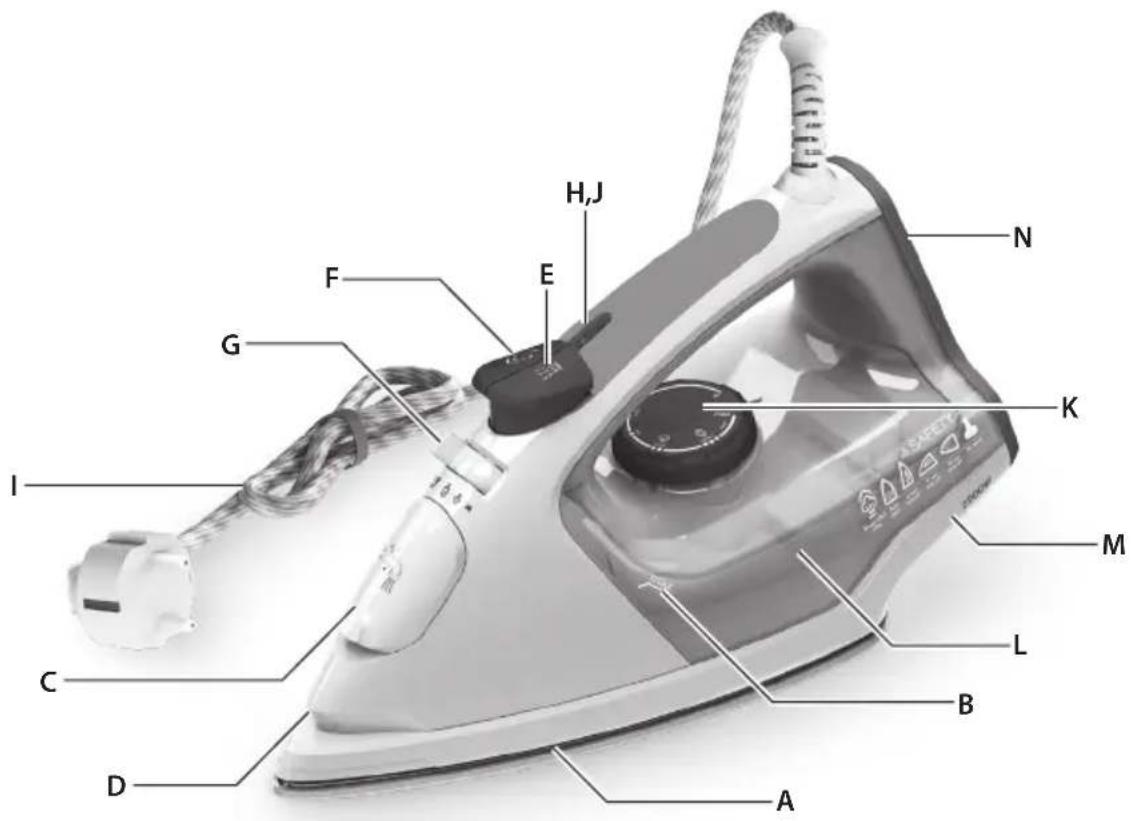
Parts
- Steaming hanging textiles. The vertical steam shot function is ideal for steaming curtains, suits/costumes, and delicate fabrics. Hang the garment on a hanger, hold the iron at a distance of 10-20 cm, and press the steam shot button.
- Steaming hanging items. The vertical steam shot function is ideal for steaming curtains, suits, and delicate fabrics. Hang the item on a hanger, hold the iron at a distance of 10-20 cm, and press the steam shot button.
- Steaming hanging items. The vertical steam function is ideal for steaming curtains, suits, and delicate fabrics. Hang the item on a hanger, hold the iron at a distance of 10–20 cm, and press the steam button.
- Steaming hanging items. The vertical steam shot function is ideal for steaming curtains, suits, and delicate fabrics. Suspend the items on a hanger, hold the iron at a distance of 10 to 20 cm, and press the steam shot button.
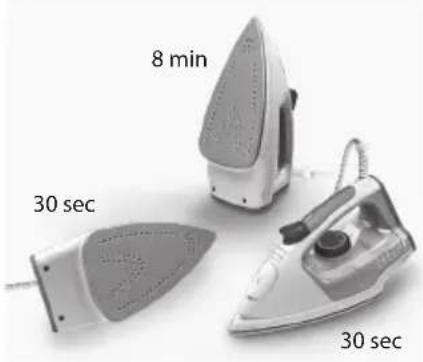
- 3-stage automatic shut-off. If the iron is placed on its soleplate or on its side and is not used for more than 30 seconds, it will automatically shut off. If the iron is placed on the heel rest, automatic safety shut-off occurs after 8 minutes.
- Automatic shut-off with 3 modes. If you leave the iron unattended on its soleplate or on its side, it will shut off after 30 seconds. If you leave the iron unattended on its heel, it will shut off after 8 minutes. To turn it on again, simply start ironing.
- Automatic shut-off in 3 steps. If the iron is left unattended on the soleplate or on its side, it will shut off after 30 seconds. If the iron is left unattended on its heel, it will shut off after 8 minutes. The iron will turn on again as soon as you start ironing.
- Three automatic shut-off criteria. If the iron is left stationary on the soleplate or on its side, it will shut off after 30 seconds. If it is left stationary on its heel, it will shut off after 8 minutes. To turn it on again, simply start ironing.
D
GB
Components
A. Soleplate B. Maximum water level indicator C. Filling aperture with cover D. Spray nozzle E. Spray button F. Steam jet button G. Steam selector/Self-cleaning H. Power indicator light I. Mains cable J. Safety auto-off light K. Temperature selector L. Water tank M. Cable wrap facility N. Rubber-napped heel
Read the following instructions carefully before using the machine for the first time.
- This appliance can be used by children aged from 8 years and above and persons with reduced physical, sensory or mental capabilities or lack of experience and knowledge if they have been given supervision or instruction concerning use of the appliance in a safe way and understand the hazards involved. Children shall not play with the appliance.
- Cleaning and user maintenance shall not be made by children without supervision.
- Keep the iron and its cord out of reach of children less than 8 years of age when it is energized or cooling down. The surfaces are liable to get hot during use.
- This product is appropriate for use with tap water. It is recommended to use distilled water or a mix of 50% distilled, 50% tap water.
- The appliance may only be connected to a power supply whose voltage and frequency comply with the specifications on the rating plate!
- The iron is not to be used if it has been dropped, if there are visible signs of damage on the iron or its cord, or if it is leaking. The appliance must only be connected to an earthed socket. The filling aperture must not be opened during use.
- If the appliance or the supply cord is damaged, it must be replaced by the manufacturer, its service agent, or a similarly qualified person in order to avoid hazard.
- The iron must be used and rested on a stable surface. When placing the iron on its stand, ensure that the surface on which the stand is placed is stable.
- Never leave the appliance unattended while connected to the supply mains.
- The appliance must be switched off and the mains plug withdrawn each time after use, before cleaning and maintenance.
- The plug must be removed from the socket outlet before the water reservoir is filled with water.
- The mains cable must not come into contact with any hot parts of the appliance.
- Do not immerse the appliance in water or any other liquid.
- Do not exceed the maximum filling volume as indicated on the appliance.
- If there are limitations, please define water quality / type of water that can be used with the appliance.
- This appliance is intended for domestic use only. The manufacturer cannot accept any liability for possible damage caused by improper or incorrect use.
| Fabric Temperature setting | Ironing recommendation | |
| Acrylic | ● | Dry iron on wrong side. |
| Acetate | ● | Dry iron on wrong side while still damp or use spray to dampen. |
| Nylon & Polyester | ● | Iron on wrong side while still damp or use spray to dampen. |
| Rayon | ● | Iron on wrong side of fabric. |
| Viscose | ● | Mainly dry iron. Steam can be used under manufacturer's instructions. |
| Silk | ●● | Iron on wrong side. Use an ironing cloth to prevent shine marks. |
| Cotton blends | ●● | Check label and follow manufacturer's instructions. Use setting fo the fibre requiring lowest setting. |
| Wool & wool blends | ●● | Steam iron on wrong side or use ironing cloth. |
| Cotton | ●● | Dry iron while still damp or use spray to dampen. Use steam medium to high. |
| Corduroy | ●●● | Steam iron on wrong side or use ironing cloth. |
| Linen | ●●●to "max" | Iron on wrong side or use ironing cloth to prevent shine marks, especially with dark colours. Dry iron while still damp or use spray to dampen. Use steam medium to high. |
| Denim | ●●●to "max" | Use maximum steam. |
| Varied ironing speed and fabric dampness might cause optimal setting to differ from that recommended in the table! | ||
Getting started
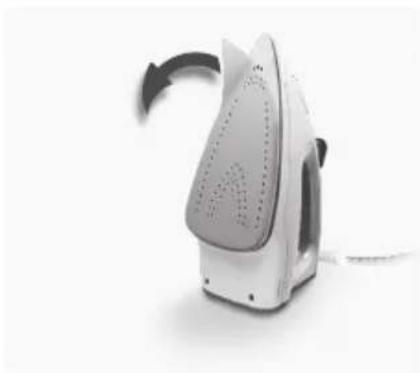
- Before first use. Remove all adhesive remains and gently rub with a dampened cloth. Rinse water tank to remove foreign particles. When turned on for the first time, temporary vapours/odours may occur.
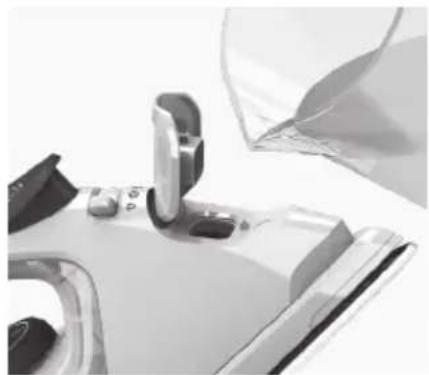
- Filling steam iron with water. Make sure plug is removed from power outlet. Turn steam selector to Dry setting and open filling aperture cover. Using beaker provided, pour water up to maximum level. Close cover. This product is appropriate for use with tap water. It is recommended to use distilled water or a mix of 50% distilled, 50% tap water.
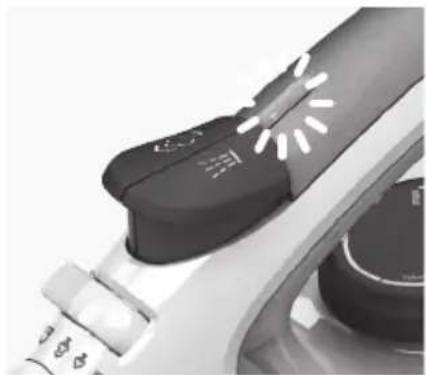
- Plug power cable into a power outlet. Power indicator light turns on. Set temperature by turning temperature selector to adequate choice. When the light turns off, iron is ready to be used.
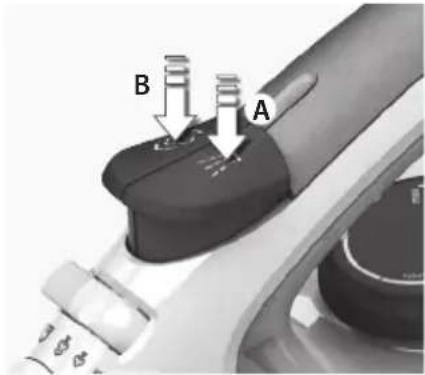
- Using the spray mist and steam jet function. Ensure that water tank is at least 1/4 full. Use spray mist to pre-dampen fabrics by pressing spray button several times to release a fine mist (A). To use the steam jet function, ensure that tank is at least 1/2 full. Press steam jet button several times to prime pump (B).
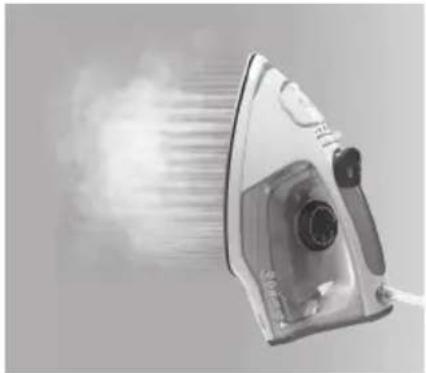
- Steaming hanging items. Vertical steam jet function is ideal for steaming curtains, suits and delicate fabrics. Hang item on a hanger, hold iron at a distance of 10–20 cm and press steam jet button.
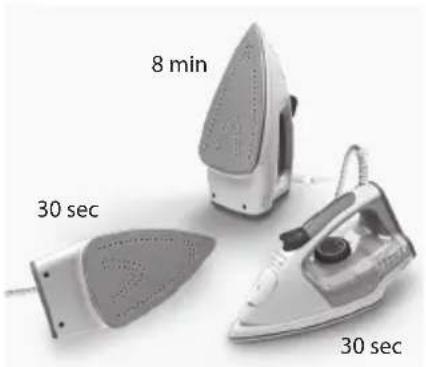
- 3-way Auto-OFF. If iron is left unattended on soleplate or on the side, it turns off after 30 seconds. If left unattended on the heel, it turns off after 8 minutes. To turn on, just begin to iron again.
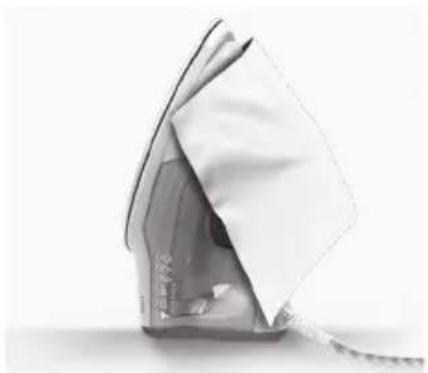
- Always store iron on its heel rest. To clean exterior surfaces, use a damp soft cloth and wipe dry. Do not use any chemical solvents, as these will damage the surface.
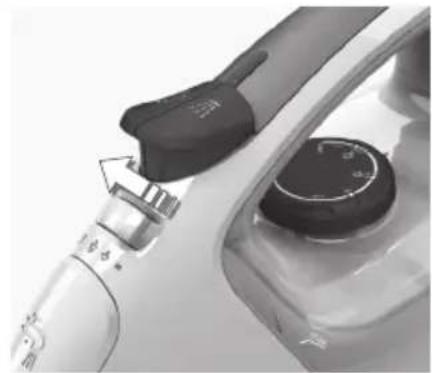
- Self-cleaning function. Hold iron over a sink. Fill with water. Heat up iron. Move steam button to self-cleaning position, hold for 5 seconds to empty water from steam holes. Release button to stop self-cleaning function.
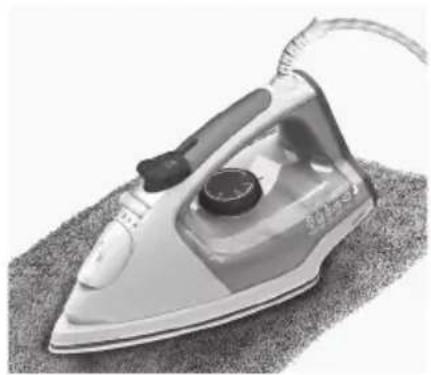
- Cleaning the soleplate. Do not use scouring pads or harsh cleaners on the soleplate as these will damage the surface. To remove burnt residue, iron over a damp cloth while iron is still hot. To clean the Glissium™ soleplate, simply wipe with soft damp cloth and wipe dry.
Disposal
GB
Recycle the materials with the symbol

. Put the packaging in applicable containers to recycle it. Help protect the environment and human health and to recycle waste of electrical and electronic appliances.
Do not dispose appliances marked with

the symbol with the household waste. Return the product to your local recycling facility or contact your municipal office.
GB
| Problem Possible cause Solution | ||
| Soleplate is not heating even though iron is turned on. | Connection problem Check main power supply cable, plug and outlet. | |
| Temperature control is in MIN position. Select adequate temperature. | ||
| Iron does not produce steam. Not enough water in tank. Fill water tank (see “Getting started”, no 2). | ||
| Steam control is selected in non-steam position. | Set steam control between positions of minimum steam and maximum steam (see “Ironing chart”). | |
| Selected temperature is lower than that specified to use with steam. | Increase temperature to at least ●●. | |
| Spray function does not work. Not enough water in tank. Fill water tank (see “Getting started”, no 2). | ||
| Steam jet and vertical steam jet function does not work. | Steam jet function was used very frequently within a short period. | Put iron on horizontal position and wait before using steam jet function. |
| Iron is not hot enough. Adjust the proper temperature to steam ironing (up to ●●. Put iron in vertical position and wait until temperature indicator light turns off. | ||
| Brown streaks come out of the soleplate while ironing and stain the linen. | You have used hard water, which has caused scale flakes to develop in the water tank. | Use the self-clean function one or more times. |
| You have used chemical descaling agents. Do not use any descaling agents. | ||
| Fabric fibres have accumulated in the holes of the soleplate and are burning. | Use the self-clean function one or more times. Clean the soleplate with a damp soft cloth. | |
| Fabrics might not be properly rinsed or the garments are new and have not been washed before ironing. | Please rinse the laundry properly again. | |

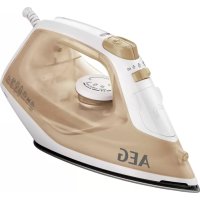
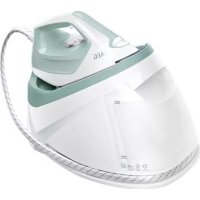
Brand : AEG
Model : 4Safety Plus DB5230
Category : Iron