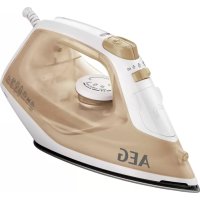
DB1740 - Iron AEG - Free user manual and instructions
Find the device manual for free DB1740 AEG in PDF.



| Product type | Steam iron |
| Brand | AEG |
| Model | DB1740 |
| Soleplate | With ThermoSafe™ indicator (depending on model) |
| Water tank | Transparent with maximum level indicator |
| Steam function | Continuous, adjustable (steam selector) |
| Steam blast function | Horizontal and vertical |
| Spray function (mist) | Yes, for pre-moistening |
| Self-cleaning | Yes, built-in |
| Temperature selector | Adjustable thermostat with fabric guide |
| Power indicator light | Indicates heating |
| Power cord | With cord storage |
| Storage base | Provided for vertical storage |
| Power supply | See rating plate (voltage/frequency) |
| Recommended use | Tap water or 50% distilled water mixture |
| Exterior maintenance | Damp soft cloth, no detergent |
| Soleplate cleaning | Damp soft cloth, no abrasive pad |
| Safety | Do not immerse, do not use if damaged, keep out of reach of children under 8 years |
| Included accessories | Measuring cup |
| Use | Household use only |
| Warranty | See manufacturer's terms |
Frequently Asked Questions - DB1740 AEG
User questions about DB1740 AEG
0 question about this device. Answer the ones you know or ask your own.
Ask a new question about this device
Download the instructions for your Iron in PDF format for free! Find your manual DB1740 - AEG and take your electronic device back in hand. On this page are published all the documents necessary for the use of your device. DB1740 by AEG.
USER MANUAL DB1740 AEG
natural_image
A.E.G. iron iron with visible branding and control panel (no text or symbols on the device itself)GB INSTRUCTION BOOK

natural_image
Line drawing of a steam iron with a blue arrow indicating rotation (no text or symbols)


natural_image
Illustration of a hair iron being brushed with blue liquid, showing the process and impact (no text or symbols)
natural_image
Line drawing of a steam iron emitting smoke, with a blue arrow indicating airflow direction (no text or symbols)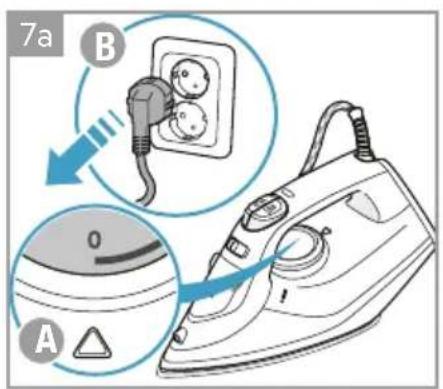

natural_image
Technical line drawing of a car door handle and seat assembly (no text or symbols)
natural_image
Illustration of a steam iron with a cord and plug, no text or symbols present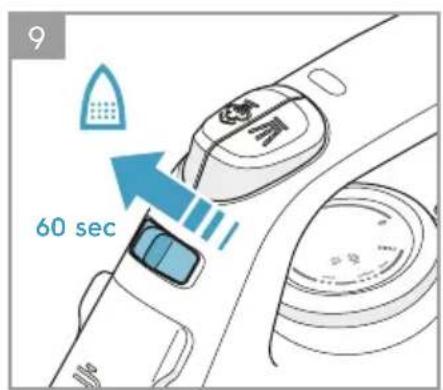
natural_image
Line drawing of a steam iron on a bed (no text or symbols)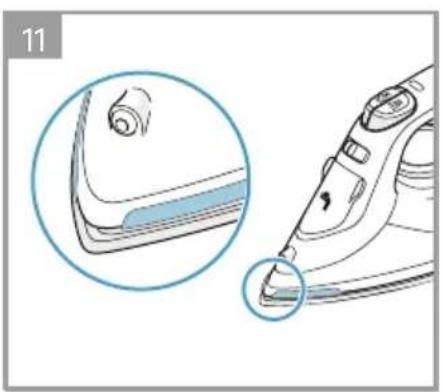
natural_image
Illustration of a steam iron with a magnified inset showing the tip and base (no text or symbols)CONTENTS
| ENGLISH 6 | ف ارسى | 23 | NEDERLANDS 34 | |
| DEUTSCH | 10 | FRANÇAIS 26 | PORTUGUÊS 38 | |
| عربي | 15 | ΕΛΛΗΝΙΚΑ 30 | ||
| ESPAÑOL 18 | ITALIANO 34 |
FOR PERFECT RESULTS
Thank you for choosing this AEG product. We have created it to give you impeccable performance for many years, with innovative technologies that help make life simpler features you might not find on ordinary appliances. Please spend a few minutes reading to get the very best from it.
Visit our website to:

Get usage advice, brochures, trouble shooter, service information: www.aeg.com/webselfservice

Register your product for better service: www.registeraeg.com

Buy accessories and consumables for your appliance: www.aeg.com/shop
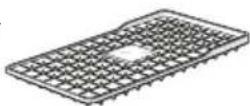
Iron shoe Ref: ACA 20

Iron pad Ref: AES 067
CUSTOMER CARE AND SERVICE
When contacting Service, ensure that you have the following data available:
- Model Number
- PNC number
- Serial number
The information can be found on the rating plate.
ENGLISH
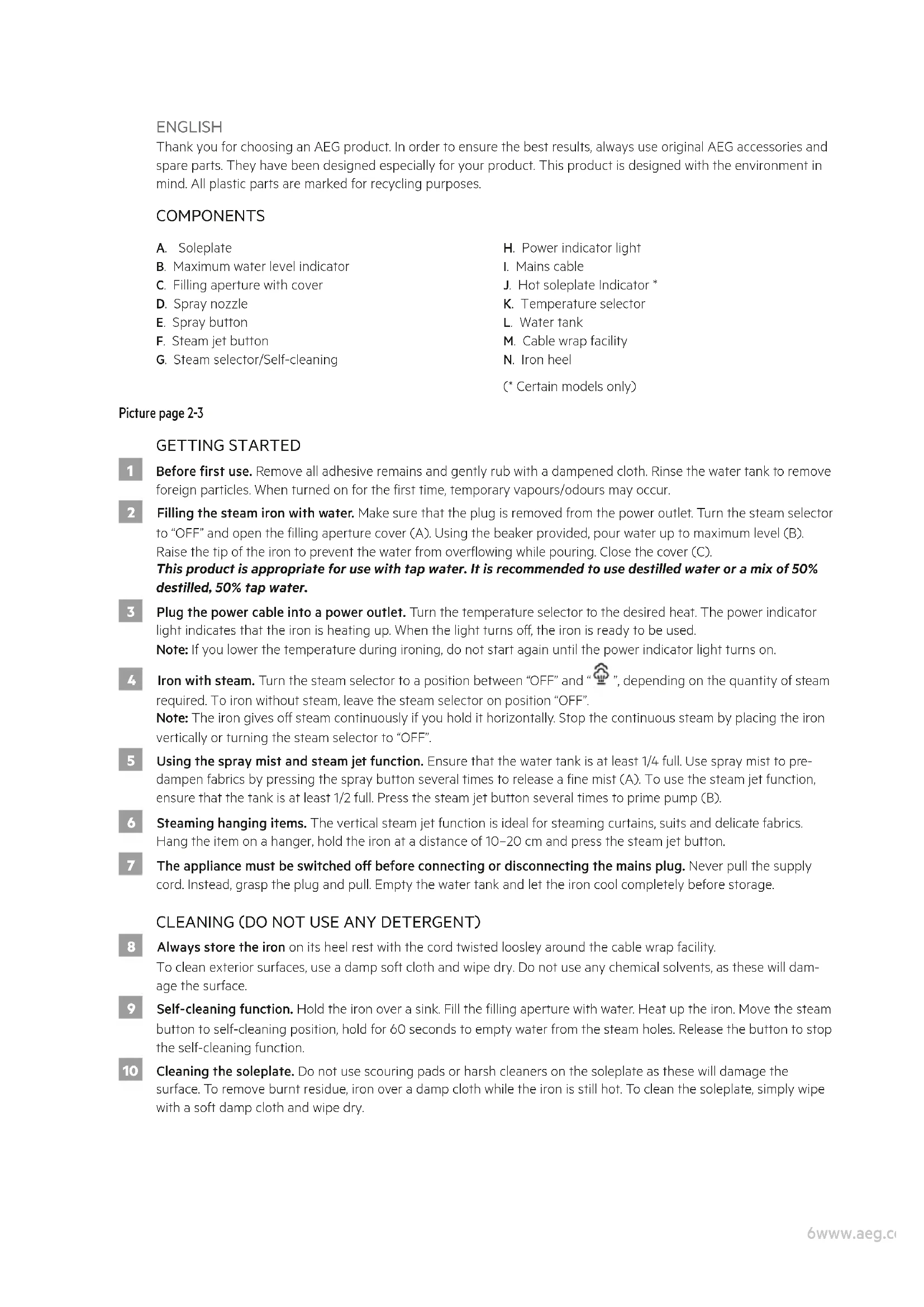
Thank you for choosing an AEG product. In order to ensure the best results, always use original AEG accessories and spare parts. They have been designed especially for your product. This product is designed with the environment in mind. All plastic parts are marked for recycling purposes.
COMPONENTS
A. Soleplate
B. Maximum water level indicator
C. Filling aperture with cover
D. Spray nozzle
E. Spray button
F. Steam jet button
G. Steam selector/Self-cleaning
H. Power indicator light
I. Mains cable
J. Hot soleplate Indicator *
K. Temperature selector
L. Water tank
M. Cable wrap facility
N. Iron heel
(* Certain models only)
Picture page 2-3
GETTING STARTED
Before first use. Remove all adhesive remains and gently rub with a dampened cloth. Rinse the water tank to remove foreign particles. When turned on for the first time, temporary vapours/odours may occur.
2 Filling the steam iron with water. Make sure that the plug is removed from the power outlet. Turn the steam selector to "OFF" and open the filling aperture cover (A). Using the beaker provided, pour water up to maximum level (B). Raise the tip of the iron to prevent the water from overflowing while pouring. Close the cover (C).
This product is appropriate for use with tap water. It is recommended to use destilled water or a mix of 50% destilled, 50% tap water.
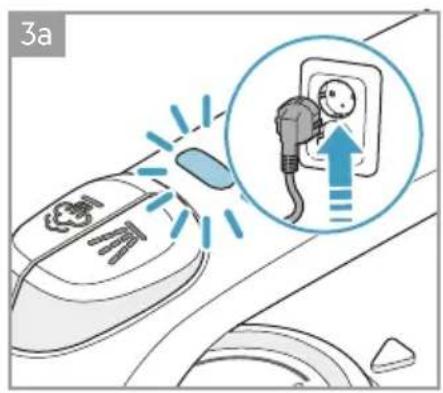
3 Plug the power cable into a power outlet. Turn the temperature selector to the desired heat. The power indicator light indicates that the iron is heating up. When the light turns off, the iron is ready to be used.
Note: If you lower the temperature during ironing, do not start again until the power indicator light turns on.
4 Iron with steam. Turn the steam selector to a position between "OFF" and "", depending on the quantity of steam required. To iron without steam, leave the steam selector on position "OFF".
Note: The iron gives off steam continuously if you hold it horizontally. Stop the continuous steam by placing the iron vertically or turning the steam selector to "OFF".
5 Using the spray mist and steam jet function. Ensure that the water tank is at least 1/4 full. Use spray mist to pre-dampen fabrics by pressing the spray button several times to release a fine mist (A). To use the steam jet function, ensure that the tank is at least 1/2 full. Press the steam jet button several times to prime pump (B).
6 Steaming hanging items. The vertical steam jet function is ideal for steaming curtains, suits and delicate fabrics. Hang the item on a hanger, hold the iron at a distance of 10–20 cm and press the steam jet button.
7 The appliance must be switched off before connecting or disconnecting the mains plug. Never pull the supply cord. Instead, grasp the plug and pull. Empty the water tank and let the iron cool completely before storage.
CLEANING (DO NOT USE ANY DETERGENT)
8 Always store the iron on its heel rest with the cord twisted loosley around the cable wrap facility.
To clean exterior surfaces, use a damp soft cloth and wipe dry. Do not use any chemical solvents, as these will damage the surface.
9 Self-cleaning function. Hold the iron over a sink. Fill the filling aperture with water. Heat up the iron. Move the steam button to self-cleaning position, hold for 60 seconds to empty water from the steam holes. Release the button to stop the self-cleaning function.
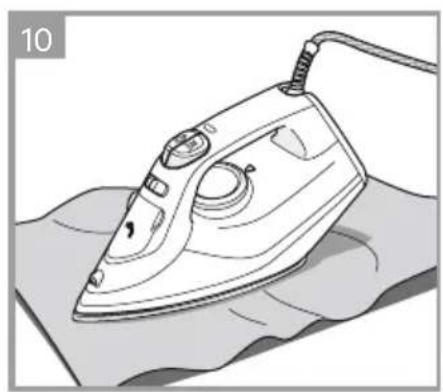
10 Cleaning the soleplate. Do not use scouring pads or harsh cleaners on the soleplate as these will damage the surface. To remove burnt residue, iron over a damp cloth while the iron is still hot. To clean the soleplate, simply wipe with a soft damp cloth and wipe dry.
THERMOSAFE™ (\* CERTAIN MODELS ONLY)
11
Your appliance is equipped with ThermoSafe™ hot soleplate indicator which detects when the soleplate is hot by changing its colour from black to red. Once the temperature of the soleplate is < 40C^ , the colour changes back to black to show that the iron is ready to be stored away.
Enjoy your new AEG product!
SAFETY ADVICE
Read the following instruction carefully before using the appliance for the first time.
- This appliance can be used by children aged from 8 years and above and persons with reduced physical, sensory or mental capabilities or lack of experience and knowledge if they have been given supervision or instruction concerning use of the appliance in a safe way and understand the hazards involved.
• Children shall not play with the appliance. - Cleaning and user maintenance shall not be made by children without supervision.
- Keep the iron and its cord out of reach of children less than 8 years of age when it is energized or cooling down.
- The surfaces are liable to get hot during use Ⓔ.
- This product is appropriate for use with tap water. It is recommended to use destilled water or a mix of 50% destilled, 50% tap water.
- The appliance may only be connected to a power supply whose voltage and frequency comply with the specifications on the rating plate.
- The iron is not to be used if it has been dropped, if there are visible signs of damage on the iron or its cord or if it is leaking.
- The appliance must only be connected to an earthed socket.
- The filling aperture must not be opened during use.
- If the appliance or the supply cord is damaged, it must be replaced by the manufacturer, its service agent or similarly qualified person, in order to avoid hazard.
- The iron must be used and rested on a stable surface. When placing the iron on its stand, ensure that the surface on which the stand is placed is stable.
- Never leave the appliance unattended while connected to the supply mains.
- The appliance must be switched off and the mains plug withdrawn each time after use, before cleaning and maintenance.
- The plug must be removed from the socket outlet before the water reservoir is filled with water.
- The mains cable must not come into contact with any hot parts of the appliance.
- Do not immerse the appliance in water or any other liquid.
- Do not exceed the maximum filling volume as indicated on the appliances.
- This appliance is intended for domestic use only. The manufacturer cannot accept any liability for possible damage caused by improper or incorrect use.
- Be careful when turning a steam iron upside down – there may be hot water in the reservoir.
IRONING CHART
| FABRIC TEMPERATURE SETTING IRONING RECOMMENDATION | ||
| Acrylic | ● | Dry iron on the wrong side. |
| Acetate | ● | Dry iron on the wrong side while still damp or use spray to dampen. |
| Nylon & Polyester | ● | Iron on the wrong side while still damp or use spray to dampen. |
| Rayon | ● | Iron on the wrong side of fabric. |
| Viscose | ● | Mainly dry iron. Steam can be used under manufacturer's instructions. |
| Silk | ● iron on the wrong side. Use an ironing cloth to prevent shin marks. | |
| Cotton blends | ● Check the label and follow the manufacturer's instructions.Use setting for the fibre requiring lowest setting. | |
| Wool & Wool blends | ● Steam iron on the wrong side or use ironing cloth. | |
| Cotton | ● Dry iron while still damp or use spray to dampen. Use steam medium to high. | |
| Corduroy | ● Steam iron on the wrong side or use ironing cloth. | |
| Linen | ●●●o “MAX” Iron on the wrong side or use ironing cloth to prevent shin marks, especially with dark colours. Dry iron while still damp or use spray to dampen. Use steam medium to high. | |
| Denim | ●●●o “MAX” Use maximum steam. | |
| Varied ironing speed and fabric dampness might cause optimal setting to differ from that recommended in the table! | ||
TIPS AND TRICKS
Temperature settings
The iron heats up faster than it cools down, so we recommend that you start ironing the fabrics requiring the lowest temperature. Use the lowest temperature with fabrics that have unusual finishes, such as sequins or embroidery. If you are unsure about the fabric, start with a low temperature and iron on a hidden corner. Then increase the temperature gradually if needed.
Avoiding marks on the fabric
Never iron areas with traces of perspiration or other marks, the heat fixes the stains on the fabric.
Washing fabrics before ironing
If the washing machine is heavily loaded or the spin drying revolutions are very high, the fabrics may come out more creased. However, many fabrics are easier to iron if they are damp.
TROUBLESHOOTING
| PROBLEM POSSIBLE CAUSE SOLUTION | ||
| The soleplate is not heating even though the iron is turned on. | Connection problem. Check the main power supply cable, plug, and outlet. | |
| The temperature selector is in “MIN” position. | Select adequate temperature. | |
| The iron does not produce steam. | Not enough water in tank. Fill the water tank (see “Getting started”, no 2). | |
| Steam selector is set in non-steam position. | Set the steam selector between positions of minimum steam and maximum steam (see “Ironing chart”). | |
| The selected temperature is lower than that specified to use with steam. | Increase the temperature to at least ● ● | |
| The spray function does not work. | Not enough water in tank. Fill the water tank (see “Getting started”, no 2). | |
| The steam jet and vertical steam jet functions does not work. | The steam jet function was used very frequently within a short period. | Put the iron in a horizontal position and wait before using the steam jet function. |
| The iron is not hot enough. Adjust the proper temperature to steam ironing (up to ● ●). Put the iron in vertical position and wait until the temperature indicator light turns off. | ||
| Brown streaks come out of the soleplate while ironing and stain the linen. | You have used hard water, which has caused scale flakes to develop in the water tank. | Use the self-clean function one or more times. |
| You have used chemical descaling agents. | Do not use any descaling agents. | |
| Fabric fibres have accumulated in the holes of the soleplate and are burning. | Use the self-clean function one or more times. Clean the soleplate with a damp soft cloth. | |
| The fabrics might not be properly rinsed or the garments are new and have not been washed before ironing. | Please rinse the laundry properly again. | |
DISPOSAL

This symbol on the product indicates that this product contains a battery which shall not be disposed with normal household waste.
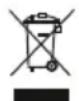
This symbol on the product or on its packaging indicates that the product may not be treated as household waste. To recycle your product, please take it to an official collection point or to an AEG service center that can remove and recycle the battery and electric parts in a safe and professional way. Follow your country's rules for the separate collection of electrical products and rechargeable batteries.
AEG reserves the right to change products, information and specifications without notice.
DEUTSCH
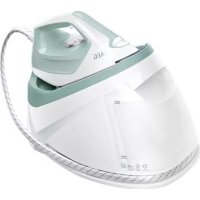
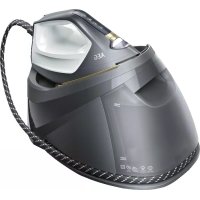
Brand : AEG
Model : DB1740
Category : Iron