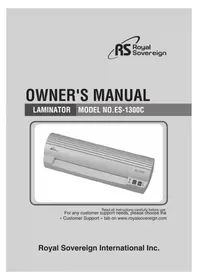
ES1300C - Laminating machine Royal Sovereign - Free user manual and instructions
Find the device manual for free ES1300C Royal Sovereign in PDF.



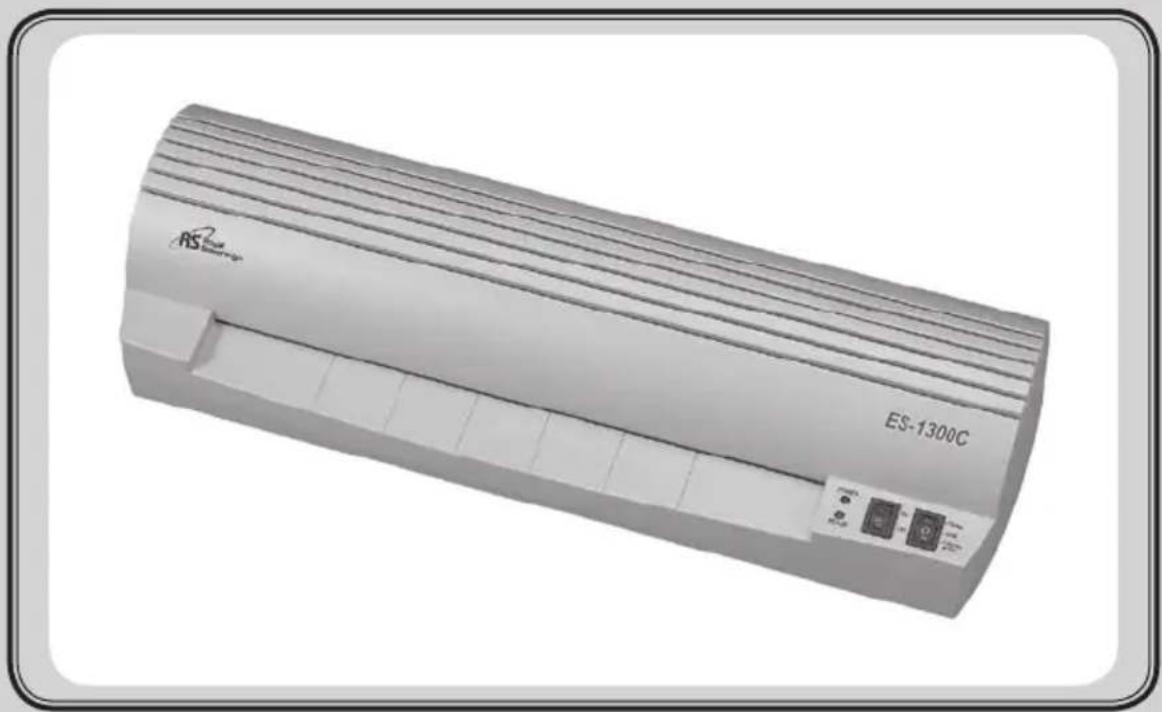
| Product type | Laminating machine |
| Brand | Royal Sovereign |
| Model | ES1300C |
| Dimensions | 490 x 162 x 110 mm |
| Weight | 3.8 kg |
| Power supply | 100-120 V / 220-240 V, 50/60 Hz |
| Power consumption | 700 W |
| Max laminating width | 336 mm |
| Max laminating thickness | 0.7 mm |
| Recommended film thickness | 75 to 125 microns (3-5 mil) |
| Number of rollers | 2 |
| Hot laminating function | Yes, with two temperature settings |
| Cold laminating function | Yes |
| Photo function | Yes |
| Preheating time | 10 to 12 minutes depending on film thickness |
| Laminating speed | 300 mm/min |
| Heating type | Contact heating |
| Motor type | AC motor |
| Retractable cooling arms | Yes, adjustable according to film size |
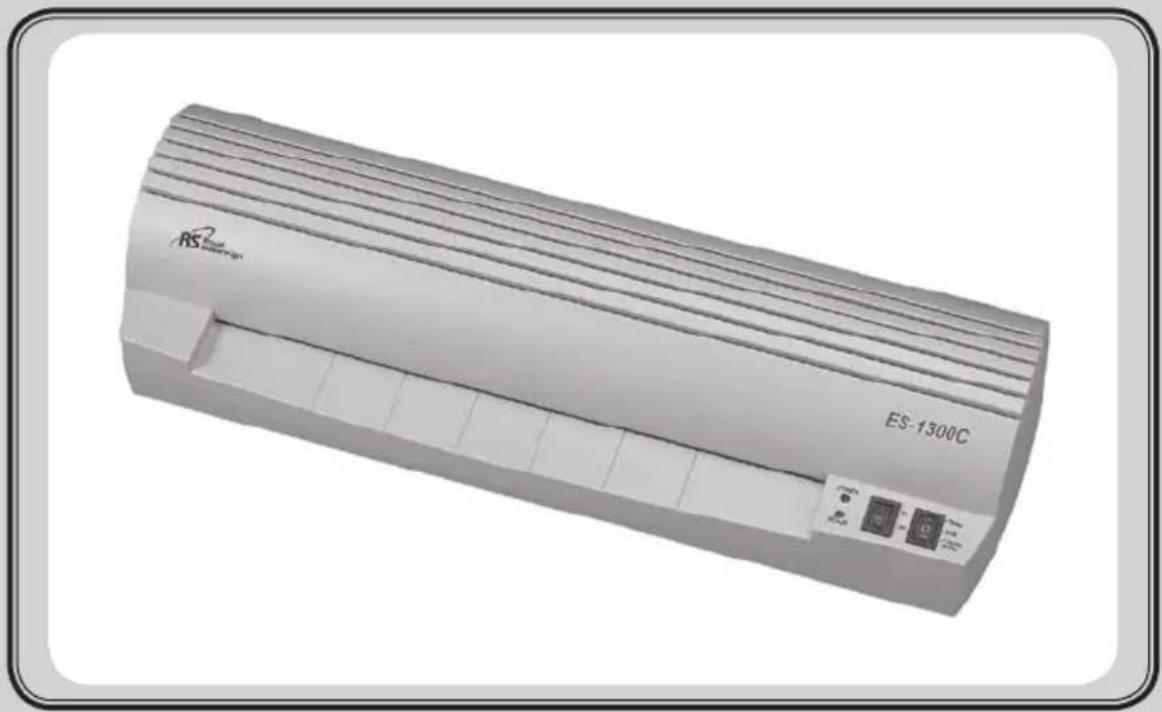
| Design | Elegant rounded design |
| Safety | Do not immerse in water, keep out of reach of children, avoid foreign objects |
| Maintenance | Clean with a dry cloth, store in a dry place after use |
| After-sales service | Contact customer support on the website www.royalsovereign.com |
Frequently Asked Questions - ES1300C Royal Sovereign
User questions about ES1300C Royal Sovereign
0 question about this device. Answer the ones you know or ask your own.
Ask a new question about this device
Download the instructions for your Laminating machine in PDF format for free! Find your manual ES1300C - Royal Sovereign and take your electronic device back in hand. On this page are published all the documents necessary for the use of your device. ES1300C by Royal Sovereign.
USER MANUAL ES1300C Royal Sovereign
natural_image
Exterior view of a white RS-1300C air conditioner unit (no text or symbols on body)Read all instructions carefully before use.
For any customer support needs, please choose the
CHARACTERISTICS OF ES SERIES
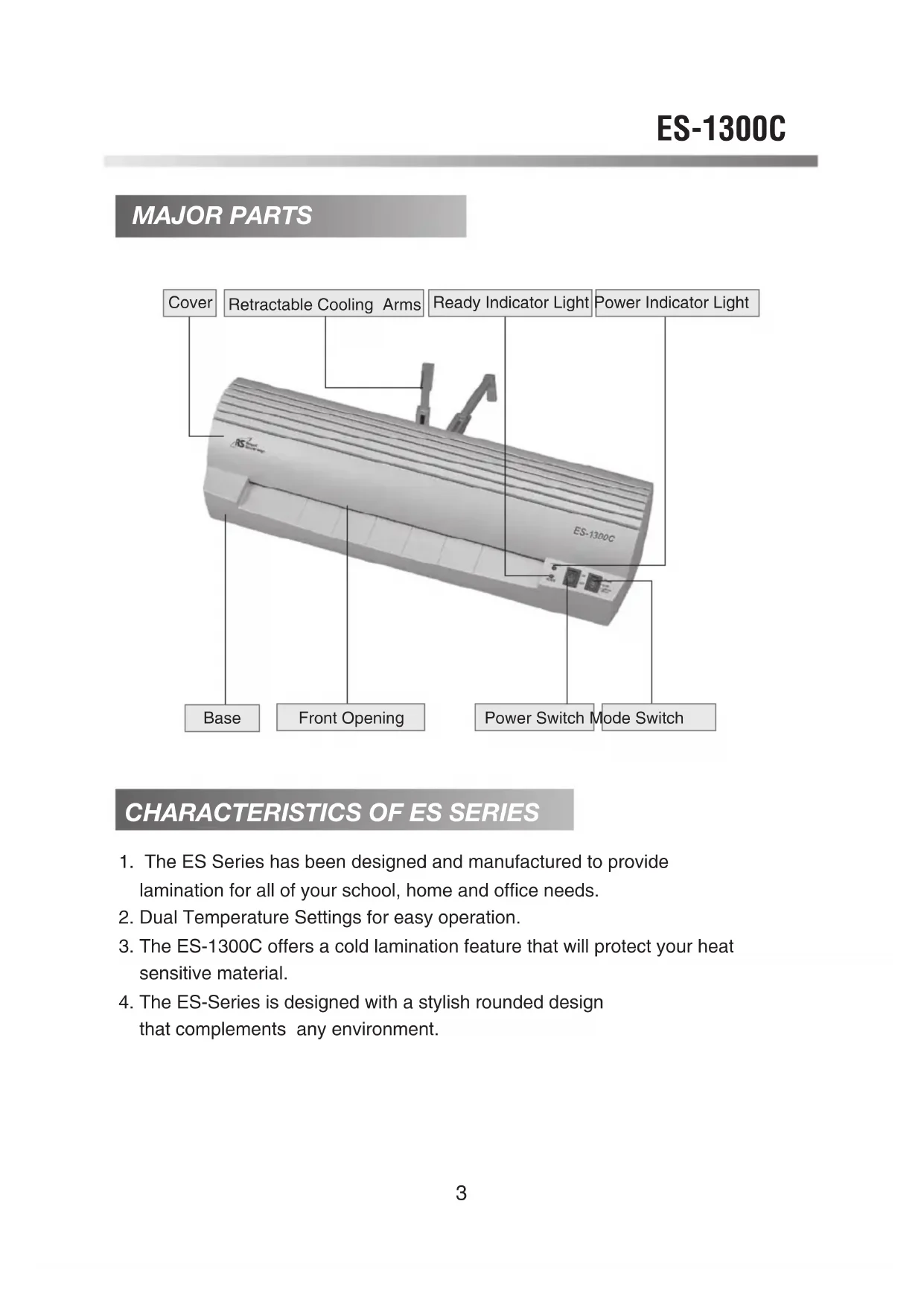
- The ES Series has been designed and manufactured to provide lamination for all of your school, home and office needs.
- Dual Temperature Settings for easy operation.
- The ES-1300C offers a cold lamination feature that will protect your heat sensitive material.
- The ES-Series is designed with a stylish rounded design that complements any environment.
SAFETY PRECAUTIONS

The safety recommendations outlined in this section are to be read and followed before operating this machine. Keep this information for future reference.
natural_image
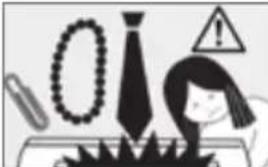
Illustration of industrial components including a tire, warning sign, and factory equipment (no readable text or symbols)- To prevent the possibility of a fire or injury, do not allow foreign articles (neckties, scarves, or paperclips) inside the machine.
- Do not attempt to laminate items that exceed total recommended material thickness.
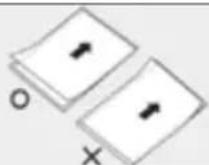
- Do not insert pouch film with the back end first. (Front of film: sealed side, Back of film unsealed side.) This may cause the pouch to jam the rollers.
natural_image
Illustration of a cylindrical object with a warning symbol (no text or labels)- To prevent the possibility of electric shock, do not immerse the laminator in water or permit liquids inside the machine.
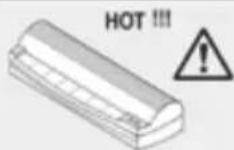
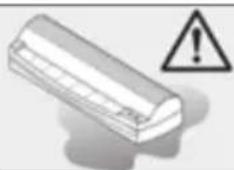
- Because the laminator creates heat, keep out of reach of children.
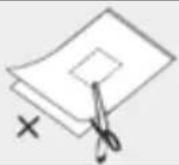
- Do not cut pouch before inserting into laminator. (This will cause the laminator to jam.)
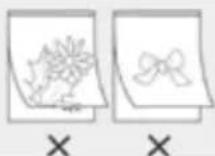
- Do not laminate leaves, flowers, clothes etc.
natural_image
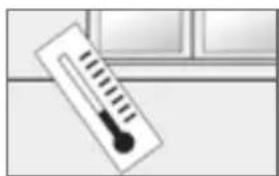
Simple illustration of a thermometer placed on a surface (no text or symbols)- If the room temperature is low(under 64f), The ready light may take longer to come on.
natural_image
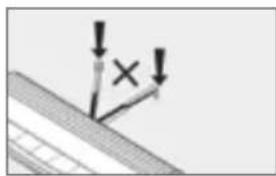
Simple diagram showing a vertical line with an 'X' mark and two downward arrows, no text or symbols present.- Retractable Cooling Guide is for the pouch film only. (Excessive pressure will cause guides to break.)
natural_image
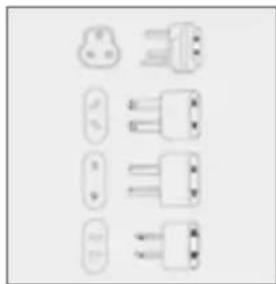
Pure electrical terminal pin symbols without any text or labels- Plug the laminator in after verifying the correct voltage. Failure to comply with the above information could result in serious injury.
HOT LAMINATING PROCEDURE
- Do not operate the laminator until the ready light is on. The Ready light will appear after 10 minutes of warm up time.
(The above directions are for 3 mil. When switching 3 mil to 4 & 5 mil pouches please wait an additional 2\~3 minutes.)
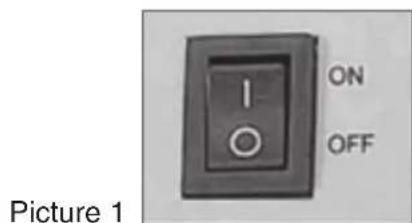
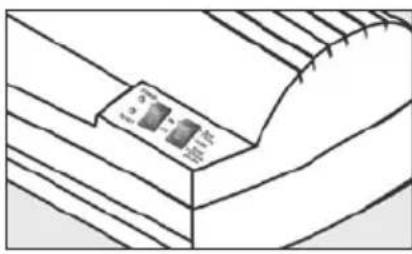
Power Switch
I: Power on
o : Power off
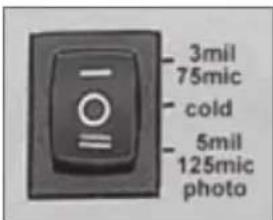
Mode Switch
This position is for low temperature mode.
Please wait 10 minutes for the machine to warm up.
Picture 2
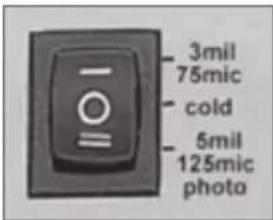
Mode Switch
This position is for high temperature mode.
Please wait 12 minutes for the machine to warm up. If you are switching from 3 mil mode you will only need to wait 2-3 minutes.
2. Setting the correct temperature according to thickness of film.
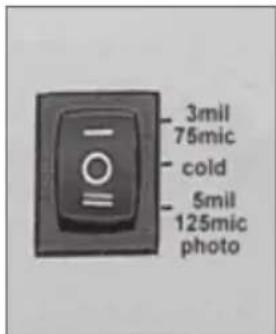
1) When using 3\~4mil pouches, please refer to picture 4. Temperature Control settings.
2) When Photo laminating, Temperature Control Switch should be in the "=" position, and wait 3\~5 minutes before laminating.
3) Do not attempt to laminate items that exceed total recommended material thickness. (It may cause poor quality lamination or damage of the laminator.)
Picture 4
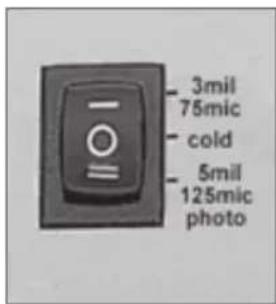
1) When using 5mil pouches, make sure switch is in the "=" position shown in picture 5.
2) When Photo laminating, Power & Temperature Control Switch should be in position "=" .
3) When changing Power & Temperature Control Switch from position "=" to position "-" , wait 3\~5minutes. (Poor qualitylamination will occur if wait time is not allowed.)
Picture 5
NOTE: Your finished laminated item will be hot, and will easily bend. To keep your laminated item flat, place on flat surface and allow to cool or lay item on the cooling guides.
COLD LAMINATING PROCEDURE
natural_image
Pure technical line drawing of a mechanical component with no visible text or symbols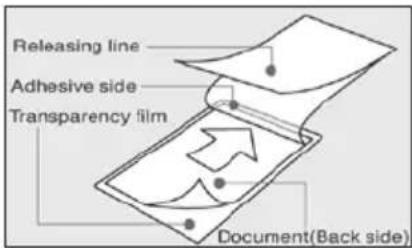
natural_image
Line drawing of a hand holding a sheet of paper over a rectangular device (no text or symbols)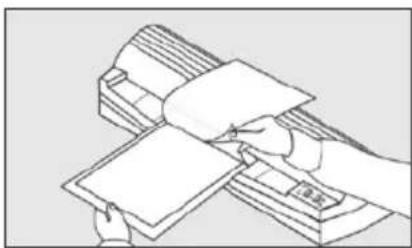
natural_image
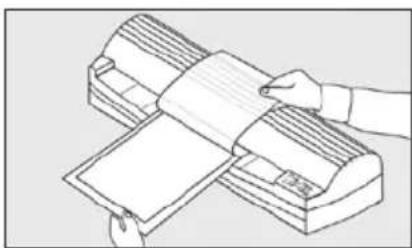
Line drawing of a hand holding a stack of documents or documents, with no visible text or symbols.- Turn the power switch to the cold position ("o"). The ready indicator light will not light, but the machine is now ready to laminate in the cold mode.
- Place the document to be laminated on the adhesive side of the cold film with the document face up.
- Insert the document to be laminated into the front opening of the machine.
- Remove paper liner from the cold film slowly while the document is being inserted into the machine.
NOTE: When switching the machine from the hot to cold mode, it will take approximately 40 minutes for the ready indicator light to turn off. Please wait for the light to turn off before inserting your document.
ADJUSTING RETRACTABLE COOLING ARMS TO THE SIZE OF THE FILM
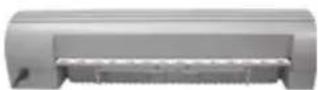
Picture 6 Picture 7 Picture 8
1) When machine is not in use, Please store machine as shown in Picture 6.
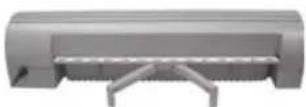
2) When using small pouches, Please refer to Picture 7.
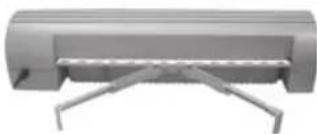
natural_image
3D rendering of a cylindrical mechanical component with metal supports (no text or symbols visible)3) When using A4 size film, Please refer to Picture 8.
SPECIFICATION
| Model ES-1300C | |
| Dimensions 19.3x6.4x4.3 inch490x162x110 mm | |
| Max.Laminating Width 13.2 inch ,336 mm | |
| Max.Lam. Thickness 27.6mil, 0.7mm | |
| Film Thickness 3~5 mil, 75 ~ 125 micron | |
| Number of rollers 2 | |
| Photo function YES | |
| Cold Function YES | |
| Heater Source Hot shoe | |
| Ready Time 12 min | |
| Motor Type AC motor | |
| Laminating Speed 11.8 inch/min, 300 mm/min | |
| Weight | 7.1 lbs, 3.8kg |
| Voltage / Cycle | AC 100V~120V (50/60Hz)AC 220V~240V (50/60Hz) |
| Power Consumption | 700 W |
CORPORATE HEADQUARTERS
Royal Sovereign International Inc.
2 Volvo Drive, Rockleigh, NJ 07647 U.S.A.
TEL: +1) 800-397-1025 FAX: +1) 201-750-1022
E-mail: info@royalsovereign.com
RS Holland B.V.
Industrieweg 6K 4104AR Culemborg, The Netherlands.
TEL : +31(0) 34-547-3097
FAX : +31(0) 23-565-4565
E-mail: purchaseorder@royalsovereign.com
Royal Sovereign Inc.
1001, World Meridian II, 426-5, Gasan-dong,
Geumcheon-gu, Seoul, 153-759, KOREA
TEL : +82)2-2025-8800 FAX : +82)2-2025-8830
E-mail : sales@royalsovereign.com
RS Canada Inc.
164 Oakdale Road, Toronto, Ontario M3N 2S5
CANADA
TEL: +1) 416-741-8400 FAX: +1) 416-741-8185
E-mail:info@royalsovereign.com
RS International Australia PTY. LTD.
30 Prime Drive, Seven Hills, NSW 2147, Australia
TEL : +61) 2-9674-2127
E-mail : salesaust@royalsovereign.com
MANUEL D'UTILISATION
PLASTIFIEUSE
Modèle No. ES-1300C
natural_image
Exterior view of a white RS-1300C air conditioner unit (no text or symbols on body)natural_image
Illustration of a person reacting to environmental hazards including a tire, bead, and warning sign (no text or symbols)natural_image
Simple illustration of a thermometer placed on a surface, no text or symbols presentnatural_image
Simple diagram showing a downward arrow with an 'X' mark and a plus sign, no text or symbols present.natural_image
Pure electrical connector pinout diagrams without any text or symbolsnatural_image
Simple line drawing of a ceiling structure with a labeled component (no text or symbols)natural_image
Illustration of a hand pressing down on a sheet of paper into a machine (no text or symbols visible)natural_image
Line drawing of a hand holding a stack of documents with a ruler, no text or symbols presentnatural_image
3D rendering of a mechanical component with no visible text or symbolsIllustration 6 Illustration 7 Illustration 8
2 Volvo Drive, Rockleigh, NJ 07647 U.S.A.
TEL: +1) 800-397-1025 FAX: +1) 201-750-1022
E-mail: info@royalsovereign.com
RS Holland B.V.
Industrieweg 6K 4104AR Culemborg, The Netherlands.
TEL: +31(0) 34-547-3097
FAX : +31(0) 23-565-4565
E-mail: purchaseorder@royalsovereign.com
RS Canada Inc.
164 Oakdale Road, Toronto, Ontario M3N 2S5
CANADA
TEL: +1) 416-741-8400 FAX: +1) 416-741-8185
E-mail: info@royalsovereign.com
Royal Sovereign Inc.
1001, World Meridian II, 426-5, Gasan-dong,
Geumcheon-gu, Seoul, 153-759, KOREA
E-mail : sales@royalsovereign.com
RS International Australia PTY. LTD.
30 Prime Drive, Seven Hills, NSW 2147, Australia
TEL : +61) 2-9674-2127
E-mail : salesaust@royalsovereign.com
MANUAL DEL PROPIETARIO
LAMINADOR
Modelo No. ES-1300C
natural_image
Exterior view of a white RS air conditioner unit (ES-1300C) with ventilation slots and control buttons (no text or symbols on the device itself)natural_image
Illustration of a person at a desk with tools and symbols (no readable text or labels)natural_image
Illustration of a rectangular object with a warning symbol (no text or labels)natural_image
Simple illustration of a thermometer placed on a surface with a window in the background (no text or symbols)natural_image
Simple diagram showing a vertical line with an 'X' mark and downward arrows, no text or symbols present.natural_image
Simple line drawing of a ceiling-mounted device with a label on the panel (no text or symbols present)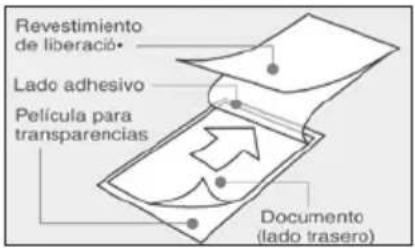
natural_image
Illustration of hands handling a large sheet of paper or document on an air conditioner unit (no text or symbols visible)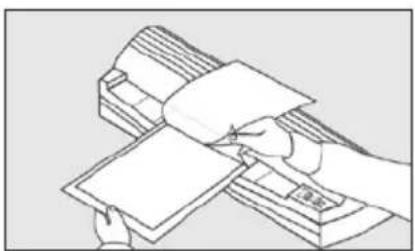
natural_image
Illustration of hands counting stacks of documents (no text or symbols visible)natural_image
3D rendering of a gray cylindrical device with metal brackets and a flat top (no text or symbols visible)2 Volvo Drive, Rockleigh, NJ 07647 U.S.A.
TEL: +1) 800-397-1025 FAX: +1) 201-750-1022
E-mail: info@royalsovereign.com
RS Holland B.V.
Industrieweg 6K 4104AR Culemborg, The Netherlands.
TEL: +31(0) 34-547-3097
FAX : +31(0) 23-565-4565
E-mail: purchaseorder@royalsovereign.com
RS Canada Inc.
164 Oakdale Road, Toronto, Ontario M3N 2S5
CANADA
TEL: +1) 416-741-8400 FAX: +1) 416-741-8185
E-mail: info@royalsovereign.com
Royal Sovereign Inc.
1001, World Meridian II, 426-5, Gasan-dong,
Geumcheon-gu, Seoul, 153-759, KOREA
TEL : +82)2-2025-8800 FAX : +82)2-2025-8830
E-mail : sales@royalsovereign.com
RS International Australia PTY. LTD.
30 Prime Drive, Seven Hills, NSW 2147, Australia
TEL : +61) 2-9674-2127
E-mail : salesaust@royalsovereign.com
BETRIEBSANLEITUNG
natural_image
Exterior view of a RS-1300C air conditioner unit (no text or symbols on body)Customer Support Tab unter www.royalsovereign.com
Royal Sovereign International Inc.
INHALTSVERZEICHNIS
THEMA
SEITE
HAUPTKOMPONENTEN
MERKMALE DER ES-BAUREIHE
natural_image
Illustration of a person reacting to a warning symbol with a tie, glasses, and a warning sign (no text or symbols present)natural_image
Illustration of a rectangular object with a warning symbol (no text or labels)natural_image
Simple illustration of a thermometer placed on a surface, no text or symbols presentnatural_image
Simple diagram showing a vertical object with downward arrows and a cross mark, mounted on a sloped surface (no text or symbols)natural_image
Line drawing of a mechanical component with a labeled section (no text or symbols)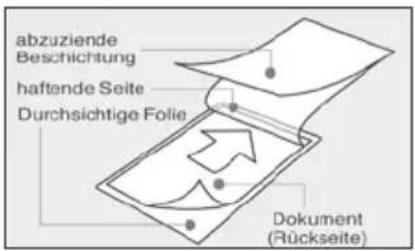
natural_image
Line drawing of a hand holding a sheet of paper over a printer (no text or symbols)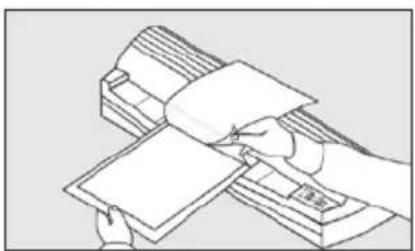
natural_image
Line drawing of a hand holding a stack of documents with a ruler, no text or symbols presentnatural_image
3D rendering of a cylindrical mechanical component with a flat support bracket (no text or symbols visible)2 Volvo Drive, Rockleigh, NJ 07647 U.S.A.
TEL: +1) 800-397-1025 FAX: +1) 201-750-1022
E-mail: info@royalsovereign.com
RS Holland B.V.
Industrieweg 6K 4104AR Culemborg, The Netherlands.
TEL: +31(0) 34-547-3097
FAX: +31(0) 23-565-4565
E-mail: purchaseorder@royalsovereign.com
RS Canada Inc.
164 Oakdale Road, Toronto, Ontario M3N 2S5
CANADA
TEL: +1) 416-741-8400 FAX: +1) 416-741-8185
E-mail: info@royalsovereign.com
Royal Sovereign Inc.
1001, World Meridian II, 426-5, Gasan-dong,
Geumcheon-gu, Seoul, 153-759, KOREA
TEL : +82)2-2025-8800 FAX : +82)2-2025-8830
E-mail : sales@royalsovereign.com
RS International Australia PTY. LTD.
30 Prime Drive, Seven Hills, NSW 2147, Australia
TEL : +61) 2-9674-2127
E-mail : salesaust@royalsovereign.com
- CHARACTERISTICS OF ES SERIES
- SAFETY PRECAUTIONS
- HOT LAMINATING PROCEDURE
- Setting the correct temperature according to thickness of film.
- COLD LAMINATING PROCEDURE
- ADJUSTING RETRACTABLE COOLING ARMS TO THE SIZE OF THE FILM
- RS Holland B.V.
- Royal Sovereign Inc.
- RS Canada Inc.
- RS International Australia PTY. LTD.
- MANUEL D'UTILISATION
- MANUAL DEL PROPIETARIO
- BETRIEBSANLEITUNG
- INHALTSVERZEICHNIS
- THEMA
- SEITE
- HAUPTKOMPONENTEN
- MERKMALE DER ES-BAUREIHE
Brand : Royal Sovereign
Model : ES1300C
Category : Laminating machine