
KD100Z9D - Television SONY - Free user manual and instructions
Find the device manual for free KD100Z9D SONY in PDF.
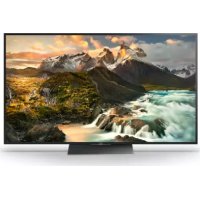



| Product Type | 4K HDR LED TV |
| Brand | Sony |
| Model | KD100Z9D |
| Screen Size | 100 inches (diagonal) |
| Resolution | 3840 x 2160 (4K UHD) |
| Display Technology | LED with Full Array Direct Backlight |
| HDR | HDR10, HLG, Dolby Vision |
| Image Processor | X1 Extreme |
| Operating System | Android TV |
| Connectivity | Wi-Fi, Bluetooth, Ethernet |
| HDMI Inputs | 4 (including 1 with ARC) |
| USB Ports | 3 |
| Power Supply | 220-240 V AC, 50/60 Hz |
| Power Consumption (max) | Approximately 400 W |
| Dimensions (without stand) | Approximately 226 x 125 x 8 cm (W x H x D) |
| Weight (without stand) | Approximately 60 kg |
| 3D Compatibility | Active 3D (with included glasses) |
| Maintenance | Clean with a soft, dry cloth |
| Safety | Do not expose to water or excessive heat |
| Available Spare Parts | Remote control, wall mount, 3D glasses |
Frequently Asked Questions - KD100Z9D SONY
User questions about KD100Z9D SONY
0 question about this device. Answer the ones you know or ask your own.
Ask a new question about this device
Download the instructions for your Television in PDF format for free! Find your manual KD100Z9D - SONY and take your electronic device back in hand. On this page are published all the documents necessary for the use of your device. KD100Z9D by SONY.
USER MANUAL KD100Z9D SONY
Operating Instructions
Operating Instructions
DEALER No. DA52582/16

TA-2013/1161
APPROVED
India only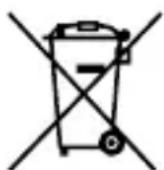
Disposal of Old Electrical & Electronic Equipment (Applicable in Republic of India)
This symbol indicates that this product shall not be treated as household waste and may not be dropped in garbage bins. Product owners are advised to deposit their product at the nearest collection point for the recycling of electrical and electronic equipment. Your co-operation shall facilitate proper disposal and help prevent potential negative consequences or hazards to the environment and human health, which could otherwise be caused by inappropriate waste disposal including improper handling, accidental breakage, damage and/or improper recycling of e-waste. The recycling of materials will help to conserve natural resources. For more detailed information about recycling of this product, please contact your local civic office, your household waste disposal service provider or
the store where you made the purchase. You may contact our company's toll free number in India for assistance.
Disposal of the Active 3D Glasses
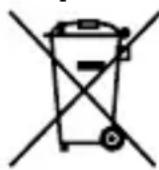
Disposal of Old Electrical & Electronic Equipment (Applicable in the European Union and other European countries with separate collection systems)
This symbol on the product or on its packaging indicates that this product shall not be treated as household waste. Instead it shall be handed over to the applicable collection point for the recycling of electrical and electronic equipment. By ensuring this product is disposed of correctly, you will help prevent potential negative consequences for the environment and human health, which could otherwise be caused by inappropriate waste handling of this product. The recycling of materials will help to conserve natural resources. For more detailed information about recycling of this product, please contact your local Civic Office, your household waste disposal service or the shop where you purchased the product.
Disposal of Waste Batteries
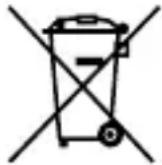
Disposal of waste batteries (applicable in the European Union and other European countries with separate collection systems)
This symbol on the battery or on the packaging indicates that the battery provided with this product shall not be treated as household waste.
On certain batteries this symbol might be used in combination with a chemical symbol. The chemical symbols for mercury (Hg) or lead (Pb) are added if the battery contains more than 0.0005% mercury or 0.004% lead. By ensuring these batteries are disposed of correctly, you will help prevent potentially negative consequences for the environment and human health which could otherwise be caused by inappropriate waste handling of the battery. The recycling of the materials will help to conserve natural resources.
In case of products that for safety, performance or data integrity reasons require a permanent connection with an incorporated battery, this battery should be replaced by qualified service staff only. To ensure that the battery will be treated properly, hand over the product at end-of-life to the applicable collection point for the recycling of electrical and electronic equipment.
For all other batteries, please view the section on how to remove the battery from the product safely. Hand the battery over to the applicable collection point for the recycling of waste batteries.
For more detailed information about recycling of this product or battery, please contact your local Civic Office, your household waste disposal service or the shop where you purchased the product.
Caution
Please read these safety instructions to ensure your personal safety and prevent property damage.
Danger of explosion if battery is incorrectly replaced.
Observe the correct polarity when inserting the battery.
Use only CR2025 type battery.
Warning
- Do not put the Active 3D Glasses in a fire.
- Do not disassemble the Active 3D Glasses.
- Do not use, charge, store, or leave the Active 3D Glasses near a fire, or in places with a high temperature, e.g., in direct sunlight, or in sun-heated cars.
- Do not allow water or foreign material to enter the Active 3D Glasses.
- Batteries must not be exposed to excessive heat such as sunshine, fire or the like. DO NOT INGEST BATTERY, CHEMICAL BURN HAZARD.
The Active 3D Glasses supplied with this product contain a coin button cell battery. If the coin button cell battery is swallowed, it can cause severe internal burns in just 2 hours and can lead to death. Keep new and used batteries away from children. If the battery compartment does not close securely, stop using the product and keep it away from children.
If you think batteries might have been swallowed or placed inside any part of the body, seek immediate medical attention.
1) Read these instructions. 2) Keep these instructions. 3) Heed all warnings. 4) Follow all instructions. 5) Do not use this apparatus near water. 6) Clean only with a dry cloth. 7) Do not install near any heat sources such as radiators, heat registers, stoves, or other apparatus (including amplifiers) that produce heat.
8) Refer all servicing to qualified service personnel. Servicing is required when the apparatus has been damaged in any way, such as the power-supply cord or plug is damaged, liquid has been spilled or objects have fallen into the apparatus, the apparatus has been exposed to rain or moisture, does not operate normally, or has been dropped.
Precautions for use
The Active 3D Glasses are operated by receiving RF signals from the TV. Mis-operation may occur if: the Active 3D Glasses do not face the TV; if there are objects blocking the path between the Active 3D Glasses and the TV; if there are other 2.4GHz RF communication devices such as an Internet AP or microwave oven, etc. nearby, this may affect their performance. Watch the TV using the Active 3D Glasses, facing squarely towards the TV. The 3D effect is inadequate and screen colour will shift when lying down or tilting your head.
Safety Precautions
- You should only use this product for watching 3D video images on a compatible Sony television.
- Some people may experience discomfort (such as eye strain, fatigue, or nausea) when using this product. Sony recommends that all viewers take regular breaks while watching 3D video images or playing stereoscopic 3D games. The length and frequency of necessary breaks will vary from person to person. You must decide what works best. If you experience any discomfort, you should stop using this product and watching the 3D video images until the discomfort ends; consult a doctor if you believe necessary. You should also review (i) the instruction manual of your television, as well as any other device or media used with your television and (ii) Sony website for the latest information. The vision of young children (especially
those under six years old) is still under development. Consult your doctor (such as a pediatrician or eye doctor) before allowing young children to watch 3D video images or play stereoscopic 3D games. Adults should supervise young children to ensure they follow the recommendations listed above.
- Do not drop or modify the Active 3D Glasses.
- If the Active 3D Glasses are broken, keep broken pieces away from your mouth or eyes.
- Be careful not to pinch your fingers in the hinges when bending the temple arms.
- Keep this product out of reach of children to prevent accidental ingestion.
- Watch the TV from a distance of more than three times the TV's screen height.
- Be careful not to harm your eyes with the glasses' temple when wearing the Active 3D Glasses.
- Flickering or flashing may occur under some fluorescent or LED lighting, etc.
- When you use the Active 3D Glasses and watch or play 3D video images or SimulView™ contents under some fluorescent or LED lighting, etc., flickering or flashing lights may be observed. This flickering or flashing may trigger epileptic seizures or blackouts (photosensitivity) in a very small percentage of individuals. If you observe such flickering or flashing, IMMEDIATELY take off the Active 3D Glasses and stop watching or playing the 3D video images or SimulView™ contents. This flickering or flashing may trigger previously undetected epileptic symptoms or seizures in persons who have no history of prior seizures or epilepsy. If you have an epileptic condition or have had seizures of any kind, consult your doctor before watching or playing the 3D video images or SimulView™ contents.
If you experience any of the following health symptoms while using the Active 3D Glasses, IMMEDIATELY take off the Active 3D Glasses and stop watching or playing the 3D video images or SimulView™ contents and consult your
doctor before resuming: dizziness, altered vision, eye or muscle twitches, loss of awareness, disorientation, seizures, or any involuntary movement or convulsion.
- Dispose of batteries in an environmentally friendly way. Certain regions may regulate the disposal of batteries. Please consult your local authority.
Maintenance of your Glasses
- Wipe the Glasses gently with a soft cloth.
- Stubborn stains may be removed with a cloth slightly moistened with a solution of mild soap and warm water.
- If using a chemically pretreated cloth, be sure to follow the instructions provided on the package.
- Never use strong solvents such as a thinner, alcohol or benzine for cleaning.
Overview
Active 3D Glasses needs registration to TV. When using Active 3D Glasses with another TV, re-registration is necessary.
Steps
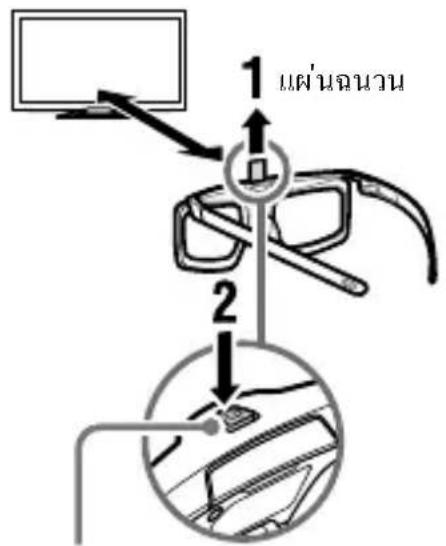
1 Remove the battery's insulating sheet before using the product for the first time. 2 When using Active 3D Glasses for the first time, hold the glasses within a 50 cm range of the TV and turn on the TV and hold the (Power) button/indicator for 2 seconds. The Active 3D Glasses turn on and registration starts (The (Power) button/indicator blinks green and yellow). When registration is finished, a message appears in the bottom right of the screen for 5 seconds, and the indicator will light up green for 3 seconds. This process is only required one time.
If registration fails, the Active 3D Glasses will turn off automatically. In this case, repeat the above.
(Power) button / indicator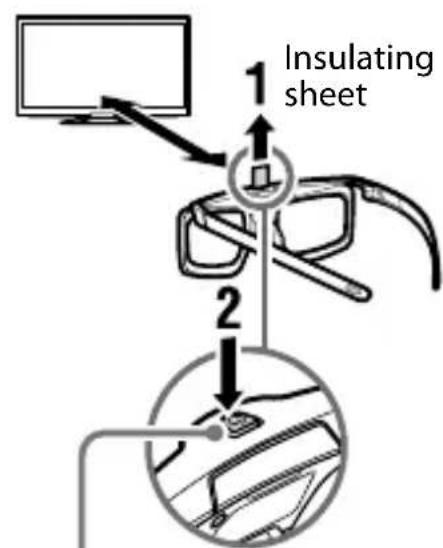
To turn on and off
To turn on: Press once the power button. To turn off: Hold the power button down for 2 seconds.
Troubleshooting
In the event of a problem, refer to i-Manual/Help Guide on your TV.
Refer to Sony website for the latest information.
For Asia http://www.sony-asia.com/support
For Taiwan http://www.sony.com.tw/service
For Latin America http://esupport.sony.com/LA/
Continuous operating time (Approx.)
100 hours
Design and specifications are subject to change without notice.
Trademark Information
- "SimulView" is a trademark of Sony Computer Entertainment Inc.
- The Bluetooth® word mark and logos are owned by the Bluetooth SIG, Inc. and any use of such marks by Sony Corporation is under license. Other trademarks and trade names are those of their respective owners.
Active 3D glasses
2 17
1 1 2 3 50 1 17 17 17 17 17 17 17 17 17 17 17 17 17 17 17 17 17 17 17 17 17 17 17 17 17 17 17 17 17 17 17 17 17 17
1(1a/1 anrnnn) 1w/wn
#
mua:nui uia/1 nuiu
nunJywn
Hnnn nn i-Manual/naeennnne nnnu
http://www.sony-asia.com/support
For Asia: http://www.sony-asia.com/support
For Taiwan: http://www.sony.com.tw/service
For Latin America: http://esupport.sony.com/LA/
For Brazil: http://esupport.sony.com/BR/
Specifications
Battery type
Lithium Manganese Dioxide Battery CR2025
Continuous operating time (approx.)
100 hours
(20)
j j
j j.()
a a 1
5 jolj
3 3 j 3
JrJ 45 cWl p jy Jb S.0
3D S.
0.0g 00 gol 150g 4g
.
J 1
. 405:
2 1 1
Sue jglulg
⇒ 3x = - 2 + 2√2
∴ a i = 70% 2a j = 40%
SimulView
SimulViewTM
100 0000000000000000000000000000000
joo jSoo oJoo Joo
1234567890
yIa Iaa IaIglaia 4 aIaIaIaIaIaIaIaIaIaIaIaIaIaIaIaIaIaIaIaIaIaIaIaIaIaIaIaIaIaIaIaIaIaIaIaIaIaIaIaIaIaIaIaIaIaIaIaIaIaIaI
a 1
jloj 1 ygao aogyglai lyolzoo j oolazoi
dsjSswj4jLj0g0oJdss
(i) 1y. CxLbJyjdy jyj yj
gLo 1000000000000000000000000000000000000000
CwUg(ii)g0ggygulolaloggldL
Sory
Therefore, a_i = a_{i-1} + b
a 1
CR2025
Therefore, the area of triangle BCD equals the area of triangle COD plus the area of triangle BDO. Stos 1 y Stos
● 3D ∴ ωg = 21g - jgi uila 1
15
-12 ÷ (5 + 1) × 5
.313 3g=9 L
-450
cos θ = sin θ (θ ≠ 0°)
CleU 4 Cdo 10 Coo1 Jsoo.og 00g 51
- jao g oai yol 12 yu w slay
0
= 1/2 [(3 - x)^n + x^n] - 1/2 [(3 - x)^n - x^n]
∴ S ΔOBC = S ΔAOB + S ΔBOC
-5g0.3g 42
∴ S_ΔOBC = 1/2 · CO · BC = 1/2 × CD × 5
- ω ω 0β ωLβ
S 42010 S
∴ S ΔOBC = S ΔCOD + SΔBOC
S 13D
∴ S ΔOBC = S ΔCOD + SΔBOC
∴ a 1 = 2,a 2 = - 4,∴ b22 = 4a
40x10g 11
.
http://www.sony-asia.com/supportl
http://www.sony.com.tw/service 山
∴ a + b = 11
RF
:151
REGISTERED No.
DEALER No. DA52582/16
2.4 RF 151
- 1.1.1.2.
Jl 150
.CR2025 8g4yJbJzJx
#
a 1 = 5 a 2 = 4
. 1 . ab3D
Jittaaiee jg aegd jslol glaal
1
∴ | x | = 1/| x| · | r 12 + r 22 + r32| ≤ 3/4| x| 2
abaaa
3D aai Joo
aUd aLw lo gJ JUW
- a iωj
∴ a5 = 5/2
-4yJbJds
© 2016 Sony Corporation
- DISPOSAL OF OLD ELECTRICAL & ELECTRONIC EQUIPMENT (APPLICABLE IN REPUBLIC OF INDIA)
- DISPOSAL OF THE ACTIVE 3D GLASSES
- DISPOSAL OF WASTE BATTERIES
- DISPOSAL OF WASTE BATTERIES (APPLICABLE IN THE EUROPEAN UNION AND OTHER EUROPEAN COUNTRIES WITH SEPARATE COLLECTION SYSTEMS)
- CAUTION
- WARNING
- PRECAUTIONS FOR USE
- SAFETY PRECAUTIONS
- MAINTENANCE OF YOUR GLASSES
- OVERVIEW
- STEPS
- TO TURN ON AND OFF
- TROUBLESHOOTING
- CONTINUOUS OPERATING TIME (APPROX.)
- TRADEMARK INFORMATION
- ACTIVE 3D GLASSES
- NUNJYWN
- SPECIFICATIONS
- J
- SUE JGLULG
Brand : SONY
Model : KD100Z9D
Category : Television