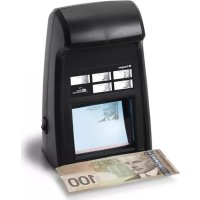
RCD4000 - Detector Royal Sovereign - Free user manual and instructions
Find the device manual for free RCD4000 Royal Sovereign in PDF.


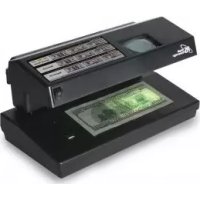
| Product type | Infrared counterfeit bill detector |
| Brand | Royal Sovereign |
| Model | RCD-4000 |
| Dimensions (L x W x H) | 145 x 105 x 225 mm (5.7 x 4.1 x 8.8 in) |
| Net weight | 1.2 kg (2.64 lb) |
| Power supply | 12 V DC, 1.5 A |
| Power consumption | 12 W (standby: 2 W) |
| Detection system | Infrared camera and screen |
| Detectable banknotes | Banknotes or certificates containing infrared ink elements |
| Standby mode | Yes, automatic activation by document presence |
| Operating temperature | 0 to 40 °C (32 to 104 °F) |
| Operating humidity | 30 to 90% |
| Maintenance | Clean with a soft cloth and a little mild soap; unplug before cleaning |
| Safety | Avoid exposure to UV, water, disassembly; unplug if not used for extended periods |
| Warranty | 1 year limited (parts and labor) for original purchaser |
| Box contents | Detector, power cord |
| Main function | Verification of infrared elements on banknotes or documents |
| Repairability | Do not disassemble; refer to a qualified technician |
Frequently Asked Questions - RCD4000 Royal Sovereign
User questions about RCD4000 Royal Sovereign
0 question about this device. Answer the ones you know or ask your own.
Ask a new question about this device
Download the instructions for your Detector in PDF format for free! Find your manual RCD4000 - Royal Sovereign and take your electronic device back in hand. On this page are published all the documents necessary for the use of your device. RCD4000 by Royal Sovereign.
USER MANUAL RCD4000 Royal Sovereign
natural_image
Black handheld electronic device with display screen and control buttons (no visible text or symbols)INFRARED COUNTERFEIT DETECTOR
Please read and retain these instructions.
To register your product, please go to www.royalsovereign.com USA.
Click the customer Support Tab, then Registration Tab.
www.royalsovereign.com
Royal Sovereign International, Inc.
INFRARED COUNTERFEIT DETECTOR
SAFETY INSTRUCTIONS
The safety recommendations outlined in this section should be read and understood before operating this machine. When using this machine follow these basic safety precautions to reduce risk of fire, electric shock or injury. Keep this information for future reference.
Warning
- Do not expose your eyes directly to Ultraviolet light source (bulb) for extended periods of time.
- Do not place the machine in an area where it may be exposed to water or other liquids.
- Before cleaning the machine always unplug the machine from the wall. Do not use liquid or aerosol cleaners on the machine.
- To reduce the risk of electrical shock, do not take apart the machine. When service or repair work is needed bring it to a qualified service repair technician.
- Do not use the machine in areas with high temperature or high humidity. This may result in the machine not working properly.
Caution
- When unplugging the power plug, grip the plug to pull it out. Pulling the cord may result in electric shock, fire, or damage to the machine.
- Do not use the machine if the cord is damaged. This may result in electric shock, fire, or other hazards.
- Do not place objects on the power cord and do not bend it excessively. This may result in electric shock, fire or other hazards.
- When not using the machine for long periods of time, unplug the power cord from the outlet.
CONTENTS
Box Contents 5
Parts 5
Features 6
Operation 6
Maintenance 7
Specifications 7
Warranty 8
Contact Information 8
Página en Español 9
Page en Français 17
BOX CONTENTS
Counterfeit detector, Power cord
PARTS
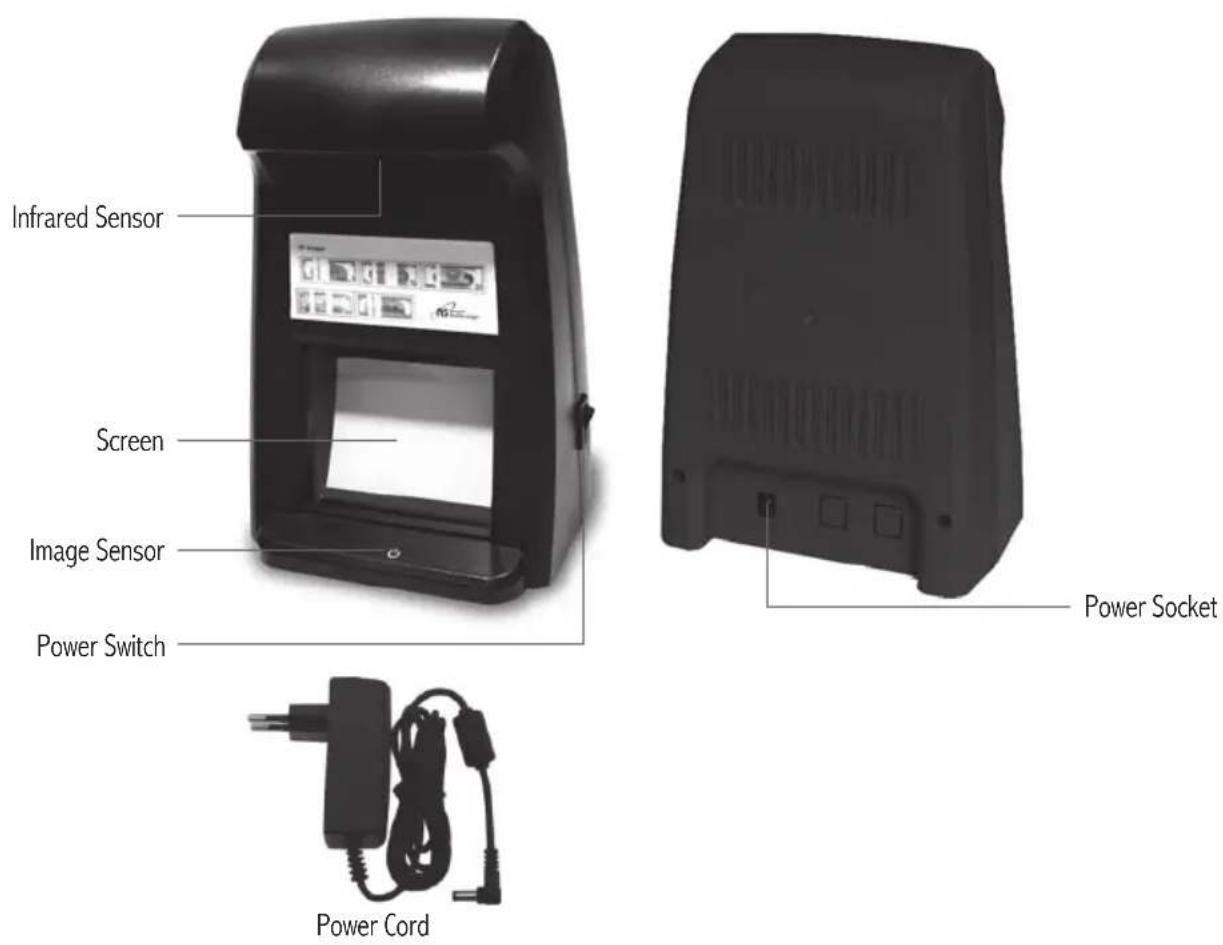
FEATURES
Infrared Counterfeit Detection
An infrared camera is used to find the hidden IR features of a bill or document.
Sleep mode
The camera enters sleep mode when nothing is being held over the image sensor. To reactivate the camera, simply hold the bill or document over the sensor.
Compact, Portable Design
This unit is lightweight and compact, easily moved from place to place.
OPERATION
NOTE : Before you begin to check your bill or document, make sure you know and understand the security features of that specific bill or document. This will ensure that you are using this machine properly.
- Plug in power cable and turn power switch on.
- Hold the bill or document you would like to verify over the image sensor. The screen will begin to light up.(See Figure 1)
- Look at the image on the screen to verify that the hidden IR features are present in your bill or document. For US bills (\5, \10, \20, \50, \$100) there are blank stripes that appear on the back of the bill. See images on the counterfeit detector for examples of what each US bill should look like.
- Any type of bill or document with infrared ink can be verified using this machine if you know what features are relevant to that currency.
- The camera enters sleep when nothing is being held over the image sensor. To reactivate the camera, simply hold the bill or document over the sensor.
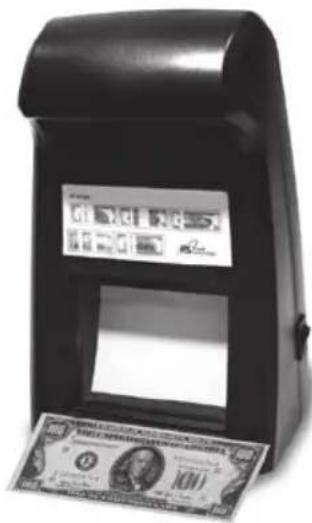
Fig. 1
MAINTENANCE
- Disconnect power cord for cleaning or maintenance if the unit will not be used for a long time.
- If necessary, clean with soft cloth and a small amount of neutral soap.
SPECIFICATIONS
| Model RCD-4000 | |
| Ambient Temperature 32~104 °F / 0~40 °C | |
| Ambient Humidity 30~90% | |
| Power Source DC 12V, 1.5A | |
| Power Consumption 12W | |
| Dormancy Consumption 2W | |
| Detectable Banknote Banknotes, bills or certificates with infrared ink. | |
| Detecting System Infrared camera and screen | |
| Unit Size (L x W x H) 5.7 x 4.1 x 8.8 (in) / 145 X 105 X | 225 (mm) |
| Unit Weight 2.64 lbs / 1.2Kg |
LIMITED ONE YEAR WARRANTY
This warranty applies to repair or replacement of product found to be defective in material or workmanship for one year from the date of the original purchase. This warranty is extended only to the original purchaser.
This warranty does not apply to damage resulting from abuse, misuse, or improper maintenance of damage that is attributable to acts of nature. Royal Sovereign International, Inc. (and its affiliated companies) is not liable for incidental or consequential damages of any nature. This limitation would not apply if you live in those areas that do not permit the exclusion or limitation of incidental or consequential damages.
Defective products for warranty repair or replacement cannot be returned without a Return Authorization number. Please go to www.royalsovereign.com USA-Customer Support Tab to make a request for an Office Product Return Authorization
Defective products must be returned to Royal Sovereign International Consumer Return Department, freight prepaid, with proof of purchase and Return Shipping and Handling payment (check or money order). Upon repair or replacement the product will be returned to the customer.
Return defective product to the following address with a detailed description of the problem. If possible, pack in original carton. Please prepay shipping charges.
For out of warranty service or frequently asked questions please go to www.royalsovereign.com USA- Customer Support Tab.
For sales of product, parts or accessories please visit us at www.royalfulfillmentcorp.com.
For service or sales please contact your local Royal Sovereign Office:
ROYAL SOVEREIGN INTERNATIONAL, INC. RS CANADA INC.
2 Volvo Drive Rockleigh, NJ 07647 USA 1025 Westport Crescent, Mississauga, Ontario, Canada L5T1E8
TEL: +1) 800-397-1025 FAX: +1) 201-750-1022 TEL: +1) 416-741-8400 FAX: +1) 416-741-8185
www.royalsovereign.com
Español
natural_image
Black handheld electronic device with display screen and control panel (no visible text or symbols)www.royalsovereign.com
Royal Sovereign International, Inc.
natural_image
Black-and-white photo of a handheld electronic device with US dollar bills displayed on its side (no readable text or symbols)Fig. 1
MANTENIMIENTO
www.royalsovereign.com
Français
natural_image
Black handheld electronic device with display screen and control panel (no visible text or symbols)DÉTECTEUR INFRAROUGE DE FAUX BILLETS
www.royalsovereign.com
Royal Sovereign International, Inc.
DÉTECTEUR INFRAROUGE DE FAUX BILLETS
CONSIGNES DE SÉCURITÉ
natural_image
Black-and-white photo of a handheld electronic device with US dollar bills displayed on its side (no readable text or symbols)Fig. 1
DÉPANNAGE
www.royalsovereign.com
Brand : Royal Sovereign
Model : RCD4000
Category : Detector