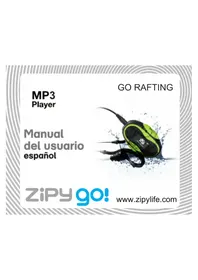
Go Rafting - Mp3 player Zipy - Free user manual and instructions
Find the device manual for free Go Rafting Zipy in PDF.



| Product type | Waterproof MP3 player |
| Brand | Zipy |
| Model | Go Rafting |
| Storage capacity | 4 GB |
| Power supply | Rechargeable battery via USB |
| Waterproof rating | Tested up to 48 hours of immersion |
| Main functions | MP3 audio playback, FM radio, pedometer, swimming mode |
| Connectivity | Mini USB for charging and file transfer |
| Care and cleaning | Rinse with fresh water after use in salt or chlorinated water, air dry |
| Safety | Compliant with EU CE and RoHS standards |
| Warranty | 2 years (parts and labor) under conditions |
| General information | Made in China. Distributed by Accesorios Inteligentes Digital S.A. |
Frequently Asked Questions - Go Rafting Zipy
User questions about Go Rafting Zipy
0 question about this device. Answer the ones you know or ask your own.
Ask a new question about this device
Download the instructions for your Mp3 player in PDF format for free! Find your manual Go Rafting - Zipy and take your electronic device back in hand. On this page are published all the documents necessary for the use of your device. Go Rafting by Zipy.
USER MANUAL Go Rafting Zipy
CONDITIONS de GARANTIES RELATIVES AU ZIPY.
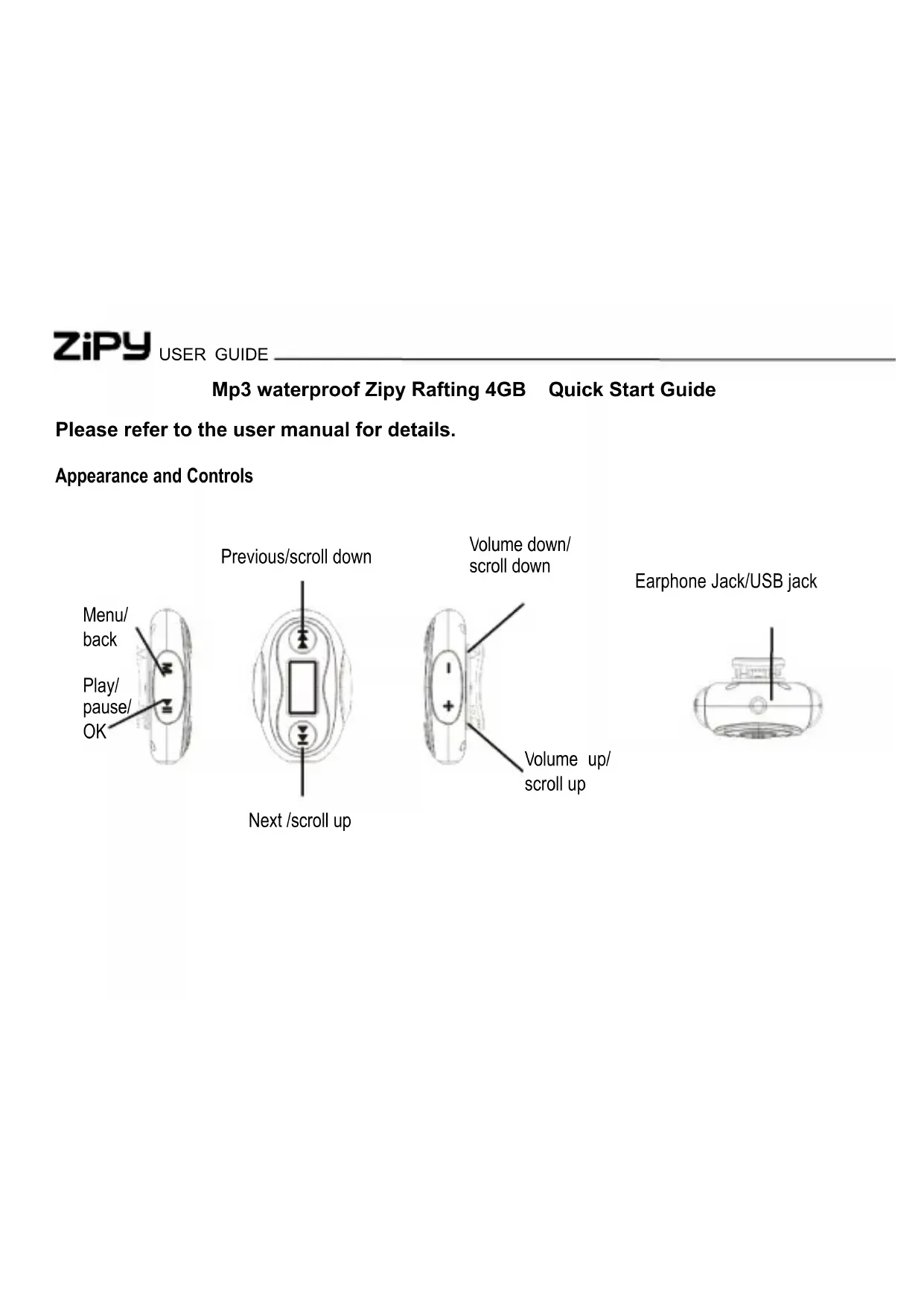
Please refer to the user manual for details.
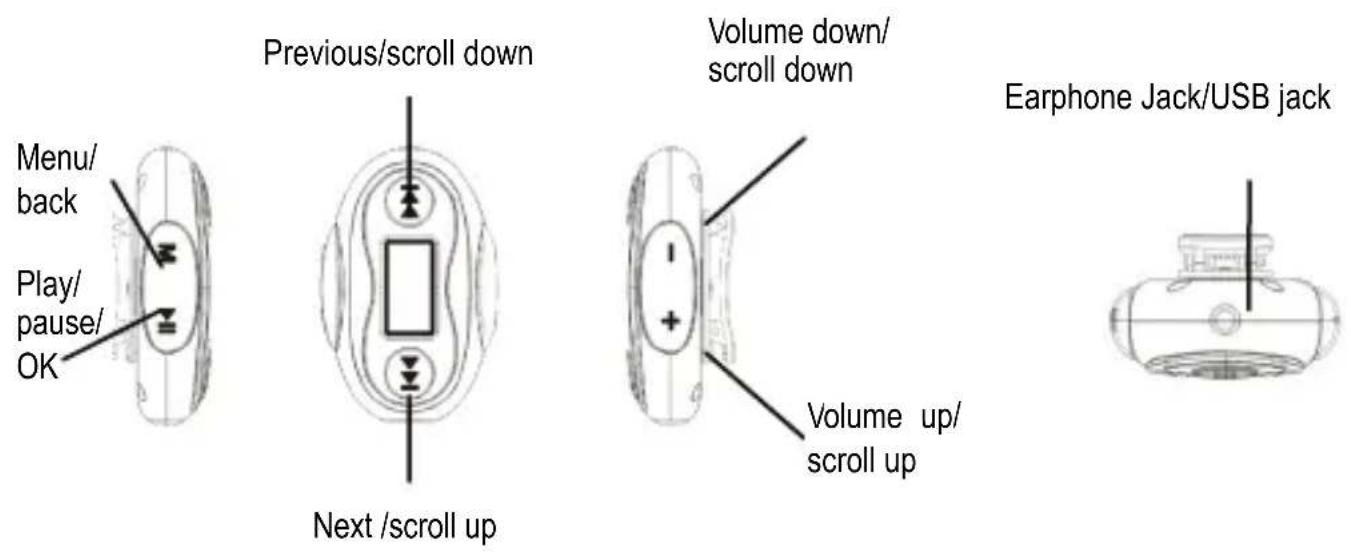
Appearance and Controls
MP3
GO RAFTING
| Connect to PC & Download audio files from PC Disconnect the player from P | |
| Connect the player to computer for downloading files or for charging1. Make sure that your computer has been started before you start.2. Connect the mini plug of the USB cable to the mini USB port on the player, and push the other end into a free USB port on your computer.3. When the MP3 player is connected to your computer, a "Removable Disk" will be created in "My computer".4. Open the Windows Explorer or My computer."Removable Disk" is displayed.5. Drag and drop the files on your computer to the "Removable Disk".Note:· The battery of the player is charging automatically when the player is connected to the computer.· Please do not disconnect the USB cable during file transferring, or it may cause malfunction of the player and the files. | After finishing transferring, please disconnect the player from the computer as the following:1 Left click the" ” icon at the taskbar.2 Click the pop-up mini-window with message of "Stop the USB Mass Storage Device -Driver (X)".3 When you are prompted to remove the device, you can unplug the player safely. |
Basic Operations
| Function Action | |
| Power on/off | To turn on the player, Press and hold【▶】button for approximately 3 seconds To turn off the player, press and hold the [ ] button for approximately 3 seconds |
| Reset | Press both【+】and【-】button at the same time |
| Lock/Unlock | To lock, set Auto Lock interval time in Settings menu( Main menu→Settings→Auto Lock), use【+/-】button or 【▼ / ▼】 button to select/adjust, 【▶】 button to confirm/enter. To unlock, long press【M】 button until lock icon disappears at the status bar. |
| Main menu | 1. Press and hold the [▶] button to power on and enter the main menu. 2. Short press【+/-】button or 【▼ / ▼】 button to select a mode from MUSIC, FM Radio, Pedometer, Swim Fitness and Settings. 3. Press▶][to confirm selection. |
| Select on the main menu and press [ ] button to enter music mode. To start play a melody or to pause, press [▶] button. |
MP3
GO RAFTING
| Listening to music | • To increase/decrease the volume, press [+] / [-] button. • To skip to next/previous melody, press [?] / [?] button. • To fast forward/backward current playing melody, long press [?] / [?] button. • To enter option menus(e.g. Repeat, Equilizer, Music file, Pedometer, Swim fitness) short press [M] button under music playing state (use [+/-] button or [?] button to select/adjust, [?] button to confirm/enter). • To exit, press [M] button. |
| Listening to FM radio | Select on the main menu and press [?] button to enter the FM radio mode. • To increase/decrease the volume, press [+] / [-] button. • To switch mode between Manual and Preset, press [ ] button. • To skip to next/previous radio station, press [?] / [?] button. • To enter option menus(e.g. Delete, Auto Search, Pedometer, Swim fitness) short press [M] button under FM raido broadcasting state( use [+/-] button or [?] button to select/adjust, [?] button to confirm/enter). • To exit, press [M] button. Important: Connect your earphone to the earphone jack. |
| Pedometer Mode | Select on the main menu and press【▶】button to enter the Pedometer mode. • To start/pause pedometer/stopwatch (calories counting), press【▶】button. • To enter option menus(e.g. Save, Delete All, Records List, Exit) short press【M】button (use【+/-】button or 【▶ /▶】button to select/adjust, 【▶】button to confirm/enter). For a accurate use of the pedometer, personal information should be input into the player first.(Main menu→Settings→Personal Info→Stride/ Weight/ Arm Length/ Pool Length/ Unit.) Use【+/-】 button or【▶ /▶】button to select, 【▶ /▶】button to set parameters and【▶】button to confirm/save. • To exit, press【M】button. |
| Swim Fitness Mode | Select on the main menu and press【▶】button to enter the Swim Fitness mode. • To start/pause swim fitness/stopwatch (calories counting), press【▶】button. • To enter option menus(e.g. Save, Delete All, Records List, Exit) short press【M】button( use【+/-】button or 【▶ /▶】button to select/adjust, 【▶】button to confirm/enter). For a accurate use of the pedometer, personal information should be input into the player first. Same steps as mentioned in |
MP3
GO RAFTING
| Pedometer Mode, please refer to above. • To exit, press【M】button. | |
| Settings | Select on the main menu and press【▶】button to enter settings menu. • To select an option or set parameters, press【+/-】button or【▼/▲】button. • To enter/confirm save, press【▶】button. • To exit, press【M】button. |
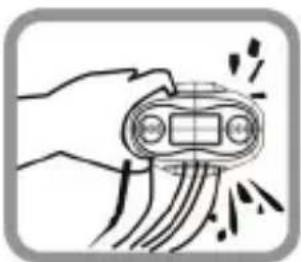
| Please be aware that water in the swimming pool and the sea is corrosive. To keep your MP3 player in good condition we recommend that you rinse it with fresh water after use. 1. Wash and rinse it under running tap water. 2. Immerse it for around 2 or 3 minutes in pure water to remove any salt or dirt. |
ZiPy USER GUIDE
Maintenance
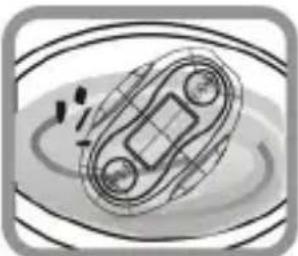
- After washing it with pure water, take it out and shake it for several times.
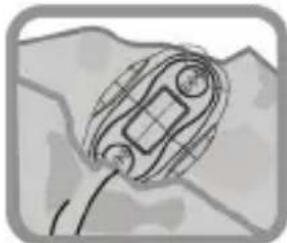
- Use a clean soft chiffon which won't leave any loose fiber to wipe off any excess water.
MP3 GO RAFTING
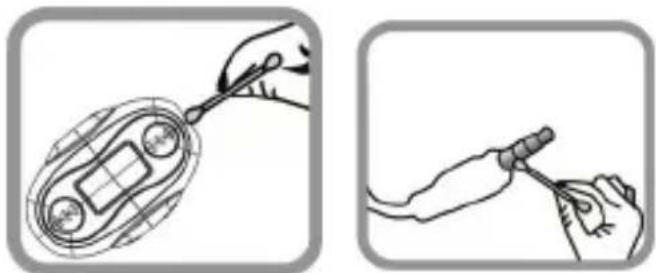
- Use cotton buds to thoroughly wipe off water in the seams.
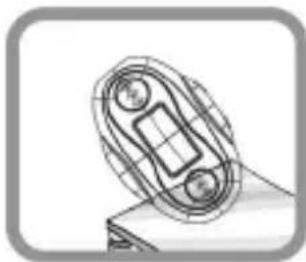
- Dry it completely at a well ventilated shady place.
ZIPY WARRANTY CONDITIONS.
For information about security, compliance, recycling, information in other languages or other important information regarding your Zipy, refer to the manual accompanying the device or go to www.zipylife.com
The warranty for this Zipy device is granted by Accesorios Inteligentes Digital S.A. (AID), however if this equipment has been sold by AID to one of its official distributors, it will be from each one of those in the country concerned which takes charge of covering this limited warranty, being included in the text as us.
The warranty of this Zipy device covers operational defects, provided that such defects are not due to negligence or exclusive fault of the user in operating the device. Materials and workmanship under conditions of normal use for two years from the date of first purchase will be covered. During the first year, if an abnormality occurs in the device and you follow the instructions for its return, at our discretion insofar as permitted by law, we will repair the device using new or reconditioned parts, replace the device with a new or a reconditioned equivalent to the device replaced, or completely or partially reimburse you the purchase price of the device. During the second year, the user must demonstrate that the failure of the device comes from a manufacturing defect. This limited warranty applies insofar as permitted by law to any spare repair or replacement of the device for the
remainder of the original warranty period or for ninety days, whichever is more extensive. This warranty applies only to hardware components of the device which have not suffered external damage, such as those mentioned above. Any accessories or consumables are excluded.
For specific instructions on how to obtain this warranty service, go to: www.zipylife.com provided that it complies with the following:
- The product has been used only in normal use for which it was intended.
- It has not been opened, manipulated or altered by anyone outside the official technical service.
- It has not been damaged by impacts, flood, overheating, electrical overload or any other circumstances showing a possible cause for CANCELLATION of the warranty as stated in the precautions of the manual of the device.
- The product is to be returned to AID, protected with adequate packaging and with proof of purchase which clearly indicates the brand and type of product, the date of sale, the name and address of the dealer and the reason for the failure. For more information on shipping instructions and use of the warranty, see www.zipylife.com.
- Before sending your device to the official technical service, you are responsible for making a backup copy of the data, software or other material that can be stored on your device, since it is possible that it will be reformatted and this information will be lost. AID guarantees the absolute
confidentiality of data, but is not responsible for their loss nor will it be taken into account in the physical repair of the device.
Any of the following circumstances voids this warranty:
- Breakage of ports (USB, headphone jack, etc.), screen or glass.
- Loss of fluid on the screen.
- Wear, with obvious signs of improper handling, misuse, abuse, impacts, falls, dirt, etc.
- AID does not cover incorrect configuration or installation of software/hardware by the customer, component or peripheral, including its drivers.
- The legislation on guarantees establishes some limitations. "The warranty does not cover additional components such as batteries, whose life is limited and conditioned by use and recharging." These components are guaranteed for 6 months.
- The waterproof bags have a trial period of 48 hours, as indicated on the product itself, so the time after that is not covered by any warranty.
- End users will not need to send us the accessories of the equipment, especially if they are not originals, as we are not responsible for them.
Limitations:
To the extent permitted by law in each (states in the US), the warranty and rights
MP3 GO RAFTING
set forth above are exclusive and replace all other warranties and rights, always with respect to the minimum requirements established by the law of each (states in the US), these being the minimum respected in any case, excluding warranties for hidden or latent defects. If we cannot legally exclude the warranties established by law or implied warranties, then insofar as permitted by law, such warranties are limited in duration to the duration of this limited warranty and to the repair or replacement service.
Some jurisdictions do not allow limitations on the duration of implied legal warranties, it is therefore possible that the above limitation does not apply in your case. We are not responsible for direct, special, or occasional damages, or those arising from breach of warranty or under any other legal theory. In some jurisdictions, the above limitation does not apply to claims for compensation for death or personal injury, or any legal liability for intentional acts or gross negligence and/or omissions, so the limitation may not apply in your case. This limited warranty gives you specific legal rights. To the extent that it is not possible to waive those rights under applicable law in each country (states in the US), this limited warranty will not affect your rights.
To contact the technical service nearest you, inquire at: www.zipylife.com
DECLARATION OF CONFORMITY
ACCESORIOS INTELIGENTES DIGITAL S.A.
C/CARPINTEROS, 6, OF-13 VILLAVICIOSA DE ODON. 28670 MADRID
We declare under our sole responsibility that the product:
MP3-GO RAFTING which belongs to the Zipy brand made in China
Conforms with the requirements of the Directives below by compliance with the following standards listed:
EN55013:2001+A1:2003+A2:2006
EN55022:2010(Class B)
EN61000-3-2:2006+A1:2009+A2:2009
EN61000-3-3:2008
EN55024:2010
EN55020:2007+A11:2011
In accordance with the provisions of the Directive 99/05/EC, European Parliament and Council on March 9, 1999, transposed into Spanish legislation by Royal Decree 1890/2000, of November 20, 2000.
Place and date of issue
DEC. 11, 2012
Signed by: Miguel Fauro


Waste management for all of your containers and domestic packagings that you deposit in the recycling bin.
The packaging contains removable materials in order to treat them later in waste management .
Do not deposit the device or the battery in the bin. Please, put it in a recycling bin or carry it to your local nearby store.
Deposit the packaging materials in the yellow bin.
This device conforms to the EU directives.
This unit conforms to the ROHS regulations.
Symbol of frequency restriction in some countries of European Union.
Brand : Zipy
Model : Go Rafting
Category : Mp3 player