G10 - Walkie-talkie MIDLAND - Free user manual and instructions
Find the device manual for free G10 MIDLAND in PDF.


| Product type | PMR446 walkie-talkie |
| Brand | Midland |
| Model | G10 |
| Dimensions (without antenna) | 100 x 58 x 33 mm |
| Weight (with battery) | 192 g |
| Power supply | Rechargeable Li-ion battery 7.4 V / 1200 mAh |
| Charger | Desktop charger with wall adapter |
| Charging time | 4 to 5 hours |
| Number of channels | 16 PMR446 channels (446.00625 - 446.09375 MHz) |
| Output power | ≤ 500 mW ERP |
| Maximum range | Up to 12 km in open area |
| Main functions | Scan, Monitor, Squelch, Power saving, Voice adjustment |
| Squelch (Silencieux) | 10 levels (default setting: 4), configurable via software |
| Operating temperature | -20 °C to +55 °C |
| Mode | Simplex |
| Antenna impedance | 50 Ω |
| Included accessories | 1 transceiver, 1 belt clip, 1 Li-ion battery, 1 desktop charger, 1 wall adapter |
| Maintenance and cleaning | Clean with a soft dry cloth. Do not use solvents. |
| Safety | Do not open the device, do not transmit without antenna, use only the provided charger. |
Frequently Asked Questions - G10 MIDLAND
User questions about G10 MIDLAND
0 question about this device. Answer the ones you know or ask your own.
Ask a new question about this device
Download the instructions for your Walkie-talkie in PDF format for free! Find your manual G10 - MIDLAND and take your electronic device back in hand. On this page are published all the documents necessary for the use of your device. G10 by MIDLAND.
USER MANUAL G10 MIDLAND
natural_image
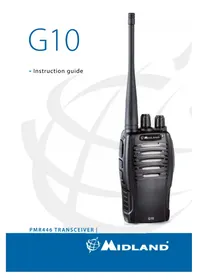
Black Midland walkie-talkie with two speakers and a tall antenna (no visible text or symbols on device body)PMR446 TRANSCEIVER
Sommario
Funzioni
Main characteristics 3
Coverage/Range 3
Main controls and parts of the radio 4
Operations 6
Power on/off and volume adjustment 6
Transmission 6
Monitor 6
Scan 6
Squelch 7
Battery recharge 7
Maintenance 8
Technical specifications 9
Troubleshooting 10
Thanks for choosing Midland! G10 is a portable transceiver that is free use in almost all European countries. For further information, we suggest you look at the “Restrictions on the use” chart.
Midland G10 is a multi-task PMR446 transceiver.
Combining the latest technology in radio communication along with a sturdy mechanical frame, G10 is the ideal and effective solution for the professionals who need to stay in touch with the working team (in construction sites, buildings, shows, trade fairs or hotels) or for leisure users that just want to keep up with friends and family.
Programming software (optional)
Thanks to Midland Programming software PRG10, it is possible to increase the performance of your radio or to reduce its functionality by disabling some of the default features (CTCSS, TOT...)
For further information, please consult the Programming software manual.
Any attempt to change frequencies or output power of the radio invalidates the approval.
Content
• 1 G10 transceiver
- 1 belt clip
- 1 wall adaptor
• 1 1200mAh Li-ion rechargeable battery pack
- 1 desktop charger
Main characteristics
• PMR446 Transceiver
• Output power: ≤ 500mW ERP
• Channel spacing: 12.5KHz
- Scan
- Vocal tuning
- Battery save
- Monitor
- Squelch
COVERAGE/RANGE
The maximum range depends on terrain condition and is obtained during use in an open space.
The only limitation to maximum possible range are environmental factors such as blockage caused by trees, buildings, or other obstructions. Inside a car or a metallic constructions, the range can be reduced. Normally the coverage in the city, with buildings or other obstructions is about 1 or 2 Km. In open space but with obstructions like trees, leaves or houses the maximum possible range is about 4-6 Km. In open space, without obstructions and in sight, like for example in mountain, the coverage can be more than 12 Km.
Main controls and parts of the radio
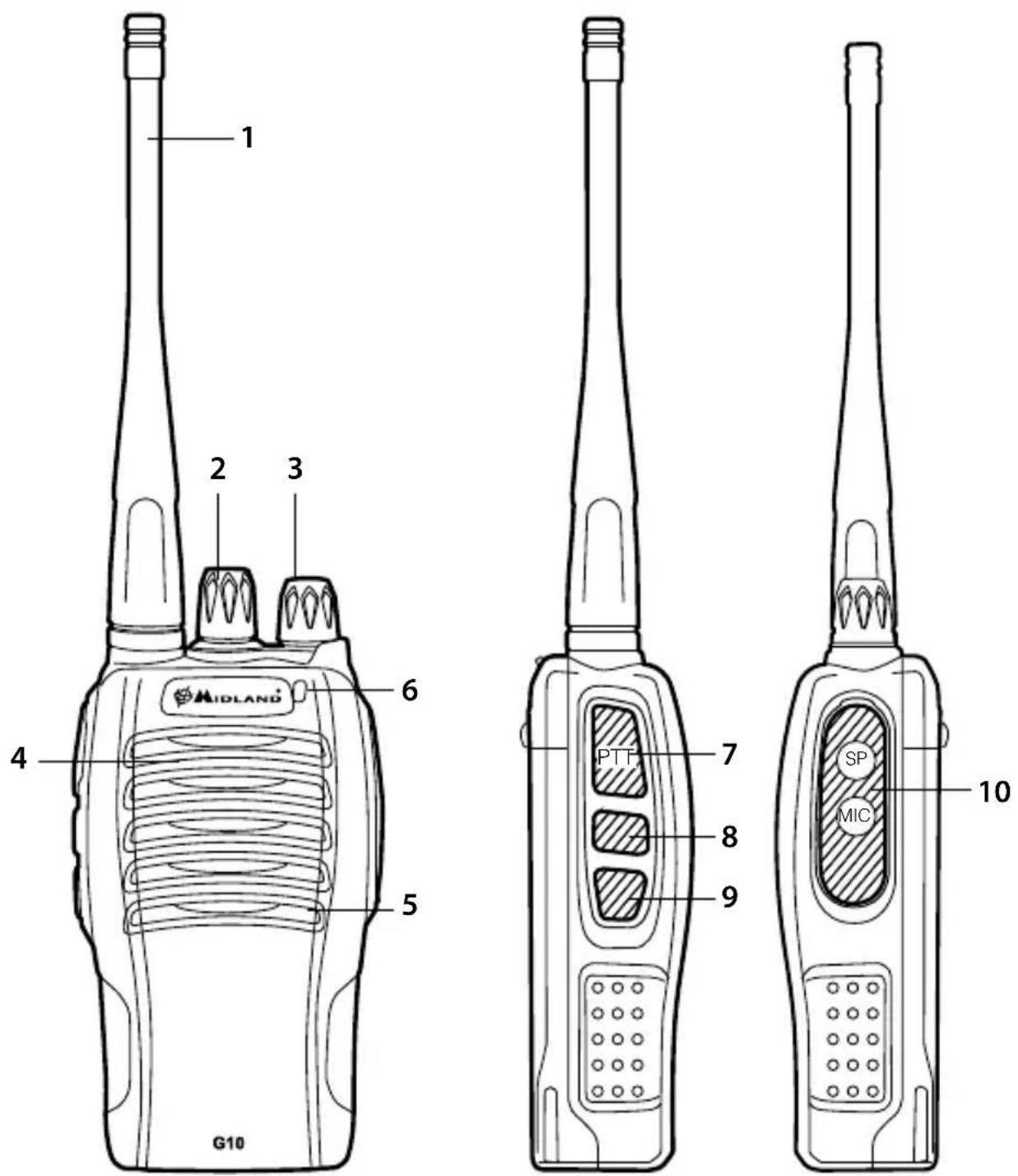
- Antenna
- Encoder: rotate clockwise or counter-clockwise to select the desired channel
- Power/volume knob- turn clockwise to power on and increase the volume level. Turn counter-clockwise to decrease the volume level and power off.
- Speaker
- Built-in microphone
- Led indicator:
RED: TX;
GREEN: RX.
- PTT: push this button to transmit, release it to receive.
- Function key 1: hold down this button to activate the Monitor function.
- Function key 2: not programmed by default
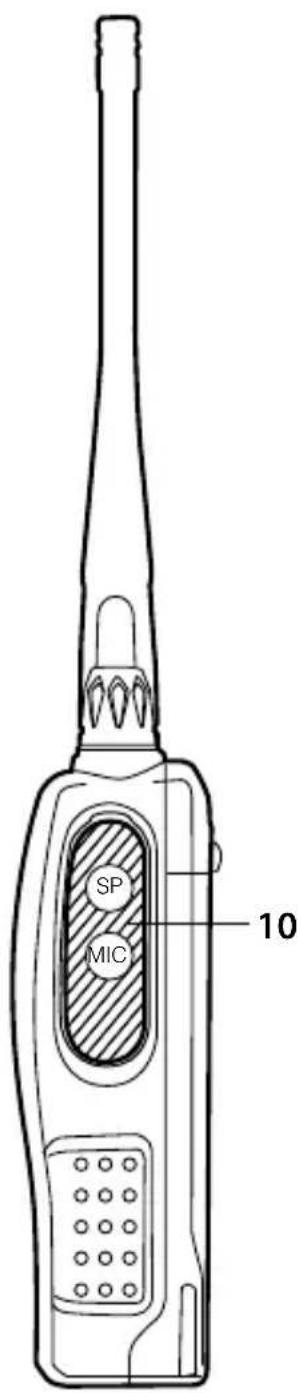
- External Speaker/Mic Jack- allows the connection with external devices such as headsets, microphones.
Operations
Power on/off and volume adjustment
Rotate the Power/Volume knob clockwise to turn the radio on.
Rotate the control clockwise /counter-clockwise to adjust the volume level as you prefer.
To turn the radio off, rotate the control counter-clockwise till hearing a mechanical "click".
Transmission
To communicate, all radios in your group must be set to the same channel.
Briefly press the Function key 1 to enable the Monitor feature in order to make sure that the frequency is not busy, then press the PTT button.
For a maximum clarity, hold the device at a distance of about 4/10 cm.
Release the PTT key to receive.
Only one user at a time can talk during radio communications. Therefore, it is important not to transmit when you are receiving a communication and use the transmission mode sparingly to allow other users to talk.
Transmission consumes a significant amount of energy and should therefore be used sparingly to prolong the battery life.
If you are unable to contact a station that you have no problems in receiving, the station may be using CTCSS tones or DCS codes.
Monitor
The Monitor feature is for excluding (opening) the Squelch, in order to listen to signals that are too weak to keep the Squelch permanently opened.
Hold down the Function key 1 to enable such function.
Scan
This function can be activated only by means of the optional program-
ming software.
To enable the Scan function, all 16 channels must be programmed.
If you turn on the radio on channel 16, the scanning will automatically start.
Whenever any signal is detected, the scanning will stop on a busy channel.
If the PTT is pressed, you will transmit on the latest busy channel.
Channel 16 is the priority channel, therefore if you don't pick up any signal when you press PTT, the radio will transmit on channel 16.
Squelch
The Squelch function suppresses noises on free channels and allows to receive even weak signals.
G10 has 10 different Squelch levels that can be set by programming software: 0 means that the Squelch is turned off; from level 1 to level 9 you will have different levels of noise reduction. The higher is the level, the louder will be the Squelch.
By default, the Squelch level of G10 is set on level 4.
Make sure you do not set an excessively high squelch level because in this case you may not be able to receive weaker signals. On the other hand an excessively low Squelch value could enable the Squelch even when no signals are present.
Squelch must always be adjusted when no signals are present.
The Time Out timer is settable from 30 sec to 270 sec. only through the programming software.
This feature is disabled by default.
Battery recharge
G10 is equipped for using a 7,4V Li-ion rechargeable battery pack which can be recharged connecting the socket of the AC/DC wall adaptor to a mains power socket and inserting the jack of the wall adaptor into the desktop charger plug.
It takes 4-5 hours to fully recharge the radio.
For maximum battery life, we recommend charging the battery pack when the G10 is off and the battery pack is fully discharged.
! Using a different battery charger other than the one specified can cause damage to your device or may even cause explosions and personal injuries.
The Battery power saving feature enables a reduction in consumption of up to 50%. If it has been set, it automatically activates when the transceiver does not receive any signal for more than 5 seconds in order to save the battery life. Power saving can be disabled only through Programming software.
Maintenance
Your G10 was designed to fulfill any warranty obligations and to enjoy this product for many years.
As for all the electronically devices, we recommend you to follow this few suggestions:
- Do not attempt to open the unit. Non-expert handling of the unit may damage it and/or annul the warranty.
- When using regulated power supply, take notice of power voltage, that must be between 6V and 8V to avoid damages.
- High temperatures can shorten the life of electronic devices, and warp or melt certain plastics. Do not store the radio in dusty or dirty areas.
- Keep the Radio dry. Rainwater or damp will corrode electronic circuits.
- If it appears that the Radio diffuses peculiar smell or smoke, please shut off its power immediately and take off the charger or battery from the Radio.
- Do not transmit without antenna.
Technical specifications
| General | |
| Frequency range 446.00625- | 446.09375 MHz (PMR446) |
| Working temperature -20°/+55°C | |
| Operating voltage 7.4V | |
| Operate mode Simplex | |
| Dimensions 100mm×58mm×33mm (without Antenna) | |
| Weight 192g (Battery pack included) | |
| Antenna impedance 50Ω | |
| Duty cycle 5/5/90% | |
| Transmitter | |
| Frequency stability ±2.5PPM | |
| Output power ≤500mW ERP | |
| Max frequency deviation ≤2,5KHz | |
| Audio distortion ≤3% | |
| Adjacent channel power < 60 dB | |
| Spurious radiation | Within European legal terms |
| Occupied bandwidth | Within European legal terms |
| Receiver | |
| RF sensibility | <0.2UV@20 dB SINAD |
| Audio distortion ≤3% | |
| Audio response | 300Hz ÷ 3KHz |
| Adjacent channel selectivity | Within European legal terms |
| Intermodulation rejection | Within European legal terms |
| Spurious response | Within European legal terms |
| Blocking | Within European legal terms |
Hereby, CTE International declares that this G10 is in compliance with the essential requirements and other relevant provisions of Directive 1999/5/EC. WARNING: Direct plug-in ac/dc power supply must be used for disconnecting the transceiver from the mains; the desktop charger must be positioned close to the unit and easily accessible.
Troubleshooting
| Problem Possible Cause | |
| The radio doesn’t switch on | The battery pack is discharged a installed correctly. |
| The radio switches off shortly after it has been switched on | Discharged battery pack. |
| The battery pack does not recharge | The battery-charger has not bee correctly. |
| The radio switches on but is unable to receive signals | The site of installation is too shie |
| The volume is too low | |
| Incorrect CTCSS or DCS | |
| It is not possible to communicate with other parties | An incorrect radio channel has b |
| The radio is installed in a shielde the party you are communicating | |
| Incorrect CTCSS or DCS | |
| Reception is fragmented and/or disturbed | The signal is very weak. |
| The transmission distance is exc obstacles in the transmission pa | |
| Other parties are using the same | |
| The radio has been installed too causes interference (televisions, | |
| The autonomy of the battery pack is limited Comm | mission time is too high. |
| nd/or has not been | Verify that the battery pack is charged and that it has been correctly installed. |
| nge the battery pack. | |
| n connected or installed | Inspect the connections of the battery-charger and the installation of the batteries. |
| elded. Move to an another | area. |
| e volume level. | |
| Check that the CTCSS tone or DCS code corresponds to the one set by the parties you are communicating with. | |
| been selected. | Select the same radio channel used by the parties you are communicating with. |
| d area or is too far from g with | Move to another area. |
| Check that the CTCSS tone or DCS code corresponds to the one set by the parties you are communicating with. | |
| Try temporarily disabling the Squelch by means of the Monitor feature. | |
| essive and/or there are th | Move closer to the party you are communicating with or to another area. |
| e channel | Check the traffic on the radio channel by means of the Monitor feature and select another channel if required. |
| close to equipment that computers, etc.) | Increase the distance between the radio and this equipment. |
| Try reducing the transmission time and/or using a low power. |
Resumo
Λειτουργιες
Produced or imported by:
CTE INTERNATIONAL s.r.l.
Via. R.Sevardi 7 42124 Mancasale Reggio Emilia Italy
Imported by:
ALAN - NEVADA UK
Unit 1 Fitzerhert Spur Farlington Portsmouth Hampshire P06 1TT United Kingdom
www.alan-uk.com - www.midland-uk.com
The use of this transceiver can be subject to national restrictions. Read the instructions carefully before installation and use. If the product contains batteries: do not throw the battery into fire. To disperse after use, throw into the appropriate containers.
Importado por:
ALAN COMMUNICATIONS, SA

- Sommario
- Funzioni
- Main controls and parts of the radio 4
- Operations 6
- Technical specifications 9
- Troubleshooting 10
- Midland G10 is a multi-task PMR446 transceiver.
- Programming software (optional)
- Content
- Main characteristics
- COVERAGE/RANGE
- Main controls and parts of the radio
- Operations
- Power on/off and volume adjustment
- Transmission
- Monitor
- Scan
- Squelch
- Battery recharge
- Maintenance
- Resumo
- Λειτουργιες
- CTE INTERNATIONAL s.r.l.
- ALAN - NEVADA UK
- ALAN COMMUNICATIONS, SA
Brand : MIDLAND
Model : G10
Category : Walkie-talkie