ManualGo.com
3333 - Sewing machine SINGER - Free user manual and instructions
Find the device manual for free 3333 SINGER in PDF.



Frequently Asked Questions - 3333 SINGER
Download the instructions for your Sewing machine in PDF format for free! Find your manual 3333 - SINGER and take your electronic device back in hand. On this page are published all the documents necessary for the use of your device. 3333 by SINGER.
USER MANUAL 3333 SINGER
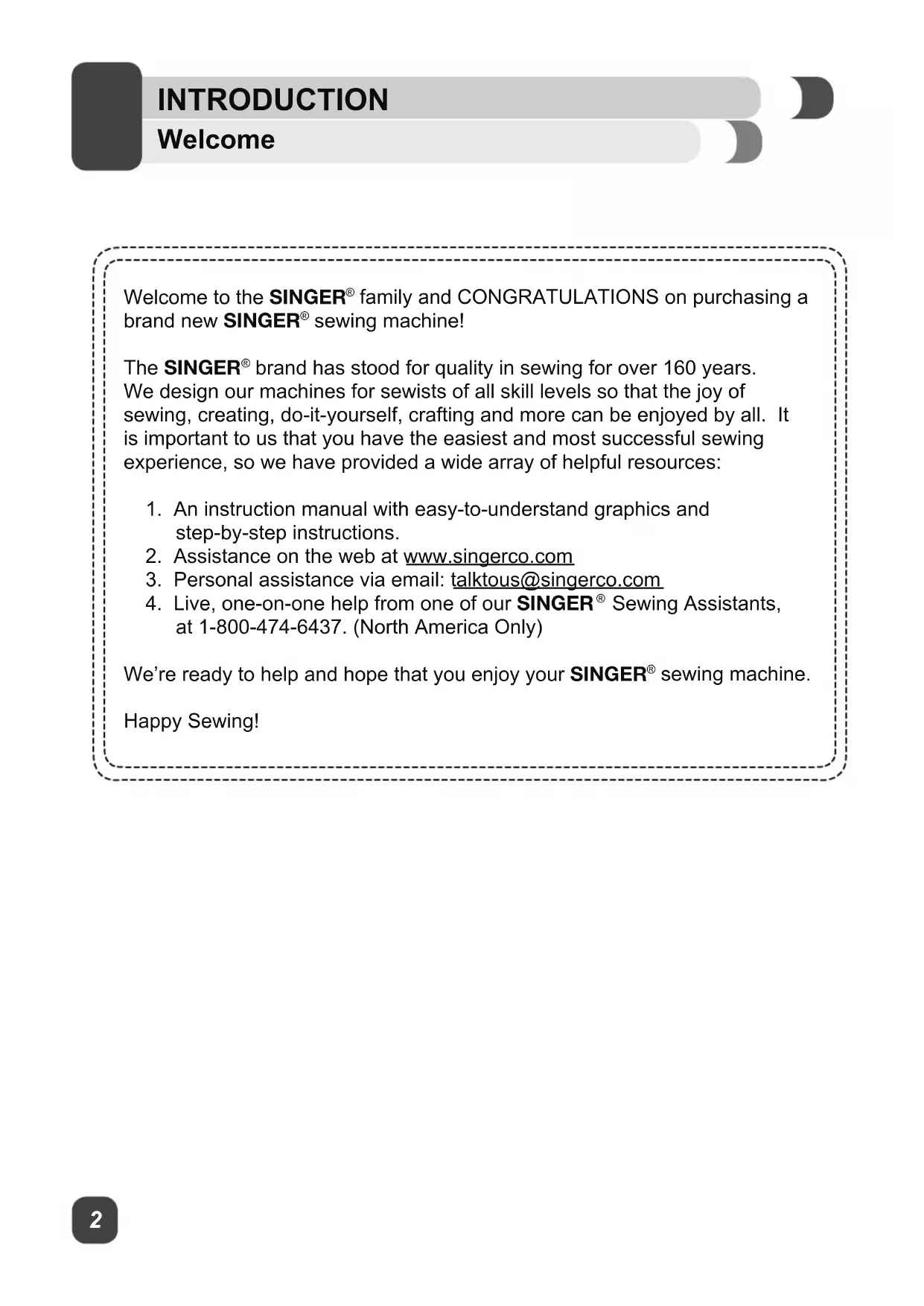
family and CONGRATULATIONS on purchasing a brand new SINGER
brand has stood for quality in sewing for over 160 years. We design our machines for sewists of all skill levels so that the joy of sewing, creating, do-it-yourself, crafting and more can be enjoyed by all. It is important to us that you have the easiest and most successful sewing experience, so we have provided a wide array of helpful resources:
1. An instruction manual with easy-to-understand graphics and
step-by-step instructions.
2. Assistance on the web at www.singerco.com
3. Personal assistance via email: talktous@singerco.com
4. Live, one-on-one help from one of our SINGER
Sewing Assistants, at 1-800-474-6437. (North America Only) We’re ready to help and hope that you enjoy your SINGER
sewing machine. Happy Sewing!3 Important Safety Instructions INTRODUCTION This household sewing machine is designed to comply with IEC/EN 60335-2-28 and UL1594.
IMPORTANT SAFETY INSTRUCTIONS
When using an electrical appliance, basic safety precautions should always be followed, including the following: Read all instructions before using this household sewing machine. Keep the instructions in a suitable place close to the machine. Make sure to hand them over if the machine is given to a third party. DANGER - To reduce the risk of electric shock : - A sewing machine should never be left unattended when plugged in. Always unplug this sewing machine from the electric outlet immediately after using and before cleaning, removing covers, lubricating or when making any other user servicing adjustments mentioned in the instruction manual.
WARNING 7RUHGXFHWKHULVNRIEXUQV¿UHHOHFWULF
shock, or injury to person : - Do not allow to be used as a toy. Close attention is necessary when this sewing machine is used by or near children. - Use this sewing machine only for its intended use as described in this manual. Use only attachments recommended by the manufacturer as contained in this manual. - Never operate this sewing machine if it has a damaged cord or plug, if it is not working properly, if it has been dropped or damaged, or dropped into water. Return the sewing machine to the nearest authorized dealer or service center for examination, repair, electrical or mechanical adjustment. - Never operate the sewing machine with any air openings blocked. Keep ventilation openings of the sewing machine and foot control free from the accumulation of lint, dust, and loose cloth.
- .HHS¿QJHUVDZD\IURPDOOPRYLQJSDUWV6SHFLDOFDUHLVUHTXLUHGDURXQGWKH
sewing machine needle. - Always use the proper needle plate. The wrong plate can cause the needle to break. - Do not use bent needles.
- 'RQRWSXOORUSXVKIDEULFZKLOHVWLWFKLQJ,WPD\GHÀHFWWKHQHHGOHFDXVLQJLW
to break. - Wear safety glasses. - Switch the sewing machine off (“O”) when making any adjustment in the needle area, such as threading needle, changing needle, threading bobbin, or changing presser foot, etc. - Never drop or insert any object into any opening. - Do not use outdoors. - Do not operate where aerosol (spray) products are being used or where2
Important Safety Instructions INTRODUCTION oxygen is being administrated. - To disconnect, turn all controls to the off (“O”) position, then remove plug from outlet. - Do not unplug by pulling on cord. To unplug, grasp the plug, not the cord. - The foot control is used to operate the machine. Avoid placing other objects on the foot control. - Do not use the machine if it is wet. - If the LED lamp is damaged or broken, it must be replaced by the
PDQXIDFWXUHURULWVVHUYLFHDJHQWRUDVLPLODUO\TXDOL¿HGSHUVRQLQRUGHUWR
avoid a hazard. - If the supply cord connected with the foot control is damaged, it must be
UHSODFHGE\WKHPDQXIDFWXUHURULWVVHUYLFHDJHQWRUDVLPLODUO\TXDOL¿HG
person, in order to avoid a hazard. - This sewing machine is provided with double insulation. Use only identical replacement parts. See instructions for Servicing of Double-Insulated Appliances.
SAVE THESE INSTRUCTIONS
For Europe only : This appliance can be used by children aged from 8 years and above and persons with reduced physical, sensory or mental capabilities or lack of experience and knowledge if they have been given supervision or instruction concerning use of the appliance in a safe way and understand the hazards involved. Children shall not play with the appliance. Cleaning and user maintenance shall not be made by children without supervision. The noise level under normal operating conditions is less than 75dB(A). The machine must only be used with foot control of type KD-1902, FC-1902 (110-120V area) / KD-2902, FC-2902A, FC-2902C, FC-2902D (220-240V area) manufactured by ZHEJIANG FOUNDER MOTOR CORPORATION LTD. (China) / 4C-316B (110-125V area) / 4C-316C (127V area) / 4C-326C (220V area) / 4C-326G (230V area) / 4C-336G (240V area) / 4C-336G (220-240V area) manufactured by Wakaho Electric Ind. Co. Ltd. (Vietnam) For outside Europe : This sewing machine is not intended for use by persons (including children) with reduced physical, sensory or mental capabilities, or lack of experience and knowledge, unless they have been given supervision or instruction concerning use of the sewing machine by a person responsible for their safety. Children should be supervised to ensure that they do not play with the sewing machine. The noise level under normal operating conditions is less than 75dB(A). The machine must only be used with foot control of type KD-1902, FC-1902 (110-120V area) / KD-2902, FC-2902A, FC-2902C, FC-2902D (220-240V area) manufactured by ZHEJIANG FOUNDER MOTOR CORPORATION LTD. (China) / 4C-316B (110-125V area) / 4C-316C (127V area) / 4C-326C (220V area) / 4C-326G (230V area) / 4C-336G (240V area) / 4C-336G (220-240V area) manufactured by Wakaho Electric Ind. Co. Ltd. (Vietnam)5 Important Safety Instructions
SERVICING OF DOUBLE INSULATED
PRODUCTS In a double-insulated product, two systems of insulation are provided instead of grounding. No ground means is provided on a double-insulated product, nor should a means for grounding be added to the product. Servicing of a double- insulated product requires extreme care and knowledge of the system and
VKRXOGEHGRQHRQO\E\TXDOL¿HGVHUYLFHSHUVRQQHO5HSODFHPHQWSDUWVIRU
a double-insulated product must be identical to those parts in the product. A double-insulated product is marked with the words “DOUBLE INSULATION” or “DOUBLE INSULATED”. INTRODUCTION2
Glossary of Key Sewing Terms ..................................................................................................... 33 Explanation key to notations in this manual: = Helpful information ⚠ = Could cause harm = Impacts sewing results To ensure that you are always provided with the most modern sewing capabilities, the manufacturer reserves the right to change appearance, design or accessories of this sewing machine when considered necessary.SINGER & Singer is Sewing Made Easy is a registered trademark of The SINGER &RPSDQ\/LPLWHGRULWVDI¿OLDWHV© 2016 The SINGER
Main Parts of the Machine Front
1. THREAD TENSION DIAL allows you to select just the right tension for your stitch, thread and
fabric. (See Page 18)
2. THREAD TAKE-UP LEVERFRQWUROVWKHÀRZRIWKHXSSHUWKUHDGZKLOHVHZLQJ6HH3DJH
3. THREAD CUTTER is conveniently located for trimming thread ends at the end of sewing.
4. PRESSER FOOT holds fabric against feed teeth, drawing fabric under the foot for you as you sew.
(See Page 26)5. NEEDLE PLATE has guidelines to help you keep seams straight. (See Page 9)6. REMOVABLE STORAGE COMPARTMENTSURYLGHVÀDWVXUIDFHIRUVHZLQJVWRUDJHIRUaccessories, and provides access to the free arm. (See Page 10)7. REVERSE SEWING LEVER reverses stitching direction, for example, when securing the beginning and ending of a seam. (See Page 20)
8. BOBBIN WINDING STOPPER determines when bobbin is full and disengages automatically. (See
9. STITCH LENGTH DIAL controls the length of stitches, making them shorter or longer as desired.
It is also used for stretch stitch selection. (See Page 19)
10. STITCH SELECTOR DIAL is used to select stitch patterns and buttonhole settings. (See Page 19)
11. NEEDLE THREADER LEVER is used to engage the automatic needle threader. (See Page 15)
12. BOBBIN holds the thread that forms the stitching that appears on the bottom side of the fabric.
Main Parts of the Machine Back
1. HORIZONTAL SPOOL PIN holds the thread spool and spool cap for the upper thread.2. BOBBIN WINDING SPINDLE holds bobbin as it winds. (See Page 12)
3. HOLE FOR SECOND SPOOL PIN is used to hold an additional spool pin, for thread spools to be
used in upright position or for using two spools at once for twin needle sewing.4. HANDWHEEL (ALWAYS TURN IT TOWARD YOU), controls movement of the needle and the thread take-up lever.
5. POWER AND LIGHT SWITCH turns on machine and sewing light simultaneously. (See Page 11)
6. MAIN PLUG SOCKET is used to connect the power cord/foot control. (See Page 11)
7. BOBBIN WINDING TENSION DISK holds the thread snuggly to help ensure smooth and even
bobbin winding. (See Page 12)8. PRE-TENSION THREAD GUIDESKHOSPDLQWDLQWKHÀRZRIWKHWKUHDGGXULQJVHZLQJ6HH3DJH 14) 9. FACE PLATE houses and protects the interior mechanisms of the machine.10. HANDLE is used for lifting and transporting the machine.
11. PRESSER FOOT LIFTER raises and lowers presser foot. It should be placed up for machine
threading and down for sewing. (See Page 14)12. FOOT CONTROL controls sewing speed by the amount of pressure applied by user. (See Page 11)13. POWER CORD connects the machine to the power source. (See Page 11)9
Needle and Presser Foot Area
1. NEEDLE THREADER LEVER is used to engage the automatic needle threader mechanism.2. NEEDLE THREADER GUIDE holds thread securely before placing it in hook pin.3. THREAD GUIDE controls movement of upper thread.4. NEEDLE holds thread during stitch formation.5. PRESSER FOOT SCREW secures the presser foot holder (shank) onto the presser bar.
6. PRESSER FOOT holds fabric against the feed teeth while sewing. Various optional presser feet
are available, depending on fabric sewn and sewing techniques. (see page 10)
7. FEED TEETH (OR FEED DOGS), which look like rows of teeth under the presser foot, control the
movement of the fabric under the presser foot.8. NEEDLE CLAMP holds the machine’s needle in position.9. NEEDLE CLAMP SCREW secures the needle when placed in needle clamp.10. PRESSER BAR accommodates the presser foot holder.11. PRESSER FOOT HOLDER (OR SHANK) holds presser foot.
12. NEEDLE PLATEFRYHUVWKHEREELQDUHDDQGSURYLGHVÀDWDUHDDURXQGSUHVVHUIRRWIRUVHZLQJ
13. STITCHING GUIDELINES are used as a visual reference for guiding fabric straight while sewing.
7KH¿UVWOLQHLV´PPIURPFHQWHUQHHGOHSRVLWLRQ7KHPRVWSRSXODUVHDPDOORZDQFHmeasurements are 1/2” (13mm) and 5/8” (16mm). The 1/2” seam allowance is the 2nd line, and the 5/8” seam allowance is the 3rd line from center needle position.2
Removable Storage Compartment and Accessories
Hold the Removable Storage Compartment horizontally, then pull toward the left to remove it from the machine. Doing this, you will have access to the free arm, which makes it easy to sew tubular projects
OLNHSDQWKHPVRUVOHHYHV$GGLWLRQDOO\\RXZLOO¿QGWKHPDFKLQH¶VDFFHVVRULHVVWRUHGKHUHVHH
below). To replace the Removable Storage Compartment, hold it as shown in the illustration, and then push it to the right. This machine comes with a standard assortment of presser feet and accessories. Standard Accessories Included: a. All Purpose Foot (for general sewing) b. Zipper Foot (for inserting a zipper) c. Buttonhole Foot (for making buttonholes) d. Button Sewing Foot (for attaching buttons) e. Seam Ripper/Brush (remove stitches/brush out lint) f. Edge/Quilting guide (for straight & accurate quilting) g. Pack of Needles (replacement needles) h. Spool Holders (2 sizes for various thread spool styles)
Class 15 transparent bobbins) j. L-Screwdriver (to remove needle plate for cleaning) k. Darning Plate (cover for feed teeth) l. Second Spool Pin (for sewing with an optional twin needle) m. Spool Pin Felt (to cushion the spool of thread when using the second spool pin) n. Soft Cover (to protect your machine from dust and lint while not in use)
Optional Accessories:For information about additional presser feet, attachments and accessories that may be available for your machine, visit www.singerco.com11
Connect the machine to a power source as illustrated. This machine is equipped with a polarized plug which must be used with the appropriate polarized outlet. (a and b) ⚠ Unplug power cord when machine is not in use. Foot ControlThe foot control regulates the sewing speed. When foot control is disconnected, the machine will not operate.Sewing LightPress main switch (A) to “ I ” for power and light. ⚠ For machine with a polarized plug (one blade is wider than the other). To reduce the risk of HOHFWULFVKRFNWKLVSOXJLVLQWHQGHGWR¿WLQDSRODUL]HGRXWOHWRQO\RQHZD\,ILWGRHVQRW¿WIXOO\LQWKHRXWOHWUHYHUVHWKHSOXJ,ILWVWLOOGRHVQRW¿WFRQWDFWDTXDOL¿HGHOHFWULFLDQWRLQVWDOOWKHSURSHURXWOHWDo not modify the plug in any way. ⚠ Your SINGER
machine is adjusted to provide the best stitch results at normal room temperature. Extreme hot and cold temperatures can affect the sewing results.
Class 15 transparent bobbins. Use only this style of bobbin when purchasing additional bobbins for your machine. Do not substitute with metal bobbins.
1. Place thread spool and corresponding size
spool holder onto spool pin. Spool holder should be large enough to cover the end of the thread spool so thread unreels smoothly. For smaller, narrower spools, use the small spool cap, which can be found in the removable storage compartment.
2. (A) Snap thread into guide at top of machine.
(B) Place thread snuggly around bobbin winding tension disk to ensure that thread winds onto bobbin smoothly and consistently. (C) Thread bobbin as shown, then place it onto the bobbin winding spindle.
3. &KHFNWKDWEREELQLVSXVKHGGRZQ¿UPO\$
If it is not, the thread could begin winding under the bobbin. Push the bobbin and spindle ¿UPO\WRWKHULJKW%
4. Hold the thread end to get ready to wind.
Step on the foot control gently as you hold the thread end. Allow it to wind a few revolutions slowly, then remove your foot from the foot control to stop.
5. Trim the thread end close to the top of the
bobbin, then resume winding by stepping on the foot control.
6. The bobbin will stop winding when it is full. Lift
your foot off the foot control. Push the bobbin to the left (A), then trim the thread and remove the bobbin from the spindle (B).GETTING READY TO SEW
⚠ Turn power switch off before inserting or removing the bobbin. 1. When inserting or removing the bobbin, the needle and presser foot must be fully raised.2. Remove the bobbin cover plate and bobbin.3. Insert the bobbin in the bobbin case with the thread running in a counterclockwise direction (arrow).4. Pull the thread through the slit (A).5. :LWKD¿QJHUKHOGJHQWO\RQWRSRIWKHEREELQSODFHthread into guides as shown.6. To cut off excess thread pull it toward you to cut it with the cutter at point (B). Replace the bobbin cover plate.GETTING READY TO SEW
Threading the Upper Thread
B C A B C ⚠ For safety, turn off the power before threading the machine. 1. Start by turning the handwheel (A) toward you to raise the needle (B) and the thread take up lever (C). You should be able to see the take up lever.
Raise the presser foot lifter. This is necessary in order for the machine to be threaded correctly.3. Place the thread spool and spool cap onto the spool holder.4. Draw thread from the spool through the upper thread guide at the top of the machine. Hold the thread with both hands and pull it into the pre-tension guide. 5. (A) Bring the thread down the right channel, around the U-turn, and up the left channel. (B) At the top of the left channel, hook the thread from back to front through the slotted eye of the thread take-up lever. If the thread does not pass into the eye of the take-up lever, the machine will jam. After threading the take-up lever, bring the thread downward again. (C) Pass the thread behind the metal thread guide and then down to the needle.6. If you want to thread the needle manually, thread it from front to back. Pull about 6-8 inches of thread to the back beyond the needle eye. Alternatively, you can use the automatic needle threader to thread the eye of the needle. (see page 15)GETTING READY TO SEW
Pull about 6-8” of thread to the back beyond the eye of the needle. This will help prevent the needle from becoming unthreaded when you start to sew. ⚠ For safety, turn off the power before using the automatic needle threader. 1. Raise the needle to its highest position by turning the handwheel toward you. If you turn the handwheel backward, the machine will jam when you start to sew.2. Pass thread around thread guide.3. Press lever down as far as it will go.4. The threader automatically swings to the threading position.5. Pass the thread in front of the needle and under the hook.6. Release the lever & the thread tail at the same time, this will form a loop at the back of the needle.7. Pull the thread through the needle eye.GETTING READY TO SEW
⚠ For safety, turn off the power before threading the machine.
1. +ROGWKHXSSHUWKUHDGWDLOZLWKWKHOHIWKDQG$7XUQWKHKDQGZKHHOWRZDUG\RX%¿UVWORZHULQJ
(C) and then raising the needle (D). 2. As you turn the handwheel, gently pull the upper thread, which will bring a loop of the bobbin thread up through the hole of the needle plate (E). Pull the loop to bring the bobbin thread end up through the opening in the needle plate. If a loop doesn’t pull up, turn the handwheel toward you one more time. If it still doesn’t come up, check that the bobbin thread is not trapped by the bobbin cover. 3. Bring both threads under the presser foot and toward the back of the machine.17
Before You Start Sewing START SEWING Now that your machine is threaded, we will show how to set up the machine for basic sewing techniques such as: sewing a straight stitch, sewing a decorative stitch, sewing a stretch stitch, sewing a buttonhole and sewing a button. With each technique, you have the opportunity to sew along. For more information about the various stitches on your machine and how to use them, refer to the Stitch Reference Guide by visiting www.singerco.com.
+HUHDUHDIHZRWKHUWLSVWKDW\RXPD\¿QGKHOSIXOEHIRUH\RXEHJLQ
When unpacking the machine, you may have noticed some small traces of oil around the needle plate or presser foot area. If so, wipe off any excess oil with a soft, dry cloth before you start sewing. It is also recommended that you sew on a piece of scrap fabric to remove excess oil. The foot control is used to control the speed of your sewing. When you press down on the foot control, the machine will sew. The greater the pressure you place on the foot control, the faster the machine will sew. When you take your foot off the foot control, the machine will stop. Needles are an important part of sewing. Using old, damaged or incorrect needles for your projects can affect sewing results. For information about which needle to use for your project, refer to the Stitch Reference Guide at www.singerco.com. For information on how to change the needle, see page 25. Depending on the sewing technique you want to do, it may be necessary to change to a different presser foot. For information on how to do this, see page 26. Review the page about Stitch Formation (see page 18). This will help you understand what the stitching should look like when you sew.
8VHWKHWKUHDGFXWWHURQWKHPDFKLQHVHHSDJHWRWULPWKUHDGWDLOVZKHQ¿QLVKHGVHZLQJ7KLVLV
helpful because thread tails are left long enough so that the needle does not become unthreaded when you start sewing again.2
Stitch Formation START SEWING 1. How Stitches Form Stitches are formed when the upper thread and the bobbin thread interlock between the fabric layers. Stitching is well balanced when the needle thread appears on the top and the bobbin thread appears on the bottom.
2. Thread Tension Dial The Thread Tension Dial has a range of settings between 0 and 9. Most of your sewing will be done with your Thread Tension Dial set between 3 and 5. It can be adjusted to a higher number for more tension on the upper thread, if the upper thread seems too loose. It can be adjusted to a lower number for less tension on the upper thread, if the bobbin thread seems to be showing on the top side of the fabric.
Adjusting Tension Thread tension can also be adjusted for various sewing techniques. For basting (see Appendix), you can loosen it to a lower number so that the stitches can easily be removed. For gathering, you can turn it to a higher number.
When you sew, if you see large loops on the underside of the fabric, this is actually an indication that the upper thread was not threaded correctly, as it has no tension controlling it. For information on how to correct this, see the Troubleshooting and Maintenance section of this manual. SurfaceReverse side Upper threadBobbin threadSurfaceReverse side Upper threadBobbin threadSurfaceReverse side Upper threadBobbin thread19
Stitch Selector Dial START SEWING
1. Turn the Stitch Selector Dial until it clicks in
place under the dot directly above the dial on the machine.
2. Set the Stitch Length Dial according to the
length you want. It can be set anywhere between 0.5 and 4, with 4 being the longest setting. Stitch Length Dial Stitch Length Dial Stitch Selector Dial Stitch Length Dial For examples of stitch patterns and further instruction, see the Stitch Reference Guide at www. singerco.com. The Stitch Selector Dial is used to select the stitch you want to sew. The dial can be turned to the left or to the right.
1. Turn the Stitch Selector Dial until it clicks in
place under the dot directly above the dial on the machine.
2. Set the Stitch Length Dial so that the S1 or S2
is lined up with the dot above this dial. This dial must be set at the S1 marking for the blue stitches or the S2 marking for the red stitches, or the stitch pattern will not sew. For Sewing the Grey Stitch Patterns: For Sewing the Blue or Red Stitch Patterns:2
Sewing a Straight Stitch START SEWING SEW ALONG:1. Set the Stitch Selector Dial so that the straight stitch symbols are directly below the dot. 2. Set the Stitch Length Dial control so that the number 2 is directly below the dot on the machine. This is an average stitch length setting for regular sewing. 3. Place the fabric under the All Purpose Foot with the right-hand edge of the fabric lined up with the desired seam guide line on the right side of the needle plate. Lower the presser foot, then step on the foot control to begin sewing. Always make sure that the presser foot is lowered before you begin to sew. If you fail to do so, the machine will jam as you begin to sew. Start your seam by sewing 2 to 3 stitches. Press the Reverse Lever to sew backwards 2 to 3 stitches, which will lock the end of the seam so the stitches don’t come undone. Release the Reverse Lever to sew forward again. Continue sewing the length of the seam. Press the Reverse Lever at the end of the seam and sew backwards 2 to 3 stitches. Release the Reverse Lever to sew forward DJDLQWR¿QLVKStitch Length DialStitch Selector Dial
stitch length such as 3 or 4 for heavy weight fabrics.,WPD\EHKHOSIXOWRJHQWO\KROGWKHWKUHDGWDLOVZLWK\RXUOHIWKDQGIRUWKH¿UVWIHZVWLWFKHVDVWKLVwill help guide the fabric under the foot as you begin to sew.A straight stitch is used for sewing seams and topstitching. HOW TO:1. Set the machine for Straight Stitch by setting the Stitch Selector Dial to straight stitch. (see page 19) 2. The Stitch Length Dial control can be set at the stitch length that you desire. (see page 19)21
START SEWING SEW ALONG: Scallop Stitch 1. Set the Stitch Selector Dial, so that the Scallop Stitch setting is directly below the dot. 2. Set the Stitch Length Dial control so that number 1 is directly below the dot on the machine. 3. Place the fabric under the All Purpose Foot with the right-hand edge of the fabric lined up with the desired seam guide line on the right side of the needle plate. Lower the presser foot, then step on the foot control to begin sewing. Sew 2 to 3 stitches and then backstitch (see page 20) to reinforce the seam. Sewing a Decorative Stitch Stitch Length DialStitch Selector DialUse a stabilizer (see Appendix) on the underside of the fabric if there is gathering or puckering as you sew. Decorative stitching can be used almost anywhere on your project!It may be helpful to decrease the upper tension by 1 or 2 numbers when sewing decorative stitches. This will help prevent the bobbin thread from possibly showing on the top when sewing denser stitches.
(Go to www.singerco.com to view other decorative stitches that can be used).HOW TO:1. Set the machine to the desired stitch by setting the Stitch Selector Dial to one of the decorative stitches. (see page 19) 2. Set the Stitch Length Dial between 0.5 and 3. (see page 19)2
1. Set the Stitch Selector Dial, so that the Overedge stitch setting is
directly below the dot.
2. Set the Stitch Length Dial control so that the S1 setting is below
3. Place the fabric under the All Purpose Foot with the right-hand
edge of the fabric lined up with the desired seam guide line on the right side of the needle plate. Lower the presser foot, then step on the foot control to begin sewing. START SEWING Sewing a Stretch Stitch Stitch Length DialStitch Selector Dial A stretch stitch is used for stretch knit fabrics. This type of seam will stretch with the fabric. (Go to www.singerco.com to view other stretch stitches that can be used). HOW TO:
1. Set the machine to the desired stitch by setting the Stitch Selector Dial to one of the stretch stitch
settings. (see page 19)
2. Set the Stitch Length Dial to the Stretch S1 setting for the blue stitches or S2 for the red stitches.
SEW ALONG: Buttonhole Stitch Remove the All Purpose Foot and attach the Buttonhole Foot (seepage 26). Pass upper thread through the hole of the foot and bringthread to the left. Set the Stitch Selector Dial so that step 1 of the buttonhole symbol isdirectly below the dot on the front of the machine. Set the Stitch Length Dial control so that the buttonhole range isdirectly below the dot. With the presser foot raised, slide the Buttonhole Foot as far back asit will go. Place the fabric under the foot so that the center line markon your fabric is aligned with the center of the buttonhole foot andthat the cross line mark on the fabric aligns with the center hole of theButtonhole Foot. Lower the presser foot, and sew step 1 of the buttonhole until youarrive at the top of the buttonhole. Turn the hand wheel toward you toraise the needle out of the fabric. Set the Stitch Selector Dial so that step 2 of the buttonhole symbolis directly below the dot. Sew 4 to 5 stitches across the top of thebuttonhole, this is called a bar tack. Set the Stitch Selector Dial so that step 3 of the buttonhole symbol isdirectly below the dot. Sew down the right side of the buttonhole. Set the Stitch Selector Dial so that step 4 of the buttonhole symbolis directly below the dot. Sew 4 to 5 stitches across the bottom of thebuttonhole to form the bar tack. START SEWING Sewing a 4-Step Buttonhole Stitch Length DialStitch Selector DialUse a stabilizer to support the stitches.Slightly reducing your upper tension by 1 or 2 numbers will improve results.Always test sew on a scrap piece of your fabric. To secure thread tails, use hand needle to bring upper thread to back and tie off. This machine has a built-in buttonhole feature, allowing you to sew buttonholes in 4 easy steps. The Stitch Selector Dial shows the buttonhole settings in grey.HOW TO:1. Set the machine to the desired stitch by setting the Stitch Selector Dial to the buttonhole stitches.(see page 19)2. Set the Stitch Length Dial within the buttonhole range. (see page 19)
SEW ALONG: Attaching a Button 1. Attach the Darning Plate to the needle plate directly below the presser foot. To do this line up the prongs on the underside of the Darning Plate with the holes in the needle plate. Push down to snap it in place.2. Remove the All Purpose Foot and attach the Button Sewing Foot. (see page 26).3. Set the Stitch Length Dial control so that 0 is directly below the dot. 4. Set the Stitch Selector Dial so that the Straight Stitch setting is directly below the dot.5. Place the button on the fabric, then line up the button directly under the front of the Button Sewing Foot so the 2 holes of the button appear in front of the foot. Turn the hand wheel towards you to make sure the needle clears the hole on the left. Step on the foot control and sew 3 to 4 securing stitches. Raise the needle out of the fabric and the button.6. Set the Stitch Selector Dial so that the Zig Zag setting is directly below the dot. Adjust the dial until the needle moves from the left hole into the right hole of the button without interference. To test the movement of the needle turn the handwheel manually towards you several times to make sure the needle does not hit the button. Sew 10 to 12 stitches.7. Set the Stitch Selector Dial so that the Straight Stitch setting is directly below the dot.8. Sew 3 to 4 stitches to secure the stitching. START SEWING Sewing a Button 5HPRYHWKH'DUQLQJ3ODWHZKHQ¿QLVKHGStitch Length DialStitch Selector Dial This machine includes a Button Sewing Foot, allowing you to attach buttons to your projects easily and quickly.HOW TO:1. Set the machine to Straight Stitch by turning the Stitch Selector Dial to the Straight Stitch Symbol. (see page 19) 2. Set the Stitch Length Dial to 0 to begin. (see page 19)25
Inserting and Changing Needles START SEWING ⚠ Turn the machine off before changing the needle. Change the needle regularly, especially if it is showing signs of wear resulting in sewing problems. Needles can show signs of wear when you see snags in the fabric or hear a slight popping sound as you are sewing.If the needle becomes bent (A), the point becomes damaged (B) or the needle becomes dull (C), you should replace it with a new needle and discard the old one.Generally, the needle should be replaced after every 4 projects or approximately every 16 hours of sewing time.It is also important to use the right needle for the fabric you are sewing. (Go to www.singerco.com to view the Stitch Reference Guide)For best results, use SINGER branded needles in your SINGER sewing machine. Loosen the needle clamp screw (A) by turning the screw toward you. Remove and discard the old needle.,QVHUWWKHQHZQHHGOHPDNLQJVXUHWKDWWKHÀDWVLGHRIWKHWRSSDUWRIWKHQHHGOHLVIDFLQJWKHEDFNRIthe machine (B).Insert the new needle as far up as it will go (C and D).Tighten the needle clamp screw (A) securely by turning it toward the back.2
Changing the Presser Foot START SEWING Before changing the presser foot, raise the presser foot lifter.The presser foot holder (b) is attached to the presser bar (a). The presser foot (e) has a presser foot pin (d) that connects to the presser foot holder, sometimes called a shank (b). The shank has a groove (c) on its front, which connects it to the presser foot.To remove a presser foot from the shank, pull the presser foot (e) toward you to disengage from the groove (c). The foot will release. To attach a presser foot, slide the pin (d) of the presser foot (e) into the groove (c) on the shank. The foot will snap on.Some optional presser feet require you to remove the shank from the machine. To remove the shank from the machine (see above) loosen and remove the screw that holds the presser foot onto the presser bar (a), then remove the shank (b). To replace the shank, set the shank onto the presser bar, then replace the screw. This machine has a low shank with snap-on presser feet. When shopping for optional presser feet and attachments for your machine, look for low-shank, snap-on style. ⚠ For safety, turn off the power before changing the presser foot.27
Possible Cause: Top thread tension too tight.Solution: Reduce upper thread tension. (See Page 18)Possible Cause: Thread path is obstructed, putting extra tension on top thread. Solution: Check that the top thread path is not obstructed and thread is moving freely through the thread path. (See Page 14)Possible Cause: Bobbin thread not in bobbin case tension.Solution: Rethread bobbin. (See Page 13)1. Thread Loops on Underside of Fabric2. Bobbin Thread Showing on Top of Fabric3. Upper Thread Breaking4. Thread is Shredding5. Thread Bunching at Beginning6. Skipping Stitches7. )VIIPU>PUKPUN+PMÂJ\S[PLZ8. Bobbin Thread Breaking9. Needles Breaking10. Stitches Distorted11. Fabric Puckers12. Fabric Is “Tunneling” Under Stitches13. Machine Not Feeding Fabric14. Needle Threader Not Working15. Loud Noise When Sewing16. Machine Will Not Run
1. THREAD LOOPS ON UNDERSIDE OF FABRIC
Possible Cause: Thread looping on the underside of the fabric is always an indication that the upper thread is not correctly threaded. This happens when the upper thread is not correctly placed in the tension mechanism and has not been threaded through the take up lever.Solution:5HWKUHDGPDFKLQHPDNLQJVXUHWR¿UVWUDLVHWKHSUHVVHUIRRWOLIWHUbefore starting to thread, so thread can be properly seated in the tension mechanism and take up lever. (See Page 14)To know if you have rethreaded the machine correctly, try this simple test:• Raise the presser foot lifter and thread the top of the machine.• Thread the needle, but don’t put the thread under the presser foot yet. As you pull the upper thread to the left, it should pull freely.• Put the presser foot lifter down. As you pull the upper thread to the left, you should feel resistance. This means you are threaded correctly.• Put the thread under the presser foot, and then draw up the bobbin thread. Slip both thread tails under the presser foot towards the back. Lower presser foot and begin sewing.If you put the presser foot lifter down, but the thread still pulls freely (you feel no difference whether the presser foot is up or down), this means you have threaded incorrectly. Remove the upper thread and rethread the machine. Troubleshooting2
Possible Cause: Thread is old or poor quality. Solution: Rethread the top of the machine and bobbin with good quality thread. (See Page 14) Possible Cause: The needle is either worn or old, or it is the wrong style or size for the thread being used. Though it may seem that the machine is shredding the thread, it is usually the needle causing this. If the needle is old or worn out, or if the needle is too small for the thickness of thread, the eye of the needle can cause the thread to shred. Solution: Change to a fresh needle in the correct size for the thickness/weight of thread being used. (See Page 25)
5. THREAD BUNCHING AT BEGINNING
Possible Cause: Top and bobbin threads have not been properly placed underneath presser foot before starting to sew. Solution: Ensure that both the top thread and the bobbin thread are under the presser foot and toward the back before starting to sew. (See Page 20)Possible Cause: Sewing was started with no fabric under the presser foot. Solution: Place fabric under foot, making sure that needle comes down into fabric; lightly hold
ERWKWKUHDGWDLOVIRU¿UVWIHZVWLWFKHV6HH3DJH
6. SKIPPING STITCHES
Possible Cause: Needle inserted incorrectly. Solution:&KHFNWKDWÀDWVLGHRIQHHGOHWRSLVWRZDUGEDFNRIPDFKLQHDQGQHHGOHLVXSDVIDUDV it can go, then tighten needle clamp screw. (See Page 25)Possible Cause: Wrong needle for fabric sewn. Solution: Use correct style and size of needle for fabric. (Go to www.singerco.com to view the Stitch Reference Guide)Possible Cause: Bent, dull or damaged needle.Solution: Discard needle and insert new needle. (See Page 25)
3. UPPER THREAD BREAKING
Possible Cause: Thread path obstructed. Solution: Check if thread is caught on thread spool (rough spots on the spool itself) or behind spool pin or spool cap (if the thread has fallen behind the spool cap and therefore cannot feed freely through the machine path). (See Page 14)Possible Cause: Machine is not threaded correctly. Solution: Remove upper thread completely, raise presser foot lifter, rethread machine making sure thread is in take-up lever (raise take up lever to its highest position by turning hand wheel toward you. (See Page 14)Possible Cause: Upper tension too tight.Solution: Reduce upper thread tension. (See Page 18)29
Possible Cause: Bobbin threaded incorrectly.Solution: Check that bobbin is placed correctly in the bobbin case. (See Page 13)Possible Cause: Bobbin wound too full or unevenly. Solution: Bobbin thread may not have been correctly placed into bobbin winding tension disk during the bobbin winding process. (See Page 12)Possible Cause: Dirt or lint in bobbin case.Solution: Clean bobbin case. (See Page 32)Possible Cause: Wrong bobbins being used.Solution: Use SINGER bobbins that are the same style as those that come with the machine – don’t substitute. Your machine comes with SINGER Class 15 transparent bobbins.
Possible Cause: Bent, dull or damaged needle.Solution: Discard needle, insert new needle. (See Page 25)Possible Cause: Wrong size needle for fabric. Solution: Insert appropriate needle for fabric type. (Go to www.singerco.com to view the Stitch Reference Guide)Possible Cause: Machine not threaded correctly.Solution: Rethread the machine completely. (See Page 14)Possible Cause: “Pushing” or “pulling” fabric. Solution: Don’t manually push/pull fabric in order to sew, but allow the machine’s feed teeth to draw fabric under the presser foot as you guide it. (See Page 20)
7. BOBBIN WINDING DIFFICULTIES
Possible Cause: Bobbin thread loosely wound on bobbin. Solution: Rewind bobbin, making sure that the thread is placed snuggly in the bobbin winding tension disk. (See Page 12) Possible Cause: Bobbin winding spindle not fully engaged, therefore bobbin not winding. Solution: Check that the bobbin winding spindle has been fully engaged before starting to wind. (See Page 12) Possible Cause: Bobbin is winding sloppily because thread end not held at beginning of winding process. Solution: Before starting to wind, hold the thread tail (coming out of the bobbin) securely, allow the
Possible Cause: Top thread tension is too tight.Solution: Reduce the top thread tension. (See Page 18)Possible Cause: Stitch length is set too short for the fabric being sewn. Solution: Increase stitch length. (Go to www.singerco.com to view the Stitch Reference Guide) Possible Cause: Wrong style needle for fabric type.Solution: Use correct needle style. (Go to www.singerco.com to view the Stitch Reference Guide)Possible Cause: Needle too large for fabric.Solution: Change to smaller size needle. (See Page 25)
12. FABRIC IS “TUNNELING” UNDER STITCHES
Possible Cause: Fabric is not properly stabilized for the density of the stitches. (For example, satin stitch applique) Solution: Add a fabric stabilizer underneath the fabric to help keep the stitches from tunneling in together, forming a puckered ridge in fabric. (See Appendix in this manual)
13. MACHINE NOT FEEDING FABRIC
Possible Cause: Presser foot lifter has not been lowered onto fabric after threading. Solution: Lower the presser foot lifter before starting to sew. Don’t “push” or “pull” the fabric as you sew.Possible Cause: Feed teeth are covered by Darning Plate. Solution: If the feed dogs have been covered, the Darning Plate needs to be removed to resume regular sewing.Possible Cause: Stitch length is set at zero.Solution: Increase stitch length setting.
10. STITCHES DISTORTED
Possible Cause: “Pushing” or “pulling” the fabric. Solution: Don’t manually push/pull fabric in order to sew, but allow the machine’s feed teeth to draw fabric under presser foot as you guide it.Possible Cause: Incorrect stitch length setting. Solution: Check for correct stitch length setting. (Go to www.singerco.com to view the Stitch Reference Guide)Possible Cause: Stabilizer may be needed for technique.Solution: Place stabilizer underneath fabric. (See Appendix in this manual)31
(for models with built-in automatic needle threader)Possible Cause: Needle not in correct position. Solution: Raise needle to its highest position by turning hand wheel toward you. (See Page 15) Possible Cause: Needle inserted incorrectly.Solution: Needle all the way up in needle clamp (See Page 25)Possible Cause: Needle is bent.Solution: Remove bent needle, insert new needle. (See Page 25)Possible Cause: Hook pin damaged.Solution: Needle Threader needs replacement; contact authorized SINGER service center: Visit www.singerco.com.
15. LOUD NOISE WHEN SEWING
Possible Cause: Thread not in take-up lever. Solution: Rethread the machine, making sure the take up lever is in its highest position so thread goes in the eye of the take up lever – turn machine hand wheel toward you to raise the take up lever to its highest position for threading. (See Page 14)Possible Cause: Thread path obstructed. Solution: Check that thread is not caught on the thread spool or behind the spool cap. (See Page 14)
16. MACHINE WILL NOT RUN
Possible Cause: Bobbin winding spindle is engaged when you try to sew.Solution: Disengage bobbin winding spindle. (See Page 12)Possible Cause: Power cord and/or foot control not plugged in correctly. Solution: Make sure power cord/foot control are correctly seated in machine and power supply. (See Page 11)Possible Cause: Wrong bobbins being used.Solution: Use only SINGER branded bobbins that are same style as those that come with machine. (See Page 10)2
Cleaning the Feed Teeth and Hook Area ⚠ Before cleaning the machine, disconnect the power supply by removing the plug from the electrical outlet. Turn the hand wheel to raise the needle to its highest position. Raise the presser foot lifter. To ensure the best possible operation of your machine, it is necessary to keep the essential parts clean. For daily machine use, it is recommended that you clean the machine weekly.1. Remove the bobbin cover and then the presser foot. (See Page 26) Removing the presser foot will provide better access to the needle plate and bobbin case area. 2. Turn the handwheel toward you until the needle is at the highest position. (The take-up lever should be visible over the top of the machine).3. Remove the 2 screws in the needle plate using the L-screwdriver provided with your machine. Remove the needle plate.4. Remove the bobbin from the bobbin case.
5. 7DNHDKROGRIWKHEREELQFDVHZLWK\RXUWKXPEDQGLQGH[¿QJHUDWDERXWR¶FORFN3XVKLWOLJKWO\
to the right as you lift, the bobbin case will easily slip out of the hook race area.
6. 8VLQJWKHVPDOOEUXVKWKDWZDVSURYLGHGZLWK\RXUPDFKLQHUHPRYHOLQWDQGÀXIIIURPWKHKRRN
race area, as well as the feed teeth area.7. Your machine has been pre-lubricated at the factory; as a result oiling the bobbin case area is not necessary.8. To reinsert the bobbin case, make sure the needle is at the highest position. (The take-up lever should be visible over the top of the machine).
9. 7DNHDKROGRIWKHEREELQFDVHZLWK\RXUWKXPEDQGLQGH[¿QJHUDWR¶FORFNGLUHFWO\RYHUWKHOHIW
screw at the center front of the bobbin case.10. Guide the forked end of the bobbin case under the feed teeth and then move the bobbin case from right to left, until it is seated correctly in the hook race.11. To ensure that the bobbin case is in the correct position, turn the handwheel towards you; the hook race should turn freely in a counter-clockwise direction.12. Make sure the needle is again at the highest position. Reposition the needle plate over the feed teeth and secure in place using the 2 screws that you removed earlier.13. Attach presser foot, insert bobbin and replace bobbin cover. You are now ready to sew.
TROUBLESHOOTING AND MAINTENANCE
Maintenance Sewing LightThis machine is equipped with a durable LED illumination, which is expected to last for the lifetime of the equipment. Please contact a local service agent, should the lamp nevertheless require to be replaced.33
Glossary of Key Sewing Terms
Backstitch Backstitching is most commonly used at the beginning and ending of seams to lock the stitching so it does not come undone. Start sewing the beginning of the seam about 3-4 stitches, then sew in reverse for 3-4 stitches. Start sewing forward again and continue VHZLQJWKHVHDPWRWKHHQGWKHQVHZLQUHYHUVHVWLWFKHVWKHQIRUZDUGDJDLQWR¿QLVK Basting Basting is temporary stitching, sewn using a long straight stitch and reduced tension. This temporary stitching holds fabrics together, but is intended to be removed. For example,
EDVWLQJWKHVLGHVHDPVRIDVNLUWWRFKHFNWKH¿WWKHQWKH¿QDOVHDPLVVHZQDQGWKHEDVWLQJ
stitch is removed. Free Arm In order to sew small, tubular projects such as a pant leg, sleeve cuff, etc, you will need to take the removable storage compartment off the machine, giving access to the free arm. Interfacing Interfacing is specially designed material, sewn between fabrics, used to provide additional structure to parts of a garment, for example, cuffs, collars, plackets, etc. It can be used for buttonholes to help keep the fabric stable while sewing. Raw Edge The raw edge of the fabric refers to the cut edge and usually becomes the edge of the seam allowance. Seam A seam is stitching that joins two fabrics together, includes the main stitching line and the seam allowance. Seam Allowance The seam allowance is the amount of fabric between the seam stitches and the raw edge of the fabric. The most popular seam allowance are 5/8” and 1/2”. Seam Finish
6HDP¿QLVKLQJLVVWLWFKLQJXVHGWRNHHSDUDZHGJHIURPXQUDYHOLQJRUIUD\LQJ
Stabilizer Stabilizer is special material used to provide additional support for stitches for special techniques such as decorative machine stitching, appliqué, buttonholes and more. Topstitching Topstitching is straight stitching that appears on the top side of the fabric, used for adding strength, embellishment or both.SINGER
is a registered trademark of The SINGER
Please note that on disposal, this product must be safely recycled in accordance with relevant National legislation relating to electrical/electronic products. Do not dispose of electrical appliances as unsorted municipal waste, use separate collection facilities. Contact your local government for information regarding the collection systems available. When replacing old appliances with new ones, the retailer may be legally obligated to take back your old appliance for disposal free of charge.
,IHOHFWULFDODSSOLDQFHVDUHGLVSRVHGRILQODQG¿OOVRUGXPSVKD]DUGRXVVXEVWDQFHVFDQ
leak into the groundwater and get into the food chain, damaging your health and well-being.MANUAL DE INSTRUCCIONES