
FAAS 200 - Wristwatch Puma - Free user manual and instructions
Find the device manual for free FAAS 200 Puma in PDF.



| Product Type | Digital sports watch |
| Brand | Puma |
| Model | FAAS 200 |
| Power source | CR2016 battery |
| Display | LCD digital |
| Number of time zones | 2 (T1, T2) |
| Stopwatch | With 9 lap time recording |
| Timer | 3 modes: CD-S (stop), CD-U (count up), CD-R (repeat) |
| Alarm | 2 daily alarms |
| Lighting | Yes, via button S4 |
| Hourly chime | Yes, can be activated/deactivated |
| Number of modes | 5 (Time, Stopwatch, Data, Timer, Alarm) |
| Control buttons | 4 pushers (S1: Start/Lap, S2: Stop/Reset, S3: Mode, S4: Adjust/Light) |
| Notification beeps | 5 beeps at 5 min, 2 beeps at 2 min, 1 beep at 1 min, continuous beep at 0 |
| Reset | Erases all session data |
| Care and cleaning | Clean with a soft, dry cloth; avoid water and shocks |
| Safety | Keep out of reach of children; battery replacement by a professional |
| Spare parts | CR2016 battery available in stores |
| Repairability | Battery replacement by authorized service center |
Frequently Asked Questions - FAAS 200 Puma
User questions about FAAS 200 Puma
0 question about this device. Answer the ones you know or ask your own.
Ask a new question about this device
Download the instructions for your Wristwatch in PDF format for free! Find your manual FAAS 200 - Puma and take your electronic device back in hand. On this page are published all the documents necessary for the use of your device. FAAS 200 by Puma.
USER MANUAL FAAS 200 Puma
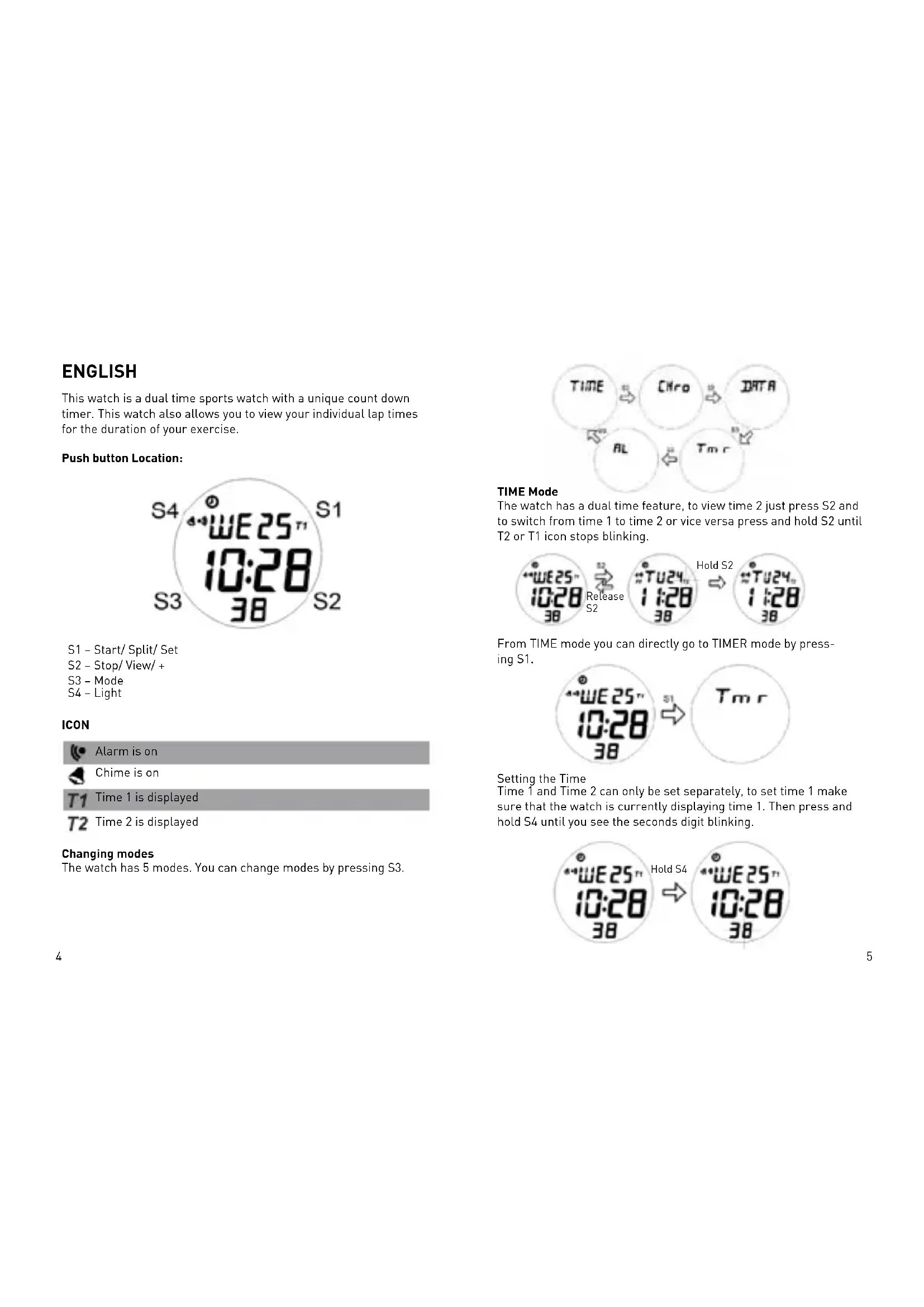
This watch is a dual time sports watch with a unique count down timer. This watch also allows you to view your individual lap times for the duration of your exercise.
Push button Location:
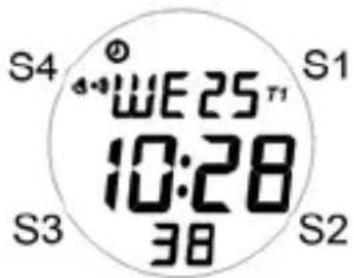
S1-Start/Split/Set
S2-Stop/View/+
S3 - Mode
S4-Light
ICON
Alarm is on
Chime is on
Time 1 is displayed
T2 Time 2 is displayed
Changing modes
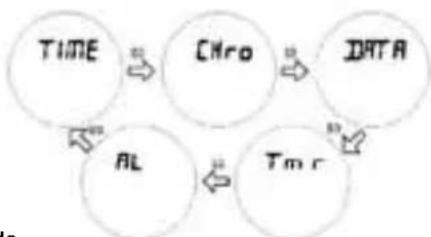
The watch has 5 modes. You can change modes by pressing S3.
TIME Mode
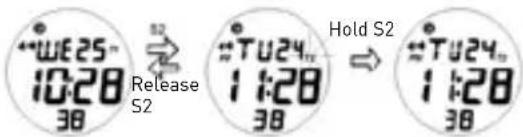
The watch has a dual time feature, to view time 2 just press S2 and to switch from time 1 to time 2 or vice versa press and hold S2 until T2 or T1 icon stops blinking.
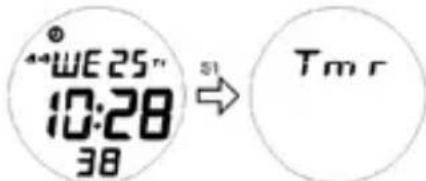
From TIME mode you can directly go to TIMER mode by pressing S1.
Setting the Time
Time 1 and Time 2 can only be set separately, to set time 1 make sure that the watch is currently displaying time 1. Then press and hold S4 until you see the seconds digit blinking.

Press S1 to change the current value of the blinking digit.
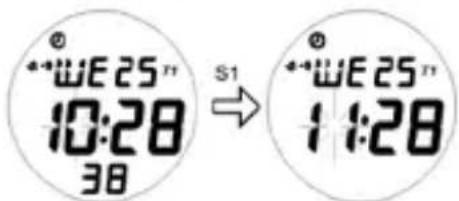
Press S2 to move on to the next option and press S3 or S4 to exit time settings.
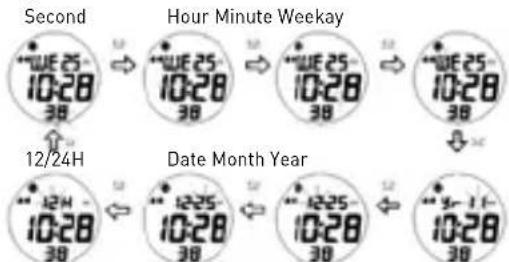
To set Time 2 just follow the same steps in setting Time 1 but this time make sure Time 2 is displayed on the watch.
CHRONO Mode
The Chrono mode for this watch can take up to 9 laps. The time for each lap can be viewed in DATA mode.
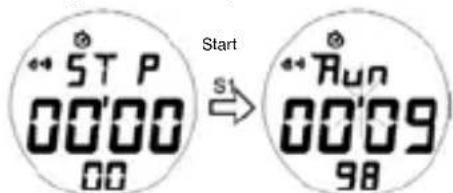
Press S1 to start the Chrono timer.
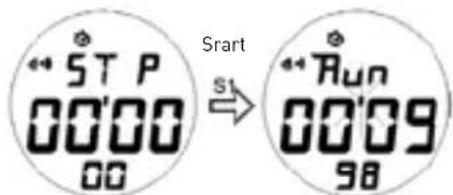
Press S1 again to take a lap or split time.
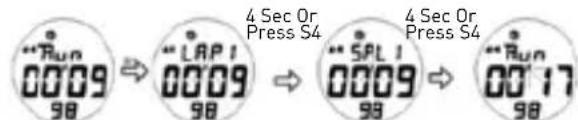
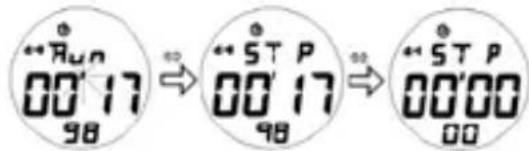
Press S2 to stop the Chrono timer. Press S2 again while Chrono timer isn't running to reset the timer.
Please take note, once timer has been reset all data for that run can no longer be viewed in DATA mode.
DATA Mode
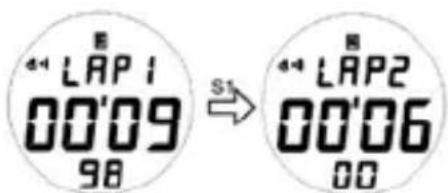
In this mode you can view the individual lap/ split time for you exercise as long as chrono timer has not been reset to zero.
To view the different laps, press S1.
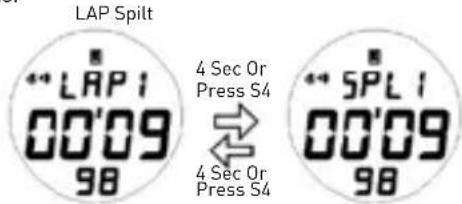
To view the split time of the different laps, press S4 or wait for 4 seconds.
TIMER Mode
The watch has 3 types of timers in this mode CD-S (Count Down Stop), CD-U (Count Down Up) and CD-R (Count Down Repeat).
The watch has 3 types of timers in this mode CD-S (Count Down Stop), CD-U (Count Down Up) and CD-R (Count Down Repeat).
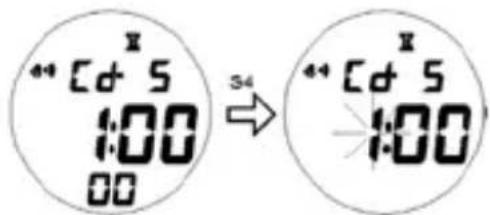
Press S1 to change the value of the blinking digit.
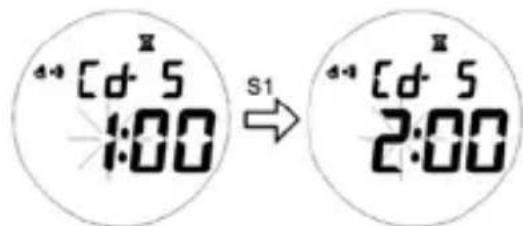
Press S2 to go to the next option.
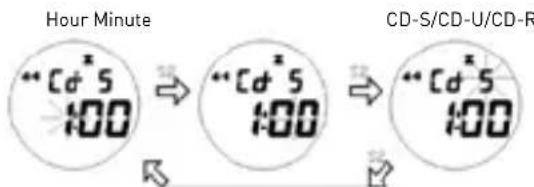
Press S3 or S4 to exit timer settings.
The CD-S timer or count down stop timer function just like a regular count down timer, once it reaches zero, it stops. While the CD-U or count down up timer, counts down using the set count down time and then when it reaches zero will start to count up until timer is stopped or reaches 99:59'59. The CD-R or count down repeat will continually repeat the set count down time for 30 cycles or until timer is stopped.
All the 3 timers count down timers will start giving out a 5 beep alert sound at 5 minutes, 2 beeps at 2 minutes, 1 beep at 1 minute and a 10 seconds beep just before reaching zero.
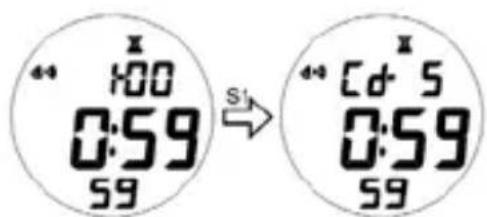
Press S1 to start the timer.
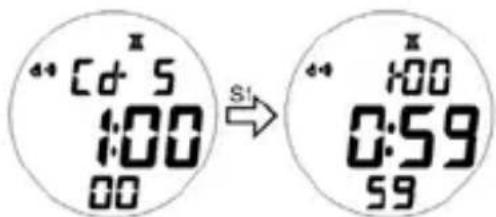
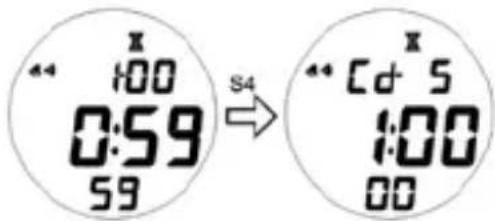
Press S4 to view the type of timer selected.
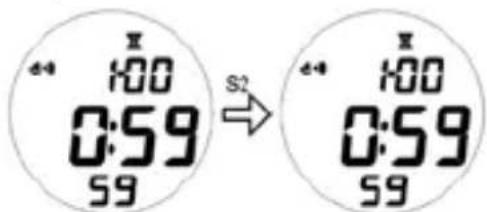
Press S2 to stop the timer.
Press S4 to reset timer to set value while timer is not running.
ALARM Mode
This watch has 2 daily alarms, which can be set for T1 or T2.
Press S2 to select Alarm 1 or 2.
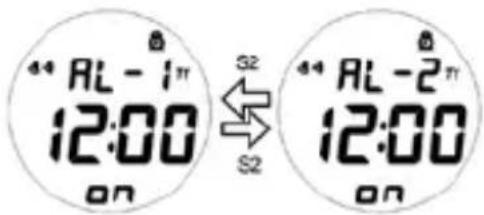
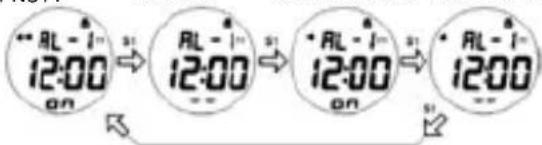
Press S1 to turn on or off the selected alarm or chime.
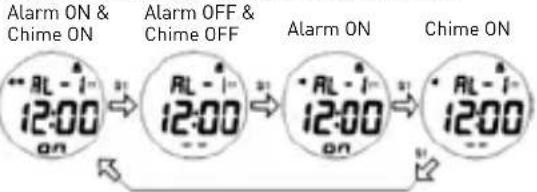
Press and hold S4 until the hour digits start to blink, to set the selected alarm.
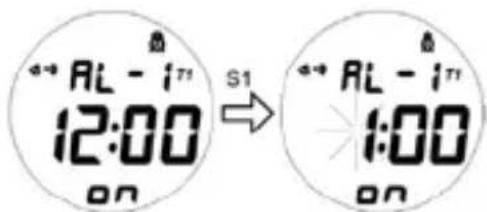
Press S1 to change the value of the blinking digit.
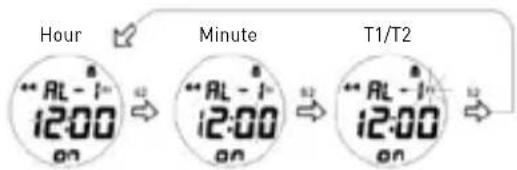
Press S2 to go to the next option.
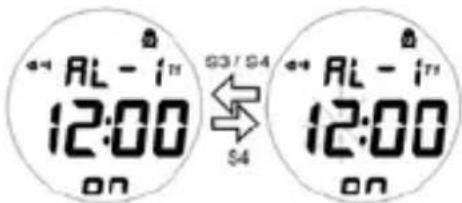
Press S3 or S4 to exit alarm settings.
Battery Replacement:
If the display goes dim or goes totally blank, it is time to replace the battery. The user is recommended to go to authorized service center for correct battery replacement [CR2016].
Cesky
a hodinovy signal a hodinovy signal
ZAPNUTY VYPNUTY Alarm ZAPNUTY Alarm VYPNUTY
A stopper az S1 gombbal indithatja el.

Brand : Puma
Model : FAAS 200
Category : Wristwatch