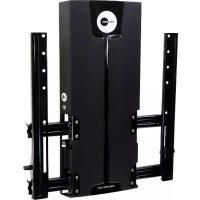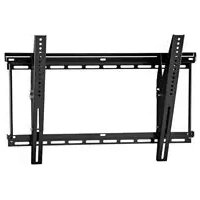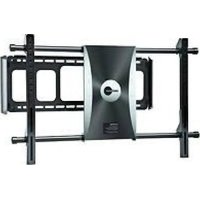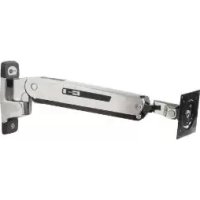
PLAY25 - Wall mount OmniMount - Free user manual and instructions
Find the device manual for free PLAY25 OmniMount in PDF.


User questions about PLAY25 OmniMount
0 question about this device. Answer the ones you know or ask your own.
Ask a new question about this device
Download the instructions for your Wall mount in PDF format for free! Find your manual PLAY25 - OmniMount and take your electronic device back in hand. On this page are published all the documents necessary for the use of your device. PLAY25 by OmniMount.
USER MANUAL PLAY25 OmniMount
IMPORTANT! This product will need tension adjustments once installation is complete. Make sure all equipment is properly installed on the product before attempting range of motion or tension adjustments. Any time equipment is added or changed on this product resulting in a different mounted weight, you should repeat the adjustment steps to ensure safe and optimum operation. This product should move smoothly and easily through the full range of motion and stay where you set it. If movement is difficult or the product does not stay where you set it, follow the adjustment instructions to loosen or tighten the tension to create a smooth, easy motion. Depending on your product and the adjustment, it may take many turns to notice a difference.
For service and warranty visit www.ergotron.com/warranty
Si desea informacion de service y garantia, visite www.ergotron.com/warranty
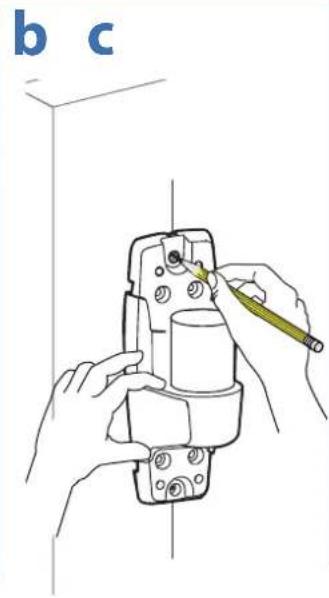
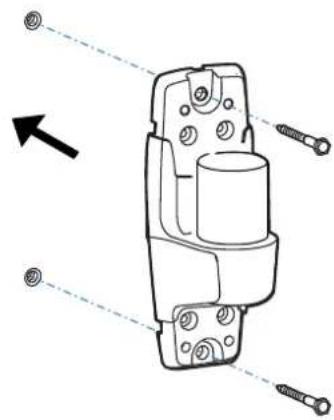
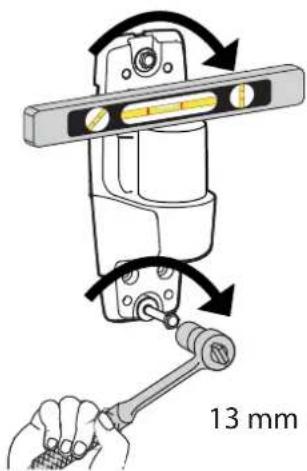
CAUTION: Make sure the wall mount bracket is level, flush and snug to the wall surface. DO NOT OVERLIGHTEN THE BOLTS.
WARNING: Ensure that the wall structure is capable of supporting four times the total weight of mounted equipment. Mounting to wall surfaces that do not meet this criteria may result in an unstable, unsafe condition which could lead to personal injury and/or property damage. Consult a construction professional if you have any doubt about what this means in regard to your particular application.
Optional locking feature
customer supplied lock)
2.75"
0 3/16" (5mm)
3 b
2x
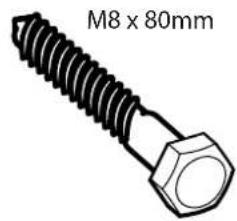
M8×80mm
CAUTION:Make
sure the wall mount
bracket is level,
fl ush and snug to
the wall surface.
13 mm
DO NOT OVER
TIGHTEN
THE BOLTS.
4
9
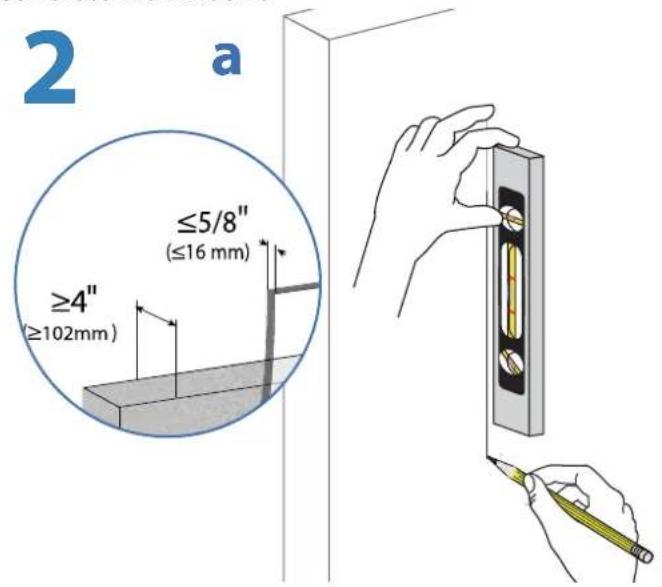
Concrete Wall Mount

WARNING:
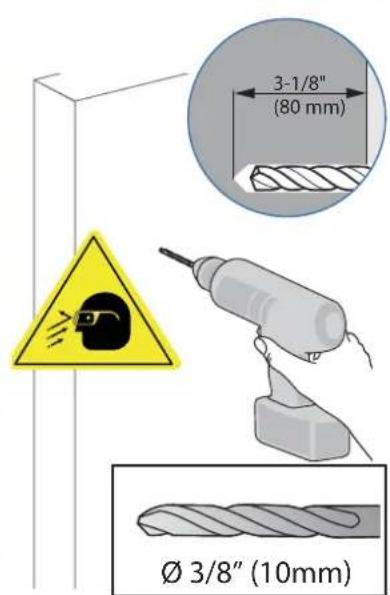
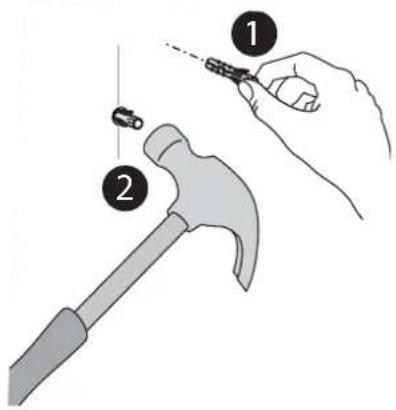
Mounting holes must be at least 3 - 1 / 8'' (80mm) deep and must be located within solid concrete, not mortar or covering material. If you drill into an area of concrete that is not solid, reposition mounting holes until both anchors can be fully inserted into solid concrete!
AVISO:
Anchors that are not fully set in solid concrete will not support the applied load resulting in an unstable, unsafe condition which could lead to personal injury and/or property damage. Consult a construction professional if you have any doubt about what this means in regard to your particular situation.
AVISO:
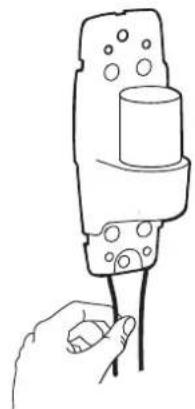
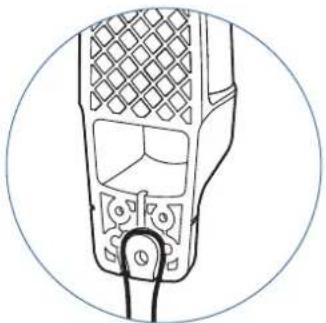
Optional locking feature (customer supplied lock)

b
2x
C
CAUTION: Make sure the wall mount bracket is level, flush and snug to the wall surface.
DO NOT OVERTIGHTEN THE BOLTS.
4
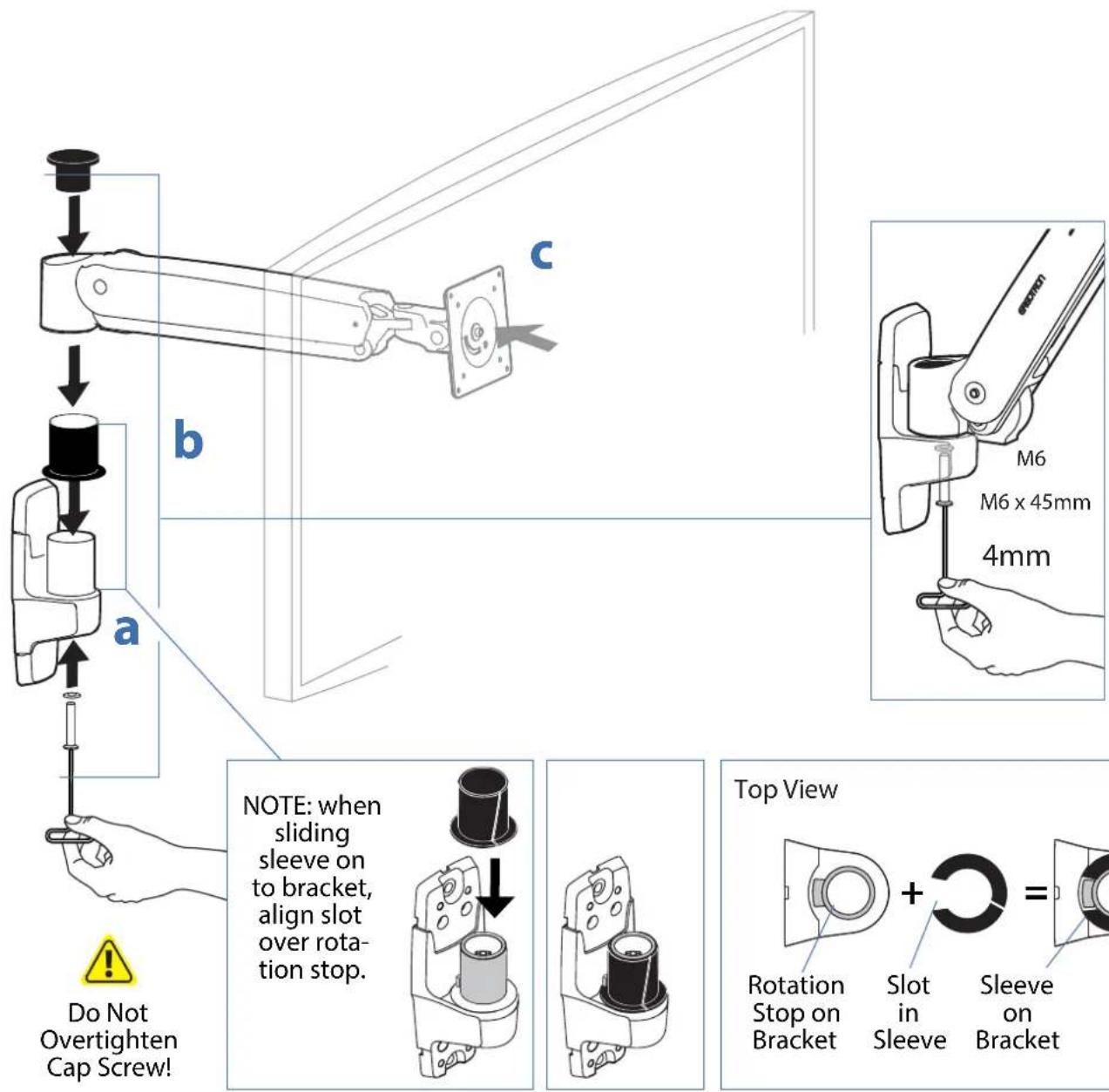
Mount arm to wall bracket.
5
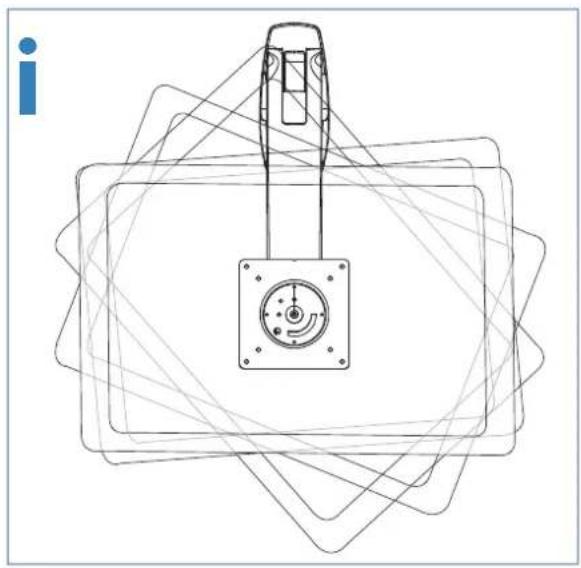
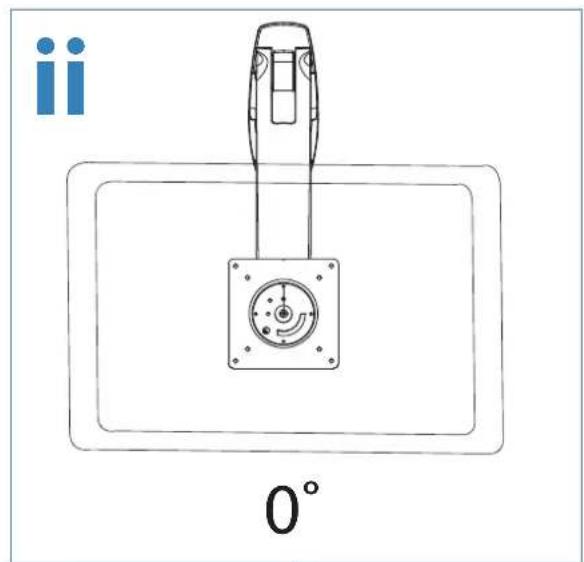
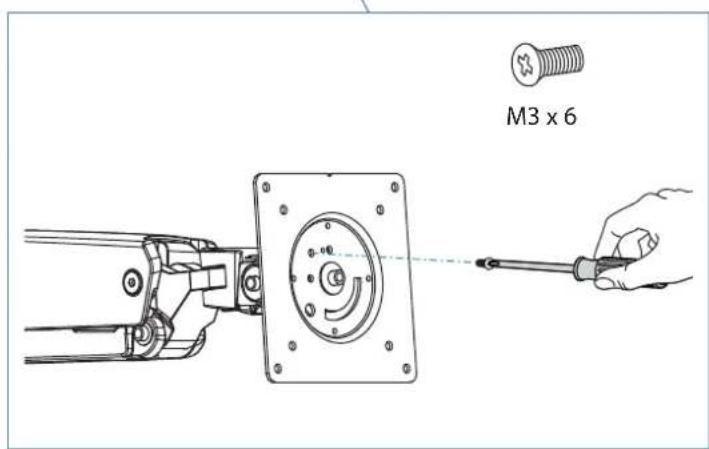
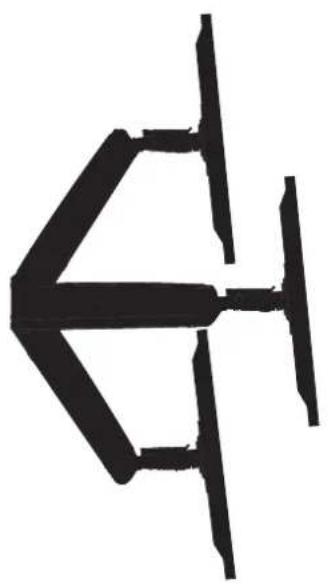
Portrait / Landscape Options
OPTION i If you want full 360^ portrait/landscape rotation, skip to step 8 on the next page.
OPTION ii If you do not want your TV/Monitor to rotate all all, you can stop rotation by inserting the xx set screw.



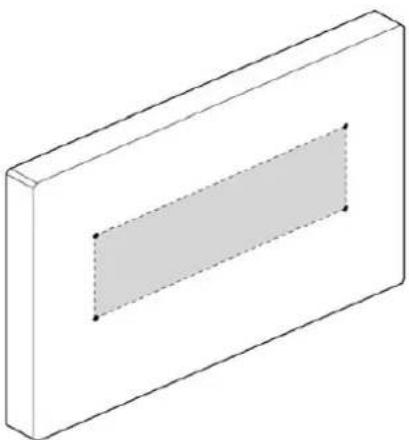
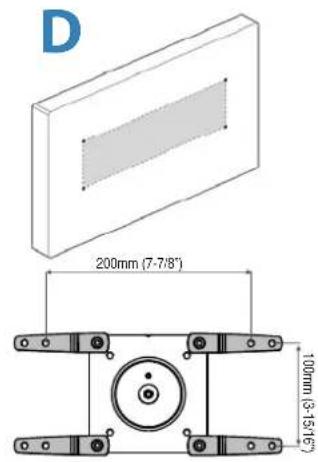
Check size of TV/Monitor hole pattern

TV/Monitor Hole Pattern Sizes
75x75mm 100x100mm

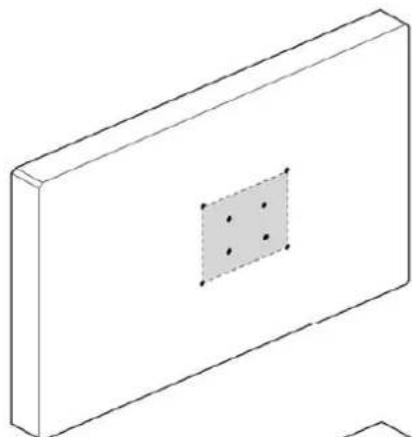

100x200mm

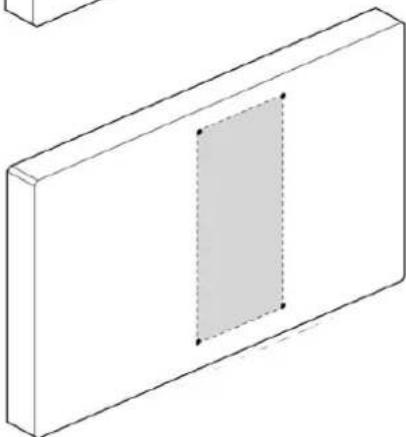

200x200mm

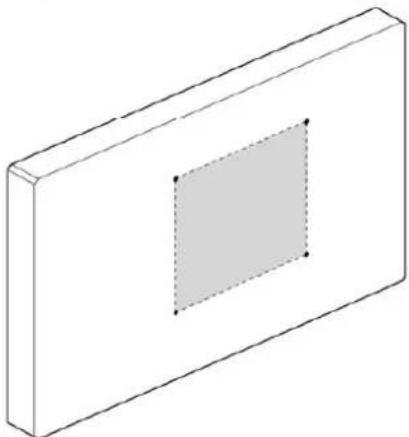

200×100mm

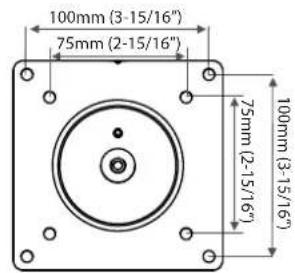
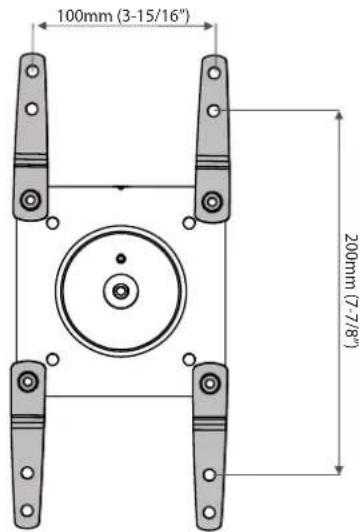
VESA Adapter Configurations
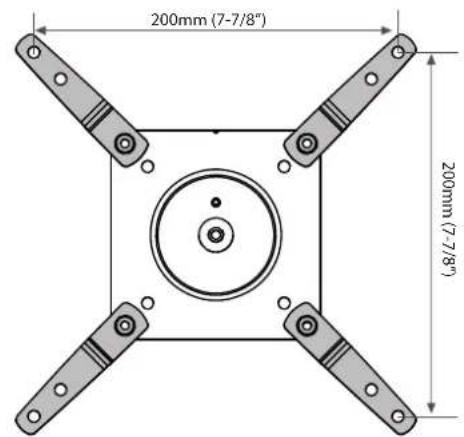
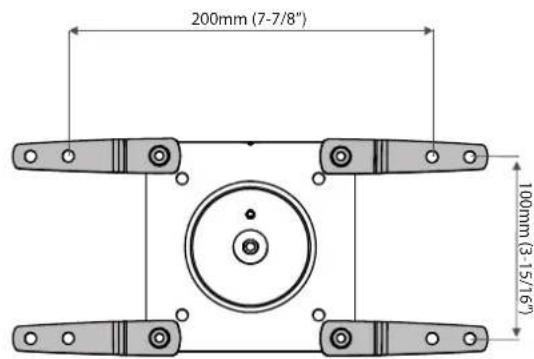
7 Mount Type A TV/Monitor to Arm
4x

A
M4×10mm
75x75mm
100x100mm
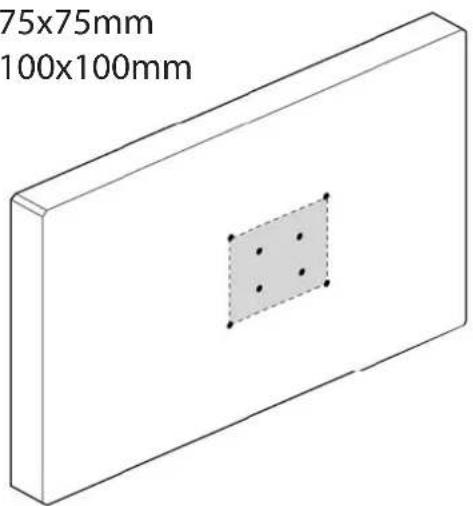
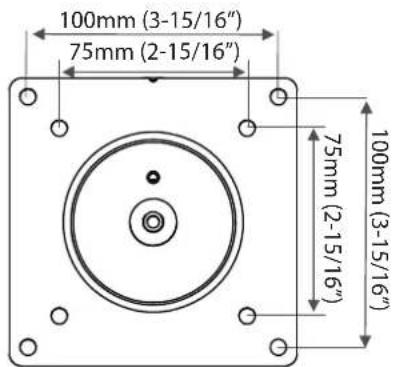
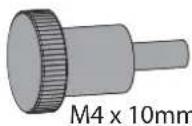
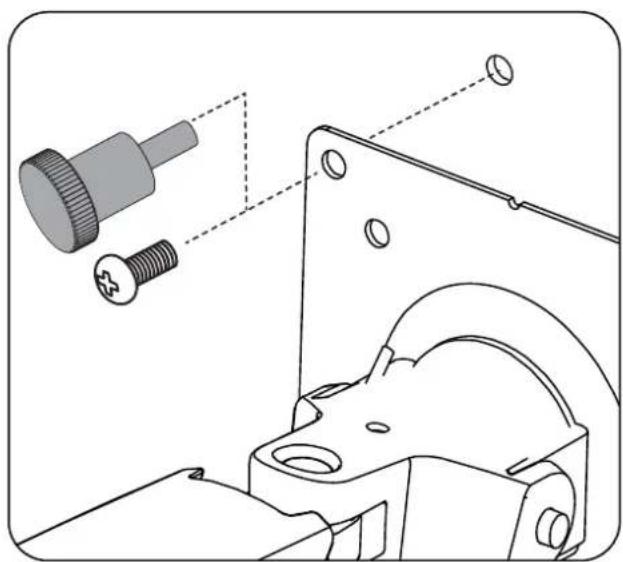
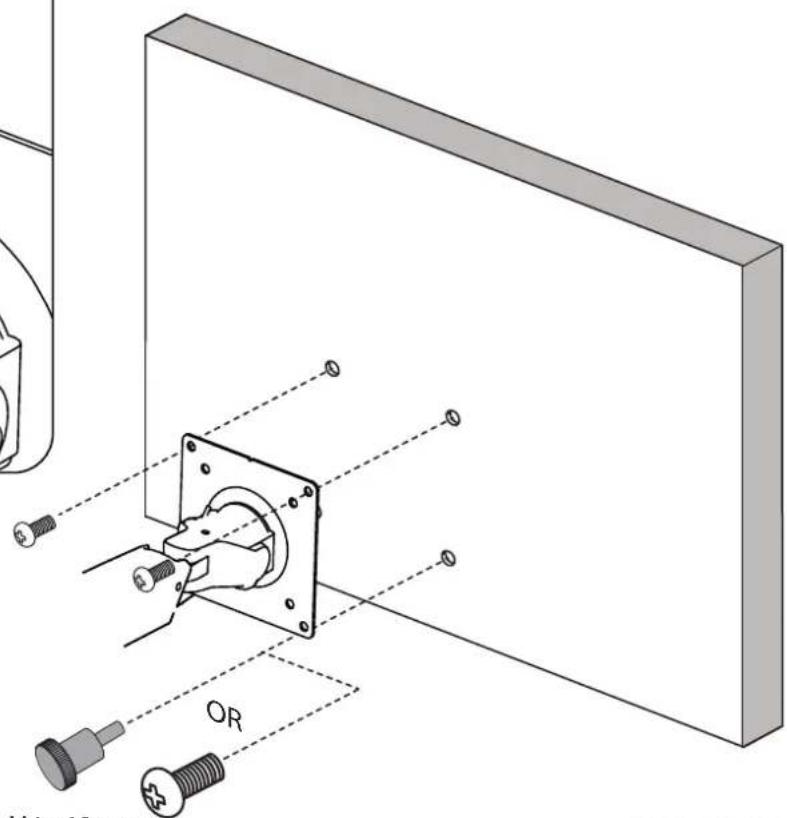
M4×10mm

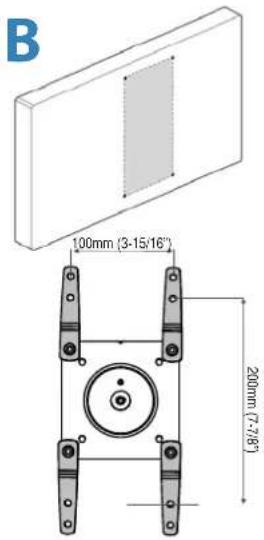
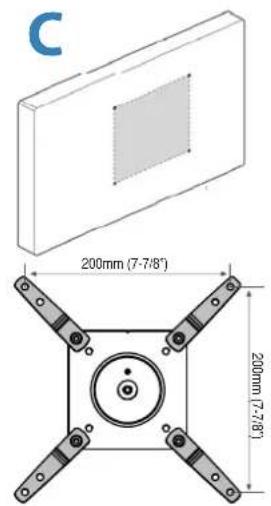
7 Mount VESA Adapters to Arm based on TV/ Monitor hole pattern size (B, C, or D).
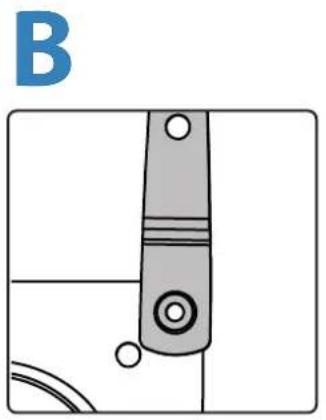

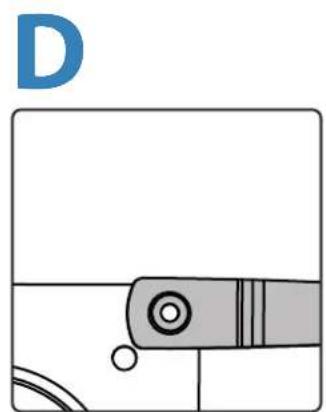
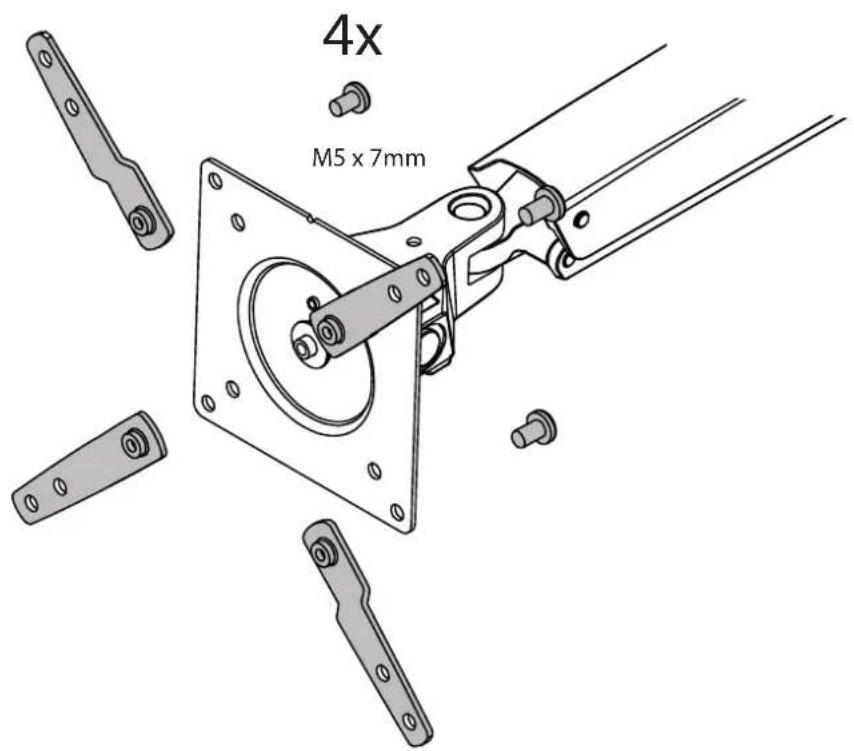

Mount Type B, C, or D TV/Monitor to Arm
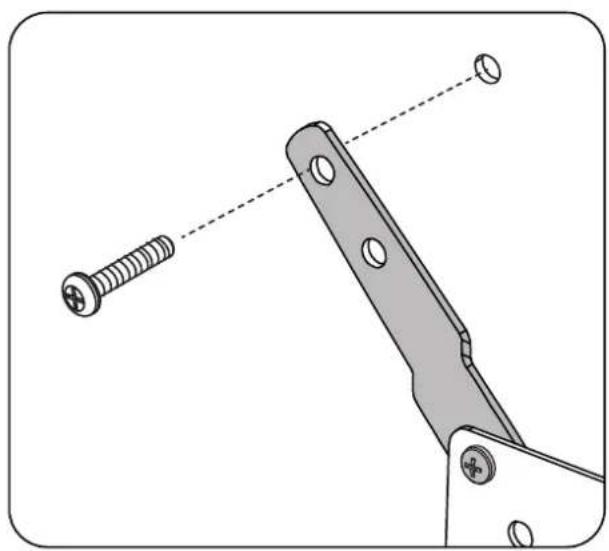
M4x12 M5x12 M6x12
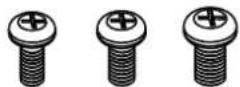
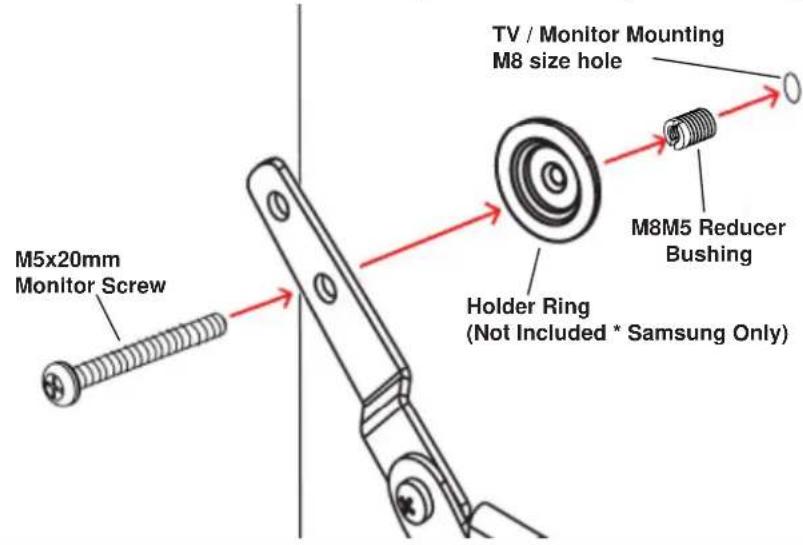
NOTE: To reduce M8 holes for use with M5 screws, or if you have a model with Samsung holder rings, follow the M8M5 KIT instructions on the next page.

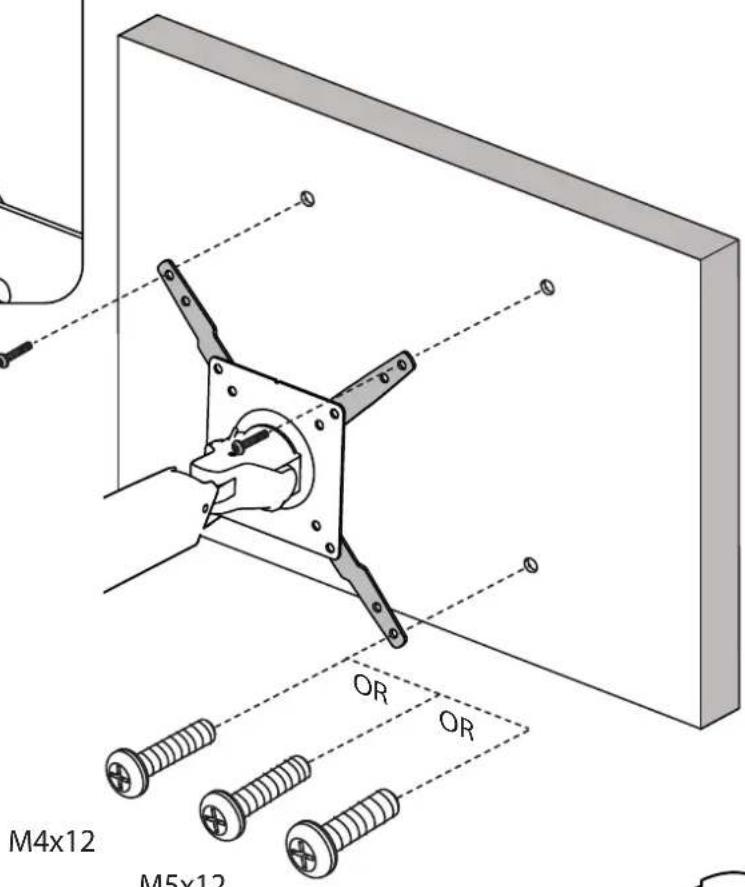
M6x12


M8M5 KIT Instructions
NOTE: follow this step only if your TV/monitor has M8 holes which need to be reduced to M5 or for Samsung models using the holder ring.
Install M8M5 reducer bushing to TV/Monitor and use M5 × 20 ~mm monitor screws to secure when using the Samsung holder ring.

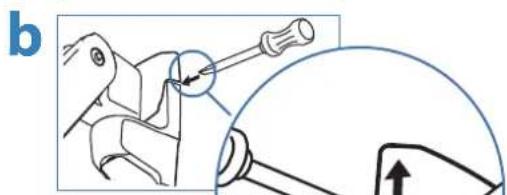
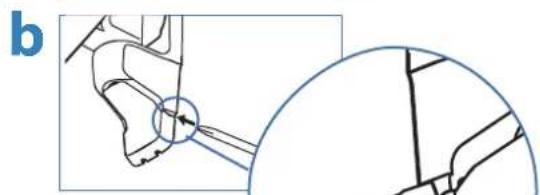
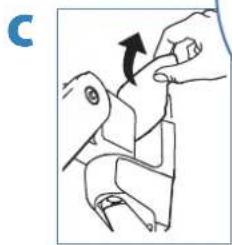
Attach top and bottom bracket covers
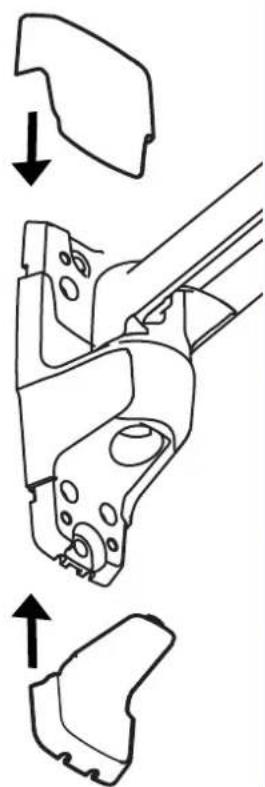
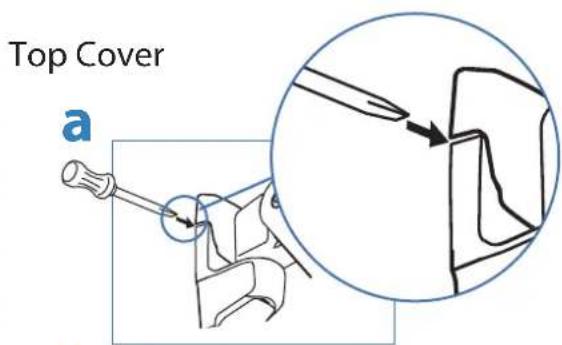
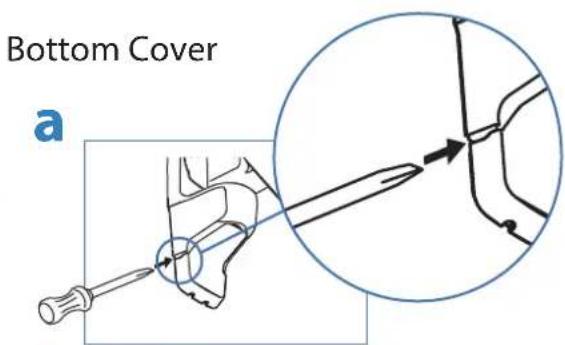
To remove covers:
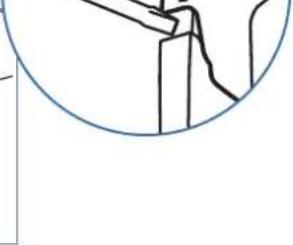
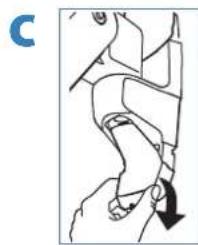
a) Wedge the blade of a flat screwdriver into the gap between the wall mount bracket and the cover. Rotate the blade upward to pry the cover away.
b) Repeat on the opposite side of the wall mount bracket.
c) Once the cover is free on both sides, lift it off.
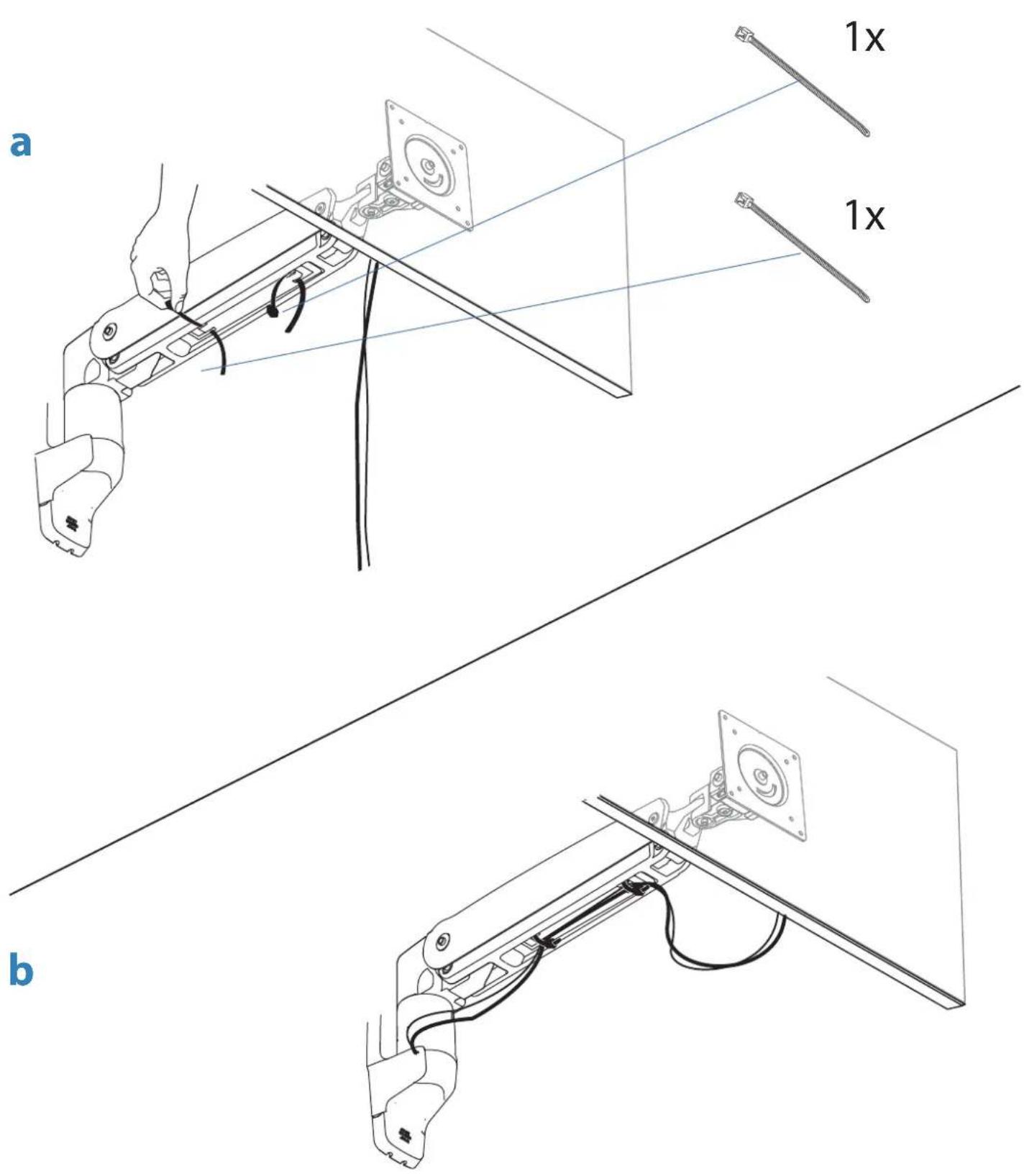
Organize and route cables
9
10 To adjust the arm lift:
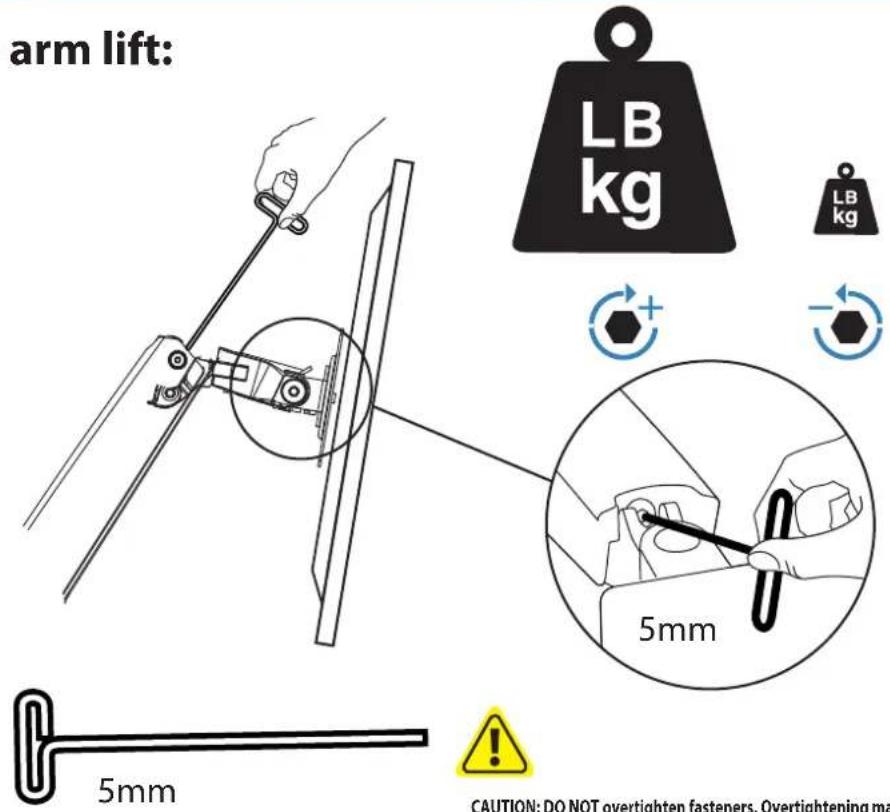
CAUTION: DO NOT overtighten fasteners. Overtightening may cause damage to your equipment.
WARNING! Stored Energy Hazard: The arm mechanism is under tension and will move up rapidly, on its own, as soon as attached equipment is removed. For this reason, DO NOT remove equipment unless the arm has been moved to the highest position! Failure to follow this instruction may result in serious personal injury and/or equipment damage!
001000000:10000000000000000000000000000000. 000 00 00 0
00000000000000000000000000000000000000
11 To adjust the TV/monitor tilt:
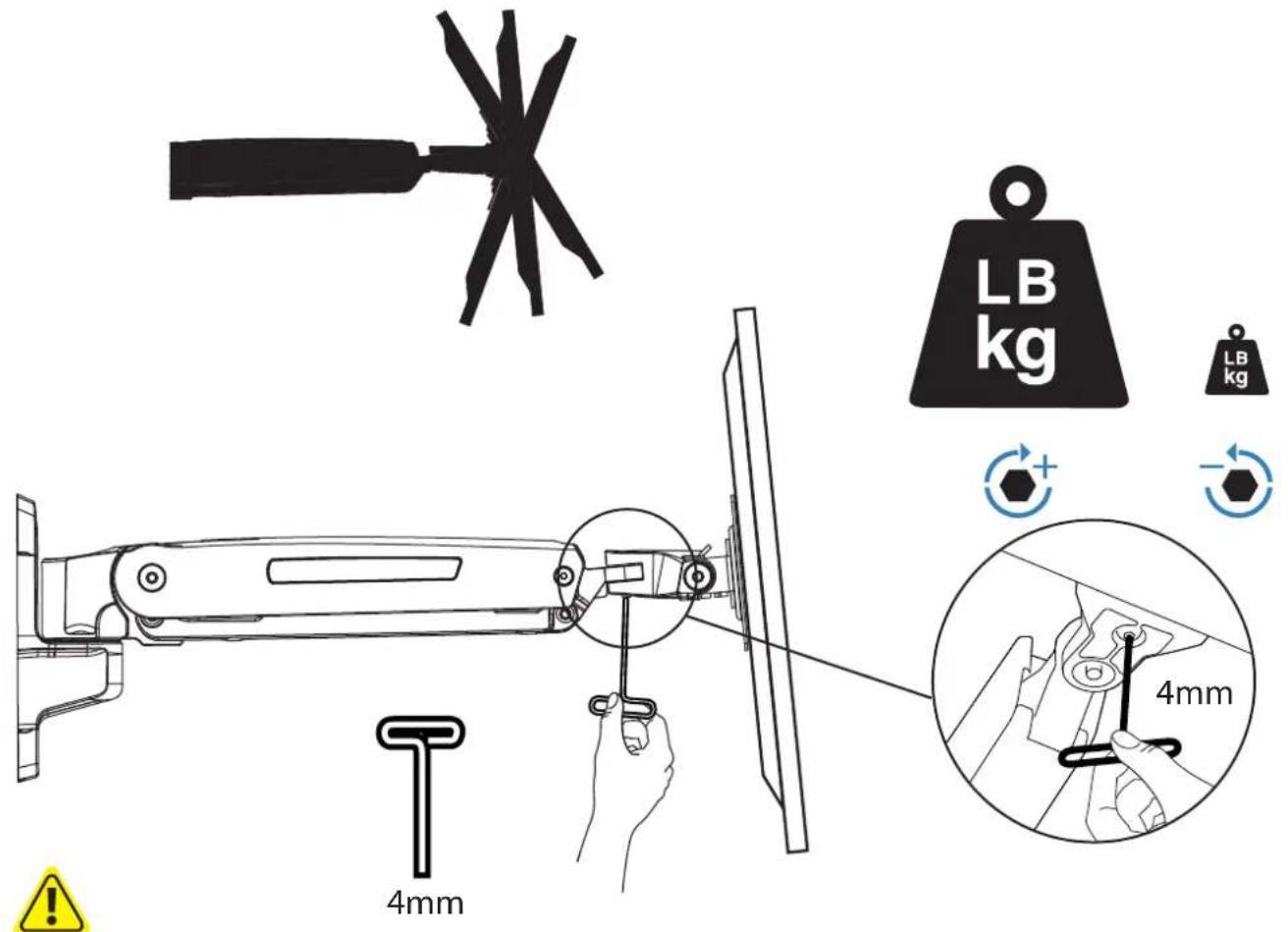
CAUTION: DO NOT remove screw. Removing screw may cause damage to equipment.
REIKIA PAGALBOS? SKAMBINKITE
POTREBUJETE POMOC? PROSIM, VOLAJTE
HUKHA NOMOJIb? 3BOHNTE
YARDIM MI LAZIM? LUTFEN BIZI ARAYIN
TRENGER DU HJELP? RING OSS
您需要帮助吗?请致电
二質問的場合は、お電話<ださい
888-45-280-W-01 rev.E·05/16


www.omnimount.com
1-800-MOUNT-IT
(1-800-668-6848)
12
Set Your Workstation to Work For YOU!
Learn more about ergonomic computer use at:
Height Position top of screen slightly below eye level.
Position keyboard at about elbow height with wrists fl at.
Distance Position screen an arm's length from face-at least 20^ (508mm).
Position keyboard close enough to create a 90^ angle in elbow.
Angle Tilt screen to eliminate glare.
Tilt the keyboard back 10^ so that your wrists remain flat.
To Reduce Fatigue
Breathe - Breathe deeply through your nose.
Blink - Blink often to avoid dry eyes.
Break - 2 to 3 minutes every 20 minutes
15 to 20 minutes every 2 hours.
Five Year Limited Warranty
OmniMount is a registered trademark and brand of Ergotron, Inc. © 2015. Ergotron Inc. is a Nortek Company. This warranty applies to US Residents who purchase from an authorized OmniMount Dealer. OmniMount products are covered against defects in materials and workmanship for 5 years. OmniMount will repair or replace the defective component or product, at its sole discretion. Failure to follow product care instructions from OmniMount will result in void of warranty.
To obtain warranty service, contact OmniMount customer service at 800.MOUNT.IT (800.668.6848) or info@omnimount.com. You must supply a copy of your original receipt. If your product must be shipped to OmniMount for inspection, you will be responsible for the shipping charges. Replacement product shipped to you will be returned freight pre-paid.
Mn products performed by anyone other than OmniMount.
This warranty gives you specific legal rights, and you may also have other rights which vary from state to state.
Specific cations are subject to change without prior notice.
Notice to customer outside the United States: Please contact the dealer where you purchased this product for details about how to obtain warranty service in your country.
4409 East Baseline Road, Suite 130
Phoenix, AZ 85042
1-800-MOUNT-IT (1-800-668-6848)
OMNI
MOUNT
All trademarks are the property of their respective companies.
OmniMount is a registered trademark of Ergotron, Inc. © 2015