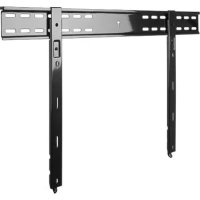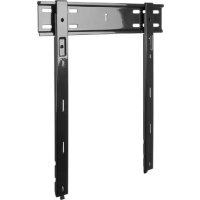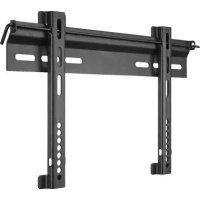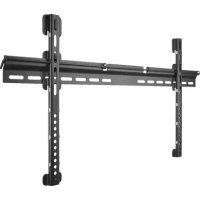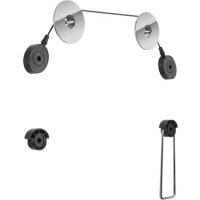
TV EasyMount L - Wall mount Goobay - Free user manual and instructions
Find the device manual for free TV EasyMount L Goobay in PDF.


Frequently Asked Questions - TV EasyMount L Goobay
User questions about TV EasyMount L Goobay
0 question about this device. Answer the ones you know or ask your own.
Ask a new question about this device
Download the instructions for your Wall mount in PDF format for free! Find your manual TV EasyMount L - Goobay and take your electronic device back in hand. On this page are published all the documents necessary for the use of your device. TV EasyMount L by Goobay.
USER MANUAL TV EasyMount L Goobay
Goobay TV EasyMount L
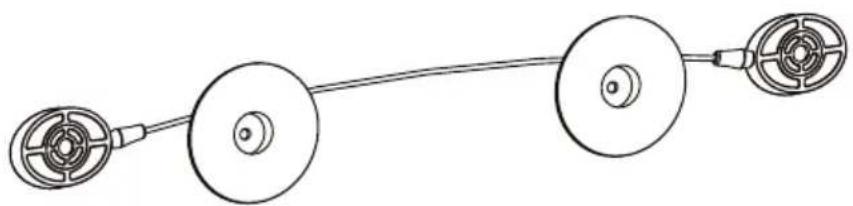
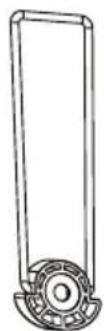


BETRIEBSANLEITUNG 2
USER'S MANUAL 14
MODE D'EMPLOI 26
ISTRUZIONI PER L'USO 40
BETRIEBSANLEITUNG
Inhalt
1.1 General Notes 15
1.2 User Groups 16
1.3 Warning Levels 16
1 Safety Instructions 15
2 Description and Function 16
2.1 Scope of Delivery 17
2.2 Required tools 18
3 Intended Use 18
3.1 Use restrictions 19
4 Installing 19
4.1 Preparing 19
4.2 Wall mounting 19
4.3 Mounting the flat screen 20
4.3.1 Flat screens with flat back 21
4.3.2 Flat screens with arched back 22
4.4 Attaching the flat screen 22
5 Warranty and Liability 23
6 Maintenance, Care, Storage and Transport 23
7 Troubleshooting 24
8 Specifications 24
9 Information for VESA standard 25
10 Disposal Instructions 25
1 Safety Instructions
1.1 General Notes
- Read the including product documentation completely and carefully before use. It is part of the product.
- Attend to the safety instructions in product documentation, on product and accessories, such as on the package.
Use product, product parts and accessories only in perfect condition. - Keep the product documentation for other potential users and for later requests.
- For questions, defects, mechanical damage, disturbances and other not remediable problems, consult your dealer.
Risk of life by suffocating
Children can suffocate by swallowed or inhaled parts and insulation materials.
Protect small parts and insulation material against unintentionally use.
Risk of injury by tripping and falling
Unfavorable placed or installed products and cable connections can injure persons.
Place, transport and install product, parts and accessories in a safe way.
When working with burdens, secure yourself and the working place, let a second person help you.
Let only a specialist do disassembly, maintenance and repair work.
Risk of injury by cutting
Children can cut themselves on packaging materials.
Protect packaging materials against unintentionally use.
Risk of material damage by improper product combination
Incompatible product combination does not fulfill required functions, can cause quality losses or material damage.
The specifications of all used products must match or be within the specified range.
Risk of injury by inappropriate ambient conditions
Extreme conditions can injure persons.
Attend to live cables or other lines lying behind plaster, and do not damage them!
Do not install the product to places with direct sunlight or bright light. This contributes to eye fatigue.
Risk of self-intervention and misuse
Self-interventions and misuse hide unpredictable risks and cause expiration of warranty.
Do not modify or alter either the product or the accessories!
Risk of material damage by inappropriate ambient conditions
Incorrect ambient conditions can damage things.

Avoid extreme conditions, such as extreme heat, coldness, humidity or direct exposure to the sun, as well as vibrations and mechanical pressure.
Keep enough space around product and to the whole system to ensure proper ventilation and mobility.
The included mounting material is only suitable for mounting on massive stone or concrete walls.
For other wall types use suitable mounting material.
Check the stability of the system periodically after installation.
1.2 User Groups
Caused to different risk levels and hazard potentials some working steps only may be done by trained specialists.
| Working step User Group | |
| Installing, Uninstalling, Care,Storage, Transport, Disposal | Consumers and users with basical mechanical knowledge can do this work. >> Protect children and people with mental and motoral impairments from using the product! |
| Maintenance, Repairing | Trained specialists only >> special safety measures, knowledge and tools are necessary! |
Tab. 11: User Groups
1.3 Warning Levels

Warnings against hazards that will result directly in serious injuries or death in case of non-observation.
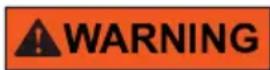
Warnings against hazards that may result in serious injuries or death in case of nonobservance.
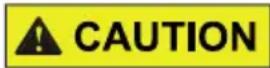
Warnings against hazards that may result in injuries in case of non-observance.

Warnings against hazards that may result in material damage in case of non-observation.
2 Description and Function
Your wall mount is made for mounting your flat screen at stable, vertical walls. The compact and slim design supports individual, space-saving mounting. After
that, the wall mount is virtually invisible and furthermore horizontally adjustable. It is not tiltable nor swivelable.
2.1 Scope of Delivery
| Part Figure Symbol Amount | ||
| Wall mounting | ||
| Wall mount A 2 | ||
| Wall screw 5.5x50 | W-A 2 | |
| Concrete anchor | W-B 2 | |
| Spacer D6 | W-C 2 | |
| Flat screen mounting | ||
| Adapter bracket 400mm B 1 | ||
| Supporting spacer | C 1 | |
| Supporting spacer | D 1 | |
| M5x14 | M-A 4 | |
| M6x14 | M-B 4 | |
| M8x20 | M-C 4 | |
| M6x30 | M-D 4 | |
| M8x30 | M-E 4 | |
| Washer D5 | M-F 4 | |


| Washer D8 M-G 4 | ||
| TV Spacer | M-H 8 | |
| TV Spacer | M-I 4 |
Tab. 12: Scope of Delivery
2.2 Required tools
| Tool Figure | |
| Spirit level | |
| Pencil | |
| Phillips screwdriver | |
| Drilling mashine | |
| Concrete drill 8x60mm | |
| Second person | |
| Line tester | |
Tab. 13: Required tools
3 Intended Use
This product is made for mounting flat screens with specific screen sizes, weights and mounting points, which are summarized in chapter "Technical data", on a vertical wall. Another use than described in chapter "Description and Function" is not permitted. Neglecting and ignoring these regulations and safety instructions can cause serious accidents, personal injury and material damage. Also refer to chapter "Warranty and Liability".
3.1 Use restrictions

Only use in dry interior rooms.
4 Installing
4.1 Preparing
Checking the completeness and integrity
Check the packing content by comparing it to the scope of delivery regarding completeness and integrity.
Ensuring compatibility
Warning level Safety instruction
Bid /
Ban
NOTICE
Risk of material damage by improper product combination
The specifications of all used products must match or be within the specified range.

Tab. 14: Ensuring compatibility
4.2 Wall mounting
Warning level Safety instruction Bid / Ban

CAUTION
Risk of injury due to inappropriate ambient conditions
Check the wall structure before installing or choose a safe installation place.
Attend to live cables or other lines lying behind plaster, and do not damage them!

Do not install the product to places with direct sunlight or bright light. This contributes to eye fatigue.
NOTICE
Risk of material damage by inappropriate ambient conditions
Keep enough space around product and to the whole system to ensure proper ventilation and mobility.


Tab. 15: Wall mounting

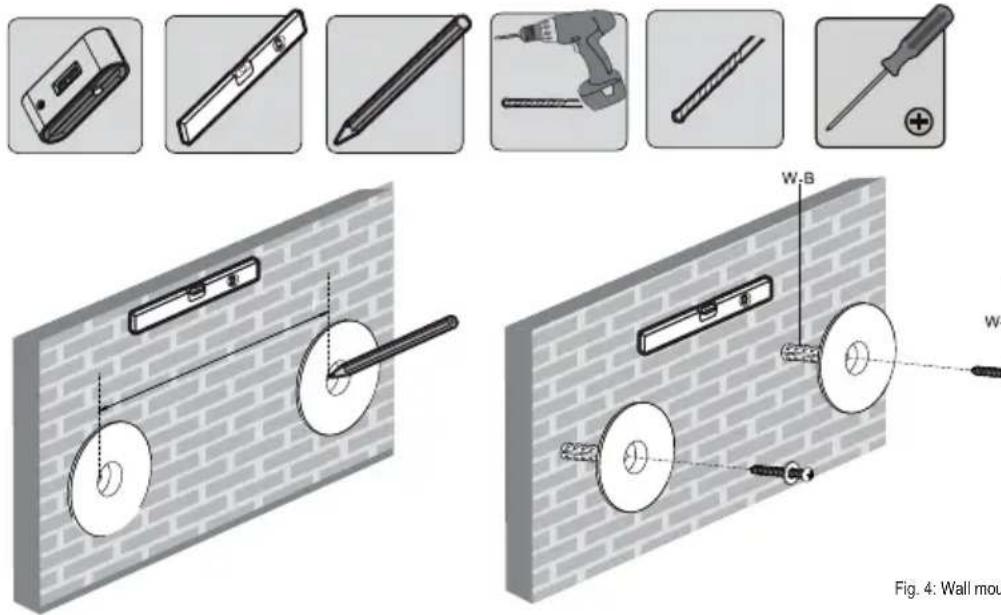
Fig. 4: Wall mounting
- Before drilling, attend to live cables or other lines lying behind plaster, and do not damage them.
- Use a spirit level to mark the drill holes on the wall.
- Select the wall mount distance according the size of your flat screen between 180-220mm. Doing this, attend to the maximum length of the adapter bracket (C).
- Drill the holes with a 10mm concrete drill 60mm deep.
- Plug a concrete anchor (W-B) in each drilling hole.
- Mount the wall mounts (A) by using the wall screws (W-A) and washers (W-C).
4.3 Mounting the flat screen
| Warning level Safety instruction | Bid / Ban |
| CAUTION | Risk of injury by tripping and falling >> Place, transport and install product, parts and accessories in a safe way. |
| NOTICE | Risk of material damage by improper procedure >> Only use moderate force when tightening the screws in order to avoid damaging threads. | |
| >> NEVER set the screen on the front during installation! >> Do not damage the flat screen by too long screws. |
Tab. 16: Mounting the flat screen
4.3.1 Flat screens with flat back
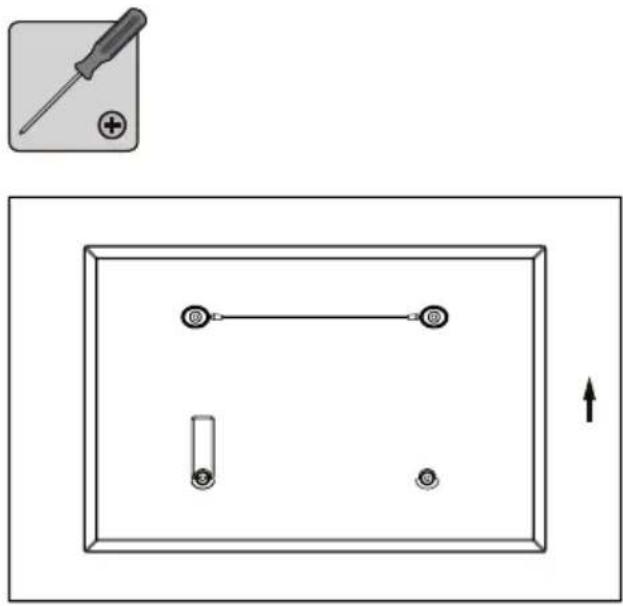
Fig. 5: Flat screens with flat back
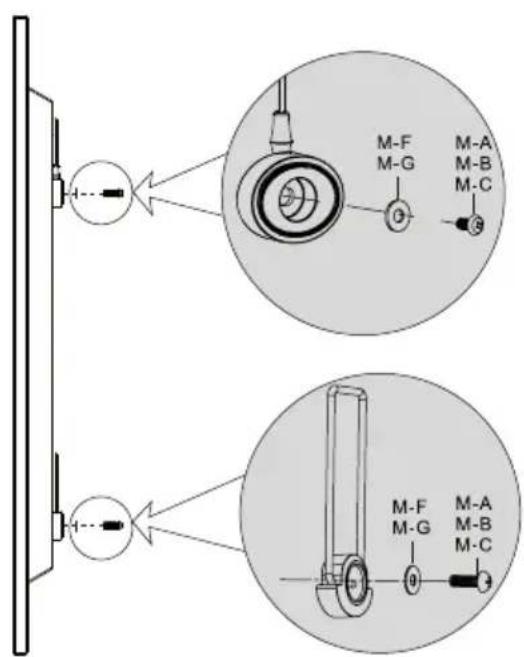
- Lean the flat screen vertically on a soft, large surface or a wall and protect it of scratches and overturning.
- Mount the adapter bracket (B) at the top side of your flat screen by using fitting washers and screws like shown.
- Install the supporting spacer (D) at that bottom side of your flat screen, which is better reachable by using fitting washers and screws like shown.
- Mount the supporting spacer (C) at the flat screens bottom side by using the fitting washers and screws like shown.
4.3.2 Flat screens with arched back
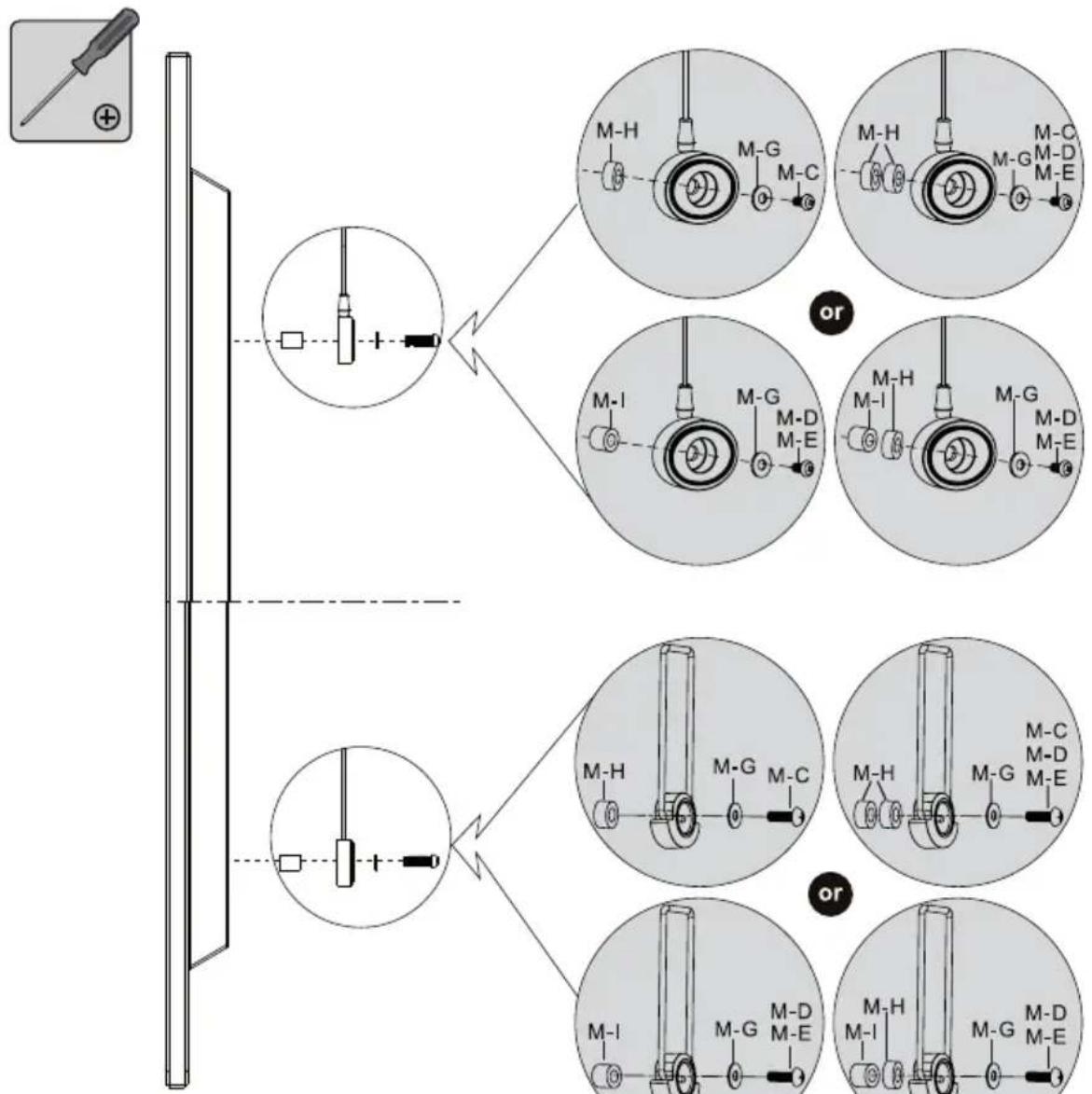
Fig. 6: Flat screens with arched back
- Apart from the following working step - proceed like shown in chapter 4.3.1.
- Mount the fitting TV spacers (M-H) and/or (M-I) between flat screen and supporting spacers (B) / (C) / (D) like shown.
4.4 Attaching the flat screen
Warnibng level Safety instruction Bid/Bar
Risk of injury by tripping and falling
CAUTION
Place, transport and install product, parts and accessories in a safe way.
When working with burdens, secure yourself and the working place, let a second person help you.


Risk of material damage by inappropriate ambient conditions NOTICE >> Keep enough space around product and to the whole system to ensure proper ventilation and mobility.
Tab. 17: Attaching the flat screen
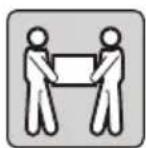
- Attach the prepared flat screen adapter bracket (B) to the wall mount (A) together with a second person.
- Align the flat screen.
End of installing. To remove, proceed in reversed order.
5 Warranty and Liability
The producer grants a 2 years warranty to a new device.
- As the manufacturer has no influence on installation, warranty only applies to the product itself.
- If any fault or damage is detected on your device, please contact your dealer and provide your sales slip or invoice as evidence of the purchase, if necessary. Your dealer will repair the fault either on site, or send the device to the manufacturer. You make the work of our technicians considerably easier, describing possible faults in detail – only then you can be assured that faults, occurring only rarely, will be found and repaired with certainty!
- The manufacturer is not liable for damages to persons or property caused by improper installation, operation or maintenance, not described in the manual.
- Do not alter or modify the product or its accessories.
- Any use other than described in this user's manual is not permitted and causes loss of warranty, loss of guarantee, and non-liability.
- We reserve our right for misprints and changes of the device, packing, or user's manual.
6 Maintenance, Care, Storage and Transport
The product must be maintained only by professional workshops.
- Protect the angles from dirt.
- Use a dry and soft cloth to clean your product. Be careful to avoid scratches. Use a slightly moist cloth for heavy stains. Look out for live cables! Do not use any cleaning supplies. This can cause burns to the materials. Avoid liquid entry to the device.
- Make sure no body parts will be pinched in the swivel device, when parts of the device are moved!
Periodically check, if all attachments and screws are secured, and tighten them again when they are loosened. This may be caused e.g. by frequent


movements. Do not overtighten screws.
- Avoid places with high temperatures, humidity, or places which can become wet, also during maintenance, care, storage, and transport.
- Keep the product away from children and store it at dry and dust-proof places!
- Drill holes are still visible after removing the product. After use for a longer time period, a spot may remain on the surface.
- Keep the original packing for transport and to avoid damages.
7 Troubleshooting
| Problem Help | |
| How to test wall quality? | Loads for home are regulated in various European standards. >> Check wall thickness and material under plaster / wall paper. >> Ask a specialist. |
| Which drill holes must be drilled? | >> Read chapter 4.2. |
| The wall mount is hard to align. | >> Let a second person help you. >> Attend to chapter 1! >> Check all attachments. >> Contact your dealer. |
| Other questions | >> Contact your dealer. |
Tab. 18: Troubleshooting
8 Specifications
| Phys. size Specification Unit | ||
| Hole distance 180-220 mm | ||
| TV diameter 32-55 | “ / Inch | |
| VESA | max. 400x400 | mm |
| Load | max. 110 | Ibs |
| Tilting angle | +/-0 | ° |
| Swivel angle | +/-0 | ° |
| Wall distance | 15 | mm |
| Weight | 0.25 | kg |
Tab. 19: Specifications
9 Information for VESA standard
To harmonize attachment options of monitors, TV devices and their stands and wall brackets in a user-friendly manner, VESA (Video Electronic Standard Organization) defined 3 standards for the applications mentioned above. Using the relevant VESA standard specified on your display unit, or in its user's manual, and the specifications in Chapter Specifications in this manual you are able to define the possible points of attachment. Some models allow for an infinitely variable individual attachment (e.g. 300 × 300 mm for Sony TVs).
VESA Class Hole distance for attachment of monitors
MIS-D 75x75/100x100mm
MIS-E 200x100 / 200x200mm
MIS-F 400x200 / 400x400 / 600x200 / 600x400 / 800x400mm
Tab. 20: Information for VESA standard
10 Disposal Instructions
This product should not be disposed together with domestic waste. Please return your product free of charge at the end of its service life at the producer, the sales outlet, or a public collection point, established for this purpose. Details for disposal are regulated in the relevant federal state law. Potential recyclable materials are fed into the recycling cycle to obtain new raw materials from them. Following materials are collected a local collection points:
- Waste glass, plastic, waste metal, metal sheet, and more.
This type of recycling of waste contributes significantly to the protection of our environment.
BETRIEBSANLEITUNG 2
USER'S MANUAL 14
MODE D'EMPLOI 26
ISTRUZIONI PER L'USO 40

MODE D'EMPLOI
Contenu
Tab. 29: Specifications