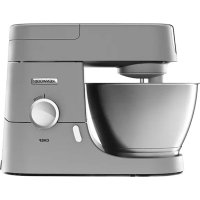
CHEF KVC3100S - Food Processor KENWOOD - Free user manual and instructions
Find the device manual for free CHEF KVC3100S KENWOOD in PDF.



| Product type | Multifunction stand mixer |
| Brand | Kenwood |
| Model | CHEF KVC3100S |
| Power supply | 220-240 V ~ 50/60 Hz |
| Rated power | 1000 W |
| Bowl capacity | 4.6 L |
| Net weight | 12.5 kg |
| Dimensions (L x W x H) | 40 x 30 x 35 cm |
| Speeds | Variable + pulse (P) |
| Outlets | 1 high-speed outlet, 1 low-speed outlet, 1 bowl outlet |
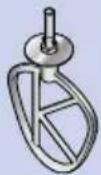
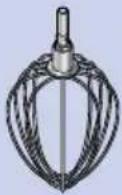
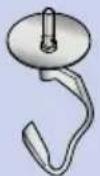
| Included accessories | K-beater, whisk, dough hook, spatula, splash guard |
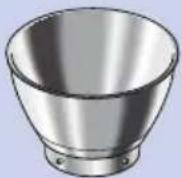
| Bowl material | Stainless steel |
| Functions | Beat, whisk, knead, mix |
| Safety | Overload protection, automatic shut-off, grounding, head lock |
| Cleaning | Bowl and accessories: hand wash or dishwasher; motor unit: damp cloth |
| Maintenance | Tool adjustment possible with wrench (15 mm for KVC30) |
| After-sales service | Authorized Kenwood centers, www.kenwoodworld.com |
| Warranty | Complies with national legislation |
| Standby consumption | ≤ 0.3 W |
| Compliance | CE, food contact |
| Manufacturing | China, designed in the United Kingdom |
Frequently Asked Questions - CHEF KVC3100S KENWOOD
User questions about CHEF KVC3100S KENWOOD
0 question about this device. Answer the ones you know or ask your own.
Ask a new question about this device
Download the instructions for your Food Processor in PDF format for free! Find your manual CHEF KVC3100S - KENWOOD and take your electronic device back in hand. On this page are published all the documents necessary for the use of your device. CHEF KVC3100S by KENWOOD.
USER MANUAL CHEF KVC3100S KENWOOD
- Read these instructions carefully and retain for future reference.
- Before using for the first time, remove all packaging and any labels. (All labels on the base of the machine should not be removed). Wash the parts, see :Care and Cleaning.
- If the plug or cord is damaged it must, for safety reasons, be replaced by Kenwood or an authorised Kenwood repairer in order to avoid a hazard.
- Always turn the speed control to 'O' OFF position and unplug before fitting or removing tools/attachments, after use and before cleaning.
● Always keep body parts, hair and jewellery and loose clothing away from moving parts and fitted attachments. - Never leave the machine on unattended.
- Never use a damaged machine. Get it checked or repaired: see 'Service and Customer Care'
- Never put your fingers into the hinge mechanism.
- Never let the cord hang down where a child could grab it.
- Never operate the Stand Mixer with the head in the raised position.
- Never let the power unit, cord or plug get wet.
- Ensure that the bowl is always fitted when operating the appliance when using a bowl tool.
- Never use an unauthorised attachment.
- Do not use more than outlet (Bowl tool socket, Slow speed outlet and High speed outlet) at a time.
- Never exceed the maximum quantities and speeds stated in the Recommended Usage Chart.
- When using an attachment, read the safety instructions that come with it.
● Take care when removing bowl tools after extended use as they may get hot.
● Take care when lifting this appliance as it is heavy. - Ensure the head is locked and that the bowl, tools, outlet cover and cord are secure before lifting.
- Do not move or raise the mixer head with an attachment fitted as the Stand Mixer could become unstable.
- Do not operate your appliance near the edge or overhanging the work surface or apply force to an attachment when fitted, as this may cause the unit to become unstable and tip over, which may result in injury.
- When moving the appliance always pick up by the pedestal base and mixer head.
- Misuse of your appliance can result in injury.
- The short power-supply cord is used to reduce risk resulting from becoming entangled in or tripping.
- Extension cords may be used if care is exercised in their use.
-
If an extension cord is used:
-
The marked electrical rating of the extension cord should be at least the same as or greater than the electrical rating of the appliance.
-
The cord should be arranged so that it will not drape over the countertop or tabletop where it can be pulled on by children or tripped over unintentionally.
-
The extension cord should be an earthed-type 3-wire cord. The electrical rating of the appliance is listed on the bottom of the unit.
-
This appliance shall not be used by children. Keep the appliance and its cord out of reach of children.
● Children should be supervised to ensure that they do not play with the appliance. - Appliances can be used by persons with reduced physical, sensory or mental capabilities or lack of experience and knowledge if they have been given supervision or instruction concerning use of the appliance in a safe way and if they understand the hazards involved.
- The maximum rating is based on the mini chopper/mill attachment that draws the greatest load. Other attachments may draw less power.
- Only use the appliance for its intended domestic use. Kenwood will not accept any liability if the appliance is subject to improper use, or failure to comply with these instructions.
Power Consumption
● With Speed Control in "O" Position
- Automatic switching to OFF Mode: Not applicable.
○ Off Mode Power: ≤0.3W.
Plug and Fuse Information
Before plugging in
- Make sure your electricity supply is the same as the one shown on the underside of the power unit.
Important - Plug and Fuse Information
- The wires in the cord are coloured as follows:
Blue = Neutral, Brown = Live, Green/Yellow = Earth.
THIS APPLIANCE MUST BE EARTHED
- If the plug is cut off it must be DESTROYED IMMEDIATELY. An electric shock hazard may arise if an unwanted non-rewireable plug is inadvertently inserted into a socket outlet.
- If the plug supplied with your appliance has a fuse fitted and the fuse fails it must be replaced with one of the same rating.
Note:
- For non-rewireable Plug Type G the fuse cover MUST be refitted when replacing the fuse. If the fuse cover is lost then the plug must not be used until a replacement can be obtained. The correct fuse cover is identified by colour and a replacement may be obtained from your Kenwood Authorised Repairer (see Service).
Plug Type G
- This appliance conforms to EC Regulation 1935/2004 on materials and articles intended to come into contact with food.
Care and Cleaning
● Always switch off and unplug before cleaning.
- A little grease may appear at the slow speed outlet ② when you first use it. This is normal - just wipe it off.
Power Unit, Outlet Covers and Head Cover
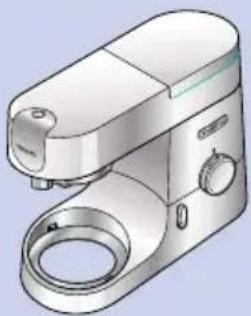
- Wipe with a damp cloth, then dry (including the feet on the underside of the machine).
● Never use abrasives or immerse in water.
Bowl
● Wash by hand, then dry thoroughly or wash in the dishwasher.
- Never use a wire brush, steel wool or bleach to clean your stainless steel bowl. Use vinegar to remove limescale.
- Keep away from heat (cooker tops, ovens, microwaves).
Tools & Splashguard
- Wash by hand, then dry thoroughly.
| N |  | 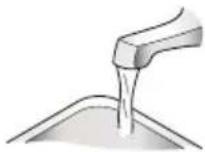 | 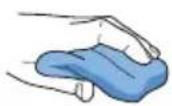 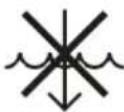 |
 | × | × | √ |
 |  |  |  |
 |  |  |  |
 |  |  |  |
 |  |  |  |
 |  |  |  |
 |  |  |  |
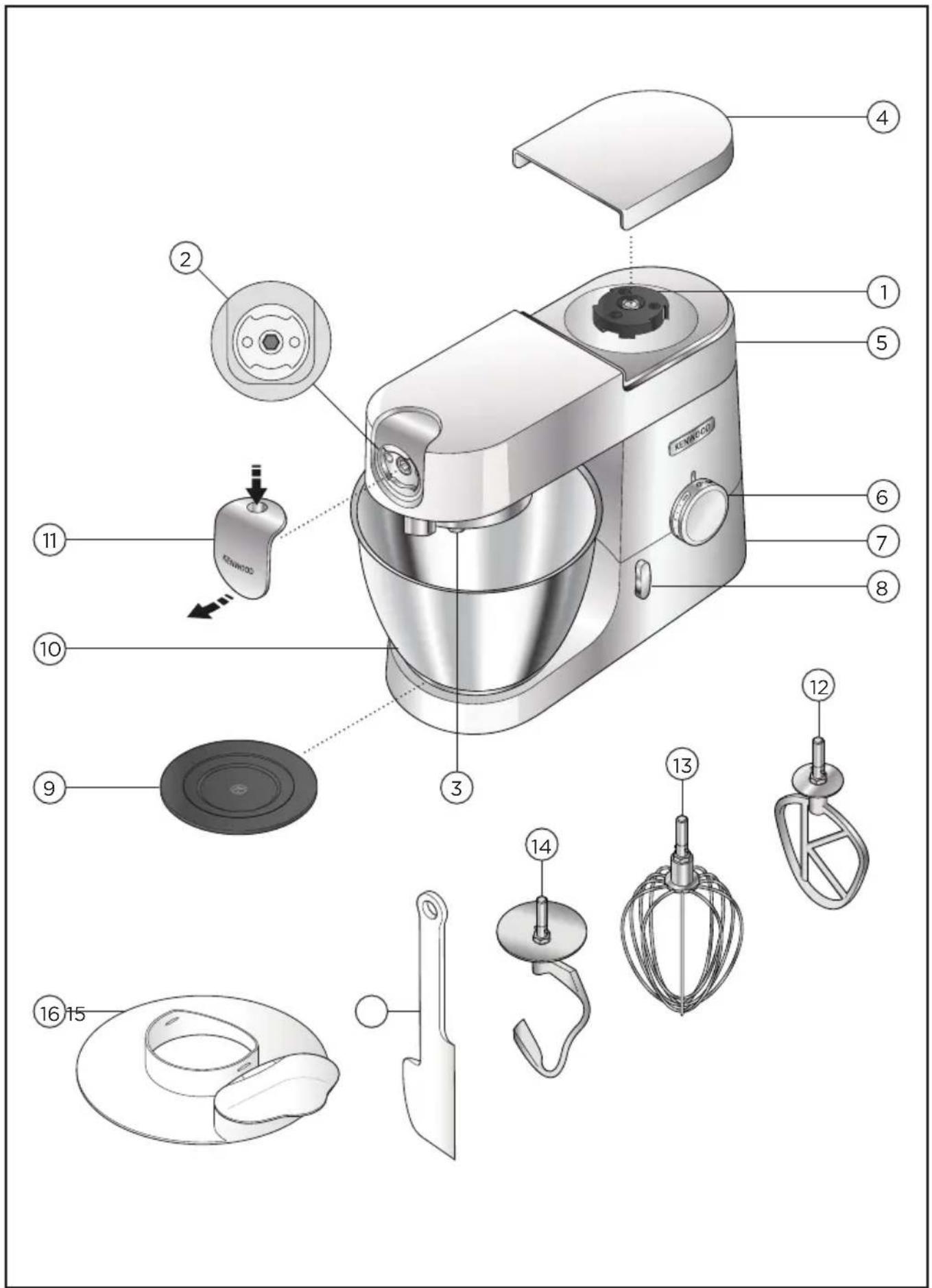
Attachment Outlets
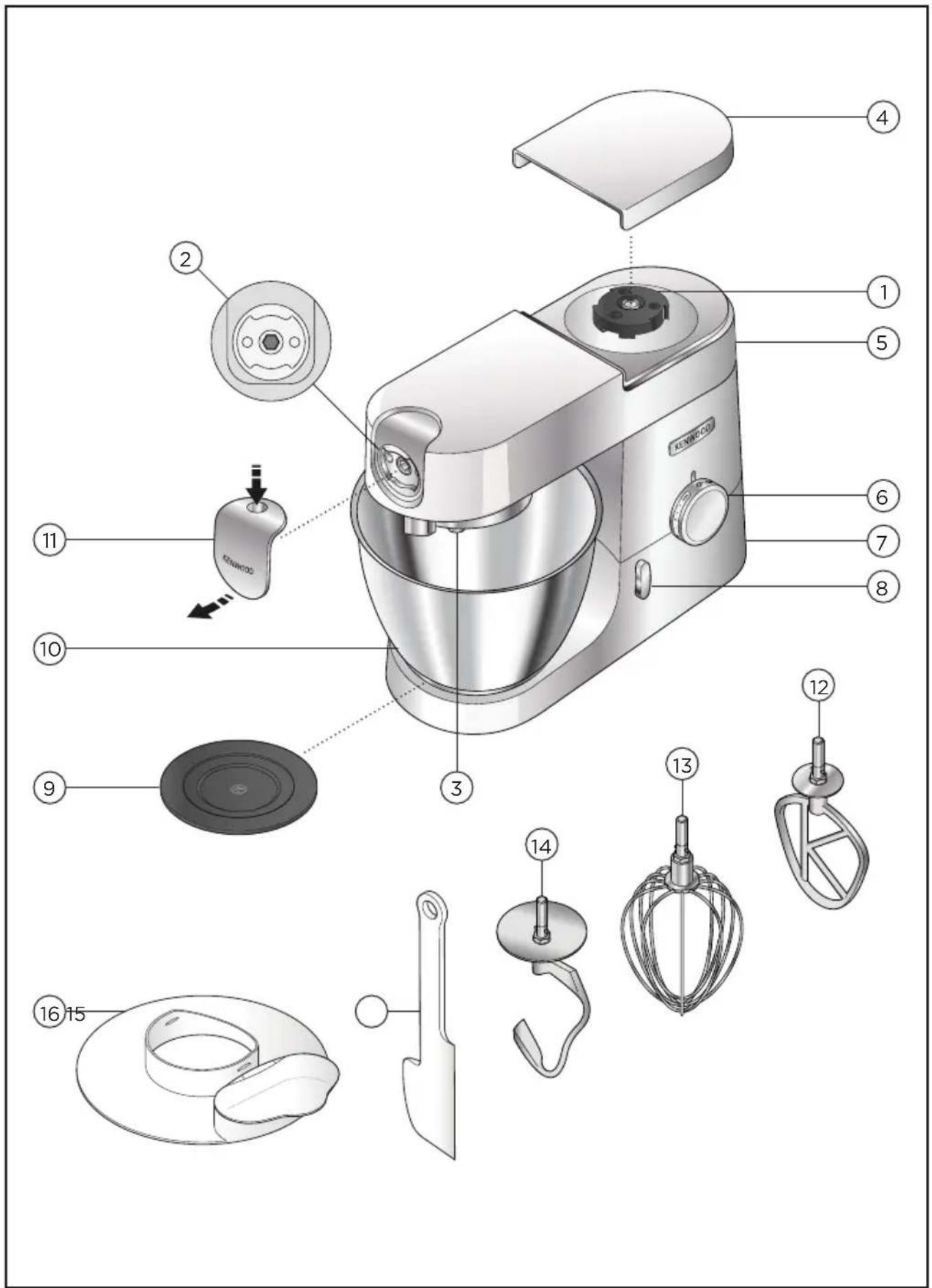
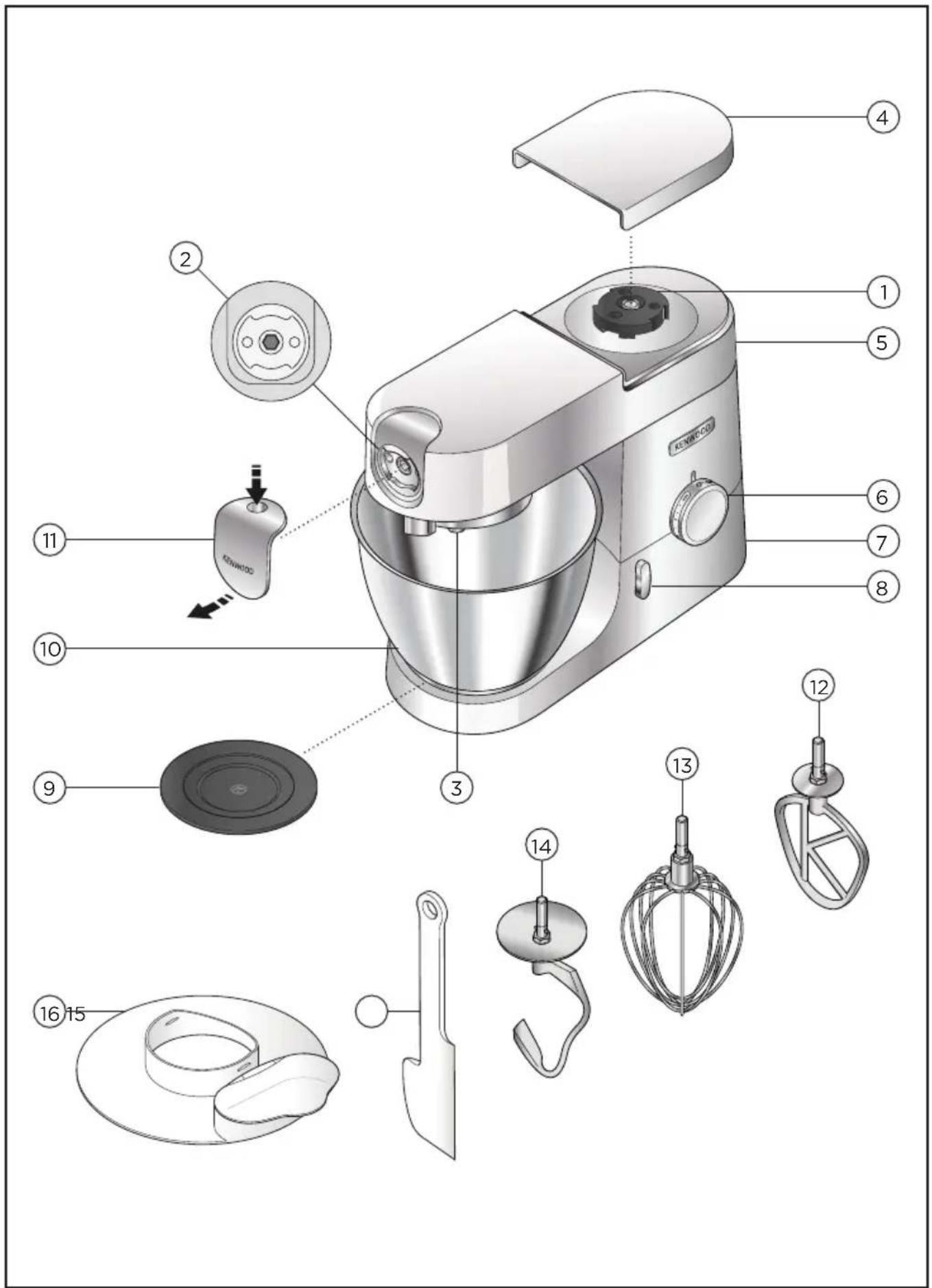
① High-speed outlet
② Slow-speed outlet
③ Bowl tool socket
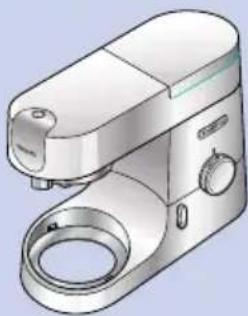
Mixer
④ High speed outlet cover
⑤ Mixer head
⑥ Speed and pulse control
⑦ Power unit
⑧ Head release lever
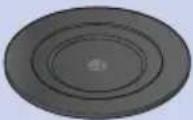
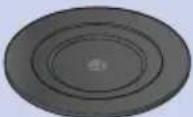
⑨ Bowl seating pad
10 Bowl
⑪ Slow speed outlet cover
⑫ K-Beater
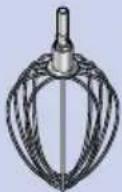
⑬ Whisk
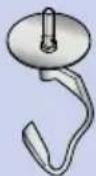
⑭ Dough tool
15 Spatula
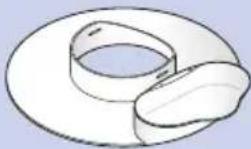
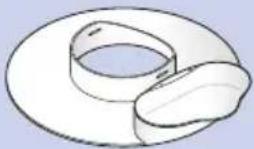
⑯ Splashguard
flowchart
graph LR
    A["Box with Up Arrow"] --> B["Open Book with Eye Symbol"]
    style A fill:#f9f,stroke:#333
    style B fill:#ccf,stroke:#333
Usage Diagrams and Usage Instructions
Important
- Ensure that no bowl tools are fitted or stored in the bowl when using other outlets.
- Do not use the whisk for heavy mixtures (all in one cakes and creaming fat & sugar) as you could damage it.
- Never exceed the maximum capacities and speeds stated – you may overload the machine.
- When creaming fat and sugar for cake mixes, always use the fat at room temperature or soften it first.
- Ensure the feet and work surface are clean and dry before using the product.
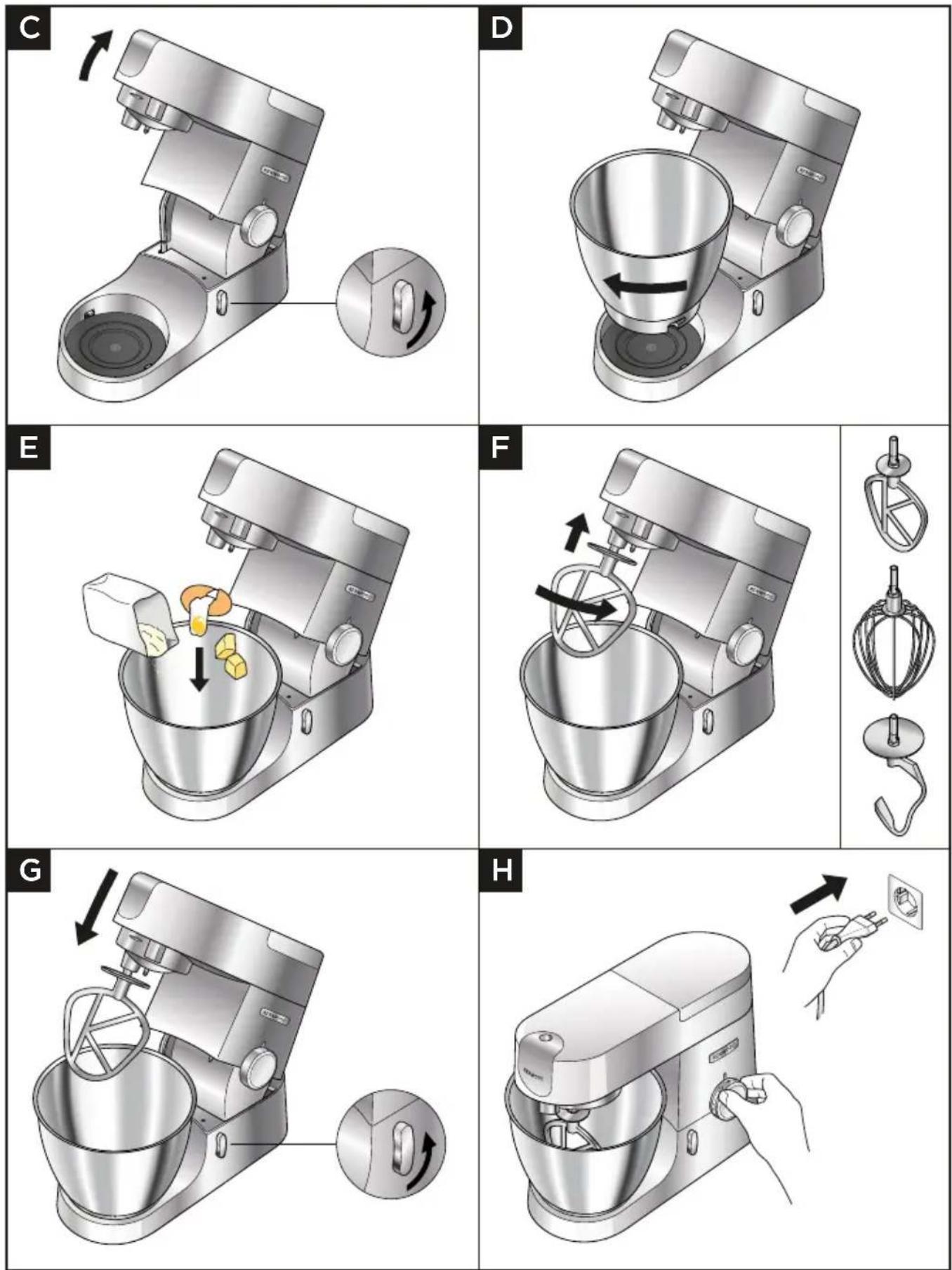
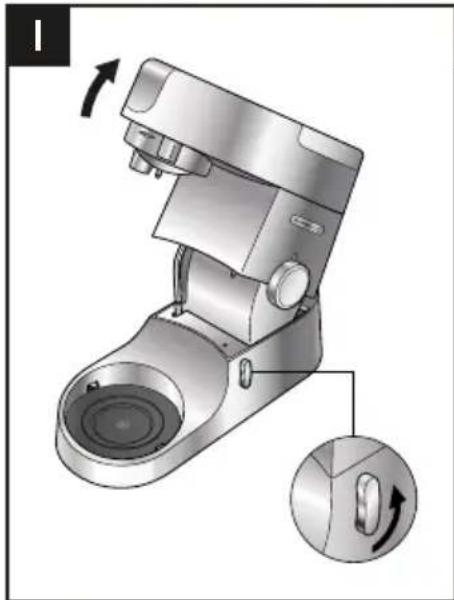
1 Turn the head lift lever anti-clockwise and raise the mixer head until it locks.
Ensure the bowl seating pad is correctly fitted with the Ⓚ symbol uppermost.
2 Fit the bowl on the base, press down and turn clockwise to secure in position.
3 Add the required ingredients to the bowl.
4 Place the required tool into the socket. Then push up and turn the tool to lock into position.
5 Lift the mixer head slightly then turn the head-lift lever anti-clockwise and lower the mixer head until it locks.
6 Plug into the power supply. Start the machine by turning the speed control to the desired speed setting. Use the pulse (P) position for short bursts of maximum speed.
7 Start the machine by turning the speed control to the desired speed setting. Use the pulse (P) position for short bursts of maximum speed.
8 After use, return the speed control to 'O' OFF position and unplug your Stand Mixer.
9 Release the tool by turning clockwise to unlock from the tool socket and then remove.
Hints and Tips
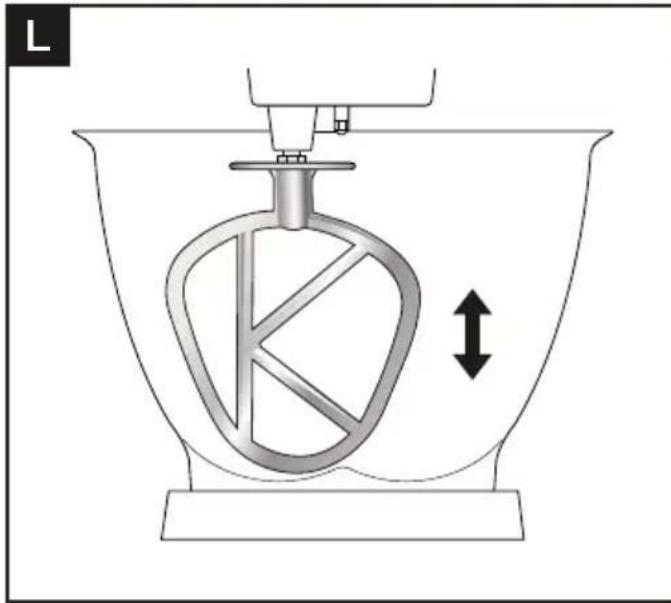
- If the K-Beater or Whisk are not picking up ingredients from the bottom of the bowl refer to the "Tool Adjustment" section.
- To fully incorporate the ingredients stop mixing and scrape down the bowl with the spatula frequently.
• To avoid splashing of ingredients gradually increase the speed.
Hints and Tips - K-Beater
- When creaming fat and sugar for cake mixes, always use the fat at room temperature or soften it first.
- Use cold ingredients for pastry unless your recipe says otherwise.
Hints and Tips - Whisk
- Best results achieved when eggs are at room temperature.
- Before whisking egg whites, make sure there is no grease or egg yolk on the whisk or the bowl.
Hints and Tips - Dough Tool
- If you hear the machine labouring, switch off, remove half the dough and do each half separately.
Yeast
- Dried yeast (the type that needs reconstituting): pour the warm water into the bowl. Then add the yeast and the sugar and leave to stand for about 10 minutes until frothy.
• Fresh yeast: crumble into the flour. - Other types of yeast: follow the manufacturer's instructions.
- Put the dough into a greased polythene bag or a bowl covered with a tea towel. Then leave somewhere warm until doubled in size.
Usage Chart
 |  (MAX) (MAX) |  |  (Mins) (Mins) | |
| KVC30 KVL40 | ||||
 | 2 kg 3 kg Min-Max 5-10 | |||
   |  680 g 910 g 680 g 910 g |  | 10.5-2 | |
  |   500 g x10 500 g x10 |   1 kg x20 1 kg x20 | Min-Max 1 | |
   | 900 g 1.5 | kg Min-Max 5-10 | ||
 |  (MAX) (MAX) |  |  (Mins) (Mins) | ||
| KVC30 KVL 40 | |||||
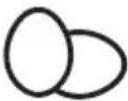 | 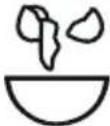 | 12 16 Min-Max 112-2 | |||
 |  4-8^ 4-8^ | 1 L 2 L Min-Max 112-3 | |||
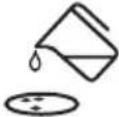 | 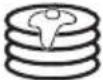 |    250 g 500 g 200 g 250 g 500 g 200 g | Min-Max 1-112 | ||
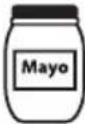 |   180 ml x2 180 ml x2 | Max 1-112 | |||
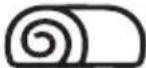 | 620 g 930 g Min-Max | 4-6 | |||
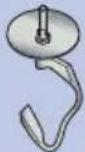 |  KVC30 KVL40 KVC30 KVL40 |  | 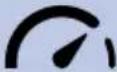 |  (Mins) (Mins) | ||
| Min Max | Min Max | |||||
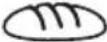  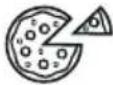 |  x 500 g x 500 g = 350 g H_2O = 350 g H_2O |  x 1.36 kg x 1.36 kg = 952 g H_2O = 952 g H_2O |  x 500 g x 500 g = 350 g H_2O = 350 g H_2O |  x 1.6 kg x 1.6 kg = 960 g H_2O = 960 g H_2O | Min-1 5 | |
    |  500 g 500 g 280 g225 g 280 g225 g |  1.3 kg 1.3 kg 760 g605 g 760 g605 g |  500 g 500 g 280 g225 g 280 g225 g |  1.6 kg 1.6 kg 800 g720 g 800 g720 g | Min-1 5 | |
 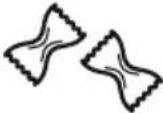 |  300 g 600 g 300 g 600 g |  | 1-2 4-5 | |||
Pizza Dough
500g Flour
30g Olive Oil
7g Salt
7g Yeast
300ml Water
1 Fit the bowl to the stand mixer.
2 Add all of the ingredients.
3 Fit the dough hook and lower the head.
4 Mix on minimum speed for 1 minute.
5 Knead on speed 1 for 4 minutes.
6 Shape the dough into a ball on a floured work surface.
7 Cover the dough with a damp tea towel and leave to rest for 30-40 minutes in a warm place.
8 Divide into 2 and roll out into two 15cm pizza bases.
9 Transfer to a semolina covered baking tray. Garnish/top your pizza and bake for 10-15 minutes at 240°C.
Chilli Marinade
200g Clear Runny Honey
1 Chilli (whole)
20g Crunchy Peanut Butter
Seasoning
1 Place all the ingredients into the mini chopper/mill.
2 Fit the attachment to the Stand Mixer and allow the ingredients to settle around the blade.
3 Switch to max speed for 4 seconds.
4 Use as required.
Note: Mini chopper/mill attachment available to purchase separately.
Usage Diagrams and Usage Instructions
natural_image
Mechanical device with a circular base and handle, showing a rotation arrow and a close-up of the handle (no text or symbols present)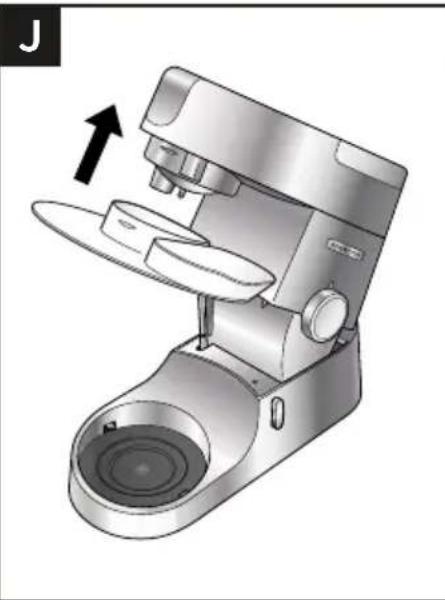
natural_image
Illustration of a modern kitchen mixer with a hand gesture indicating compression (no text or symbols present)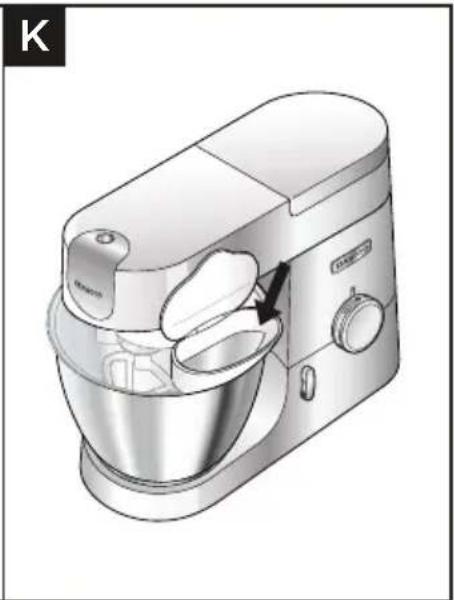
natural_image
Illustration of a kitchen mixer with handle and control panel (no text or symbols)Important
- During mixing, ingredients can be added directly to the bowl via the hinged section of the splashguard.
- You do not need to remove the splashguard to change tools.
1 Raise the mixer head until it locks.
2 Fit the bowl onto the base.
3 Push the splashguard onto the underside of the mixer head until fully located. The hinged section should be positioned as shown.
4 Insert required tool.
5 Lower the mixer head.
6 Remove the splashguard by raising the mixer head and pushing it down.
Usage Diagrams and Usage Instructions
natural_image
Diagram of a mechanical device with a rotating component and directional arrow, no text or symbols present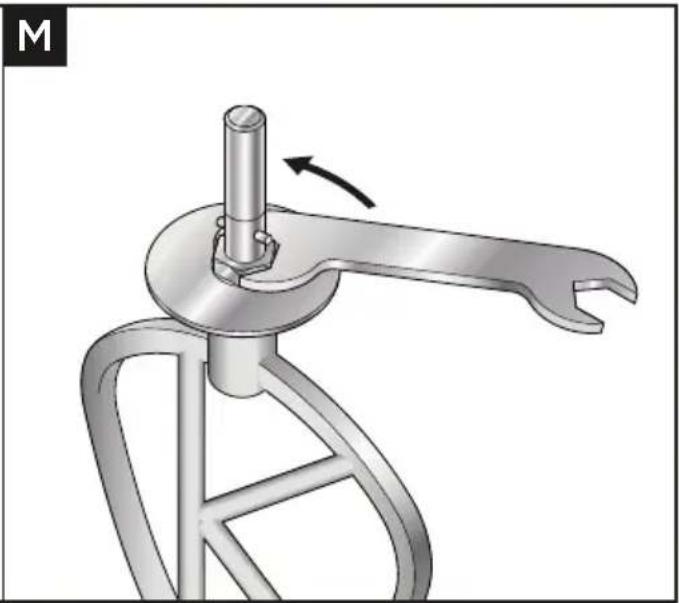
natural_image
Mechanical device with a lever mechanism and a rotating shaft (no text or symbols visible)Important
- The tools are set to the correct height for the bowl supplied in the factory and should not require adjustment. However, if you wish to adjust the tool use a suitable sized spanner:
TYPE: KVC30 = 15mm
TYPE: KVL40 = 19mm
1 Unplug the appliance.
2 Raise the mixer head and insert the whisk or beater.
3 Lower the mixer head. If the clearance needs to be adjusted, raise the mixer head and remove the tool. Ideally the whisk and K-Beater should be almost touching the bottom of the bowl.
4 Using a suitable spanner loosen the nut sufficiently to allow adjustment of the shaft. To lower the tool closer to the bottom of the bowl, turn the shaft anti-clockwise. To raise the tool away from the bottom of the bowl turn the shaft clockwise.
5 Re-tighten the nut.
6 Fit the tool to the mixer and lower the mixer head. (Check its position see points above).
7 Repeat the above steps as necessary until the tool is set correctly. Once this is achieved tighten the nut securely.
• Note: Spanner shown is for illustration purpose only.
Dough Tool
This tool is set at the factory and should require no adjustment.
- If you experience any problems with the operation of the appliance, before calling for assistance refer to the ‘Troubleshooting Guide’ or visit www.kenwoodworld.com. UK
If you need help with:
• using your appliance or
• servicing, spare parts or repairs (in or out of guarantee)
call Kenwood customer care on 0345 222 0458. Have your model number (e.g. TYPE KVC30/KLV40) and date code (5 digit code e.g. 23T04) ready. They are on the underside of the power unit.
- Spares and Attachments
call 0844 557 3653.
Other countries
- If you experience any problems with the operation of your appliance, before requesting assistance refer to the 'Troubleshooting Guide' section in the manual or visit www.kenwoodworld.com.
- Please note that your product is covered by a warranty, which complies with all legal provisions concerning any existing warranty and consumer rights in the country where the product was purchased.
- If your Kenwood product malfunctions or you find any defects, please send it or bring it to an authorised KENWOOD Service Centre. To find up to date details of your nearest authorised KENWOOD Service centre visit www.kenwoodworld.com or the website specific to your Country.
- Designed and engineered by Kenwood in the UK.
• Made in China.
IMPORTANT INFORMATION FOR CORRECT DISPOSAL OF THE PRODUCT IN ACCORDANCE WITH THE EUROPEAN DIRECTIVE ON WASTE ELECTRICAL AND ELECTRONIC EQUIPMENT (WEEE)
At the end of its working life, the product must not be disposed of as urban waste. It must be taken to a special local authority differentiated waste collection centre or to a dealer providing this service.
| Problem Cause Solution | ||
| The whisk, K-Beater knocks against the bottom of the bowl or not reaching the ingredients in the bottom of the bowl. | Tool at the wrong height and needs adjusting. | Adjust the height using a suitable spanner - see “Tool Adjustment” section. |
| Slow speed attachment cannot be fitted. | Check your attachment is compatible for use with your model.Twist connection system required (Model KAX) | Attachment must have the KAX twist connection system TWIST to fit the outlet.If you own attachments featuring the Bar Connection System BAYou will need to use the KATO02ME adaptor to connect these to the Twist Connection System on your Stand Mixer.For more information visit www.kenwoodworld.com/twist. |
| The Stand Mixer stops during operation. | Overload protection or overheat system activated.Maximum capacity exceeded. | Unplug and check for obstruction or overloading.Turn the speed control to “O” and then restart.If the machine will not operate, remove some of the ingredients to reduce the load and restart.If this still does not resolve the problem, unplug and allow to stand for 15 minutes. Plug in and reselect the speed.If the machine does not restart following the above procedure contact “customer care” for further advice. |
Nederlands
flowchart
graph LR
    A["Box with Up Arrow"] --> B["Open Book with Eye Symbol"]
    style A fill:#f9f,stroke:#333
    style B fill:#bbf,stroke:#333
natural_image
Mechanical device with a circular base and handle, showing a rotation arrow and a close-up of the handle (no text or symbols present)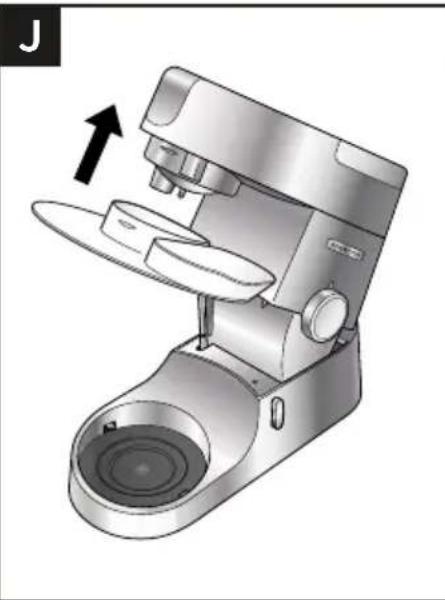
natural_image
Illustration of a modern kitchen mixer with a hand gesture indicating compression (no text or symbols present)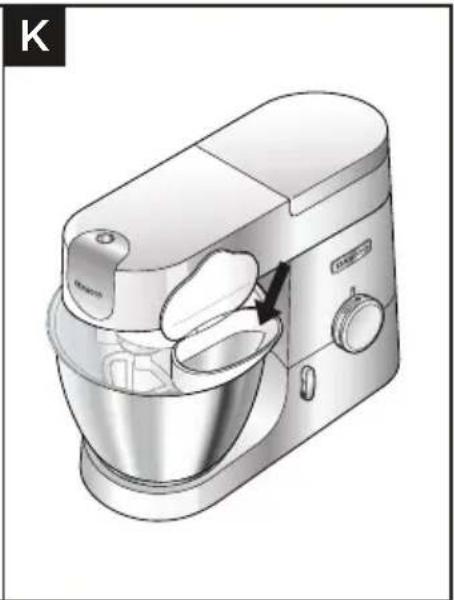
natural_image
Illustration of a kitchen mixer with handle and control panel (no text or symbols)Belangrijk
natural_image
Diagram of a mechanical device inside a bowl, showing internal components and directional arrow (no text or symbols)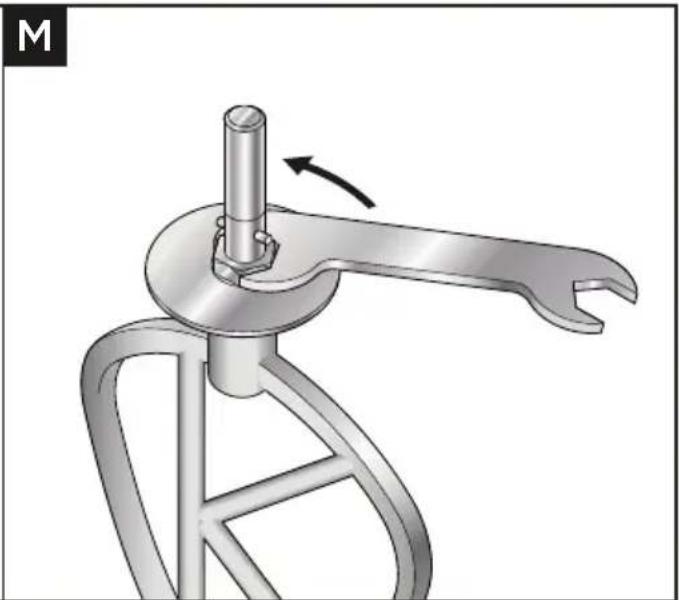
natural_image
Mechanical component diagram showing a lever mechanism with a rotating shaft and curved handle (no text or symbols)Belangrijk
flowchart
graph LR
    A["Box with Up Arrow"] --> B["Open Book with Eye Symbol"]
    style A fill:#f9f,stroke:#333
    style B fill:#bbf,stroke:#333
natural_image
Mechanical device with a circular base and directional arrow indicator (no text or symbols)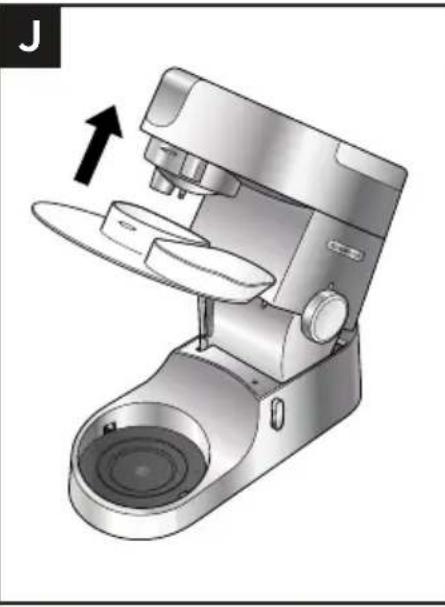
natural_image
3D rendering of a modern coffee maker with open lid and side port, showing mechanical components and a directional arrow (no text or symbols)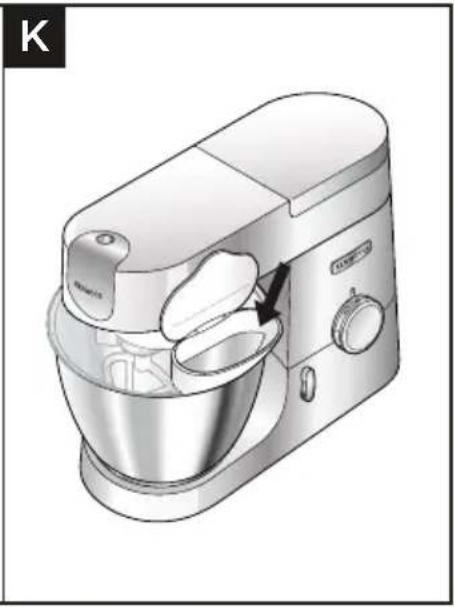
natural_image
Illustration of a kitchen mixer with a side bowl and handle, showing no text or symbolsImportant
natural_image
Diagram of a mechanical device with a rotating component and directional arrow, no text or symbols present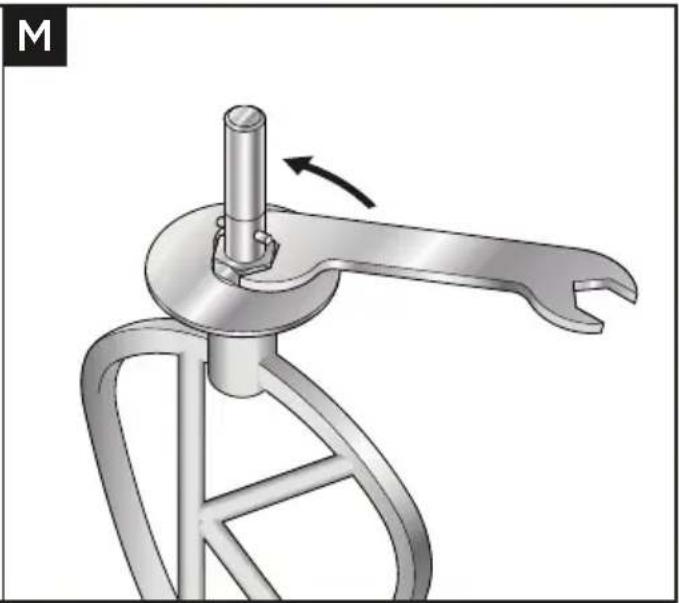
natural_image
Mechanical device with a lever mechanism and a rotating shaft (no text or symbols visible)Important
Zubehör-Anschlüsse
flowchart
graph LR
    A["Box with Up Arrow"] --> B["Open Book with Eye Symbol"]
    style A fill:#f9f,stroke:#333
    style B fill:#ccf,stroke:#333
natural_image
Mechanical device with a circular base and handle, showing a rotation arrow and a close-up of the handle (no text or symbols present)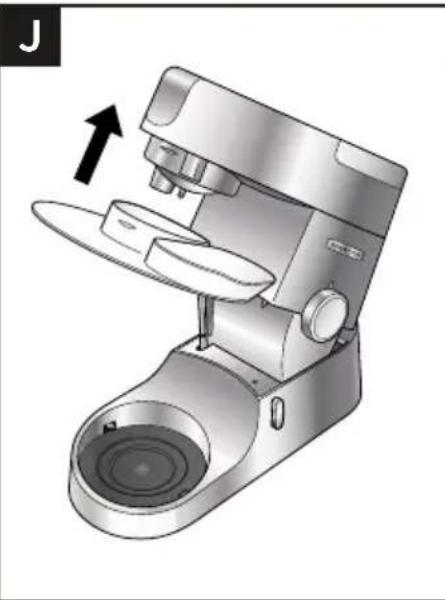
natural_image
Illustration of a modern kitchen mixer with a hand gesture indicating compression (no text or symbols present)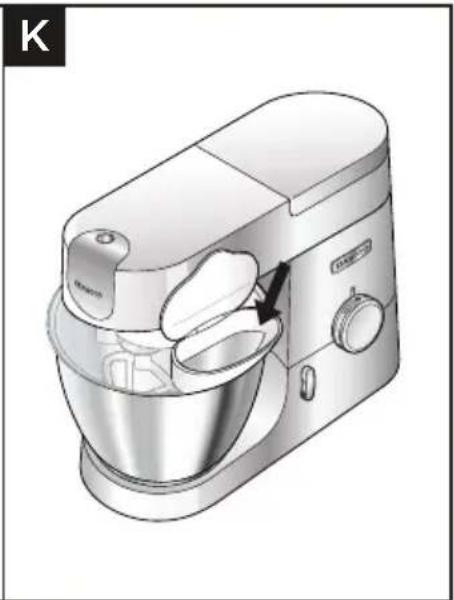
natural_image
Illustration of a kitchen mixer with handle and control panel (no text or symbols)Wichtig
natural_image
Diagram of a mechanical device with a rotating component and directional arrow, no text or symbols present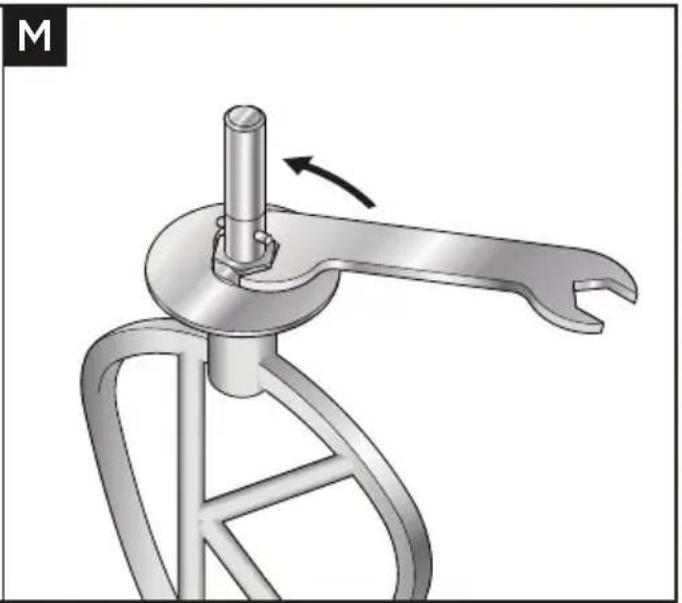
natural_image
Mechanical device with lever mechanism and rotation arrow (no text or symbols)Wichtig
flowchart
graph LR
    A["Box with Up Arrow"] --> B["Open Book with Eye Symbol"]
    style A fill:#f9f,stroke:#333
    style B fill:#ccf,stroke:#333
natural_image
Mechanical device with a circular base and adjustment knob, showing rotational motion (no text or symbols)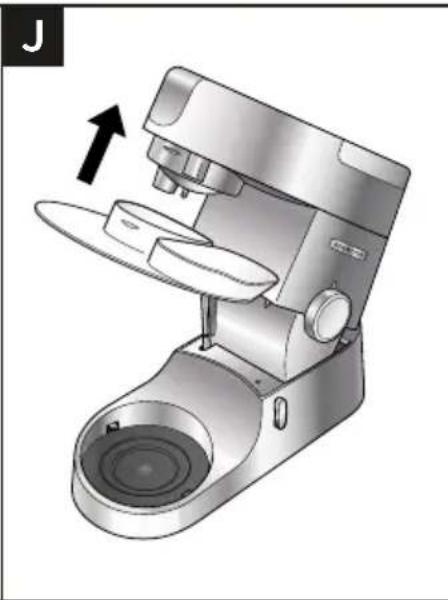
natural_image
Illustration of a modern coffee maker with a lever mechanism and spout, showing no text or symbols.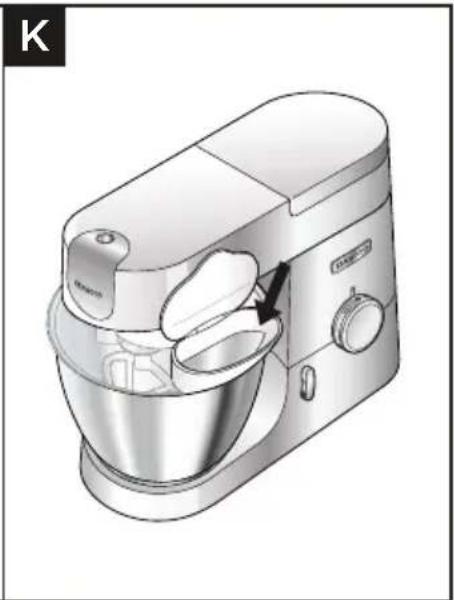
natural_image
Illustration of a kitchen mixer with handle and control panel (no text or symbols)Importante
natural_image
Diagram of a mechanical device with a rotating component and directional arrow, no text or symbols present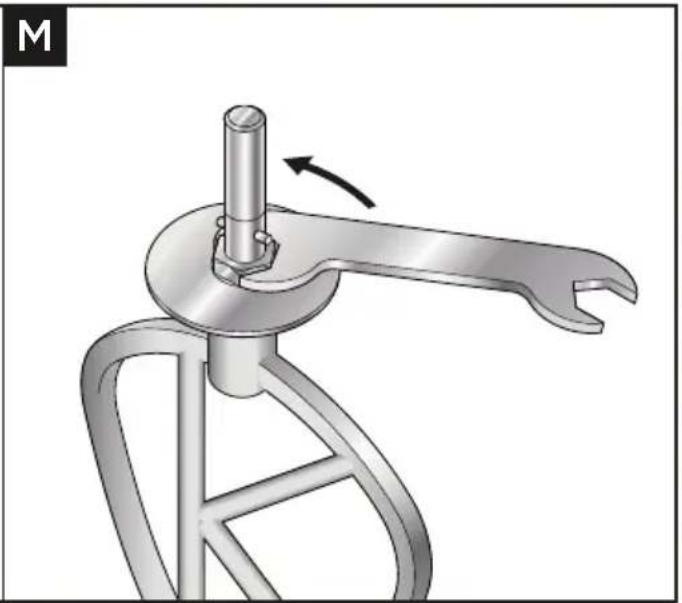
natural_image
Mechanical device with lever mechanism and rotation arrow (no text or symbols)Importante
flowchart
graph LR
    A["Box with Up Arrow"] --> B["Open Book with Eye Symbol"]
    style A fill:#f9f,stroke:#333
    style B fill:#bbf,stroke:#333
natural_image
Mechanical device with a circular base and handle, showing a rotation arrow and a close-up of the handle (no text or symbols present)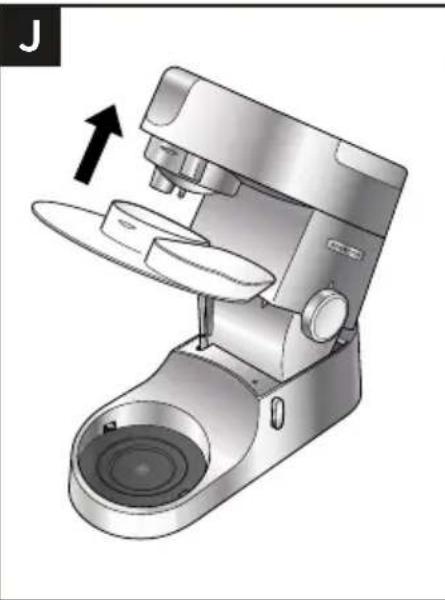
natural_image
Illustration of a modern kitchen mixer with a hand gesture indicating compression (no text or symbols present)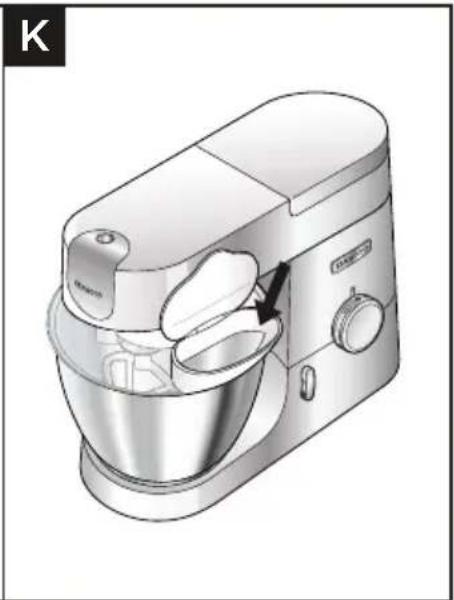
natural_image
Illustration of a kitchen mixer with handle and control panel (no text or symbols)Importante
natural_image
Diagram of a mechanical device with a rotating component and directional arrow, no text or symbols present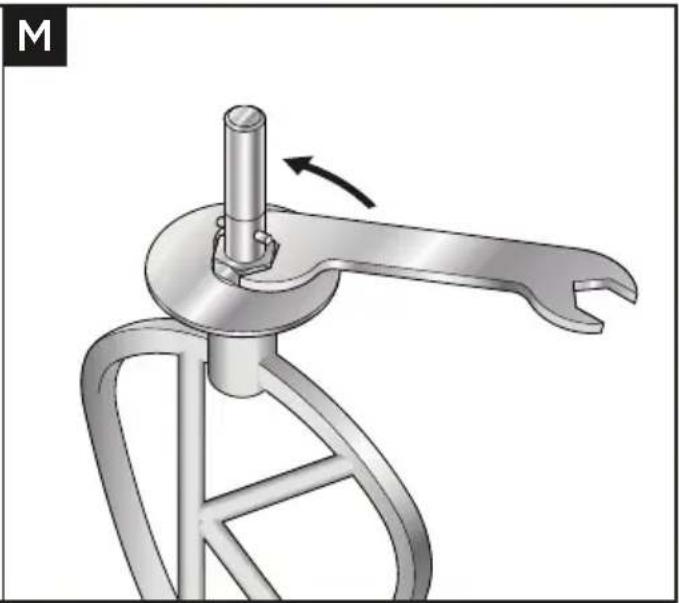
natural_image
Mechanical device with a lever mechanism and a rotating shaft (no text or symbols visible)Importante
flowchart
graph LR
    A["Box with Up Arrow"] --> B["Open Book with Eye Symbol"]
    style A fill:#f9f,stroke:#333
    style B fill:#bbf,stroke:#333
natural_image
Mechanical device with a circular base and handle, showing a rotation arrow and a close-up of the handle (no text or symbols present)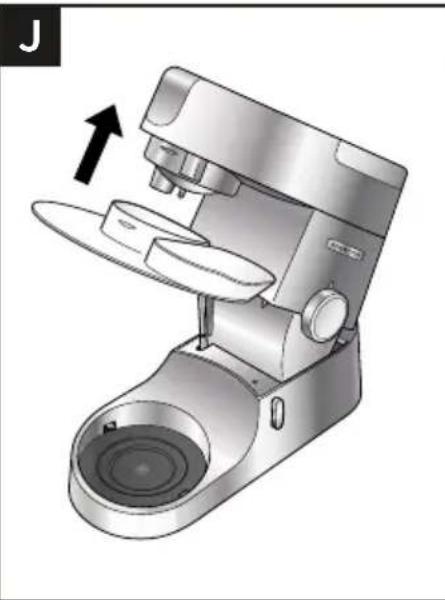
natural_image
Illustration of a modern kitchen mixer with a hand gesture indicating compression (no text or symbols present)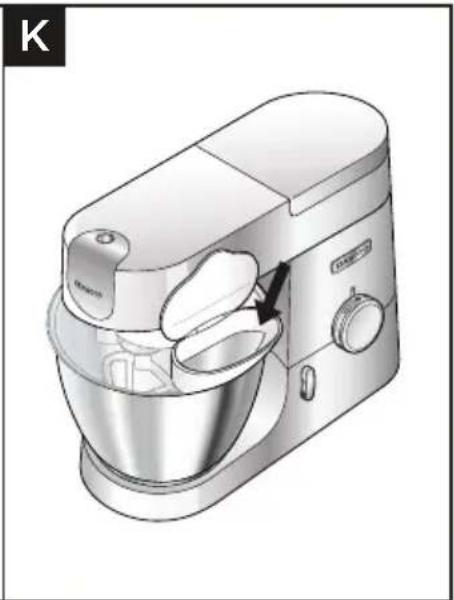
natural_image
Illustration of a kitchen mixer with handle and control panel (no text or symbols)Importante
natural_image
Diagram of a mechanical device with a rotating component and directional arrow, no text or symbols present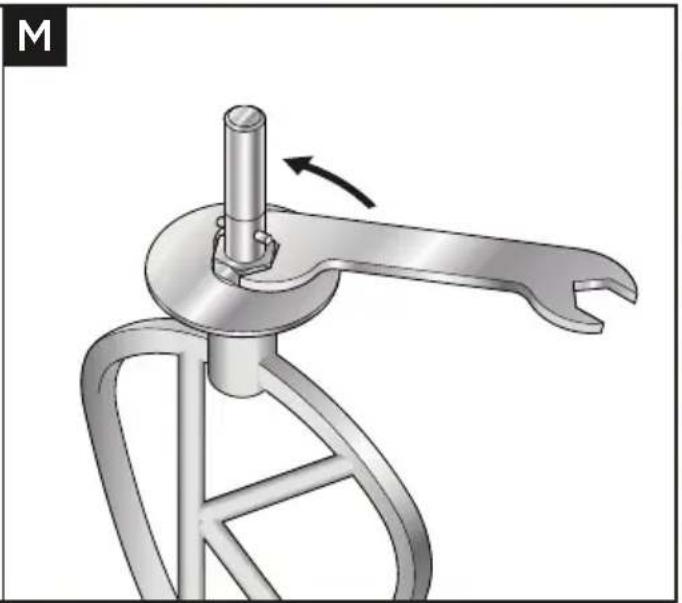
natural_image
Mechanical device with lever mechanism and rotation arrow (no text or symbols)Importante
Udtag til tilbehør
flowchart
graph LR
    A["Box with Up Arrow"] --> B["Open Book with Eye Symbol"]
    style A fill:#f9f,stroke:#333
    style B fill:#bbf,stroke:#333
natural_image
Mechanical device with a circular base and handle, showing a rotation arrow and a close-up of the handle (no text or symbols present)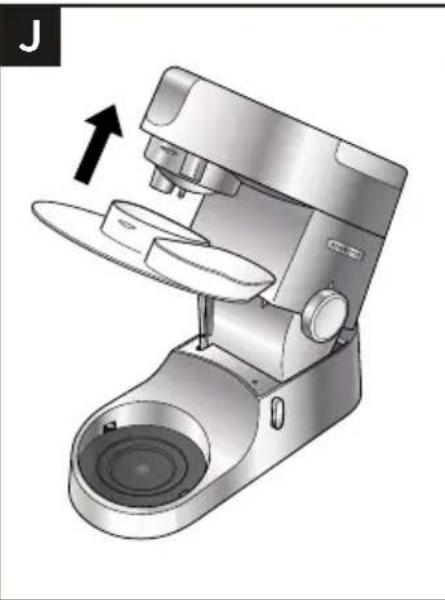
natural_image
Illustration of a modern kitchen mixer with a hand gesture indicating compression (no text or symbols present)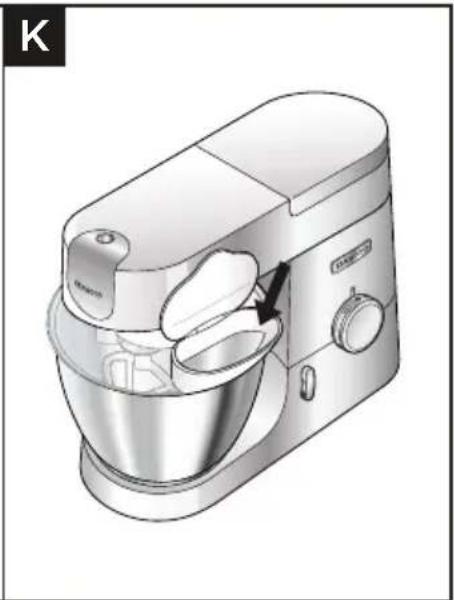
natural_image
Illustration of a kitchen mixer with handle and control panel (no text or symbols)Vigtigt
natural_image
Diagram of a mechanical device with a rotating component and directional arrow, no text or symbols present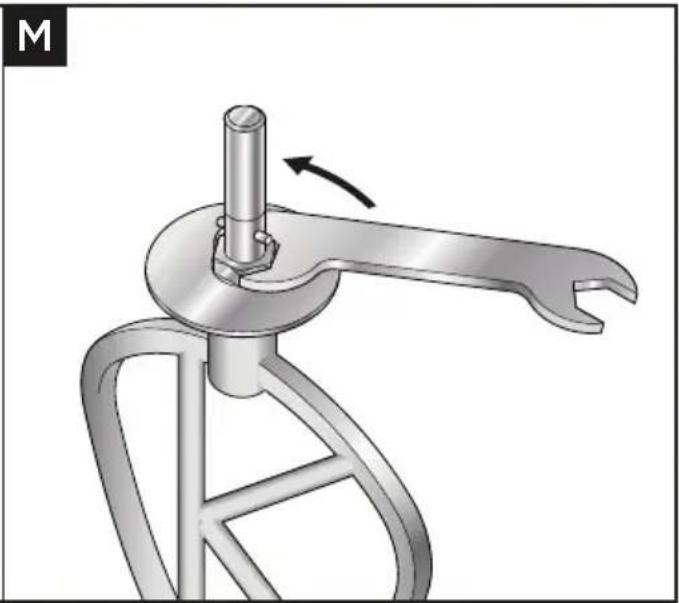
natural_image
Mechanical device with a lever mechanism and a rotating shaft (no text or symbols visible)Vigtigt
Uttag för tillbehör
① Höghastighetsuttag
② Låghastighetsuttag
③ Skåluttag
Mixer
flowchart
graph LR
    A["Box with Up Arrow"] --> B["Open Book with Eye Symbol"]
    style A fill:#f9f,stroke:#333
    style B fill:#bbf,stroke:#333
natural_image
Mechanical device with a circular base and handle, showing a rotation arrow and a close-up of the handle (no text or symbols present)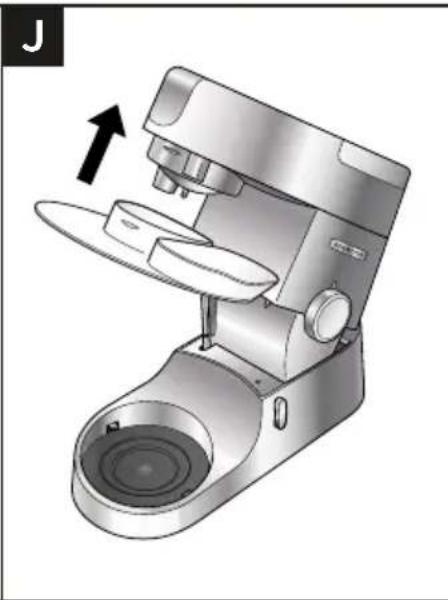
natural_image
Illustration of a modern coffee maker with a lever mechanism and spout, showing no text or symbols.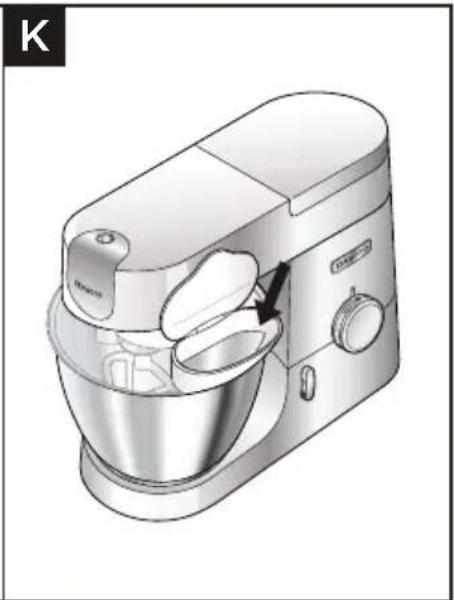
natural_image
Illustration of a kitchen mixer with handle and control panel (no text or symbols)Viktigt
natural_image
Diagram of a mechanical device inside a bowl, showing internal components and directional arrow (no text or symbols)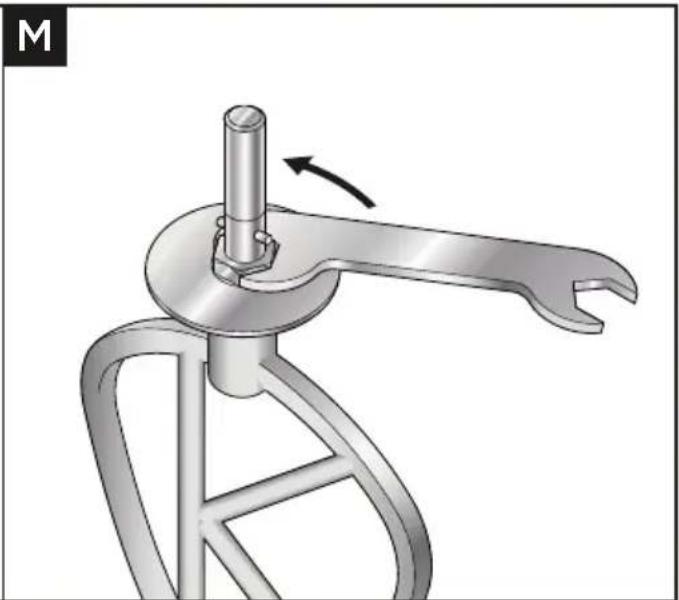
natural_image
Mechanical component diagram showing a lever mechanism with a rotating shaft and curved handle (no text or symbols)Viktigt
Tilbehøruttak
flowchart
graph LR
    A["Box with Up Arrow"] --> B["Open Book with Eye Symbol"]
    style A fill:#f9f,stroke:#333
    style B fill:#bbf,stroke:#333
natural_image
Mechanical device with a circular base and handle, showing a rotation arrow and a close-up of the handle (no text or symbols present)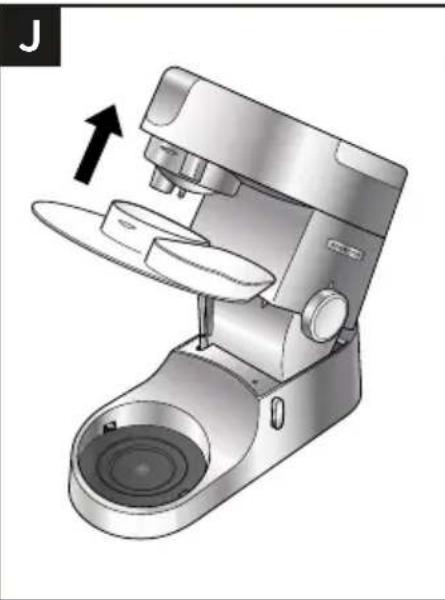
natural_image
Illustration of a modern kitchen mixer with a hand gesture indicating compression (no text or symbols present)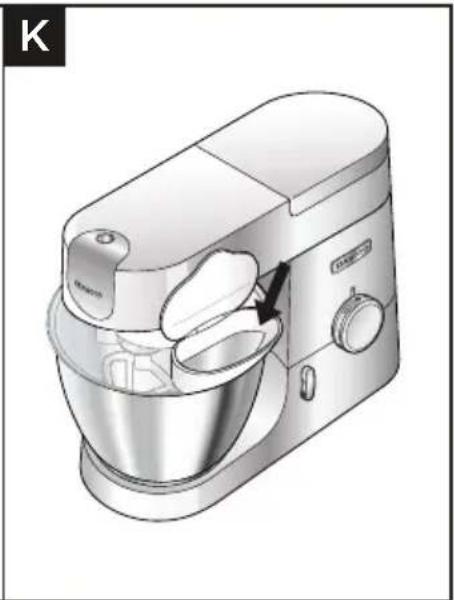
natural_image
Illustration of a kitchen mixer with handle and control panel (no text or symbols)Viktig
natural_image
Diagram of a mechanical device with a rotating component and directional arrow, no text or symbols present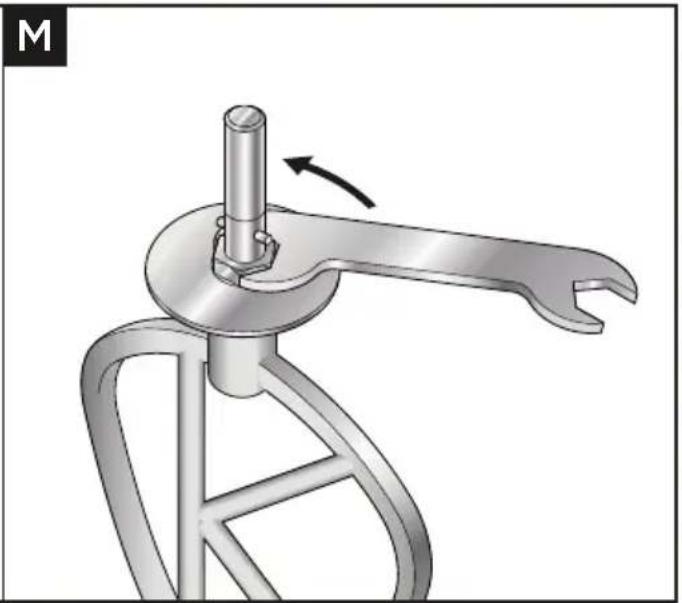
natural_image
Mechanical device with lever mechanism and rotation arrow (no text or symbols)Viktig
flowchart
graph LR
    A["Box with Up Arrow"] --> B["Open Book with Eye Symbol"]
    style A fill:#f9f,stroke:#333
    style B fill:#bbf,stroke:#333
natural_image
Mechanical device with a circular base and adjustment knob, showing rotational motion (no text or symbols)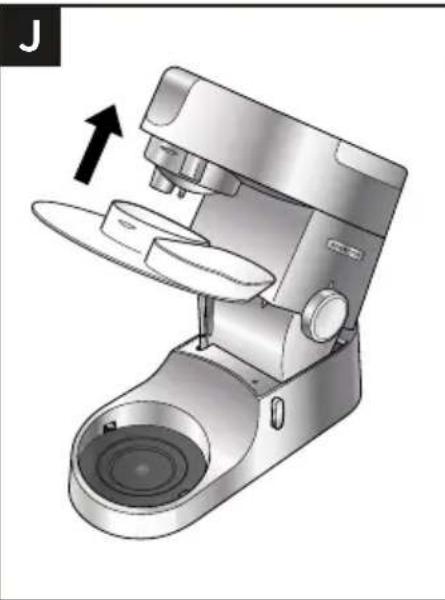
natural_image
Illustration of a modern kitchen mixer with a hand gesture indicating compression (no text or symbols present)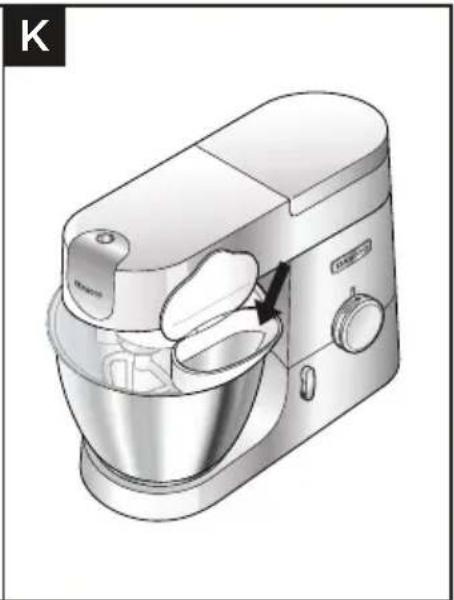
natural_image
Illustration of a kitchen mixer with handle and bowl (no text or symbols)Tärkeää
natural_image
Diagram of a mechanical device with a rotating component and directional arrow, no text or symbols present
natural_image
Mechanical device with a lever mechanism and rotating arm (no text or symbols visible)Tärkeää
Eklenti çıkışları
flowchart
graph LR
    A["Box with Up Arrow"] --> B["Open Book with Eye Symbol"]
    style A fill:#f9f,stroke:#333
    style B fill:#bbf,stroke:#333
natural_image
Mechanical device with a circular base and handle, showing a rotation arrow and a close-up of the handle (no text or symbols present)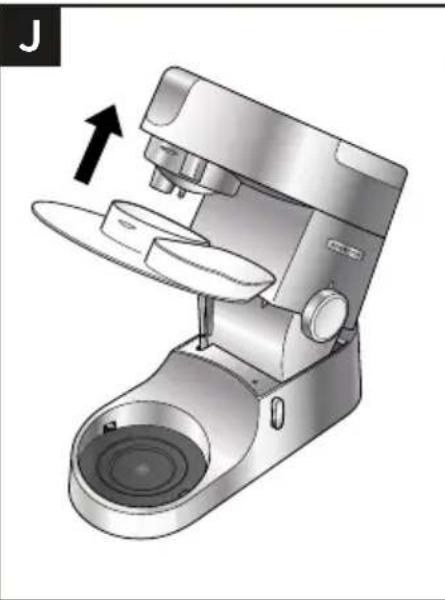
natural_image
Illustration of a modern kitchen mixer with a hand gesture indicating compression (no text or symbols present)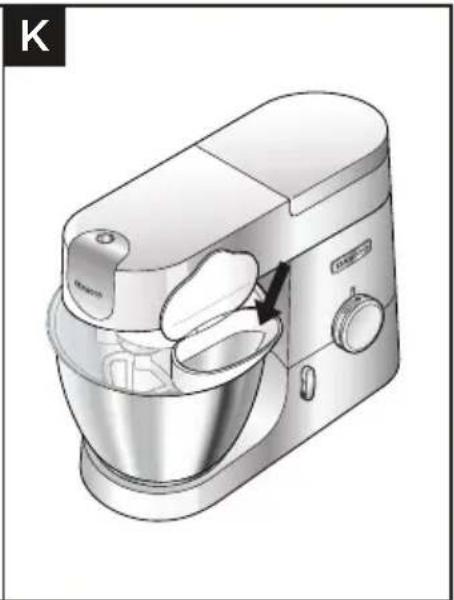
natural_image
Illustration of a kitchen mixer with handle and control panel (no text or symbols)Önemli
natural_image
Diagram of a mechanical device inside a bowl, showing internal components and directional arrow (no text or symbols)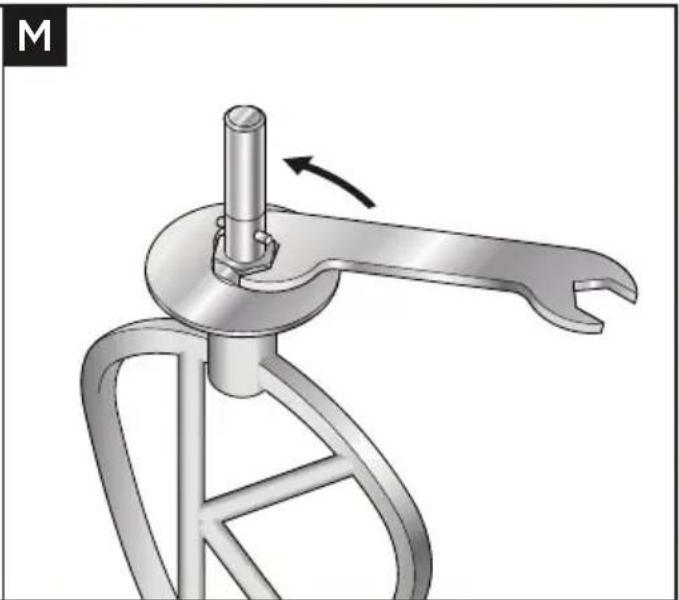
natural_image
Mechanical component diagram showing a lever mechanism with a rotating shaft and curved handle (no text or symbols)Önemli
flowchart
graph LR
    A["Box with Up Arrow"] --> B["Open Book with Eye Symbol"]
    style A fill:#f9f,stroke:#333
    style B fill:#bbf,stroke:#333
natural_image
Mechanical device with a circular base and a curved handle, showing a rotation arrow (no text or symbols present)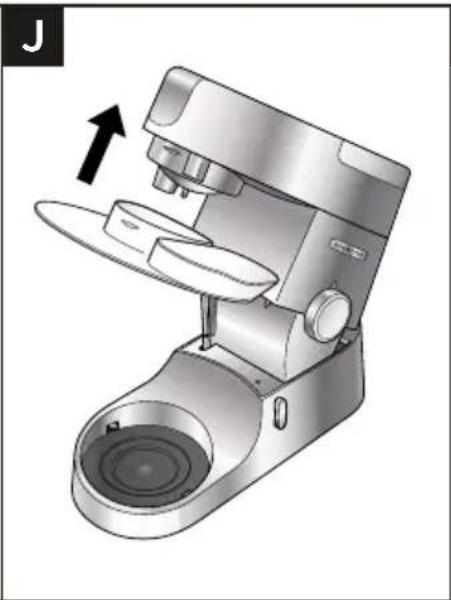
natural_image
Illustration of a modern kitchen mixer with a hand gesture indicating rotation (no text or symbols)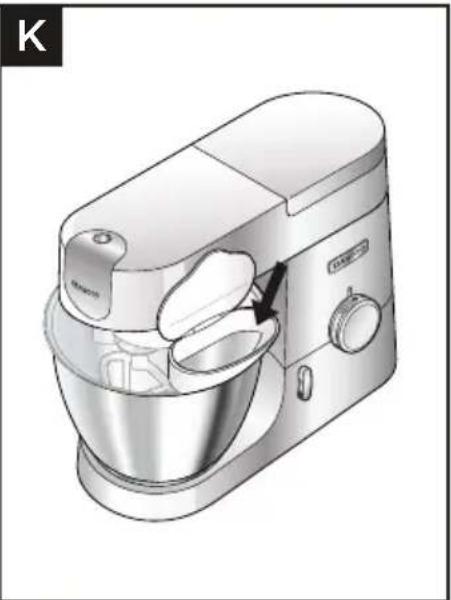
natural_image
Illustration of a kitchen mixer with handle and control panel (no text or symbols)Důležité upozornění
natural_image
Diagram of a mechanical device with a rotating component and directional arrow, no text or symbols present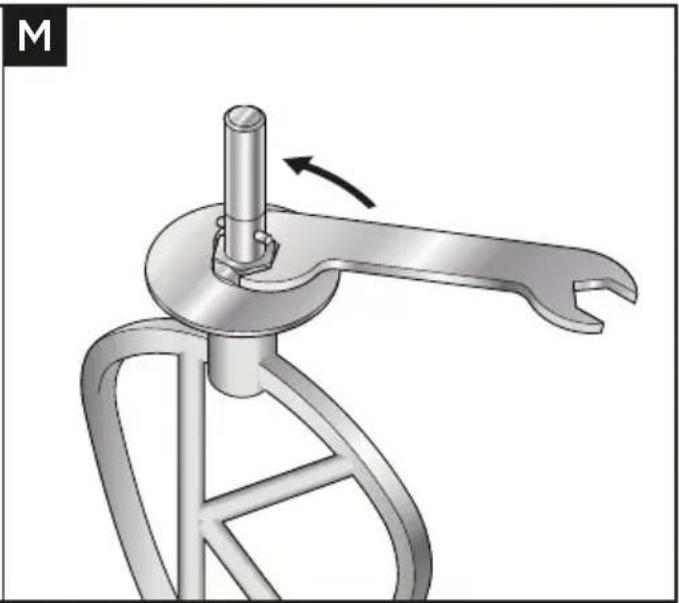
natural_image
Mechanical device with a lever mechanism and rotating arm (no text or symbols visible)Důležité upozornění
Meghajtók nyílásai
flowchart
graph LR
    A["Box with Up Arrow"] --> B["Open Book with Eye Symbol"]
    style A fill:#f9f,stroke:#333
    style B fill:#bbf,stroke:#333
natural_image
Mechanical device with a circular base and handle, showing a rotation arrow and a close-up of the handle (no text or symbols present)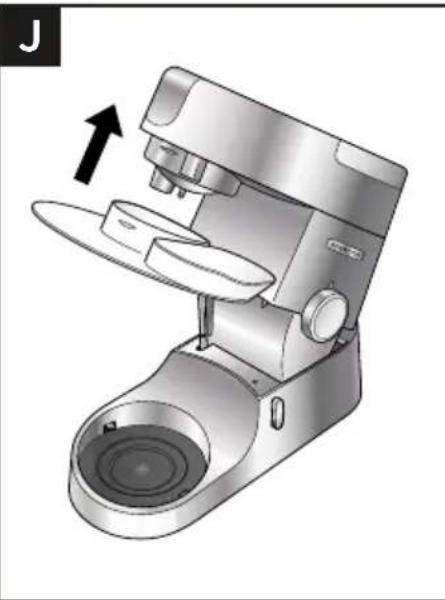
natural_image
3D rendering of a kitchen mixer with an arrow indicating the lever (no text or symbols present)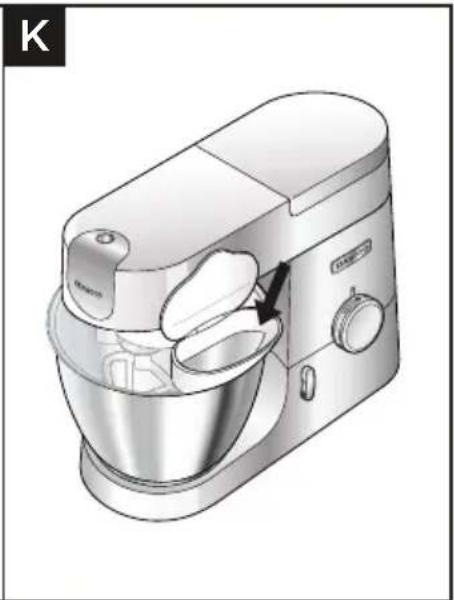
natural_image
Illustration of a kitchen mixer with a hand operating the bowl (no text or symbols visible)Fontos
natural_image
Diagram of a mechanical device inside a bowl, showing internal components and directional arrow (no text or symbols)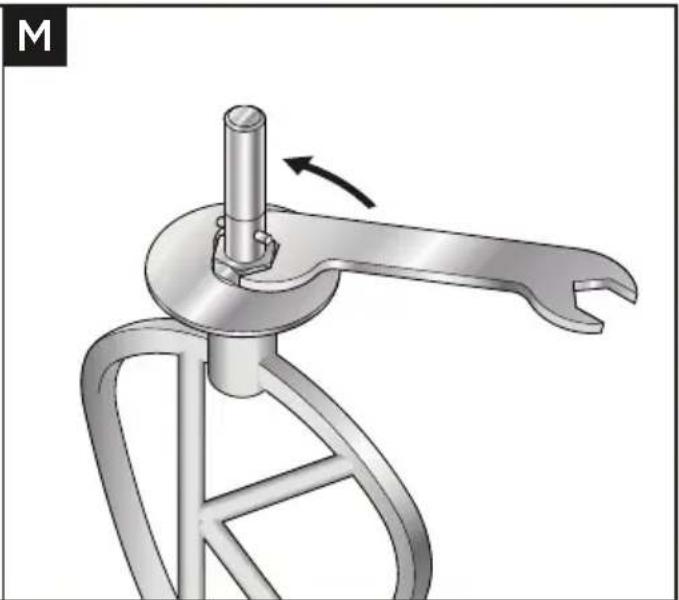
natural_image
Mechanical component diagram showing a lever mechanism with a rotating shaft and curved handle (no text or symbols)Fontos
Gniazda nasadek
flowchart
graph LR
    A["Box with Up Arrow"] --> B["Open Book with Eye Symbol"]
    style A fill:#f9f,stroke:#333
    style B fill:#bbf,stroke:#333
natural_image
Mechanical device with a circular base and handle, showing a rotation arrow and a close-up of the handle (no text or symbols present)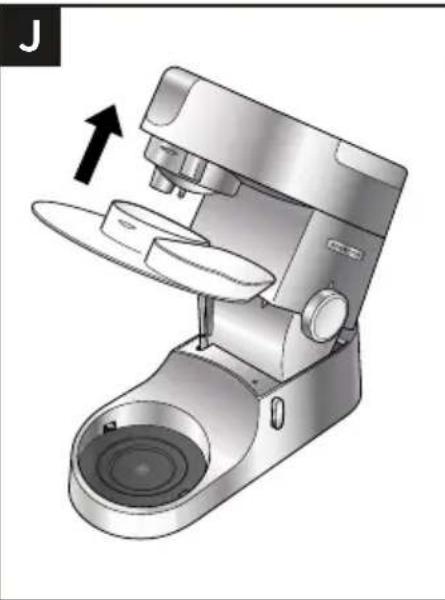
natural_image
3D rendering of a kitchen mixer with an arrow indicating press direction (no text or symbols)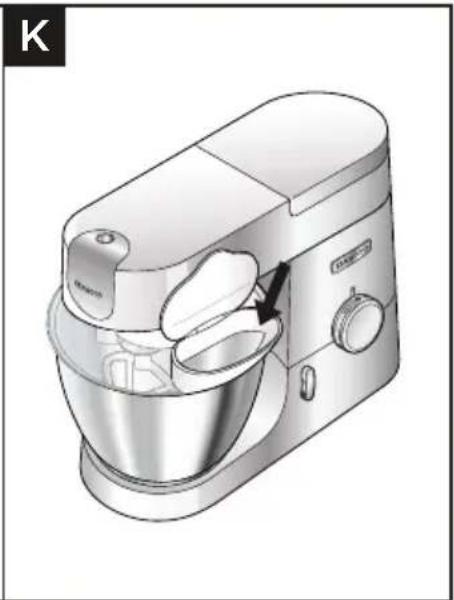
natural_image
Illustration of a kitchen mixer with a hand operating the bowl (no text or symbols visible)Ważne
natural_image
Diagram of a mechanical device with a rotating component and directional arrow, no text or symbols present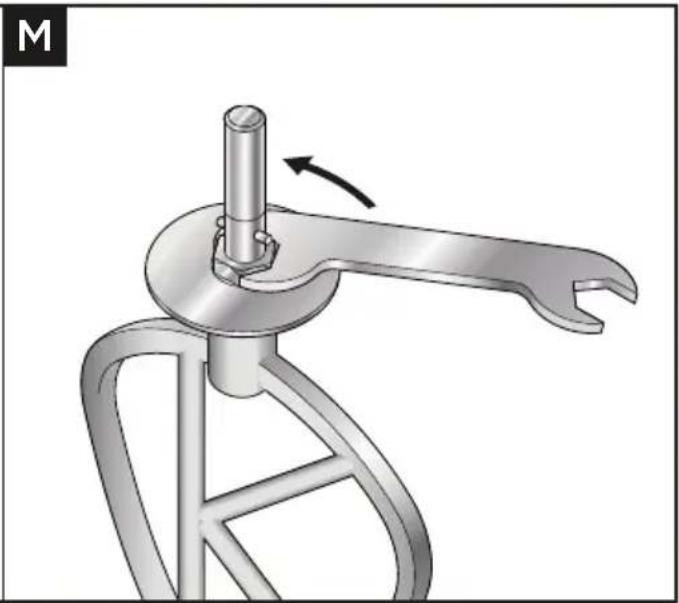
natural_image
Mechanical device with a lever mechanism and a rotating shaft (no text or symbols visible)Ważne
flowchart
graph LR
    A["Box with Up Arrow"] --> B["Open Book with Eye Symbol"]
    style A fill:#f9f,stroke:#333
    style B fill:#bbf,stroke:#333
natural_image
Diagram of a mechanical device inside a bowl, showing internal components and directional arrow (no text or symbols)
natural_image
Mechanical component diagram showing a lever mechanism with a rotating shaft and curved handle (no text or symbols)Σημαντικό
flowchart
graph LR
    A["Box with Up Arrow"] --> B["Open Book with Eye Symbol"]
    style A fill:#f9f,stroke:#333
    style B fill:#bbf,stroke:#333
natural_image
Mechanical device with a circular base and handle, showing a rotation arrow and a close-up of the handle (no text or symbols visible)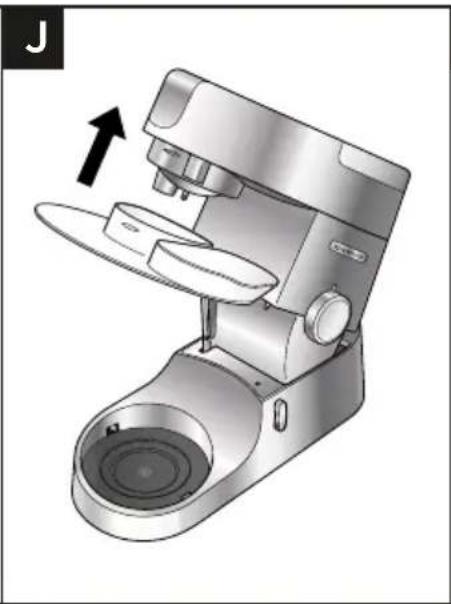
natural_image
Illustration of a modern coffee maker with a double lid and handle, showing mechanical components without any text or symbols.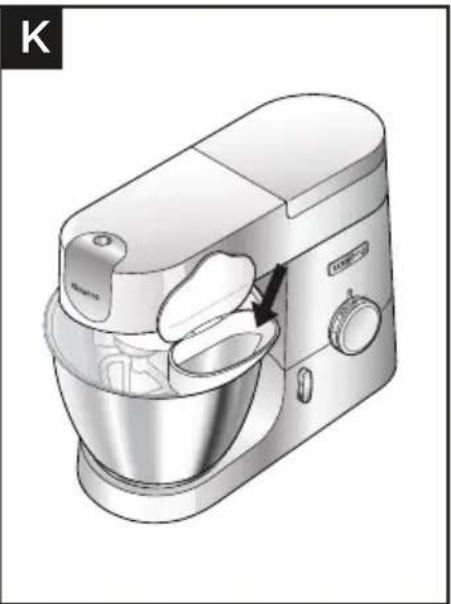
natural_image
Illustration of a kitchen mixer with handle and bowl (no text or symbols)Важно
natural_image
Diagram of a mechanical device with a rotating component and directional arrow, no text or symbols present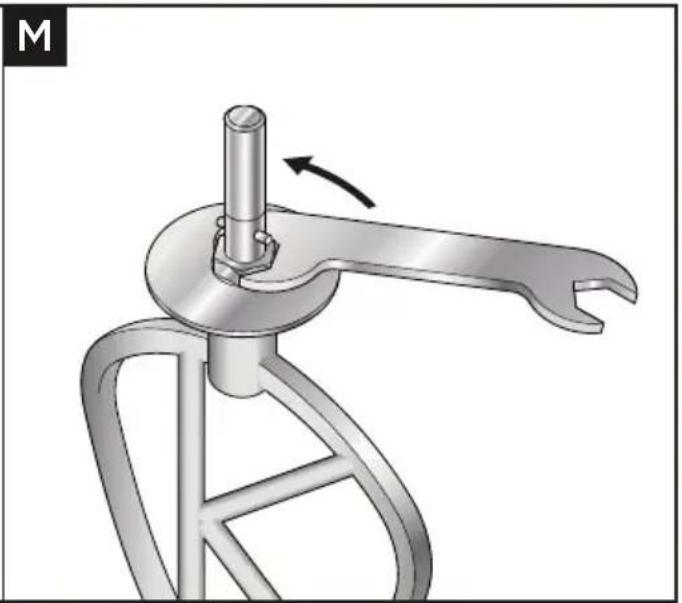
natural_image
Mechanical tool with a lever mechanism and a rotating shaft (no text or symbols visible)Важно
Кондырғы шығыстары
flowchart
graph LR
    A["Box with Up Arrow"] --> B["Open Book with Eye Symbol"]
    style A fill:#f9f,stroke:#333
    style B fill:#bbf,stroke:#333
natural_image
Mechanical device with a circular dial and directional arrow indicator (no text or symbols)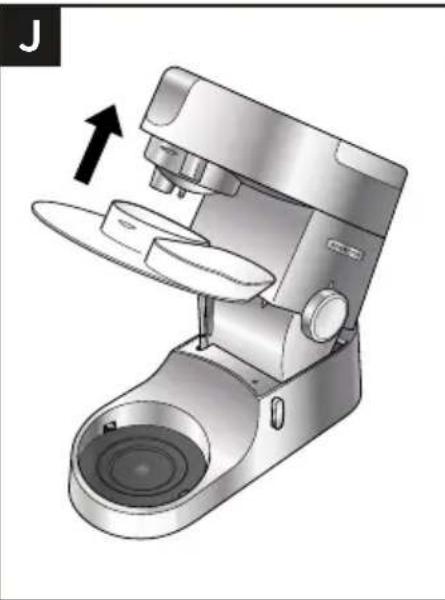
natural_image
Illustration of a modern kitchen mixer with a hand gesture indicating compression (no text or symbols present)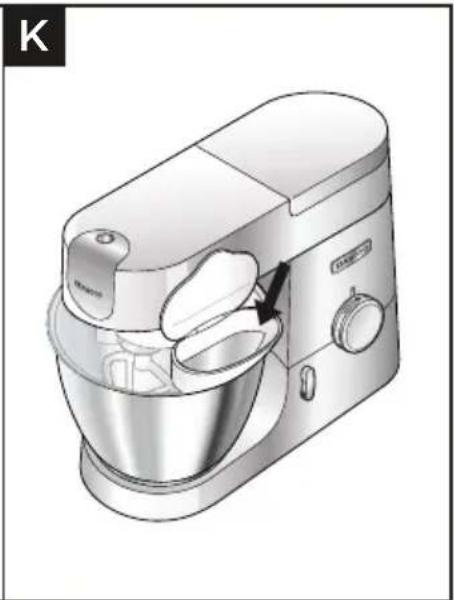
natural_image
Illustration of a kitchen mixer with handle and bowl (no text or symbols)Маңызды
natural_image
Diagram of a mechanical device inside a bowl, showing internal components and directional arrow (no text or symbols)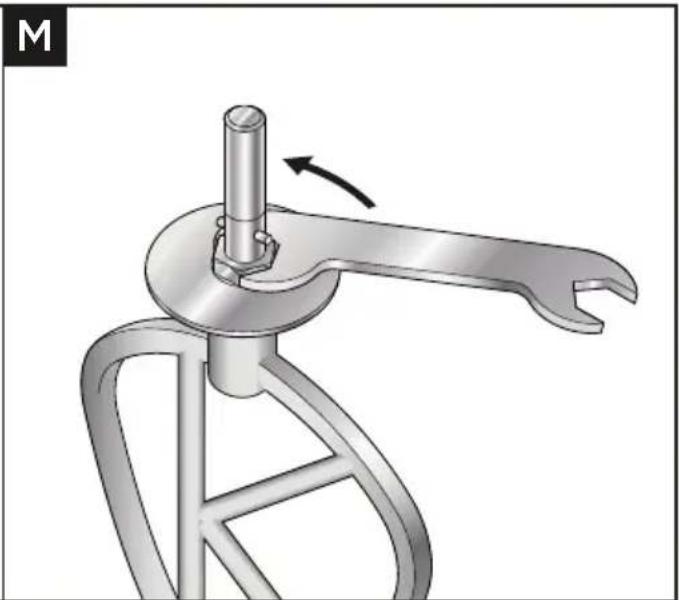
natural_image
Mechanical device with a lever mechanism and a rotating shaft (no text or symbols visible)Маңызды
flowchart
graph LR
    A["Box with upward arrow"] --> B["Open Book with eye symbol"]
    style A fill:#f9f,stroke:#333
    style B fill:#bbf,stroke:#333
natural_image
Mechanical device with a circular base and adjustment knob, showing rotational motion (no text or symbols)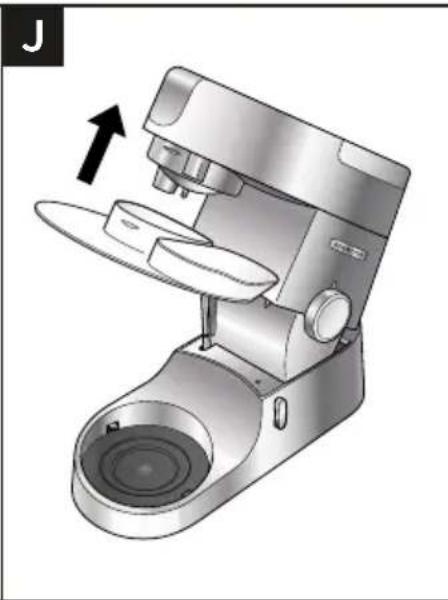
natural_image
Illustration of a modern coffee maker with a lever mechanism and spout, showing no text or symbols.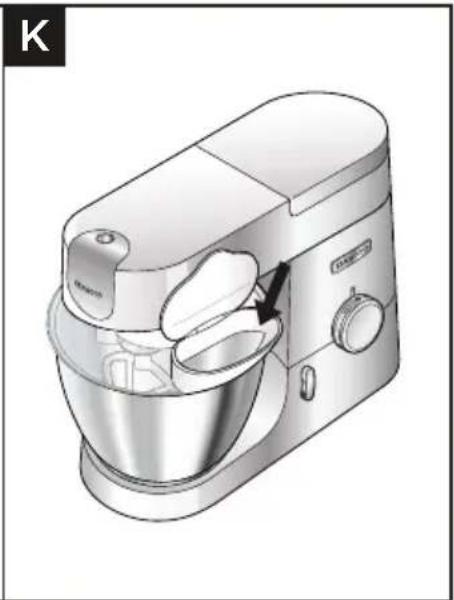
natural_image
Illustration of a kitchen mixer with handle and control panel (no text or symbols)Dôležité
natural_image
Diagram of a mechanical device with a rotating component and directional arrow, no text or symbols present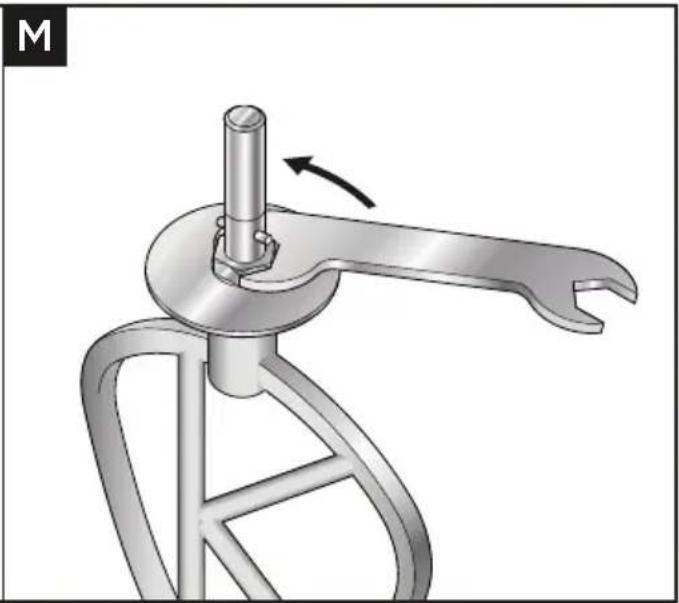
natural_image
Mechanical device with a lever mechanism and rotating arm (no text or symbols visible)Dôležité
● Wash by hand, then dry thoroughly.
| N | | | |
| × | × | √ |
| | | |
| | [PHY2] | |
| | | |
| | | |
| | | |
 |  |  |  |
flowchart
graph LR
    A["Box with Up Arrow"] --> B["Open Book with Eye Symbol"]
    style A fill:#f9f,stroke:#333
    style B fill:#bbf,stroke:#333
natural_image
Diagram of a mechanical device inside a bowl, showing internal components and directional arrow (no text or symbols)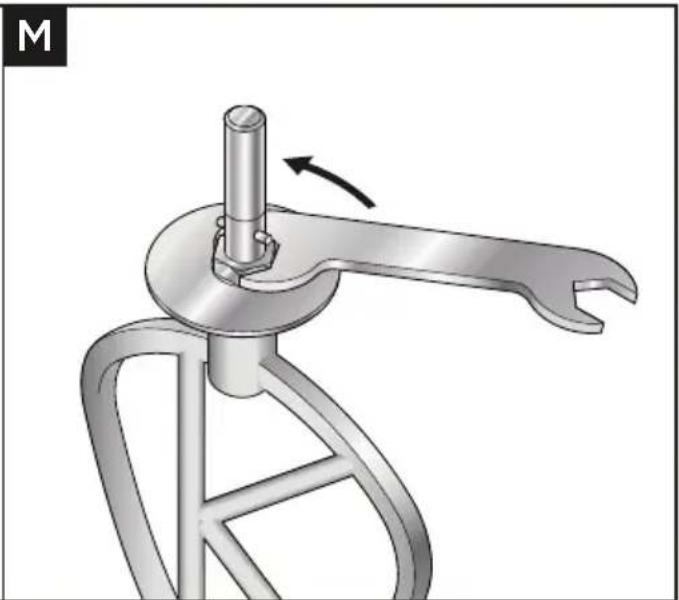
natural_image
Mechanical component diagram showing a lever mechanism with a rotating shaft and curved handle (no text or symbols)Важливо
natural_image
Diagram of a mechanical device inside a container with a rotating component, showing no text or symbols.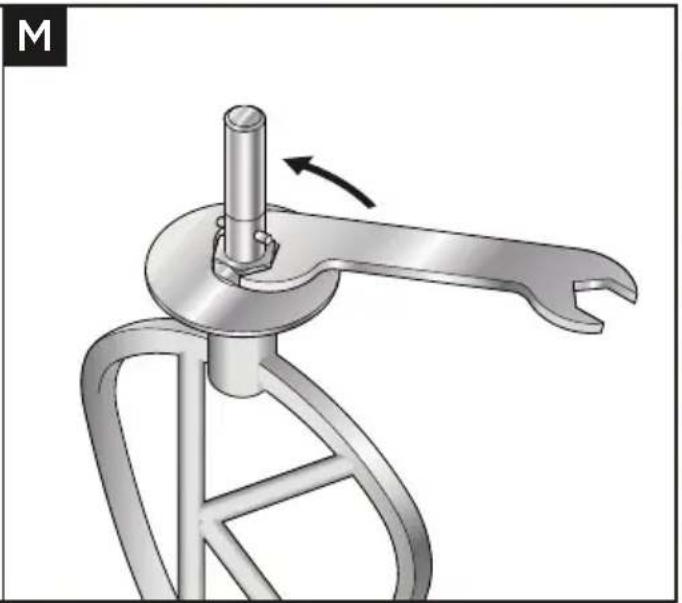
natural_image
Mechanical tool with a lever and rotating head, showing motion direction (no text or symbols)natural_image
Mechanical device with a circular base and adjustment knob, showing a rotation arrow (no text or symbols)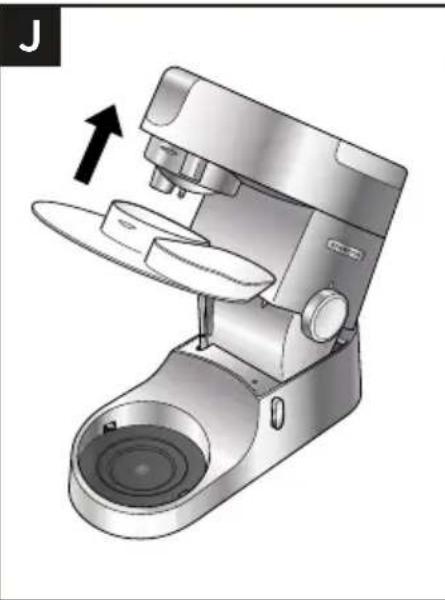
natural_image
Illustration of a modern kitchen mixer with a hand gesture indicating compression (no text or symbols present)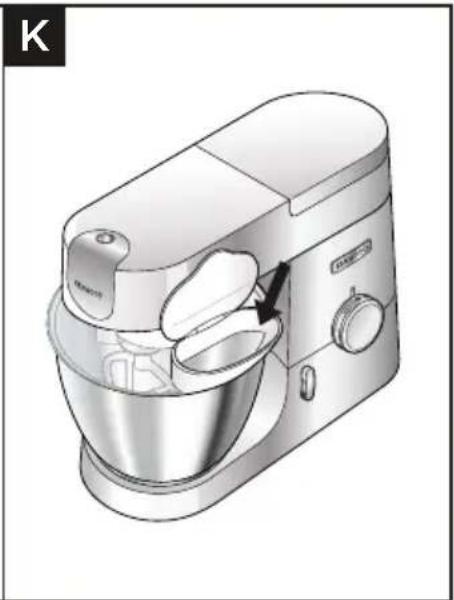
natural_image
Illustration of a kitchen mixer with handle and control panel (no text or symbols)مهم
•
•
[Non-Text]
●
•
●
natural_image
Illustration of an open box with a black upward arrow above it (no text or symbols)B

| N | | | |
 | × | × | √ |
| | | |
| | | |
 | | | |
 | | | |
 | | | |
 | | | |