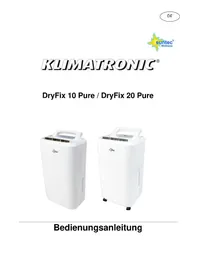
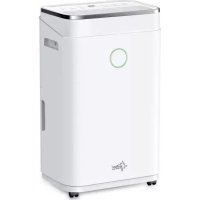
DryFix 20 Pure - Humidifier SUNTEC - Free user manual and instructions
Find the device manual for free DryFix 20 Pure SUNTEC in PDF.



| Brand | Suntec |
| Model | DryFix 20 Pure |
| Product type | Dehumidifier |
| Dehumidification capacity | 20 litres/day (at 30°C, 80% relative humidity) |
| Power supply | 220-240 V ~ 50 Hz |
| Rated power | 380 W |
| Rated current | 2.0 A |
| Refrigerant | R134A (GWP 1430) |
| Dimensions (H × W × D) | 500 × 276 × 235 mm |
| Operating temperature | 5 °C to 35 °C |
| Humidity setting range | 30 % to 90 % (in 5 % increments) |
| Fan speeds | 2 (Low and High) |
| Programmable timer | 1 to 24 hours (on/off) |
| Special mode | Laundry mode (continuous fast drying) |
| Frost protection | Yes, automatic (stops compressor if T < 5 °C) |
| Water tank | Removable with float, unspecified capacity |
| Continuous drainage | Possible (via hose, remove plugs) |
| Air filter | Washable, clean recommended every 2 weeks |
| Minimum distance from walls | 20 cm |
| Safety | Automatic stop when tank full, frost protection, use by children ≥ 8 years with supervision |
Frequently Asked Questions - DryFix 20 Pure SUNTEC
User questions about DryFix 20 Pure SUNTEC
0 question about this device. Answer the ones you know or ask your own.
Ask a new question about this device
Download the instructions for your Humidifier in PDF format for free! Find your manual DryFix 20 Pure - SUNTEC and take your electronic device back in hand. On this page are published all the documents necessary for the use of your device. DryFix 20 Pure by SUNTEC.
USER MANUAL DryFix 20 Pure SUNTEC
Bedienungsanleitung
Sicherheitshinweise
Wichtig:
Ausbau des Filters
Wartungsanleitung
© 2016 KLIMATRONIC® DryFix
SUNTEC WELLNESS GMBH / HOLZSTRASSE 2 / 40 221 DÜSSELDORF / DEUTSCHLAND
KLIMATRONIC®
DryFix 10 Pure / DryFix 20 Pure
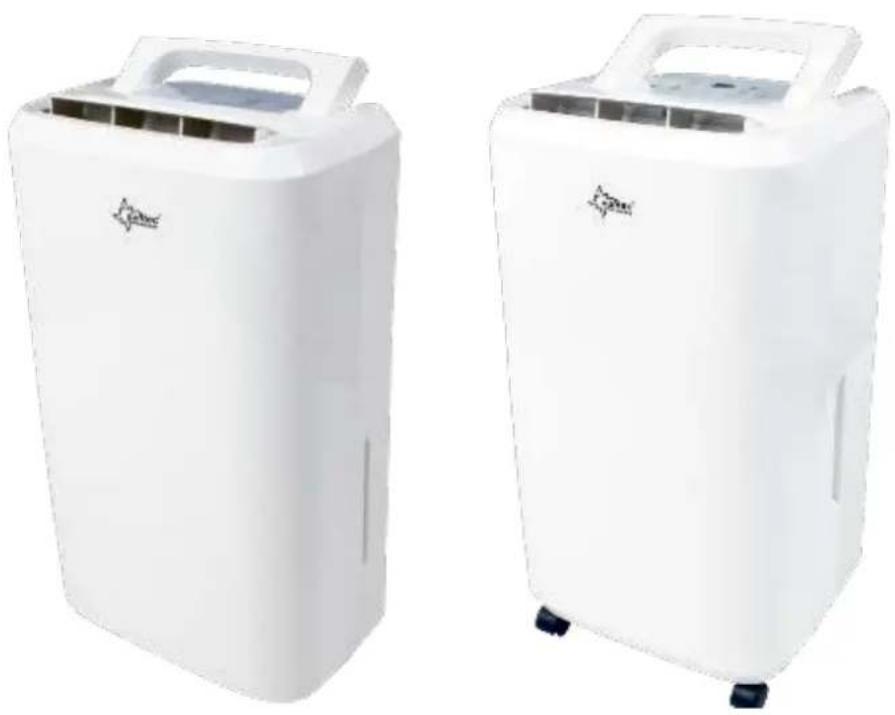
Instruction manual
Safety information
This appliance can be used by children aged from 8 years and above and persons with reduced physical, sensory and mental capabilities or lack of experience and knowledge if they have been given supervision or instruction concerning use of the appliance in a safe way and understand the hazards involved. Cleaning and user maintenance shall not be made by children without supervision.
- Please read the operating instructions carefully before using your dehumidifier for the first time and keep them in a safe place.
- Never immerse the unit in water or other liquids.
- Never operate the unit if a cable or connector has been damaged, after unit malfunction or if the unit was dropped or otherwise damaged.
- This unit may only be repaired by qualified personal, improper repair work can be a source of considerable danger for the users.
- Pull out the power plug before transporting it and / or before cleaning.
-
Operate the unit only at the voltage specified on the rating label.
-
Use the unit only in the household, and only for the purpose it was developed for.
- Do not operate this unit near heating appliances and flammable or dangerous objects.
- Do not place heavy objects onto the unit.
- To prevent spillage, empty the water tank before relocating the unit.
- Do not tip the unit to any side as escaping water could damage the appliance.
- If the supply cord is damaged, it must be replaced by a qualified person to avoid a hazard.
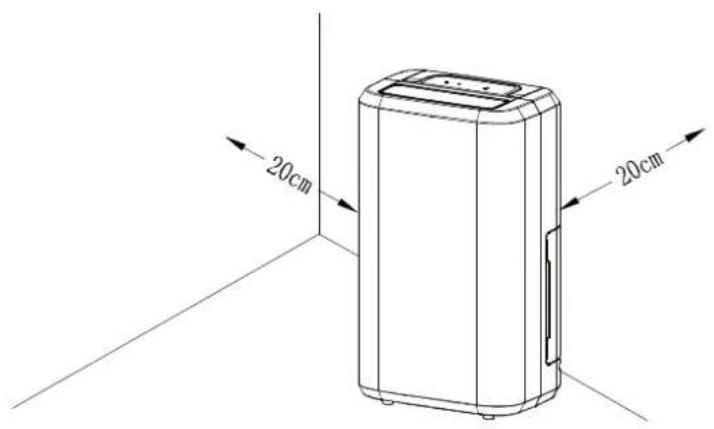
- The unit should be installed with a minimum distance of 20 cm from the wall or other obstacles.
- The operating temperature range is between 5° C and 35° C.
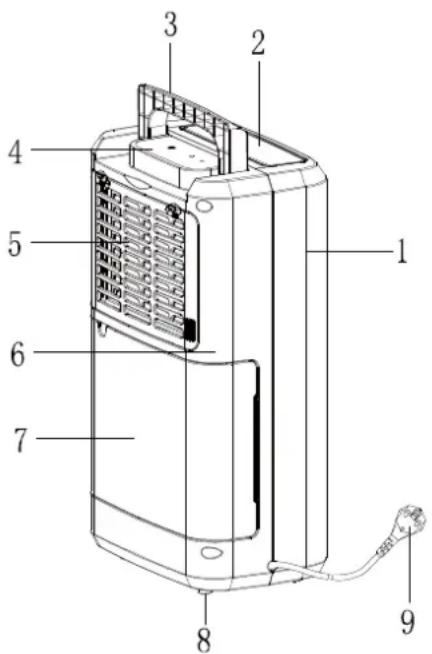
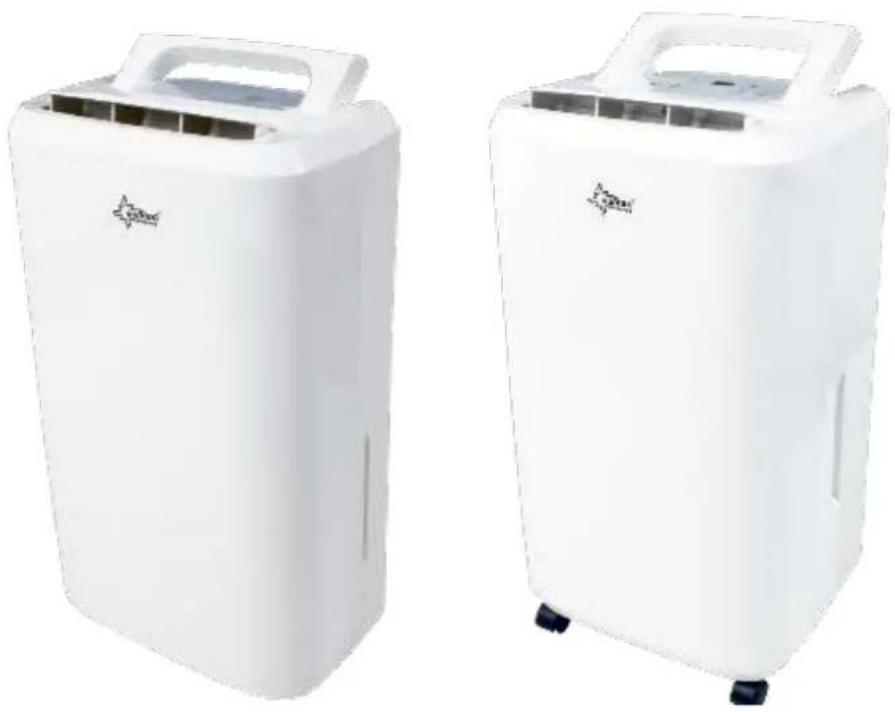
DryFix 10 PURE / 20 PURE Components
- Front cover
- Air outlet
- Grip
- Control panel
- Filter
- Rear cover
- Water tank
- Suction cups / castors
- Power cord
Attention: The unit should be installed with a minimum distance of 20 cm from the wall or other obstacles, as they might influence the performance of the unit.
DryFix 10 PURE Control panel / Operation instructions
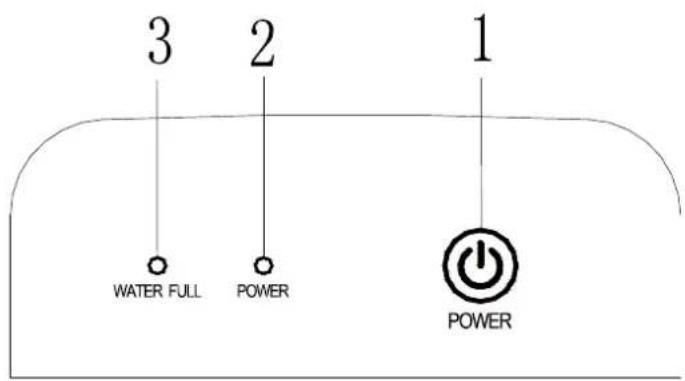
- On/Off button
- Power indicator (green)
- Water tank idicator (red)
Starting the unit
- Plug in the unit.
- Please press gently the air outlet cover by hand to open it.
- Please press the button to turn the unit on or off.
-
The power indicator lights green when the unit starts.
-
Once the water tank is full, the compressor switches off, the water tank indicator lights red and one can hear the alarm sound.
Defrosting function
This unit has an automatic defrosting function to protect it in case of low temperatures.
The temperature on the inner sensor will be measured every 30 minutes. If the temperature on the inner sensor ≤ 1° C, the compressor switches off and the defrosting function will be activated for 10 minutes.
DryFix 20 PURE Control panel / Operation instructions
- Power indicator (green)
- Timer indicator (green)
- Water tank indicator (red)
- Low fan speed indicator (green)
- High fan speed indicator (green)
- Laundry mode indicator (green)
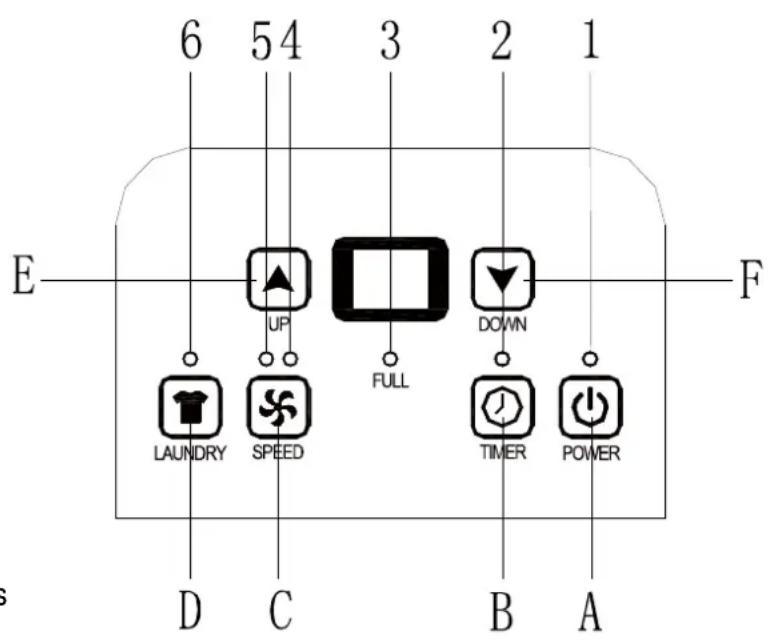
A. On/Off button
B. Timer button
C. Fan speed button
D. Laundry mode button
E. + F. Dehumidifying level setting buttons
Display
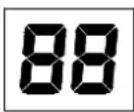
- Once the unit is turned on, the display indicates the ambient humidity level.
- Once you have set the desired room humidity, this will be shown on the display.
- Once you have set the on or off time (timer function), the number of hours will be shown on the display.
- If the ambient humidity level is less than 35% , the display will show "LO".
- If the ambient humidity level is higher than 95% , the display will show "HI".
Operating the unit
- Please plug the unit in and press the button to turn the unit on or off.
- Please press the buttons and to set the desired humidity level. The humidity level can be set between 30% and 90% in 5% interval.
to set the desired humidity level. The humidity 5% interval.

- When the ambient humidity is about 2% less than the set humidity level, the compressor will stop and the ventilator keeps working for further 3 minutes. If the ambient humidity as high as the set humidity level or higher by 3%, the compressor protection function switches on; the compressor switches off and turn on again 3 minutes later.
- Please press the button to switch between high and low fan speed.
- When the unit is off, please press the button several times to set the on-time (1-24h). When the unit is on, please press this button to set the off-time (1-24h).
The set time will not be changed if the defrosting function will be activated or if the compressor stops due to full water tank.
- Please press the button to set the laundry mode. This mode has been developed for the rapid drying of the laundry. Also, you can use this mode use to dehumidify the room air quickly.
Once the device is placed in the laundry mode, the compressor and the fan work continuously regardless of the ambient temperature and humidity level. The fan operates at high speed, this can not be adjust in the laundry mode.
Defrosting function
This unit has an automatic defrosting function to protect it in case of low temperatures.
- If the ambient temperature is lower than 5° C, the compressor switches off and the fan runs at high speed.
- If the ambient temperature is between 5° C and 12° C, the compressor runs for 30 minutes and then switches off for 10 minutes; the frost protection function will be activated.
- If the ambient temperature between 12° C and 16° C, the compressor runs for 45 minutes and then switches off for 10 minutes; the frost protection function will be activated.
- If the ambient temperature is equal to or higher than 16° C, the unit runs according to the temperature measured on the inner sensor. The compressor operates for 30 minutes, then the temperature on the inner sensor will be measured one more time. If the temperature on the inner sensor ≤ 1° C, the compressor switches off and the defrosting function will be activated for 10 minutes.
Use of water tank
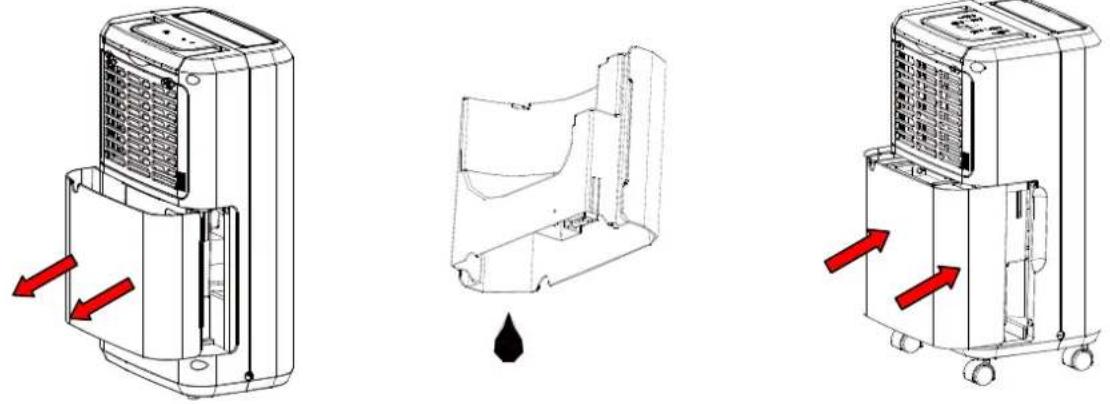
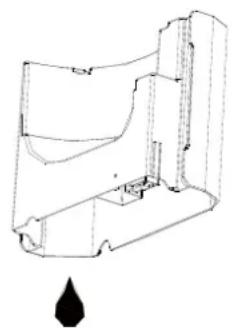
When the water full indicator illuminates, the tank is full, and the compressor and the fan will stop operation. Please empty the water tank as follows:
-
Turn off and unplug the unit
-
Remove the water tank and empty it.
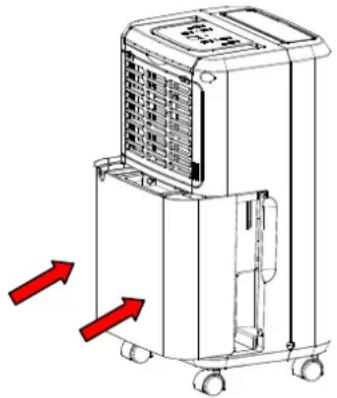
- Insert gently the water tank back into the unit.
Important:
Do not remove the float from the water tank. The water full sensor will no longer be able to detect the water level correctly without the float; this may cause a water leakage.
If the drainage tank is dirty, please clean it with cold or lukewarm water. Do not use detergent, scouring sponges, chemically treated dust cloths, gasoline, thinner or other solvents, as these can damage the tank and cause water leakage.
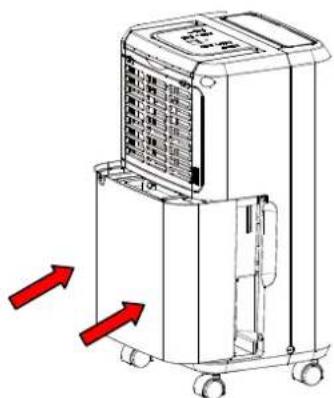
To install the water tank, please press it firmly into place with both hands. If the tank is not installed properly, the water tank indicator will be activated and the dehumidifier will not start.
Continuous drainage
The unit is equipped with a continuous drainage port.
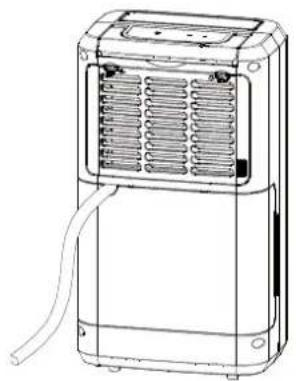
Please connect the drain hose to the drainage port. Put the other end of the drain hose into a proper container.
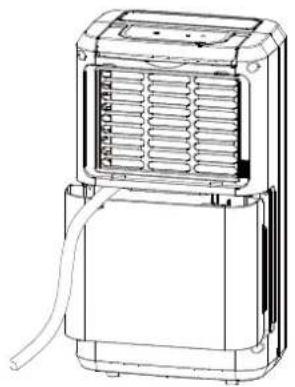
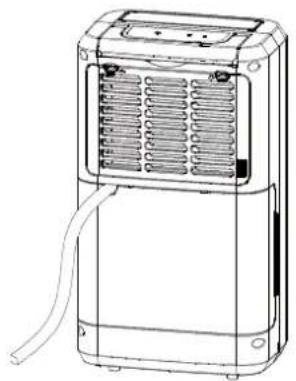
Filter removal
Please open the inlet grill and remove the air filter.
![graph TD A["Device with cooling unit"] --> B["Device with heat exchanger"] B --> C["Device with grid expansion"] C --> D["Device with heat exchanger"]](/content/2026/02/412146/images/186f0bd9dc9fcb34c6e86f71f69a8005a2ec94b0cb49604c25eefe3a1efd9bb5.jpg)
You can remove the dirt with a vacuum cleaner and wash the filter in a warm water (< 40°C) with mild detergent. Let the filter dry thoroughly and install it properly into filter carriage.
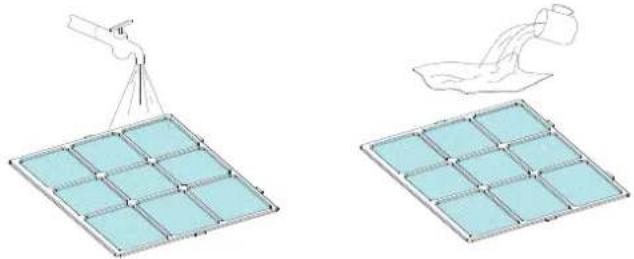
Maintenance instruction
- Place the unit on a stable flat surface to avoid loud noises and vibrations.
- Never insert any slim rod and hard object into the unit body to avoid occurrence of hazard or unit failure.
- If the unit will not be used for a long time, please unplug the unit.
- For a better dehumidifying effect, the areas in front and rear of the unit should be clear and free from obstacles, which will block the air flow for the unit.
- Clean the filter every two weeks (never use alcohol, gasoline, or hot water).
Storage
- Unplug the unit and empty the water tank.
- Clean and dry the air filter, then install it back into the unit.
- Disconnect the exhaust hose from the unit and keep it safe.
- Put the unit into a box and take it to a dry place.
Technical data
| MODELSPECIFICATION | DryFix 10 Pure | Dry Fix 20 Pure |
| DEHUMIDIFICATION (litre/day, 30°C and RH 80%) | 10 l | 20 l |
| CURRENT | 1,2 A | 2,0 A |
| VOLTAGE | 220-240V / 50Hz | 220-240V / 50Hz |
| POWER | 240 W | 380 W |
| REFRIGERANT | R134A | R134A |
| UNIT DIMENSIONS | 276 x 480 x 185 mm | 276 x 500 x 235 mm |
Troubleshooting
| Problem | Possible cause | Solution |
| The unit does not work. | Is the unit plugged in? | Plug in the unit. |
| Does the water tank indicator (water tank is full or misplaced) light up? | Empty the water tank and set it to the correct position again. | |
| Is the ambient temperature higher than 35 °C or lower than 5 °C? | The heat protection has been activated, the device cannot be operated. | |
| The device does not dehumidify. | Is the air filter dirty? | Clean the air filter as described in the manual. |
| Is the air inlet or outlet blocked? | Check the air inlet and outlet and remove any obstructions. | |
| The air does not flow out. | Is the air filter dirty? | Clean the air filter as described in the manual. |
| Loud noises during start up. | If the device was placed awry or unstable? | Place the unit on a stable flat surface. |
| Is the air filter dirty? | Clean the air filter as describedin the manual. | |
| E1 error code (for 20 Pure) | The inner sensor is defect. | Please let a service personnel check the sensor or bring the unit back into the market. |
EC-Declaration of Conformity
The unit complies with the essential health and safety requirements of the European Union. The EC declaration of conformity is the basis for the CE marking of this unit. With the publication of this manual, all previous are not valid. SUNTEC, SUNTEC Wellness, KLIAMTRONIC and the Sun logo are registered trademarks. © 2016/02 SUNTEC WELLNESS GMBH
Refrigerant
(CE) N 842/2006: This dehumidifier contains the refrigerant R134A. The amount of refrigerant is less than 1kg, and is in a closed cooling circuit. The coolant does have zero ozone depletion potential, but is a so-called greenhouse gases under the Kyoto Protocol and may thus contribute to global warming, if it is released to the atmosphere. Therefore only trained technicians with refrigerant certificate make a filling or emptying. Suntec your dehumidifier does not have to use if used properly and undamaged coolant circuit can be refilled with refrigerant.
GWP: R134A:1430
Note concerning protection of environment
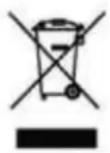
This product must not be disposed of via normal household waste after its service life, but must be taken to a collection station for the recycling of electrical and electronic devices. The symbol on the product, the operating instructions or the packaging indicate such disposal procedures. The materials are recyclable in accordance with their respective symbols. By means of re-use, material recycling or any other form of recycling old appliances you are making an important contribution to the protection of our environment. Please ask your local council where your nearest disposal station is located.
© 2016 KLIMATRONIC® DryFix
SUNTEC WELLNESS GMBH / HOLZSTRASSE 2 / 40 221 DÜSSELDORF / DEUTSCHLAND
KLIMATRONIC®
DryFix 10 Pure / DryFix 20 Pure
Mode d'emploi
© 2016 KLIMATRONIC® DryFix
SUNTEC WELLNESS GMBH / HOLZSTRASSE 2 / 40 221 DÜSSELDORF / DEUTSCHLAND
KLIMATRONIC®
DryFix 10 Pure / DryFix 20 Pure
Importante:
Gebruiksaanwijzing
Záruční listina
- SICHERHEITSHINWEISE
- WICHTIG
- AUSBAU DES FILTERS
- WARTUNGSANLEITUNG
- KLIMATRONIC®
- SAFETY INFORMATION
- DRYFIX 10 PURE / 20 PURE COMPONENTS
- STARTING THE UNIT
- DEFROSTING FUNCTION
- DRYFIX 20 PURE CONTROL PANEL / OPERATION INSTRUCTIONS
- DISPLAY
- OPERATING THE UNIT
- USE OF WATER TANK
- IMPORTANT
- CONTINUOUS DRAINAGE
- FILTER REMOVAL
- MAINTENANCE INSTRUCTION
- STORAGE
- EC-DECLARATION OF CONFORMITY
- REFRIGERANT
- NOTE CONCERNING PROTECTION OF ENVIRONMENT
- DRYFIX 10 PURE / DRYFIX 20 PURE
- IMPORTANTE
- GEBRUIKSAANWIJZING
- ZÁRUČNÍ LISTINA
Brand : SUNTEC
Model : DryFix 20 Pure
Category : Humidifier