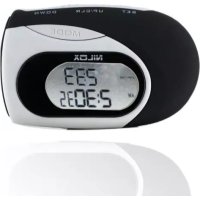
30NXCP0000001 - Pedometer NILOX - Free user manual and instructions
Find the device manual for free 30NXCP0000001 NILOX in PDF.



Frequently Asked Questions - 30NXCP0000001 NILOX
User questions about 30NXCP0000001 NILOX
0 question about this device. Answer the ones you know or ask your own.
Ask a new question about this device
Download the instructions for your Pedometer in PDF format for free! Find your manual 30NXCP0000001 - NILOX and take your electronic device back in hand. On this page are published all the documents necessary for the use of your device. 30NXCP0000001 by NILOX.
USER MANUAL 30NXCP0000001 NILOX
NILOX Fitness stepcounter-manual.indd 2-1 3/9/2012 11:11:28 AM

I - FEATURES
This series of pedometer is a highly accurate and reliable pedometer and is effective for both walking and running. The features include time, step counter, calorie and distance burnt counter and stopwatch.
Features including:
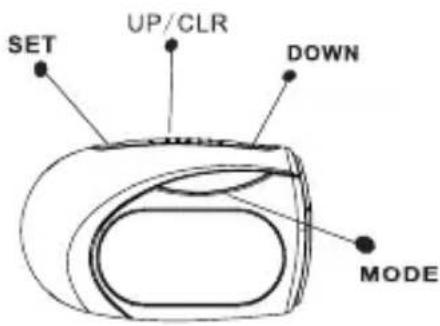
- Time has 12 hour or 24 hour which can be selected by user by pressing SET.
- Step counter can count up to 99999
-Metric standard (KM,CM,KG). - Distance can be displayed up to 99,999.9KM/Mile with 0.001 km or mile unit.
- Calorie consumption can be displayed up to 9,999.9 kcal with 0.1 kcal unit.
- Weight and stride can be adjusted by user.
- The display shows the current time (hour and minute) in the bottom row and steps in the top row.
- Press SET to toggle 12/24 hour display format. if 12-hour display format is selected. PM times will be indicated with a P.
- To set TIME: Press and hold SET to enter adjust mode,"12/24 hr" will flash and display.
- Press UP/DOWN to adjust the flashing digits (hour first, then minute). Hold the button for fast scrolling. Press SET to confirm.
- Then it will enter the weight and stride setting.
As above same way, then press SET to confirm.
- Stride range: 30-180cm(12-70 inch)
- Weight range: 10-150KG(20-330 LB)
When reset the steps, distance and calorie will become zero automatically.
4 - DISTANCE MODE
- Press Mode key to Distance + Stopwatch Mode.
- It shows the distance travelled in the top row of the display and stop - watch in the bottom row. Stopwatch.
- Press SET to start counting, and press SET again to stop.
- Press CLR to reset the stopwatch back to zero.
5 - CALORIE + ODO MODE
- Press Mode key to Calorie + ODO mode.
- It shows the calories burnt in the top row of the display and total travelled(ODO) in the bottom row.
The total distance travelled can only be reset after replacing the batteries.

6-MOTION SENSITIVITY SLIDES-WITCH
-To make the unit more or less sensitive to motion, repost the motion sentivity slide switch.
-To determine the proper amount of amount of motion sensitivity for Individual walking pattern, experiment with different settings.

Motion Sensitivity Switch
7 - HOW TO WEAR YOUR PEDOMETER
-Your step counter clips easily and snugly to either side of the hip portion of your trousers or shorts.
For best results keep the unit in line with the "Crease line" of your trousers. Some situations may affect the accuracy of the step counting:
- The step counter is not direct perpendicular to the ground.
- The pedometer needed to beat least 60 degree to the ground.
-Dragging feet.
- Walking with sandals or sandals likes shoes.
-Uneven footstep in a crowed area.
-Sport except walking or jogging,
- Walking up/down from stair.
-Inside a vehicle bicycle, motorcar, train, bus and other vehicle have some vibration generated.
-Motion of stand or sit.


Correct orientation on your hip is important
6

NILOX Fitness stepcounter-manual.indd 6-7 3/9/2012 11:11:28 AM
7

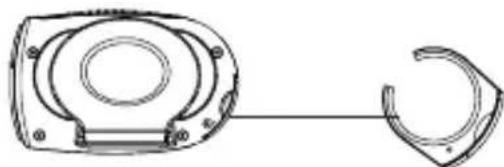
8-BATTERY REPLACEMENT PEDOMETER Battery:
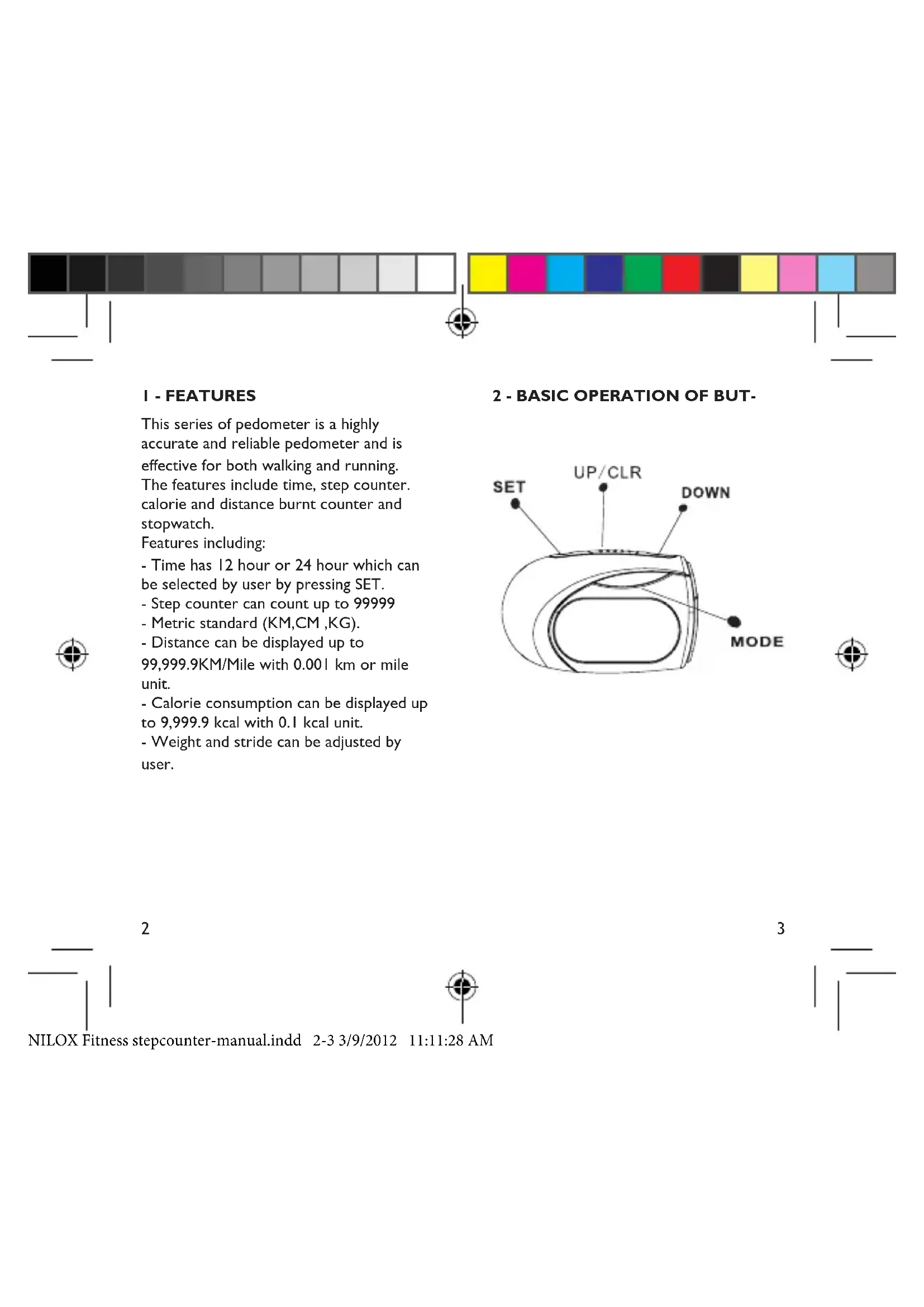
-Release the battery compartment by unscrewing the secure screw.
-Pull out the battery with the help of flingermall.
-Flip out the exhausted battery and replace I pc new CR2032 button cell. Battery.
-Make sure the polarity is Correct. Close the battery door. And fasten the screw.

button cell
WARRANTY AND RESPONSIBILITY
I. Manufacturer and seller shall not be liable if its testing and examination disclose that the alleged defect or malfunction in the product does not exist or was caused by misuse,
accident or neglect, or by failure to follow the instructions.
- Neither Manufacturer nor any of its resellers shall be responsible for loss of or damage to items stored in the case by misuse, accident or neglect, or by failure to follow the instructions
WARRANTY TERMS WILL BE ACCORD-INGLY TO THE CURRENT EUROPEAN LEGISLATIONS


CONTENUTI
CARATTERISTICHE
INTERRUPTOR SENSIBLE PARA MOVERSE 6
COMO USAR EL CUENTAPASOS 7
SUSTITUCION DE LA PILA 8

20 21

NILOX Fitness stepcounter-manual.indd

11:11:28 AM

I-CARACTERISTICAS
NILOX Fitness stepcounter-manual.indd 28-29 3/9/2012 11:11:28 AM

CONTEUDO
CHARACTERISTICAS
PRINCIPAIS CHARACTERISTICAS DA
CHAVE 2
MODO AGORA + PASSOS 3
MODO DISTANCIA E CRONOMETRO 4
MODO CALORIA + "ODO" (DISTÁNCIA) 5
SWITCH SENSIBILIDADE AO
MOVIMENTO 6
COMO COLOCAR O PEDOMETRO 7
NILOX Fitness stepcounter-manual.indd 38-39 3/9/2012 11:11:29 AM


INHALT
EIGENSCHAFTEN
HAUPTMERKMALE DER TASTE 2
NILOX Fitness stepcounter-manual.indd 50-51 3/9/2012 11:11:30 AM



I-CARACTERISTIQUES
NILOX Fitness stepcounter-manual.indd 54-55 3/9/2012 11:11:30 AM

6 - INTERRUPEUR DE SENSIBILI-TEAU MOUVEMENT
NILOX Fitness stepcounter-manual.indd 58-59 3/9/2012 11:11:30 AM


NEPIEXOMENA
XAPAKTHPIETIKA 1
BAZIKH AEITOYPTIA TOY KOYMNIOY 2
KATAΣTAΣH XPONOY +BHMA 3
KATAZTAH ANOETAH24
KATAZTAZH CALORIE + ODO 5
KATAA TAH CALORIE + ODO 6
IΩS NA ΦOPESETE TO BHMATOMETPO 7
ANTIKATAA TAH THE MNATAPIA 8

60 61

NILOX Fitness stepcounter-manual.indd

11:11:30 AM

1-XAPAKTHPIETIKA
Autn n oepa Bnpatopewv exi uynan
akpiieia kai ta Bnpatouetpa eivai
aioiTata kai aToteleosatika too yia to
Tepntna 0oo kai yia to Tpeigo.
Ta xapaktniotikanepiilaubetavetai O
xpovo, n tepnon twv Bnpatwv,oi
Oeipide TOU exeKkwei, n anoataon
Tou exei diautheta kai xpovouetpo.
Xapaktniotikraou ppialauavovtai:
-O xpvoc xwpicetai oE 12 wpcn oE 24
wpec kai auto mtopei va etlaxe i ato To
xpntn me to patnau tou nnktpou SET.
- O eptnnc Bnpatowv mtopei va eTpnoe
ewc to 99999
-To ptiko ouotnua (KM,CM,KG).
-H aToaon Tou eupavietzai mtopei va
faoe ta 99,999.9KM/MiI μE 0.001 km n
mova maioiu.
-H katavalawon thepidowv mtopei va
ptaei ewc ta 9,999.9 kcal movada
0.1 kcal.
-To bapoc kai odeltakeiaooc mtopouv v
Tppaaooiouv aoTOV xpntn.
2BAZIKH AIETOYPFIA TOY KOYMNIOY


62 63

3-KATAEIAEH XPONOY+BHMATO
-H ofoyn eapavici Tnv tpexouoa wpa (wpa kai aeTTa) OTNV KATW eipa kai ta Bnmuata OTNV TAVW eipa.
-
PntnoTe TO SET yia evaalayn avmuoea otyn eupavion 12 kai 24 wpvv. Eav etiextheta n oopn eupavions 12 wpvv. OI wpe c Tpo eonmbpiac (PM) 0a dNawovtai evaP.
-
Tia va puθμiσετ ην ΩPA: Απησε Kαι Kpatησε πατημένο το SET γία va περάσετ Οήν κατασταση προσαμουγός. H εύδειη (12/24 hr) θα αρχίσειν αναβοσβήνει.
-
PatnoTe TO UP/DOWN (Tavw/Katw) yia va putheta ta ynpia Tou avaBooBnyouv (Tpwa npa, tata λεπτa). KpatnoTe to koupti yia vphyopn kuaion. PatnoTe to SET yia va επβεαiwoeTe.
-
5tn ouvexia 0a Tepaei 0tn puoi npapouc kai dpaaekiaoou.
OTWCSKAI TIO TAVW, KAI OTN OUVEXEA TATnATE TO SET YIA VA EITIEBAIWOETE.
-Eupoc : 30-180cm(12-70 inch)
3/9/2012 11:11:30 AM


NILOX Fitness stepcounter-manual.indd 70 3/9/2012 11:11:30 AM