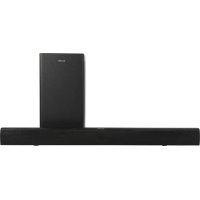
SBO880 - Soundbar SALORA - Free user manual and instructions
Find the device manual for free SBO880 SALORA in PDF.


| Product Type | Soundbar with wireless subwoofer |
| Brand | Salora |
| Model | SBO880 |
| Dimensions (W x H x D) - Soundbar | 800 x 74 x 56 mm |
| Dimensions (W x H x D) - Subwoofer | 188 x 350 x 188 mm |
| Net weight - Soundbar | 1.2 kg |
| Net weight - Subwoofer | 3.2 kg |
| Power supply | DC 20V 1.2A power adapter |
| Total output power | 15 W x 2 + 50 W (subwoofer) |
| Frequency response | 20 Hz – 20 kHz ± 3 dB |
| Signal-to-noise ratio | ≥ 70 dB |
| Stereo separation | ≥ 45 dB |
| Bluetooth | V3.0, range 10 m |
| Audio inputs | Optical (OPT), 3.5 mm Line-in, Bluetooth |
| Audio modes | Music, Movie, Voice |
| Remote control | Yes, with batteries (not included) |
| Included accessories | Subwoofer, remote control, power adapter, optical cable, 3.5 mm audio cable, wall mount, mounting screws, user manual |
| Maintenance and cleaning | Unplug before cleaning, use a dry cloth only |
| Safety | Double insulation, do not expose to water or excessive heat, unplug during thunderstorms |
| Spare parts and repairability | Power adapter available; repair by qualified personnel only |
Frequently Asked Questions - SBO880 SALORA
User questions about SBO880 SALORA
0 question about this device. Answer the ones you know or ask your own.
Ask a new question about this device
Download the instructions for your Soundbar in PDF format for free! Find your manual SBO880 - SALORA and take your electronic device back in hand. On this page are published all the documents necessary for the use of your device. SBO880 by SALORA.
USER MANUAL SBO880 SALORA
natural_image
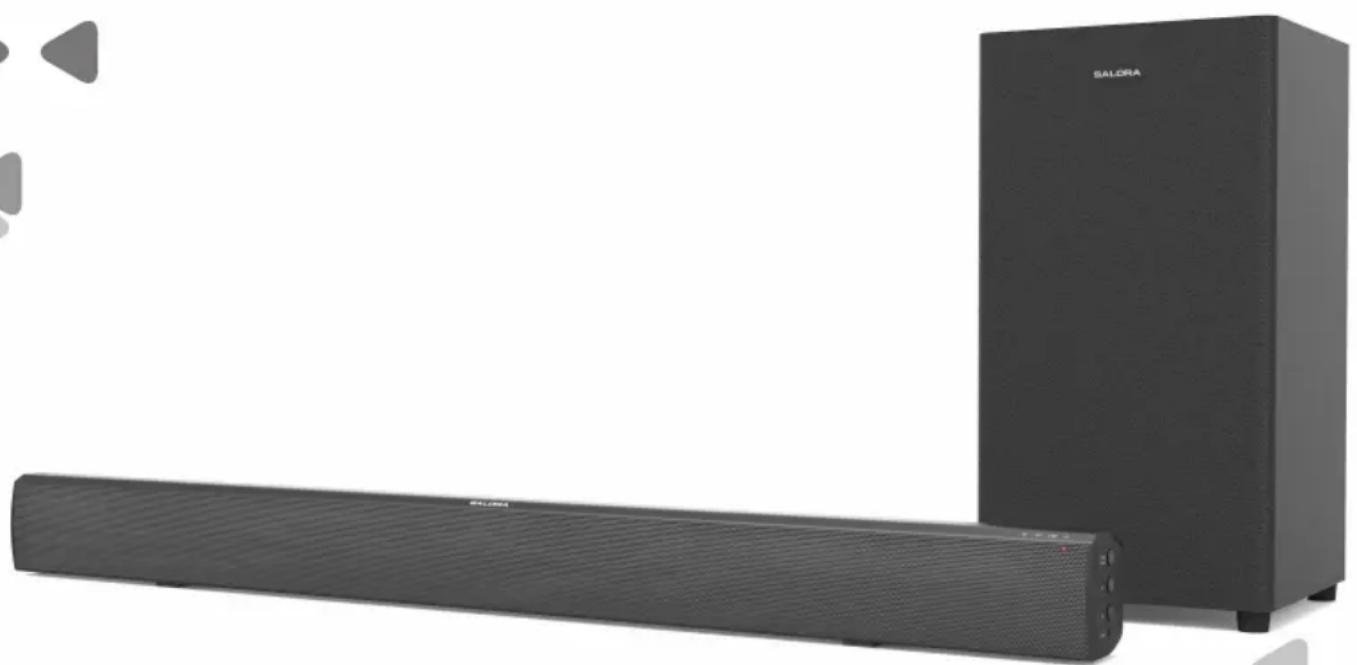
Exterior view of a modern audio streaming setup with a black Salora speaker tower and a long black audio player (no text or symbols visible on the device itself)Instruction Manual
PLEASE READ BEFORE OPERATING THIS EQUIPMENT.
Important Safety Instructions
- Read these Instructions.
- Keep these Instructions.
- Heed all Warnings.
- Follow all instructions.
- Do not use this apparatus near water.
- Clean only with a dry cloth.
- Do not block any ventilation openings. Install in accordance with the manufacturer's instructions.
- Do not install near any heat sources such as radiators, heat registers, stoves, or other apparatus (including amplifiers) that produce heat.
- Do not defeat the safety purpose of the polarized or grounding - type plug. A polarized plug has two blades with one wider than the other. A grounding type plug has two blades and a third grounding prong. The wide blade or the third prong is provided for your safety. When the provided plug does not fit into your outlet, consult an electrician for replacement of the obsolete outlet.
- Protect the power cord from being walked on or pinched particularly at plugs, convenience receptacles, and the point where they exit from the apparatus.
- Only use attachments/accessories specified by the manufacturer.
- This symbol indicates that this product incorporates double insulation between hazardous mains voltage and user accessible parts. Use only with a cart, stand, tripod, bracket, or table specified by the manufacturer, or sold with the apparatus. When a cart is used, use caution when moving thecart/apparatus combination to avoid injury from tip-over.

- Unplug this apparatus during lightning storms or when unused for long periods of time.
- Refer all servicing to qualified service personnel. Servicing is required when the apparatus has been damaged in any way, such as power-supply cord or plug is damaged, liquid has been spilled or objects have fallen into the apparatus, the apparatus has been exposed to rain or moisture, does not operate normally, or has been dropped.
Special note: When placing your unit on a lacquered or natural finish, protect your furniture with a cloth or other protective material.
FCC AND IC STATEMENT FOR USERS
This device complies with part 15 of the FCC Rules. Operation is subject to the following two conditions: (1) This device may not cause harmful interference, and (2) this device must accept any interference received, including interference that may cause undesired operation.
Federal Communication Commission Interference Statement
This equipment has been tested and found to comply with the limits for a Class B digital device, pursuant to Part 15 of the FCC Rules. These limits are designed to provide reasonable protection against harmful interference in a residential installation. This equipment generates, uses and can radiate radio frequency energy and, if not installed and used in accordance with the instructions, may cause harmful interference to radio communications. However, there is no guarantee that interference will not occur in a particular installation. If this equipment does cause harmful interference to radio or television reception, which can be determined by turning the equipment off and on, the user is encouraged to try to correct the interference by one or more of the following measures:
- Reorient or relocate the receiving antenna.
- Increase the separation between the equipment and receiver.
- Connect the equipment into an outlet on a circuit different from that to which the receiver is connected.
- Consult the dealer or an experienced radio/TV technician for help.

This symbol indicates that this product incorporates double insulation between hazardous mains voltage and user accessible parts.
Warnings and Precautions
CAUTION: TO PREVENT ELECTRIC SHOCK, MATCH WIDE BLADE OF PLUG TO WIDE SLOT, FULLY INSERT.
WARNING: To reduce the risk of fire or electric shock, do not expose this apparatus to rain or moisture. When the mains plug or an appliance coupler is used as the disconnect device, the disconnect device shall remain readily operable.
CAUTION: These servicing instructions are for use by qualified service personnel only. To reduce the risk of electric shock, do not perform any servicing other than that contained in the operating instructions unless you are qualified to do so.
WARNING: Changes or modifications to this unit not expressly approved by the party responsible for compliance could void the user's authority to operate the equipment.
WARNING: Do not install this equipment in a confined or building-in space such as a book case or similar unit, and remain a well ventilation conditions at open site. The ventilation should not be impeded by covering the ventilation openings with items such as newspaper, table-cloths, curtains etc.
WARNING: Use of this unit near fluorescent lighting may cause interference regarding use of the remote. If the unit is displaying erratic behavior move away from any fluorescent lighting, as it may be the cause.
CAUTION: Only use attachments/accessories specified or provided by the manufacturer (such as the exclusive supply adapter, battery etc).
WARNING: The battery, batteries, and battery pack shall not be exposed to excessive heat such as sunshine, fire, or the like.
WARNING: Lithium batteries, like all rechargeable batteries are recyclable and should be recycled or disposed of in normal household waste. Contact your local government for disposal or recycling practices in your area. They should never be incinerated since they might explode.
WARNING: Shock hazard - Do Not Open.
Mains Plug or Direct plug-in adapter is used as disconnect device and it should remain readily operable during intended use. In order to disconnect the apparatus from the mains completely, the Mains Plug or Direct plug-in adapter should be disconnected from the mains socket outlet completely.
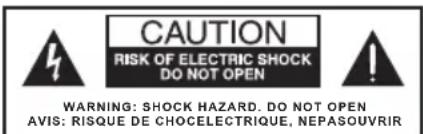
WARNING: To reduce the risk of fire or electric shock, do not expose this product to smoke, rain, dust or moisture!

The lightning flash with arrow-head symbol, within an equilateral triangle, is intended to alert the user to the presence of non-insulated “dangerous voltage” within the product’s enclosure that may be of sufficient magnitude to constitute a risk of electric shock to persons.

To reduce the risk of electric shock, do not remove cover (or back). No user-serviceable parts inside. Refer servicing to qualified service personnel.
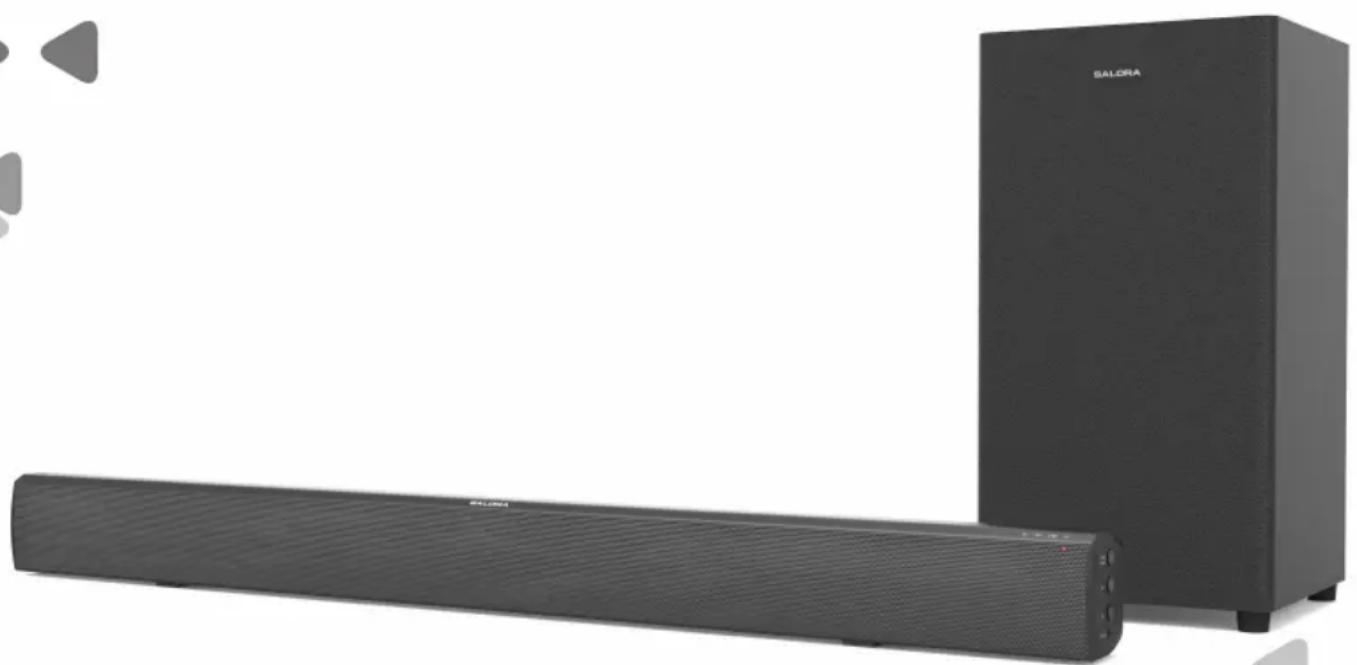
Thank you for purchasing the excellent quality sound bar for your home.
We recommend that you spend some time reading this instruction manual in order that you fully understand all the operational features it offers. You will also find some hints and tips to help you resolve any issues. Read all the safety instructions carefully before use and keep this instruction manual for future reference.
Check the package contents
Remove all items from the packing. Retain the packaging. If you dispose of it please do so according to local regulations.
The following items are included:
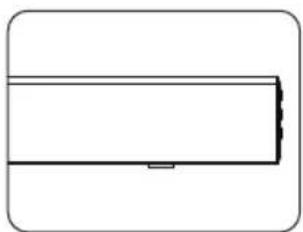
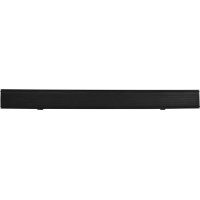
- A sound bar
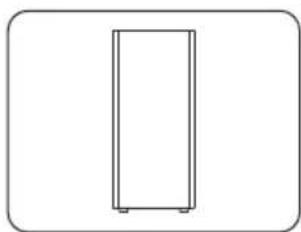
- A external subwoofer
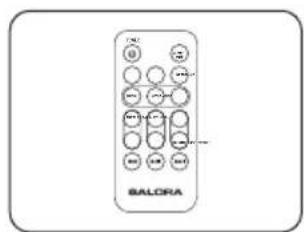
- Remote control
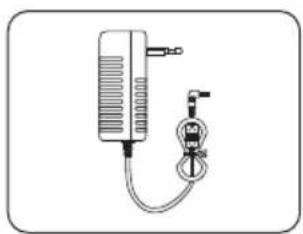
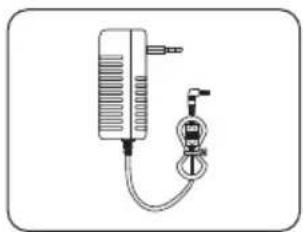
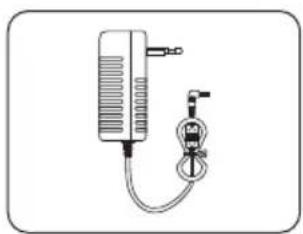
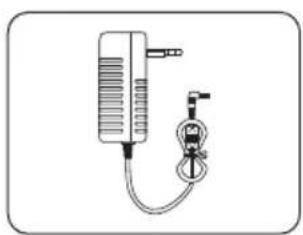
- Mains adapter
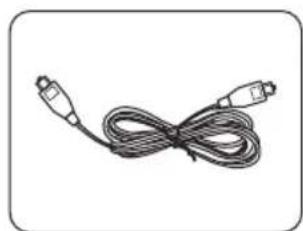
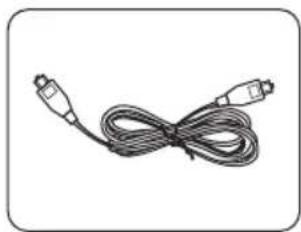
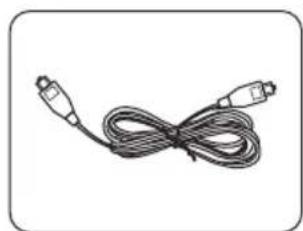
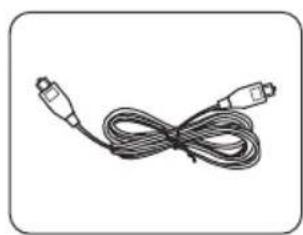
- OPTICAL cable
natural_image
Simple line drawing of a rectangular object with a horizontal bar and a small protrusion at the bottom (no text or symbols)Sound bar product
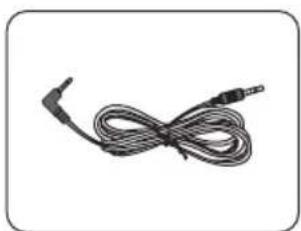
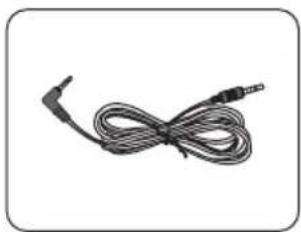
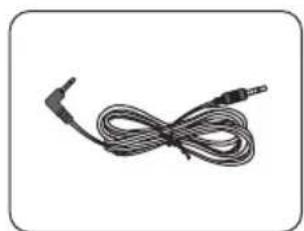
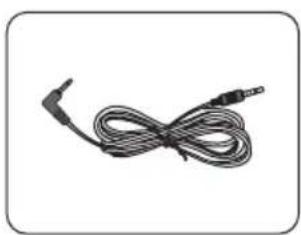
- 3.5mm audio cable
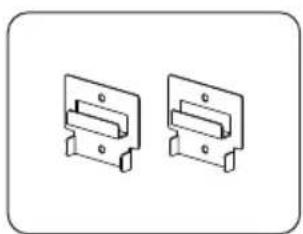
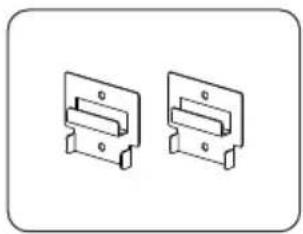
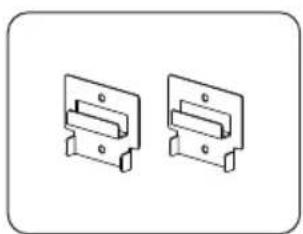
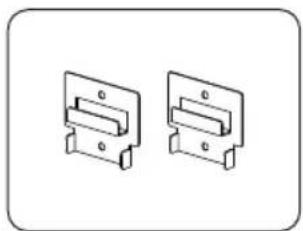
- Wall Bracket
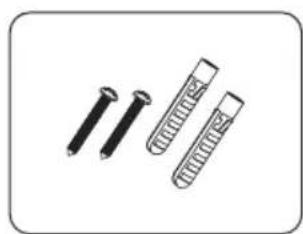
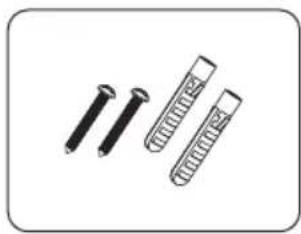
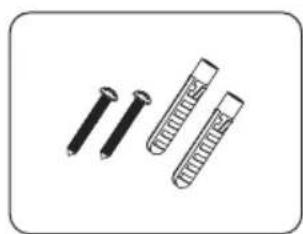
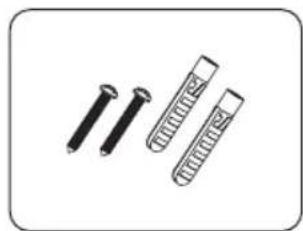
- Wall fixing & screws
- Instruction manual
natural_image
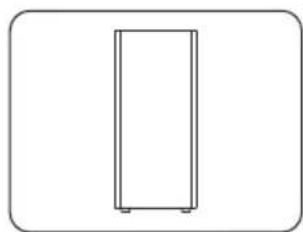
Simple line drawing of a vertical rectangular frame with base and corner markers (no text or symbols)Subwoofer
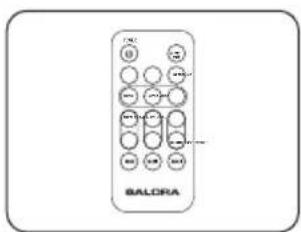
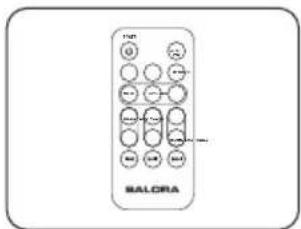
Remote control
natural_image
Illustration of a medical or laboratory device with tubing and connector (no text or symbols)Mains power adapter
natural_image
Coiled cable with two connectors (no text or symbols visible)OPTICAL cable
natural_image
Coiled black audio jack cable with a terminal connector (no text or symbols visible)3.5mm audio cable
natural_image
Two identical mechanical bracket diagrams with mounting holes, shown in isometric view (no text or symbols)Wall Bracket
natural_image
Illustration of three types of test probes: two with screws and one with a rectangular tube (no text or symbols)Wall fixing & screws
Instruction manual
Product description

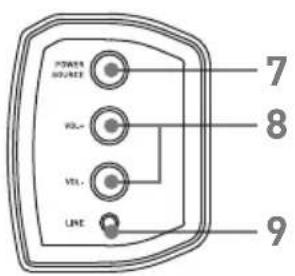
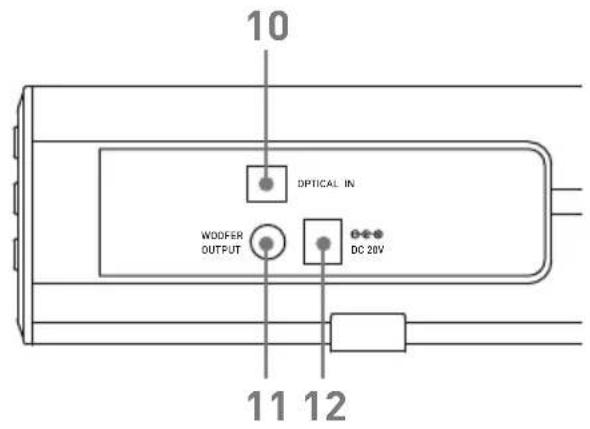
- SPEAKER
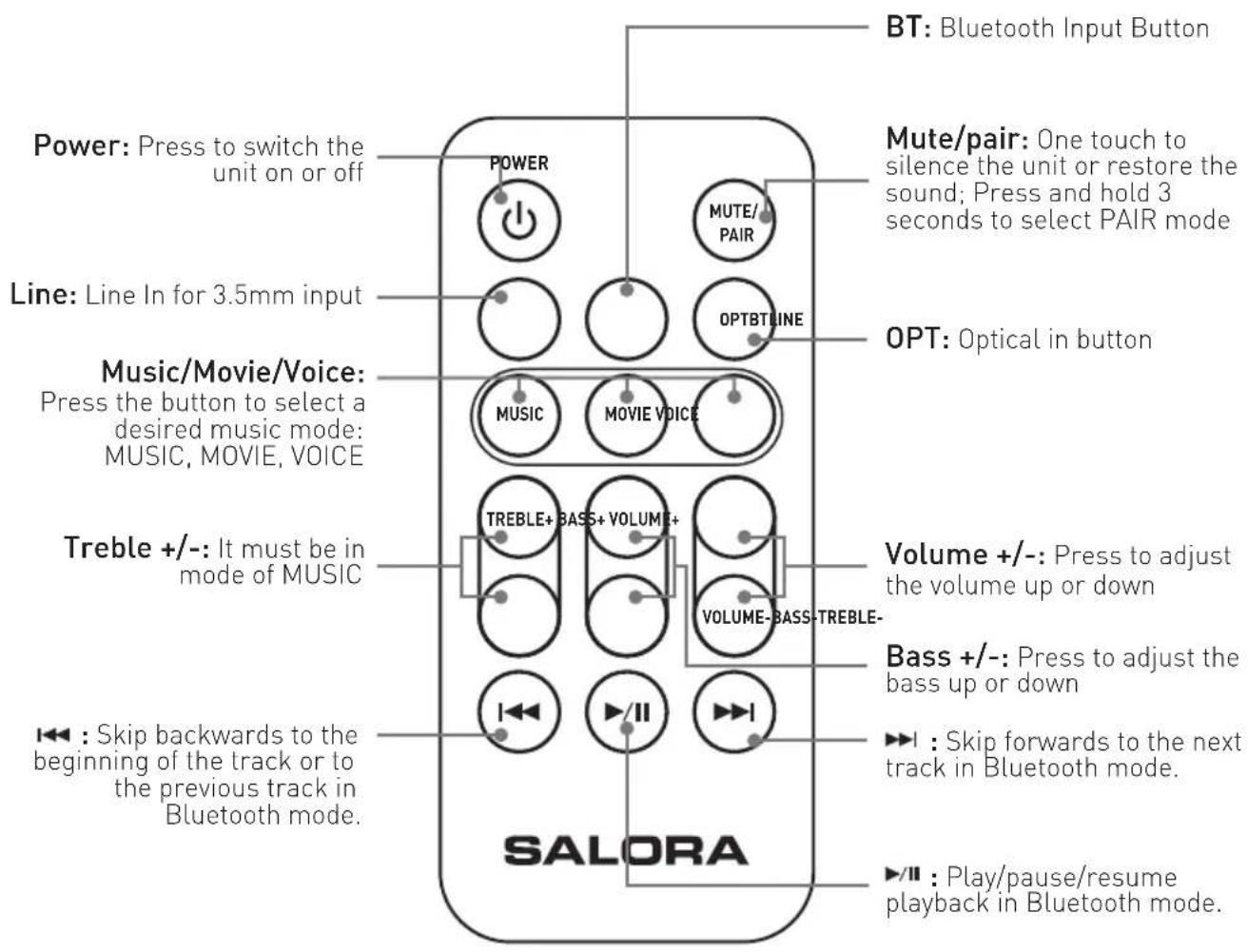
- The Remote Control Sensor
- BT ---- Blue Light
- OPT ---- White Light
- LINE ---- Green Light
- ⏻ ---- Red Light
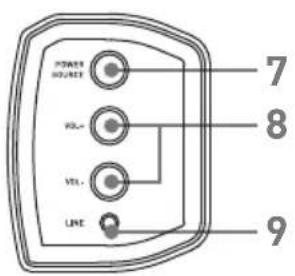
- Power and Source button ---- Press and hold 3 seconds to switch the unit on or off.
One touch to select a input: BT, Line in or Optical in.
- Volume + and - ---- Press to adjust the volume up or down.
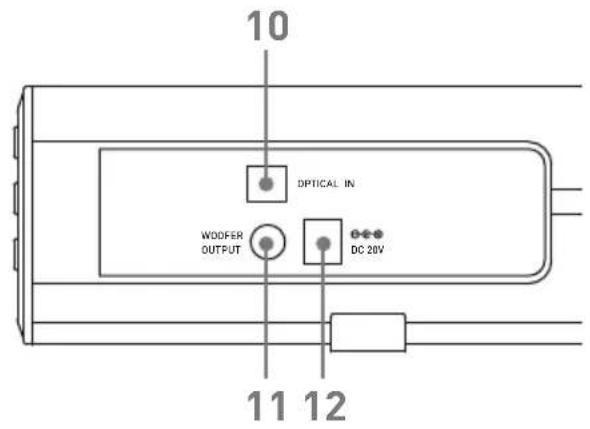
- 3.5mm Line In Socket
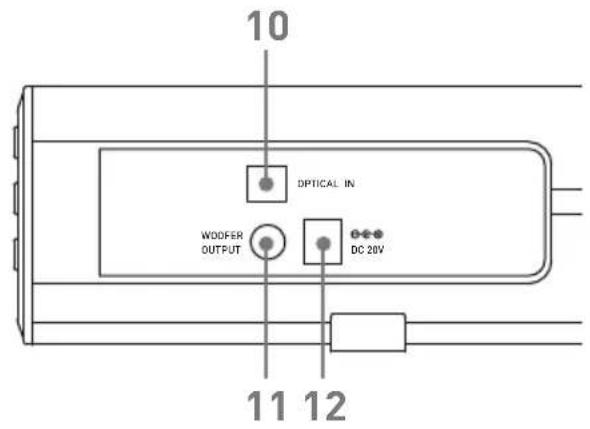
- OPTICAL In Socket
- Subwoofer Output
- DC (20V 1.2A) Socket
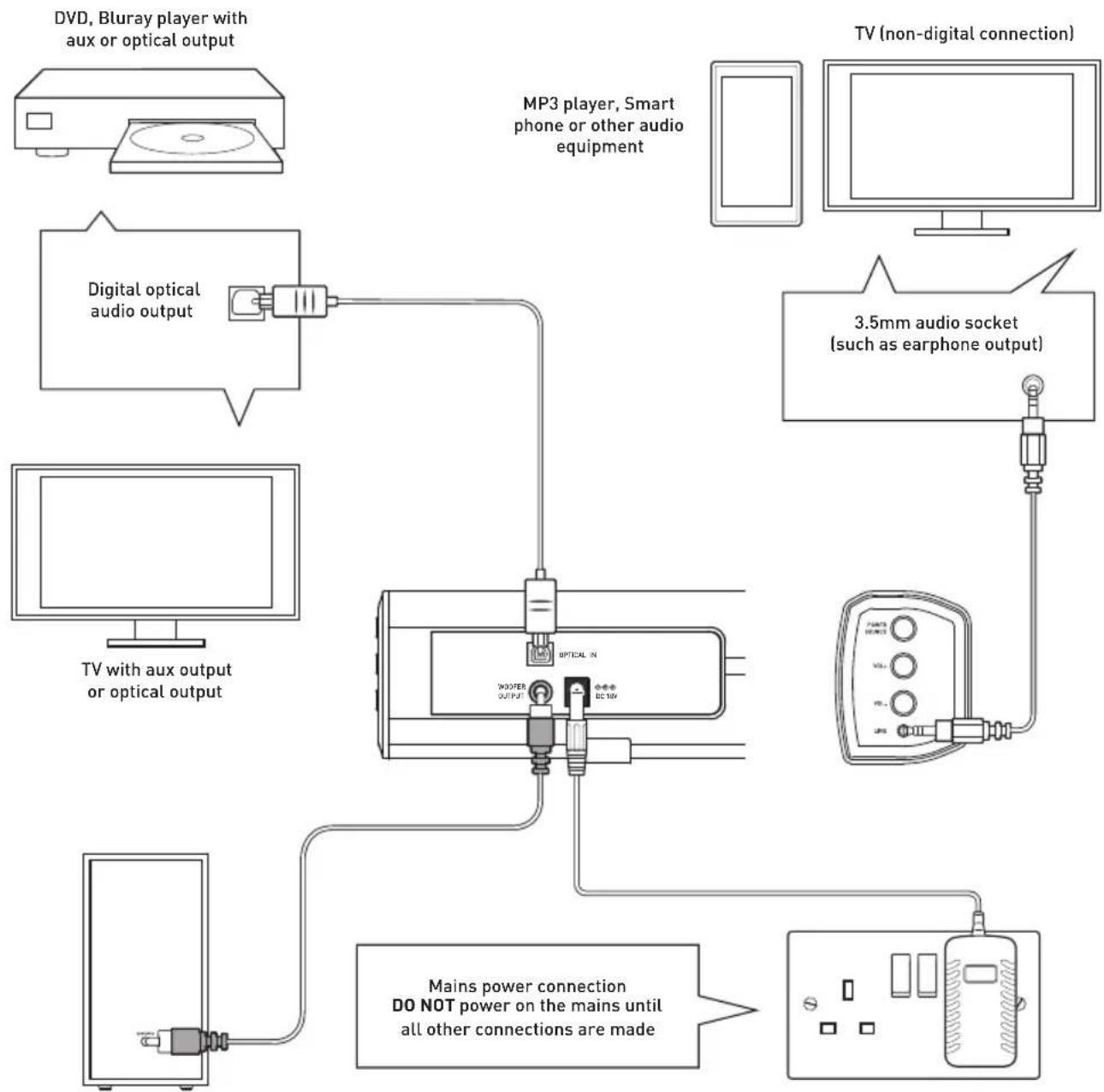
Connections
Follow the below connection guide to connect the sound bar to a TV with or without a digital output, a Bluray/DVD player or an audio source such as an MP3 player.
Only one digital connection to a TV is required. Use the optical connection.
DO NOT power on the mains until all other connections are made.
flowchart
graph TD
    A["DVD, Bluray player with aux or optical output"] --> B["Digital optical audio output"]
    B --> C["MP3 player, Smart phone or other audio equipment"]
    C --> D["TV (non-digital connection)"]
    D --> E["3.5mm audio socket (such as earphone output)"]
    E --> F["TV with aux output or optical output"]
    F --> G["Mains power connection DO NOT power on the mains until all other connections are made"]
    G --> H["Power supply via WOOFER OUTPUT"]
Using the optical input
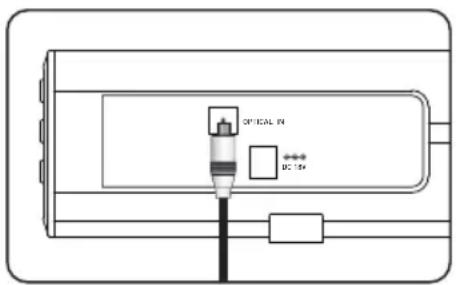
You will need: An audio source with an optical Audio output and a digital optical audio cable (included)
- Connect the digital optical audio cable to the optical output on the audio source and to the OPTICAL IN on the speaker bar.
- Press and hold 3 seconds the POWER/SOURCE button on side panel or POWER button directly on the remote control to switch on the unit.
- Press the SOURCE button on your remote control repeatedly to switch to optical mode or one touch the POWER/SOURCE button on main unit repeatedly to select the optical mode. The mode indicator LED will turn orange.
- Using the native controls on your connected device, make sure the audio settings are set to PCM or optical audio and are turned on.
- Audio from the connected audio source will now be played through the speakers.
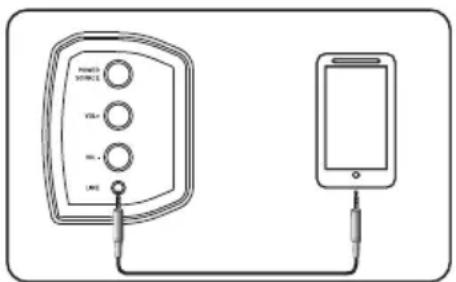
Using the LINE IN
- Plug one end of a 3.5mm audio input cable(included) into the LINE IN on the unit. Before use, disconnect and cables connected to the stereo RCA inputs.
- Plug the other end of the cable into the audio output/headphone output on an MP3 player or other audio source.
- Press and hold 3 seconds the POWER/SOURCE button on side panel or POWER button directly on the remote control to switch on the unit.
- Press the SOURCE button on your remote control repeatedly to enter LINE IN mode or one touch the POWER/SOURCE button on the unit repeatedly to enter LINE IN mode. The mode indicator will turn green.
- Audio played through the connected device will now be heard through the speakers.
Pairing a bluetooth device
Before you can use the sound bar with your phone or other bluetooth capable device you will need to pair the device to the sound bar.
Pairing a bluetooth device for the first time
- Press and hold 3 seconds the POWER/SOURCE button on the unit or the POWER button on the remote control to switch on the unit.
- Select and press the SOURCE button directly on the remote control to enter bluetooth mode or press the POWER/SOURCE button repeatedly to enter bluetooth mode, indicated by a blue light.
- Press the PAIR button on the remote control or the unit directly. The pairing indicator will flash quickly. When pairing, remain within 3 feet of the unit.
- Using the native controls on your bluetooth device, select the "SB0880" in your bluetooth settings to pair.
- When successfully paired and connected, a beep will issue from the unit and the pairing indicator will display a solid blue light. After initial pairing, the unit will stay paired unless unpaired manually by the user, or until it is erased due to a reset of the device.
If your device should become unpaired or you find it is unable to connect, repeat the above steps.
- The ▶/II button on the main unit (3) or on the remote when pressed will begin playback of the selected track on the audio device. Press again to pause playback.
- To skip to the next track press the ▶ button on the remote.
- To skip to the next track press the ◀ button on the remote.
- Any further operations must be done from the audio device.
- Soundbar has bluetooth connected to a device, you can press MUTE/PAIR button 3 seconds to exit this device in order to pair the device with another bluetooth device. If your device should become unpaired or you find it is unable to connect, repeat the above steps.
The volume output is effected by the volume level on the audio source EG: Phone or laptop, so make sure that is set to about 70-80% (not too loud to avoid distortion).
Bluetooth notes
- The operation range of bluetooth is approximately 10 meters (30 Feet). Any obstacles in the path between devices may reduce this range.
- Only one bluetooth device can be paired at a time.
- Not all bluetooth devices are compatible.
Connecting to the Mains Supply
- Ensure that the power supply voltage is in the voltage of 100V\~240V.
- This unit is designed to use adapter.
- Connecting the unit to any other power source may cause damage to the unit. Unwind the mains cable to its full length. Connect the mains plug to a mains socket. Make sure the mains plug is fully inserted into the mains socket.
- The mains plug/appliance coupler is used as the disconnect device, the disconnect device must remain readily operable.
- Connect the Adapter to the unit and AC Socket.
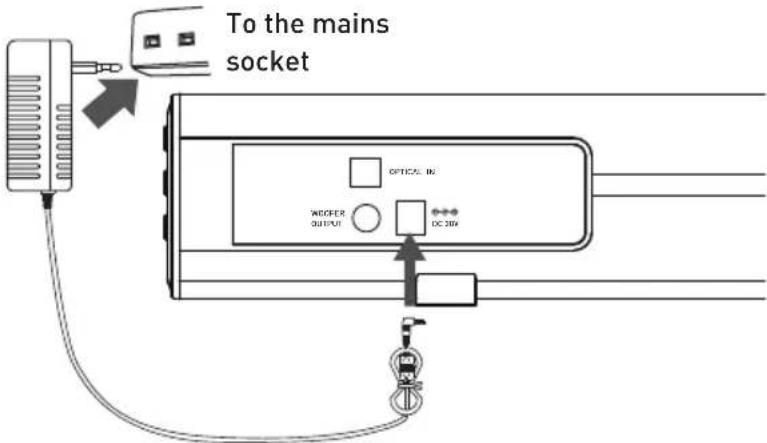

- Ensure all audio connections of the unit are connected before connecting to the mains power socket.
- Unplug the power cord from the outlet when the unit is use for an extended period of time.
Specifications
| Power Supply | DC 20V 1.2A |
| Speaker Output Power | 15W*2+50W(woofer) |
| Frequency Respond | 20Hz - 20KHz ± 3dB |
| SNR | ≥70dB |
| Separation | ≥45dB |
| Bluetooth V3.0 | |
| Dimension(W)×(H)×(D) | Sound bar: 800 x 74 x 56mmSubwoofer: 188 x 350 x 188mm |
| Net Weight | Sound bar: 1.2kgSubwoofer: 3.2kg |
SALORA
SOUND BAR MODEL: SB0880
natural_image
Exterior view of a modern audio streaming setup with a black Salora speaker tower and a long black audio player (no text or symbols visible on the main components)Federal Communication Commission Interference Statement
natural_image
Simple line drawing of a rectangular object with a small protrusion at the bottom (no text or symbols)Soundbar
natural_image
Simple line drawing of a vertical rectangular frame with rounded corners (no text or symbols)Subwoofer
Afstandsbediening
natural_image
Illustration of a medical or laboratory device with tubing and connector (no text or symbols)Adapter
natural_image
Coiled cable with two connectors, no text or symbols visibleOptische kabel
natural_image
Coiled black audio jack cable with connectors (no text or symbols visible)3.5mm audio kabel
natural_image
Two identical mechanical bracket components with mounting holes, shown in isometric view (no text or symbols)Wandbeugel
natural_image
Illustration of three different types of screwdrivers (no text or symbols)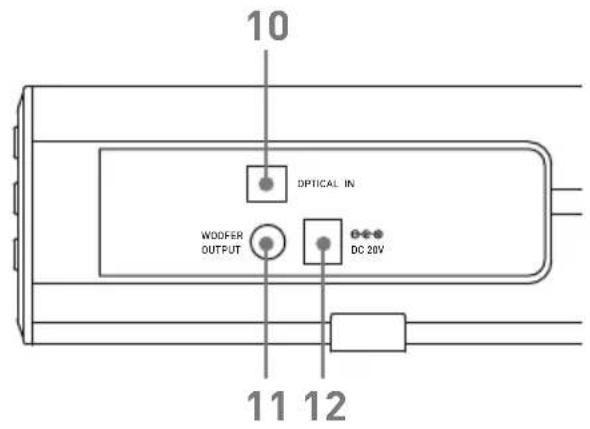
SOUND BAR MODÈLE: SB0880
natural_image
Exterior view of a modern audio streaming setup with a Salora speaker tower and a long black audio player (no text or symbols visible on the device itself)Guide d'utilisation
VEUILLEZ LIRE ATTENTIVEMENT CET GUIDE AVANT L'UTILISATION
natural_image
Simple line drawing of a rectangular object with a horizontal bar and a small rectangular base (no text or symbols)Barre de son
natural_image
Simple line drawing of a rectangular frame with rounded corners and a small base (no text or symbols)Subwoofer
Télécommande
natural_image
Illustration of a medical or laboratory device with tubing and connector (no text or symbols)Adaptateur secteur
natural_image
Coiled cable with two connectors (no text or symbols visible)Câble OPTIQUE
natural_image
Coiled black audio jack cable with connectors (no text or symbols visible)3.5 mm cable audio
natural_image
Two identical mechanical bracket components with mounting holes, shown in isometric view (no text or symbols)Support murale
natural_image
Illustration of three types of test probes: two with screws and one with a rectangular tube (no text or symbols)Guide d'utilisation
Description produit

natural_image
Exterior view of a modern audio streaming setup with a black Salora speaker and a rectangular sound block (no text or symbols visible)Bedienungsanleitung
BITTE VOR INGEBRAUCHNAHME LESEN.
Federal Communication Commission Interference Statement
natural_image
Simple line drawing of a rectangular object with a horizontal line and a small protrusion at the bottom (no text or symbols)Soundbar Produkt
natural_image
Simple line drawing of a rectangular frame with two base supports (no text or symbols)Subwoofer
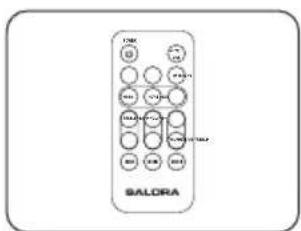
Fernbedienung
natural_image
Simple line drawing of a medical or laboratory device with tubing and connector (no text or symbols)Netzadapter
natural_image
Coiled cable with two connectors (no text or symbols visible)OPTISCHES Kabel
natural_image
Coiled black audio jack cable with two leads (no text or symbols visible)3.5mm Audiokabel
natural_image
Two identical mechanical bracket components with mounting holes, shown in isometric view (no text or symbols)Wandhalterung
natural_image
Illustration of three types of nail and test tube components (no text or symbols)Bedienungsanleitung
Produktbeschreibung


- Instruction Manual
- Important Safety Instructions
- FCC AND IC STATEMENT FOR USERS
- Federal Communication Commission Interference Statement
- Warnings and Precautions
- Check the package contents
- The following items are included:
- Product description
- Connections
- Using the optical input
- Using the LINE IN
- Pairing a bluetooth device
- Bluetooth notes
- Connecting to the Mains Supply
- SALORA
- Guide d'utilisation
- Description produit
- Bedienungsanleitung
- Produktbeschreibung
Brand : SALORA
Model : SBO880
Category : Soundbar