ManualGo.com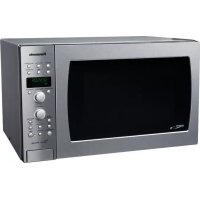
NNCD989S - Microwave Oven PANASONIC - Free user manual and instructions
Find the device manual for free NNCD989S PANASONIC in PDF.


Download the instructions for your Microwave Oven in PDF format for free! Find your manual NNCD989S - PANASONIC and take your electronic device back in hand. On this page are published all the documents necessary for the use of your device. NNCD989S by PANASONIC.
USER MANUAL NNCD989S PANASONIC
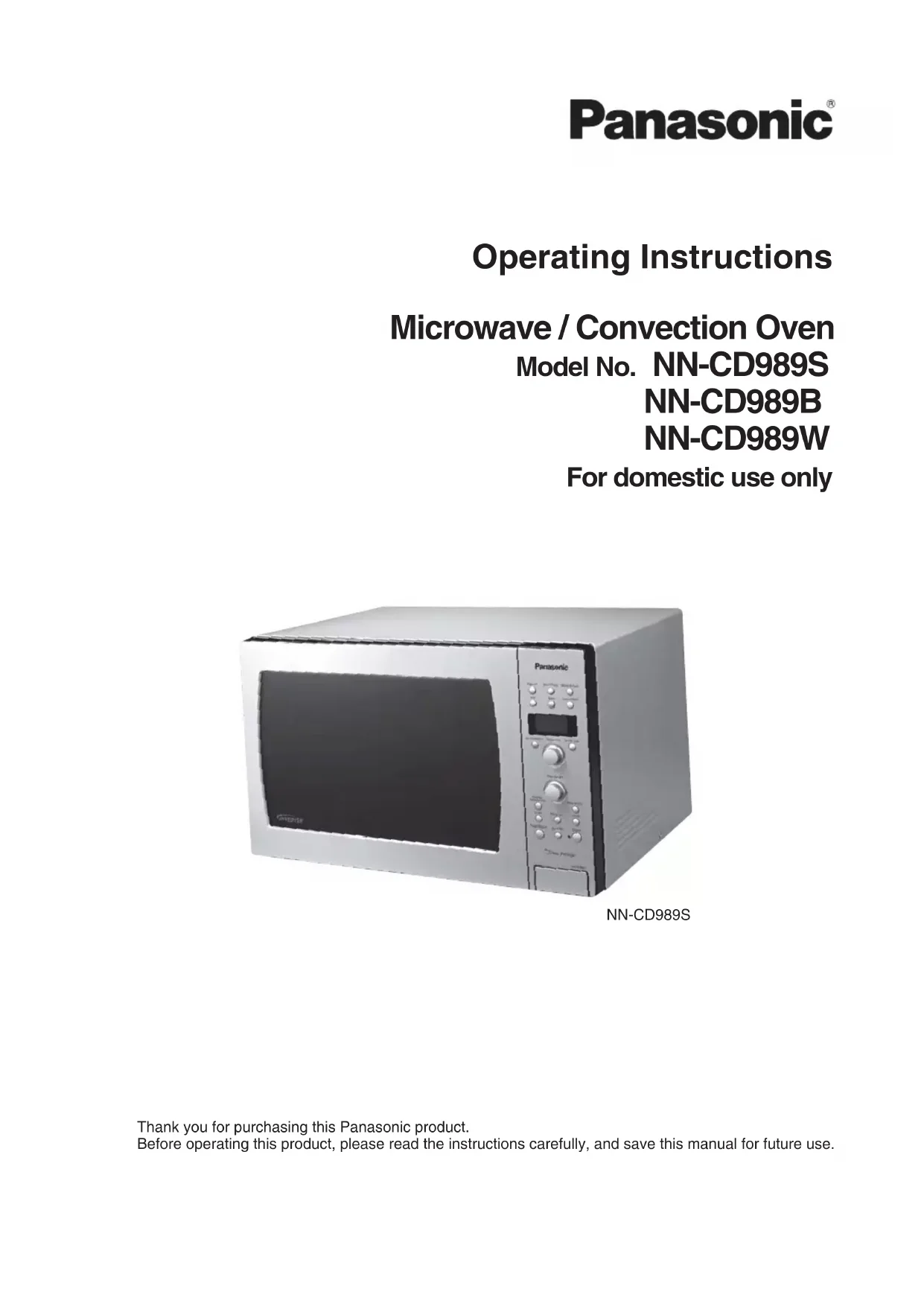
Thank you for purchasing this Panasonic product. Before operating this product, please read the instructions carefully, and save this manual for future use. NN-CD989S Operating Instructions Microwave / Convection Oven Model No. NN-CD989S NN-CD989B NN-CD989W For domestic use only- 2 - PRECAUTIONS
- (a) DO NOT attempt to operate this oven with the door open since open-door operation can result in harmful exposure to microwave energy. It is important not to defeat or tamper with the safety interlocks. Under normal conditions, the oven will not operate with the door open. (b) DO NOT place any object between the oven front face and the door, or allow soil or cleaner residue to accumulate on sealing surfaces. (c) DO NOT operate the oven if it is damaged. It is particularly important that the oven door close properly and that there is no damage to the following: (1) door (bent) (2) hinges and latches (broken or loosened) (3) door seals and sealing surfaces. (d) The oven should not be adjusted or repaired, by anyone except properly qualified service personnel. CONTENTS Important Safety Instructions p. 3
- Installation and Grounding Instructions p. 4
- Safety Precaution p. 6
- Outline Diagram p. 7
- Cooking Modes p. 7
- Control Panel p. 8
- Functions p. 9
- To Use Child Safety Lock p. 9
- Clock Setting p. 10
- Quick Min Function p. 10
- To Set Popcorn Function p. 10
- To Set Inverter Turbo Defrost p. 11
- Microwave Power & Time Selection p. 11
- To Use Keep Warm p. 11
- Bake with Time Selection p. 12
- Broiling with Time Selection p. 13
- Combination Cooking with Time Selection p. 13
- To Use Sensor Reheat (by Microwave) p. 14
- Sensor Cook (by Microwave/Combination) p. 14
- Auto Convection (by Combination) p. 15
- Auto Convection (by Bake) p. 15
- To Set Timer (To use as a kitchen timer) p. 16
- Care of Your Microwave/Convection Oven p. 16
- Technical Specifications p. 17
- Warranty & Service The serial number of this product may be found on the right side of the oven door opening. You should note the model number and the serial number of this oven in the space provided and retain this book as a permanent record of your purchase for future reference. Model No. Serial No. Date of Purchase- 3 - Important Safety Instructions When using electrical appliances, basic safety precautions should be followed, including the following: WARNING—To reduce the risk of burns, electric shock, fire, injury to persons or exposure to excessive microwave energy: p. 18
1. Read all instructions before using the appliance.
2. Read and follow “PRECAUTIONS TO AVOID
POSSIBLE EXPOSURE TO EXCESSIVE
MICROWAVE ENERGY”, found on page 2.
3. This appliance must be grounded. Connect only
to a properly grounded outlet. See
“INSTALLATION AND GROUNDING
INSTRUCTIONS” found on page 4.
4. Install or locate this appliance only in accordance
with the provided installation instructions.
5. Some products such as whole eggs and sealed
containers (for example, closed glass jars) may explode and should not be heated in this oven.
6. Use this appliance only for its intended use as
described in this manual. DO NOT use corrosive chemicals or vapours in this appliance. This type of oven is specifically designed to heat, or cook food. It is not designed for industrial or laboratory use. The use of corrosive chemicals in heating or cleaning will damage the appliance and may result in radiation leaks.
7. As with any appliance, close supervision is
necessary when used by children. DO NOT allow children to use this appliance, unless closely supervised by an adult.
8. DO NOT operate this appliance if it has a
damaged cord or plug, if it is not working properly, or if it has been damaged or dropped.
9. This appliance should be serviced only by
qualified service personnel. Contact the nearest authorized Panasonic Servicentre for examination, repair or adjustment.
10. DO NOT cover or block any openings on this
DO NOT use this product near water—for example, near a kitchen sink, in a wet basement, or near a swimming pool, etc.
12. DO NOT immerse cord or plug in water.
13. Keep cord away from heated surfaces.
15. When cleaning surfaces of door and oven that
come together on closing the door, use only nonabrasive soaps or detergents applied with a sponge or soft cloth.
16. To reduce the risk of fire in the oven cavity:
(a) DO NOT overcook food. Carefully attend appliance if paper, plastic, or other combustible materials are placed inside the oven to facilitate cooking. (b) Remove wire twist-ties from paper or plastic bags before placing bag in oven. (c) If materials inside the oven ignites, keep oven door closed, turn oven off, and disconnect the power cord, or shut off power at the fuse or circuit breaker panel. (d) DO NOT use the cavity for storage purposes. DO NOT leave paper products, cooking utensils, or food in the cavity when not in use.
17. To avoid the possible risk of a burn, the
appliance must not be used in areas such as island-type countertops where the rear surfaces would be exposed to user contact and the appliance must be placed more than 92 cm above the floor.
18. Superheated Liquids, such as water, coffee, or
tea are able to be overheated beyond the boiling point without showing evidence (or signs) of boiling. Visible bubbling is not always present when the container is removed from the microwave oven. THIS COULD RESULT IN VERY
UTENSIL IS INSERTED INTO THE LIQUID. To reduce the risk of injury to persons: (a) STIR THE LIQUID BOTH BEFORE AND HALFWAY THROUGH HEATING IT. (b) DO NOT heat water and oil, or fats together. The film of oil will trap steam, and may cause a violent eruption. (c) DO NOT use straight-sided containers with narrow necks. (d) After heating, allow the container to stand in the microwave oven for a short time before removing the container.
SAVE THESE INSTRUCTIONS- 4 -
Important Safety Instructions (continued) General Use
1. DO NOT tamper with, or make any adjustments
or repairs to, the door, control panel frame, safety interlock switches or any other part of the oven. DO NOT remove outer panel from oven. Repairs should only be done by qualified service personnel.
2. DO NOT use the microwave function when the
oven is empty. The microwave energy will reflect continuously throughout the oven causing overheating, if no food or water is present to absorb energy.
3. DO NOT use this oven to heat chemicals or other
4. DO NOT dry clothes, newspapers or other
materials in the oven. They may catch on fire.
5. DO NOT use recycled paper products unless the
paper product is labelled as safe for microwave oven use. Recycled paper products may contain impurities which may cause sparks and/or fires when used.
DO NOT use newspapers or paper bags for cooking.
7. DO NOT hit or strike the control panel. Damage
to the controls may occur.
8. DO NOT store flammable materials next to, on
top of, or in the oven. These could be fire hazards.
9. POT HOLDERS may be needed when handling
dishes. Heat is transferred from the hot food to the cooking container and from the cooking container to the Ceramic Tray. Ceramic Tray can be very hot after removing cooking container from oven.
10. Before using the BAKE, COMBINATION or
BROIL functions for the first time, wash the interior with a soapy cloth, then operate the oven without food, on BAKE, for 20 minutes at 230°C (450°F). This will allow the oil that is used for rust protection to be burned off.
Door and exterior will get hot during BAKE, COMBINATION and BROIL. Handle door with care.
12. Use extreme caution when removing oven
accessories, cooking containers from oven, or disposing of food by products such as hot grease. Examine Your Oven Unpack the oven, remove all packing material, and examine the oven for any damage such as dents, broken door latches or cracks in the door. Notify dealer immediately if oven is damaged. DO NOT install if the oven is damaged. Placement of Your Oven
1. The oven must be placed on a flat, stable
surface. Place the front surface of the door three inches or more from the counter top edge to avoid accidental tipping of the microwave during normal use. For proper operation, the oven must have sufficient air flow. Allow 7.5 cm (3") of space on both sides of the oven and 15 cm (6") of space on top of the oven. a. DO NOT block air vents. If they are blocked during operation, the oven may overheat. If the oven overheats, a thermal safety device will turn the oven off. The oven will remain inoperable until it has cooled. b. DO NOT place the oven near a hot, damp surface such as a gas or electric range, or dishwasher. c. DO NOT operate the oven when room humidity is too high.
2. This oven was manufactured for household use
only. It is not approved or tested for mobile vehicle, marine, or commercial use.
3. This oven may be built into a wall cabinet, if
desired, by using the proper trim kit, which may be purchased from a local dealer. Follow all installation instructions packed with kit. (Trim Kit Model No. see page 17) CAUTION: In the built-in application, air from the top of the trim kit's exhaust duct is very hot. Heat transfer may damage or change the color of the kitchen cabinet. Place the oven at least 30 cm away from the kitchen cabinet. Grounding Instructions This appliance must be grounded. In the event of an electrical short circuit, grounding reduces the risk of electric shock by providing an escape wire for the electric current. This appliance is equipped with a cord having a grounding wire with a grounding plug. The plug must be plugged into an outlet that is properly installed and grounded. WARNING — Improper use of the grounding plug can result in a risk of electric shock. Consult a qualified electrician or service person if the grounding instructions are not completely understood, or if it is uncertain whether the appliance is properly grounded or not. If it is necessary to use an extension cord, use only a three-wire extension cord that has a three prong polarized grounding plug, and a three-slot receptacle that will accept the plug on the appliance. The marked rating of the extension cord should be equal to, or greater than, the electrical rating of the appliance. Fan Motor Operation After using the oven the fan motor rotates to cool the electric components. This is perfectly normal, and you can take the food out of the oven while the fan operates. Installation and Grounding Instructions- 5 - Installation and Grounding Instructions (continued) Wiring Requirements
1. The oven must be on a SEPARATE CIRCUIT.
No other appliance should share the circuit with the microwave oven. If it does, the branch circuit fuse may blow or the circuit breaker may trip, or the food may cook slower than recommended in this manual.
2. The VOLTAGE used must be the same as specified on this microwave oven (120 V, 60 Hz).
Using a higher voltage is dangerous and may result in a fire or other accident causing oven damage. Using a lower voltage will cause slow cooking. Our company is NOT responsible for damage resulting from the use of the oven with other than specified voltage.
3. The oven must be plugged into at least a 15 AMP, 120 VOLT, 60 Hz GROUNDED OUTLET.
Where a standard two-prong outlet is encountered, it is the personal responsibility and obligation of the consumer to have it replaced with a properly grounded three-prong outlet. Ceramic Tray
1. DO NOT operate the oven without the Roller Ring and Ceramic Tray in place.
2. Only use the Ceramic Tray specifically designed for this oven.
DO NOT substitute any other Ceramic Tray.
3. If the Ceramic Tray is hot, allow to cool before cleaning or placing in the water.
4. DO NOT cook directly on the Ceramic Tray.
Always place food in a microwave-safe dish, or on a oven rack in a microwave-safe dish.
5. If food or utensils on the Ceramic Tray touch the oven walls, causing the turntable to stop moving,
the turntable will automatically rotate in the opposite direction. This is normal.
6. The Ceramic Tray can turn in either direction.
1. The Roller Ring and oven floor should be cleaned frequently to prevent excessive noise.
2. The Roller Ring must always be used for cooking along with the Ceramic Tray.
3. Always replace the Roller Ring and Ceramic Tray in their proper positions.
Oven Racks Use these racks for Bake, Broil or Combination cooking to elevate food for proper heating. May also be used during Microwave cooking. Arcing may occur if a metal container is used. If this occurs, stop the cooking, change the container and re-start the program.- 6 - Safety Precaution Utensils
1. Microwave browning dishes or grills are designed
for microwave cooking only. DO NOT use on browning cycle or on rack. Preheating times vary depending on the size of the browning dish and food being cooked. Always follow instructions provided by the browning dish or grill manufacturer. DO NOT PREHEAT THE
BROWNING DISH FOR MORE THAN
6 MINUTES in the microwave.
2. Metal containers or dishes with metallic trim
should not be used during Microwave or Combination cooking. Arcing may occur.
3. Metal twist-ties should not be used for Microwave
or Combination cooking, Arcing will occur.
4. DO NOT use sealed jars or narrow neck bottles
for cooking or reheating. They may shatter.
5. DO NOT use conventional thermometers for
Microwave or Combination cooking. They may cause arcing. DO NOT use a Microwave meat thermometer for Combination cooking or Bake cooking. It may melt.
6. Remove plastic wraps, before cooking or
defrosting in the oven.
7. If an oven cooking bag is used, prepare
according to the package directions. DO NOT use a wire twist-tie to close bag. Instead, use a plastic tie, a piece of cotton string or a strip cut from the open end of the bag. Make six 1.5 cm (
⁄2") slits by the closure. Place oven cooking bag in a dish slightly larger than the food being cooked.
8. When using foil, skewers, racks or utensils made
of metal in the oven for Microwave or Combination cooking, allow at least 2.5 cm (1") of space between the metal material and interior oven walls. If arcing occurs, remove the metal material (skewers, etc.) and/or transfer to a nonmetallic container. DO NOT use with rack.
9. DO NOT use paper bags or recycled paper
products in the microwave oven.
10. DO NOT use paper towels or cloths which
contain a synthetic fiber woven into them, such as nylon. The synthetic fiber may cause the towel or cloth to ignite. Use paper towels with caution.
11. The oven door and interior walls will get hot
12. Cooking containers get hot during cooking. Use
pot holders when removing containers from the oven or when removing lids or plastic wrap covers from cooking utensils, to avoid burns.
13. The Ceramic Tray will get hot during cooking.
It should be allowed to cool before handling or before using paper products, such as paper plates, napkins or microwave cooking.
14. Utensils for Combination setting, should be heat-
safe, microwaveable dishes. Food
1. DO NOT use your oven for home canning or
the heating of any closed jar. Pressure will build up and the jar may explode. In addition, the microwave oven cannot maintain the food at the proper canning temperature. Improperly canned food may spoil and be dangerous to consume.
2. Small quantities of food or foods with low
moisture content can dry out, burn or catch on fire when overheated. If a fire occurs, turn the oven off and leave the oven door closed. Disconnect the power cord or shut off the power at the fuse or circuit breaker panel.
3. Popcorn can be popped in a suitable,
microwaveable corn popper using the manufacturer’s directions or prepackaged bags of Microwave popcorn can be used with the preset “Popcorn” Button program. Always follow the package directions.
4. DO NOT attempt to deep fry in your oven.
Temperature cannot be controlled and fat will erupt. Many microwave utensils cannot withstand the temperatures of heated oil, resulting in shattering or melting.
5. DO NOT cook or reheat whole eggs in a
microwave oven. Pressure will build up and the eggs will explode. Reheating Sliced hard-boiled eggs and cooking scrambled eggs are safe.
6. Potatoes, apples, chicken wing, whole squash
and sausages are examples of foods with nonporous skins. This type of food must be pierced before cooking, to prevent bursting.
7. Use fresh potatoes, and cook until just done. The
potatoes will still feel soft to the touch, but firm when pierced with a fork. Overcooking causes dehydration and may cause a fire.
8. Heated liquids can erupt if not mixed with air.
DO NOT heat liquids in your microwave oven without first stirring. Over-heated liquids will erupt.
9. Heat only 1 frozen dinner or entree in the oven at
a time. If the dinner or entree is heated in a foil tray, leave at least 2.5 cm (1") of space between the foil tray and the oven walls.
10. Drying meats, fruits, vegetables and herbs is not
11. DO NOT use the oven for any reason other than
the preparation of food.
12. DO NOT leave the oven unattended when in use.- 7 -
Outline Diagram Cooking Modes MICROWAVE BAKE The following is the recommended use of the oven racks, unless otherwise indicated in the Cookbook. BROIL COMBINATION MICROWAVE CERAMIC TRAY HEAT LOW RACK CERAMIC TRAY HEAT LOW RACK CERAMIC TRAY MICROWAVE HEAT CERAMIC TRAY Door Release Button Opening the door during cooking will stop the cooking process without cancelling the program. Cooking resumes as soon as the door is closed and Start Button is pressed. The oven light will turn on, and remain on, whenever the door is opened. Door Safety Lock System Oven Air Vent Control Panel Ceramic Tray Roller Ring Identification Plate (model number) External Air Vents Oven Rack
High Rack Low Rack High Rack can be used with Low Rack for 2-Level cooking. (BAKE only)- 8 - Stop/Reset Button Before cooking: One press clears your instructions. During cooking: One press temporarily stops the cooking process. Another press cancels your instructions and time of day appears in the display window. Start Button One press allows oven to begin functioning. If the door is opened or the Stop/Reset Button is pressed once during oven operation, Start Button must be pressed again to restart the oven. Beep Sound: When a button is pressed correctly, a beep will be heard. If a button is pressed and no beep is heard, the unit has not, or cannot, accept the instruction. The oven will beep twice between programmed stages. At the end of any complete program, the oven will also beep 5 times. When the preheating cycle is complete, the oven will beep 3 times. Display Window Auto Convection Button Bake Button Micro Power Button Inverter Turbo Defrost Button Time/Weight Select Dial Quick Min Button Popcorn Button Timer Button Sensor Cook Button Combination Button Broil Button Sensor Reheat Button More/Less Button Temperature Select Dial Clock Button Keep Warm Button Cook Navigator: The flashing indicator signals the next step. Control Panel- 9 - The unique function feature of your PANASONIC microwave oven allows you to set the non-cooking features of your oven, such as LANGUAGE CHOICE (ENGLISH, SPANISH OR FRENCH) OPERATION GUIDE ON/OFF, Lb/kg CHOICE. (see below) The functions should be programmed directly after plugging the oven in. LANGUAGE CHOICE The oven has English, French and Spanish displays. The default setting is English. Press More/Less Button Choice
The oven has both imperial and metric weight measurements. The default setting displays the weight in imperial measurements. Press Start Button Choice
OPERATION GUIDE helps you program your oven by prompting you with the next step. When you become familiar with your oven, the Operation Guide can be turned off. Press Timer Button Choice
To Use Child Safety Lock This feature prevents the electronic operation of the oven until canceled. It does not lock the door. Press Start Button three times continuously. Time of day will disappear and “LOCK” will appear on the screen. Actual time will not be lost. Press Stop/Reset Button three times continuously. Time of day will reappear on the screen. To cancel “LOCK”: Functions- 10 - Clock Setting Quick Min Function To Set Popcorn Function
1. Press Clock Button.
2. Enter the time of day by
1. Press to set cooking
time (up to 10 minutes). Press Quick Min Button to add extra cooking time (up to 10 presses) during cooking. Cooking time changes to include extra time and continues to count down in the display. s4OUSEOTHERPOWERLEVELSSELECTTHEDESIREDPOWERLEVELBEFORESETTINGTHECOOKINGTIME s)FYOUUSEQuick Min Button to set your cooking time, you cannot use the Time/Weight Select Dial to set more time or to change the cooking time.
2. Press Start Button.
Cooking will start on P10 power.
1. Press Popcorn Button
until the actual weight appears in the screen.
1. You can use the oven without setting the clock.
2. The oven uses a 12-hour clock.
3. To reset the time of day, repeat steps 1 to 3 above.
4. The clock will keep the time of day as long as the oven is plugged in and electricity is supplied.
2. Set the weight of food. 3. Press Start Button.
1. Select the Power Level.
(according to the chart below) NOTES:
1. For 2 or 3 stage cooking, repeat steps 1 and 2
above before pressing Start Button.
2. When selecting P10 for the first stage, start from
2. Set the cooking time.
( P10 up to 30 minutes Others up to 1 hour 30 minutes)
s4HEWEIGHTFOR)NVERTER4URBO$EFROSTCANBEPROGRAMMEDTOUPTOKGLBS How do I program Power and Time? How to program Reheating/Cooking: Use to defrost meat, poultry or seafood simply by entering the weight.
Keep Warm time appears in the Display Window and begins to count down. At the end of cooking, five beeps sound and “ENJOY YOUR MEAL” appears in the Display Window. This feature helps you to keep a certain selection of foods warm for up to 30 minutes after cooking. Press Power Level % Power once P10 (HIGH) 100% twice P9 90% 3 times P8 80% 4 times P7 (MEDIUM-HIGH) 70% 5 times P6 (MEDIUM) 60% 6 times P5 50% 7 times P4 40% 8 times P3 (MEDIUM-LOW) 30% 9 times P2 20% 10 times P1 (LOW) 10%- 12 - Bake with Time Selection
4. After preheating, place
Preheating will start. This feature offers a choice of bake temperatures from 100°C to 230°C in 10°C increments (or from 200°F to 450°F in 25°F increments). Most baked items require preheating the oven. Place the Oven Rack on the Ceramic Tray. Follow these steps. NOTE: Before using the BAKE, COMBINATION or BROIL functions for the first time, wash the interior with a soapy cloth, then operate the oven without food on BAKE for 20 minutes at 230°C (450°F). This will allow the oil that is used for rust protection to be burned off. The oven door and exterior will become hot during BAKE, COMBINATION and BROIL. Please handle the door carefully. s$URINGPREHEATINGh0vAPPEARSINTHEDisplay Window. DO NOT open the door.
When preheating is completed, the oven will beep three times and “P END” will appear on the Display Window. s)FTHEOVENDOORISNOTOPENEDAFTERPREHEATINGTHESELECTEDTEMPERATUREWILLBEMAINTAINEDFORMINUTES After 30 minutes, the oven will shut off automatically and beep five times. s&ORRECIPESTHATDONOTREQUIREPREHEATINGSKIPSTEPSAND0LACEFOODINTHEOVENBEFORESTEP s7HENTHESELECTEDCOOKINGTIMEISLESSTHANONEHOURTHETIMECOUNTSDOWNSECONDBYSECOND s7HENTHESELECTEDCOOKINGTIMEISOVERONEHOURTHETIMECOUNTSDOWNMINUTEBYMINUTEUNTILHOUR remains. The timer will then count down second by second. s0RESSBake Button during preheating or baking to display the temperature you programmed. Note: Cracking noise can be heard while cooking. This is normal as cabinet parts expand due to heat.- 13 - Combination Cooking with Time Selection Broiling with Time Selection
Preheating will start.
1. Select the desired
combination setting (1–4). s7HENTHESELECTEDCOOKINGTIMEISLESSTHANONEHOURTHE time counts down second by second. s7HENTHESELECTEDCOOKINGTIMEISMORETHANONEHOURTHE time counts down minute by minute until 1 hour remains. The timer will then count down second by second. s5SEMICROWAVEABLEANDHEATSAFEDISHES sDO NOT use plastic wrap or waxed paper.
2. Set the cooking time
Cooking will start. 4HEREARECOMBINATIONSETTINGS4HESESETTINGSAREAUTOMATICTHEREISNONEEDTOSETTHEOVENTEMPERATURE or microwave power level. Some Combination recipes require preheating. For instructions, follow steps 1 and 2 of the “Bake with Time Selection” section. Most broil items require preheating the oven. Place the Oven Rack on the Ceramic Tray. Follow these steps. s$URINGPREHEATINGh0vAPPEARSINTHESCREENDO NOT open the door.
When preheating is completed, the oven will beep three times and “P END” will appear in the Display Window. s)FTHEOVENDOORISNOTOPENEDAFTERPREHEATINGTHETEMPERATUREWILLBEMAINTAINEDFORMINUTES After 30 minutes, the oven will shut off automatically and beep five times.
3. After preheating, place
Reheating will start.
s3TANDTIMEORAPOWERLEVELCANBEPROGRAMMEDAFTERSELECTING3ENSOR2EHEAT s3ENSOR2EHEATISNOTSUITABLEFORPASTRYBREADSOUPORBEVERAGES s0RESSSensor Cook Button until desired food appears in the Display Window. s4HECHARTSANDRECIPESINTHE#OOKBOOKPROVIDEDIRECTIONSFOR3ENSOR#OOKINGh4O#OOKBY3ENSOR#OOKv s4HEFOLLOWINGCATEGORIESAREFURTHERDIVIDEDASFOLLOWS 1st press POTATOES for root vegetables, such as potatoes, carrots, squash 2nd press FRESH VEGETABLES for other vegetables, such as broccoli, peas, beans, cauliflower 3rd press CANNED VEGETABLES 4th press FROZEN VEGETABLES 5th press WHITE RICE 6th press BROWN RICE 7th press PASTA 8th press CASSEROLE 1 for foods such as gratin and lasagna 9th press CASSEROLE 2 for foods such as stew CASSEROLE will be cooked by Combination. DO NOT use plastic wrap, as the heater could melt the wrap. NOTE ON SENSOR REHEAT AND SENSOR COOK: s4HE3ENSORSYSTEMWORKSBYDETECTINGABURSTOFSTEAMONTHESTEAMSENSOR!SFOODCOOKSINAMICROWAVE oven, steam is produced. Once steam is detected by the sensor, the oven automatically calculates the remaining cooking time. s7HENA3ENSORMENUISSELECTEDMENUWILLAPPEARINTHESCREEN4HEOVENDOORSHOULDNOTBEOPENEDFOR longer than one minute while “AUTO” appears in the screen. Opening the door may cause inaccurate cooking results. Once the two beep signal is heard, the remaining cooking time immediately appears in the screen and begins to count-down. At this time, the oven door may be opened to stir, turn or add foods. s#OVERFOODSLOOSELYBUTCOMPLETELYWITHPLASTICWRAPORPLACEFOODSINACASSEROLEDISHWITHAPROPERFITTING lid. s&OODSLESSTHANGOZSHOULDBECOOKEDBYPOWERANDTIMENOTBY3ENSOR#OOK s!LLFOODSFOR3ENSORMENUSHOULDBEATTHEIRNORMALSTORAGETEMPERATURE s"EFOREUSING3ENSORMENUMAKESURE#ERAMIC4RAYINTHEOVENISDRYTOENSUREBESTRESULTS s)FONEOFTHE3ENSORPROGRAMSISSELECTEDWHILETHEOVENISSTILLHOTFROMHEATEROPERATIONh(/4vWILLAPPEAR in the screen. After cooling the oven cavity, colon or time of day reappears in the screen. s)FYOUWISHTOADJUSTTHECOOKINGTIMEPRESSMore/Less Button before pressing Start Button (see next page). This feature allows you to cook most of your favourite foods without having to select cooking time and power. The oven does it all automatically.- 15 - Auto Convection (by Bake)
1. Select desired category.
2. Set the weight. 3. Press Start Button.
1. Select desired category.
2. Press Start Button.
Cooking will start. s7HENTHEWEIGHTHASBEENSELECTEDTHECOOKINGTIMEWILLAUTOMATICALLYBEDETERMINED s4HEMAXIMUMWEIGHTTHATCANBEPROGRAMMEDIS#HICKEN0IECESKGLB Whole Chicken - 3.0 kg (6 lb) Beef/Pork - 2.0 kg (4 lb) s&OODSWEIGHINGABOVETHERECOMMENDEDWEIGHTSSHOULDBECOOKEDBYMANUALCOMBINATION s3TANDTIMEORMICROPOWERCANBEPROGRAMMEDAFTER7EIGHT#OOKING s)FYOUWISHTOADJUSTTHECOOKINGTIMEPRESSMore/Less Button before pressing Start Button (see below). s!UTO#ONVECTIONMENUISDIVIDEDASFOLLOWS 1st press CHICKEN PIECES 2nd press WHOLE CHICKEN 3rd press BEEF MEDIUM 4th press PORK This feature allows you to bake cake or pie without having to select the oven temperature and the baking time. This feature allows you to cook beef, pork and whole chicken by setting the weight. s)FYOUWISHTOADJUSTTHEBAKINGTIMEPRESSMore/Less Button before pressing Start Button (see below). s7ILLNOTBAKECHOCOLATEFUDGEBROWNIESORFRUITCAKERECIPES sDO NOT use frozen pie crust. s0LACEFROZENPIESONASMALLCOOKIESHEET s!UTO#ONVECTIONMENUISASFOLLOWS 5th press CAKE 1 for Cake recipe that conventionally bakes in less than 28 minutes 6th press CAKE 2 for Cake recipe that conventionally bakes in 28 minutes to 55 minutes 7th press CAKE 3 for Cake recipe that conventionally bakes in more than 55 minutes 8th press FRESH PIE for Double-crust pies with fresh fillings 9th press FROZEN PIE for Double-crust pies that are frozen 10th press PRECOOKED PIE for Double crust pies with pre-cooked or canned pie filling To Use More/Less Button: After having used One Touch Cooking a few times, you may prefer your food cooked to a different degree. By using More/Less Button, programs can be adjusted to cook food for a longer or shorter time. If you are satisfied with the result of the programs, you don’t need to use More/Less Button. Press More/Less Button before pressing Start Button. The words “MORE” or “LESS” will appear in the Display Window when More/Less Button is pressed. 1st press = More (Adds Approx. 20% time) 2nd press = Less (Subtracts Approx. 20% time) 3rd press = Original setting Auto Convection (by Combination) Note: Cracking noise can be heard while cooking. This is normal as cabinet parts expand due to heat.- 16 - Care of Your Microwave/Convection Oven
1. Turn the oven off before cleaning. Make sure
2. Keep the inside of the oven clean. When food
splatters or spilled liquids adhere to oven walls,wipe with a damp cloth. Mild detergent or liquid cleansers may be used if the oven gets very dirty. DO NOT use of harsh detergent or abrasives.
3. The interior of the oven is stainless steel. To
prevent baked-on soil, clean food spatters or spilled liquids as they occur. For hard to remove soil, use a mild detergent, a non-abrasive cleanser or spray with an all purpose cleaner and wipe dry. DO NOT use harsh detergents or abrasive cleaners on any oven surface. Plastic scouring buttons may be used. To help loosen soil before cleaning, heat 500 ml (2 cups) of water in a 1 L (4 cups) glass heat- resistant container at HIGH power for 5 minutes or until boiling. NOTE: DO NOT use oven cleaners on the top of the oven.
4. The outside oven surfaces should be cleaned
with a damp cloth. To prevent damage to the operating parts inside the oven, water should not be allowed to seep into the ventilation openings.
5. Clean the Control Panel with a soft, dry cloth.
DO NOT use harsh detergents, abrasives or paper toweling. When cleaning the Control Panel, leave the oven door open to prevent the oven from accidentally turning on. After cleaning, press Stop/Reset Button to return to time-of-day.
6. Steam will be given off cooking food and collect
on the oven walls and door. During conditions of high humidity, steam may occur on the outside of the oven and in no way indicates a malfunction. Wipe dry with a soft cloth.
7. It is occasionally necessary to remove the
Ceramic Tray for cleaning. Wash the tray in warm sudsy water or in a dishwasher.
8. The Roller Ring and oven cavity floor should be
cleaned regularly to avoid excessive noise. Simply wipe the bottom surface of the oven with mild detergent, water or window cleaner and dry. The Roller Ring may be washed in mild sudsy water or in a dishwasher. Cooking vapours collect during repeated use, but in no way affect the bottom surface or Roller Ring wheels. When removing the Roller Ring from the cavity floor for cleaning, be sure to replace in the proper position.
9. Oven accessories may be washed in warm sudsy
water, in a dishwasher, or scrubbed with plastic buttons.
10. Daily cleaning will prevent the accumulation of
2. Enter the length of time
to be counted down (up to 1 hour 30 minutes).
⁄16") Operating Frequency: 2,450 MHz Trim Kit (Optional): For NN-CD989S: NN-TK903S [686 mm (W)] (27")/NN-TK913S [762 mm (W)] (30") For NN-CD989B: NN-TK903B (CPH) [686 mm (W)] (27")/ NN-TK913B (CPH) [762 mm (W)] (30") For NN-CD989W: NN-TK903W (CPH) [686 mm (W)] (27")/ NN-TK913W (CPH) [762 mm (W)] (30") Uncrated Weight: Approx. 22 kg (48 lbs) *IEC Test Procedure used Specifications subject to change without notice. This Trim Kit information overrides the list of OVEN MODELS in TRIM KIT INSTALLATION INSTRUCTIONS.- 18 - Panasonic Canada Inc. 5770 Ambler Drive, Mississauga, Ontario L4W 2T3
PANASONIC PRODUCT - LIMITED WARRANTY
Panasonic Canada Inc. warrants this product to be free from defects in material and workmanship and agrees to remedy any such defect for a period as stated below from the date of original purchase. Microwave Ovens - Two (2) years, parts and labour (Carry-in Service). Additional three (3) year warranty on the magnetron (parts only, labour extra). In-home Service applies to convection, over-the-range and stainless steel ovens. In-home Service will be carried out only to locations accessible by roads and within 50 km of an authorized Panasonic service facility.
LIMITATIONS AND EXCLUSIONS
This warranty does not apply to products purchased outside Canada or to any product which has been improperly installed, subjected to usage for which the product was not designed, misused or abused, damaged during shipping, or which has been altered or repaired in any way that affects the reliability or detracts from the performance nor does it cover any product which is used commercially. This warranty is extended to the original end user purchaser only. A purchase receipt or other proof of date of original purchase is required before warranty service is performed. THIS EXPRESS, LIMITED WARRANTY IS IN LIEU OF ALL OTHER WARRANTIES, EXPRESS OR IMPLIED, INCLUDING ANY IMPLIED WARRANTIES OF MERCHANTABILITY AND FITNESS FOR A PARTICULAR PURPOSE. IN NO EVENT WILL PANASONIC CANADA INC. BE LIABLE FOR ANY SPECIAL, INDIRECT OR CONSEQUENTIAL DAMAGES. In certain instances, some jurisdictions do not allow the exclusion or limitation of incidental or consequential damages, or the exclusion of implied warranties, so the above limitations and exclusions may not be applicable. WARRANTY SERVICE FOR PRODUCT OPERATION ASSISTANCE, please contact: Our Customer Care Centre: Telephone #: (905) 624-5505 1-800 #: 1-800-561-5505 Fax #: (905) 238-2360 Email link: “Customer Support” on www.panasonic.ca FOR PRODUCT REPAIRS, please locate your nearest Authorized Servicentre at www.panasonic.ca: Link: “Servicentres™ locator” under “Customer support” IF YOU SHIP THE PRODUCT TO A SERVICENTRE Carefully pack and send prepaid, adequately insured and preferably in the original carton. Include details of the defect claimed, and proof of date of original purchase. Panasonic Canada Inc. 5770 Ambler Drive Mississauga, Ontario L4W 2T3 TEL: (905) 624-5010 Web site: www.panasonic.ca A00037V20CP F0210-0 Printed in Japan Warranty & Service © Panasonic Corporation 2010Nous vous remercions d’avoir choisi ce produit Panasonic. II est recommandé de lire attentivement ce manuel avant d’utiliser I’appareil. Manuel d’utilisation Fours micro-ondes / convection Modèle NN-CD989S NN-CD989B NN-CD989W À usage domestique uniquement NN-CD989S2 PRÉCAUTIONS
LB-F 1 pression KG-C